Tuesday, September 22nd 2026
Cable Matters Introduces 40 Gbps USB4 KVM Switch for Two Laptops
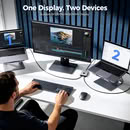
Cable Matters introduces its 40 Gbps USB4 KVM Switch for two laptops, model 201342, designed to simplify workspaces shared by two computers. Users can switch a compatible USB-C monitor or docking station between laptops, giving the selected computer access to the connected display and peripherals without repeatedly moving cables.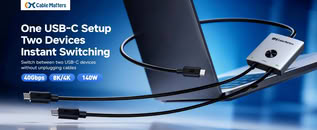
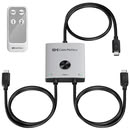
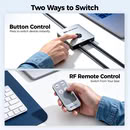
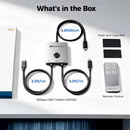
 The switch combines two built-in host cables and one built-in output cable in a compact enclosure. Users can select a computer with the onboard button or included RF remote control, which operates without a direct line of sight.
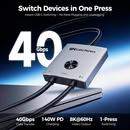
Rated capabilities include data rates up to 40 Gbps, video output up to 8K at 60 Hz, 6K at 60 Hz, or 4K at 240 Hz, and USB Power Delivery pass-through up to 140 W. Actual performance depends on the connected computer, monitor or dock, and other equipment. Charging power passes to the selected laptop only and depends on the power source and receiving computer.
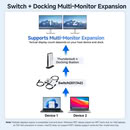
Compatible with Thunderbolt 4 and Thunderbolt 5 equipment, the switch supports connections up to its 40 Gbps limit. A compatible docking station or monitor allows users to share its connected keyboard, mouse, storage, and other peripherals between computers, helping reduce duplicate equipment on the desk.
Compatible docking stations must have a detachable host cable. Docks with permanently attached host cables cannot be connected using a USB-C coupler, and USB-C extension cables are not supported. Video output requires a compatible host port with display support; a USB-C data-only port cannot provide video. Supported resolutions, refresh rates, and display configurations depend on the host computer and connected equipment.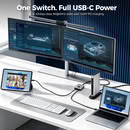
Source:
Cable Matters
Jeff Jiang, President of Cable Matters Inc."Switching between a work laptop and a personal computer should be simple. The new USB4 KVM switch lets users share a compatible monitor or docking station at the press of a button, making it easier to use both computers in one organized workspace."


Rated capabilities include data rates up to 40 Gbps, video output up to 8K at 60 Hz, 6K at 60 Hz, or 4K at 240 Hz, and USB Power Delivery pass-through up to 140 W. Actual performance depends on the connected computer, monitor or dock, and other equipment. Charging power passes to the selected laptop only and depends on the power source and receiving computer.
Compatible with Thunderbolt 4 and Thunderbolt 5 equipment, the switch supports connections up to its 40 Gbps limit. A compatible docking station or monitor allows users to share its connected keyboard, mouse, storage, and other peripherals between computers, helping reduce duplicate equipment on the desk.
Compatible docking stations must have a detachable host cable. Docks with permanently attached host cables cannot be connected using a USB-C coupler, and USB-C extension cables are not supported. Video output requires a compatible host port with display support; a USB-C data-only port cannot provide video. Supported resolutions, refresh rates, and display configurations depend on the host computer and connected equipment.


10 Comments on Cable Matters Introduces 40 Gbps USB4 KVM Switch for Two Laptops
I find it easier to just use a single device that acts like both a KVM and a dock at once.
I still think this is a bit on the more expensive side given that it's just a KVM switch without anything else, but it's not as bad as I had thought.
On top of that, it can handle 140 W USB-PD power, something I haven't seen any similar device being capable of.
Otherwise, IMO it makes more sense to go with a more fully fledged dock that has multiple inputs; which is ofc more expensive, but so is a switch + dock in case you already don't have one.
One eGPU or external PCIe device without having to keep wearing its port because of swapping out host devices would be a boon.
As it's part of the USB4 spec and this is a full speed 40 Gbps device, there's no reason why it shouldn't.
It's not very clear from their site, but as it says Thunderbolt, PCIe isn't optional.
This image even says it does 40 Gbps data transfer.
Like I said, I want to be wrong and if it supports the full USB4 40Gbps spec, that would be great for what I'd use it for (eGPU switching between two hosts).
www.diodes.com/part/view/PI3DBS16222Q?BackID=2399
It's a device transparent switch that just handles raw data and doesn't care if that is a display signal, PCIe or something else.
There might be some redrivers and other components as well, to make it all work.
I might not work if you flip it around though, i.e. two devices to one computer and it might not do what you want it to do.
And yeah I don't think it would work the other way around (bi-directional functionality) since it says that the two USB cables are considered as host cables, meaning they need to hook up to the computers and not the accessory.