News Posts matching #Dock

Return to Keyword Browsing

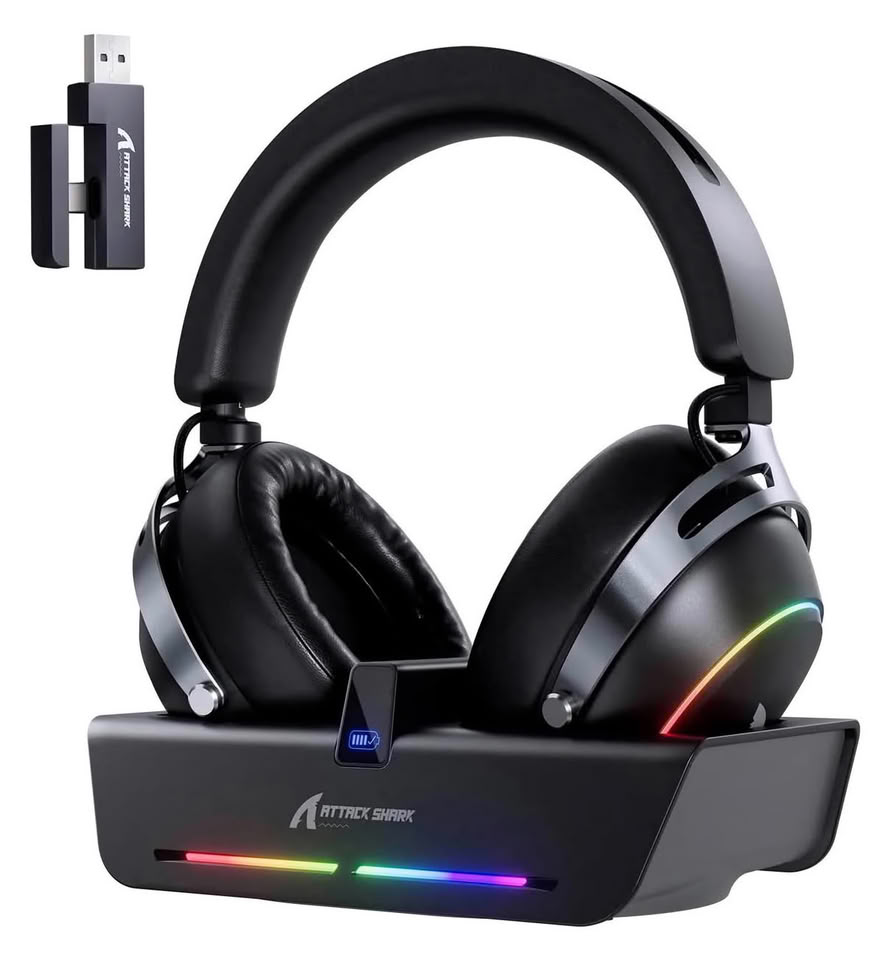
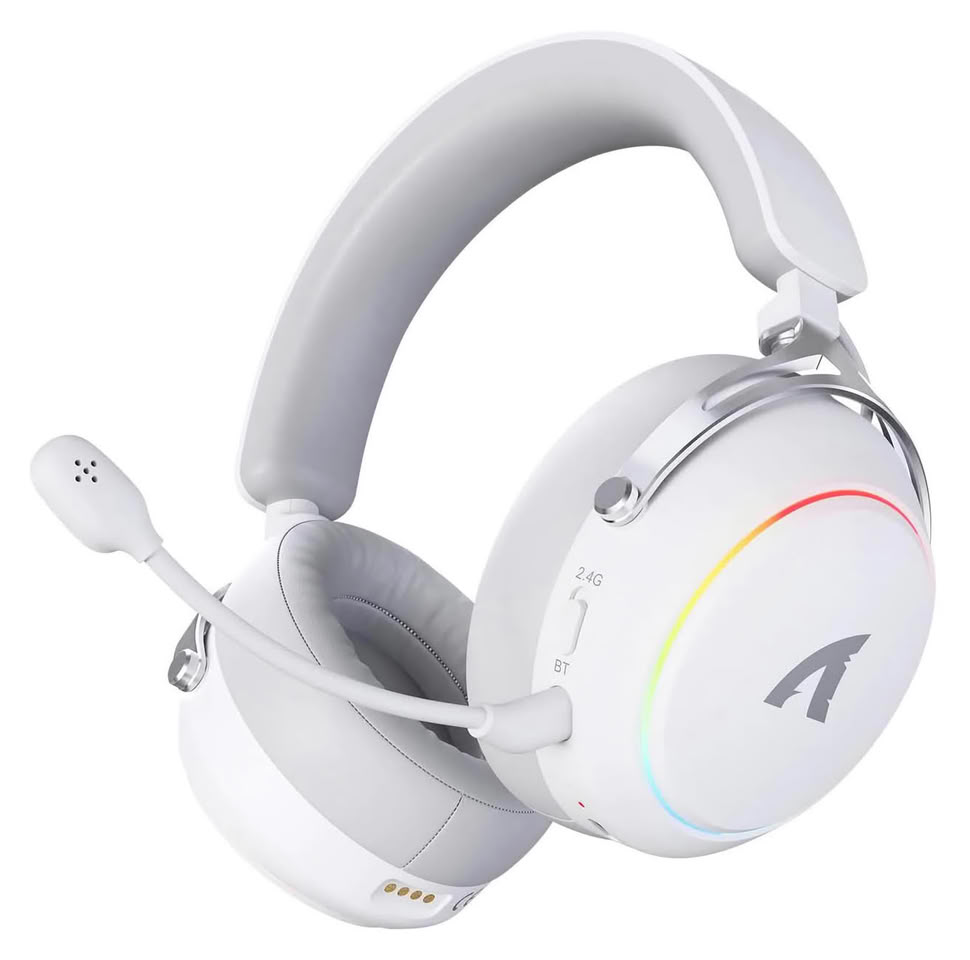
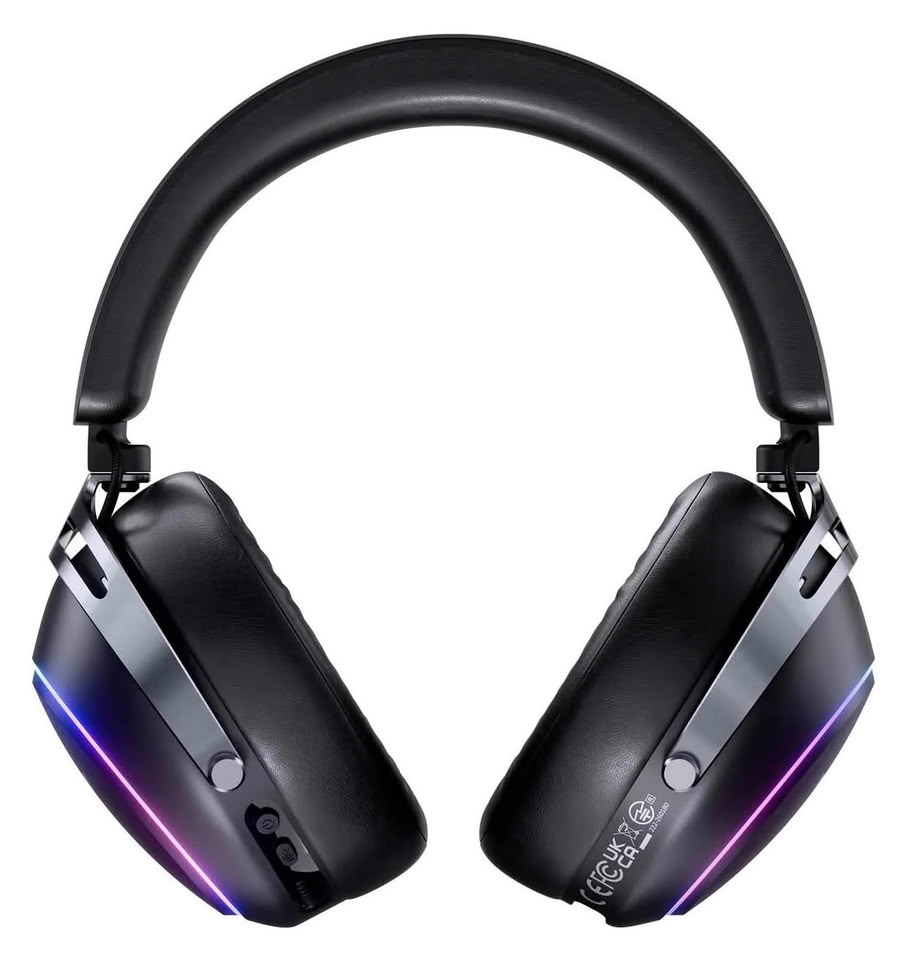
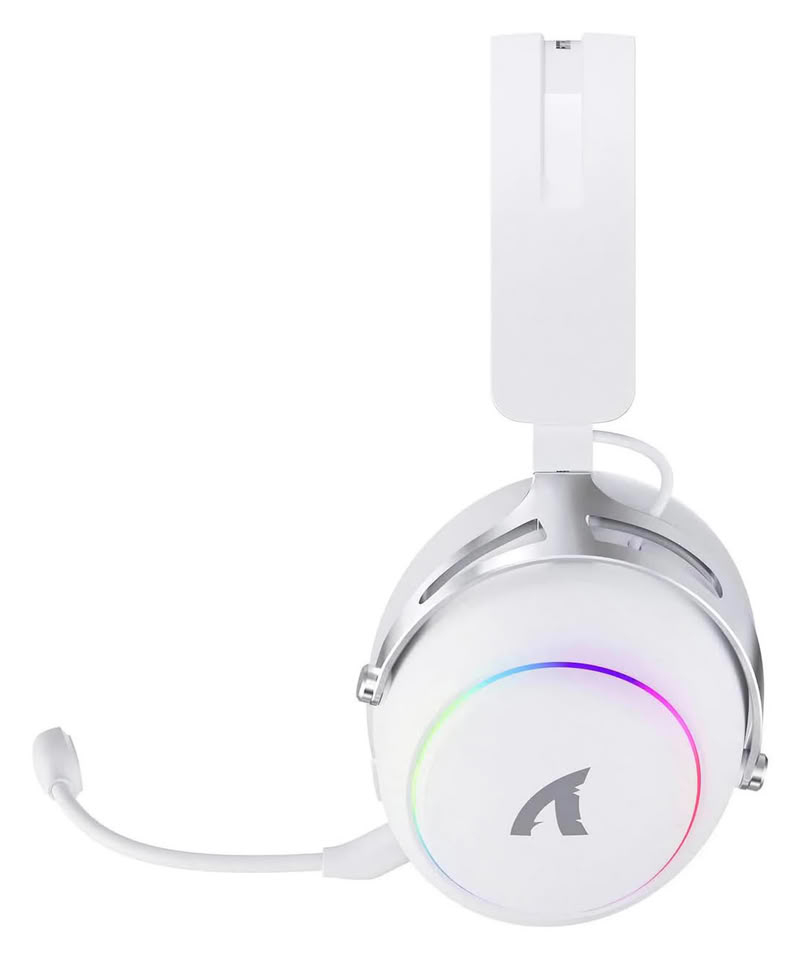
Attack Shark Unveils X60 Gaming Headset with RGB Wireless-Charging Dock

High-performance gaming peripheral brand ATTACK SHARK is set to introduce the X60 Gaming Headset, its latest premium audio offering built to meet the demands of competitive gamers and multi-device users. The headset combines advanced acoustic engineering, ergonomic comfort, low-latency wireless performance, and an RGB-enabled charging dock with integrated hub functionality. It is a complete desktop audio solution built for FPS gaming, entertainment, and extended daily use.

Built for Competitive Audio Performance
The X60 features a 53 mm dynamic driver with a PEN nano-polymer diaphragm, a material widely used in professional audio equipment for its ability to reduce distortion and improve clarity. Combined with a large independent acoustic chamber and airflow-balancing technology, the design delivers precise sound reproduction with clear layering and accurate positional cues, helping players react faster in competitive gameplay. Premium Audio Quality—Experience rich, immersive sound with crisp footsteps, detailed in-game effects, and enhanced audio depth.


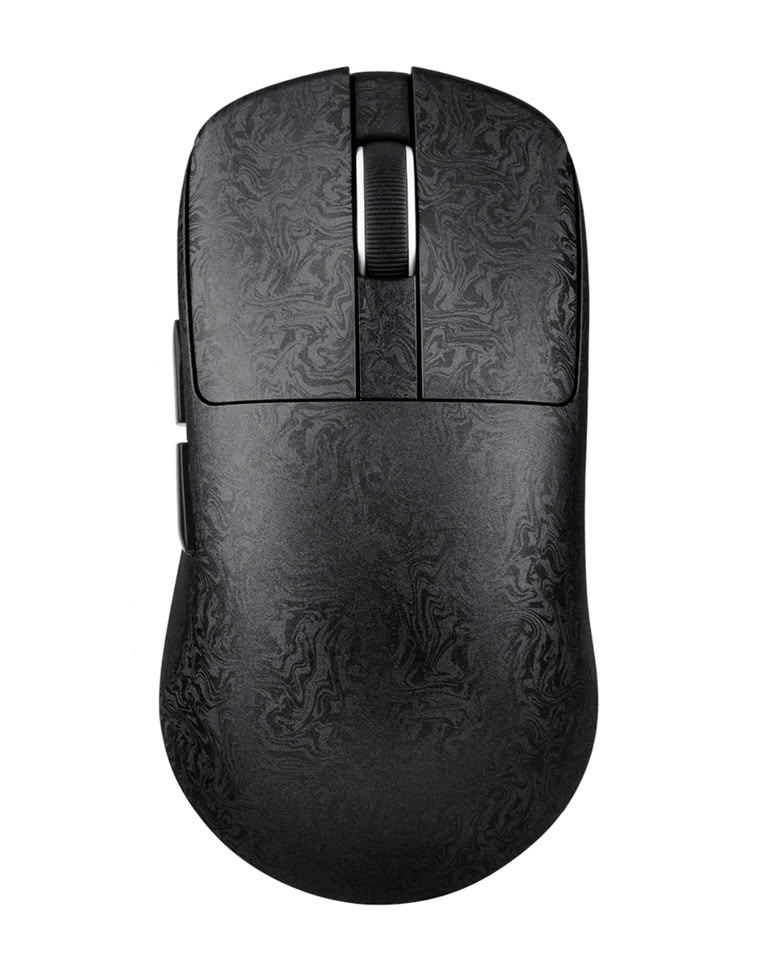
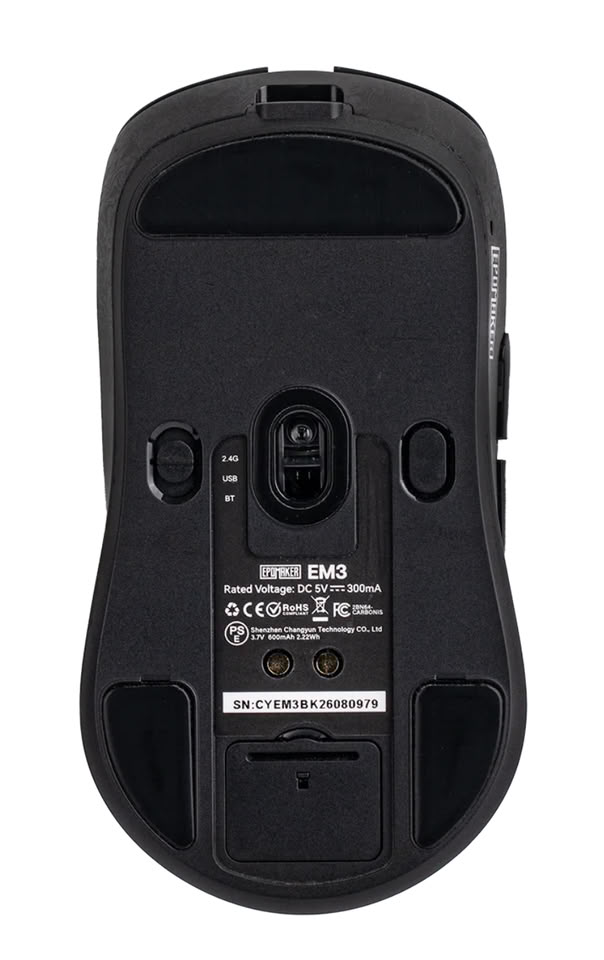
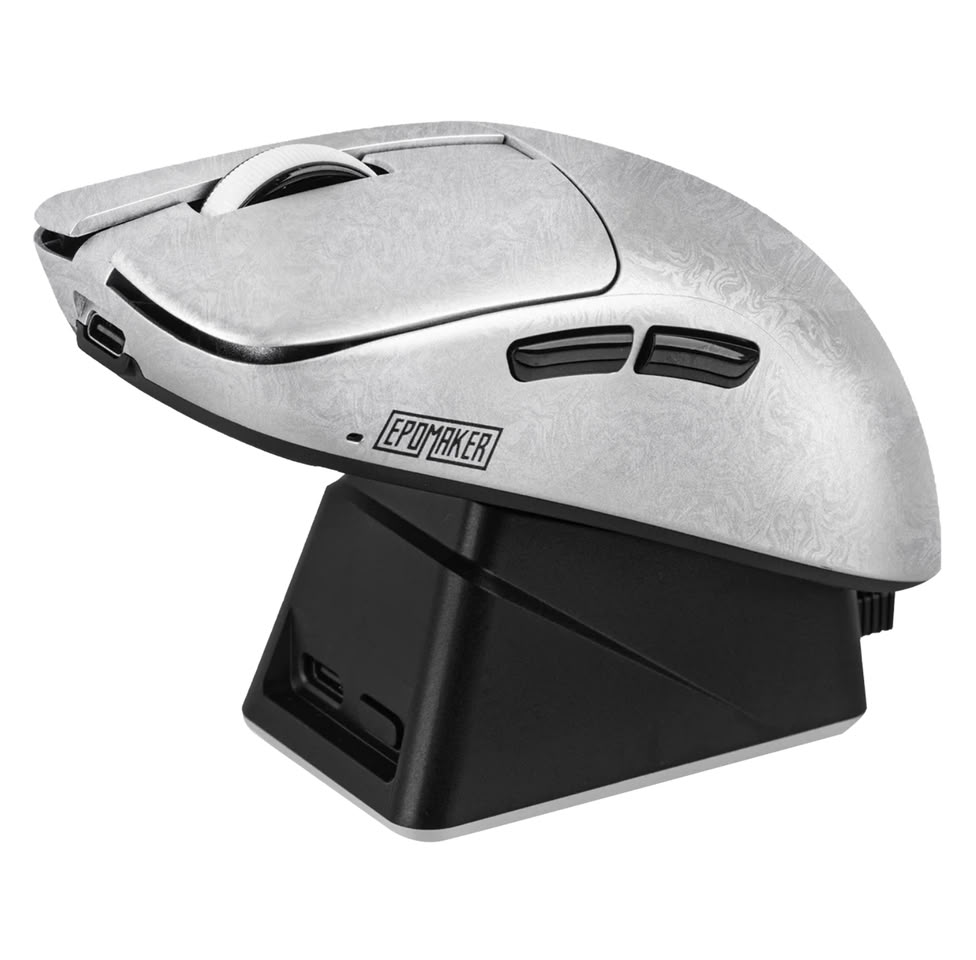
Epomaker Launches the EM3 Carbon-Fiber Composite Gaming Mouse

Built around the community's expectations for precise control, tactile quality, and convenient charging, the EM3 gaming mouse combines a lightweight body weighing about 56 g, a PAW3315 sensor, and up to a 1000 Hz polling rate with carbon-fiber-reinforced materials, flexible connectivity, and a magnetic charging dock. These elements bring gaming performance, refined feel, and everyday convenience into a single product.

Precision Tracking and Customization
The gaming mouse is powered by the PAW3315 sensor, supporting up to 16000 DPI for precise, consistent tracking. Polling rates of up to 1000 Hz are available in both wired and 2.4 GHz wireless modes, with four selectable levels available through the driver, giving the EM3 the responsiveness expected from a performance-focused gaming mouse. Further customization is available through the web-based Epomaker Hub and Epomaker Driver 3.0, where users can adjust functions including the Fire Key, button debounce, motion correction, and button response. For quick sensitivity changes, the physical DPI button also provides six DPI levels without the need to open the software.

Targus Introduces DOCK402 USB-C Alt. Mode Mobile Dock with Built-In 140 W Charger

Targus, a global leader in laptop cases and mobile computing accessories and the number one third-party docking station brand in the U.S., today launched the USB-C Alt. Mode Single Video 8K Mobile Dock with Built-In GaN Charger (DOCK402TT). Designed for portable power and connectivity, the new dock combines laptop power, display output, peripheral connections, and wired networking in one travel-ready, sustainable design.
David Dorantes, Director of Product Marketing, Targus"Mobile professionals shouldn't have to carry a separate dock and charger to stay productive when they are away from their usual workspace. DOCK402TT combines both in one travel-ready device, delivering the power and connectivity they need with less gear to pack, carry, and manage."

Icy Dock Announces ExpressSlot Elite MB303E5P-B E1.S PCIe 5.0 Adapter

The ExpressSlot Elite MB303E5P-B expands on ICY DOCK's removable E1.S storage platform by enabling two E1.S (9.5 mm) NVMe SSDs within a single PCIe expansion slot. Designed for high-performance servers, workstations, and edge platforms, it installs into a single-slot, full-height 3/4-length PCIe x8 or PCIe x16 slot and provides dual rear-accessible removable caddies at the PCIe bracket for faster SSD maintenance and replacement.

PCIe 5.0 x4 Performance per SSD for High-Speed NVMe Workloads
Built on a PCIe 5.0 x8 interface, the MB303E5P-B delivers up to 128 Gbps bandwidth per SSD via independent PCIe x4 links. This architecture enables full-speed NVMe performance for each drive, making it ideal for data-intensive workloads while maintaining a clean, expansion-slot-based deployment model.

ASUS Republic of Gamers Announces Bulwark Dock DG310

ASUS Republic of Gamers (ROG) today announced the ROG Bulwark Dock DG310, the perfect companion for the ROG XBOX Ally family of gaming handhelds. Offering 6-in-1 connectivity and distinctive ROG design cues that blends easily into existing setups, the Bulwark Dock can instantly transform an ROG Xbox Ally into a full desktop or living room battlestation with just a single USB-C connection. HDMI 2.1 support provides the dock with variable refresh rate (VRR), auto low-latency mode (ALLM), and high dynamic range (HDR) technologies. With seamless Bluetooth pairing for wireless peripherals, the Bulwark Dock makes it easy to connect and get straight into the game.

Classic ROG styling
Designed to be a must-have gaming accessory for any ROG XBOX Ally gaming handheld, the Bulwark Dock sports the classic ROG aesthetic and includes an ergonomic stand that ensures unimpeded airflow for the handheld when docked. A fixed 60 cm USB-C cable with a 90° connector provides a clean single-cable connection to the handheld for a clutter-free setup. Built-in 6-in-1 connectivity turns the ROG XBOX Ally into the heart of a full desktop or gaming console, boasting up to 80-watt power delivery (when using a 100-watt charger) via USB-C, HDMI 2.1, 1 Gb Ethernet port for wired networking, and three USB Type-A 3.2 Gen 1 ports for a mouse, keyboard, or controller. Four selectable RGB lighting modes enable gamers to create a unified gaming setup and set the mood for different games.

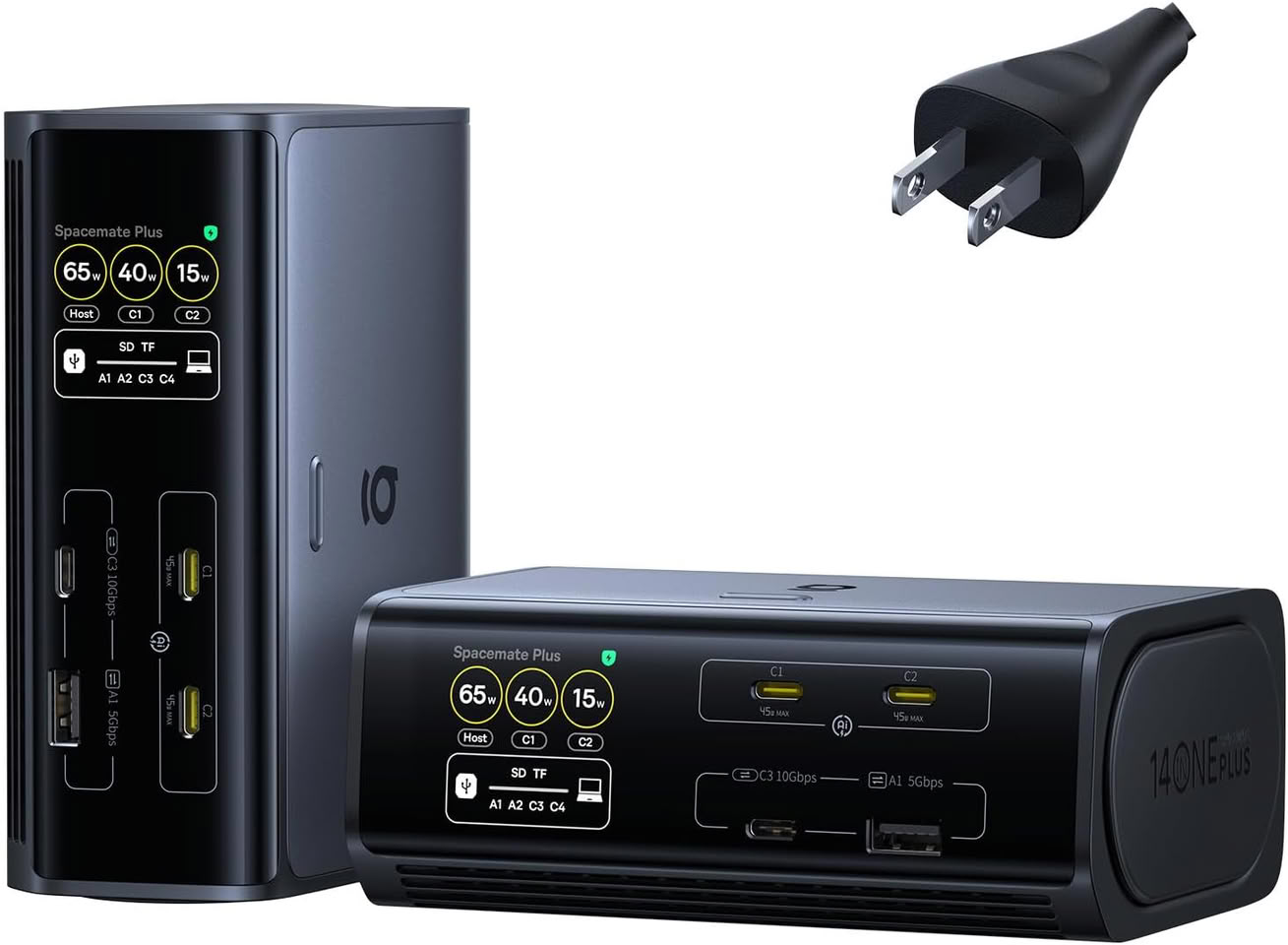
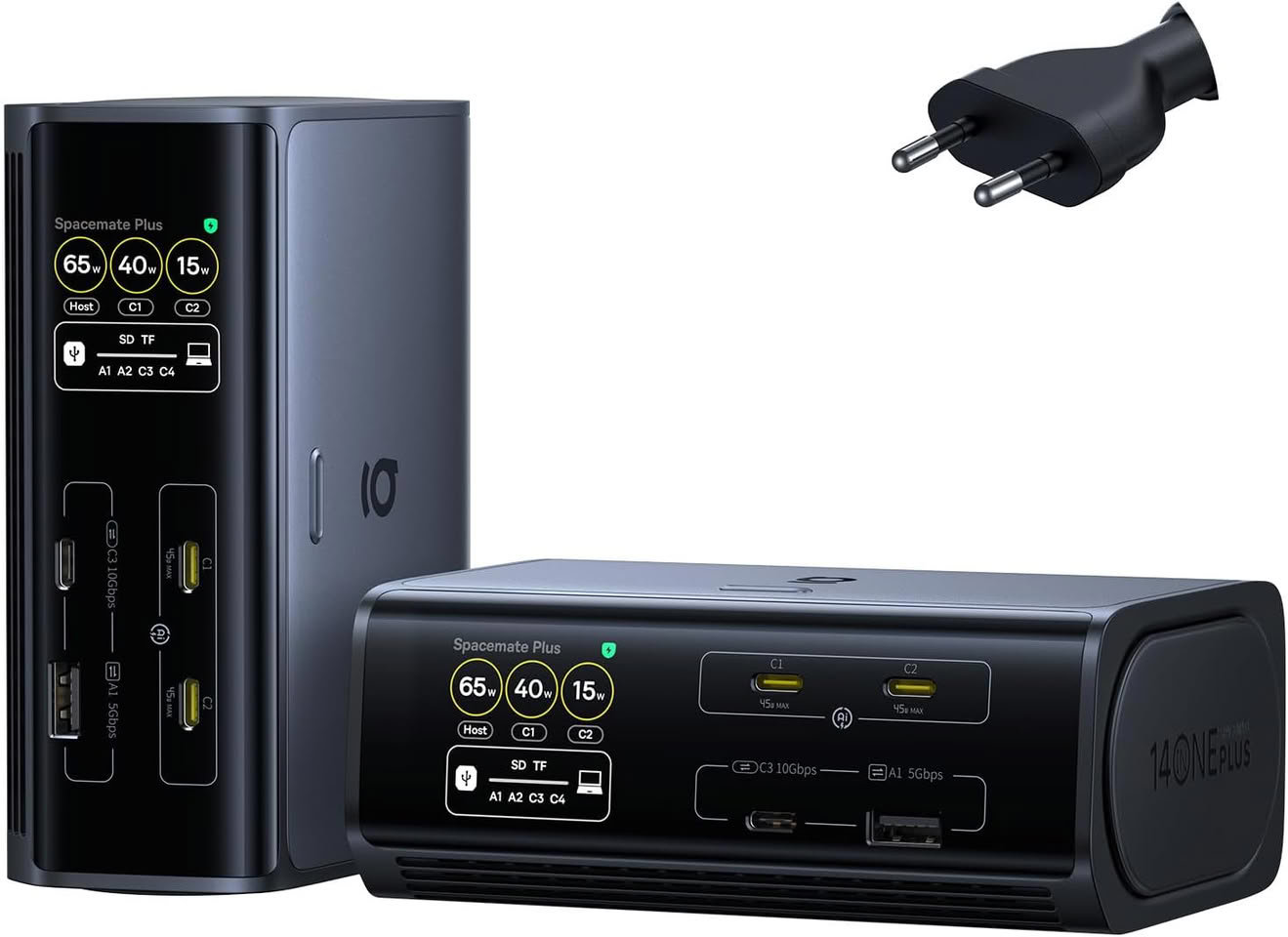
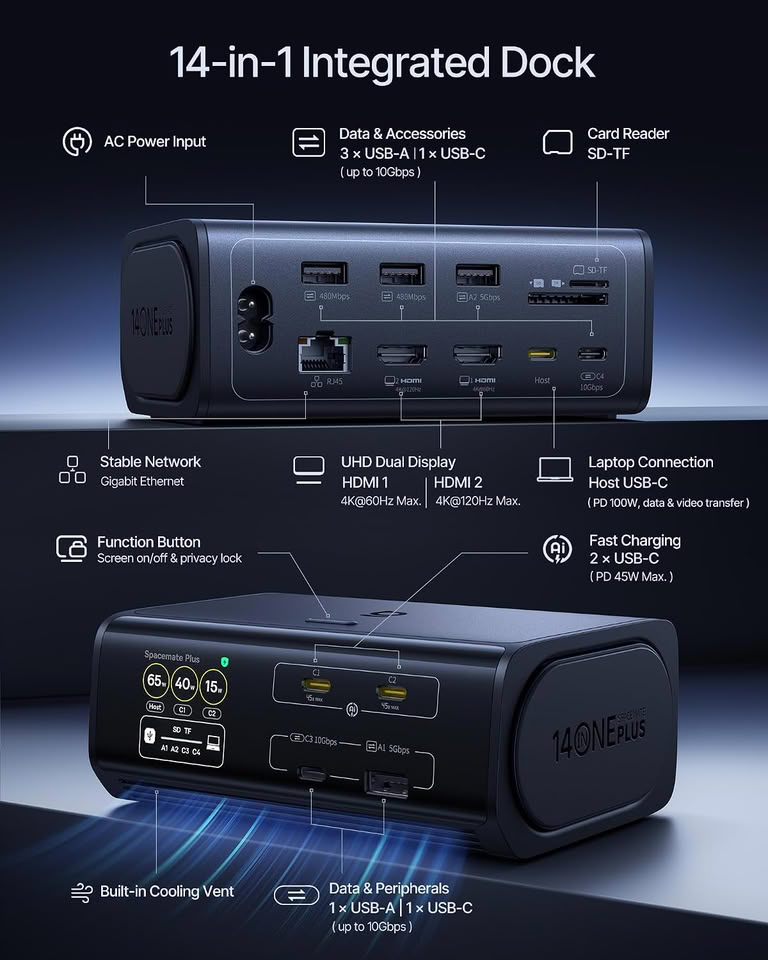
Baseus Launches the Spacemate RD1 Plus: The Definitive 14-in-1 Desk Tower with 4K @ 120 Hz

Baseus today announced the launch of the Baseus Spacemate RD1 Plus 14-in-1 (WIN) Station, a next-generation docking station that combines integrated GaN power, high-refresh display output, and intelligent workspace organization in one compact device. Built around the principle of total desktop authority, the dock integrates ultra-smooth high-refresh capabilities, an intelligent GaN-powered charging system, and an orientation-sensing display to bring effortless order and speed to modern desktop workflows.

Engineered primarily for the needs of today's desk-based professionals, the Spacemate RD1 Plus sets a new benchmark for daily office comfort and workstation performance with 14-in-1 function. Backing its 4K @ 120 Hz output, the dock supports horizontal and vertical setups with the auto-rotating smart display. It grants an effortless, real-time command over your workspace. A closer look at the Spacemate RD1 Plus reveals thoughtful advancements designed to redefine the daily desktop experience.

StarTech Releases Dual-Monitor USB-C Dock, Its First With Smart Management and Dedicated Software

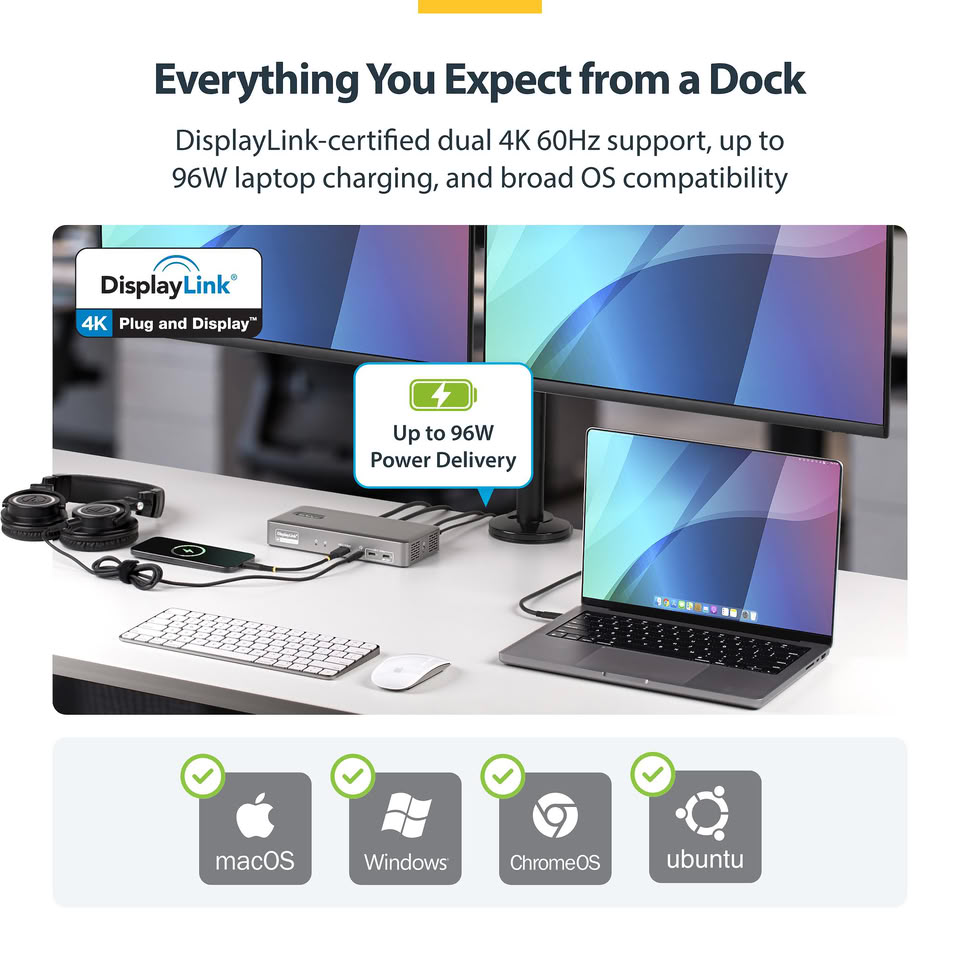
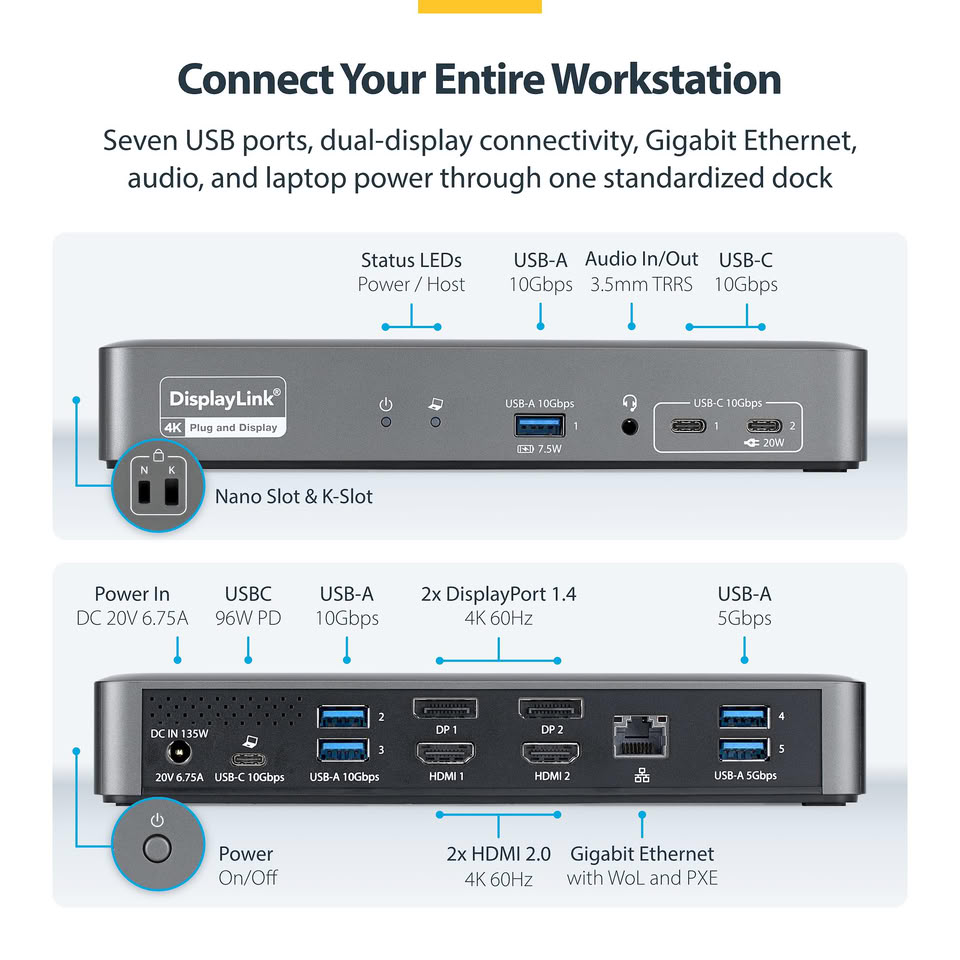
StarTech's new Dual-Monitor USB-C Smart Dock (194N-USBC-SmartDock) is the company's first dock supporting smart management and its own management software, giving IT teams a live dashboard view into every unit they've deployed.

With most docking stations, IT has no idea what's happening with it until someone calls. The Smart Dock's companion Dock Manager Software closes that gap, surfacing firmware status, enabling and disabling connectivity ports, and fleet-wide visibility remotely to assist IT teams managing hardware across multiple floors, buildings, or locations.

Apple's Touchscreen MacBook Pro and New OLED iPad Mini Launching in Late October

It has previously been rumored that Apple is planning to launch a new MacBook Pro with a touchscreen OLED panel, ostensibly as a range-topping model that would slot in above the current-gen MacBook Pros. Now, a report by Bloomberg claims that the touchscreen MacBook Pro will launch alongside a new OLED iPad Mini on October 27 or close to that date.

A beta version of macOS 27.2 previously showed up substantiating the rumors that Apple is launching a touchscreen MacBook Pro, with new long-press animations being implemented in the Dock UI for tooltips. It's said that the two new devices will launch alongside a 14-inch M6 MacBook Pro and M6 iMac.

The Apex Returns: Razer Unveils the Basilisk V4 Line

Razer, the leading global lifestyle brand for gamers, today announced the launch of the Razer Basilisk V4 Pro, the latest evolution of its iconic ergonomic gaming mouse, together with the Razer Mouse Dock V2 Pro wireless charging dock.

The Basilisk V4 Pro keeps the ergonomic shape players trust and delivers key upgrades, from 14 customizable controls and the new Razer HyperScroll Tilt Wheel Gen-2 to the Razer Focus Pro 50K Optical Sensor Gen-3, and HyperSpeed Wireless Gen-2.

Elecom Unveils a USB-C Dock with Built-In Dial Knob and Four Macro Keys

Japanese peripheral maker Elecom has introduced the DST-L080BPBK, an 8-in-1 USB Type-C dock that combines a conventional docking station with a large dial knob and four customizable buttons. The company is known for some unusual PC peripherals, including the M.A.P.P. mouse and IST trackball mouse. The dock measures 74 × 87 × 59 mm and weighs approximately 250 g. The top of the dock houses the dial and four buttons, with their functions configurable through Elecom's Mouse Assistant software. The dial and buttons can be assigned to different functions depending on the user's needs, turning the dock into a small control panel in addition to its connectivity features. The dock features one USB 5 Gbps Type-C and two USB 5 Gbps Type-A ports for data, along with a USB Type-C upstream connection.

The device also has a USB Type-C port with Power Delivery, up to 100 W input / 90 W output and one HDMI port that supports up to 4K at 60 Hz. The features are completed by one SD and one microSD card slot, Gigabit Ethernet, and a 3.5 mm audio jack. It supports Windows 10/11 and macOS Tahoe 26. Elecom plans to launch the DST-L080BPBK in Japan in early October, the dock is currently listed on the company website for ¥13,728 (around $87). The company has not announced availability in other regions.

Icy Dock Releases EXLink MB308A5 PCIe 5.0 x16 NVMe Host Adapter Card

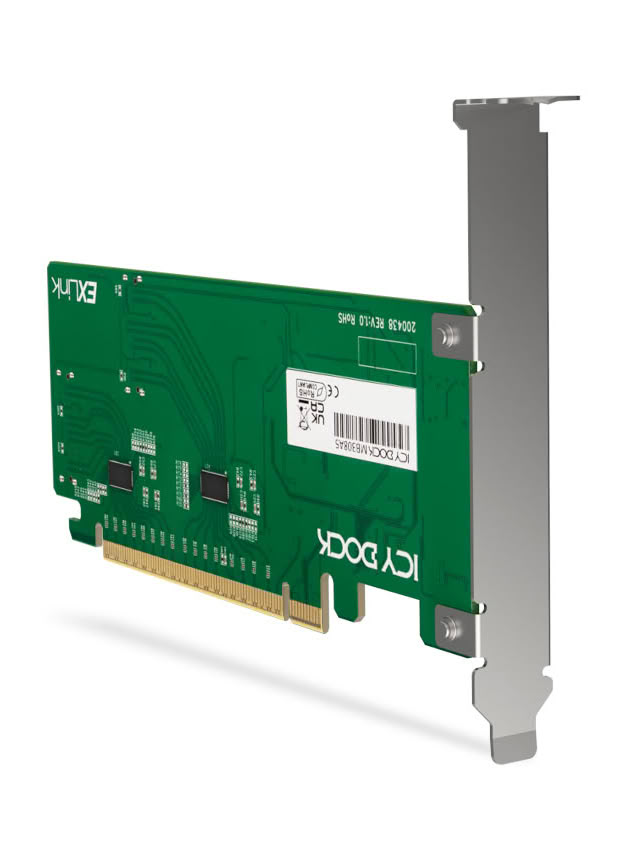
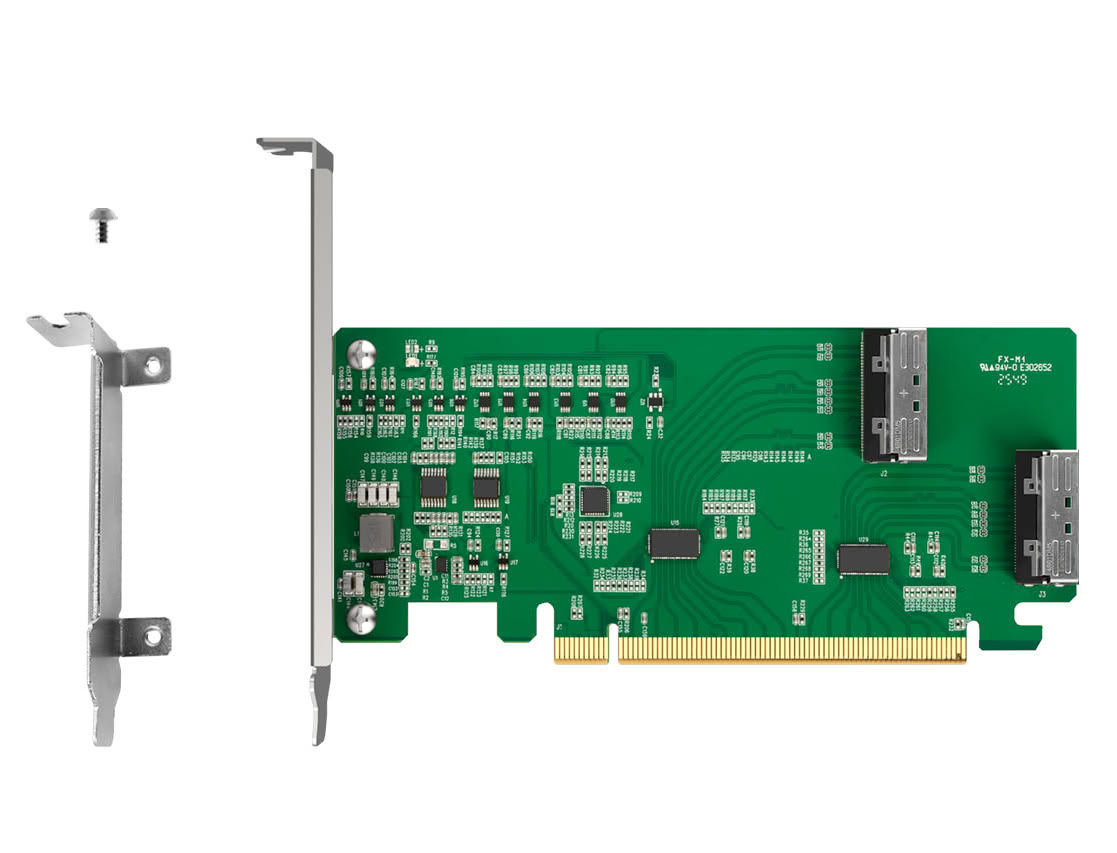
The ICY DOCK EXLink MB308A5 is a PCIe 5.0 x16 NVMe host adapter card with dual MCIO 8i (SFF-TA-1016) connectivity, designed for next-generation high-speed NVMe cabling. With an integrated PCIe Gen 5 redriver and 100 MHz clock buffering, it helps maintain signal integrity for 32 GT/s links across longer trace and cable routing commonly found in servers, workstations, and validation platforms.

PCIe 5.0 x16 Lane Bifurcation for Multi-Drive NVMe Topologies
With a PCIe 5.0 x16 interface delivering up to 512 Gbps of total bandwidth, the MB308A5 is designed for platforms that support PCIe lane bifurcation (x4 / x4 / x4 / x4). When enabled, the PCIe x16 interface can be allocated into four independent NVMe x4 links, allowing up to four NVMe SSDs to be addressed through MCIO cabling.

Cable Matters Introduces 40 Gbps USB4 KVM Switch for Two Laptops

Cable Matters introduces its 40 Gbps USB4 KVM Switch for two laptops, model 201342, designed to simplify workspaces shared by two computers. Users can switch a compatible USB-C monitor or docking station between laptops, giving the selected computer access to the connected display and peripherals without repeatedly moving cables.
Jeff Jiang, President of Cable Matters Inc."Switching between a work laptop and a personal computer should be simple. The new USB4 KVM switch lets users share a compatible monitor or docking station at the press of a button, making it easier to use both computers in one organized workspace."

StarTech.com Launches Quad Monitor Thunderbolt 5 Dock for Multi-Display Workstations

StarTech.com has launched a new Universal Thunderbolt 5 Docking Station (206N-TB5USB4DOCK) built for power users who need more display space, more charging power, and fewer compromises at the desk. The dock supports up to four 4K 60 Hz monitors on Windows, giving IT teams a driverless way to equip demanding workstations for engineering, finance, development, content creation, and other multi-display workflows.

The dock delivers up to 140 W Power Delivery to the host laptop, supporting high-performance systems through the same connection used for displays, networking, storage, and peripherals. Its downstream Thunderbolt 5 port also provides up to 45 W of charging for compatible devices, adding another source of power for connected hardware.

Pexar Launches PexarBolt Ultra TBT5 Dock With a 5-Inch Visual Dashboard on Kickstarter

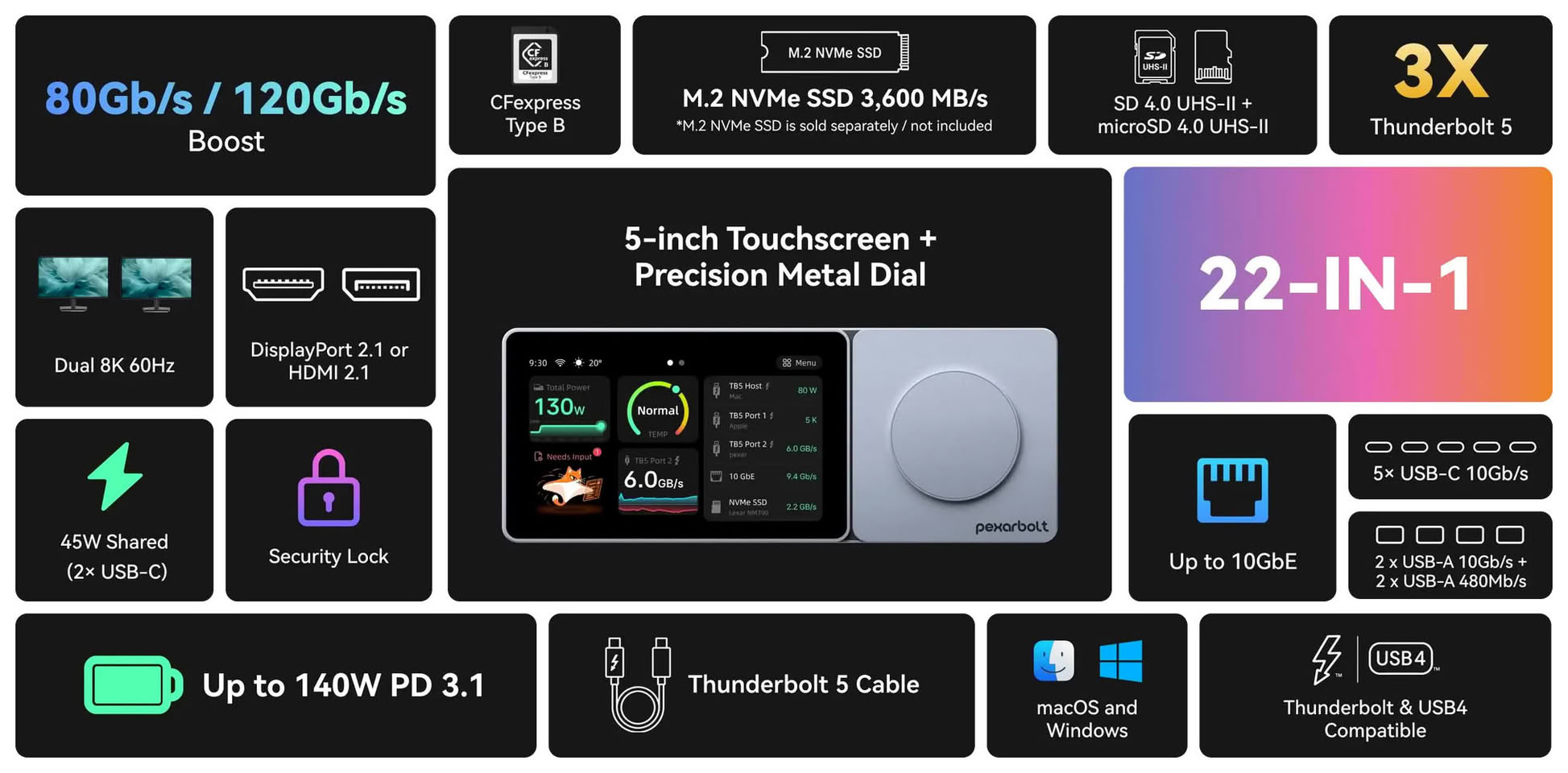
Pexar, a smart device brand powered by Lexar, today launched its Kickstarter campaign for the PexarBolt Ultra TBT5 Dock, a 5-inch touch control dashboard designed with a simple goal: see your workflow, control your desk. Powered by Thunderbolt 5 and compatible with both macOS and Windows systems, the PexarBolt Dock provides up to 80 Gbps of bidirectional bandwidth, with Bandwidth Boost delivering up to 120 Gbps of transmit bandwidth for display-intensive workflows. A single Thunderbolt 5 cable connects to all 22 ports, including 10GbE, an NVMe slot, and CFexpress Type B.

The world's first touch control dashboard on a Thunderbolt 5 dock
The PexarBolt Dock integrates a 5-inch touch control dashboard that displays real-time status for every connected device. Users can monitor connection status, transfer activity, storage information, real-time power readings on supported ports, and the dock's temperature and fan status at a glance. Keeping this information directly on the dock makes it easier to check device activity and identify unexpected transfer slowdowns without interrupting the workflow. A precision metal dial enables tactile navigation and, within AI Status, lets users approve or reject requests from supported AI coding agents directly from the dock.

OWC Announces Thunderbolt 5 Dock With Dual HDMI and New 1.5-Meter Thunderbolt 5 (USB-C) Cables

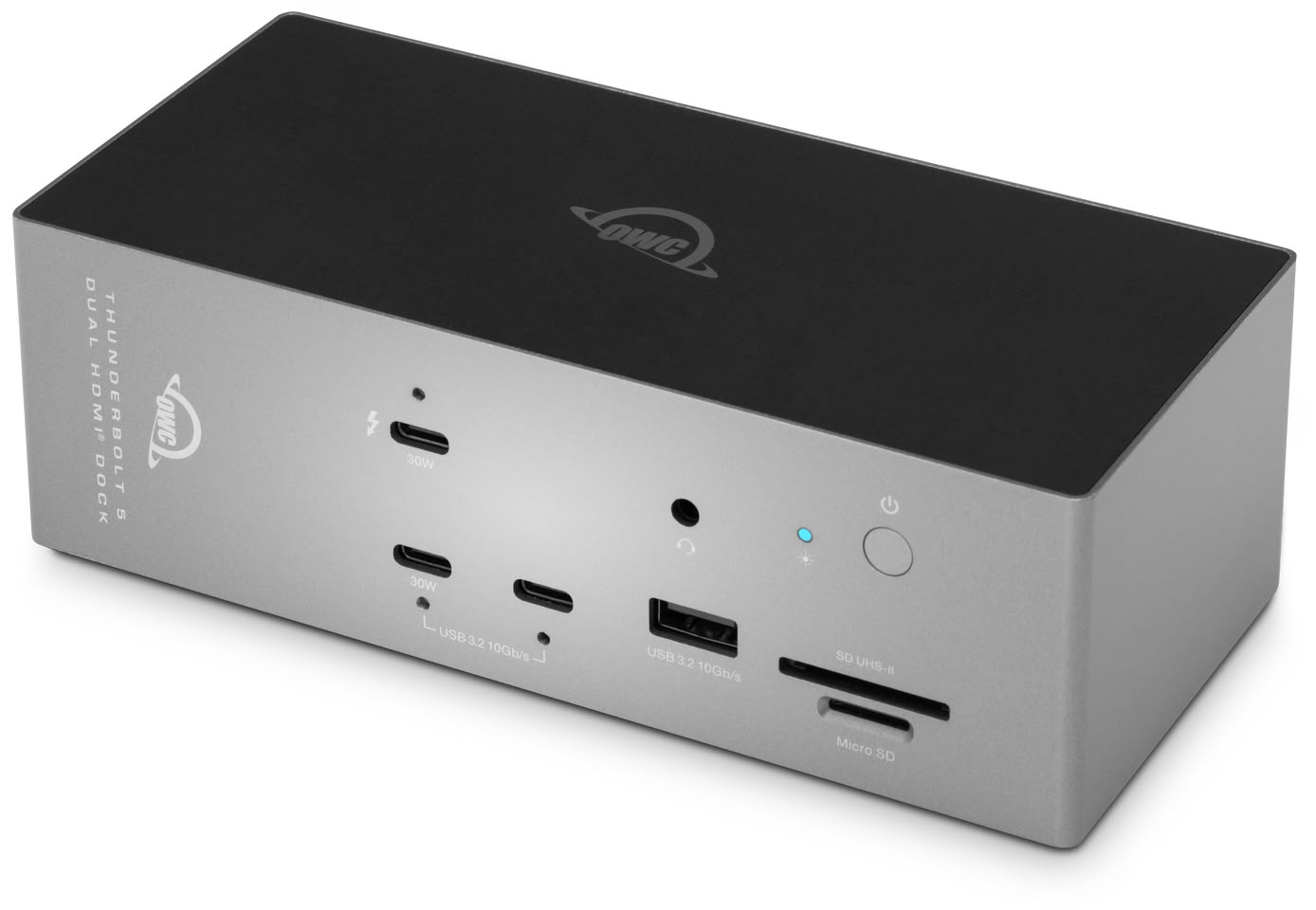
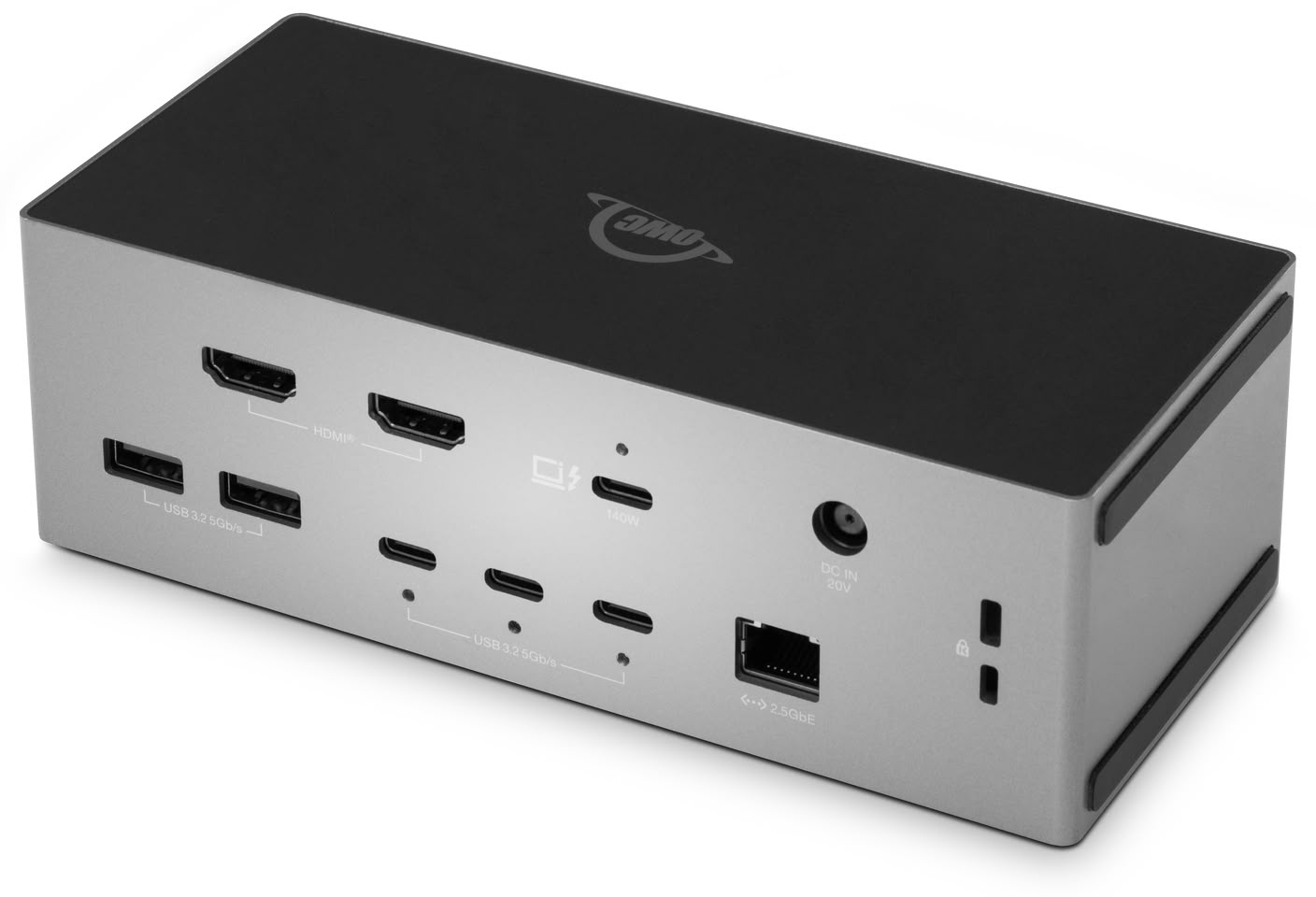
Other World Computing (OWC), a trusted leader in high-performance storage, memory, connectivity, software, and accessories that empower creative and business professionals to maximize performance, enhance reliability, and streamline workflows, today announced two important additions to its unrivaled roster of Thunderbolt 5 solutions: the OWC Thunderbolt 5 Dock with Dual HDMI, and the Thunderbolt 5 (USB-C) Cable now available in a 1.5-meter length.

With the OWC Thunderbolt 5 Dock with Dual HDMI one connection provides the displays, storage performance, networking, power, and connectivity of an enterprise-class desktop workstation - without the need for a pile of adapters and workarounds. Its key features include:
  • No More Adapter Hunting: Two HDMI 2.1 ports built right in. Any monitor that has HDMI plugs directly into the dock with zero compatibility guesswork.
  • Everything Through One Cable: A single Thunderbolt 5 connection delivers dual displays, wired networking, storage, card readers, and full laptop charging simultaneously.
  • 140 W Power Delivery: Keeps MacBook Pros and high-performance Windows laptops fully charged at peak performance while running the entire connected setup.
  • Fast Device Charging: The front USB-C port delivers up to 30 W of charging for your smartphone or tablet while you work.

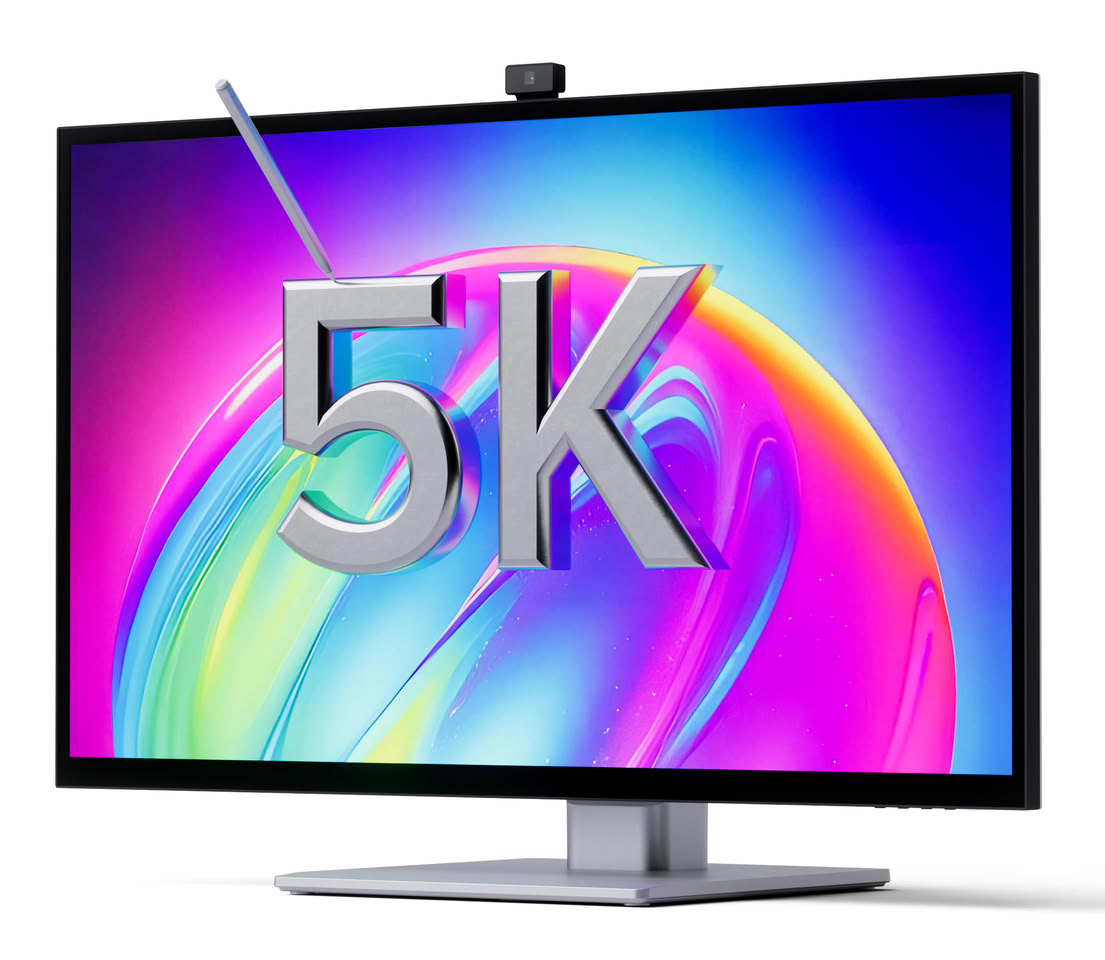
Alogic Unveils Aspekt Touch 6K and Vision Professional-Grade Docking Monitors at IFA 2026

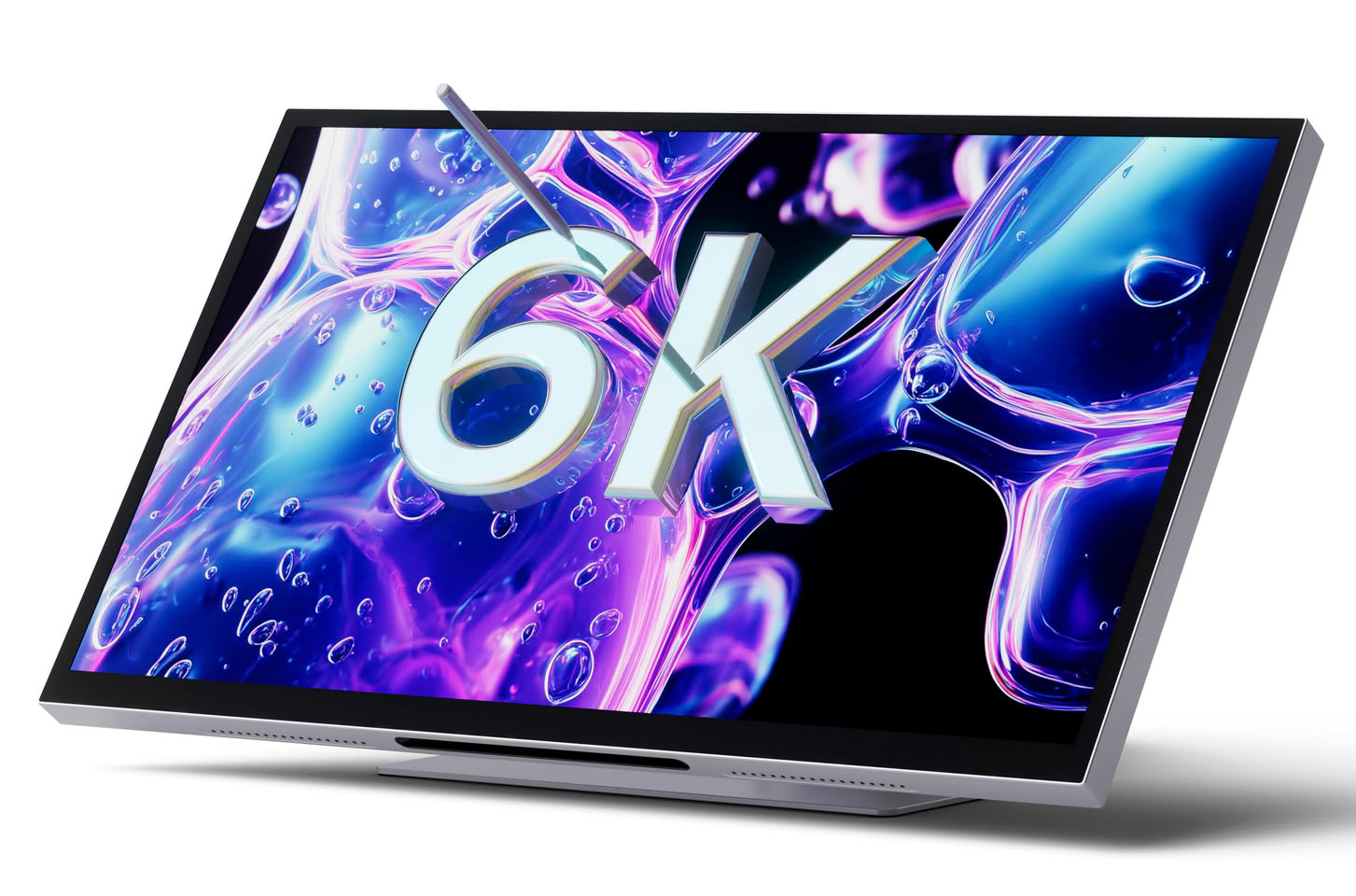
Alogic today announced the latest addition to its premium monitor portfolio, introducing the Vision Connect, Vision Docking and Vision Ultrawide monitors and expanding its Clarity and Aspekt display ranges with new high resolution models, all showcased at IFA 2026 in Berlin.

The new range brings together higher resolutions, larger viewing areas and integrated features designed to make the desktop experience simpler and more capable. The portfolio includes the Aspekt 27" 5K, Aspekt 32" 6K and Aspekt 34" 5K Ultrawide, along with the Clarity 5K and Clarity 6K with built-in auto-retractable webcam. Alogic is also showcasing the new Edge 34" 5K, and its latest connectivity solution, the Flash Thunderbolt 5 Docking Station, at the show.

ASUS Republic of Gamers Announces ROG Flux Charger Dock

ASUS Republic of Gamers (ROG) today announced the ROG Flux Charger Dock, a premium all-in-one charging and connectivity hub for gamers and creators. With 260 watts of total power output, it easily turns a laptop into a full gaming setup with an external monitor, mouse, and keyboard. A built-in 1.9-inch LCD screen and control knob let users view critical information and adjust settings on the fly. The dock features extensive connectivity options, including USB-C with 140 W charging and 10 Gbps transfer speeds, as well as HDMI 2.1 to support up to 4K @ 144 Hz visuals. Aura Sync compatibility and bold ROG design elements help set it apart from other devices in its class.

Unmatched power
Engineered to deliver 260 W of continuous power, the ROG Flux Charger Dock can easily run any accessory in a gamer's arsenal. The dock can charge a laptop at up to 140 W, with capacity to spare for a gaming handheld, phone, headset, keyboard, and more. The single-cable design allows for neater setups and greater convenience.

Cabletime Launches the ScreenDock 5.5-inch 720p Portable Display and Docking Station

Cabletime, a design-driven digital connectivity brand, today announced the Kickstarter launch of Cabletime ScreenDock, an 8-in-1 USB-C docking station with an integrated 5.5-inch 720p companion display. ScreenDock is designed around a growing desktop problem: users are connecting more devices and working with more windows, but the available space on their main screen has not grown with them.

Traditional docks primarily add ports. ScreenDock adds ports and creates a dedicated place for information that users want to keep visible without allowing it to take over the main workspace. App windows already running on the connected computer can be moved onto ScreenDock just as they would be moved to an additional monitor. The result is a simple working principle: the main screen handles the primary task, while the companion display keeps supporting information in view.

TobenOne Intros UDS060 Docking Station With Programmable Shortcut Keys and Volume Knob

TobenONE, a professional docking station brand specializing in office connectivity solutions, has launched the UDS060, an innovative docking station featuring fully programmable shortcut keys and a customizable volume knob. Designed to give users greater control over their workflows, the UDS060 combines high-performance connectivity with personalized hardware controls, enabling frequently used commands to be executed with a single touch.

Unlike conventional docking stations that focus solely on expanding connectivity, the UDS060 introduces a new approach to productivity by allowing users to assign virtually any function to physical controls. Everyday actions such as locking the screen, taking screenshots, muting audio, launching applications, or triggering custom keyboard shortcuts can all be mapped to dedicated buttons, helping content creators, remote workers, and office professionals streamline repetitive tasks and maintain focus throughout the workday.

GPD Box Mini PC: $1,452 Base Price—PCIe 5.0 x8 MCIO Port Skips Intel Core Ultra X7 SKU

We previously covered the announcement of the GPD Box, a new Panther Lake mini PC that features an MCIO 8i port and dual USB4 v2.0 ports for expanded connectivity with eGPUs and other high-bandwidth applications. Now, the GPD Box has finally launched on Indiegogo with a starting price of HK$11,377 ($1,452.25 converted). The base configuration is powered by an Intel Core Ultra 7 356H with 32 GB LPDDR5-8533 RAM and a 1 TB M.2 2280 NVMe SSD. The next level up upgrades the CPU to the Core Ultra X7 358H for HK$12,020 ($1,534 converted), and the bundles with the Box mini PC and the G2 MCIO eGPU Dock come in at HK$14,394 ($1,837 converted) for the Core Ultra 7 356H version and HK$15,036 ($1,919 converted) for the X7 358H variant. The biggest difference between the Core Ultra X7 358H and the Ultra 7 356H is the significantly more powerful Arc B390 iGPU in the former—importantly, there is no MCIO connection on the Core Ultra X7 358H version of the Box, leaving it with only USB4 for eGPU connections.

Despite its compact chassis, at just 175 × 134 × 39.5 mm, the GPD Box has decent I/O capabilities, with the highlight of the show being the MCIO 8i port that allows for eGPU expansion with minimal bandwidth loss compared to USB4 and Thunderbolt connections. According to GPD, the maximum bidirectional bandwidth of the GPD Box's MCIO port is 512 Gbps, which effectively matches a native PCIe 5.0 x8 cable connection. Notably, while the G2 eGPU dock does include a PSU with an 800 W ATX 3.1 PSU with two GPU power cables, you will need to bring your own GPU if you buy the bundle with the dock. The G2 dock can also be purchased separately via Indiegogo at a starting price of $385. The GPD Box itself also features dual 2.5 GbE RJ45 ports with link aggregation support. For wireless support, there is Bluetooth 5.3 and Wi-Fi 6E, while the physical I/O includes 2× USB4 V2 Type-C ports, 2× USB 3.2 Gen 2 Type-A, and a 3.5 mm audio combo jack on the front. The rear I/O has a DP 2.1 UHBR20 port, 1× HDMI 2.1 FRL ports, 2× RJ45 ports with 2.5 Gbps speeds, 2× USB 3.2 Gen 2 Type-A ports, and the MCIO 8i port.

Baseus Introduces the Spacemate RD1 Pro 15-in-1 Docking Station

Baseus today announced the launch of the Baseus Spacemate RD1 Pro 15-in-1 Docking Station, a next-generation desktop solution that combines intelligent charging, advanced connectivity, and streamlined workspace organization in one compact device.

Baseus Spacemate RD1 Pro combines multi-device charging, smart functionality and versatile connectivity in a compact design. Designed for modern professionals working across home, office and hybrid environments, dual-display capability streamlines complex workflows across separate screens, driving productivity in both everyday operations and creative projects. Beyond performance, Baseus Spacemate RD1 Pro also reduces plugs and cable clutter, elevating both workspace efficiency and desktop aesthetics.

j5create Displays Docks, Hubs and KVM Portfolio at Computex 2026

j5create was celebrating 16 years at Computex 2026 showing off a broad lineup of docks, hubs, KVM switches, and wireless display adapters. On the docking and hub side, the JCA3625 is one of the more versatile units with dual 4K60 HDMI output alongside a 4K60 HDMI capture input. It also features USB-A and USB-C ports at 10 Gbps, 100 W power delivery, auto-detection between USB graphics and DisplayPort Alt mode and a physical button for PIP and screen switching. The JCA3623 offers 3x 4K60 HDMI outputs, 100 W power delivery and 10 Gbps USB-C/USB-A ports. The JCA3193 features dual 4K60 HDMI outputs, two USB-C 10 Gbps ports, one USB-A 10 Gbps port, 140 W PD, an SD/microSD card reader and Gigabit Ethernet.

The JCDP4140 is a 14-in-1 model with one 4K60 and one 4K30 HDMI output, Gigabit, SD/microSD, audio, 145 W PD and dedicated 27 W and 18 W USB-C charging ports. The JTD5173 is a Thunderbolt 5 dock with 8K60 HDMI 2.1, Gigabit and up to 140 W power delivery.

Sparkle Showcases New eGPU Enclosures and Docks at Computex 2026

Sparkle introduced a handful new eGPU products at Computex 2026. We begin our tour with the Sparkle eGPU Studio-G Ultra 850. Designed for high-end graphics cards, including the RTX 5090, the enclosure packs a 4-slot graphics card up to 33 cm in length, and features an 850 W power supply with a 12V-2x6 connection to the graphics card that's capable of 600 W continuous power delivery. It features a Thunderbolt 5 interface, and is capable of 120 Gbps Rx + 40 Gbps Tx asymmetric mode, or 80 Gbps + 80 Gbps Tx/Rx symmetric mode.

Next up, is the Sparkle eGPU Creator Station, a pre-built external GPU that features a Thunderbolt 5 interface with asymmetric mode, just like the eGPU Studio-G Ultra, but it encloses an NVIDIA GeForce RTX 3060 12 GB GPU. This is more than an eGPU, there's also some downstream I/O, such as two 10 Gbps USB 3.2 Gen 2 type-A ports, two downstream Thunderbolt 5 ports, and 1 GbE wired LAN. The GPU puts out four full-sized DisplayPorts, but one of the two downstream Thunderbolt ports has DisplayPort passthrough shared with one of these full-sized ports. The Creator Station comes in five body color options, including silver, white, red, blue, and gold.

Satechi Introduces DotDisk 80 Gbps SSD Enclosure With Active Cooling

Satechi has launched the DotDisk, a compact M.2 NVMe enclosure with a USB4 V2 interface running at up to 80 Gbps. Satechi isn't new to the SSD enclosure space, having previously launched products like the compact Mini NVMe SSD in 2024, the USB4 Slim NVMe SSD enclosure last year, and the versatile Thunderbolt 5 CubeDock docking station shown at CES in January. This new addition can accommodate a single M.2 2280 PCIe 4.0 drive and supports capacities up to 8 TB, with the slot being user-accessible for later upgrades. The enclosure is made from milled aluminium with an integrated cooling fan. Active cooling in something this small is worth noting, as most compact enclosures rely on passive heat dissipation and can throttle under sustained load. A thermal pad is included to help seat the drive properly against the heatsink.

The USB-C port covers Thunderbolt 5, Thunderbolt 4, USB4 V2, and USB4, so it'll work with most modern Macs and PCs without adapter hassle. A Thunderbolt 5 cable ships in the box alongside a magnetic screwdriver for installation. OS compatibility covers macOS Sonoma 14.6 and later, Windows 11, and Linux. Worth mentioning that the enclosure is not compatible with SSDs equipped with heatsinks, double-sided and 2230/2242/2260 sizes. The Satechi DotDisk comes in silver and Space Black and is available now at satechi.com for $199.99. No SSD is included.

Microsoft Updates ROG Xbox Ally X with Auto Super Resolution and Docked Mode Enhancements

Microsoft has just announced a new set of features coming to the ASUS ROG Xbox Ally handheld gaming PCs, addressing game quality, docked mode quality-of-life, Game Bar improvements, and more. The most notable improvement coming to the ROG Xbox Ally is Auto Super Resolution, or Auto SR, which is now in Preview in the Xbox Game Bar. Auto SR, as the name suggests, is a similar to AMD and NVIDIA's FSR and DLSS, allowing game upscaling to increase frame rates without losing image quality. On the ASUS ROG Xbox Ally X, Auto SR is only available in docked mode for now, where it will automatically upscale the game's image to deliver a sharper image, fit for a bigger screen, when docked to something like a TV. This should effectively make for a smoother transition between gaming on the TV and in handheld mode, since you won't have to change resolution or upscaling settings when plugging the ROG Xbox Ally in. Microsoft has an in-depth blog explaining Auto SR in more detail.

[Editor's note: Our in-depth review of the ASUS ROG Xbox Ally X is now live]

Aside from Auto SR, the ROG Xbox Ally also gets the gamepad cursor we previously covered, streamlined controller pairing for docked play, a display widget in Game Bar, where you can quickly adjust display settings, and a handful of automatic enhancements for smart TVs. For starters, when players connect to an external display or TV, the ROG Xbox Ally will now turn off the built-in screen and default to the TV for output. If the connected TV happens to be a smart TV from Samsung, LG, or Vizio, the ROG Xbox Ally will automatically enable certain features on the TV, like Auto Low Latency Mode, Auto Game Mode, or Game/PC Mode. The library consolidation features we previously covered have also officially been added to the Xbox PC App, allowing you to use the ASUS ROG Xbox Ally in handheld mode exclusively if you would like to.
Return to Keyword Browsing
Nov 11th, 2026 04:20 CST change timezone

New Forum Posts

Popular Reviews

TPU on YouTube

Controversial News Posts