 14
ACEMAGIC G3A Review
A Look Inside »Packaging, Contents and a Closer Look
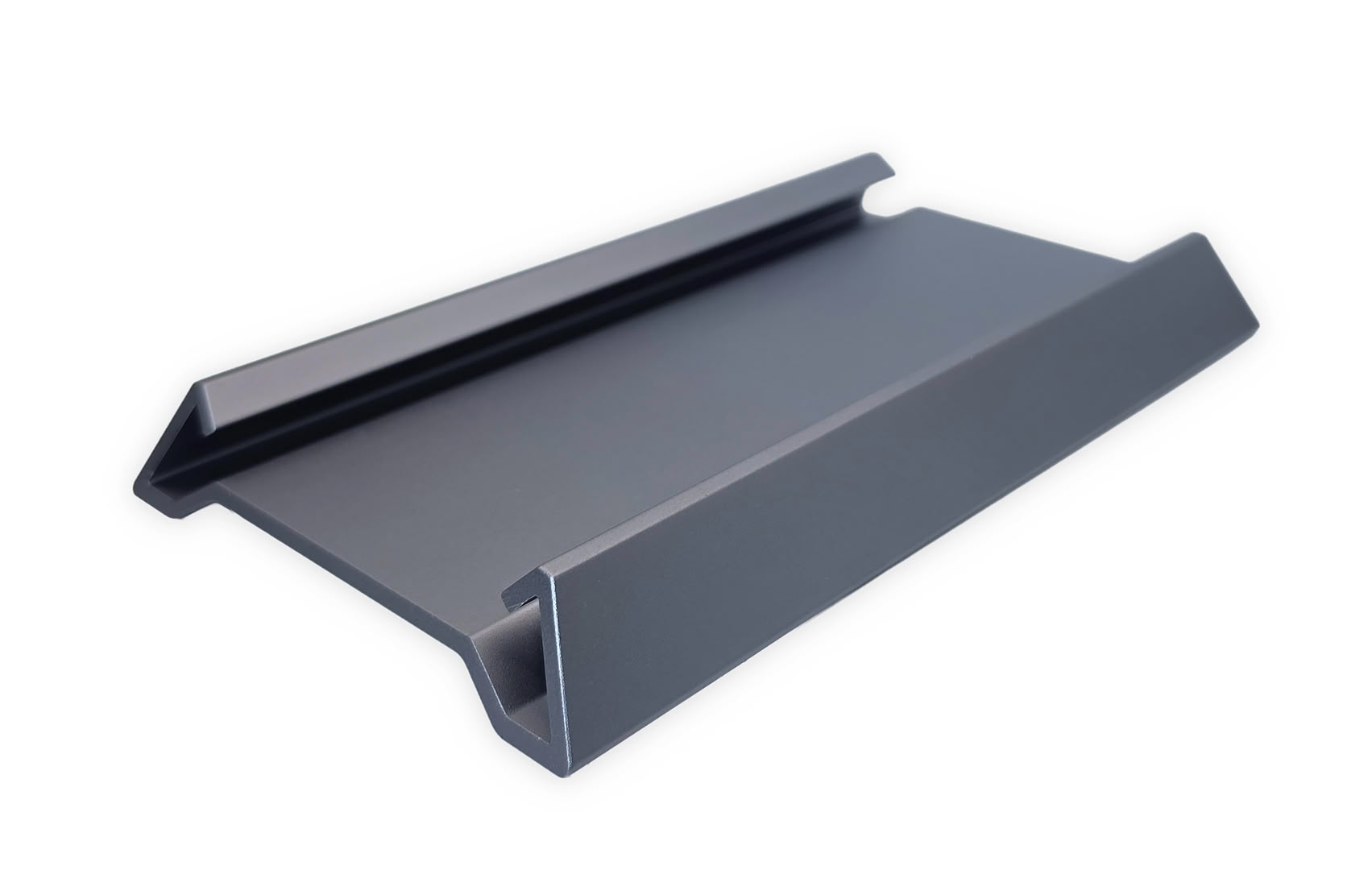
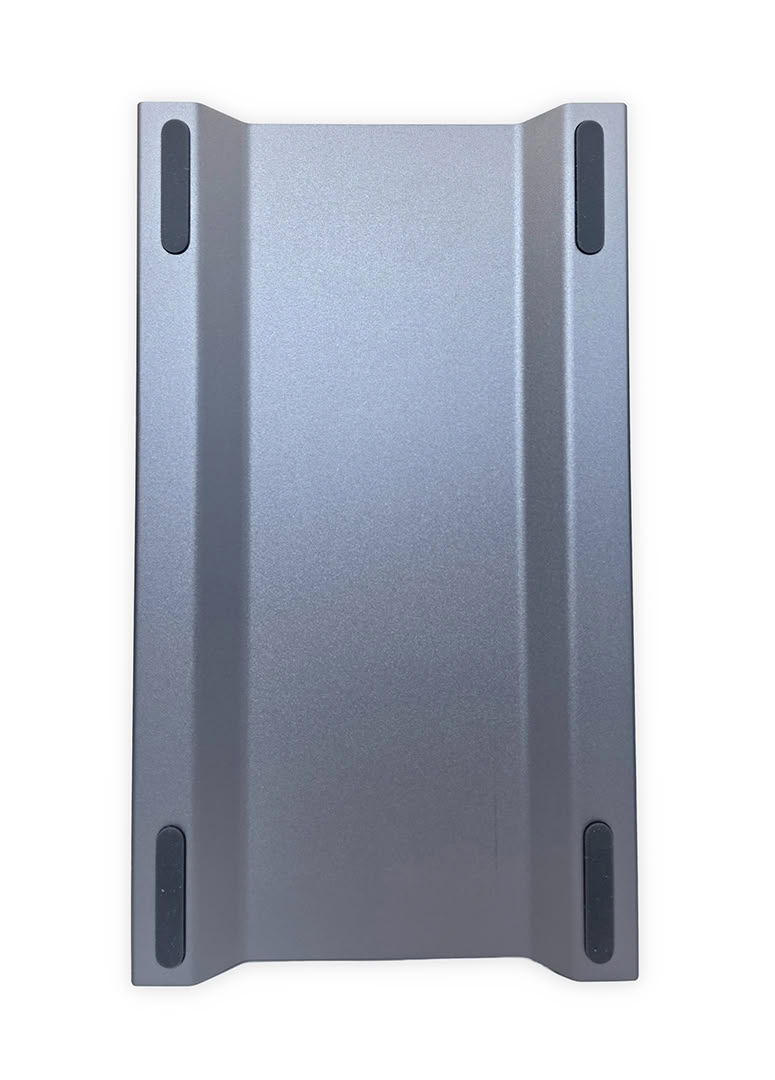
My G3A arrived a little differently from most systems I review because the product box was also the shipping box. There was no separate outer carton to remove first; I opened the shipping box and the system and accessories were packed directly inside. That said, everything was very well secured and arrived without any damage.
The box includes the system, 230 W power adapter, a Mini DisplayPort-to-HDMI cable, instruction manual, and a vertical stand. Including the display adapter is useful because the RTX 2000 Ada uses four much less common Mini DisplayPort outputs instead of full-size DisplayPort or HDMI connectors.
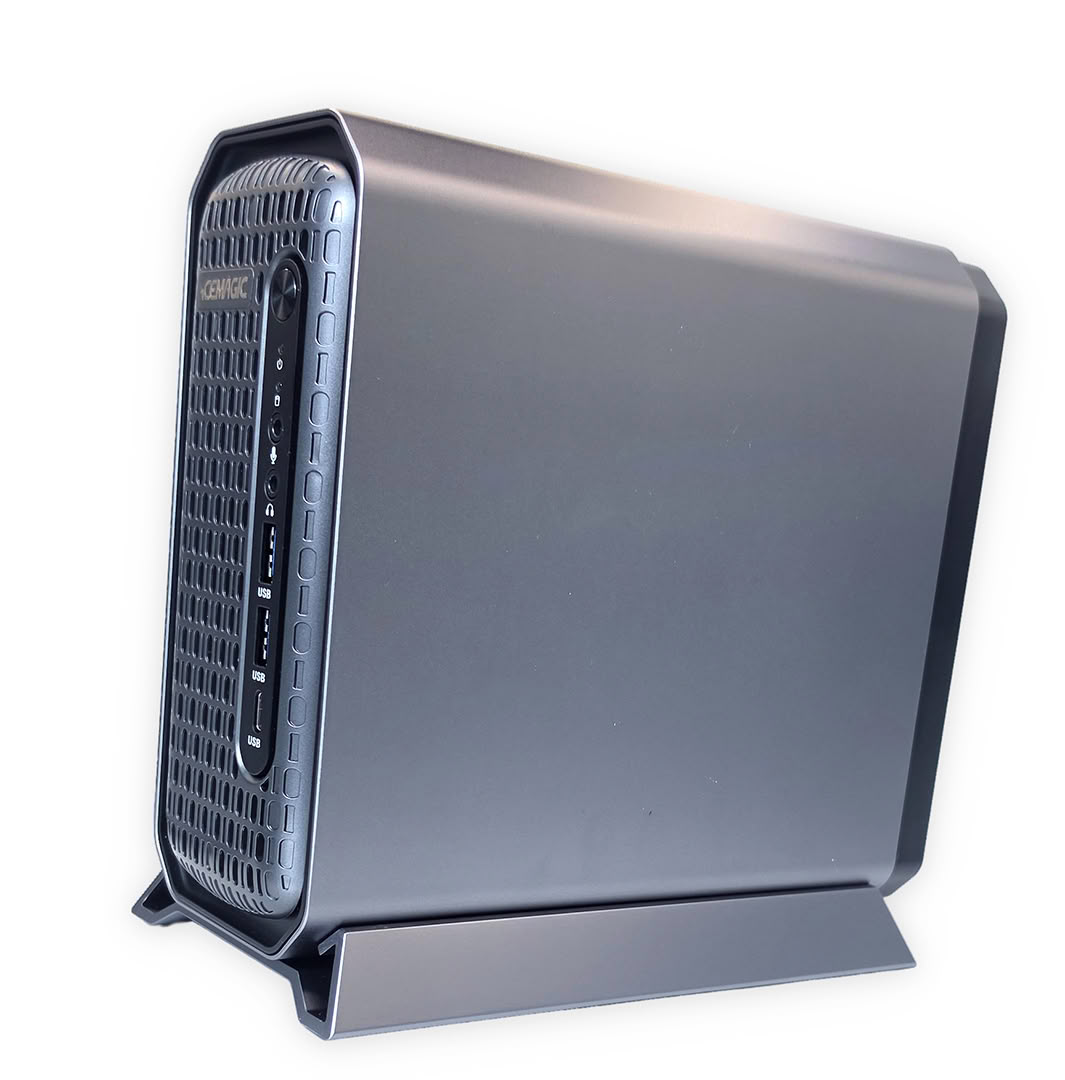
The stand lets the G3A run vertically and leaves both large side ventilation areas exposed for airflow around the internal cooling assembly. It is a simple one-piece support that holds the chassis securely without adding much desk space, while horizontal placement is also available if that works better for a particular setup. This gives users some flexibility when fitting a 3.46-liter workstation beside a monitor (I preferred using it vertically since it takes up much less desk space this way).
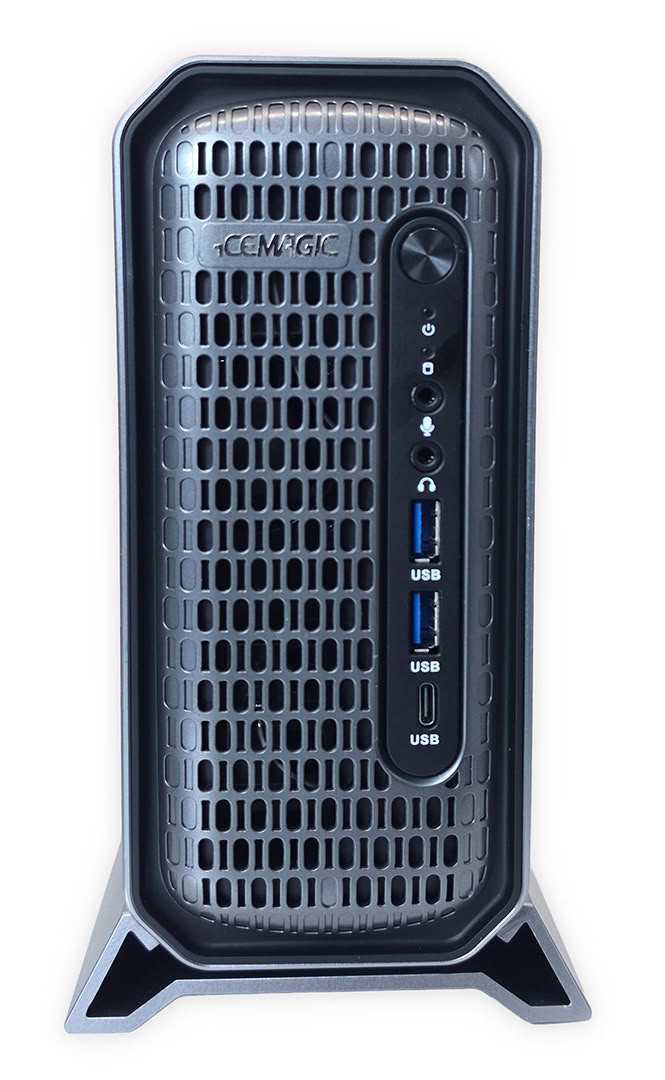
The G3A uses a rectangular silver metal outer shell with a heavily vented black front, giving it a more workstation vibe. At 212 × 190 × 86 mm, it is larger than the smallest office Mini-PCs, but that added volume creates room for a socketed desktop processor, a separate low-profile graphics card, and independent cooling hardware. The vertical stand shown with my sample also keeps the system footprint narrow on a crowded desk.
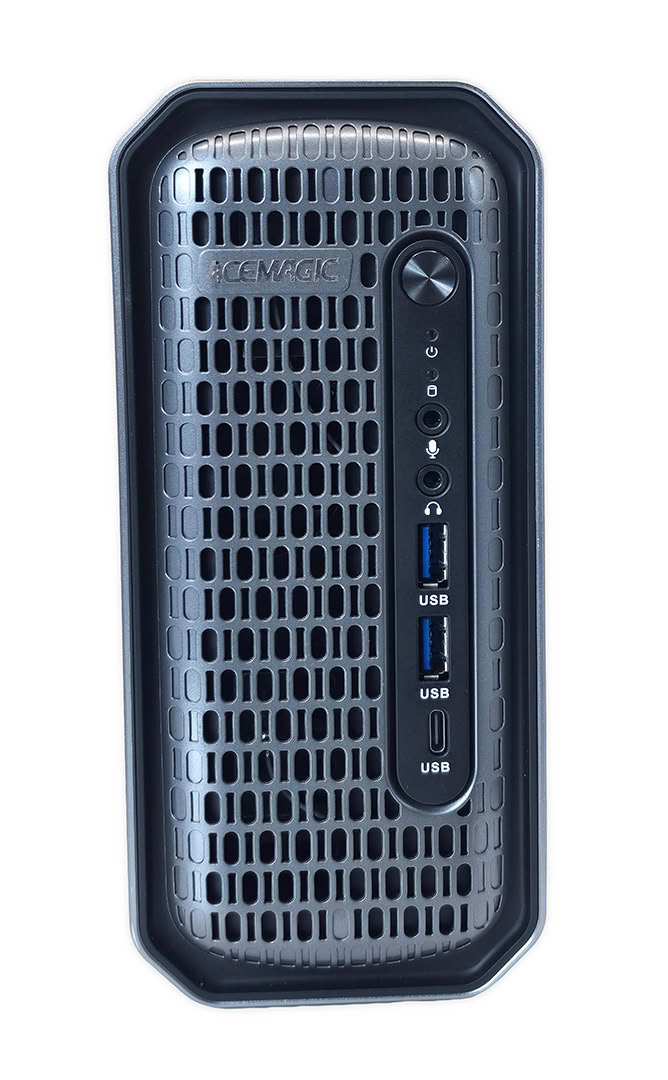
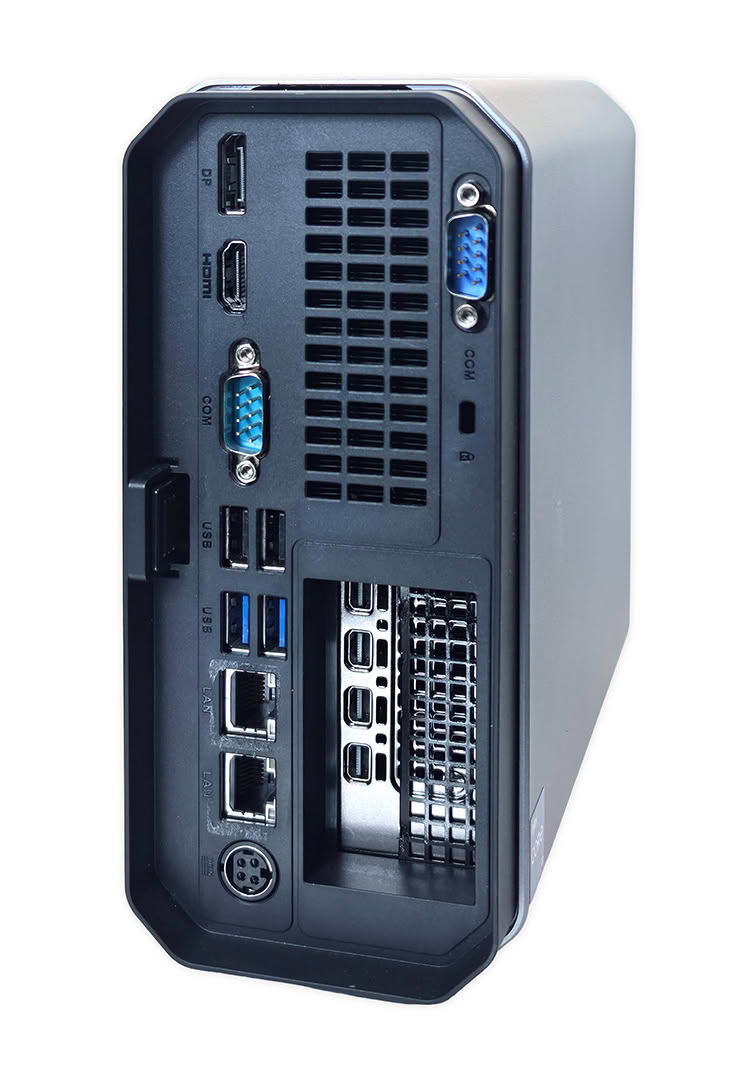
Front connectivity is simple and useful, with two 10 Gbps USB-A ports, one 10 Gbps USB-C connection, separate microphone and audio jacks, and the power button. I would have liked to see USB4 or Thunderbolt on a workstation at this price, especially for high-speed external storage and docking, but the three fast front USB connections still cover common portable drives and peripherals without reaching behind the chassis.
The rear panel shows the G3A's workstation and industrial focus through dual Ethernet, two COM ports, four additional USB-A connections, and the four Mini DisplayPort outputs on the RTX 2000 Ada. One Ethernet jack supports 2.5 Gbps while the second supports 1 Gbps, and the dedicated GPU can connect as many as four displays through its native Mini DisplayPort 1.4a outputs.
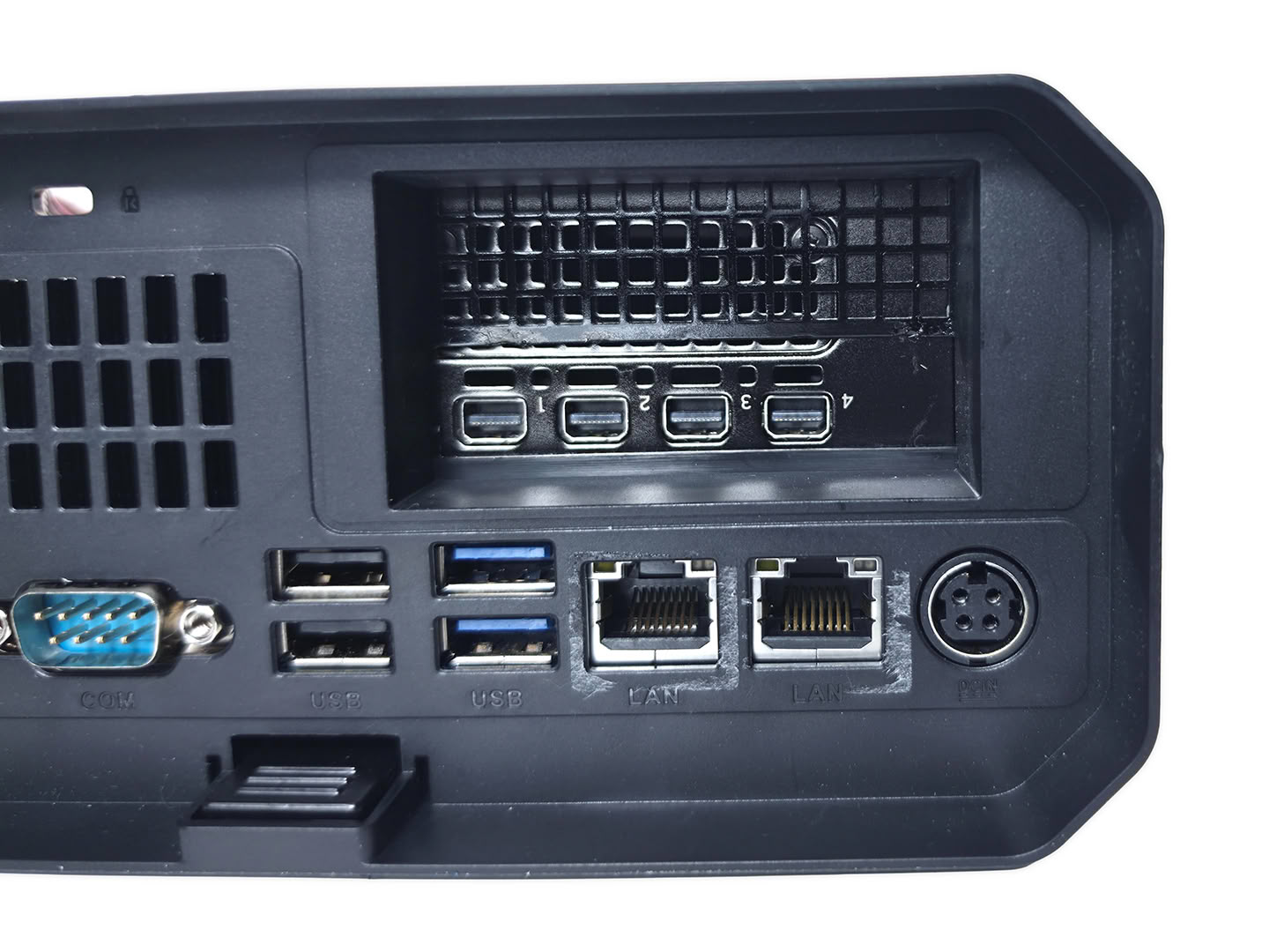
While the four Mini DisplayPort connectors on the Ada card avoid any display limitation once the correct cables or adapters are used, the inactive full-size ports can be confusing if someone assumes every visible display connector will work.
Nov 21st, 2026 04:19 PST
change timezone
Latest GPU Drivers
New Forum Posts
- What's your latest tech Freebie? (86)
- TPU's Nostalgic Hardware Club (22179)
- [Poll] 12V-2x6 Connector Protection: What Are You Using? (WireView / Ampinel / Equalizer / Other / Nothing) (50)
- UPS what one to get? (1)
- Anthrophics IPO (28)
- RX 9000 series GPU Owners Club (2252)
- Windows 11 General Discussion (7743)
- Without Jensen, PC gaming will be (52)
- Zen 3 IF/IMC degradation (242)
- AI generated images... (230)
Popular Reviews
- Microsoft Surface Laptop Ultra Review - The Next-gen Arm Laptop
- Ugreen NASync DXP4800 GT Review
- Corsair RM1200e (Second Generation) Review
- Pulsar Office Tour & First Look at P1 Dual-Sensor Mouse
- Upcoming Hardware Launches 2027 (Updated Nov 2026)
- Acemagic Retro X3 Review
- Biwin Black Opal NV7400 2 TB Review
- AMD Ryzen 7 9800X3D Review - The Best Gaming Processor
- AMD Zen 6 Technical Deep Dive
- Chieftec Iceberg PRO 360 DARK Review
TPU on YouTube
Controversial News Posts
- NVIDIA Co-Founder and CEO Jensen Huang Officially Resigns (491)
- Report: Jensen Huang Eyes NVIDIA Comeback (257)
- Open Letter Asking NVIDIA to Reinstate Jensen Huang Passes 115,000 Signatures (184)
- OpenAI CEO Argues Home PCs Waste the World's Limited DRAM Supply (152)
- NVIDIA Launches Investigation Into Jensen Huang's Relationship With Suspected Chinese Spy (136)
- Intel "Raptor Lake Next" 16-Core and 20-Core CPUs Surface (130)
- Legendary Game Studio BioWare Shuts Down Following EA Layoffs (104)
- NVIDIA GeForce RTX 50-Series Scheduled for up to $500 Price Hike This Week (89)