 23
ACEMAGIC Tank M1A Pro+ Review
General Performance »Design and Build
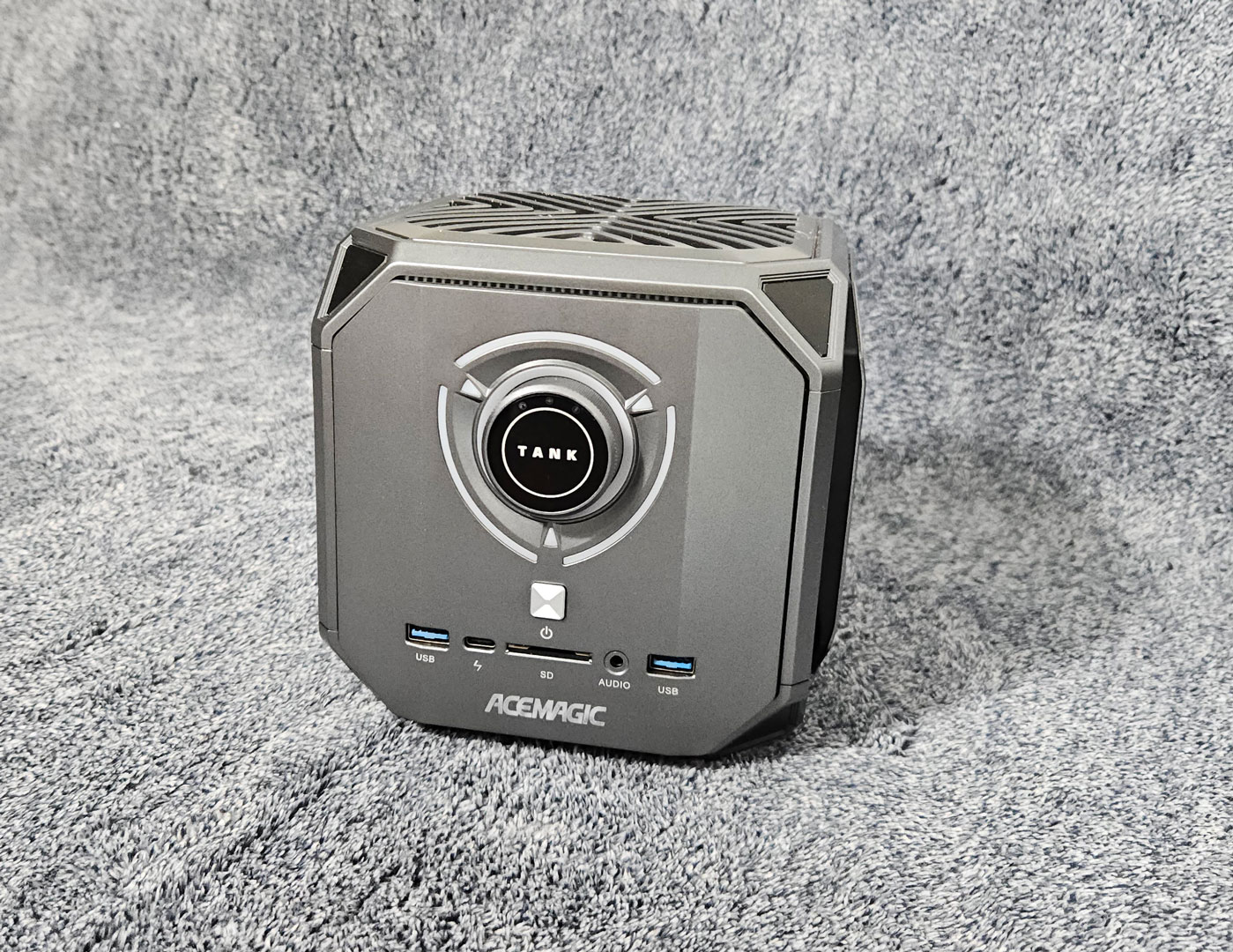
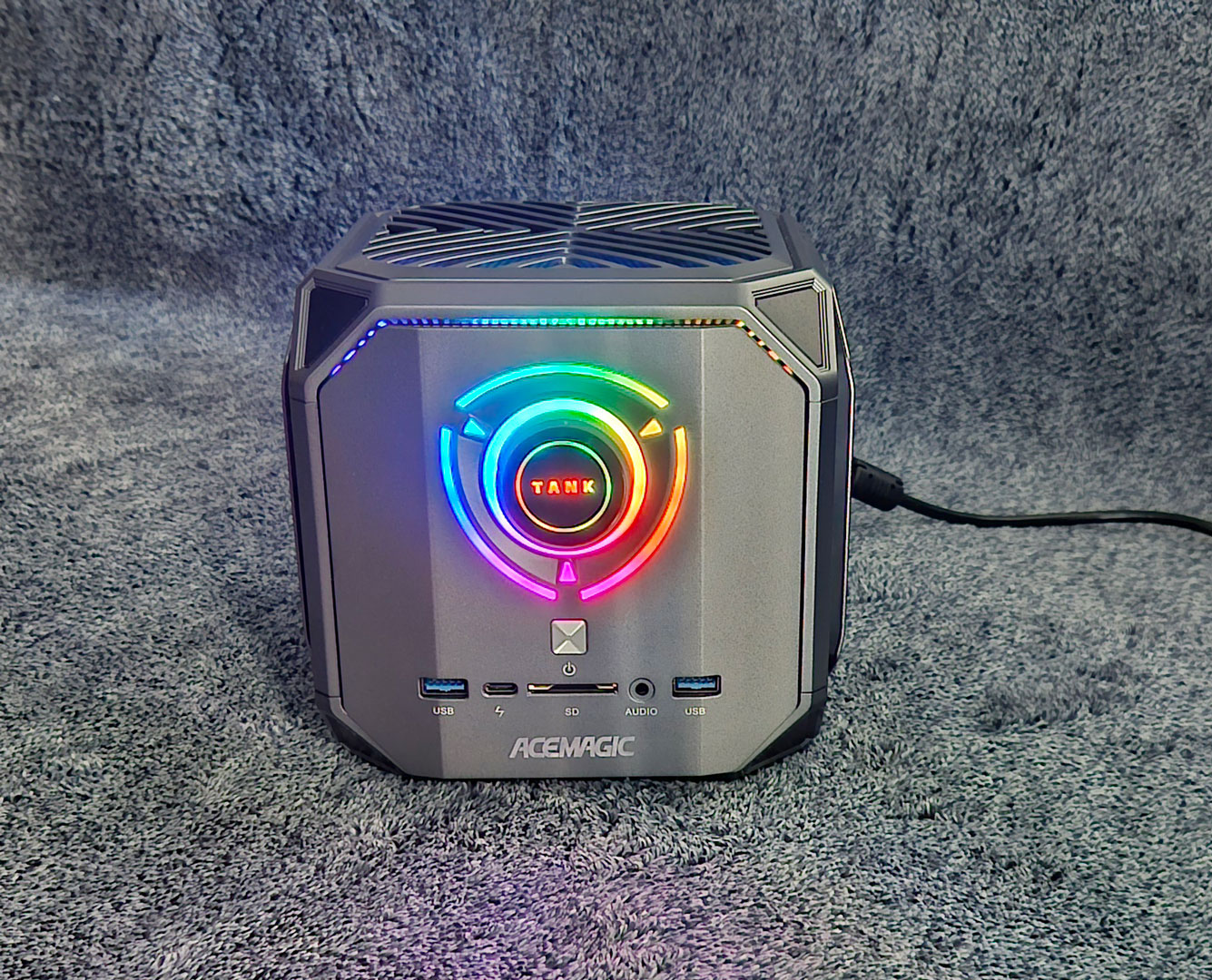
As shown in the introduction, the Tank M1A+ Pro looks very different from most Mini-PCs. Its cube-shaped enclosure, oversized front lighting, and unique styling make it look more like an ultra-compact gaming system than a small office machine. The chassis is all plastic, but it feels dense and sturdy in the hand with no rattling when moving it around.
The front panel features the circular LED-lit power dial, and alongside it, are two USB 3.2 Gen 2 Type-A ports, a full-function USB-C port for fast data and display output, a 3.5 mm audio jack, and an SD card slot. It is a practical front I/O layout, especially for temporary devices like fast external drives, headphones, or card transfers.
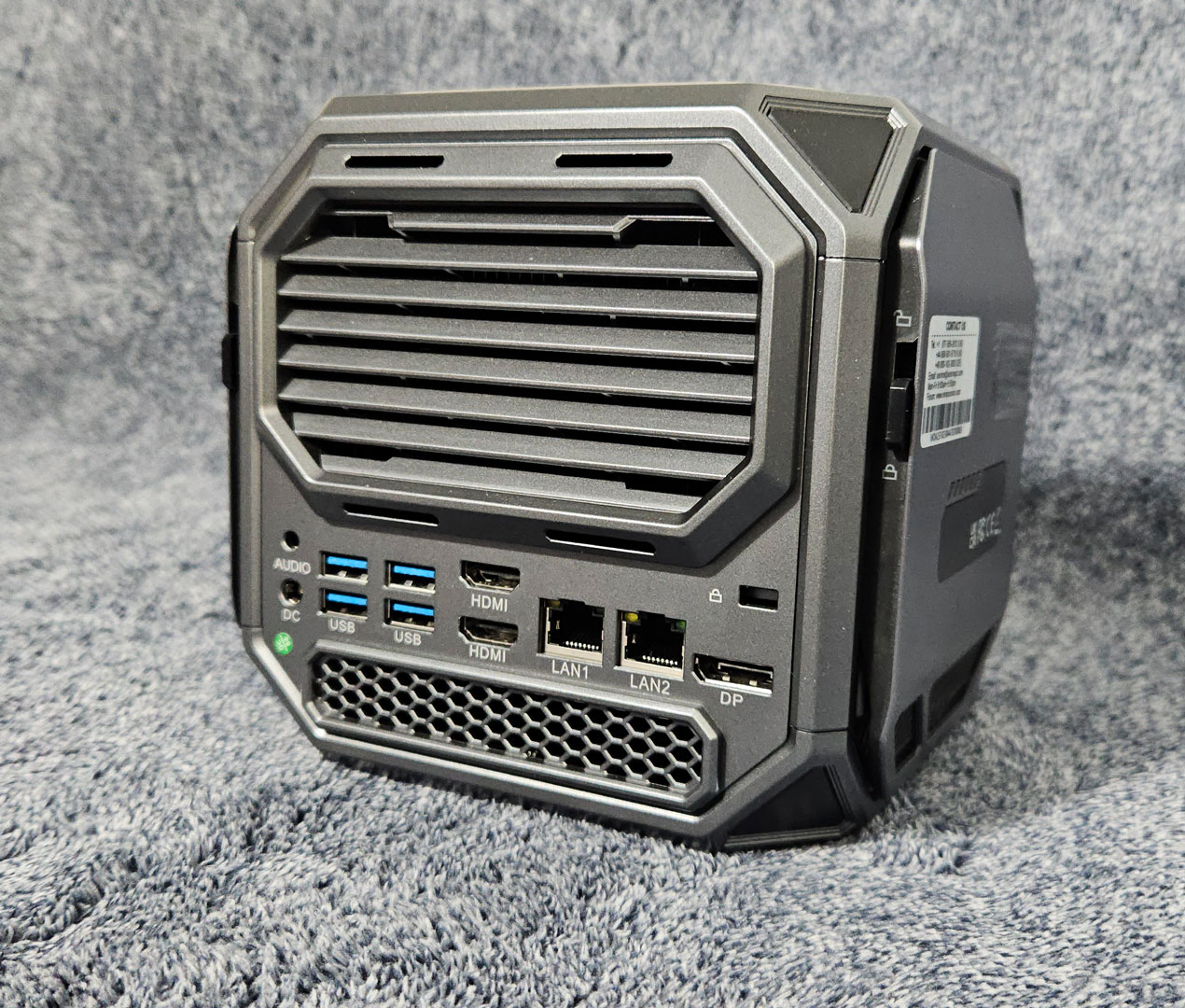
Around the back, the M1A+ Pro offers a generous port selection, including four additional USB Type-A ports split across USB 3.2 Gen 2 and Gen 1, dual 2.5 GbE Ethernet, HDMI 2.1, DisplayPort 2.0, another 3.5 mm audio jack, and the DC input. Most of the rear panel is given over to ventilation, which fits the thermal demands of the hardware inside and gives the system a more serious, performance-focused look.
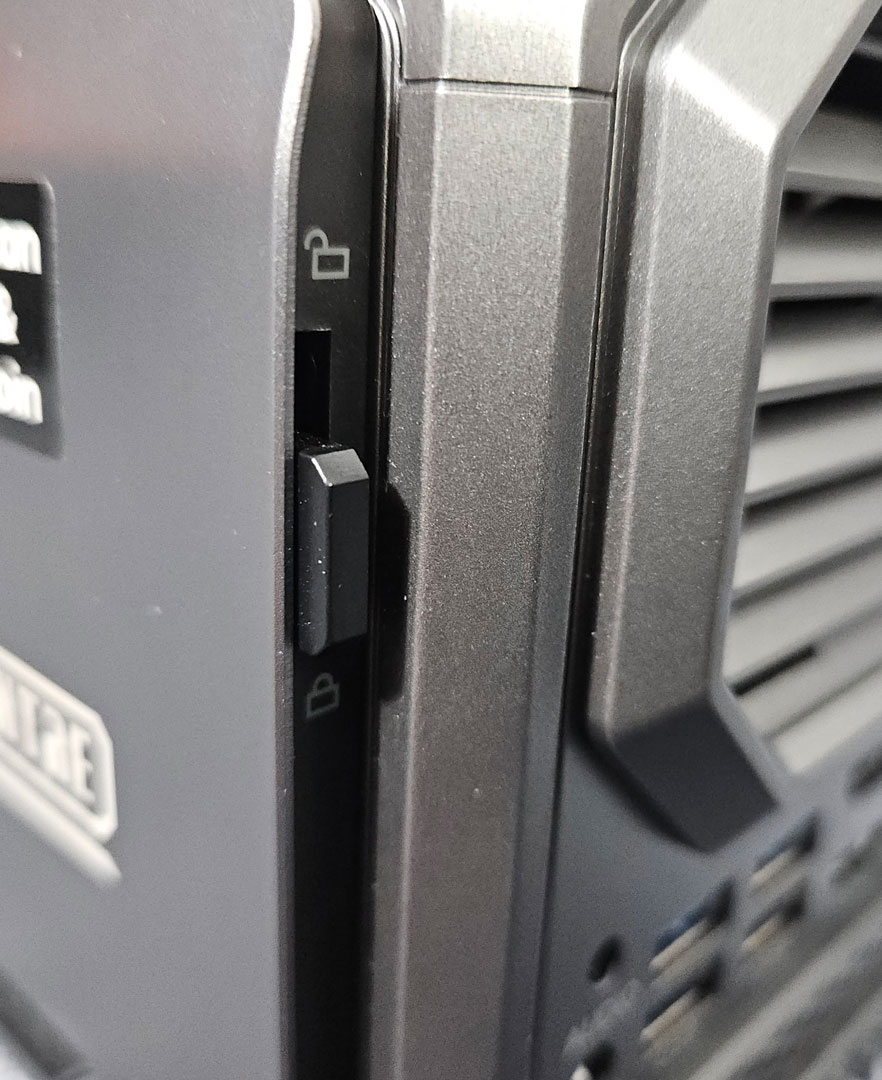
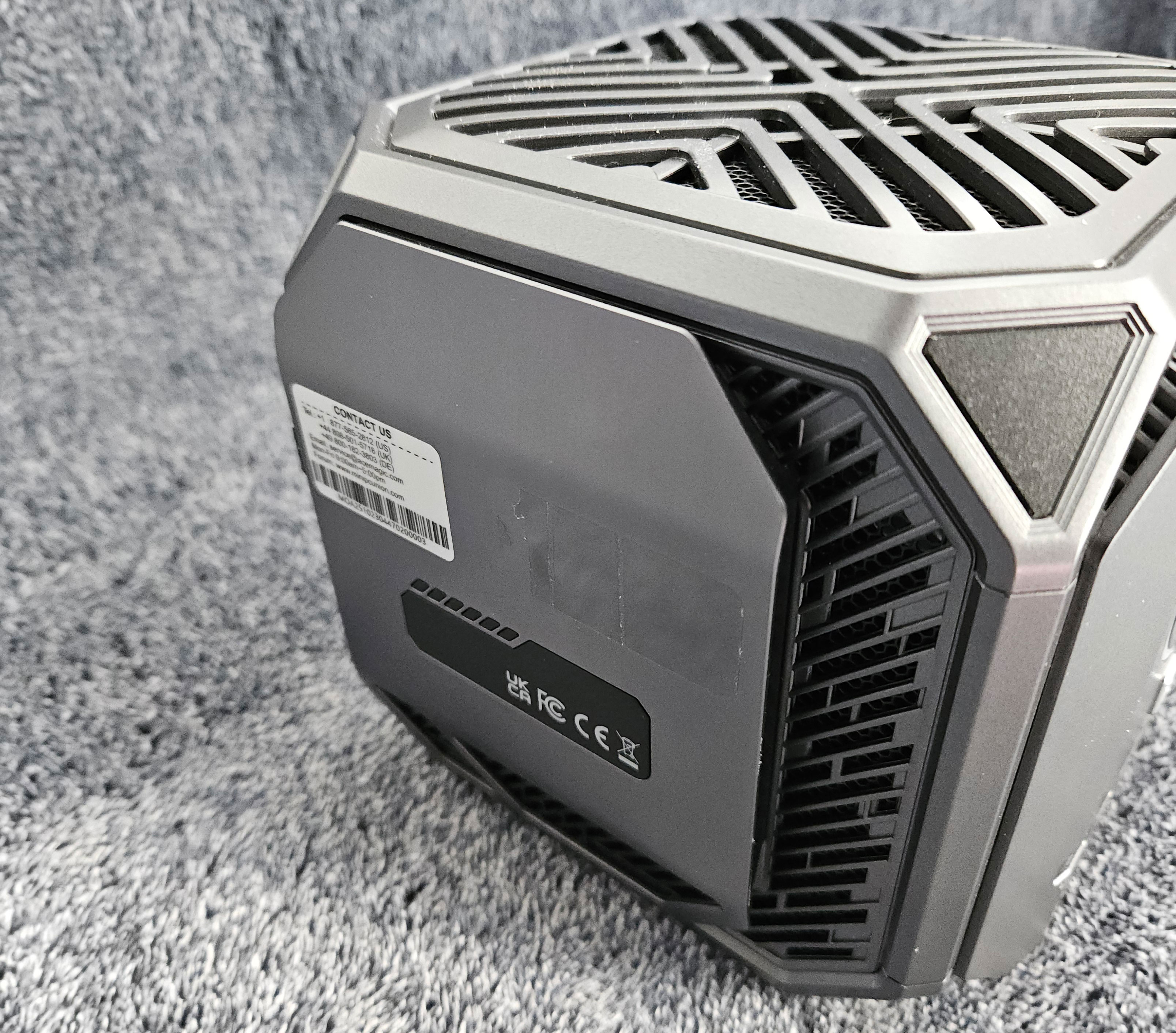
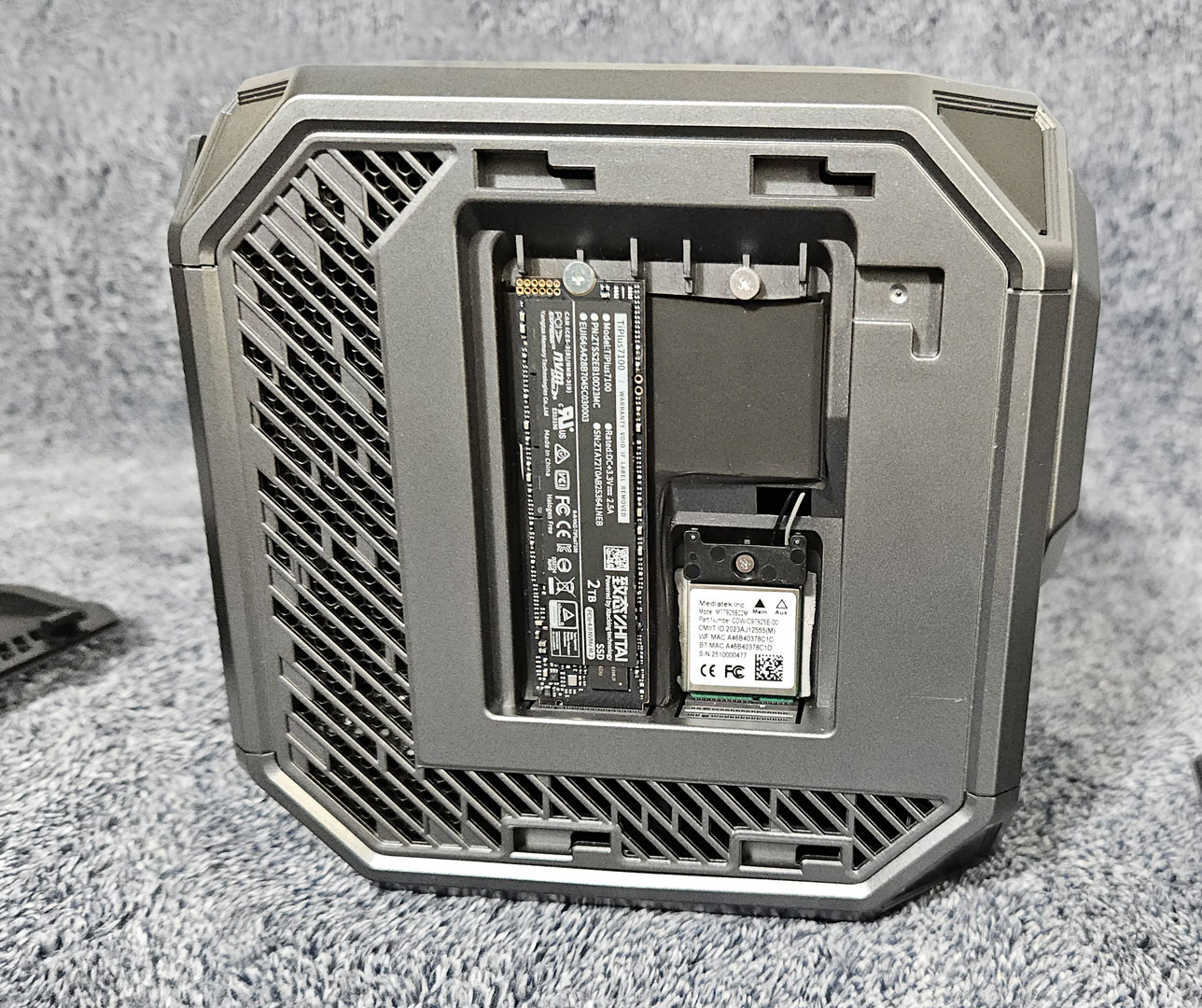
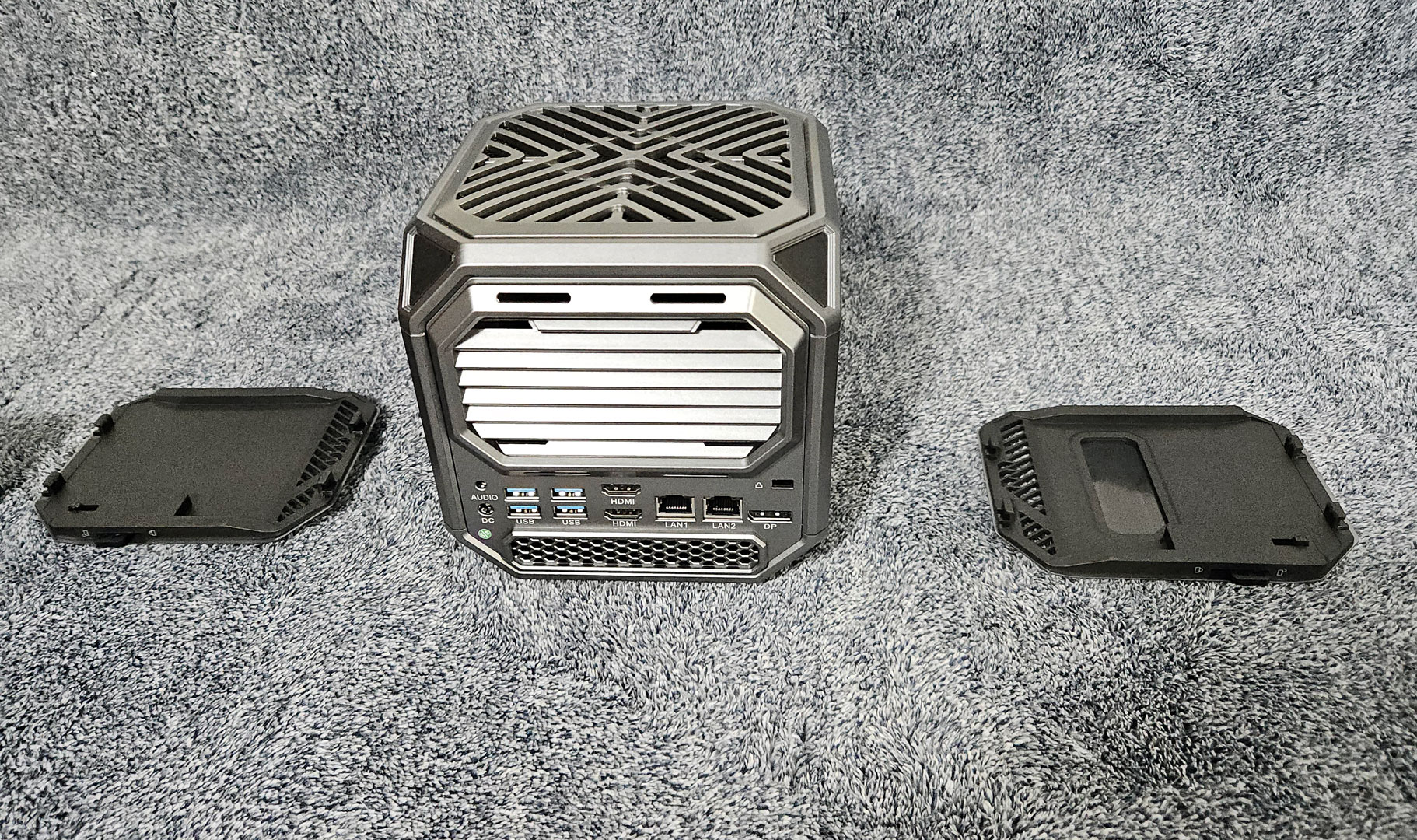
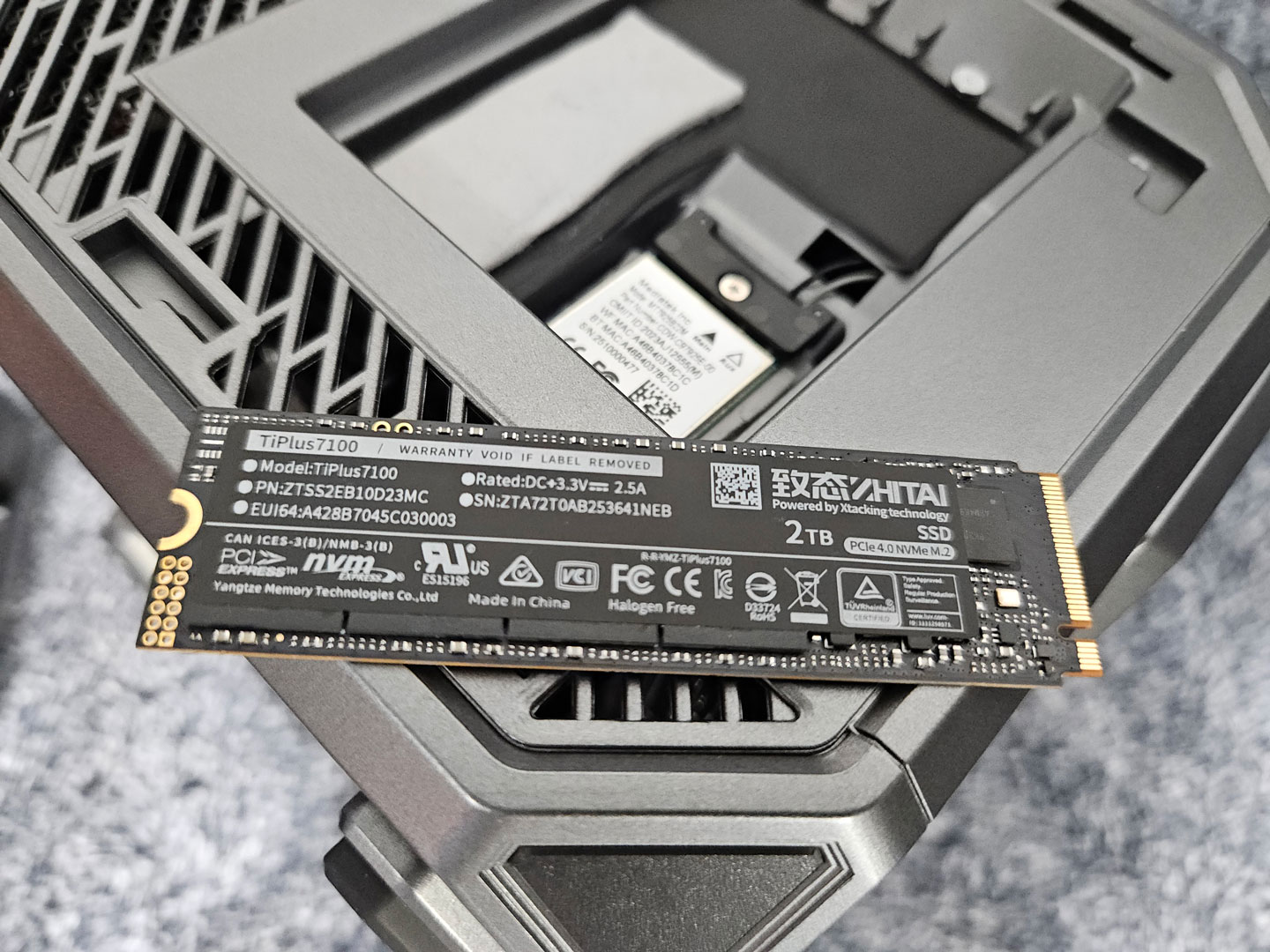
One of the nicer parts of the physical design is the quick-release side panel setup. ACEMAGIC uses a simple tool-free latch mechanism, making getting to the storage slots fast and easy. Lift the latch, pull the panel outward, and it comes right off. Putting it back is just as simple. Because I was having some hard reboot issues, ACEMAGIC recommended moving the OS SSD to the primary M.2 slot beside the fan, which solved the issue. This photo was taken before that change was made.
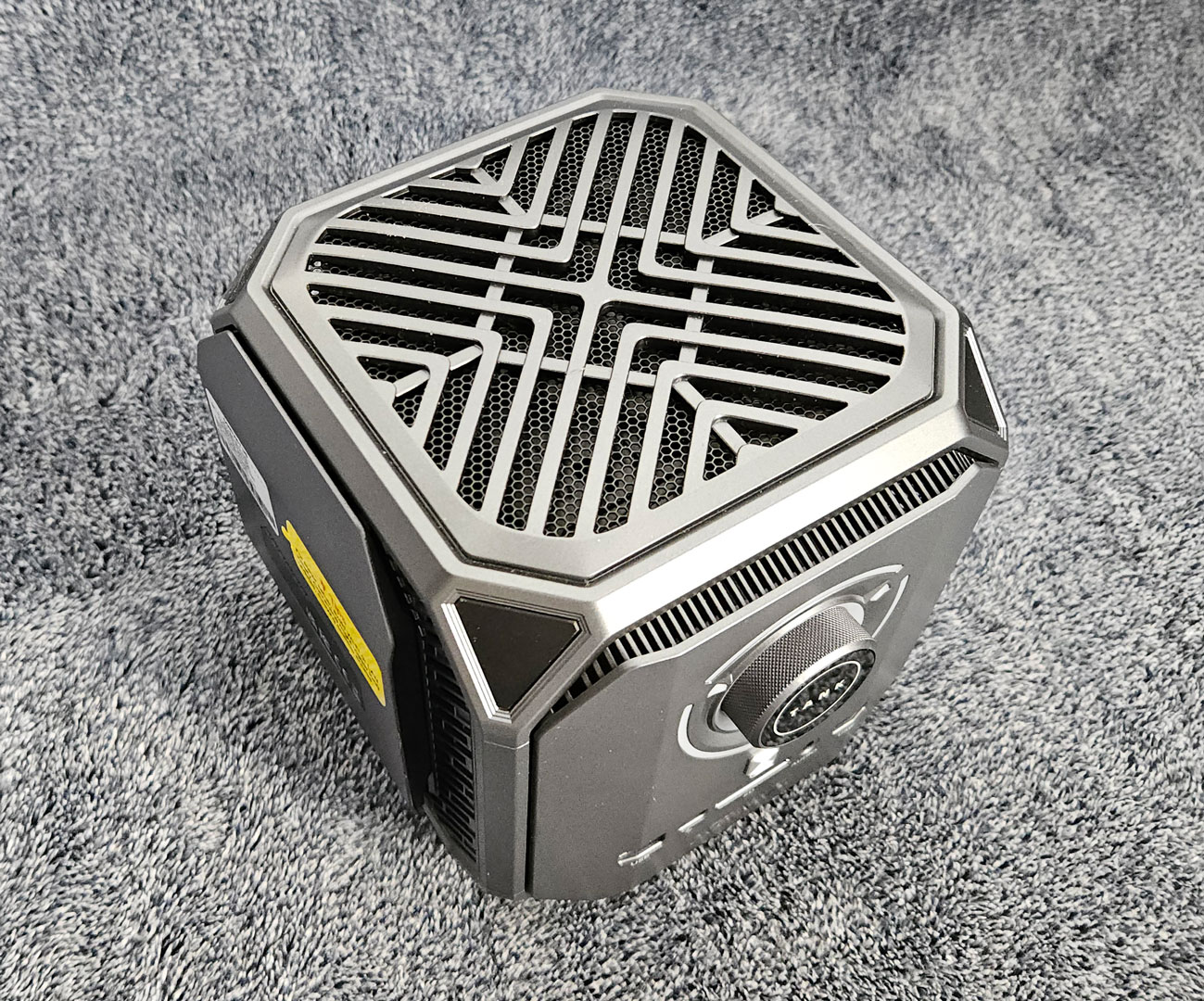
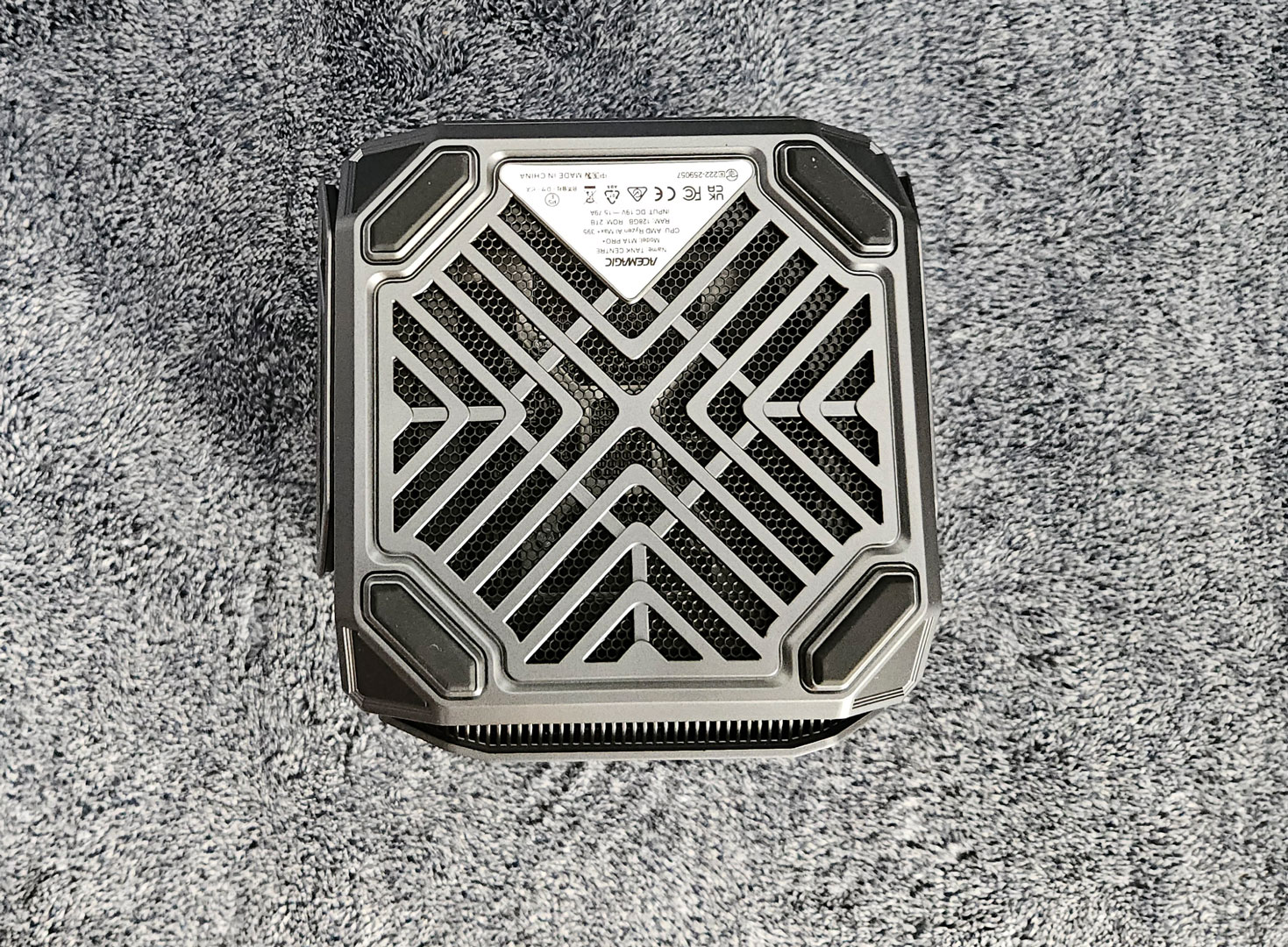
Overall, this is a very distinctive design, and whether that works for you will depend on what you want from a Mini-PC. I appreciated that it has its own personality and does not look like every other small black box on the market. However, the lighting will be a drawback for some buyers. The front LED dial cannot be turned off or dimmed in any way, which is disappointing because it is bright enough to be distracting in a darker room. When I was watching TV in my office, I found myself turning the system around, so that the light was not facing me. That limitation makes the M1A Pro+ a less appealing fit for shared spaces, media setups, bedrooms, or anywhere you may want the system to blend in.
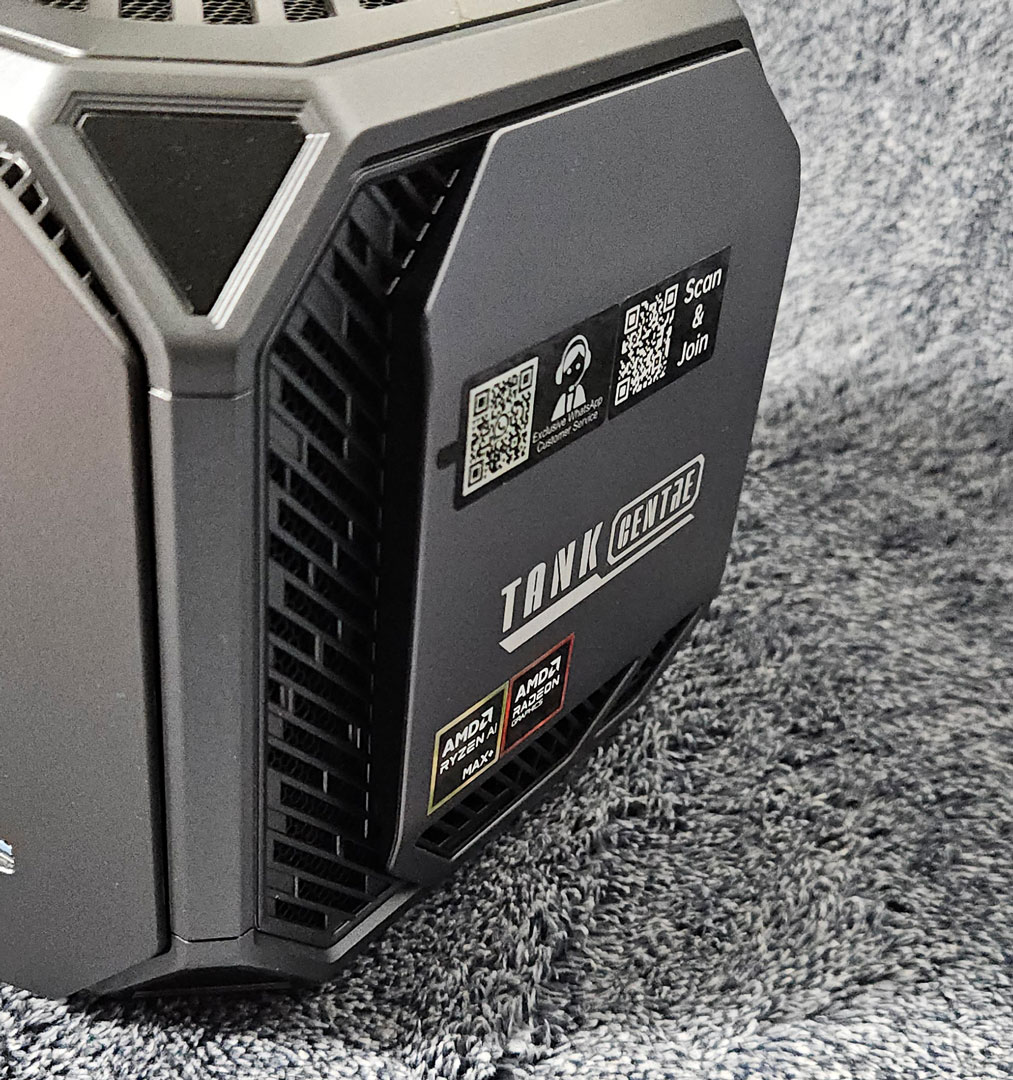
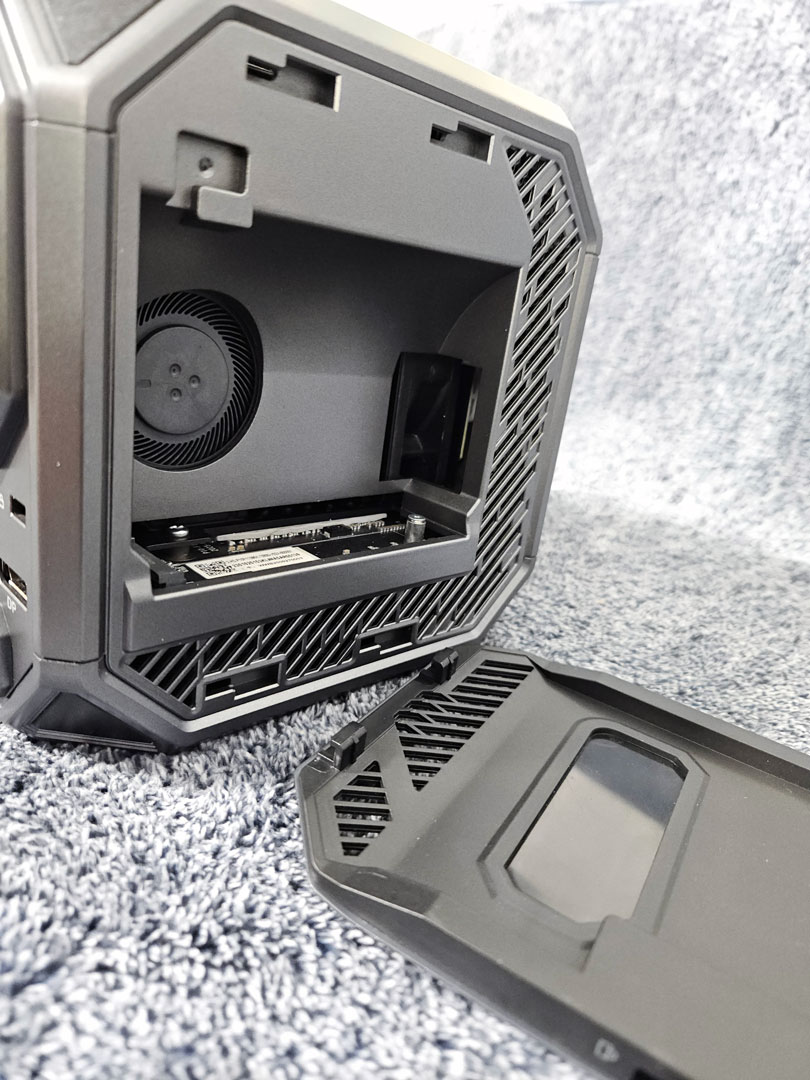
On the left side, you get access to the primary M.2 slot, where the OS drive is installed. This opening also gives a partial look at the dual-turbine cooling layout, which uses separate airflow paths for the CPU and GPU. ACEMAGIC says the CPU is cooled by two copper heat pipes, while the GPU uses five, all tied into a high-airflow exhaust arrangement designed to manage the much heavier thermal load of this platform. The right side holds the additional M.2 slots, giving the M1A Pro+ a welcome amount of storage flexibility even if the rest of the system is effectively closed off.
The side access panels are convenient, but they also highlight one of the bigger trade-offs in the design. They give you easy access to the M.2 storage slots, but that is essentially where user access ends. When I asked ACEMAGIC whether there was a practical way to get to the deeper internal components, such as the motherboard, without major disassembly, the company indicated that this is not something an end user can realistically access and would require a trained professional. In other words, this is not a system built with tinkering in mind.
That will not be a problem for everyone; for many buyers, it probably will not matter much at all. With a Ryzen AI Max+ 395, Radeon 8060S graphics, and 128 GB of memory already onboard, this is the kind of Mini-PC most people will buy as a finished package, rather than as something to upgrade piece by piece over time. Storage expansion is still available, which is the main thing many users will want, but those who enjoy opening up a system, repasting components, swapping wireless cards, or doing deeper hardware experimentation will find the design restrictive.
Nov 20th, 2026 14:19 PST
change timezone
Latest GPU Drivers
New Forum Posts
- 1 - 5 person file storage server equivalent accasible from anywhere + general VM server. (0)
- WarpCoreBench scores! (81)
- How to prevent OLED burn damage due to PC freezes or power outtages? (48)
- Honestly, do you care about GTA VI? (208)
- When you could finally run Crysis maxed out? (63)
- GTA VI (20)
- Anthrophics IPO (25)
- GeekMagic Ultra Smart WiFi Weather Station (8)
- Very unusual two gaming-pc scenarios. (35)
- Can i play GTA 6 now? (Joke) (14)
Popular Reviews
- AMD Zen 6 Technical Deep Dive
- Ugreen NASync DXP4800 GT Review
- Microsoft Surface Laptop Ultra Review - The Next-gen Arm Laptop
- Corsair RM1200e (Second Generation) Review
- Acemagic Retro X3 Review
- Upcoming Hardware Launches 2027 (Updated Nov 2026)
- Pulsar Office Tour & First Look at P1 Dual-Sensor Mouse
- Biwin Black Opal NV7400 2 TB Review
- AMD Ryzen 7 9800X3D Memory Performance Scaling
- AMD Ryzen 7 9800X3D Review - The Best Gaming Processor
TPU on YouTube
Controversial News Posts
- NVIDIA Co-Founder and CEO Jensen Huang Officially Resigns (490)
- Report: Jensen Huang Eyes NVIDIA Comeback (255)
- Open Letter Asking NVIDIA to Reinstate Jensen Huang Passes 115,000 Signatures (184)
- OpenAI CEO Argues Home PCs Waste the World's Limited DRAM Supply (152)
- NVIDIA Launches Investigation Into Jensen Huang's Relationship With Suspected Chinese Spy (136)
- Intel "Raptor Lake Next" 16-Core and 20-Core CPUs Surface (130)
- Legendary Game Studio BioWare Shuts Down Following EA Layoffs (104)
- Dell CEO Says the Memory Shortage Will Get Worse in 2027 (95)