 15
ASUS NUC 16 Pro Review
A Look Inside »Design and Build
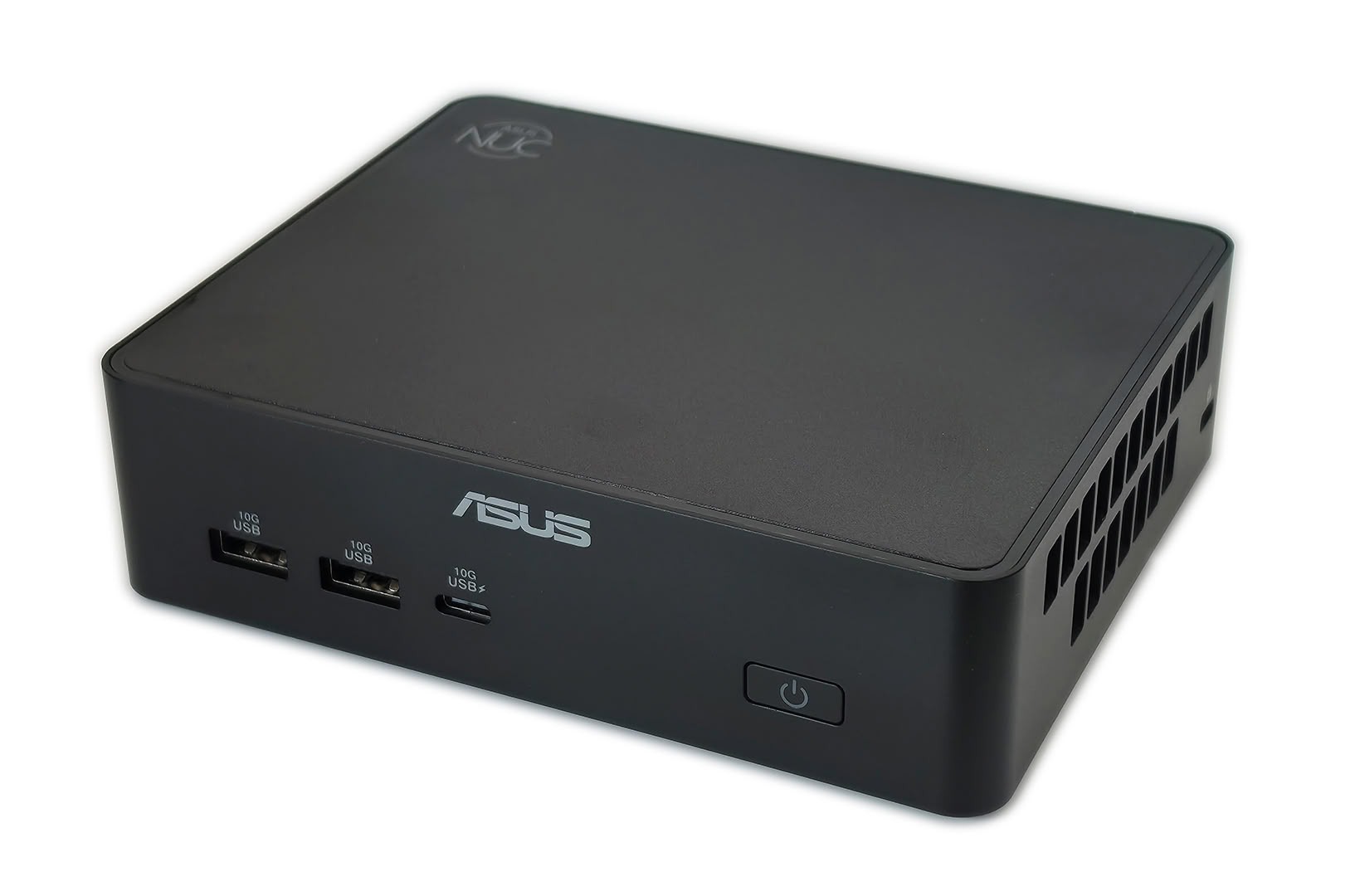
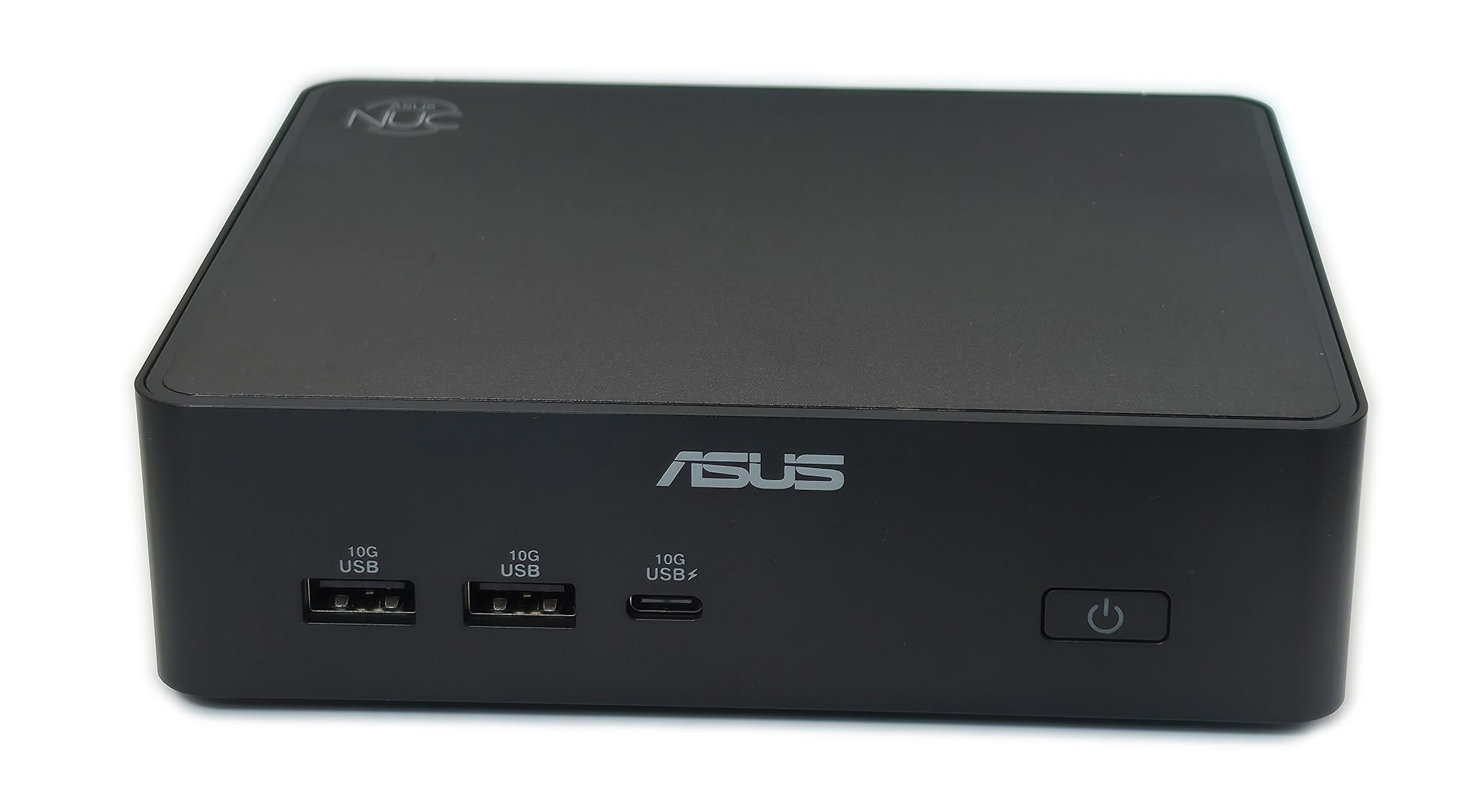
The NUC 16 Pro uses a black chassis that measures 144 x 117 x 42 mm. It is larger than the older 4 x 4-inch NUC format, yet it still takes up very little desk space and can easily be mounted behind a display. The top has a brushed appearance with a small NUC emblem, while the front keeps the design simple with an ASUS logo, three USB ports, and the power button.
ASUS places the high-use USB connections on the front, including two USB-A ports and one USB-C port, all rated for 10 Gbps, though another USB port on the front panel would have been nice. Moreover, there is no 3.5 mm audio jack or card reader, so headphones, speakers, and removable media may require USB or Bluetooth accessories.
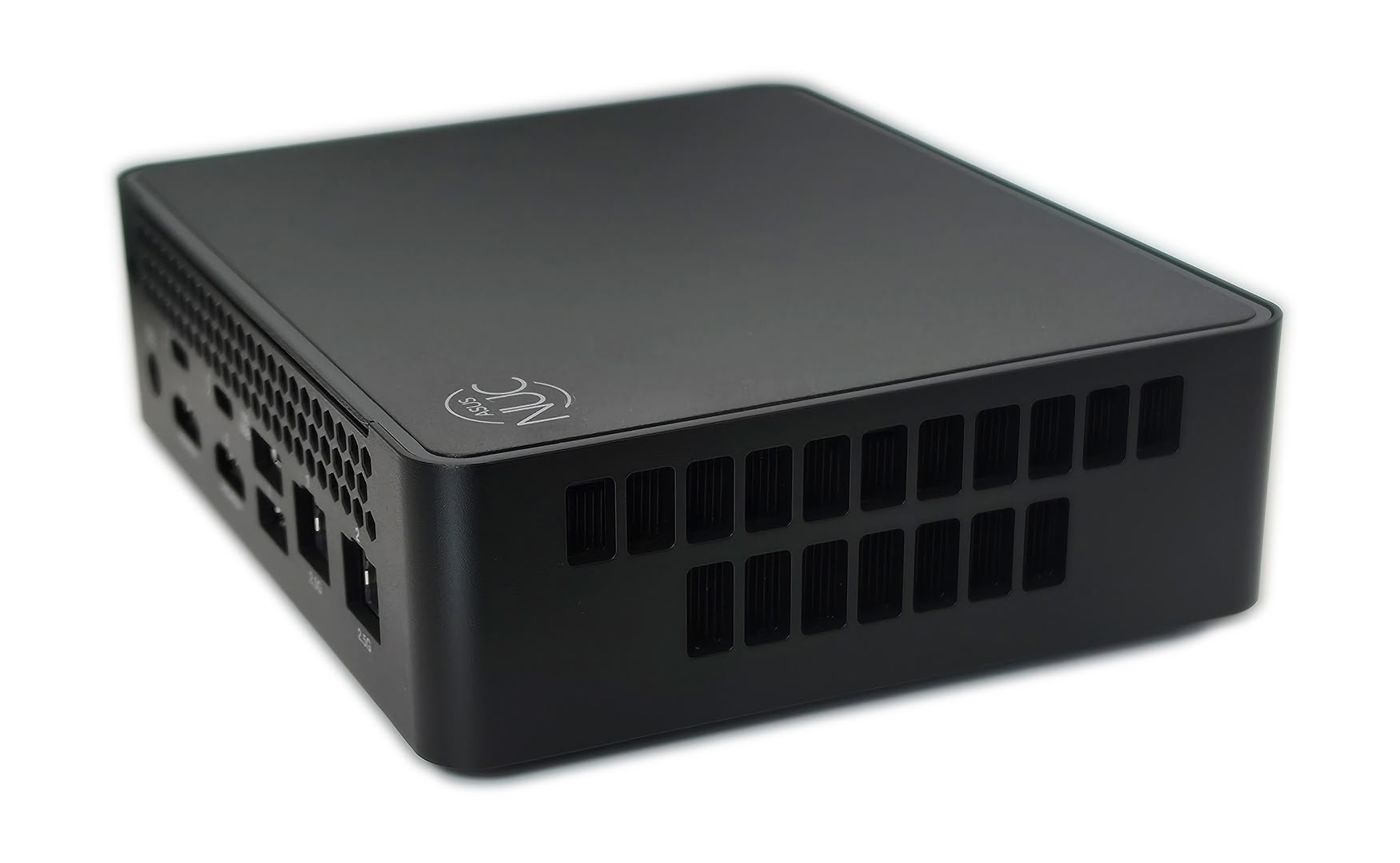
Both side panels are heavily vented, with two rows of openings feeding the internal cooling hardware. The left side also has a Kensington lock slot, which is useful in offices, classrooms, kiosks, and public installations. Four rubber feet provide clearance under the base and keep the PC stable on a desk.
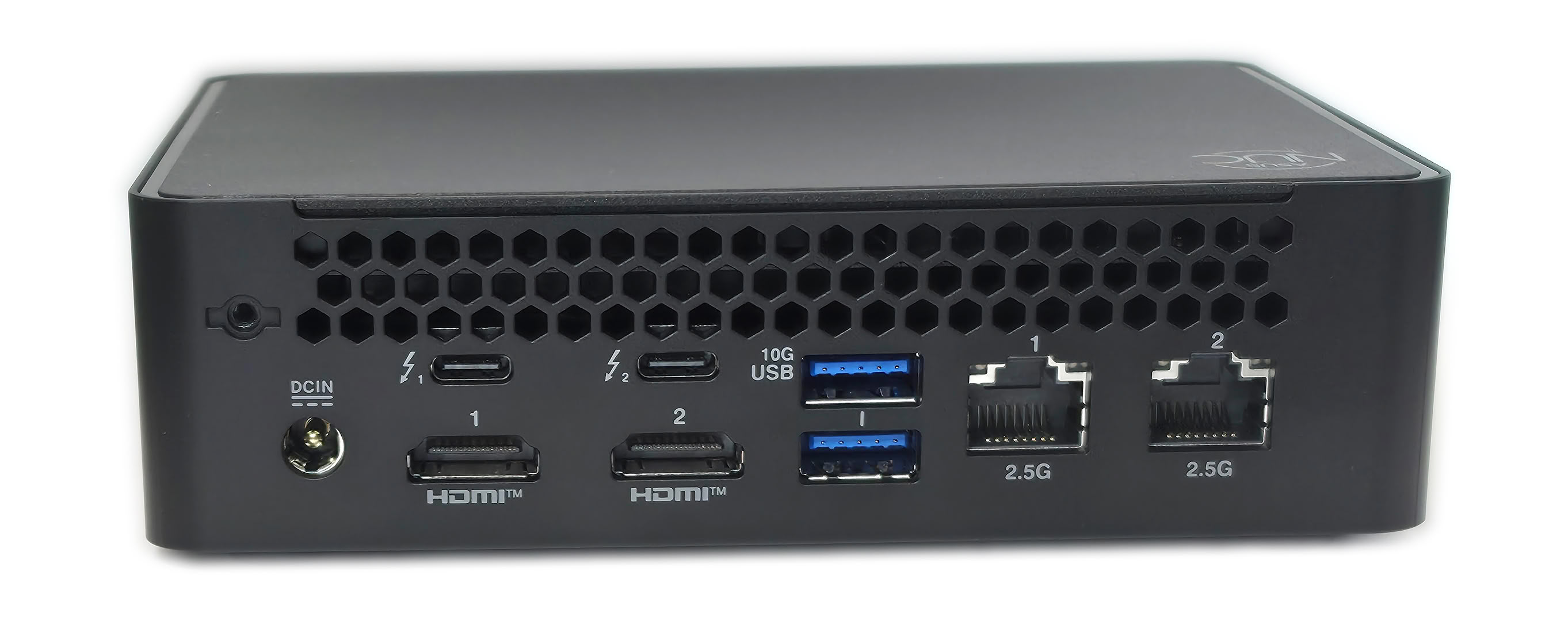
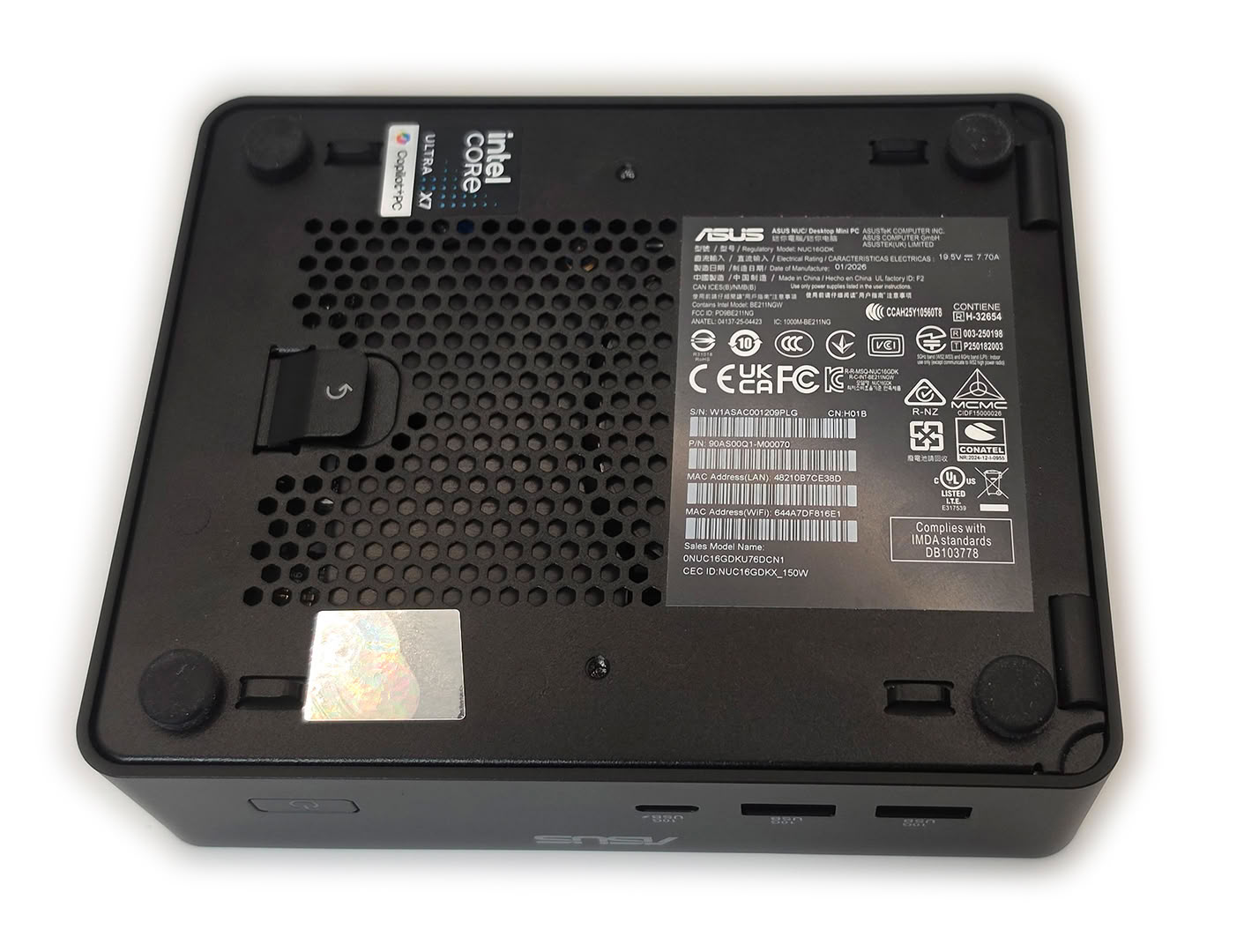
The rear panel has a lot more to it, with two Thunderbolt 4 ports, two HDMI outputs, two USB-A ports, and dual 2.5 GbE for a wide mix of desktop and network connections. That selection works especially well for multi-monitor workstations, lab setups, network appliances, and office deployments that would otherwise need a dock. A locking feature beside the DC input also helps keep the external power cable secured.
Nov 14th, 2026 11:31 CST
change timezone
Latest GPU Drivers
New Forum Posts
- Ddr4 instead of ddr5 for 9060xt 8 gb over 5060 8 gb (7)
- Your PC ATM (36414)
- What can the FX 8320 do today? Here is the answer. (22)
- TPU's Nostalgic Hardware Club (22161)
- What card do I get for VR? (27)
- Microsoft Exchange/365 outages? (62)
- Tell me about your favourite graphics card (54)
- Opinion on Monitor Replacement (7)
- Slow SSD read speeds - help! (5)
- Show us your collections thread!! (366)
Popular Reviews
- AMD Zen 6 Technical Deep Dive
- Corsair HX1000i Shift Crystal Review
- ASUS ROG Strix B850-I Gaming Wi-Fi7 W Review
- NZXT C1200 Platinum Review
- Upcoming Hardware Launches 2027 (Updated Nov 2026)
- Montech King 95 3D PRO Review
- NZXT H7 RGB+ Review
- NZXT H5 Review
- Phantom Blade Zero Performance Benchmark Review - 35 GPUs Tested
- XPG NIMBUS PLUS Review - Mid-range Chair With Strong Competitors
TPU on YouTube
Controversial News Posts
- NVIDIA Co-Founder and CEO Jensen Huang Officially Resigns (398)
- OpenAI CEO Argues Home PCs Waste the World's Limited DRAM Supply (152)
- NVIDIA Launches Investigation Into Jensen Huang's Relationship With Suspected Chinese Spy (136)
- Intel "Raptor Lake Next" 16-Core and 20-Core CPUs Surface (130)
- Legendary Game Studio BioWare Shuts Down Following EA Layoffs (104)
- Dell CEO Says the Memory Shortage Will Get Worse in 2027 (95)
- NVIDIA GeForce RTX 50-Series Scheduled for up to $500 Price Hike This Week (89)
- Modder Fits RTX 5090 With Four 8-Pin Connectors, Halving Current per Wire (80)