 15
ASUS NUC 16 Pro Review
General Performance »A Look Inside
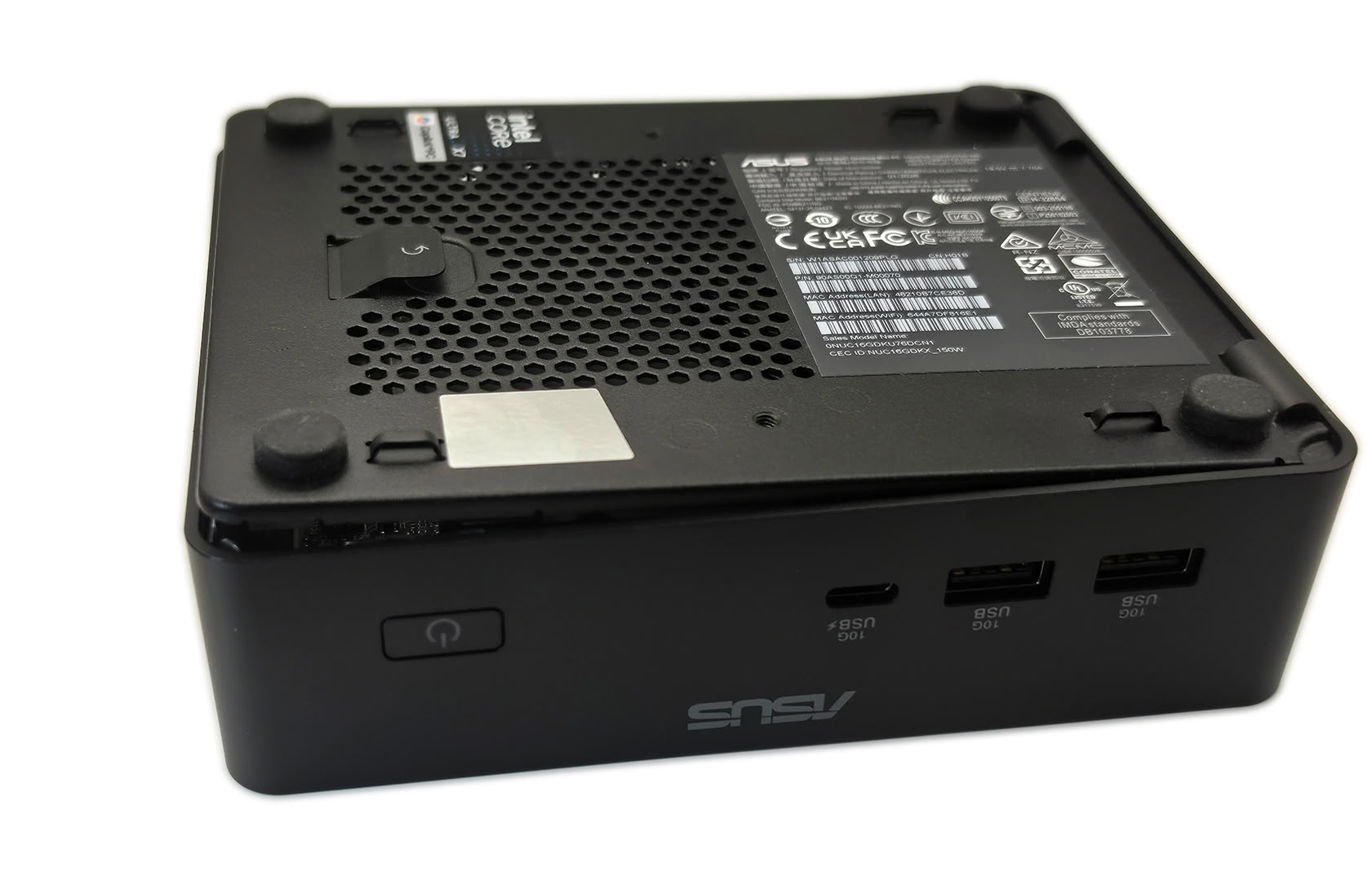
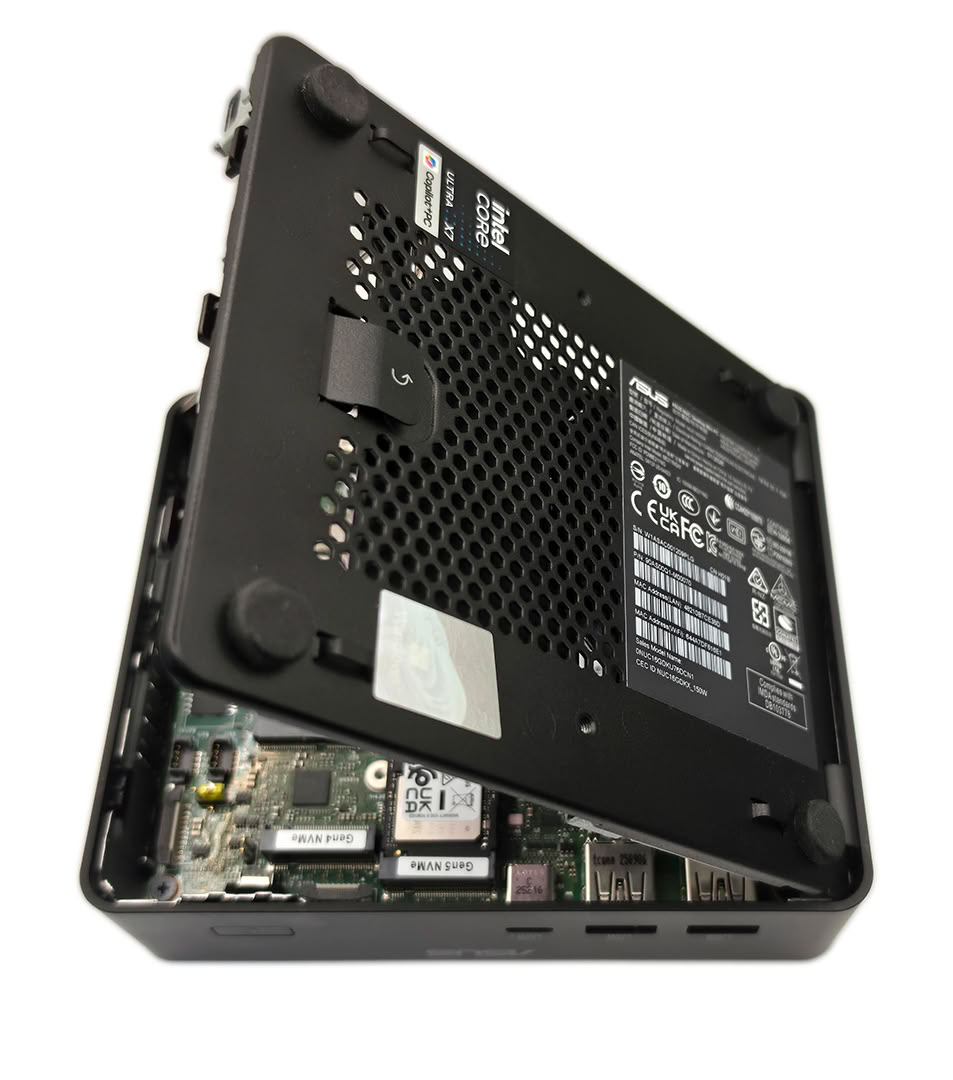
Pulling that latch releases the panel, and the spring-assisted hinge swings it open in seconds. This was by far the easiest Mini-PC I have opened, with no screws to remove and most of the motherboard immediately accessible. The fan is built into the hinged panel itself, along with a large thermal pad that contacts the internal components when the system is closed.
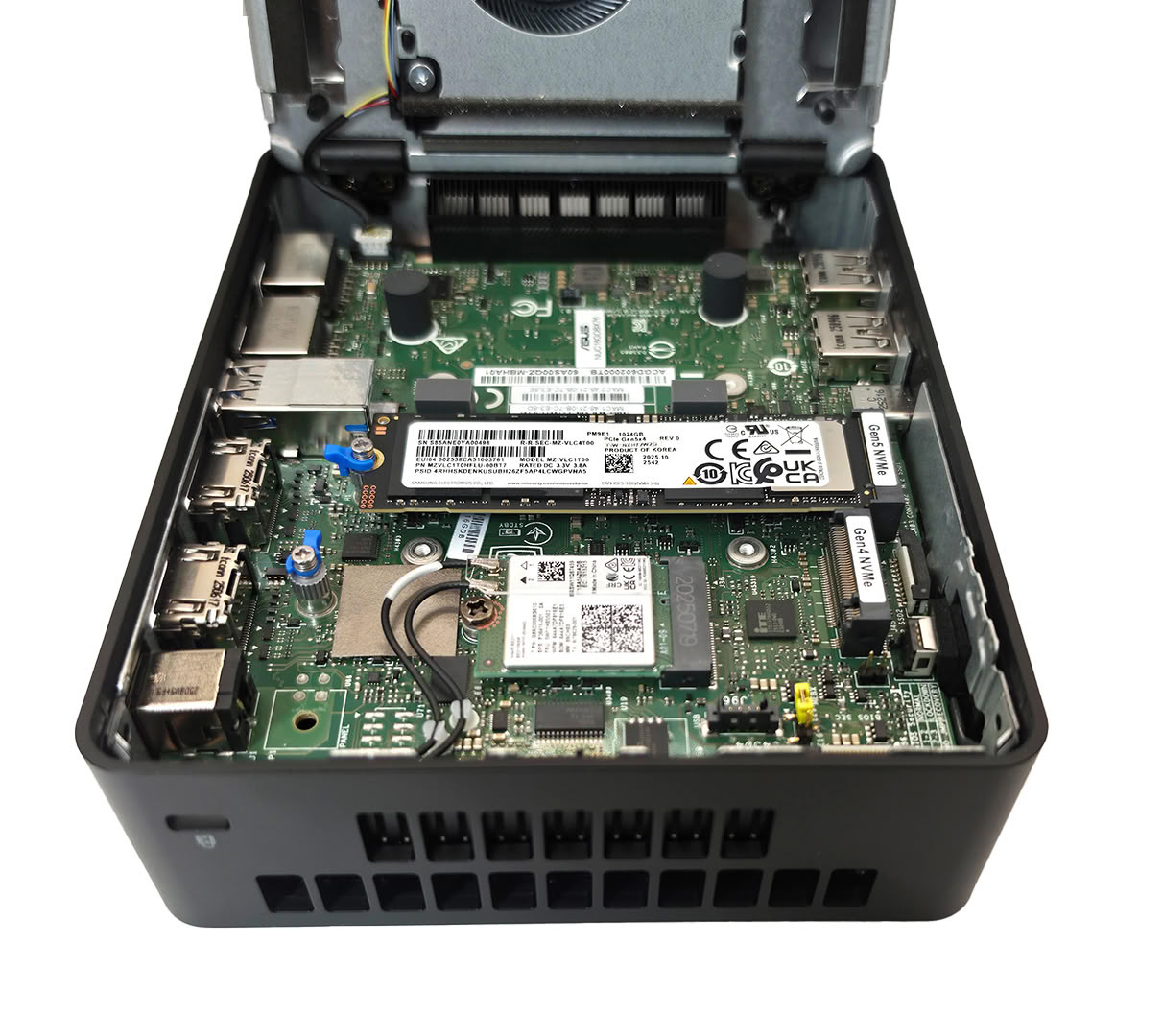
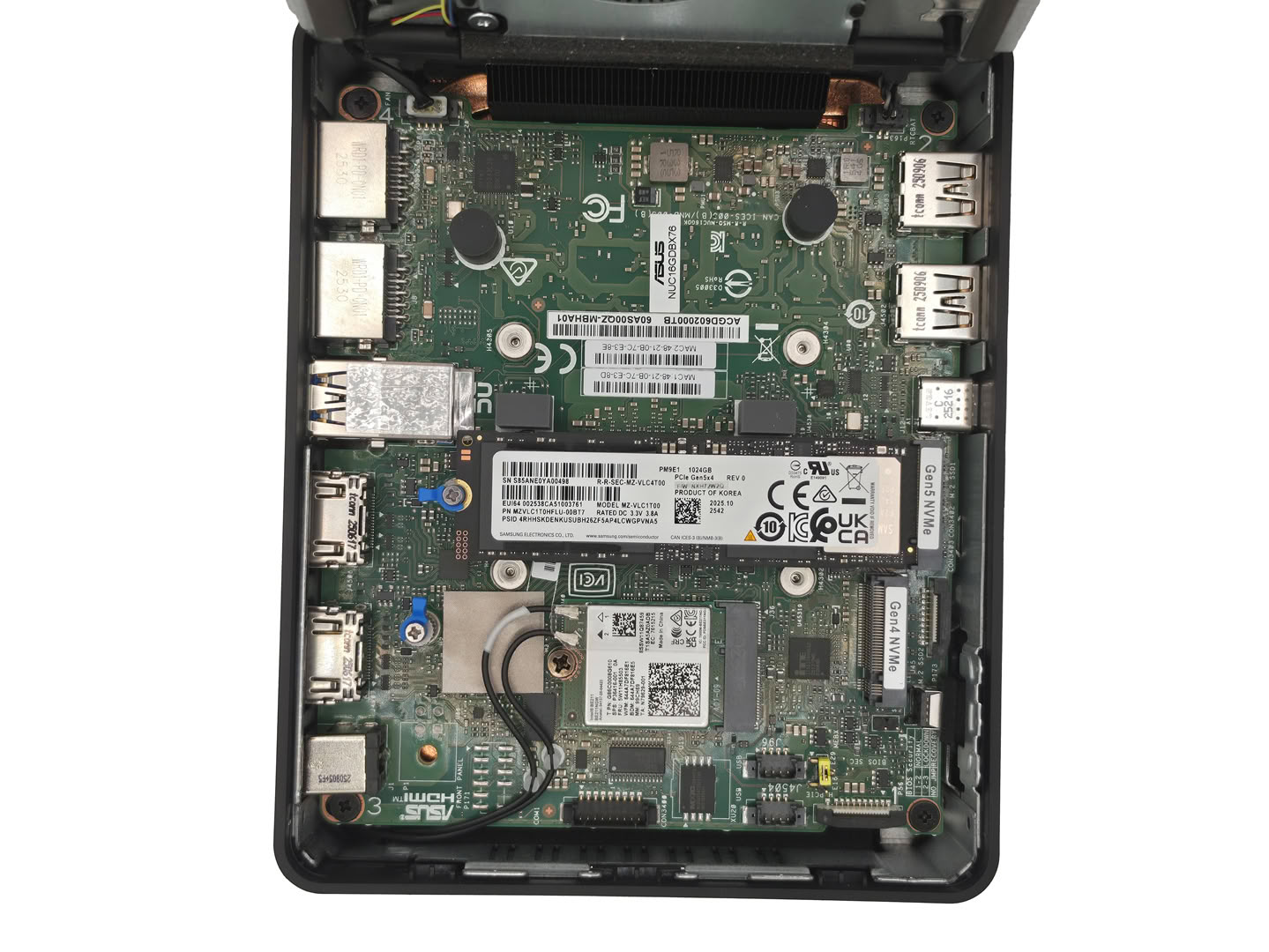
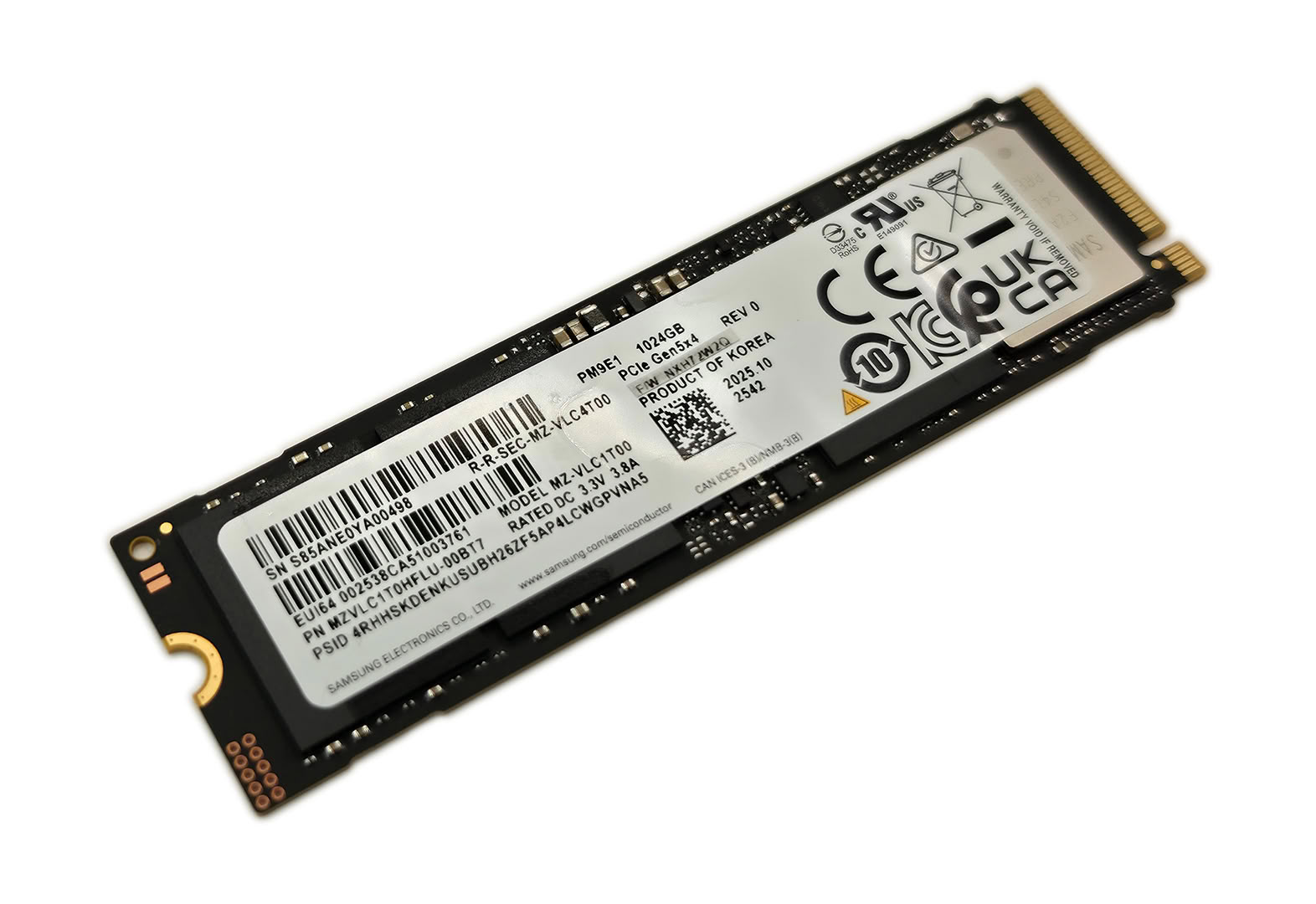
Storage access is especially simple because ASUS labels the two M.2 connectors directly on the motherboard as Gen 5 NVMe and Gen 4 NVMe. The 1 TB Samsung PM9E1 occupies the PCIe 5.0 slot, leaving the second M.2 2280 connector open for another SSD. With the panel folded out of the way, both drives are directly accessible and there are no additional brackets to remove.
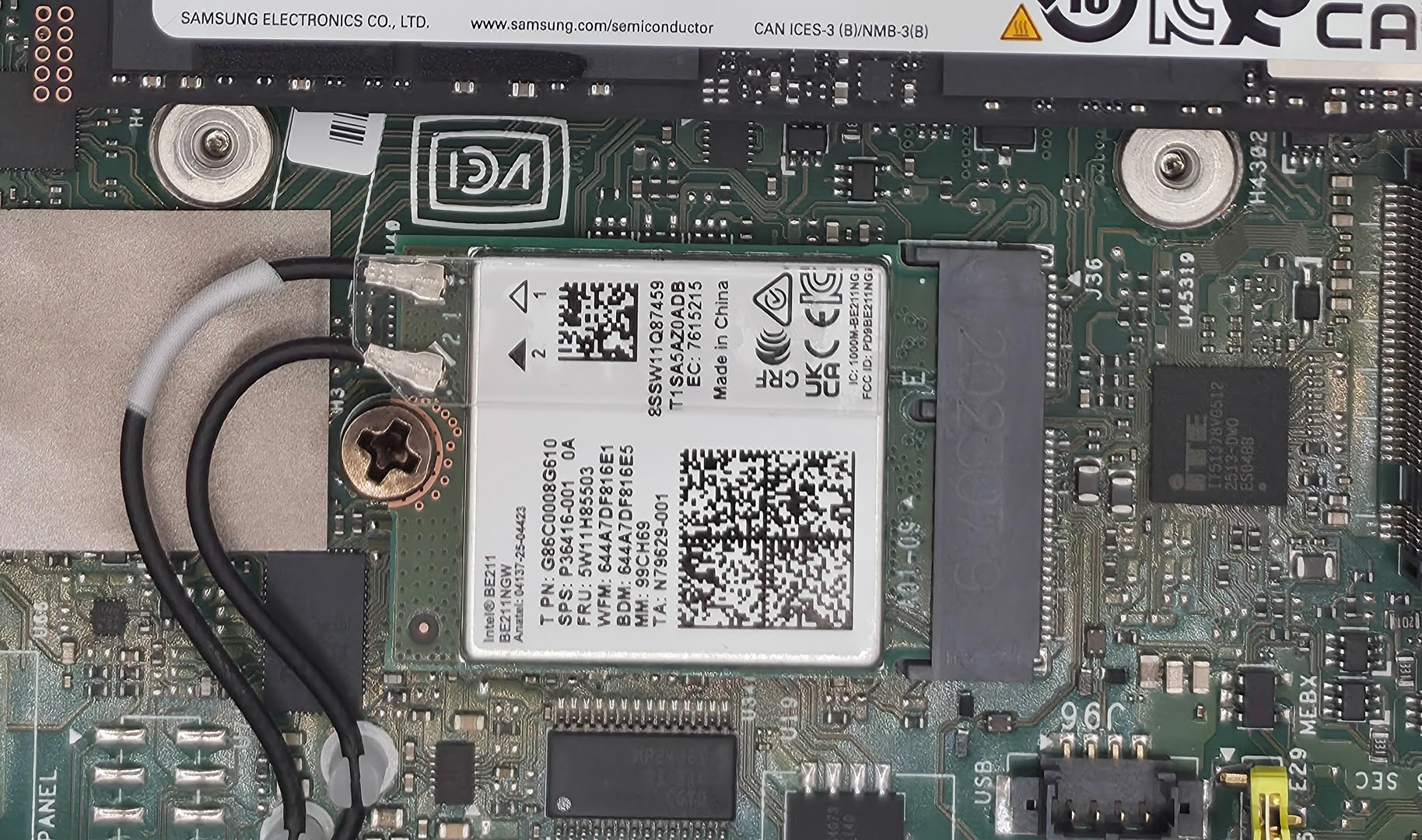
The Intel Wi-Fi card sits just below the installed SSD and is also replaceable, with both antenna leads accessible from the same side of the board. Memory is different on this LPDDR5X configuration because it is soldered to the motherboard and cannot be upgraded later. Buyers who want replaceable memory will need to choose one of the socketed DDR5 versions when ordering.
Nov 14th, 2026 11:43 CST
change timezone
Latest GPU Drivers
New Forum Posts
- What can the FX 8320 do today? Here is the answer. (24)
- Ddr4 instead of ddr5 for 9060xt 8 gb over 5060 8 gb (7)
- Your PC ATM (36414)
- TPU's Nostalgic Hardware Club (22161)
- What card do I get for VR? (27)
- Microsoft Exchange/365 outages? (62)
- Tell me about your favourite graphics card (54)
- Opinion on Monitor Replacement (7)
- Slow SSD read speeds - help! (5)
- Show us your collections thread!! (366)
Popular Reviews
- AMD Zen 6 Technical Deep Dive
- Corsair HX1000i Shift Crystal Review
- ASUS ROG Strix B850-I Gaming Wi-Fi7 W Review
- NZXT C1200 Platinum Review
- Upcoming Hardware Launches 2027 (Updated Nov 2026)
- Montech King 95 3D PRO Review
- NZXT H7 RGB+ Review
- NZXT H5 Review
- Phantom Blade Zero Performance Benchmark Review - 35 GPUs Tested
- XPG NIMBUS PLUS Review - Mid-range Chair With Strong Competitors
TPU on YouTube
Controversial News Posts
- NVIDIA Co-Founder and CEO Jensen Huang Officially Resigns (399)
- OpenAI CEO Argues Home PCs Waste the World's Limited DRAM Supply (152)
- NVIDIA Launches Investigation Into Jensen Huang's Relationship With Suspected Chinese Spy (136)
- Intel "Raptor Lake Next" 16-Core and 20-Core CPUs Surface (130)
- Legendary Game Studio BioWare Shuts Down Following EA Layoffs (104)
- Dell CEO Says the Memory Shortage Will Get Worse in 2027 (95)
- NVIDIA GeForce RTX 50-Series Scheduled for up to $500 Price Hike This Week (89)
- Modder Fits RTX 5090 With Four 8-Pin Connectors, Halving Current per Wire (80)