 19
ASUS ROG Crosshair X870E Glacial Review - A Masterpiece
(19 Comments) »Value and Conclusion
- The ASUS ROG Crosshair X870E Glacial's suggested retail price is US$1200
- Looks spectacular
- Loads of new, innovative features
- The lowest PCIe Gen 5 SSD temperatures we've seen
- Epic accessory set
- Cable-free memory cooling fan
- LCD looks great
- Tool-free M.2 heatsinks all round
- 60 W front panel Type-C power delivery
- Dual 10 Gbps Ethernet
- Excellent EFI and software
- Good blend and number of Type-A and Type-C USB ports
- Prohibitively expensive for most
- Lower M.2 heatsink performance was disappointing
- Some aesthetic features not usable in a working system
- Using ROG Hyper M.2 Card always results in eight lanes for your GPU
- DIMM.2 module second M.2 port limited to two PCIe lanes
- Second PCIe Gen 5 M.2 port shares bandwidth with USB4 ports
- Memory fan almost touches large GPUs
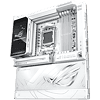
We'll start with the TL;DR, which is that this is one heck of a motherboard that performs and is as well-equipped as it looks. We think it probably has an edge over MSI and Gigabyte's extreme options here and that's aside from the fact it's white too. However, its enormous price tag means that, as with other flagship models of this type, that owning one should mean that you've already maxed out the rest of your system. If you're only rocking an RTX 5080 and a 1 TB SSD and considering the ASUS ROG Crosshair X870E Glacial, then you're doing it wrong.
Getting back to the positives, and this really feels like peak Socket AM5 and indeed the most impressive motherboard perhaps that we've ever seen for AMD. It's been a long road getting here, stretching all the way back to its pre-Phenom CPU days, when AMD motherboards were rarely released and had months or even years between BIOS updates.
We've come full circle, then, with the ROG Crosshair X870E Glacial, as this is quite possibly the most desirable mainstream desktop motherboard available on either AMD or Intel platforms.
As you'd expect, there are features here that make you think 'oh that's cool' as you're using them. The cable-free memory cooling fan, magnetic fascias and cable-free AIO liquid cooler support give you that feel-good factor when building your PC and are things we'd like to see more of.
These are paired with a lavishly-equipped PCB that passively cools all of its M.2 ports with tool-free heatsinks and this extends to the ROG Hyper M.2 Card and ROG Q-DIMM.2 module too, with the former being far easier to deal with than previous screwed-together models we've used. As you'd expect, aesthetically, the board dials things up to 11 with a vibrant display on the I/O shroud. The white theme here means that combined with a white PC case and graphics card, it's easy to build a spectacular-looking PC.
There are some niggles of course as no product is perfect. The lack of the full four PCIe lanes to the second M.2 port in the DIMM.2 module is annoying as these modules are easy to access and provide good temperatures, making them a useful home for PCIe Gen 4 SSDs. As it stands, only one port is likely usable. The ROG Hyper M.2 Card too, while offering superb cooling, will always see your graphics card limited to eight PCIe lanes, although this is more a platform limitation, besides being not much of an issue as that is still the equivalent of Gen 4 x16.
Having one 10 Gbps Ethernet port is extravagant enough, but two might seem excessive. It's perhaps added here due to the fact that adding your own using the second PCIe slot will see lanes for the first slot fall from 16 to eight. But the need for two ports does seem very remote and its inclusion likely adds a notable amount to the price. The second Realtek controller also seems lack any passive cooling too.
Using two PCIe 5 SSDs still results in bandwidth limitations, either for your graphics card or—if you use the second slot on the PCB—for the USB4 ports, although again this is a platform limitation rather than an issue with this particular motherboard. An issue that was very much down to the ROG Crosshair X870E Glacial, though, were SSD temperatures in the lower M.2 ports, which were disappointing.
Ultimately, this is one of, if not the most drool-worthy and desirable motherboards we've ever reviewed and one where our envy of anyone lucky enough to be able to afford one is very real. Yes, the price is obscene, but its performance, features and design mean it goes a long way to justifying its price tag.
Most of its shortcomings are down to platform limitations in terms of bandwidth, and overall it has everything you need to build an ultra high-end PC that has such head-turning ability it should come with whiplash warning stickers. Well done ASUS and well done AMD for being deserving of such a motherboard.



Getting back to the positives, and this really feels like peak Socket AM5 and indeed the most impressive motherboard perhaps that we've ever seen for AMD. It's been a long road getting here, stretching all the way back to its pre-Phenom CPU days, when AMD motherboards were rarely released and had months or even years between BIOS updates.
We've come full circle, then, with the ROG Crosshair X870E Glacial, as this is quite possibly the most desirable mainstream desktop motherboard available on either AMD or Intel platforms.
As you'd expect, there are features here that make you think 'oh that's cool' as you're using them. The cable-free memory cooling fan, magnetic fascias and cable-free AIO liquid cooler support give you that feel-good factor when building your PC and are things we'd like to see more of.
These are paired with a lavishly-equipped PCB that passively cools all of its M.2 ports with tool-free heatsinks and this extends to the ROG Hyper M.2 Card and ROG Q-DIMM.2 module too, with the former being far easier to deal with than previous screwed-together models we've used. As you'd expect, aesthetically, the board dials things up to 11 with a vibrant display on the I/O shroud. The white theme here means that combined with a white PC case and graphics card, it's easy to build a spectacular-looking PC.
There are some niggles of course as no product is perfect. The lack of the full four PCIe lanes to the second M.2 port in the DIMM.2 module is annoying as these modules are easy to access and provide good temperatures, making them a useful home for PCIe Gen 4 SSDs. As it stands, only one port is likely usable. The ROG Hyper M.2 Card too, while offering superb cooling, will always see your graphics card limited to eight PCIe lanes, although this is more a platform limitation, besides being not much of an issue as that is still the equivalent of Gen 4 x16.
Having one 10 Gbps Ethernet port is extravagant enough, but two might seem excessive. It's perhaps added here due to the fact that adding your own using the second PCIe slot will see lanes for the first slot fall from 16 to eight. But the need for two ports does seem very remote and its inclusion likely adds a notable amount to the price. The second Realtek controller also seems lack any passive cooling too.
Using two PCIe 5 SSDs still results in bandwidth limitations, either for your graphics card or—if you use the second slot on the PCB—for the USB4 ports, although again this is a platform limitation rather than an issue with this particular motherboard. An issue that was very much down to the ROG Crosshair X870E Glacial, though, were SSD temperatures in the lower M.2 ports, which were disappointing.
Ultimately, this is one of, if not the most drool-worthy and desirable motherboards we've ever reviewed and one where our envy of anyone lucky enough to be able to afford one is very real. Yes, the price is obscene, but its performance, features and design mean it goes a long way to justifying its price tag.
Most of its shortcomings are down to platform limitations in terms of bandwidth, and overall it has everything you need to build an ultra high-end PC that has such head-turning ability it should come with whiplash warning stickers. Well done ASUS and well done AMD for being deserving of such a motherboard.
Nov 14th, 2026 12:24 CST
change timezone
Latest GPU Drivers
New Forum Posts
- What can the FX 8320 do today? Here is the answer. (32)
- What card do I get for VR? (30)
- Tell me about your favourite graphics card (57)
- no "PhysX" workable (10)
- TPU's Nostalgic Hardware Club (22162)
- Slow SSD read speeds - help! (7)
- Ddr4 instead of ddr5 for 9060xt 8 gb over 5060 8 gb (7)
- Your PC ATM (36414)
- Microsoft Exchange/365 outages? (62)
- Opinion on Monitor Replacement (7)
Popular Reviews
- AMD Zen 6 Technical Deep Dive
- ASUS ROG Strix B850-I Gaming Wi-Fi7 W Review
- Corsair HX1000i Shift Crystal Review
- NZXT C1200 Platinum Review
- Upcoming Hardware Launches 2027 (Updated Nov 2026)
- Montech King 95 3D PRO Review
- NZXT H7 RGB+ Review
- NZXT H5 Review
- Phantom Blade Zero Performance Benchmark Review - 35 GPUs Tested
- XPG NIMBUS PLUS Review - Mid-range Chair With Strong Competitors
TPU on YouTube
Controversial News Posts
- NVIDIA Co-Founder and CEO Jensen Huang Officially Resigns (399)
- OpenAI CEO Argues Home PCs Waste the World's Limited DRAM Supply (152)
- NVIDIA Launches Investigation Into Jensen Huang's Relationship With Suspected Chinese Spy (136)
- Intel "Raptor Lake Next" 16-Core and 20-Core CPUs Surface (130)
- Legendary Game Studio BioWare Shuts Down Following EA Layoffs (104)
- Dell CEO Says the Memory Shortage Will Get Worse in 2027 (95)
- NVIDIA GeForce RTX 50-Series Scheduled for up to $500 Price Hike This Week (89)
- Modder Fits RTX 5090 With Four 8-Pin Connectors, Halving Current per Wire (80)