 13
ASUS ROG GR70 Mini PC Review
General Performance »A Look Inside


Getting inside the GR70 is simple for a compact gaming system. Remove one screw from the side panel and one screw from the rear, then pull the side panel away. After that, the main internal layout is open, with the memory area, SSD heatsink, fan, wireless card, and board connectors all accessible without removing several layers of plastic or metal.
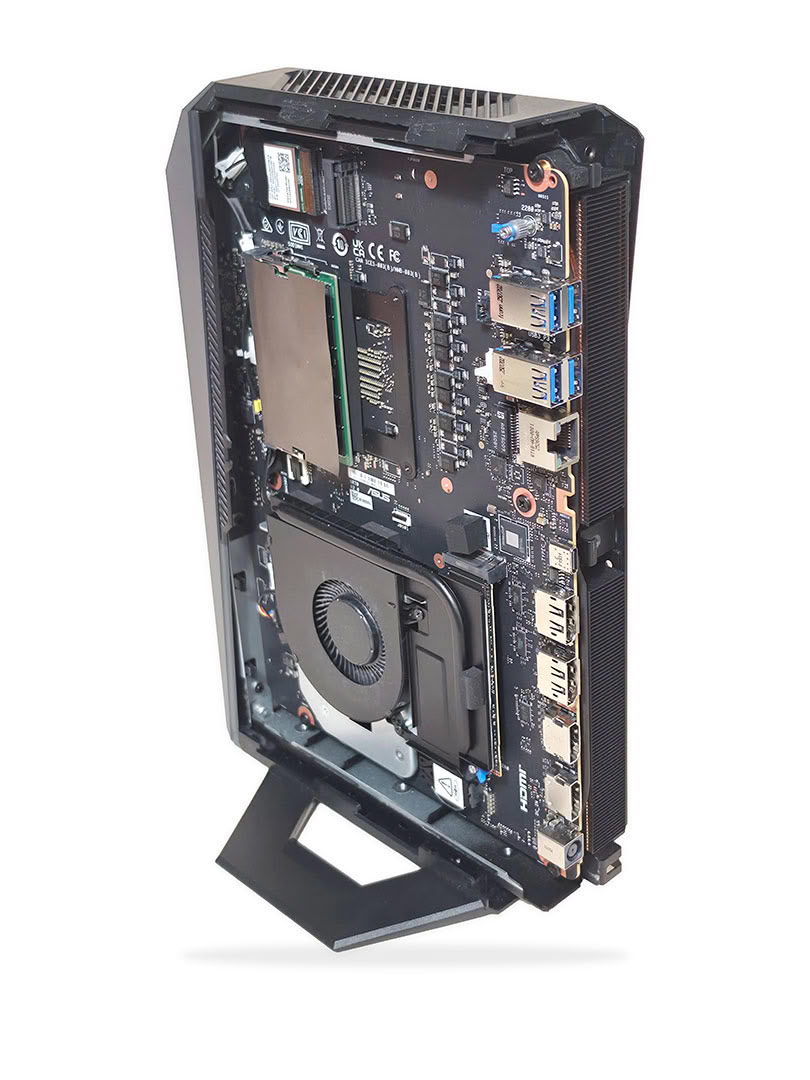

The layout is much easier to work with than I expected, as the SSD, RAM area, cooling fan, wireless card, rear I/O area, and several board connectors are all visible once the side panel is off. Compared with the MINISFORUM AtomMan G7 Pro, the GR70 is overall easier to access and service.
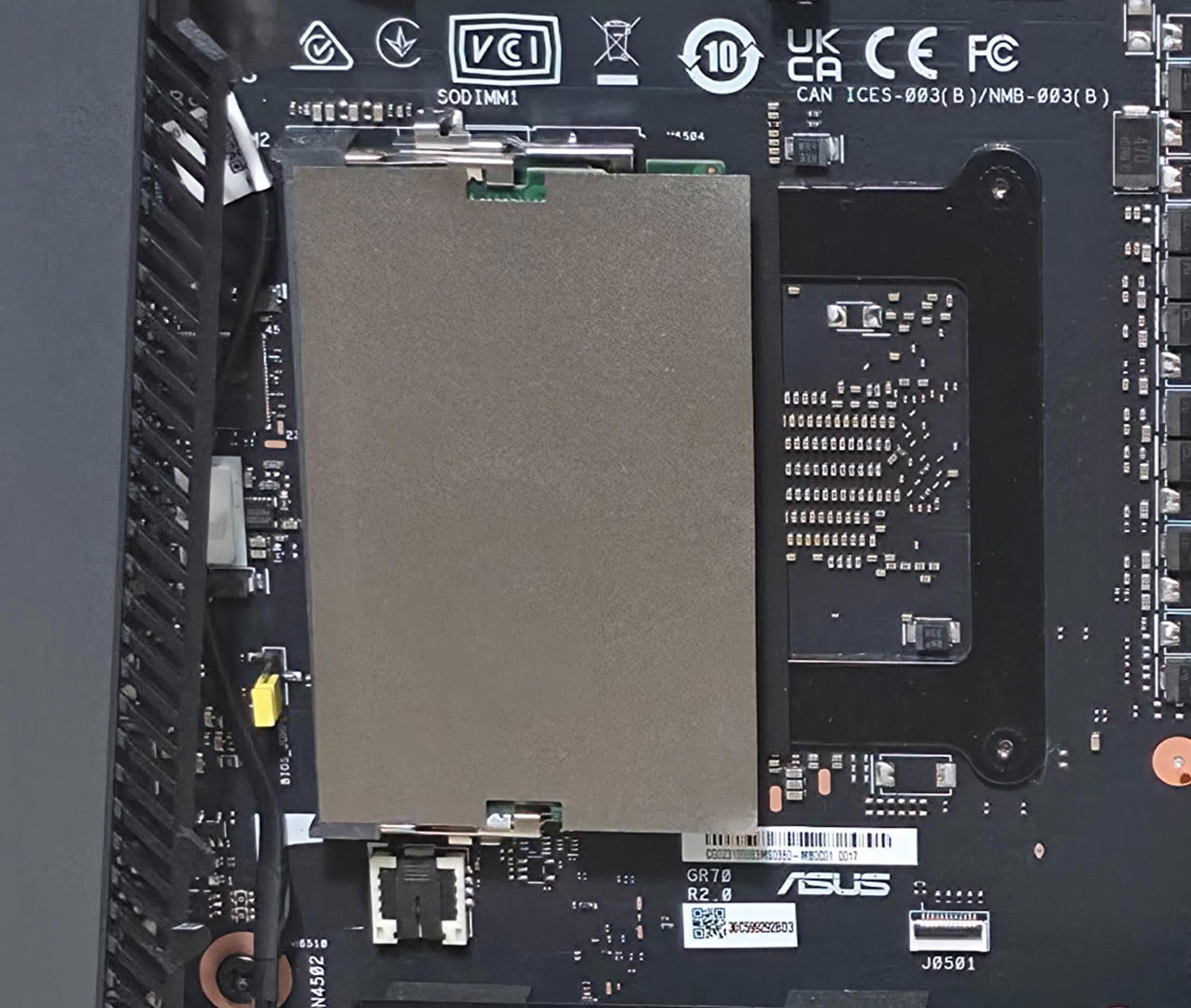
Over the memory slots, ASUS uses a thin foil-style shield that likely helps with EMI shielding, spacing, and airflow control in the tight chassis. It should be lifted gently during memory access and pressed back down when finished. Our review unit shipped with 64 GB of DDR5-5600 memory, while ASUS confirmed that the closest retail configuration ships with 32 GB.
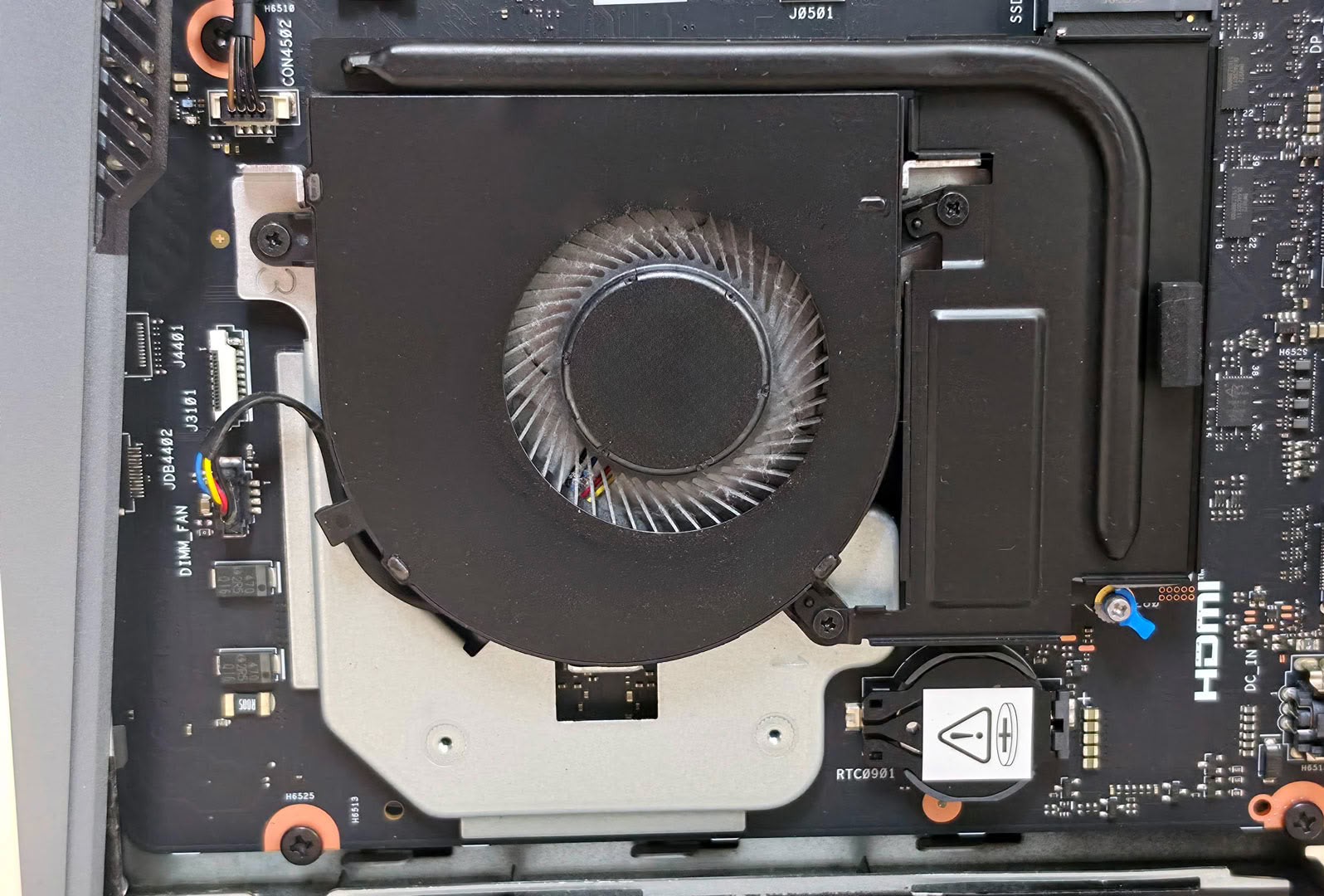
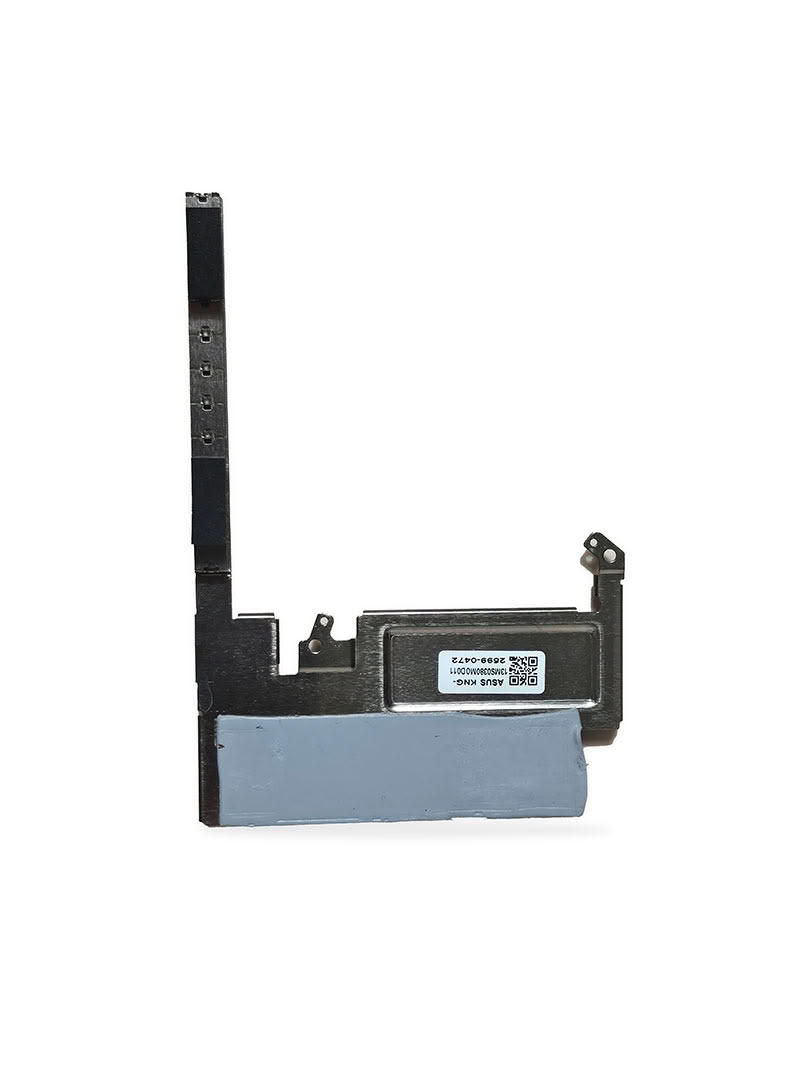
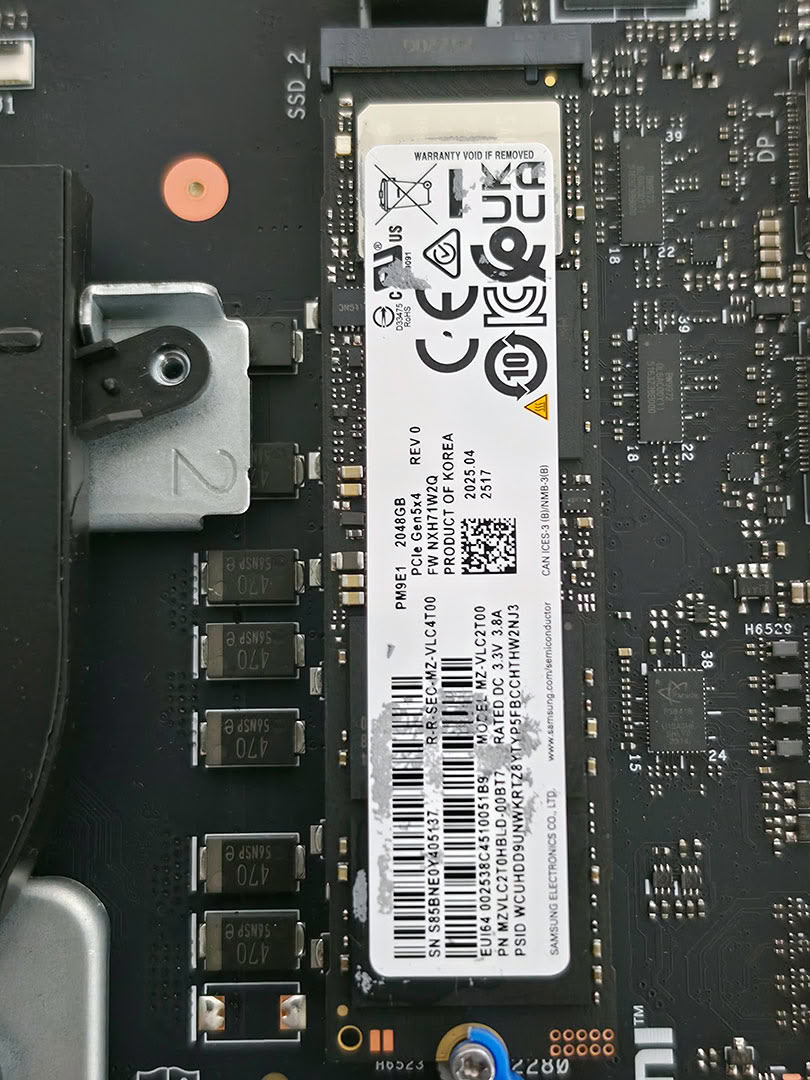
The SSD area has a heavy heatsink beside the fan, secured by two screws. Once those screws are removed, the cover lifts off and exposes the M.2 drive underneath, along with a gray thermal pad that should be kept aligned during reassembly. Our unit used a Samsung PM9E1 2 TB PCIe Gen 5 SSD, so the extra cooling is appreciated.
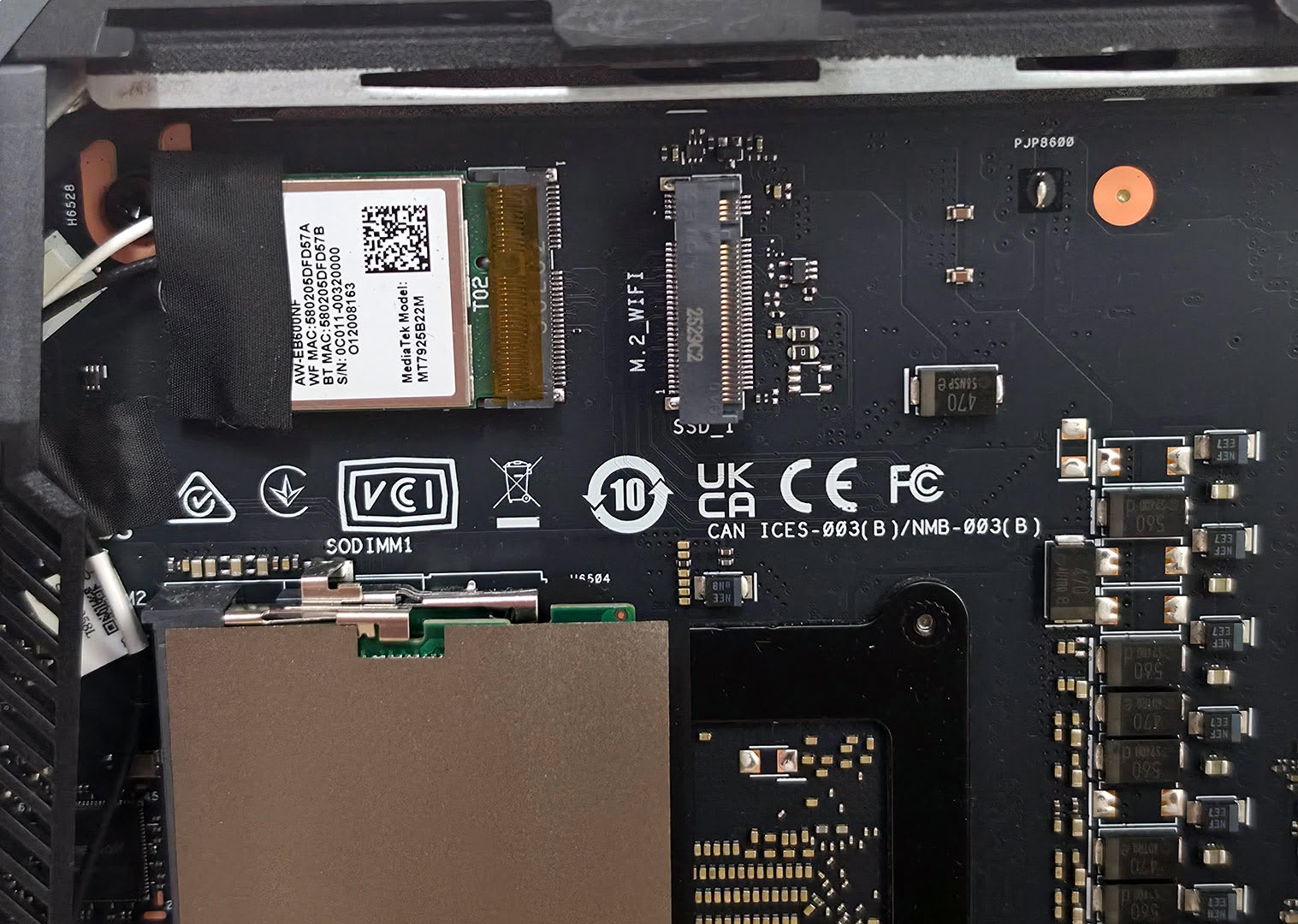
The wireless card is installed in an M.2 2230 slot near the upper edge of the board, with the antenna leads routed into the chassis. It is easy to reach once the panel is off, though the small antenna connectors should still be treated carefully if the card ever needs to be removed. The wireless setup includes Wi-Fi 7 and Bluetooth 5.4.
Putting the GR70 back together is just as quick as opening it. The side panel snaps back into place, then the two screws go back in. For a slim vertical gaming Mini-PC, ASUS did a very good job with internal access here.
Nov 19th, 2026 15:58 CST
change timezone
Latest GPU Drivers
New Forum Posts
- Honestly, do you care about GTA VI? (163)
- Windows 11 General Discussion (7736)
- Current Sales, Bundles, Giveaways (10448)
- Last game you purchased? (1409)
- WarpCoreBench scores! (76)
- Got the EOL 32GB TridentZ 6000 CL26 1.4V (12)
- Dell Workstation Owners Club (3516)
- Making a game in Godot engine (4)
- DTS DCH Driver for Realtek HDA [DTS:X APO4 + DTS Interactive] (2815)
- Security Apps (2)
Popular Reviews
- Acemagic Retro X3 Review
- Ugreen NASync DXP4800 GT Review
- Upcoming Hardware Launches 2027 (Updated Nov 2026)
- Pulsar Office Tour & First Look at P1 Dual-Sensor Mouse
- AMD Zen 6 Technical Deep Dive
- Biwin Black Opal NV7400 2 TB Review
- Sapphire Radeon RX 7700 XT Pure Review
- Sapphire Radeon RX 7700 XT Pulse Review
- AMD Ryzen 7 9800X3D Review - The Best Gaming Processor
- Chieftec Iceberg PRO 360 DARK Review
TPU on YouTube
Controversial News Posts
- NVIDIA Co-Founder and CEO Jensen Huang Officially Resigns (488)
- Report: Jensen Huang Eyes NVIDIA Comeback (223)
- Open Letter Asking NVIDIA to Reinstate Jensen Huang Passes 115,000 Signatures (184)
- OpenAI CEO Argues Home PCs Waste the World's Limited DRAM Supply (152)
- NVIDIA Launches Investigation Into Jensen Huang's Relationship With Suspected Chinese Spy (136)
- Intel "Raptor Lake Next" 16-Core and 20-Core CPUs Surface (130)
- Legendary Game Studio BioWare Shuts Down Following EA Layoffs (104)
- Dell CEO Says the Memory Shortage Will Get Worse in 2027 (95)