 10
ASUS ROG Maximus Z890 Apex Review
Component Analysis »Board Layout
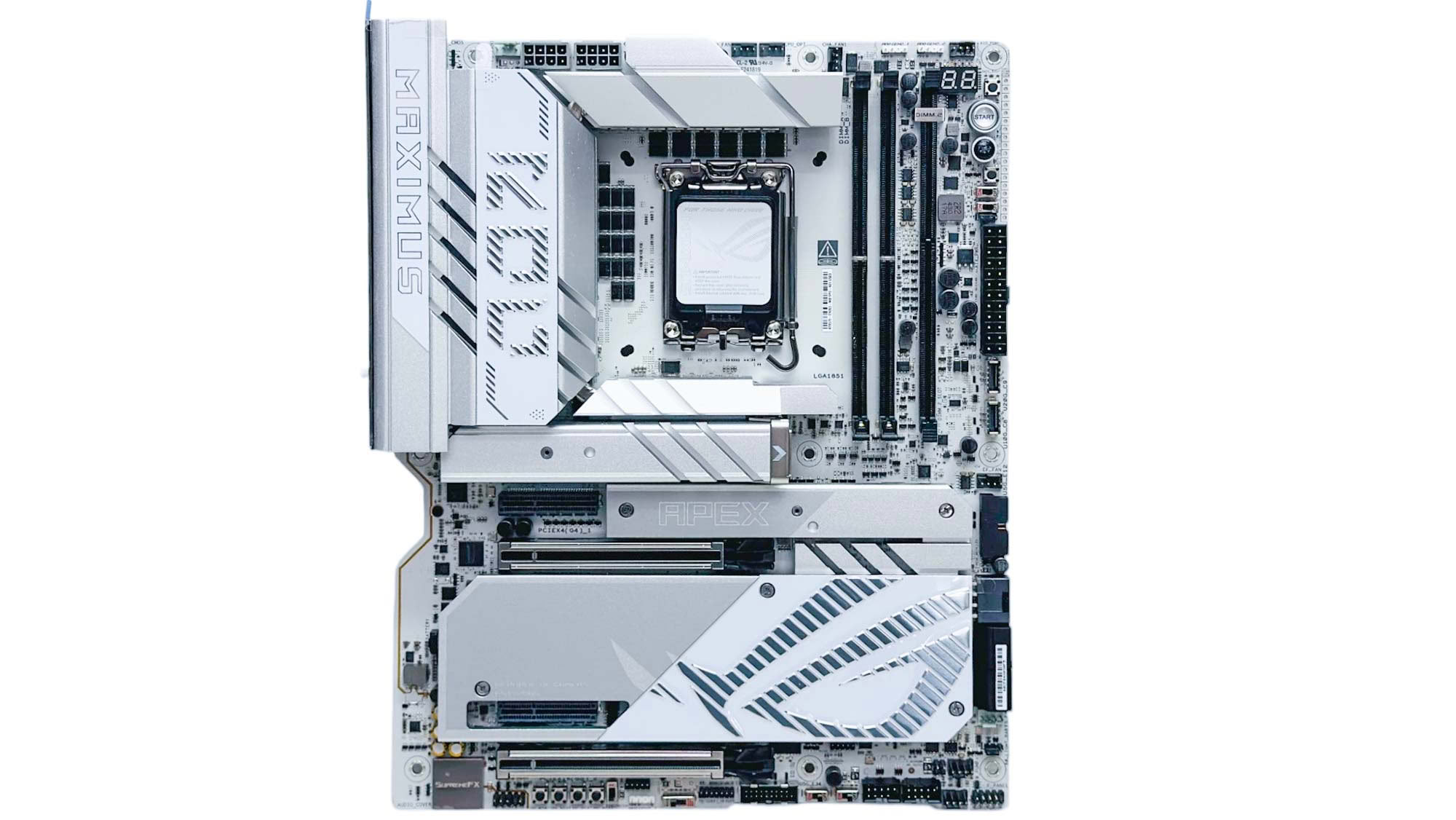

ASUS continues with the white theme for the Apex that we previously saw with the first Z790 version too, having switched back to black for the Z790 Encore, the AMD X870E version is also black. There's no backplate here, but that's usually a hindrance to extreme cooling, which the board has obviously been designed for. As usual, the heatsinks are protected with plenty of plastic film to prevent scratches, and the overall design and layout is very similar to the X870E model while looking a little more modern and imposing than its direct Intel predecessor.
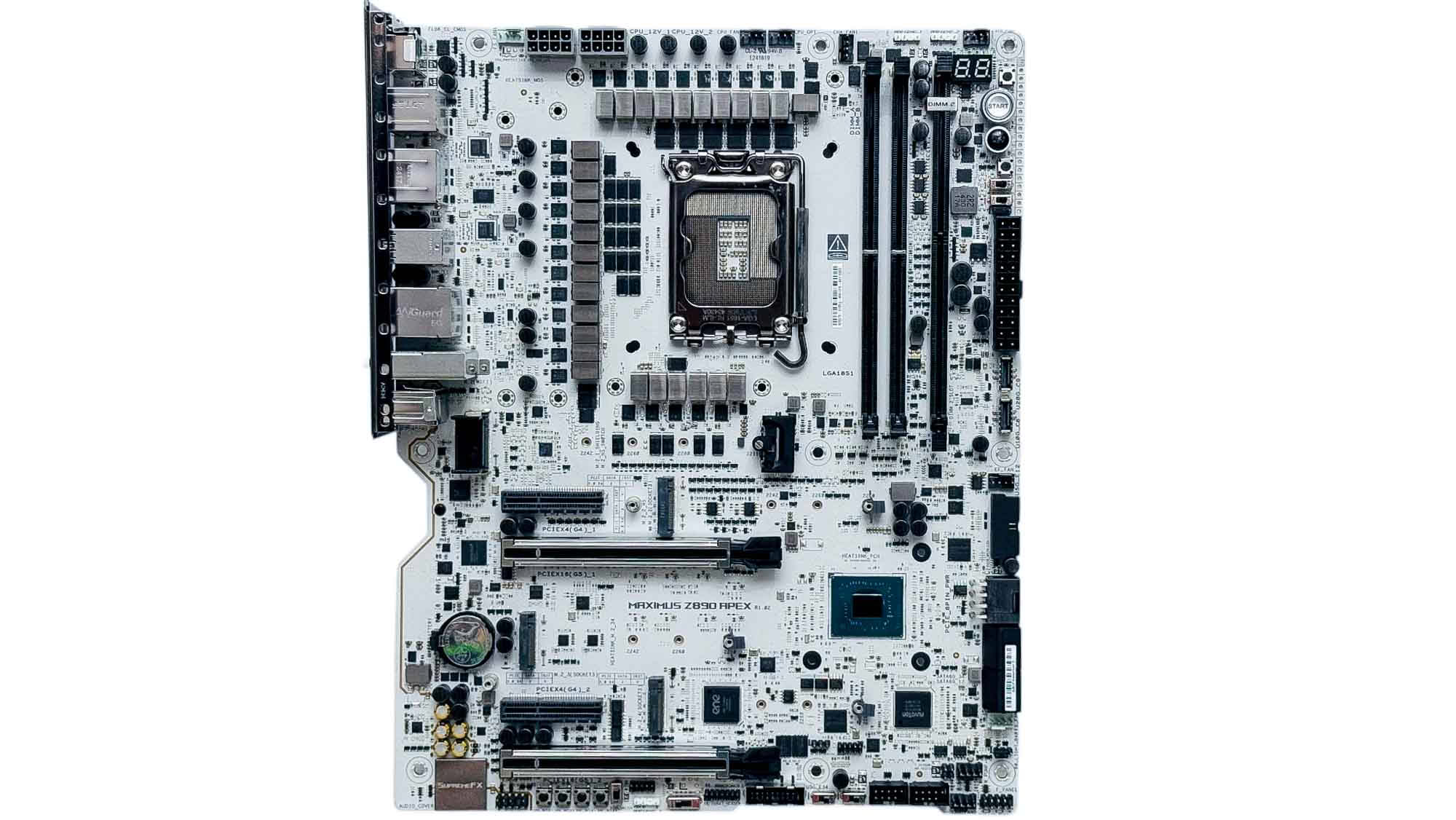
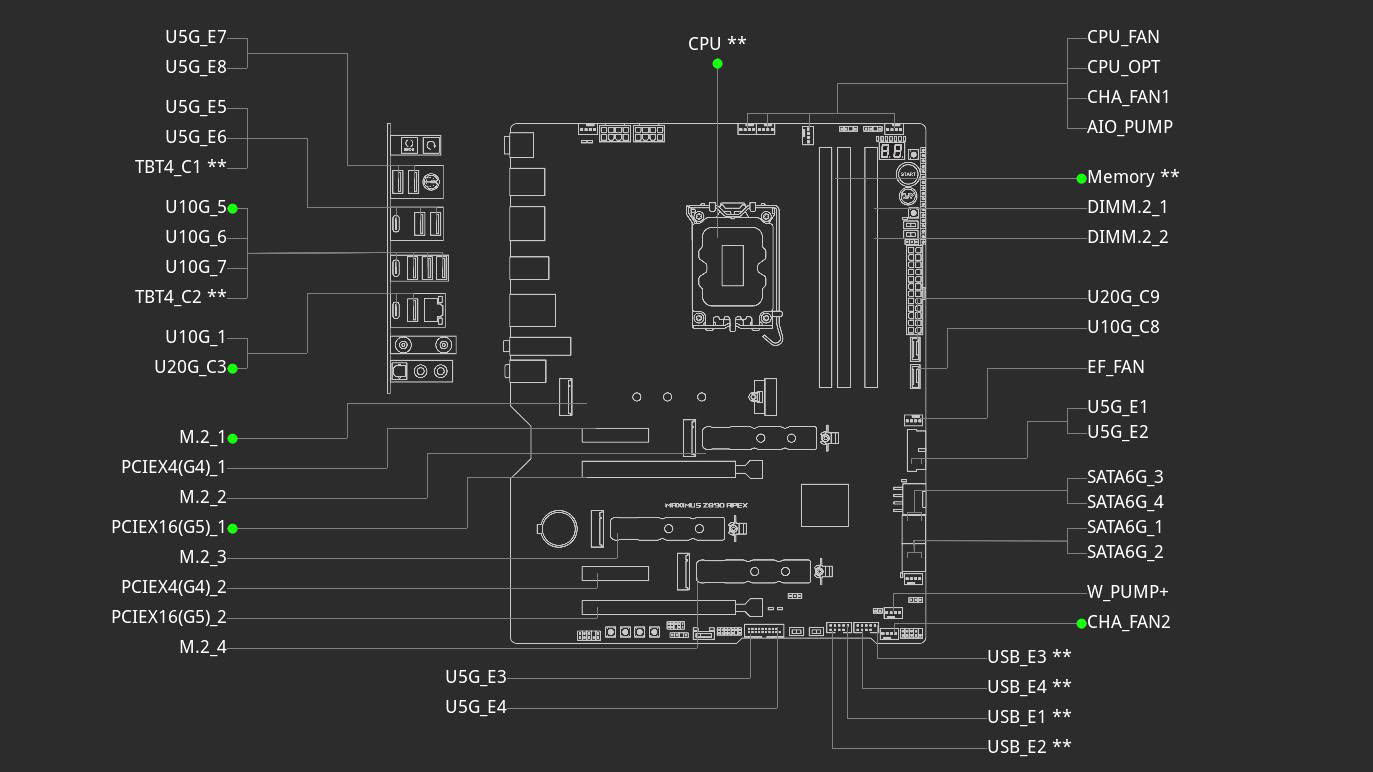
Despite having three PCIe Gen 5 M.2 ports, three PCIe Gen 4 M.2 ports, and four PCIe slots split equally between Gen 5 and Gen 4, the only bandwidth sharing is between the two PCIe Gen 5 M.2 ports and two PCIe Gen 5 slots. Using the second or third Gen 5 M.2 port (M.2_3 or M.2_4) will see the primary PCIe Gen 5 slot cut from 16 lanes to eight, with M.2_4 also seeing the second PCIe Gen 5 slot disabled. It's a shame not to see dual PCIe Gen 5 M.2 support without stealing lanes from your GPU, but this arrangement still allows for one PCIe Gen 5 SSD and three Gen 4 SSDs to be used in addition to both Thunderbolt 4 ports, with no bandwidth sharing. It's also worth noting that due to an architectural hardware limitation with Arrow Lake, some PCIe lanes are routed through an IOE Tile Interconnect, which increases latency. This sees a limit being imposed on affected M.2 ports of around 12,000 MB/s, so faster SSDs won't reach full speed. This only occurs on the top M.2 port here, which links directly to the CPU. So if your shiny new 14,000 MB/s SSD comes up short in some slots, you know why.
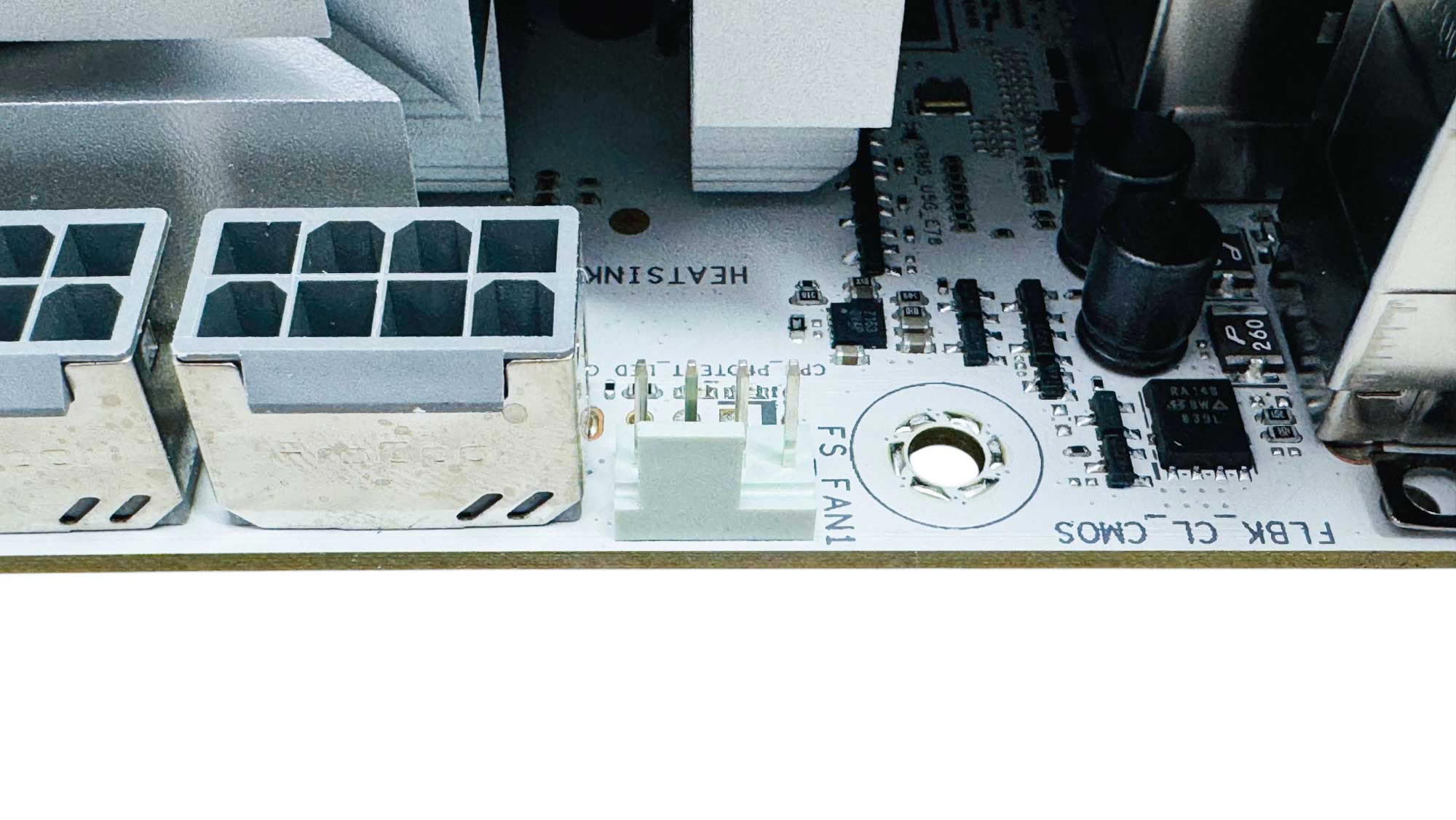
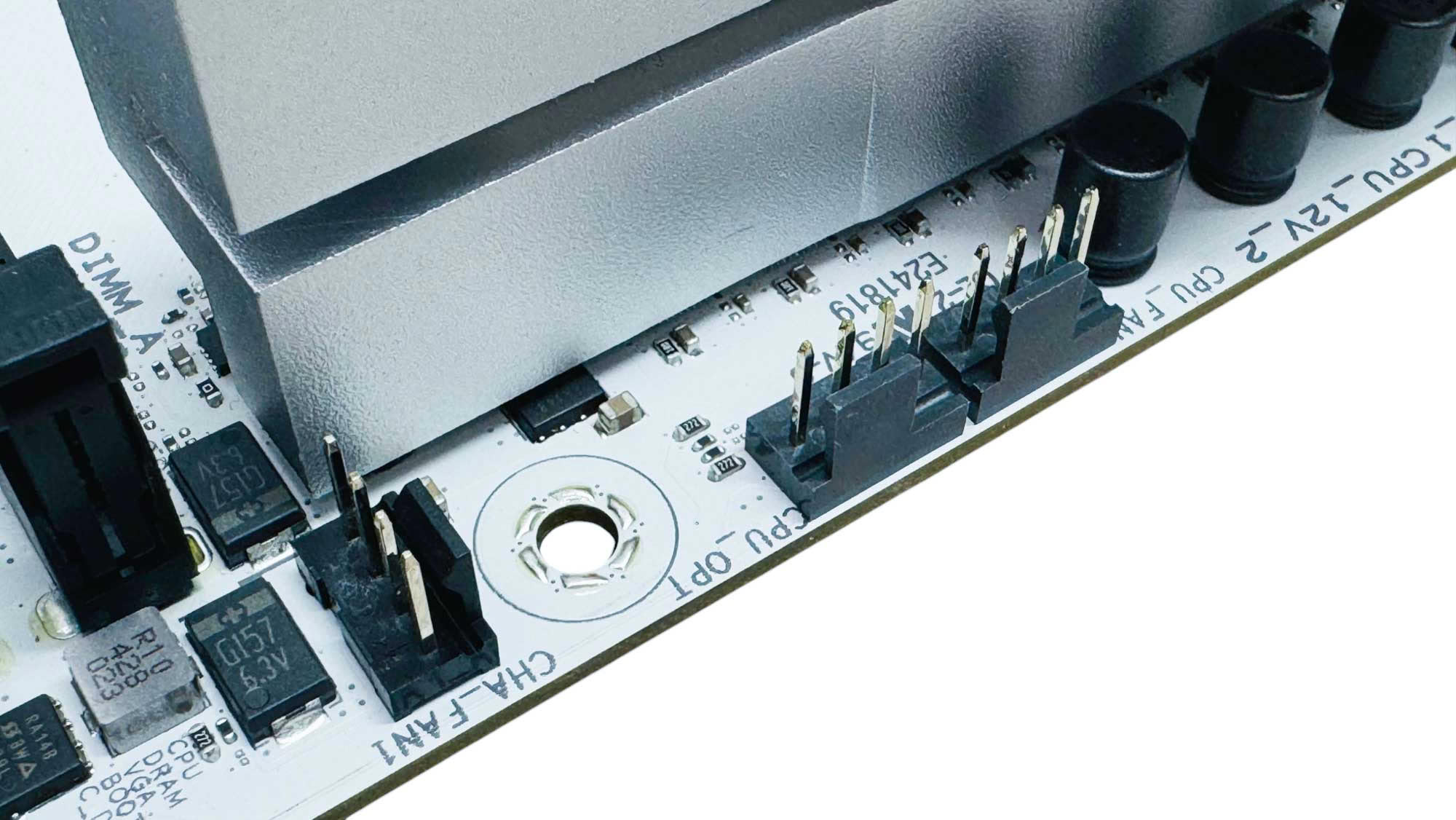
There are nine 4-pin fan headers in total, with all but one of these limited to 12 W/1 A, which is a little disappointing. Thankfully, that one exception does offer 36 W/3 A, so at least there's one header that can dish out plenty of power for multiple large fans or 4-pin powered custom water-cooling pumps. Five of the headers are located at the top of the PCB.
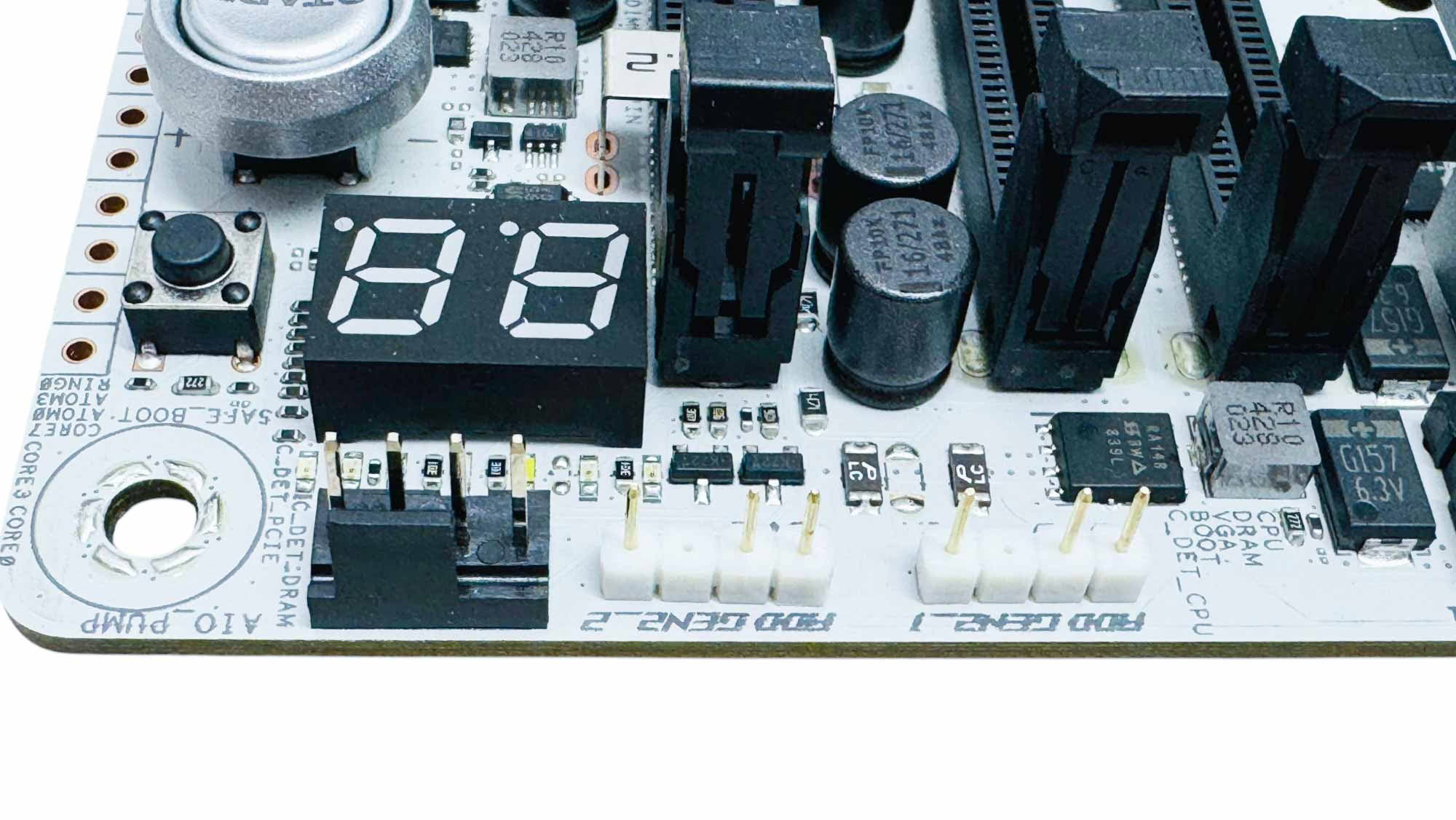
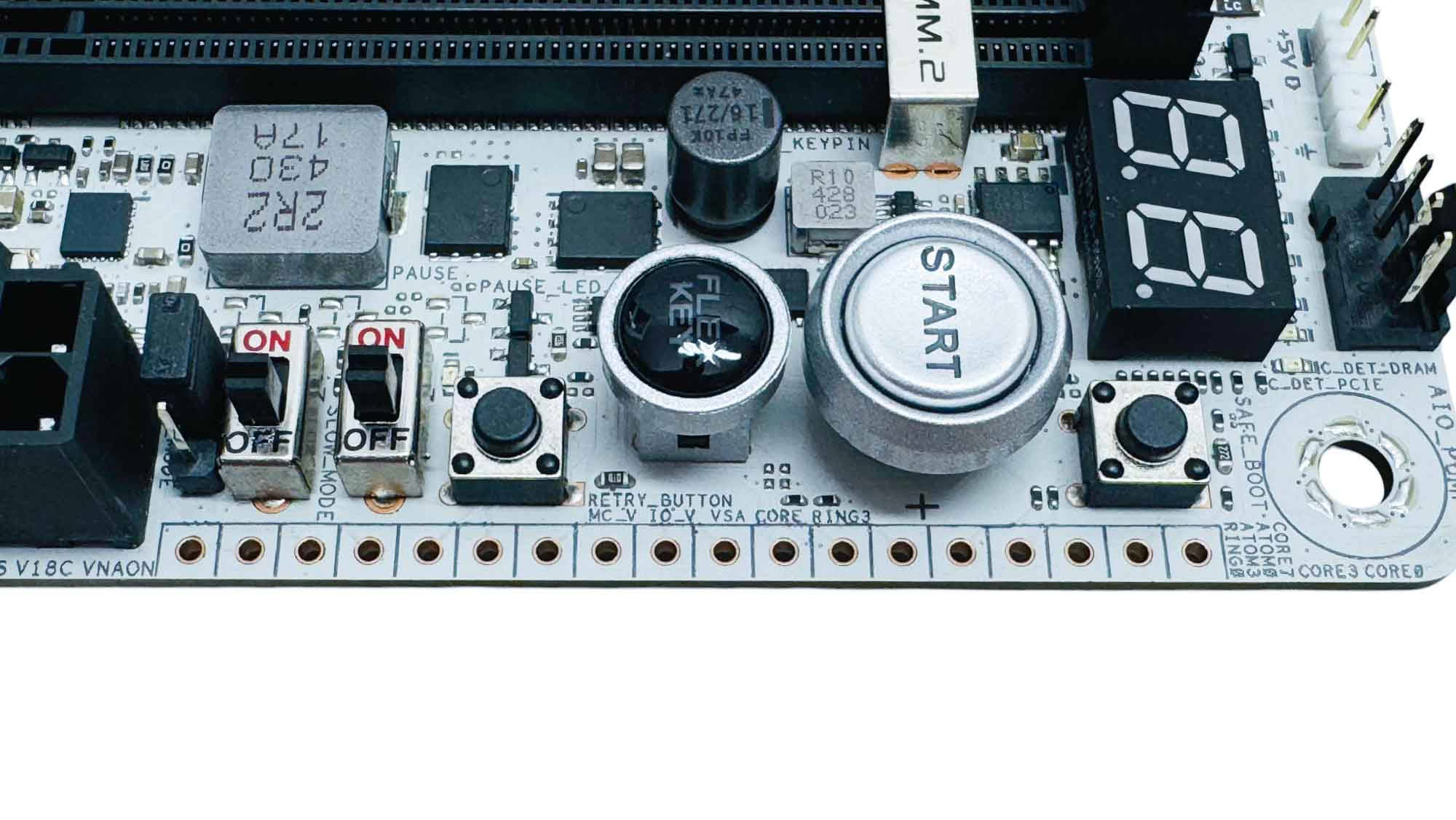
This is also where a lot of the action goes on regarding overclocking tools. There are also two 3-pin ARGB headers and a LED POST code display; then we have power and reset buttons, with the latter being a customizable Flex Key. For overclockers we have safe boot and OC retry buttons, as well as slow mode and pause switches, an LN2 mode jumper is located next to these, with voltage measuring points on the edge of the PCB.
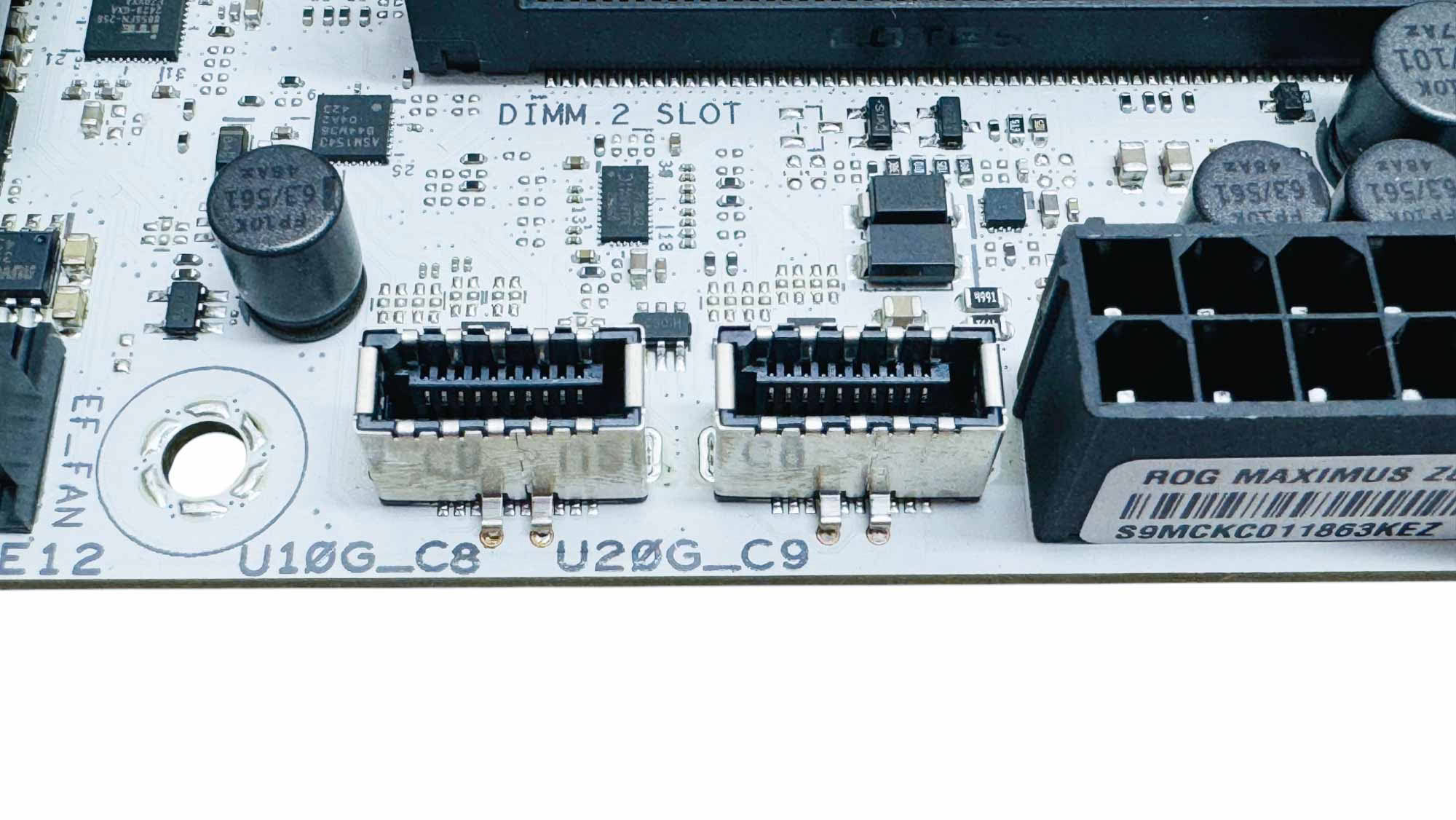
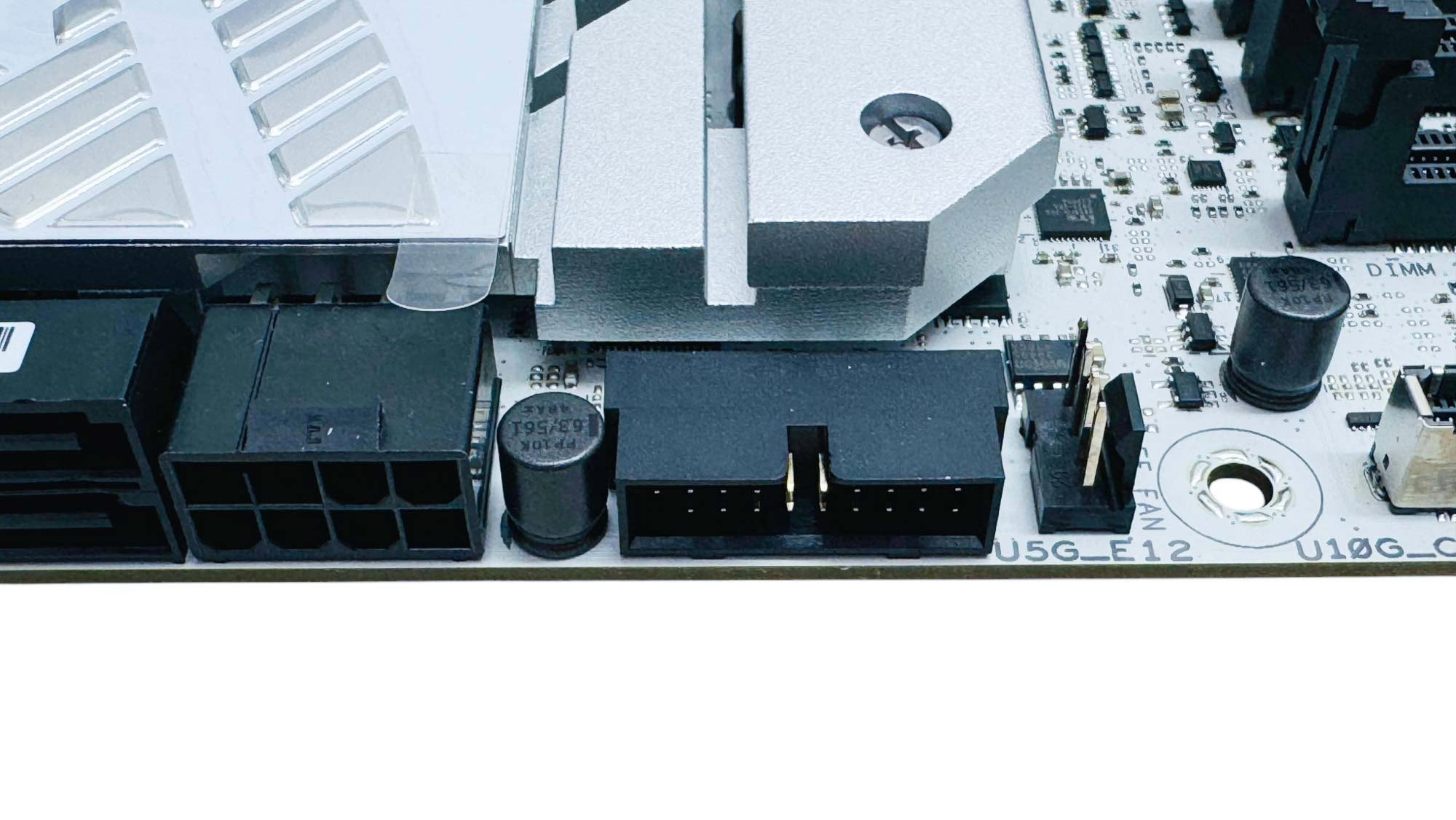
The dual Type-C headers offer both USB 3.2 Gen 2 10 Gbps and USB 3.2 Gen 2x2 20 Gbps, with the latter able to output a massive 60 W by connecting an 8-pin PCIe power connector to the port just south of them. We also have another fan header, which is placed specifically to power the memory cooling fan.
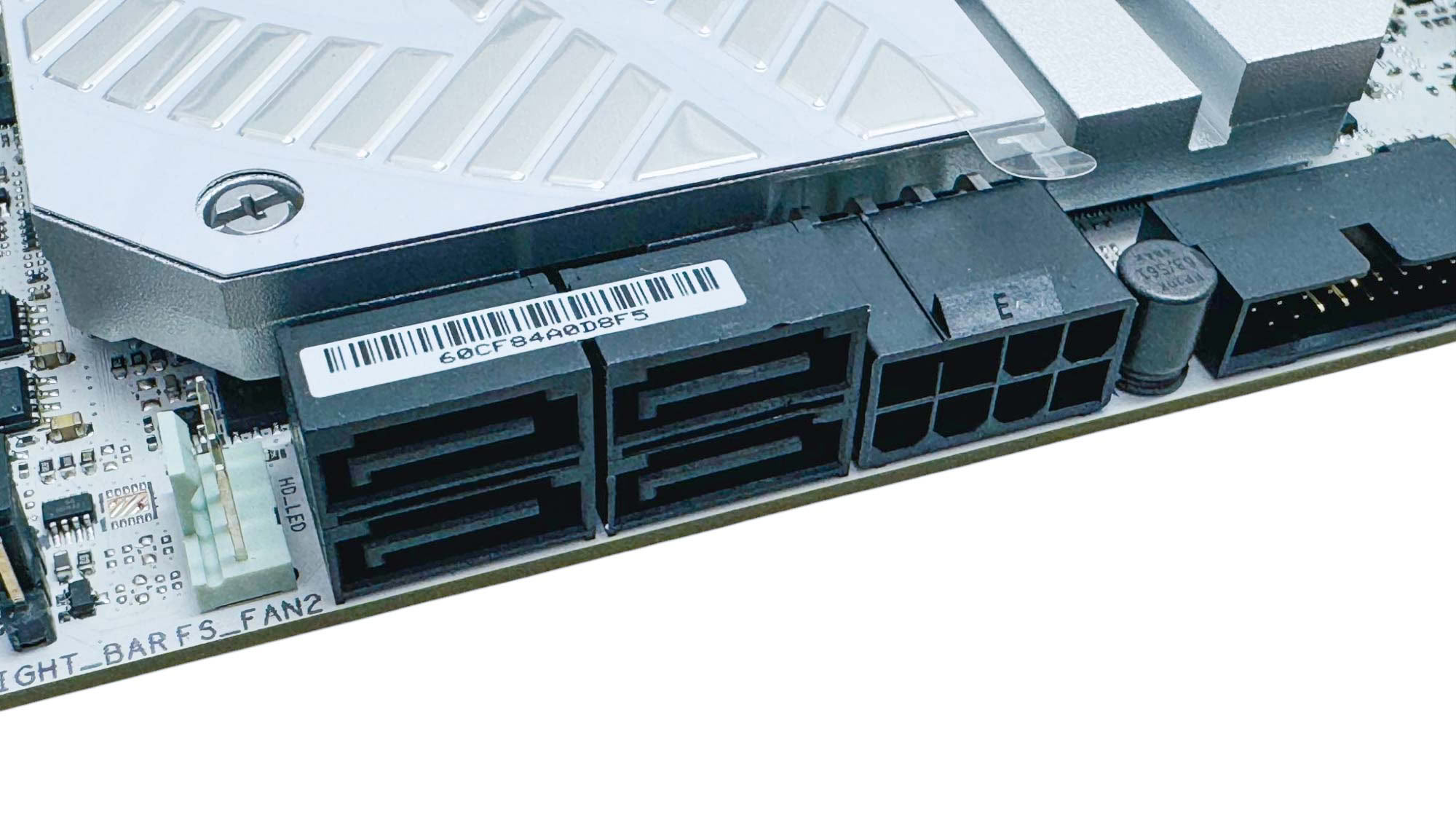
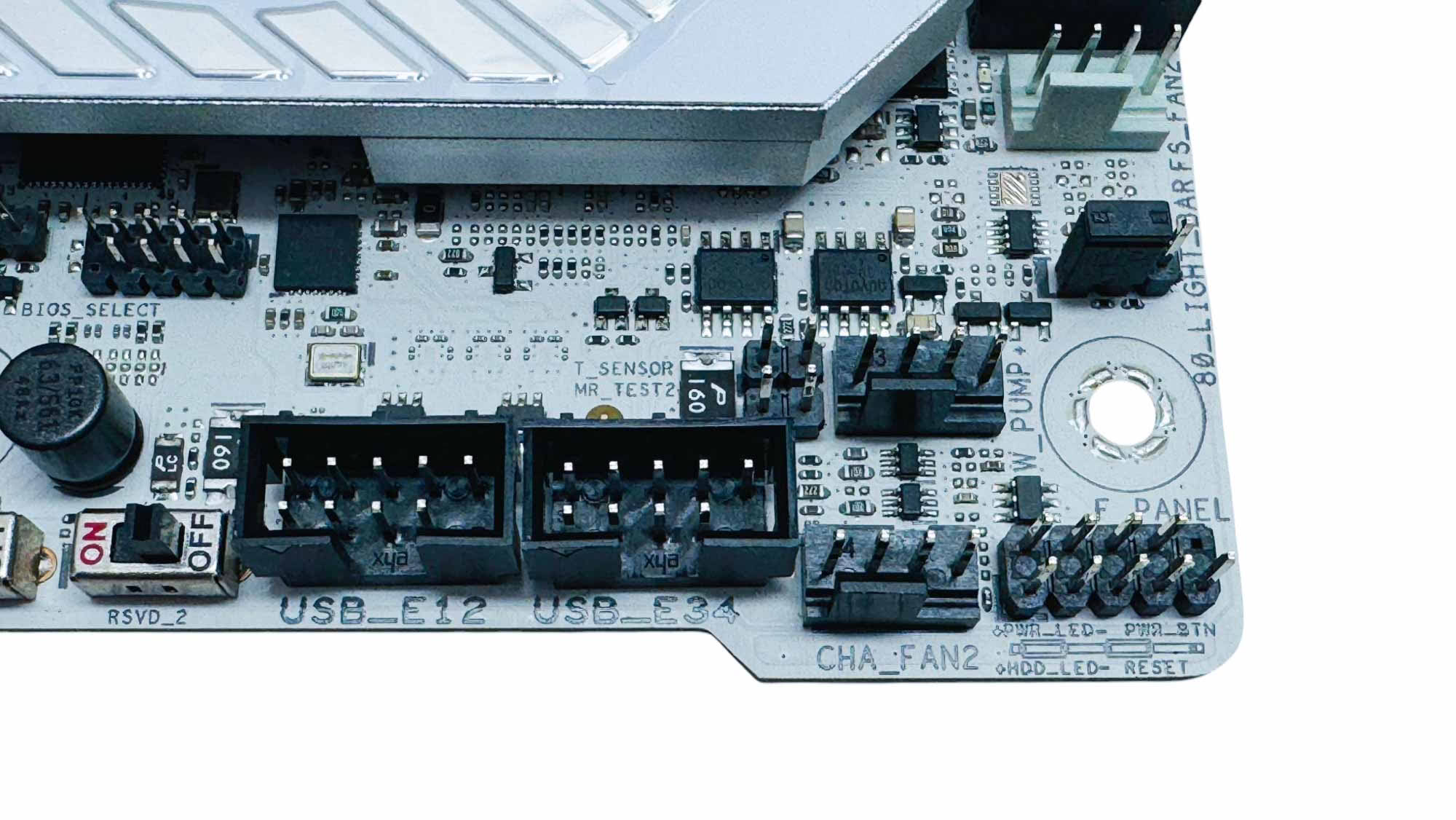
We've seen a few more recent ASUS boards cut the usual four SATA ports to two, but being slightly older than those, the Apex is still equipped with four. The bottom right corner has the 36 W fan header—with two fan headers here in total—alongside two USB 2.0 headers and a 2-pin thermistor probe header. There are two more thermistor probe headers in the DIMM.2 module, which can be assigned to any fan input.
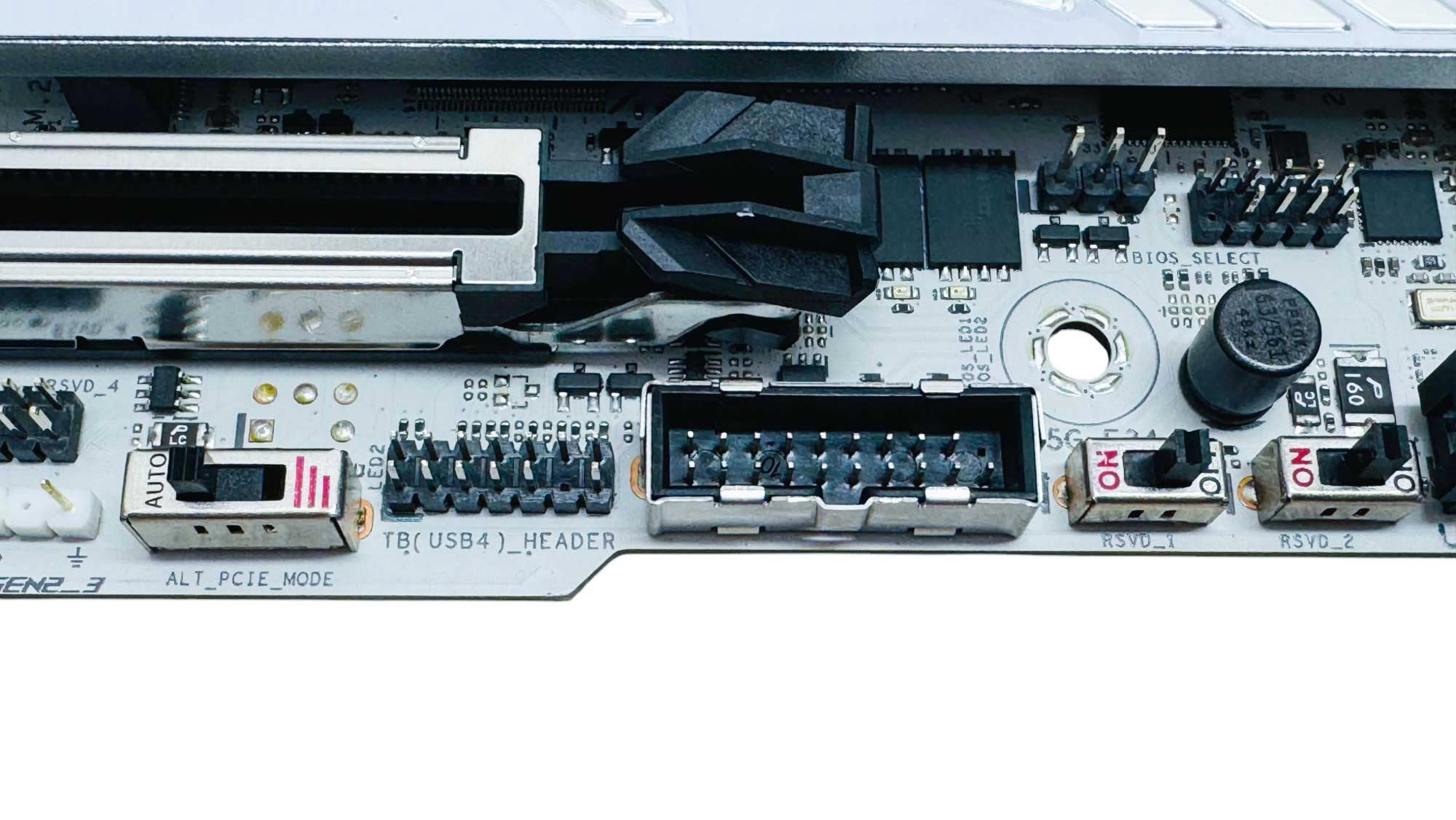
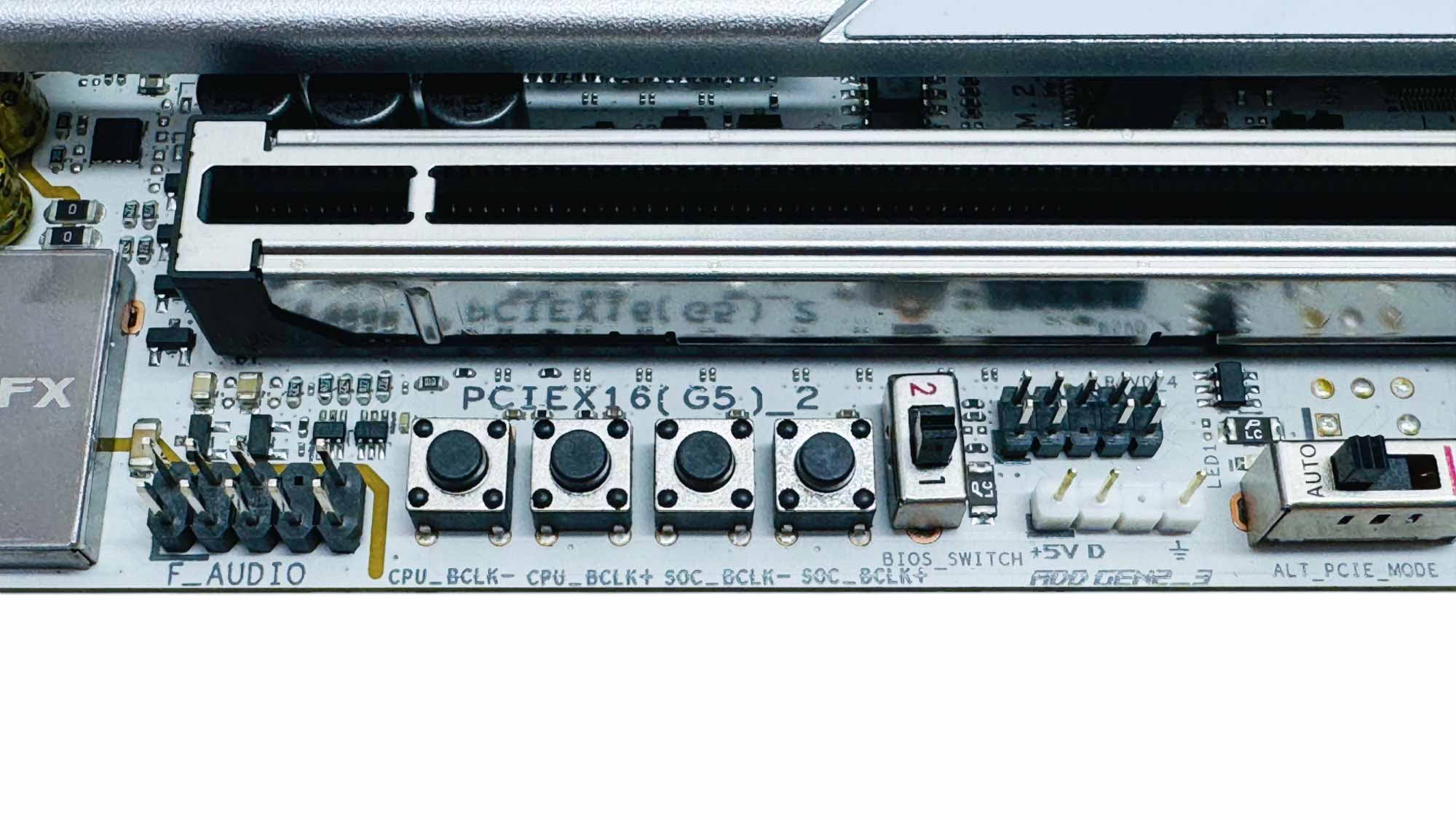
There's a second USB 3.0 header, a Thunderbolt 4 add-in card header, and a PCIe Gen mode switch. Further along we have a 3-pin ARGB header and a dual BIOS switch along with CPU/SOC base clock frequency buttons.
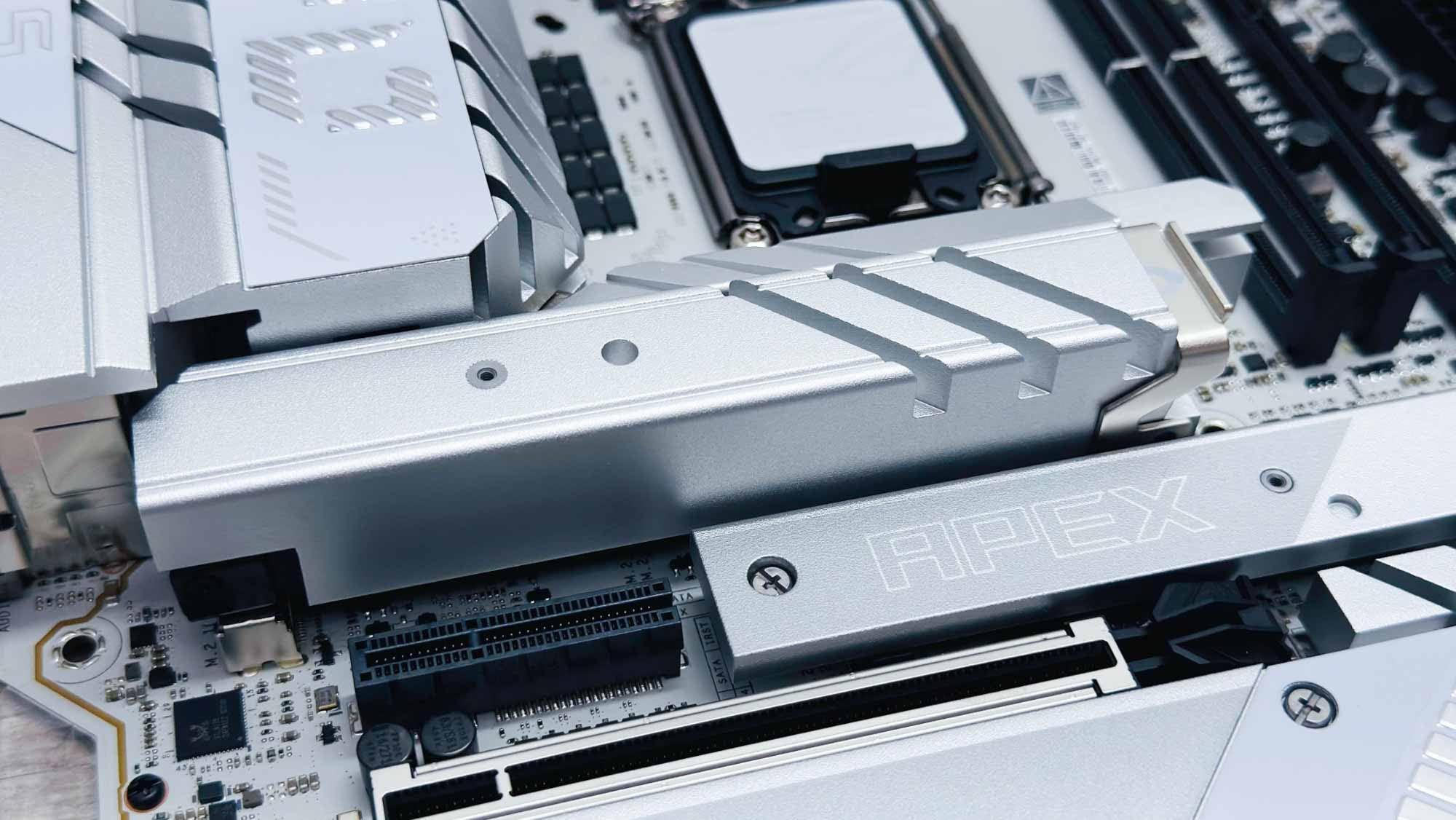
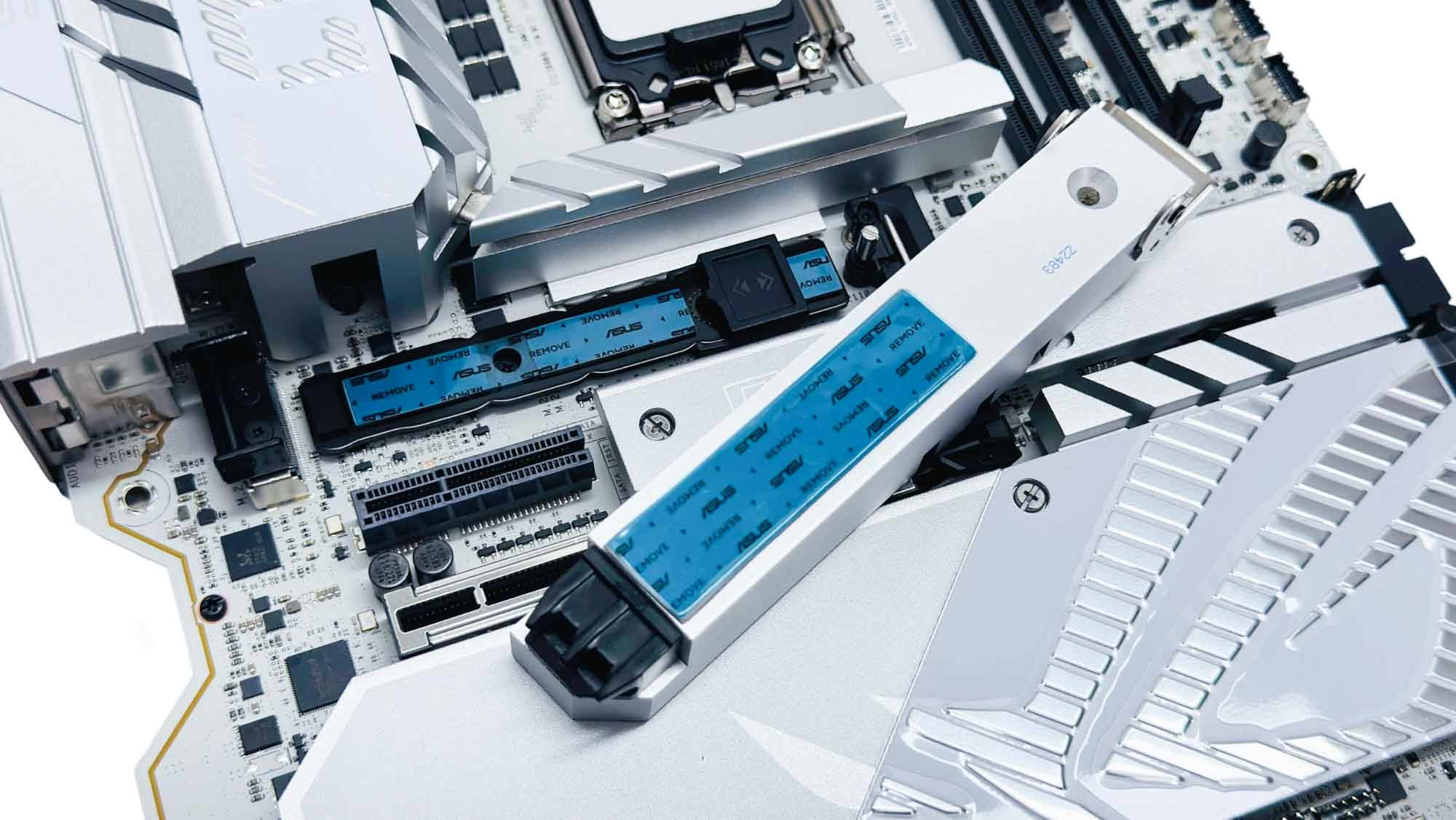
The primary PCIe Gen 5 M.2 port heatsink is large, tool-free, and secures using a latch at one end. You should exercise caution here as the latch proved to be quite stiff, and a slip of the hand trying to remove the heatsink revealed just how sharp those edges are in the heatsink grooves. The result was a need for a band-aid and this review being literally quite painful to type. You have been warned. With both the heatsink and a portion of finger removed, we can see both upper and lower heatsinks, and for once ASUS has the underside thermal pads extending all the way across. SSDs are secured using a Q-Slide latch.
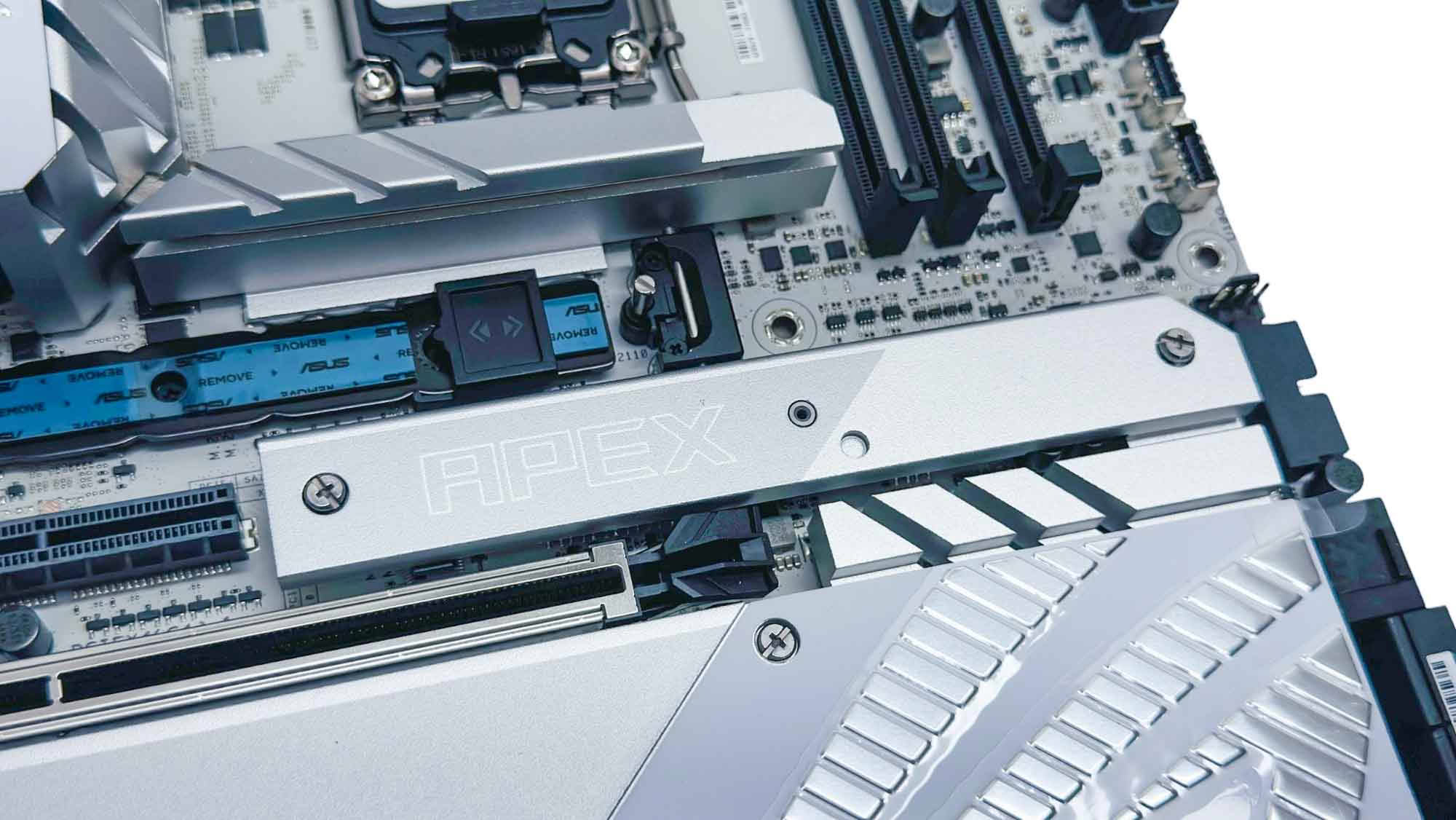
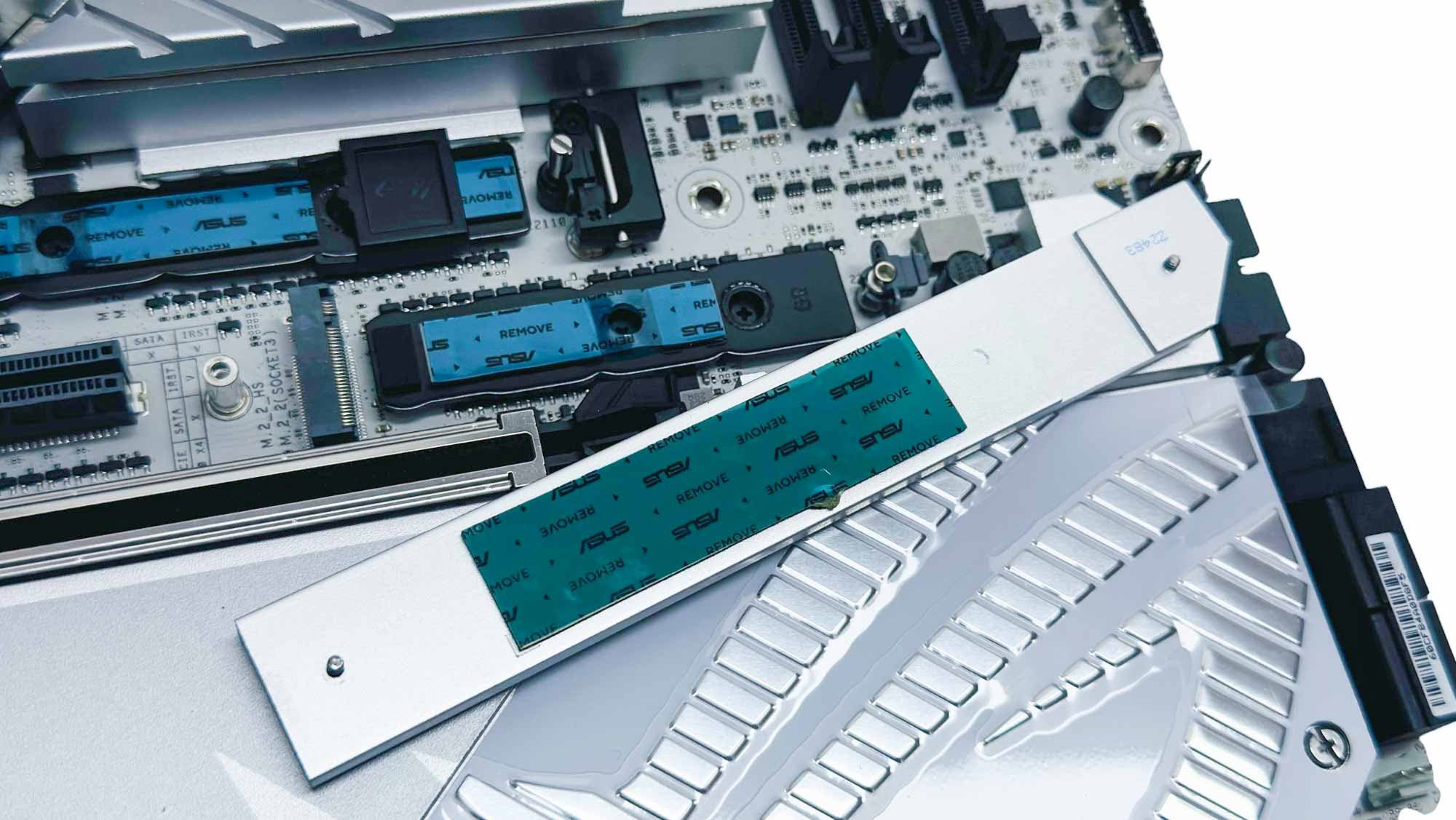
The second M.2 port is PCIe Gen 4 and has its own much thinner heat sink, which is sadly not tool-free and perhaps has a slightly unnecessary underside heatsink too. Still—as it sits above the primary PCIe slot—whatever graphics card you use, the slot will be accessible.
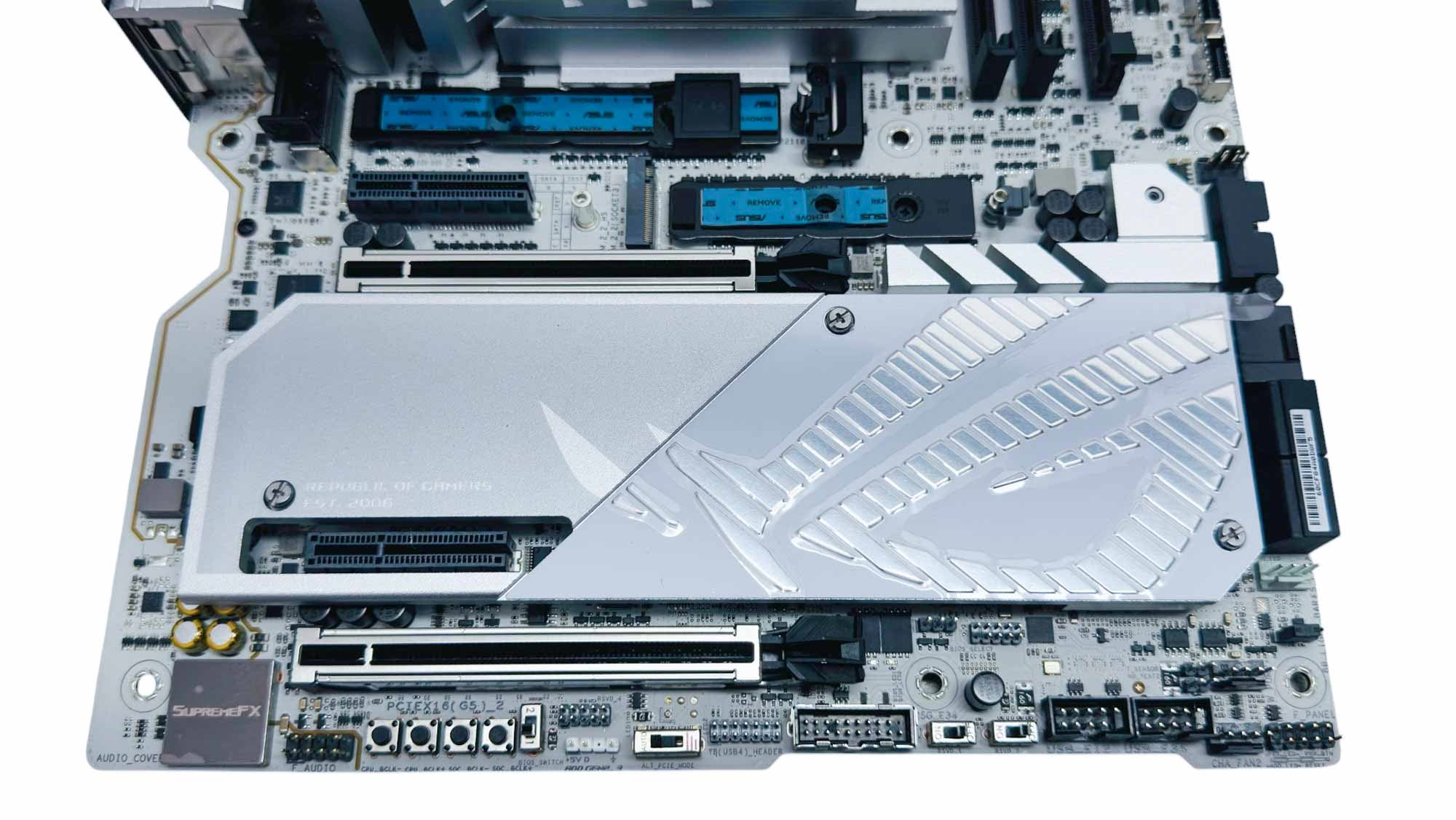
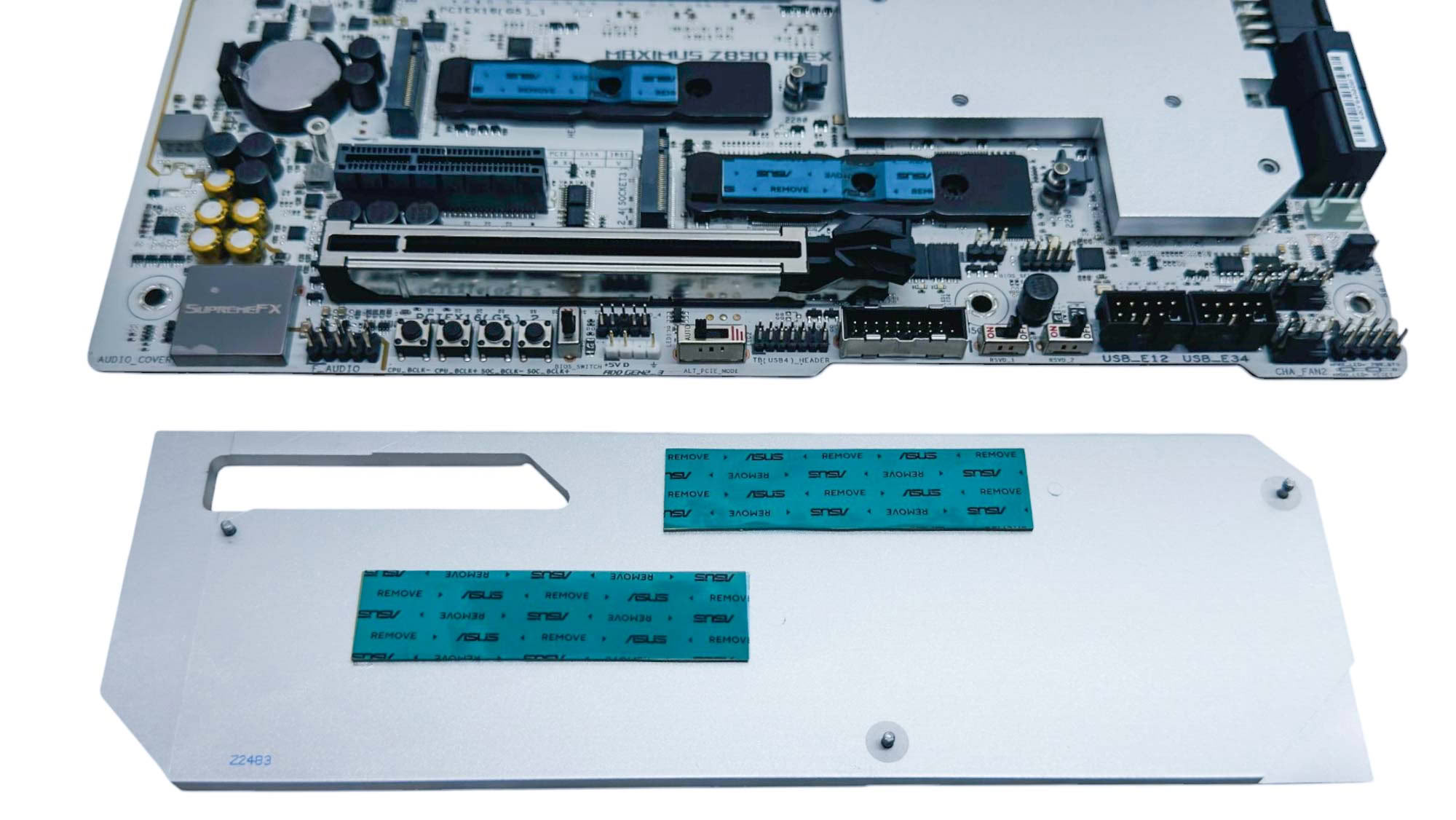
The large lower heatsink caters to the second and third PCIe Gen 5 M.2 ports, both of which are cooled above and below. Again this isn't tool-free, but it's relatively easy to line up the screw next to the SATA ports, and the rest align in turn.
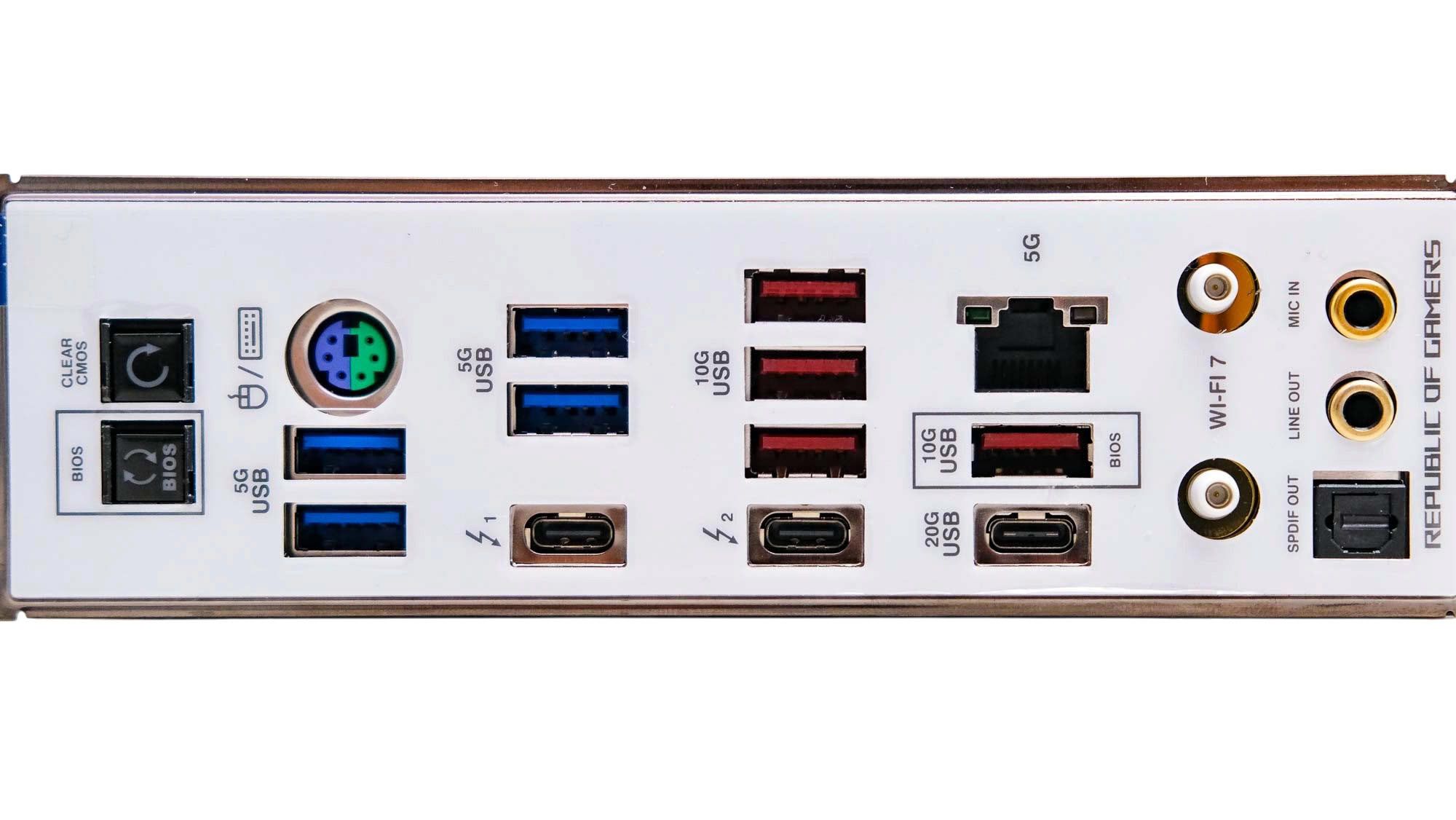
Given the impressive and unique features on top of the PCB, the rear I/O panel is maybe a little bland by comparison. We have eight Type-A USB ports, split between USB 3.0 and USB 3.2 Gen 2 10 Gbps, two Thunderbolt 4 40 Gbps Type-C ports, a USB 3.2 Gen 2x2 20 Gbps Type-C port, and a single Ethernet port offering 5 Gbps. Being an overclocking-focused board, we have a PS/2 port, which is useful for maintaining inputs with peripherals when USB controllers become unstable or are purposely disabled during extreme overclocking. We have USB BIOS flashback and CMOS clear buttons, Q-Antenna Wi-Fi connectors, plus the usual audio jacks and optical output.
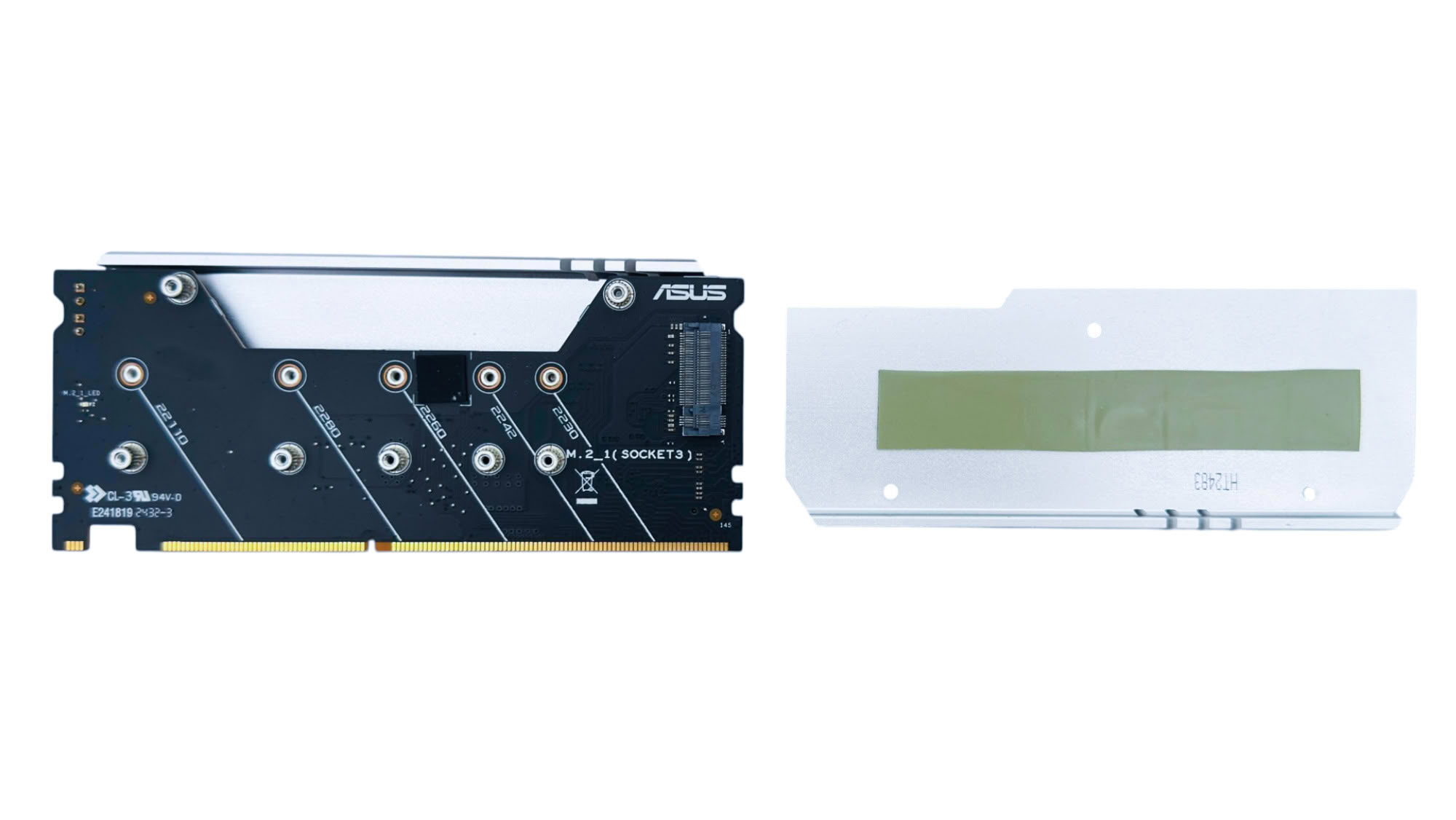
The DIMM.2 module has been used on a number of ASUS boards both big and small for several generations of both AMD and Intel products, and certainly makes getting at a pair of SSDs a lot easier than if they're buried under heatsinks on the PCB. The module offers support for two 2230-22110 form factor M.2 SSDs—one on each side—but is limited to PCIe Gen 4.
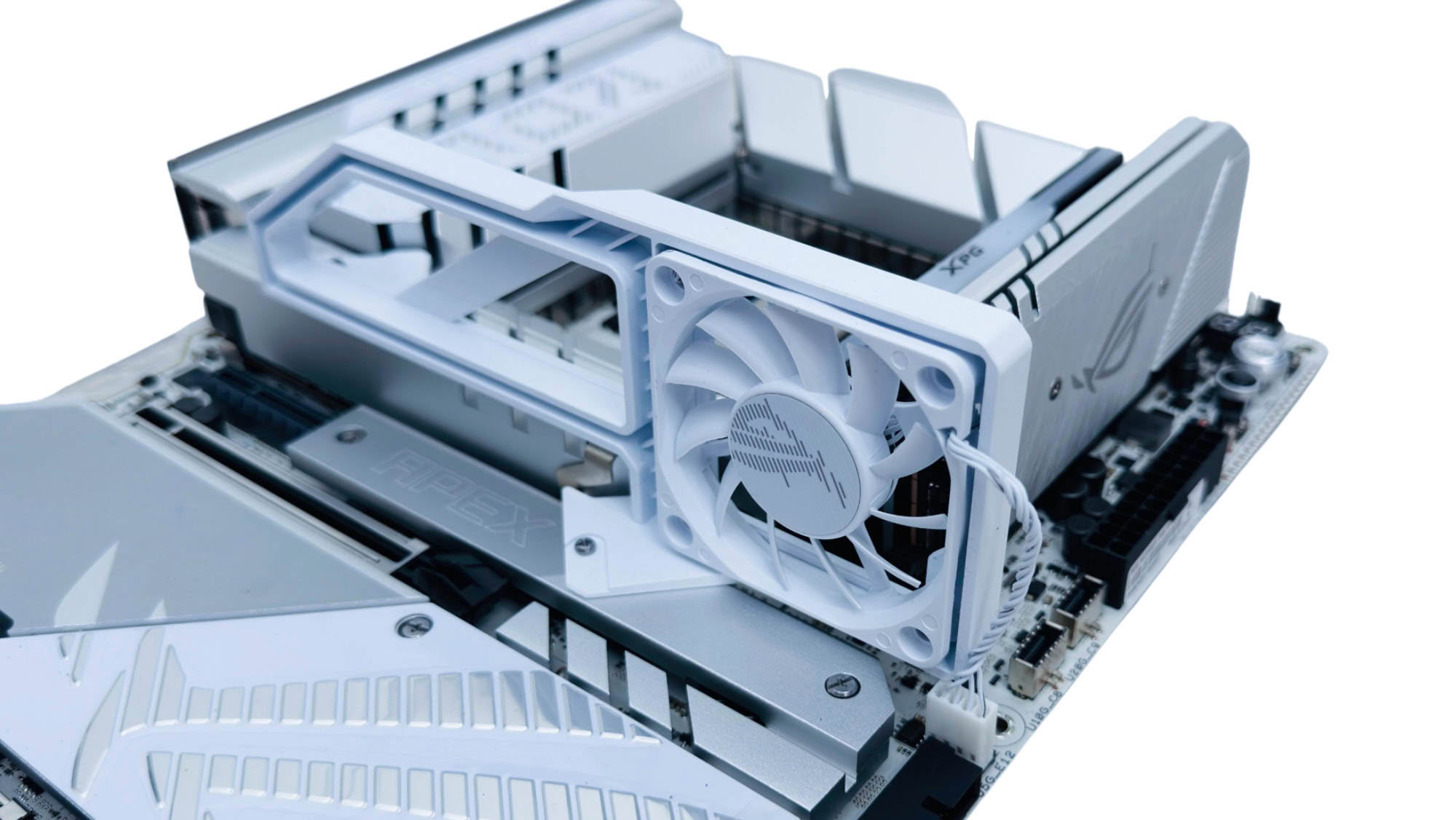
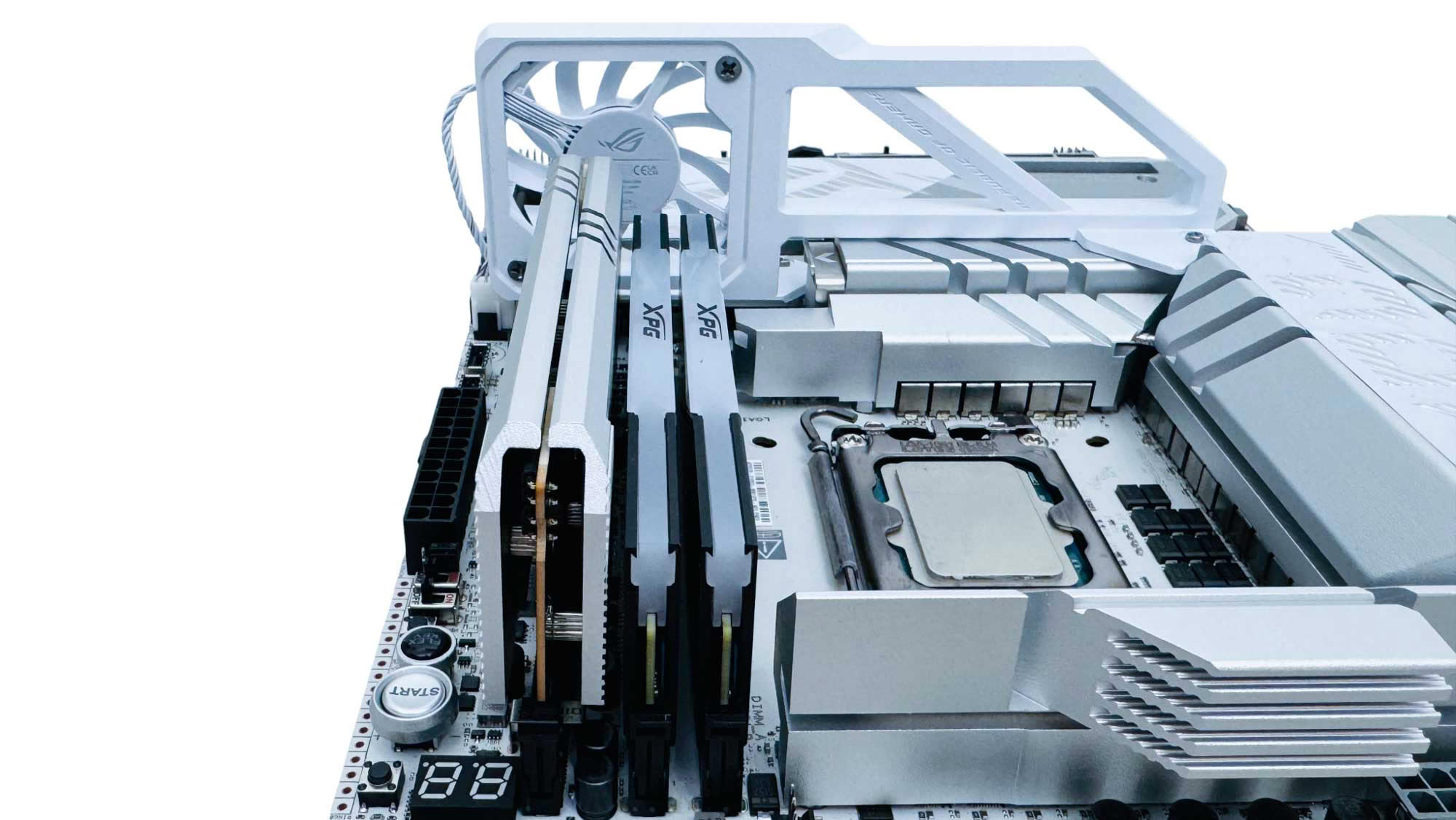
The ROG Memory Fan can only be used in one orientation, securing to the first and second M.2 heatsinks using included screws and a dedicated fan header. Its location means that both the DIMM slots, DIMM.2 slot and top VRM heatsink section gain airflow.
Nov 18th, 2026 18:20 PST
change timezone
Latest GPU Drivers
New Forum Posts
- Time to upgrade CPU and MOBO (37)
- 26.11.2 Adrenalin Edition is out (0)
- Honestly, do you care about GTA VI? (149)
- Without Jensen, PC gaming will be (45)
- Dual B70 or Dual R9700 Pro on Linux (5)
- [Poll] 12V-2x6 Connector Protection: What Are You Using? (WireView / Ampinel / Equalizer / Other / Nothing) (42)
- Got a new laptop! What should I do with it? (6)
- What are you playing? (26235)
- Can i play GTA 6 now? (Joke) (8)
- Dell Workstation Owners Club (3514)
Popular Reviews
- Acemagic Retro X3 Review
- Upcoming Hardware Launches 2027 (Updated Nov 2026)
- AMD Zen 6 Technical Deep Dive
- Ugreen NASync DXP4800 GT Review
- Pulsar Office Tour & First Look at P1 Dual-Sensor Mouse
- Biwin Black Opal NV7400 2 TB Review
- Sapphire Radeon RX 7700 XT Pure Review
- Chieftec Iceberg PRO 360 DARK Review
- Sapphire Radeon RX 7700 XT Pulse Review
- ASUS ROG Strix B850-I Gaming Wi-Fi7 W Review
TPU on YouTube
Controversial News Posts
- NVIDIA Co-Founder and CEO Jensen Huang Officially Resigns (483)
- Report: Jensen Huang Eyes NVIDIA Comeback (196)
- Open Letter Asking NVIDIA to Reinstate Jensen Huang Passes 115,000 Signatures (184)
- OpenAI CEO Argues Home PCs Waste the World's Limited DRAM Supply (152)
- NVIDIA Launches Investigation Into Jensen Huang's Relationship With Suspected Chinese Spy (136)
- Intel "Raptor Lake Next" 16-Core and 20-Core CPUs Surface (130)
- Legendary Game Studio BioWare Shuts Down Following EA Layoffs (104)
- Dell CEO Says the Memory Shortage Will Get Worse in 2027 (95)