 2
ASUS ROG Strix B850-I Gaming Wi-Fi7 W Review
BIOS Overview »VRM Overview
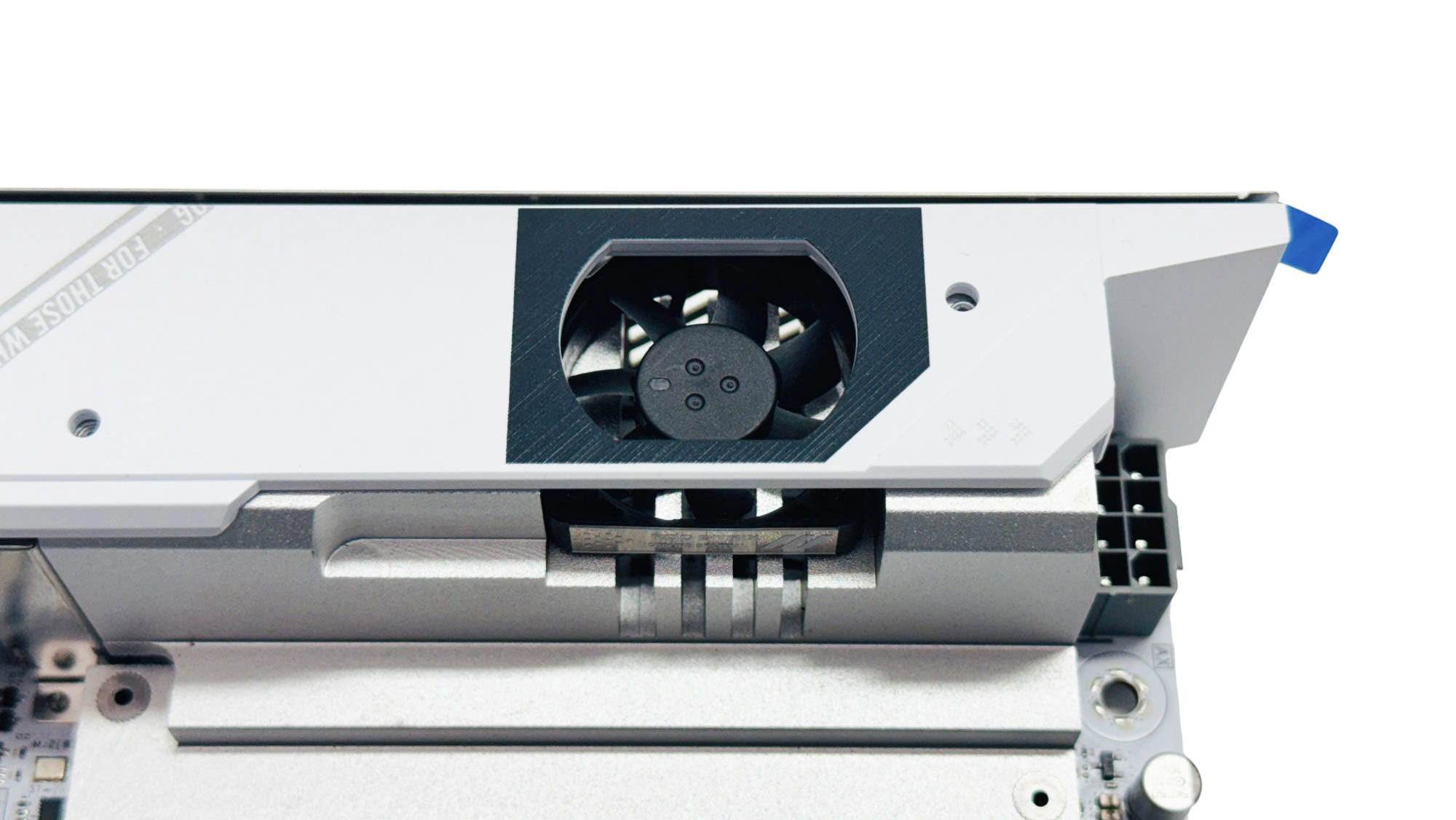
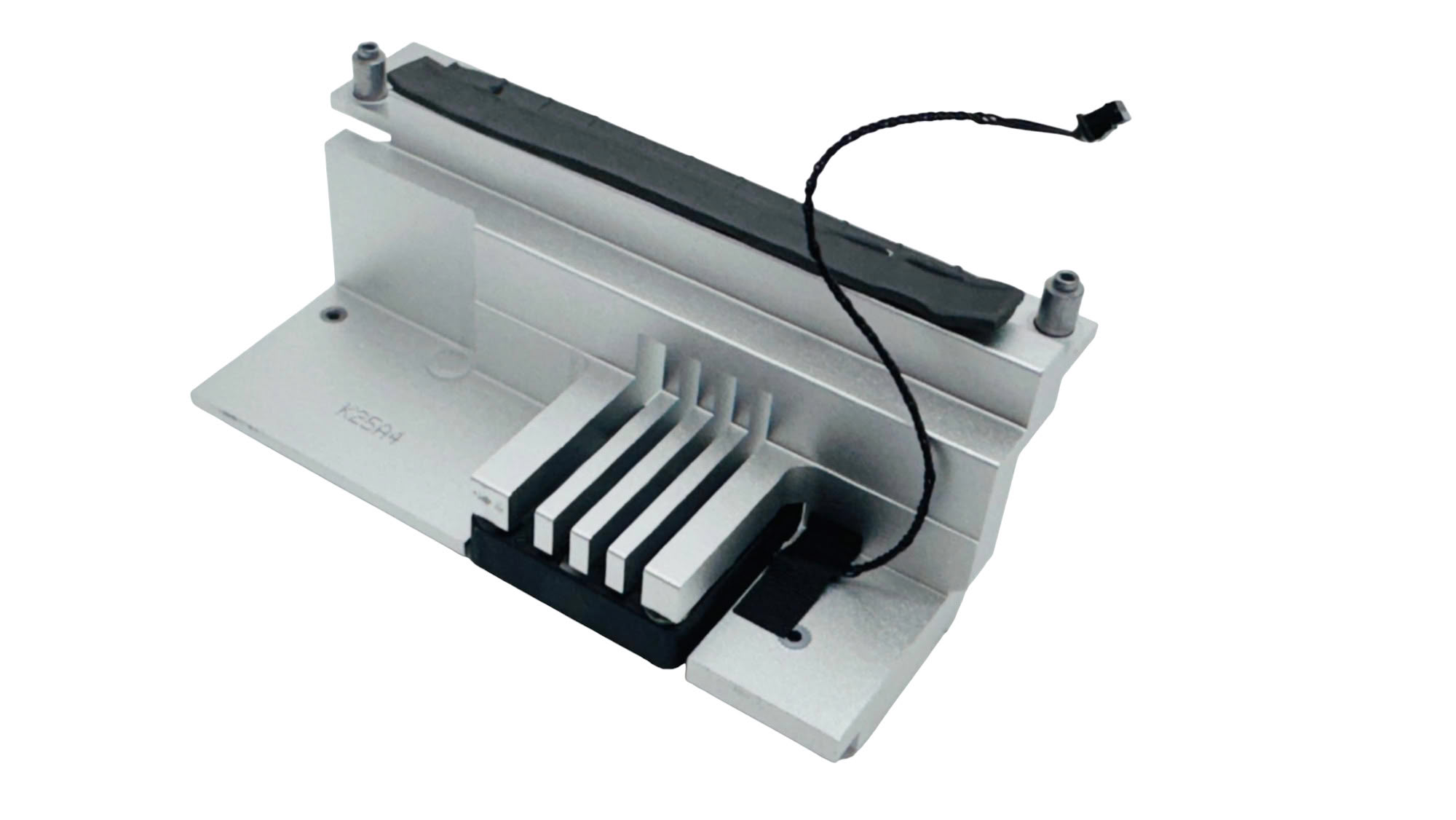
Apart from some cosmetic differences, the VRM fan cooling arrangement is identical to the original board. The top fascia undoubtedly hampers airflow, but using the latest BIOS resulted in a similar fan response as our original experience; the fan starts to spin up with the VRMs around 60 °C, but remaining inaudible above the rest of the system even at the end of our stress test 30 minutes later.
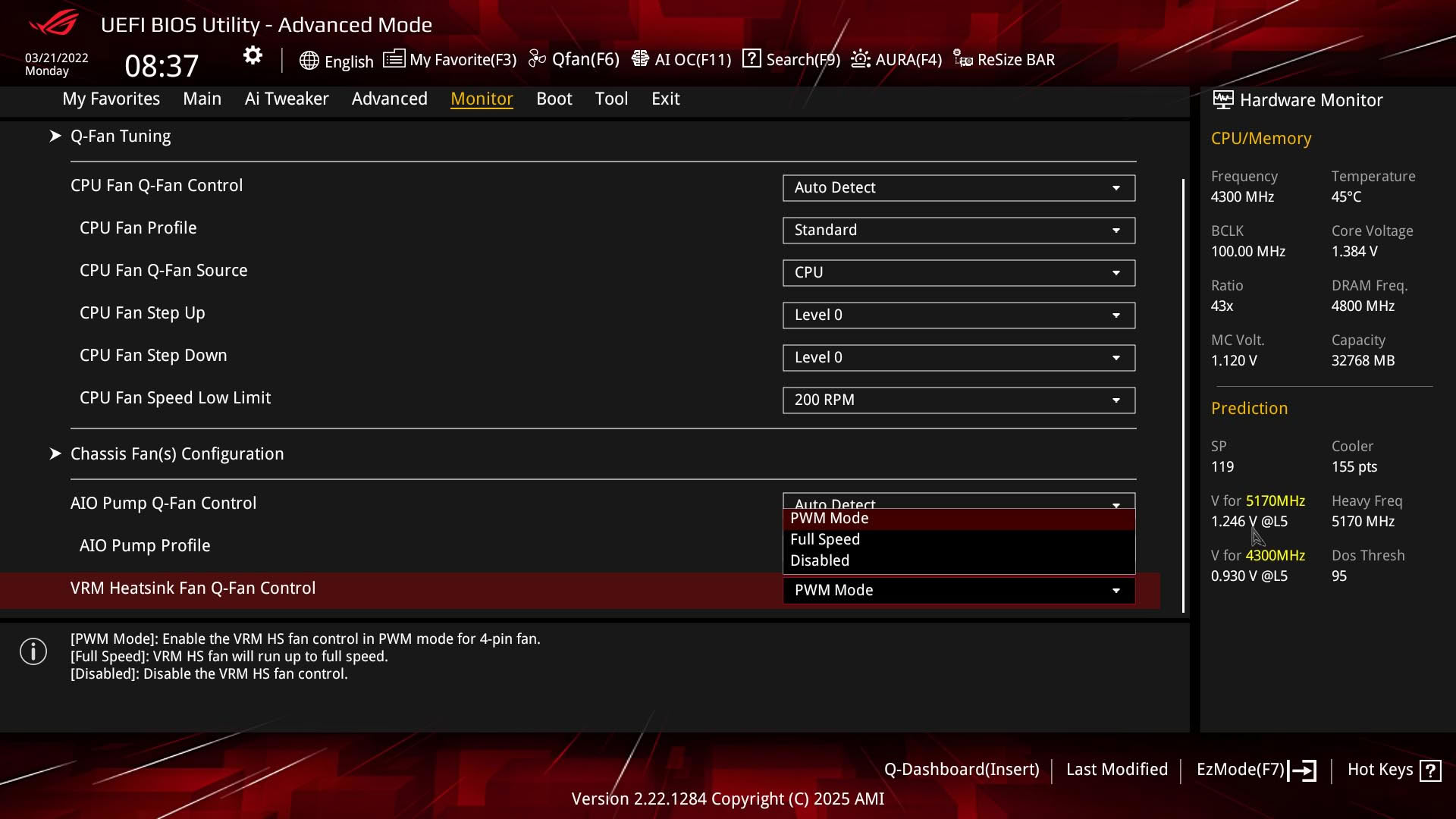
The fact that the fan seemed to remain quiet is important because, like the original board, ASUS has not included a way to change its speed to something other than off, full speed, or a pre-set PWM profile. It's definitely better to allow full control so you can fine-tune it to your own preference.
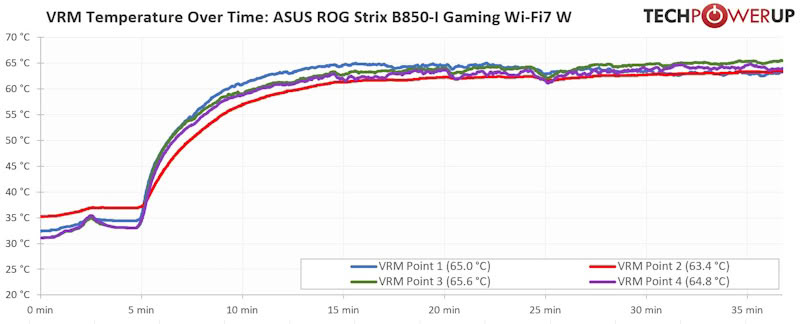
With the fan in use, the VRM temperatures mostly stayed below 65 °C, and the fan was also quick to wind down once the system was out of load.
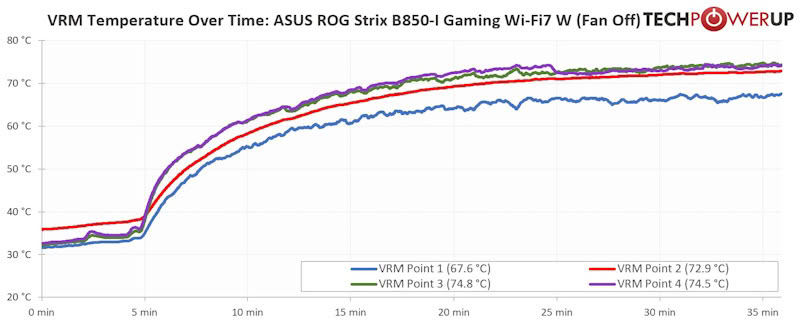
Switching the fan off entirely impacted the areas near the fan more than at the edges of the heatsink, but at most the VRMs peaked around 10 °C higher. Even with our zero airflow test bench, the fan didn't spin up for 10 minutes under full load, so unless you're putting your CPU under full load for longer than this on a regular basis, it's likely possible to just switch the fan off or even physically remove it, if you're concerned about noise.
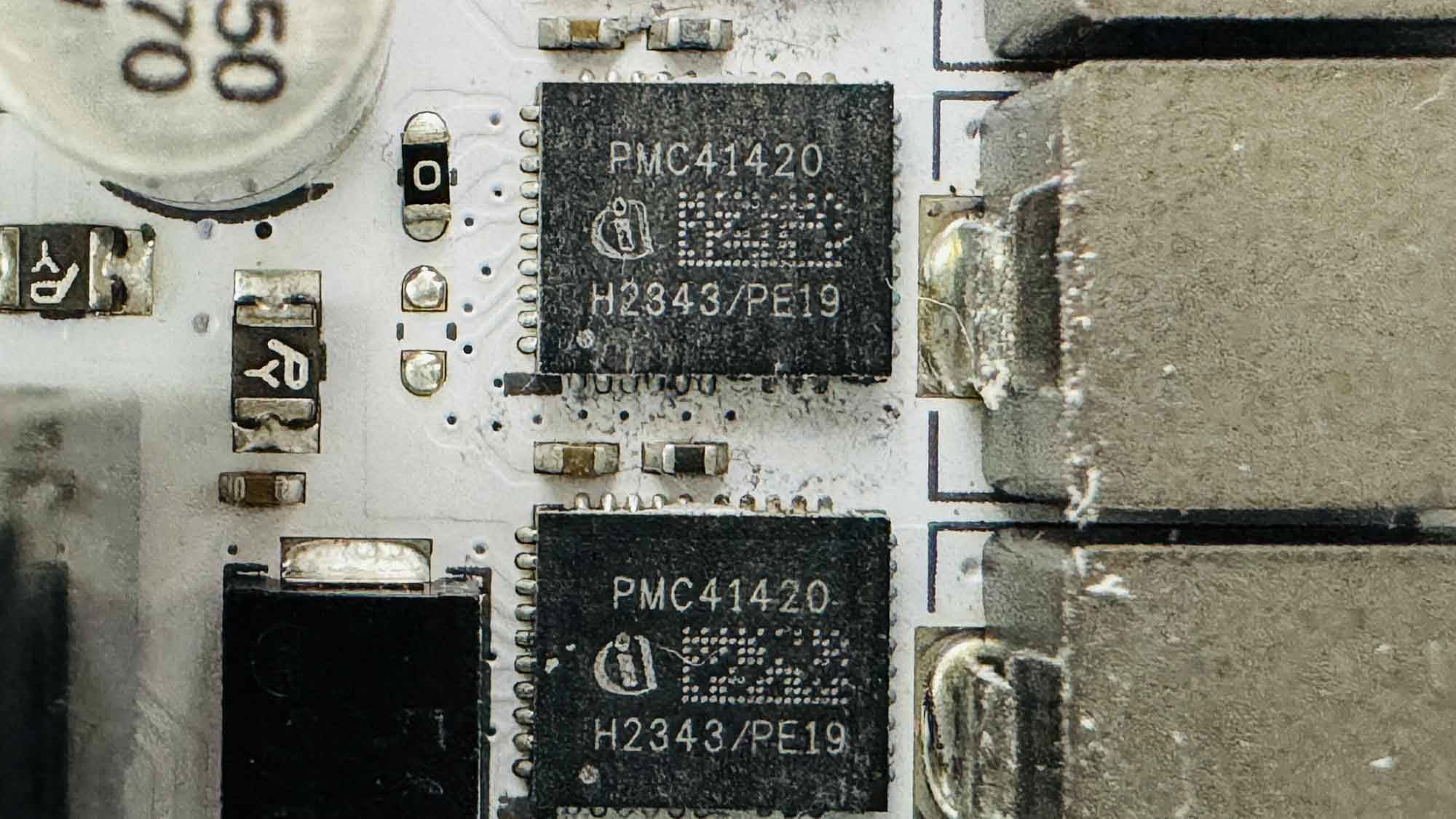
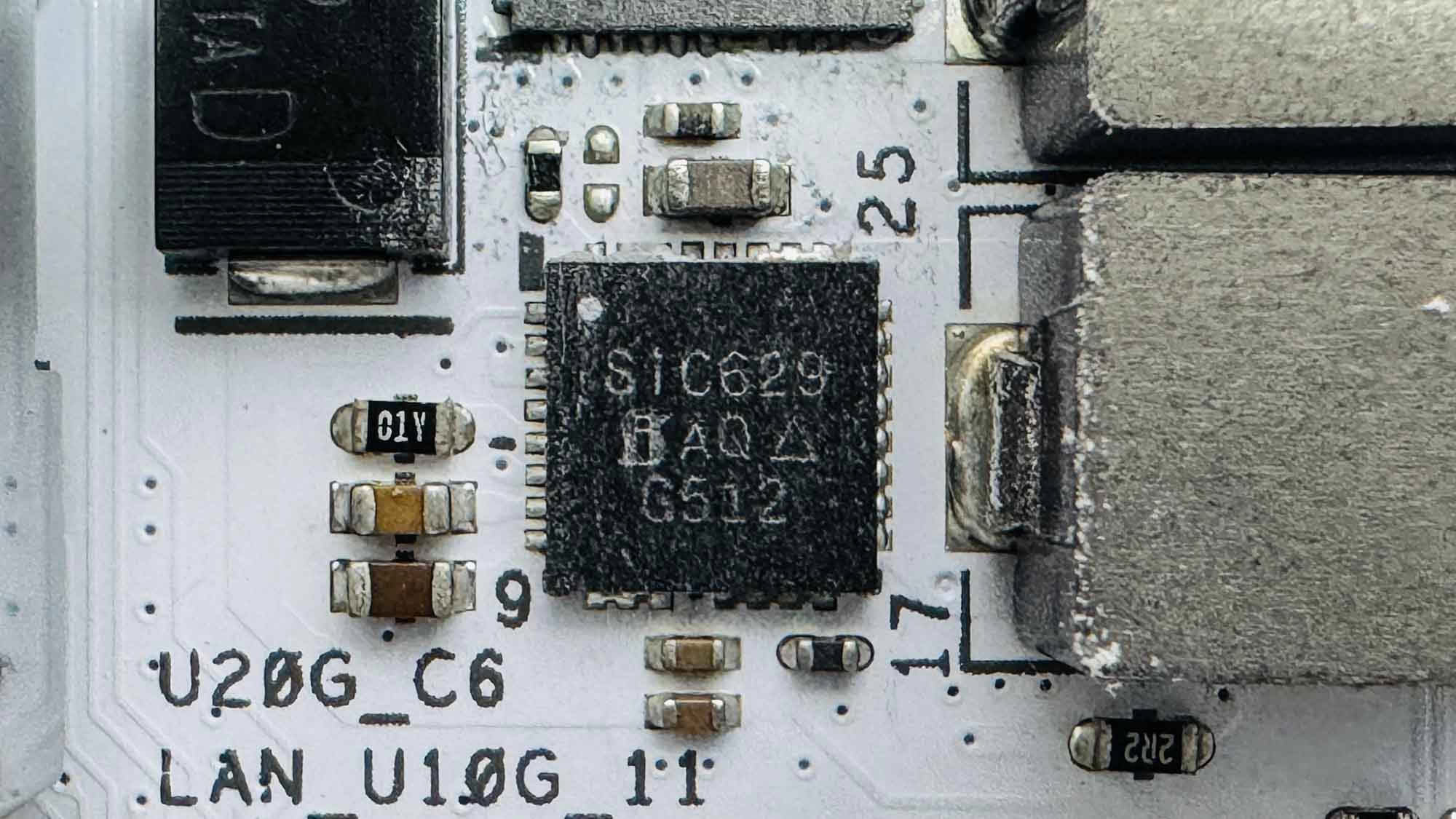
The 10+2+1 phase power delivery comprises Infineon PMC41420 90 A stages for vCore and SOC, while MISC has a single Vishay SiC629 80 A stage.
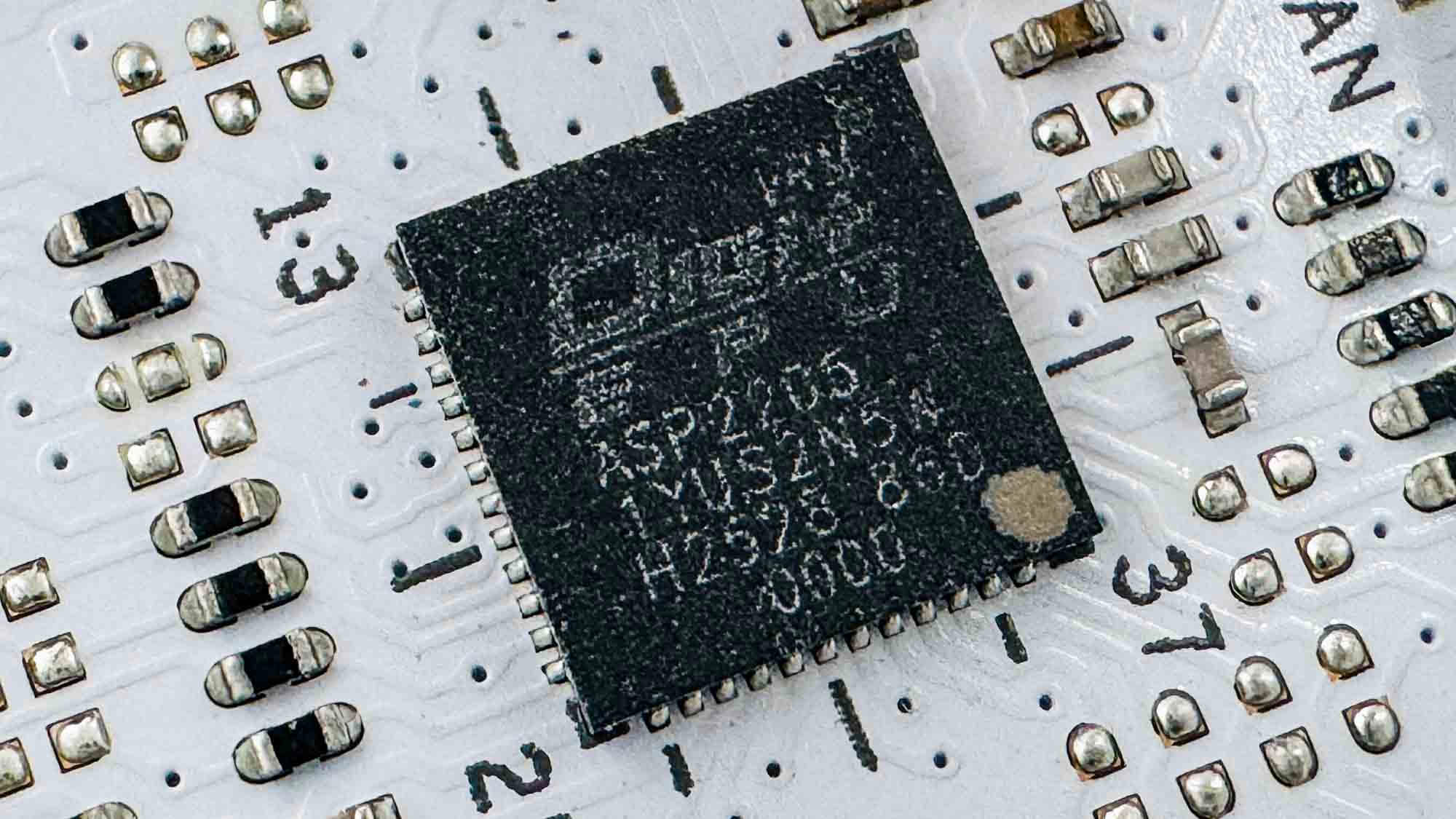
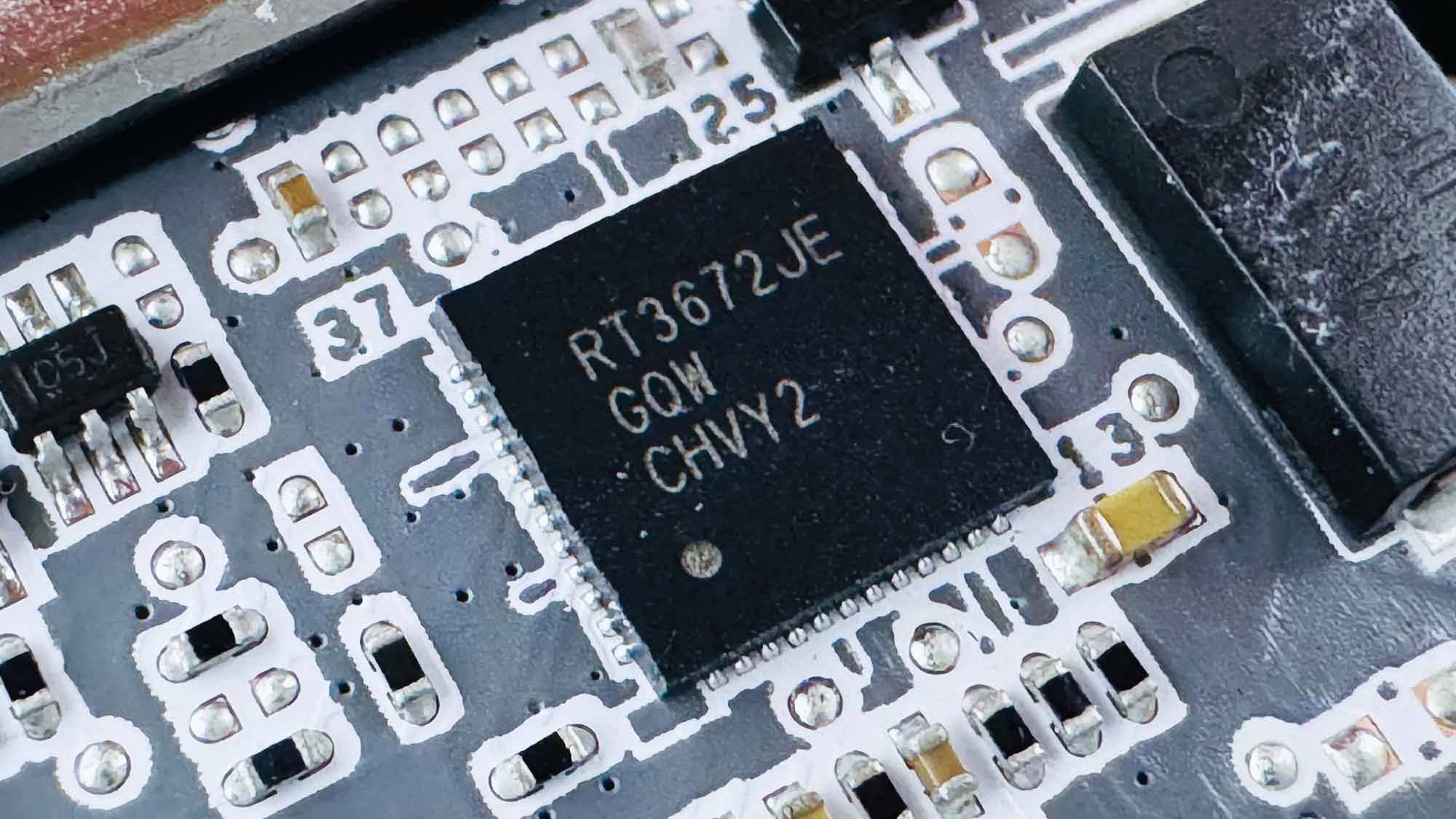
For PWM controllers we have the usual DIGI+ branded ASP2205 and also a RichTek RT3672JE.
Nov 13th, 2026 21:46 CST
change timezone
Latest GPU Drivers
New Forum Posts
- Tell me about your favourite graphics card (26)
- Crimson Desert (31)
- RenoDX HDR - how to view the differnce Before&After in game? (0)
- Displayport DP80 3M (10ft) cable that can achieve 80gbps stable? (5)
- I'll flash a ASUS ROG Strix RX480 O8G in Cause of Code 43, as a Newbie (1)
- Opinion on Monitor Replacement (6)
- TMOG - post your benchmark results here (16)
- no "PhysX" workable (7)
- Microsoft Exchange/365 outages? (61)
- Unallocated space in ssd , is it normal? (18)
Popular Reviews
- AMD Zen 6 Technical Deep Dive
- Corsair HX1000i Shift Crystal Review
- NZXT C1200 Platinum Review
- Upcoming Hardware Launches 2027 (Updated Nov 2026)
- ASUS ROG Strix B850-I Gaming Wi-Fi7 W Review
- Montech King 95 3D PRO Review
- NZXT H7 RGB+ Review
- NZXT H5 Review
- Phantom Blade Zero Performance Benchmark Review - 35 GPUs Tested
- XPG NIMBUS PLUS Review - Mid-range Chair With Strong Competitors
TPU on YouTube
Controversial News Posts
- NVIDIA Co-Founder and CEO Jensen Huang Officially Resigns (379)
- OpenAI CEO Argues Home PCs Waste the World's Limited DRAM Supply (152)
- NVIDIA Launches Investigation Into Jensen Huang's Relationship With Suspected Chinese Spy (136)
- Intel "Raptor Lake Next" 16-Core and 20-Core CPUs Surface (130)
- Legendary Game Studio BioWare Shuts Down Following EA Layoffs (104)
- Dell CEO Says the Memory Shortage Will Get Worse in 2027 (95)
- NVIDIA GeForce RTX 50-Series Scheduled for up to $500 Price Hike This Week (89)
- Modder Fits RTX 5090 With Four 8-Pin Connectors, Halving Current per Wire (80)