 14
ASUS ROG Strix Z890-E Gaming Wi-Fi Review
Component Analysis »Board Layout
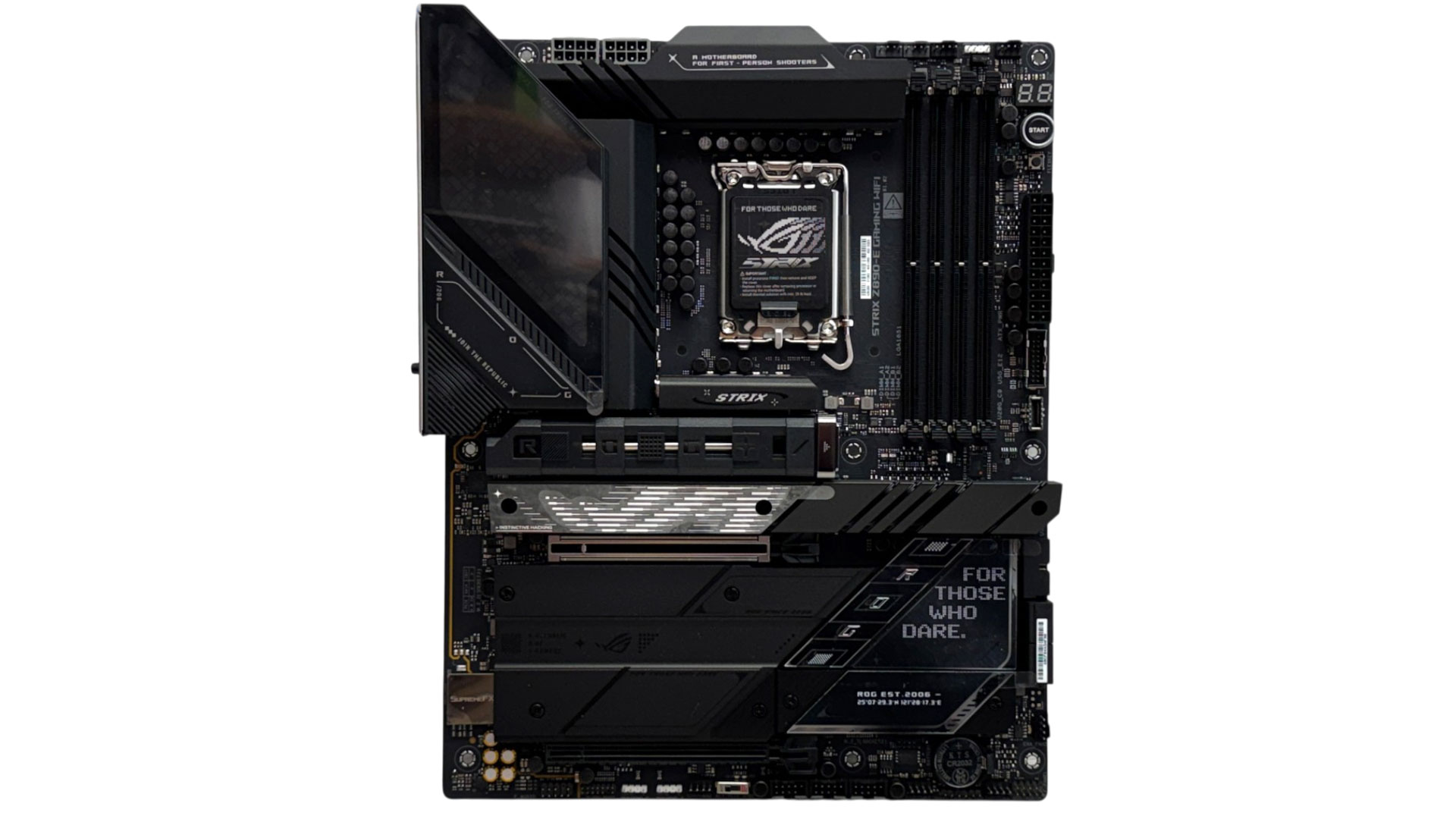
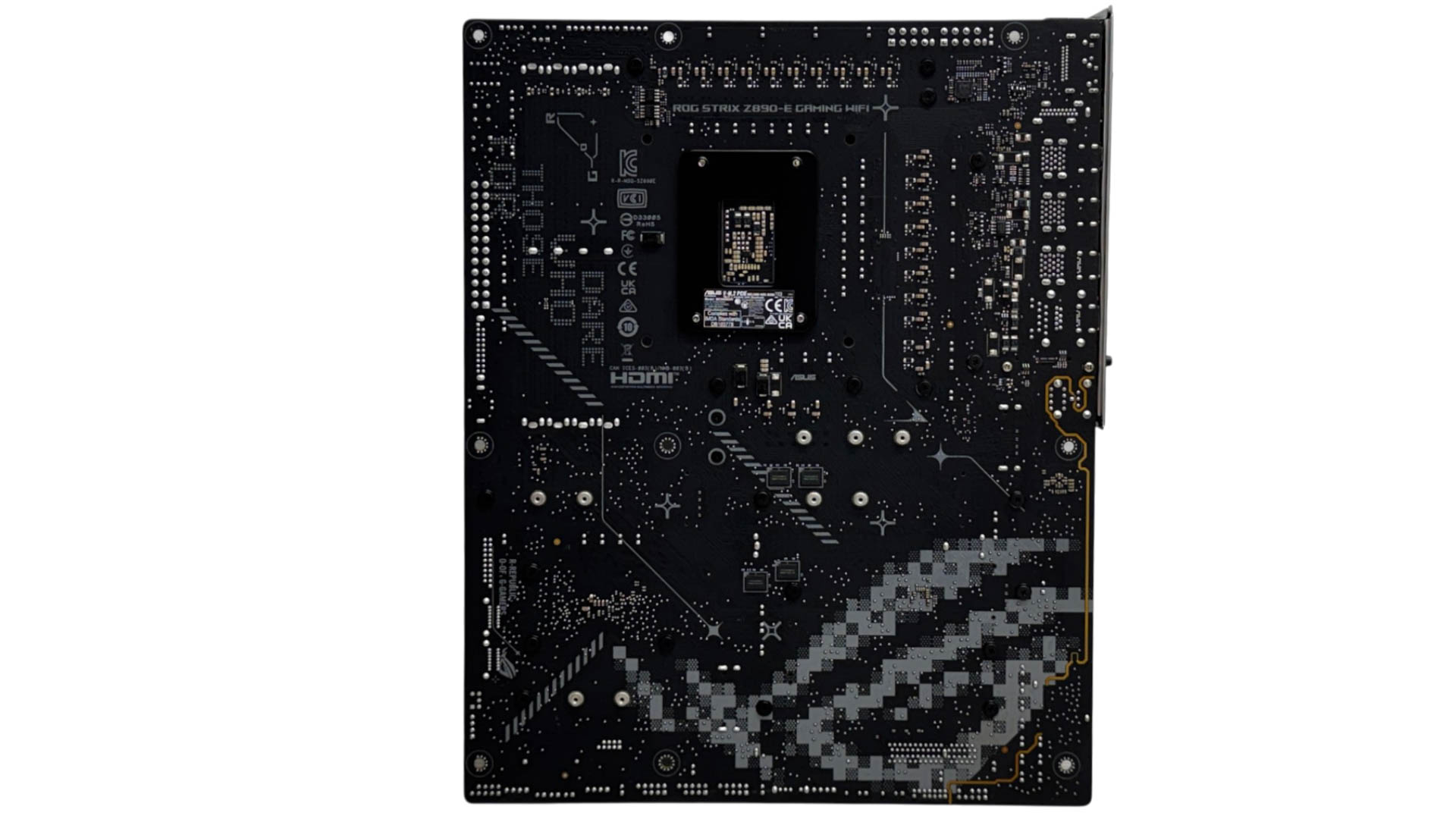
Much of the PCB here is covered by heatsinks, with some of the top section topped with a large RGB lighting array. The mass of metal is here for a good reason, as all the board's seven M.2 ports are cooled using heatsinks. The downside to this impressive storage capacity potential is that the primary PCIe slot sits 25 mm/1 inch lower than usual. This still provides even triple-slot graphics cards with a good few inches of clearance to the end of the motherboard PCB, though.

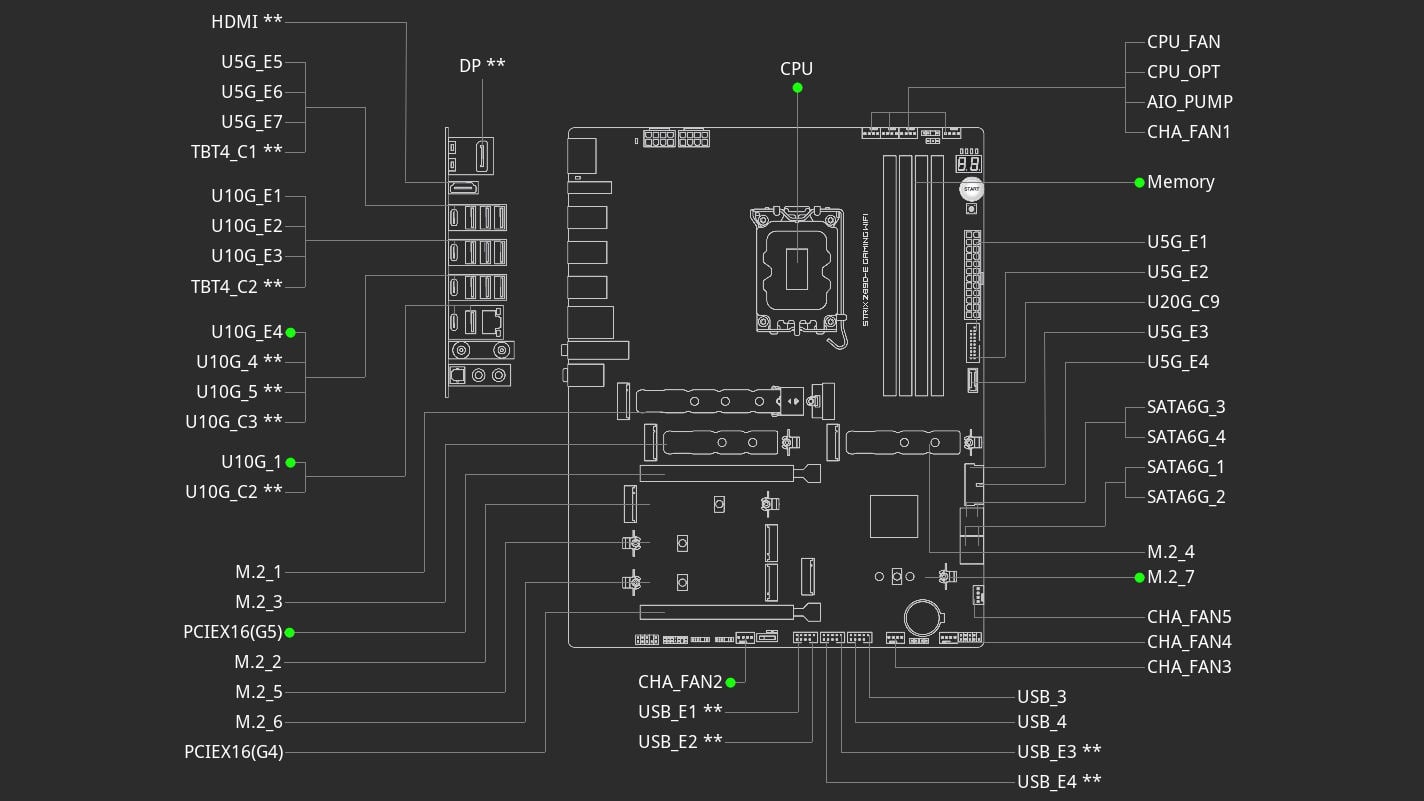
There's an impressive three PCIe Gen 5-capable M.2 ports too, but sadly the second and third Gen 5 ports will steal PCIe lanes from your graphics card. That still leaves four PCIe Gen 4 M.2 ports and the top primary PCIe Gen 5 port that are bandwidth sharing-free, plus the Thunderbolt 4 ports on the rear I/O panel are untouched.
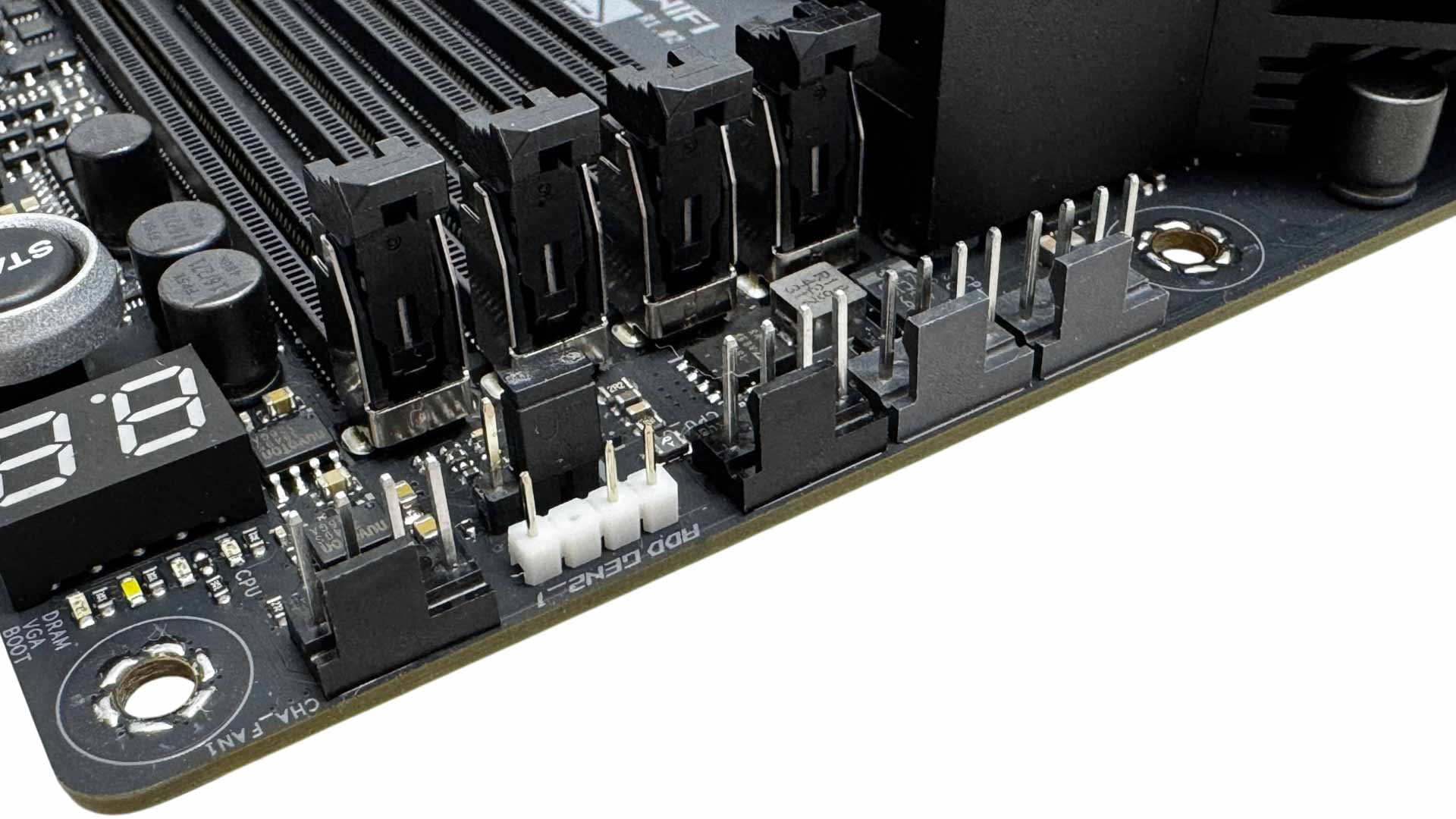
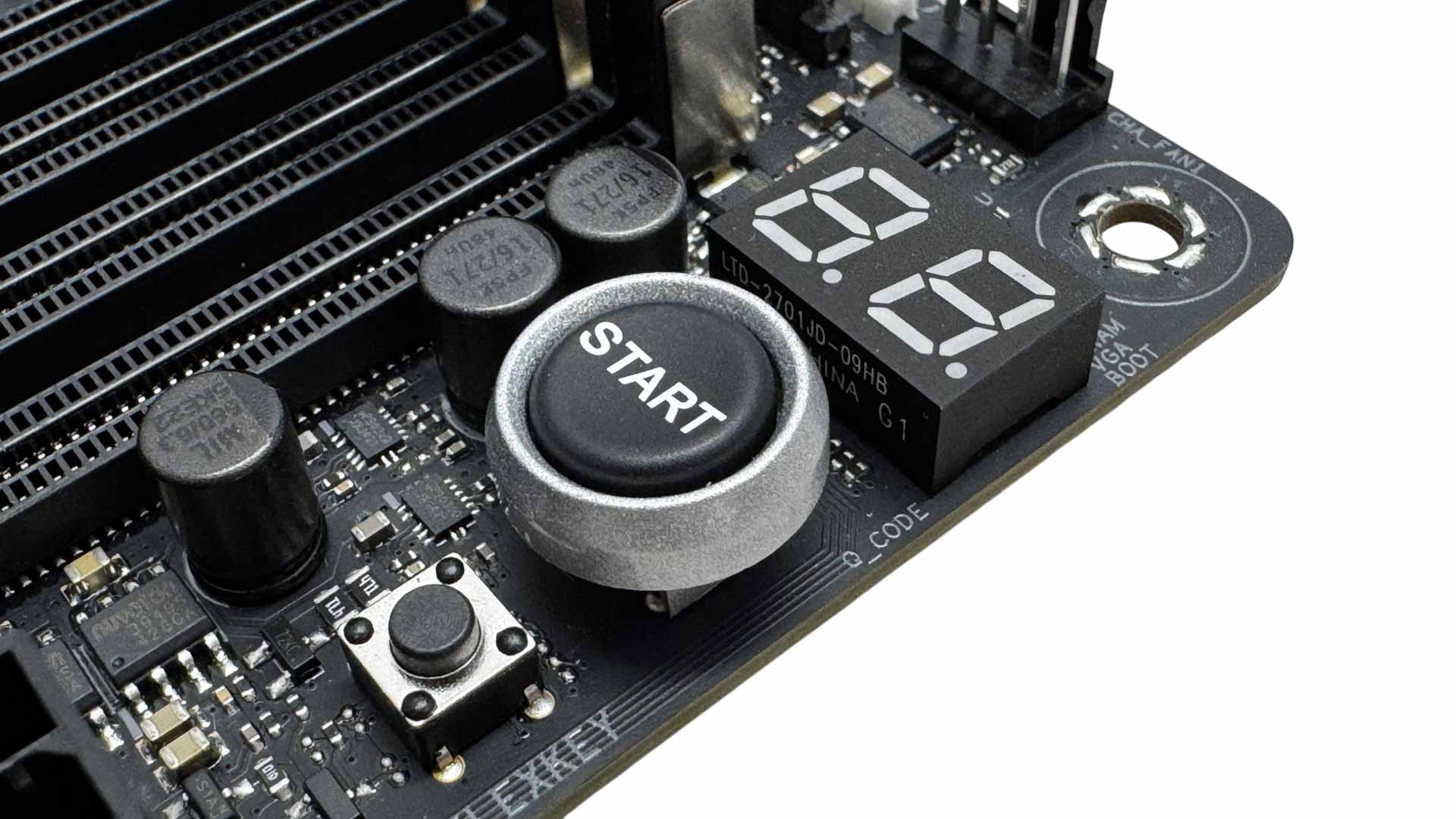
There are eight 4-pin fan headers in total, with half located above the CPU socket. Sadly, all eight are limited to just 12 W/1 A, with plenty of competing boards offering at least one port with more than that. This particular board is not alone with this either. Even the new ASUS ROG Strix X870E-E Gaming Wi-Fi7 Neo has the same issue and costs nearly twice as much. In between is a 3-pin ARGB header as well as a CPU over-volt jumper. The top right corner also offers a power button, and a FlexKey button that defaults to reset but can be assigned to other tasks, and an LED POST code display.
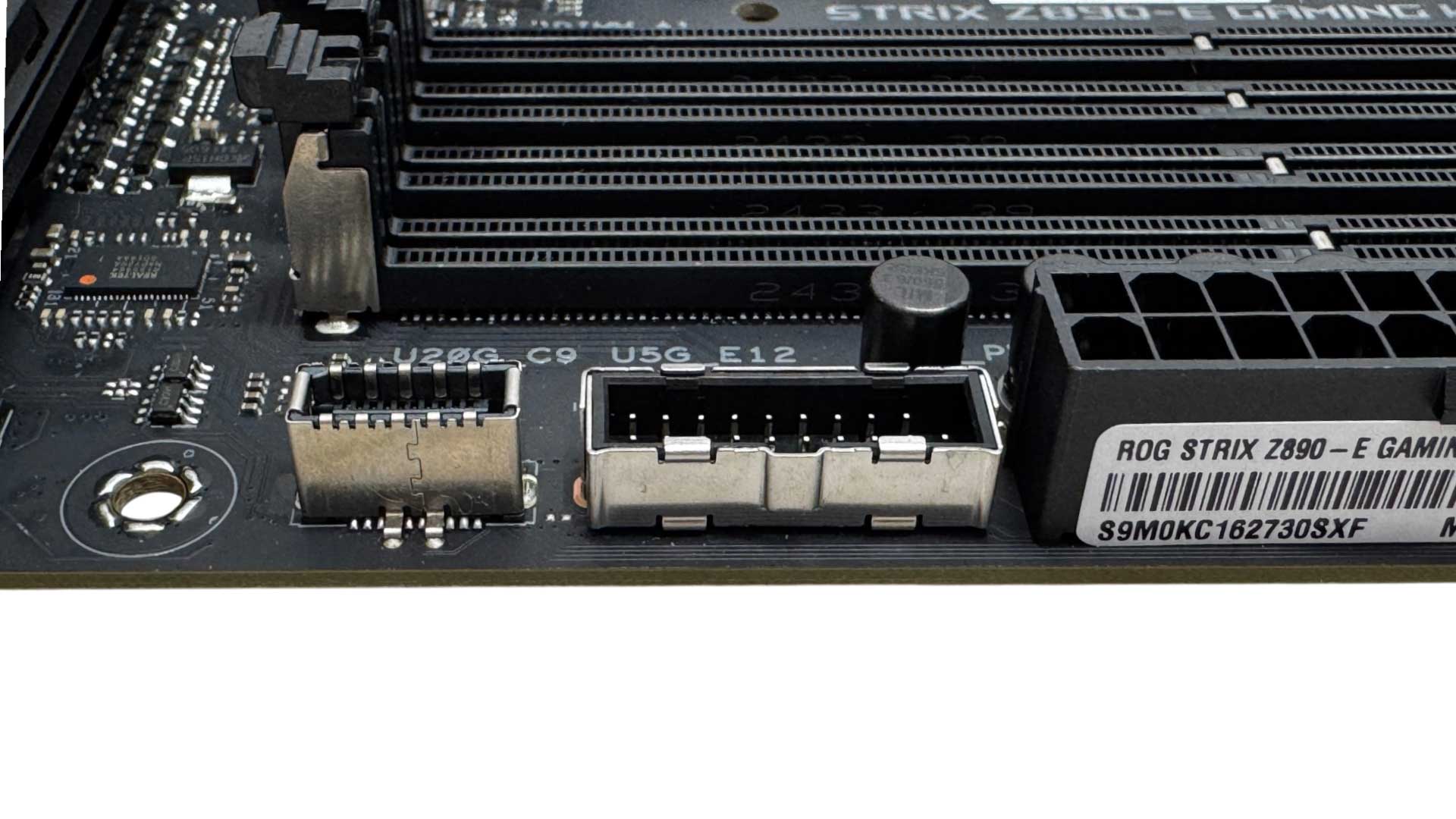
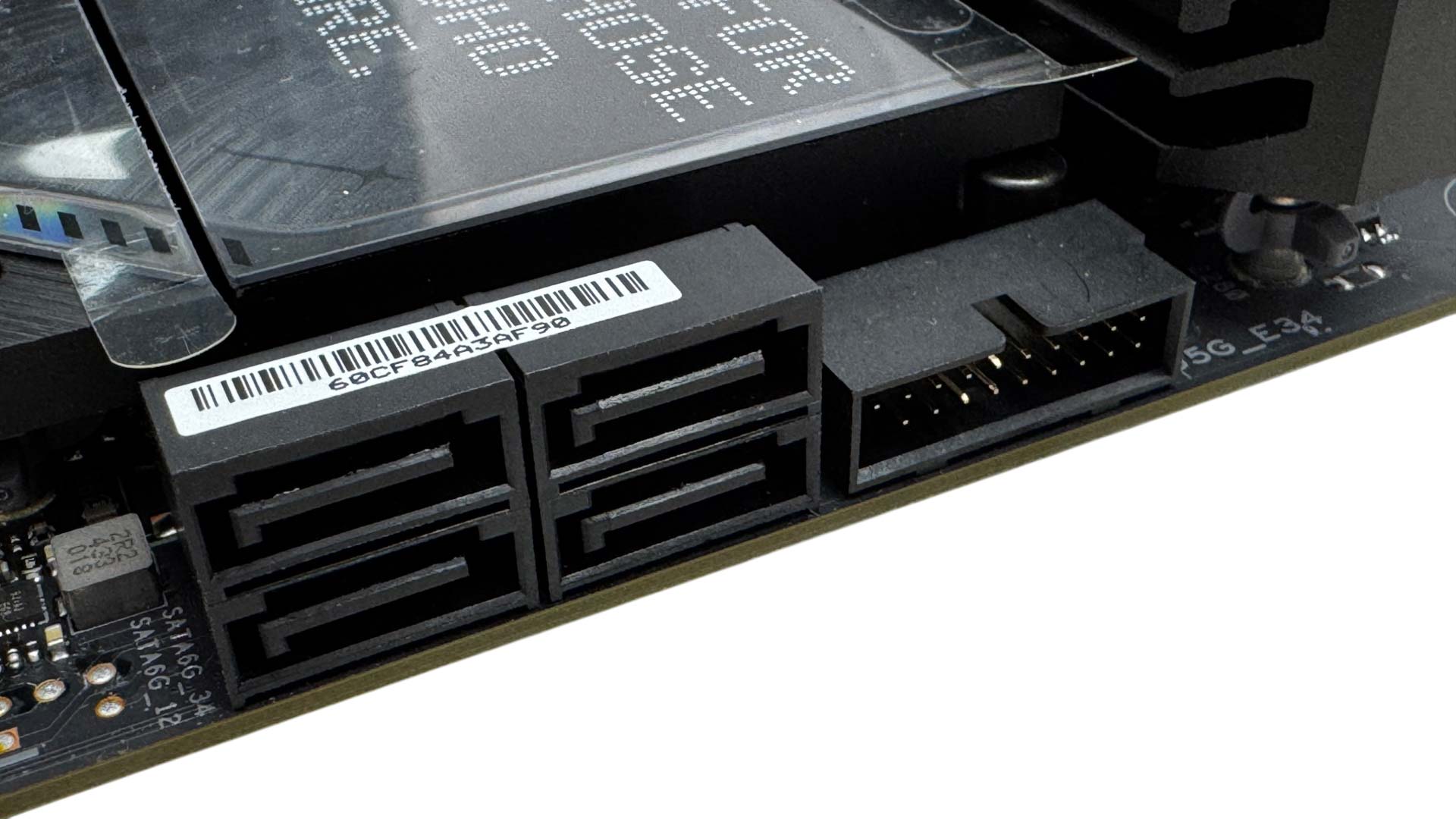
Sadly, the front Type-C header lacks enhanced power delivery, but is at least USB 3.2 Gen 2x2 20 Gbps-capable and next to this is one of two USB 3.0 headers. Further down we have a second USB 3.0 header plus four SATA ports.
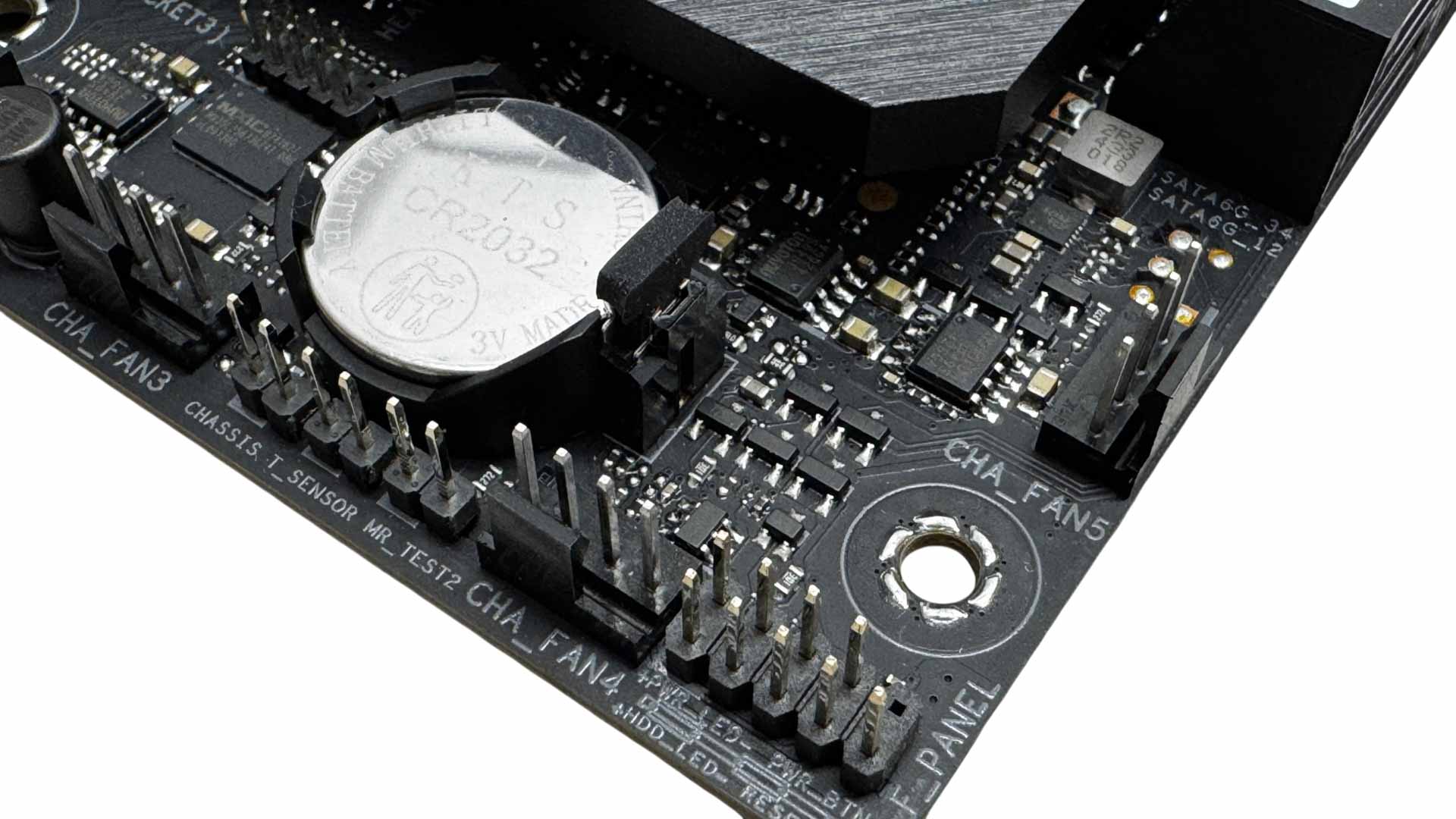
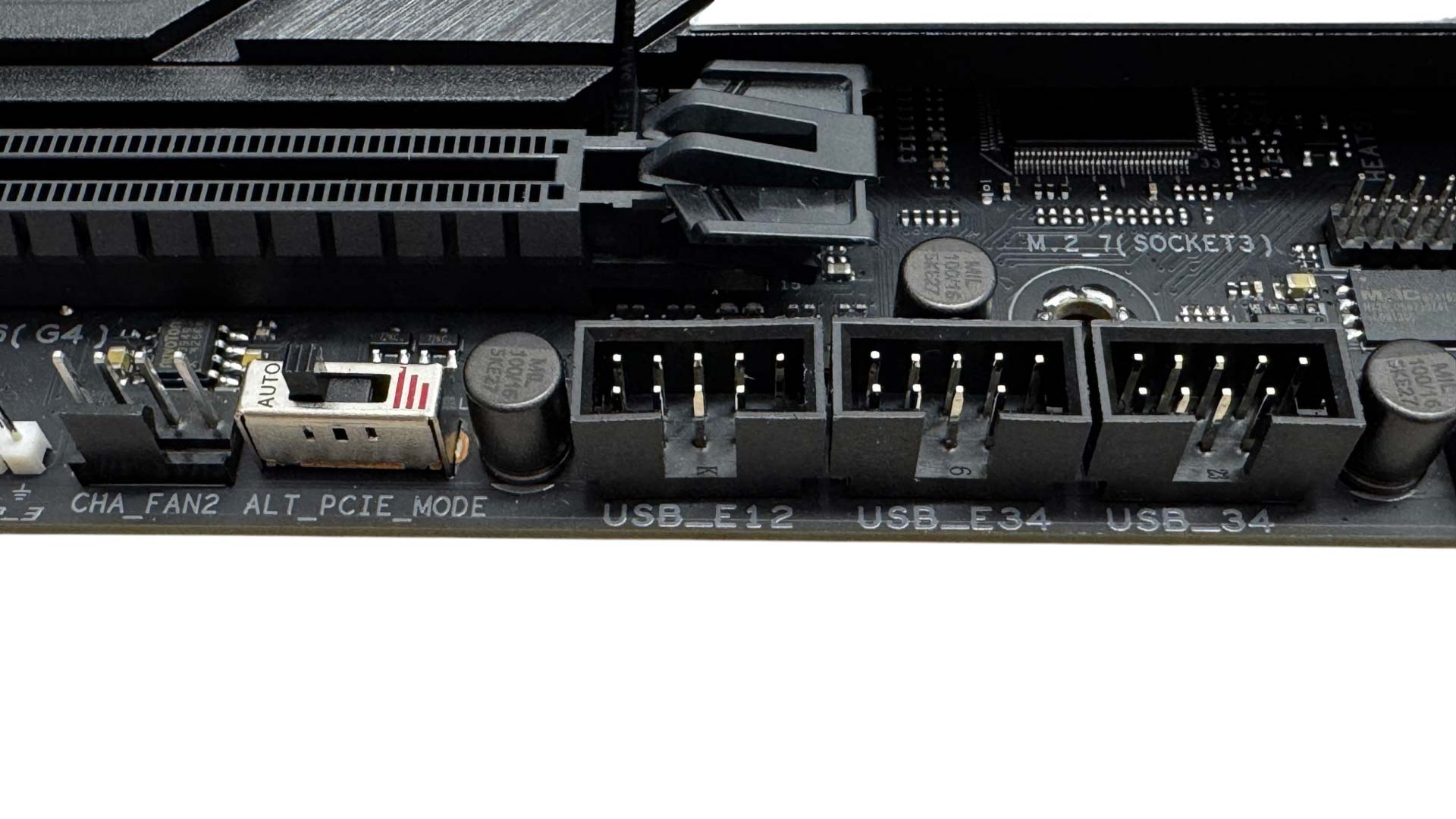
The bottom right corner has three more 4-pin fan headers plus a 2-pin thermistor probe header. The eighth and final fan header is further along the base of the PCB next to a PCIe mode switch and three USB 2.0 headers.
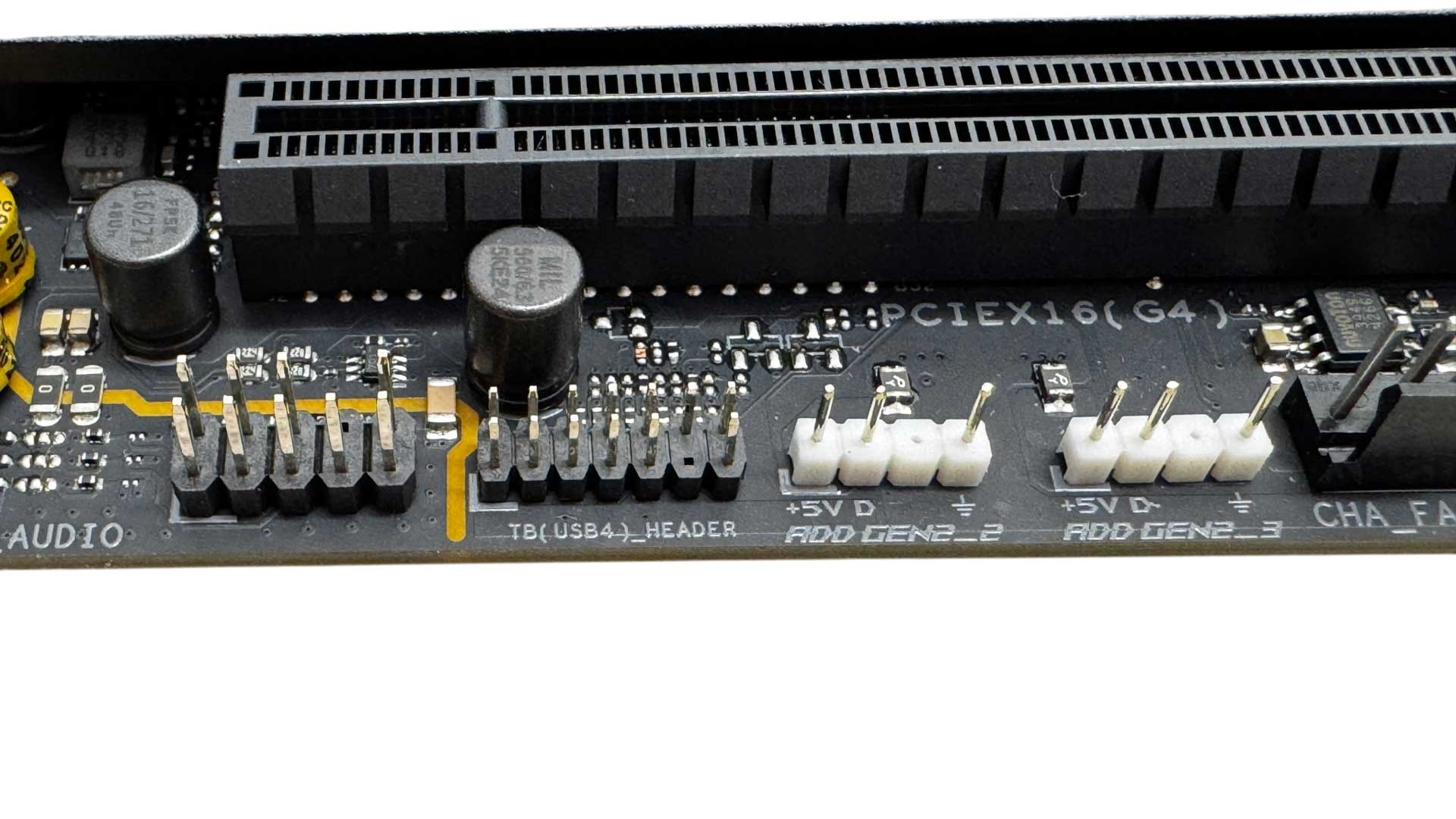
We have a further two 3-pin ARGB headers in the bottom left corner, bringing the total to three, which is also where you'll find the audio header and a Thunderbolt 4 header.
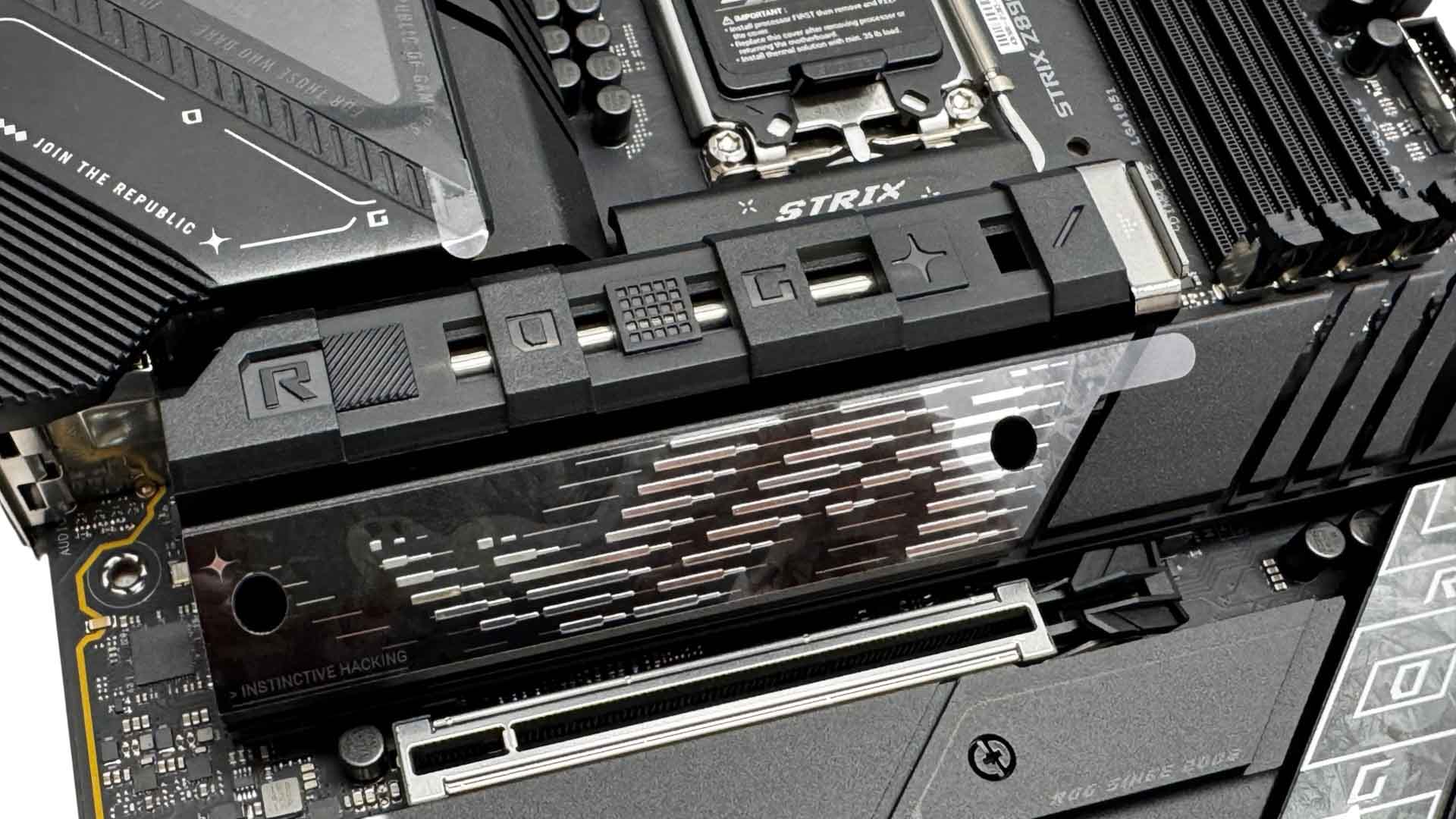
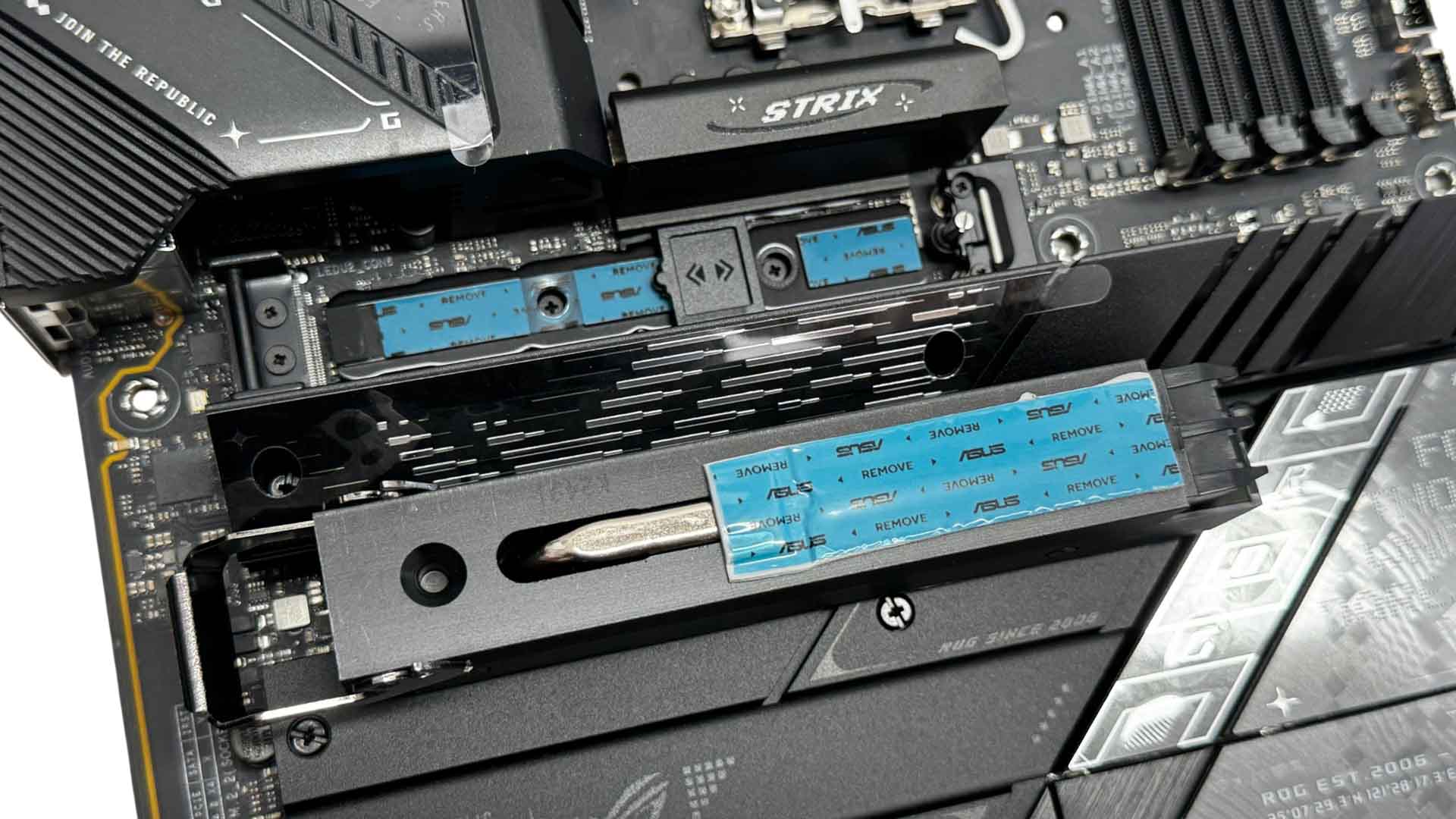
With no less than four M.2 heatsinks, it's perhaps a little disappointing that only one of them is tool-free. The top heatsink, cooling SSDs in the PCIe Gen 5-cable M.2 port below, is very easy to remove and install, while double-sided SSDs here are cooled on both sides. Single-sided SSDs in all M.2 ports will need to use the included rubber supports. This particular heatsink is large and features a heatpipe.
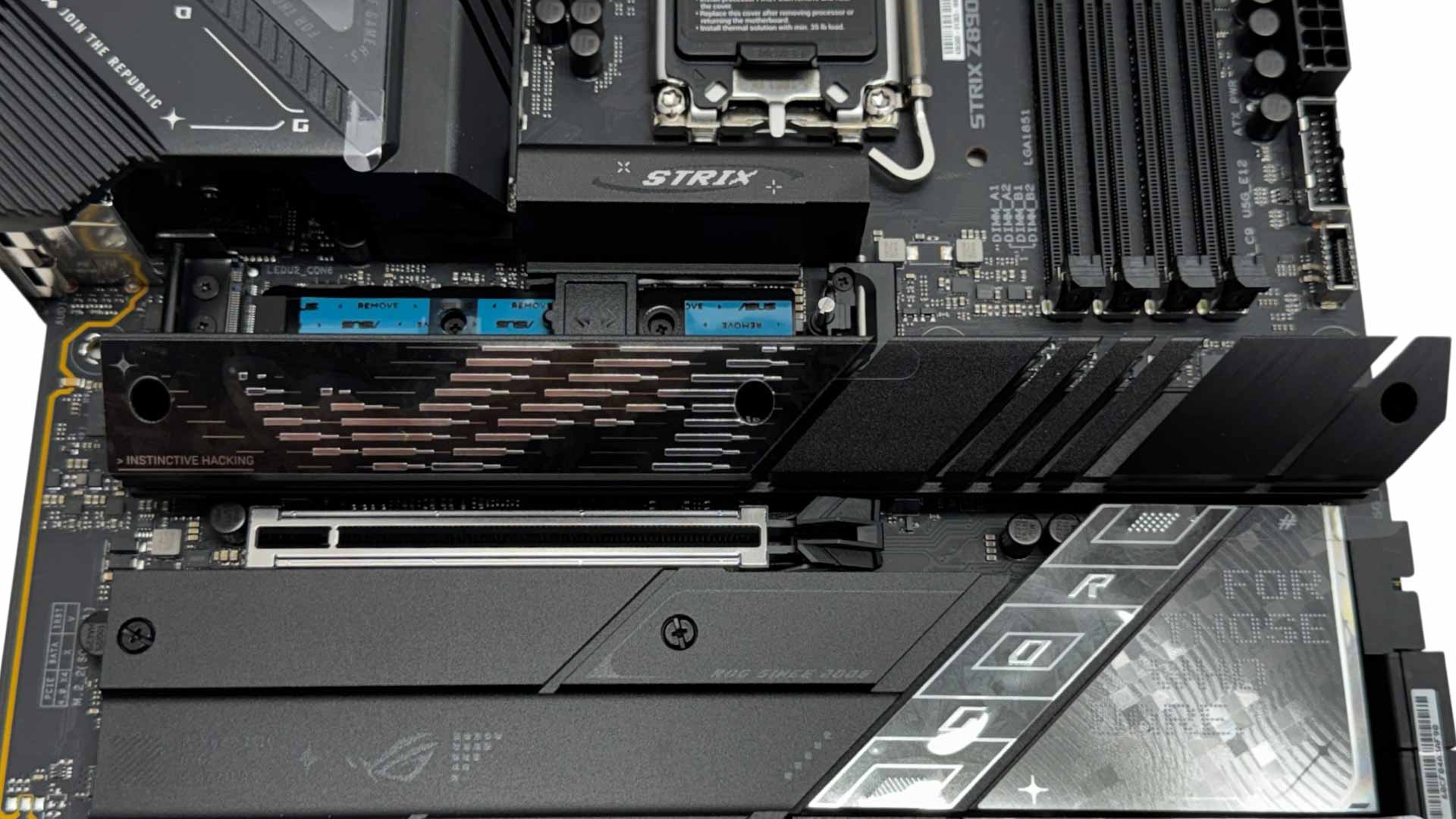
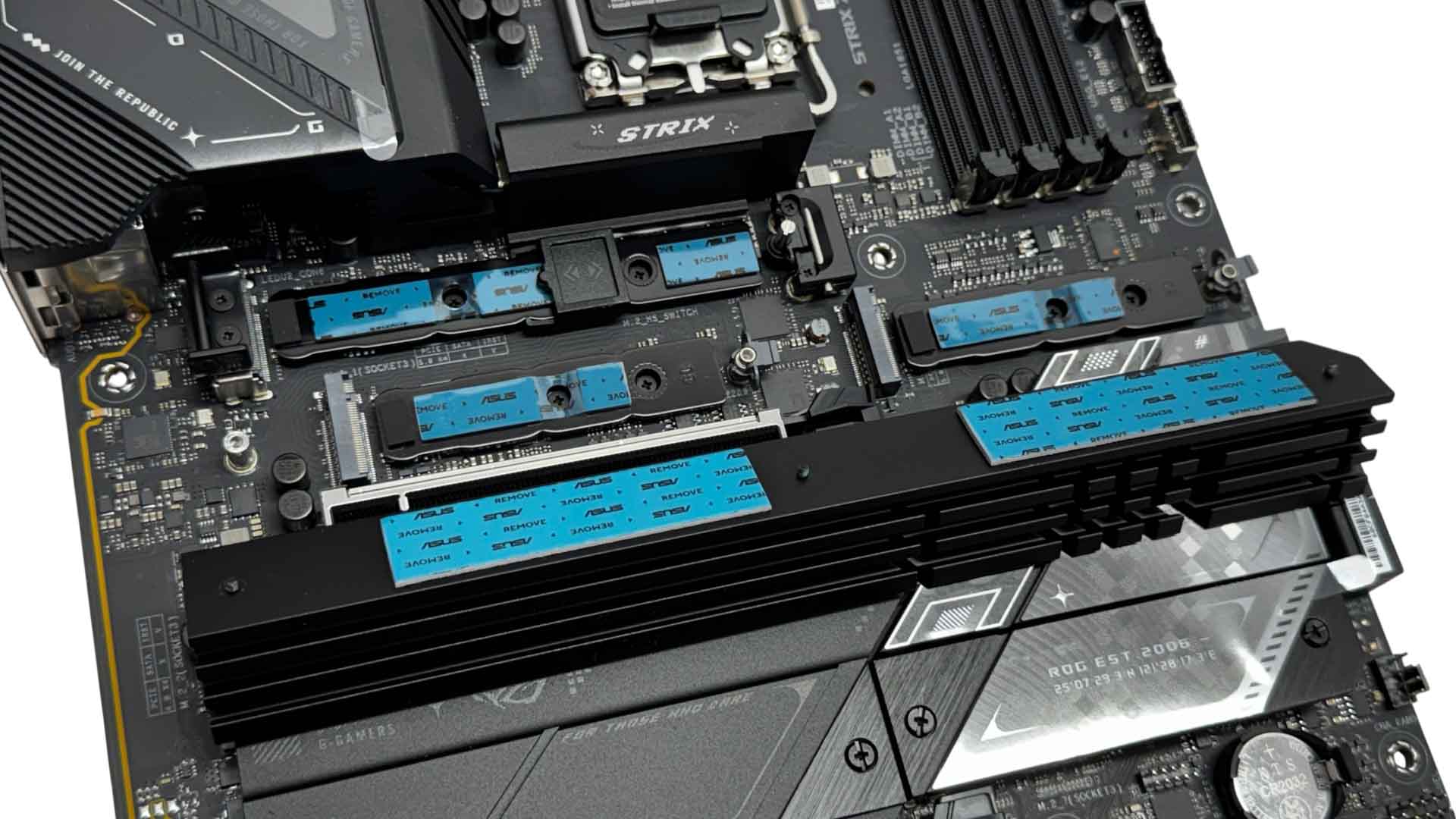
A second even larger heatsink cools the second and third PCIe Gen 5-capable M.2 ports. This is not tool-free and with three tiny screws to line up, can be fiddly to install.
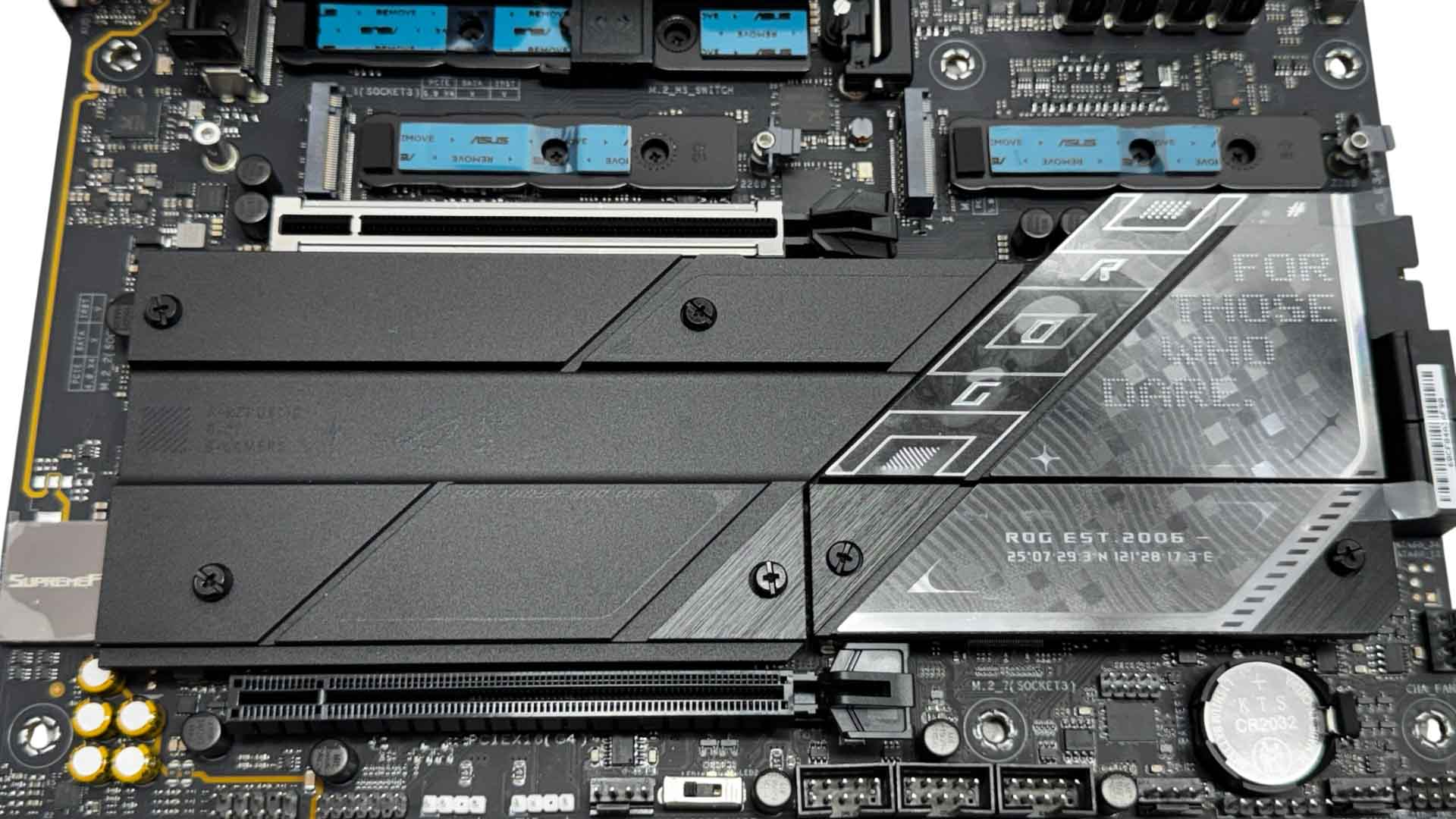
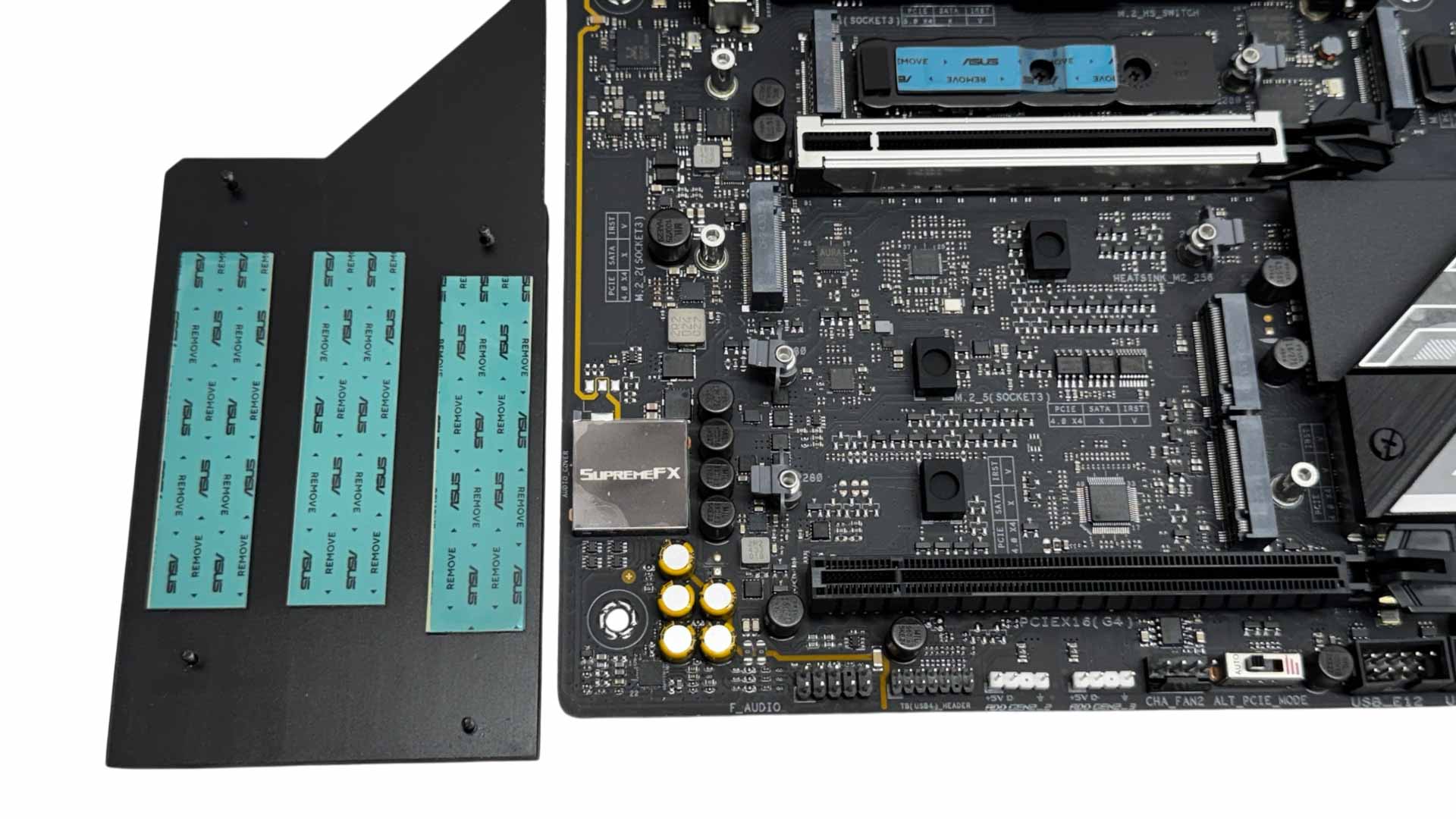
The first heatsink beneath the primary PCIe slot cools three SSDs, with all the remaining ports limited to PCIe Gen 4. SSDs here are only cooled on the top side, and this heatsink will also be blocked by your graphics card as well as being at the mercy of its bulk and exhaust heat. Again, as it's not tool-free it can be a bit fiddly to deal with.
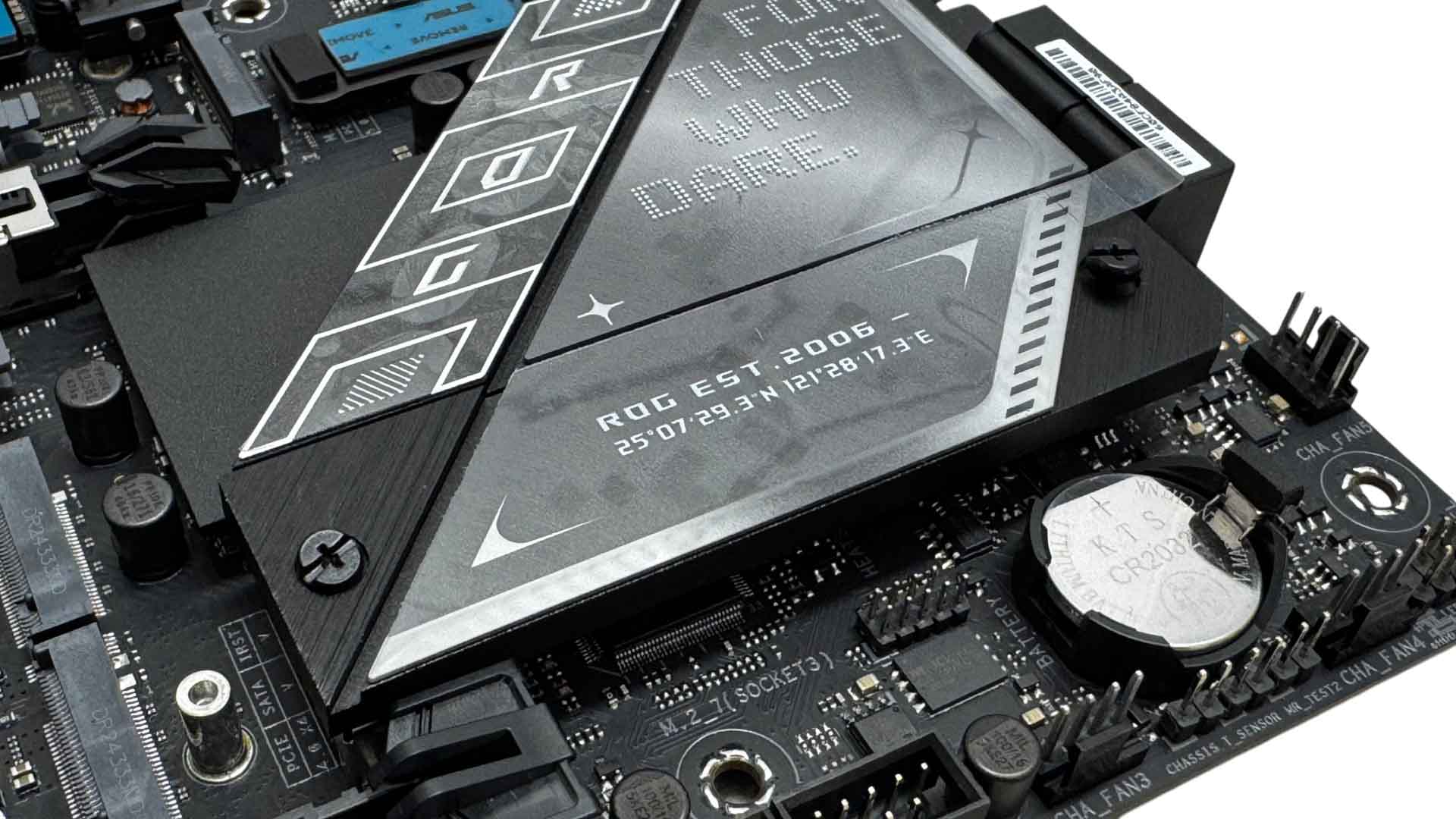
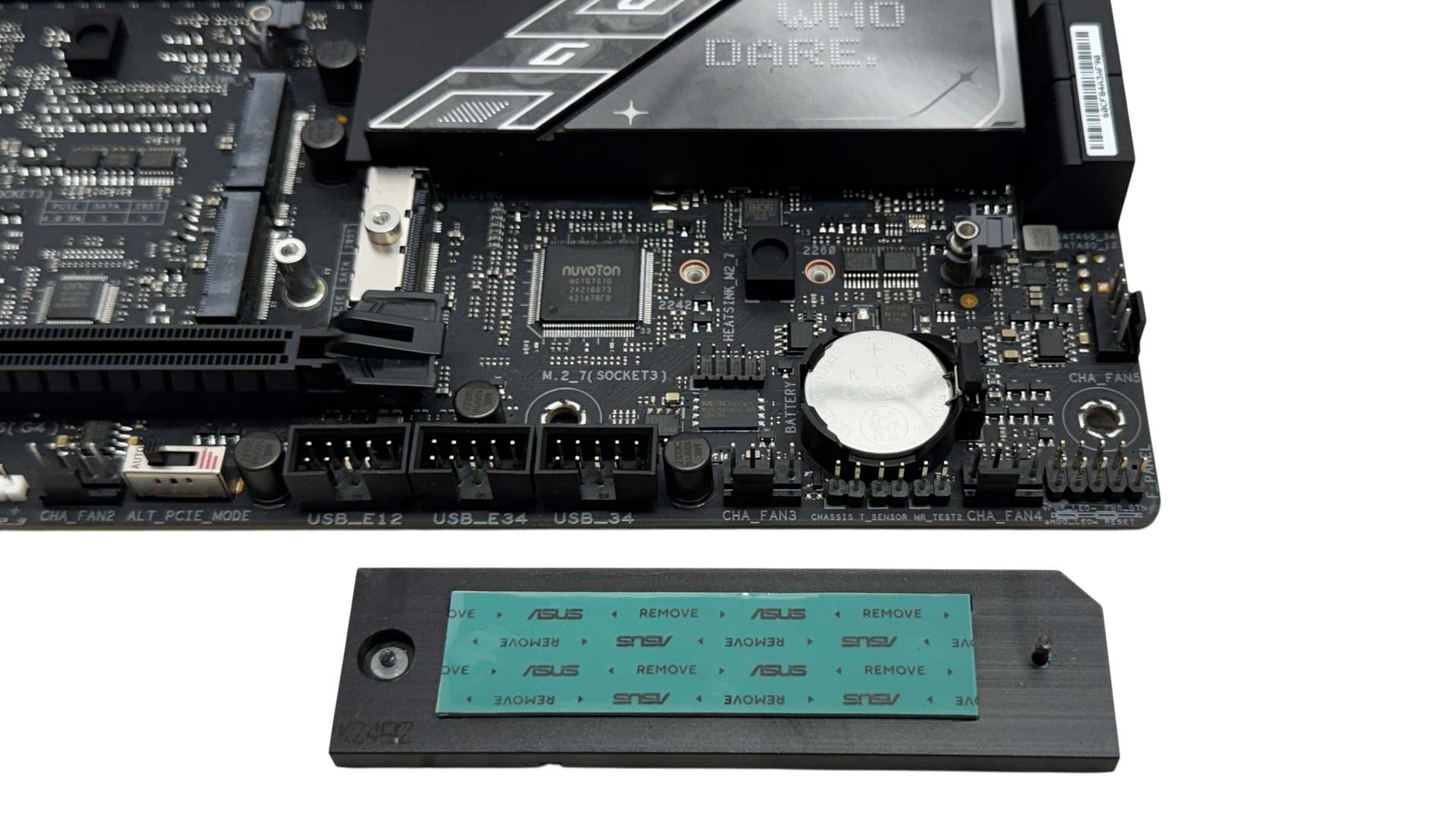
Thankfully, rather than creating one giant heatsink here, ASUS has cut out a small section to provide a separate heatsink for the seventh M.2 port, so in total, four of the M.2 ports can be accessed if you have a dual-slot graphics card.
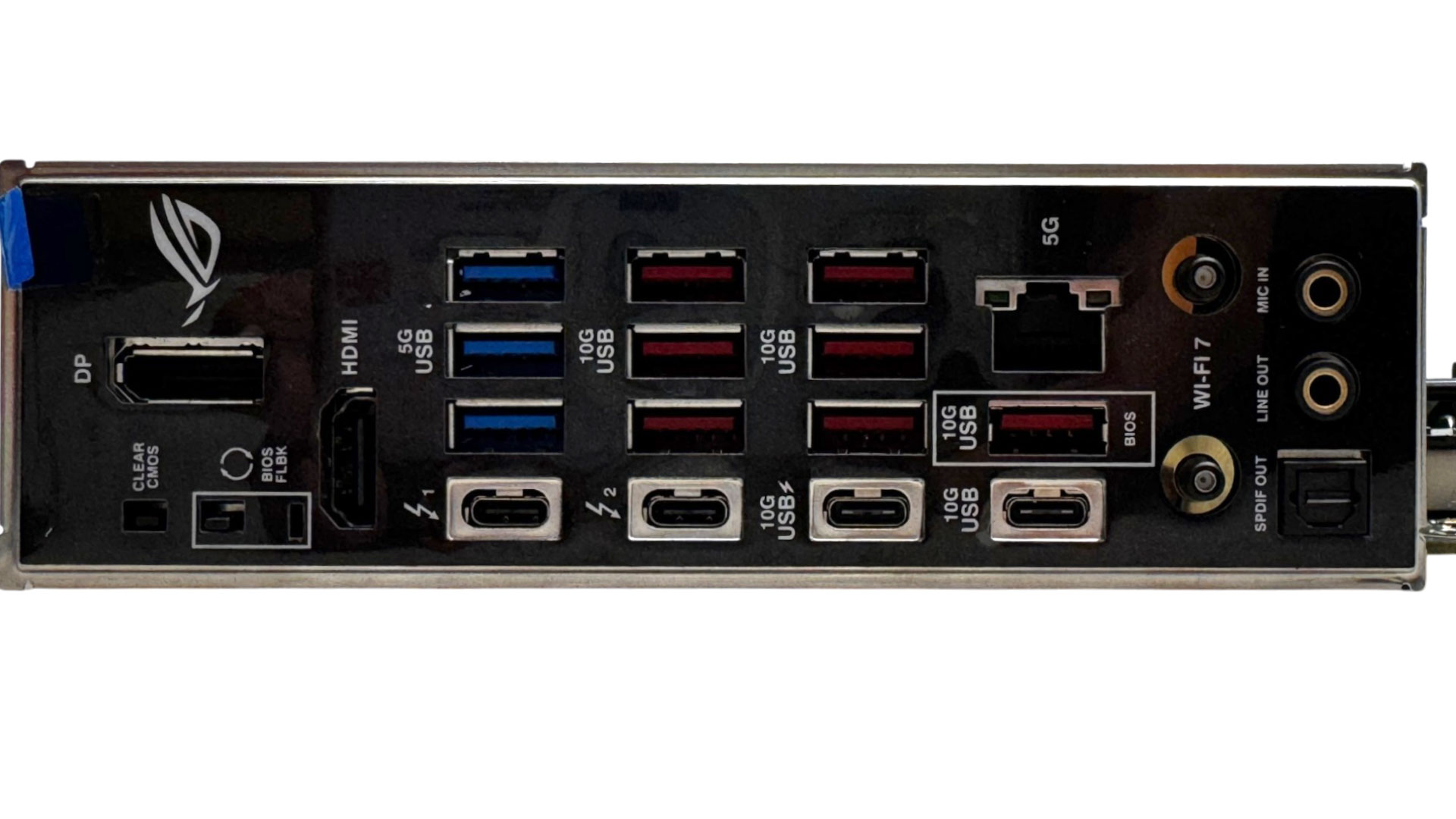
The rear I/O panel has a good mix of USB connectivity, with four Type-C ports in total split equally between USB 3.2 Gen 2 10 Gbps and Thunderbolt 4 40 Gbps, with the latter two doubling as DisplayPort outputs. One of the USB 3.2 Gen 2 10 Gbps Type-C ports offers 30 W power delivery too, although it would be much more convenient to have this routed through the front Type-C header. In addition, there's an impressive 10 further Type-A ports, three being USB 3.0 while the rest are USB 3.2 Gen 2 and offer 10 Gbps. We have HDMI and DisplayPort dedicated video outputs, clear CMOS and USB BIOS Flashback buttons, with a single 5 Gbps Ethernet port. We have a pair of Wi-Fi Q-Antenna connectors plus a pair of audio jacks and optical output.
Nov 13th, 2026 08:50 PST
change timezone
Latest GPU Drivers
New Forum Posts
- inside Case Mod gallery, non modded cases are posted? (0)
- Dual B70 or Dual R9700 Pro on Linux (2)
- To AiO CPU Cooler users? (7)
- Slow SSD read speeds - help! (3)
- I won't download games that are larger than 30–40 GB. (108)
- TechPowerUp Screenshot Thread (MASSIVE 56K WARNING) (4386)
- Microsoft Exchange/365 outages? (45)
- [Community Benchmark] MrH OpenCL Benchmark 2.0e (Windows Only – CPU & GPU) (1)
- Any other old-timers here planning to play WoW Forever? (150)
- Requesting original VBIOS for Gigabyte RX 5700 XT GAMING OC 8G Rev 2.0 (Micron) (0)
Popular Reviews
- AMD Zen 6 Technical Deep Dive
- Corsair HX1000i Shift Crystal Review
- NZXT C1200 Platinum Review
- Upcoming Hardware Launches 2027 (Updated Nov 2026)
- Montech King 95 3D PRO Review
- NZXT H7 RGB+ Review
- NZXT H5 Review
- Phantom Blade Zero Performance Benchmark Review - 35 GPUs Tested
- XPG NIMBUS PLUS Review - Mid-range Chair With Strong Competitors
- Gigabyte Z890I Aorus Ultra Review
TPU on YouTube
Controversial News Posts
- NVIDIA Co-Founder and CEO Jensen Huang Officially Resigns (357)
- OpenAI CEO Argues Home PCs Waste the World's Limited DRAM Supply (152)
- NVIDIA Launches Investigation Into Jensen Huang's Relationship With Suspected Chinese Spy (136)
- Intel "Raptor Lake Next" 16-Core and 20-Core CPUs Surface (130)
- Legendary Game Studio BioWare Shuts Down Following EA Layoffs (104)
- Dell CEO Says the Memory Shortage Will Get Worse in 2027 (95)
- NVIDIA GeForce RTX 50-Series Scheduled for up to $500 Price Hike This Week (89)
- Modder Fits RTX 5090 With Four 8-Pin Connectors, Halving Current per Wire (80)