 35
ASUS ROG Xbox Ally X Review
Controls & Ergonomics »Design and Build Quality

The ASUS ROG Xbox Ally X's design is a steep departure from the ROG Ally family's familiar looks. While at first glance this seems like a step backwards—since the ROG Xbox Ally X isn't a looker by any means—we're glad ASUS and Microsoft put function over form, because the Xbox Ally X is ridiculously comfortable—but more on that later.
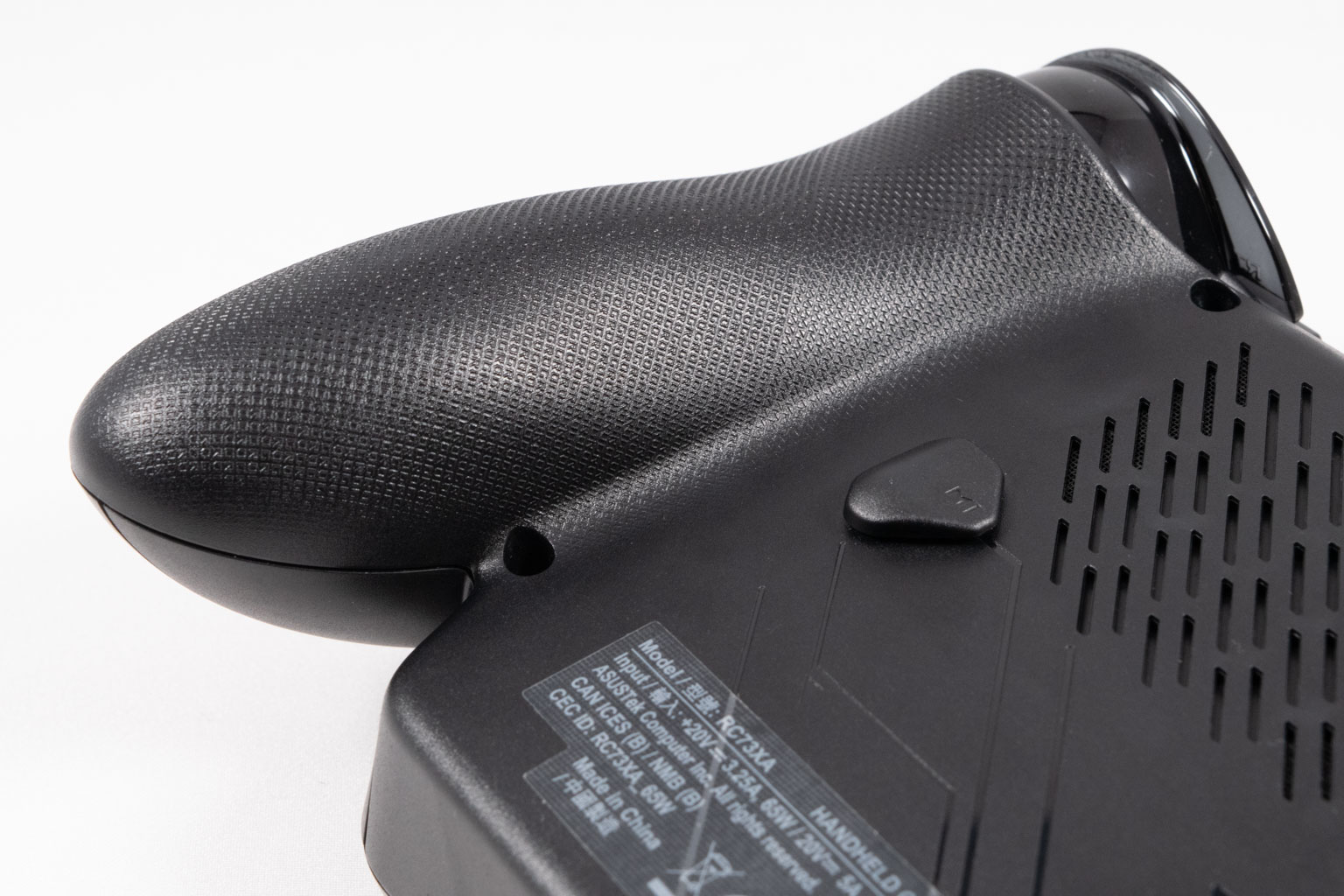
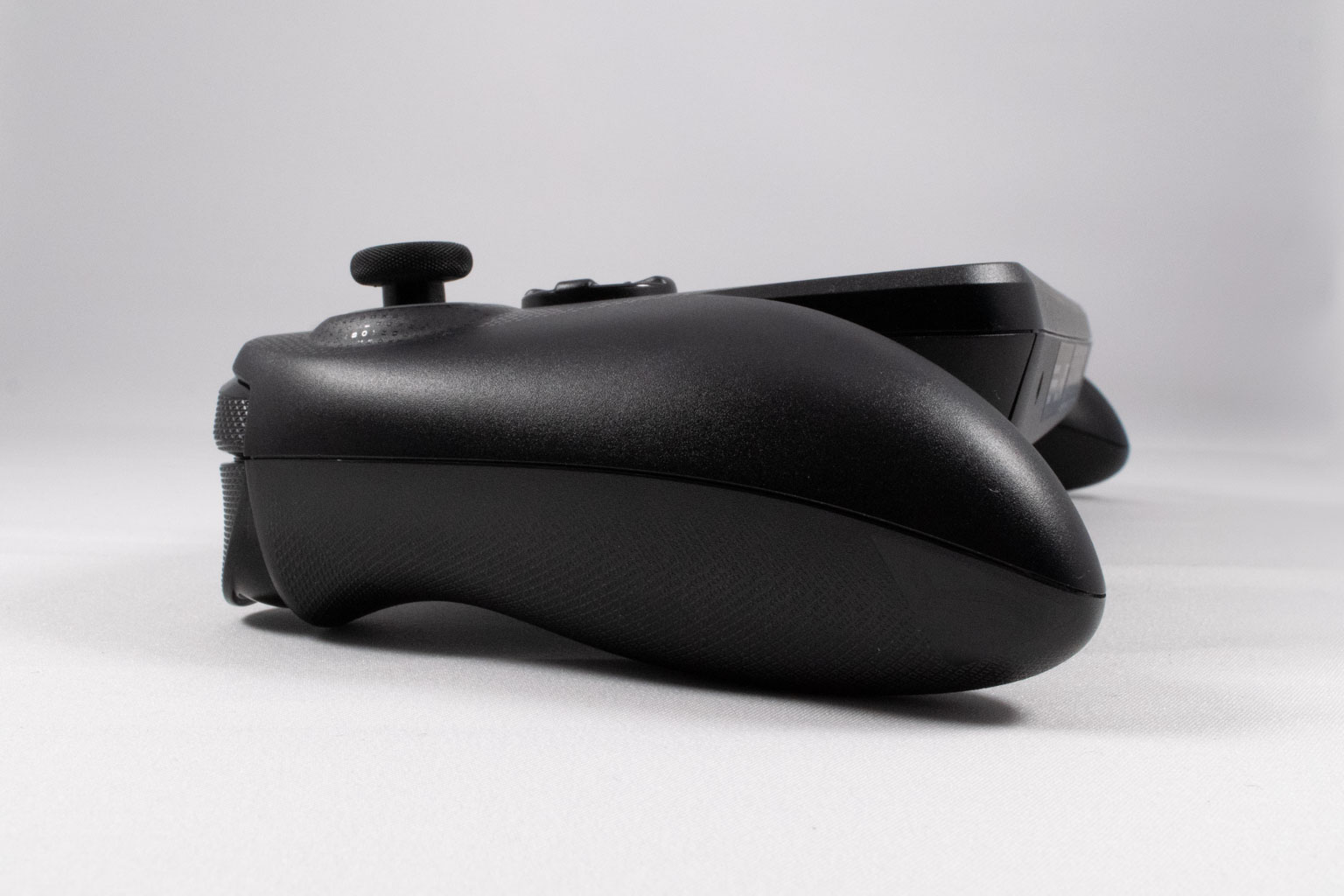
The thick handles with textured grips dominate the back, while the front side is embellished with "ROG" and "Xbox" letters placed in a cross pattern. The device features a plethora of curves and a somewhat disjointed look, since the handles are partly separated from the rest of the body, but this only matters when you're looking at it. As soon as you grab it, you'll forget about the slightly uncanny design.

Due to the handles, the ROG Xbox Ally X is much thicker and taller than both the original Ally and the Ally X. When placed on a flat surface, the entire device rests on the two handles, resulting in a much taller and larger footprint than previous ASUS handhelds. On the flip side, the back is now lifted, giving the two intakes unrestricted air access when the handheld is resting on a table, couch, or any other flat surface.
The thicker footprint also means the Xbox Ally X isn't compatible with carrying cases made for the ROG Ally and ROG Ally X, as well as some handheld docks. If you want to get a dock for it, make sure it's compatible. For instance, the UGREEN 9-in-1 dock we're using cannot house the Xbox Ally X in its cradle, but you can still use the handheld with the dock since the cradle's rubber grips provide enough friction to keep the device secured when placed in the dock at an angle.
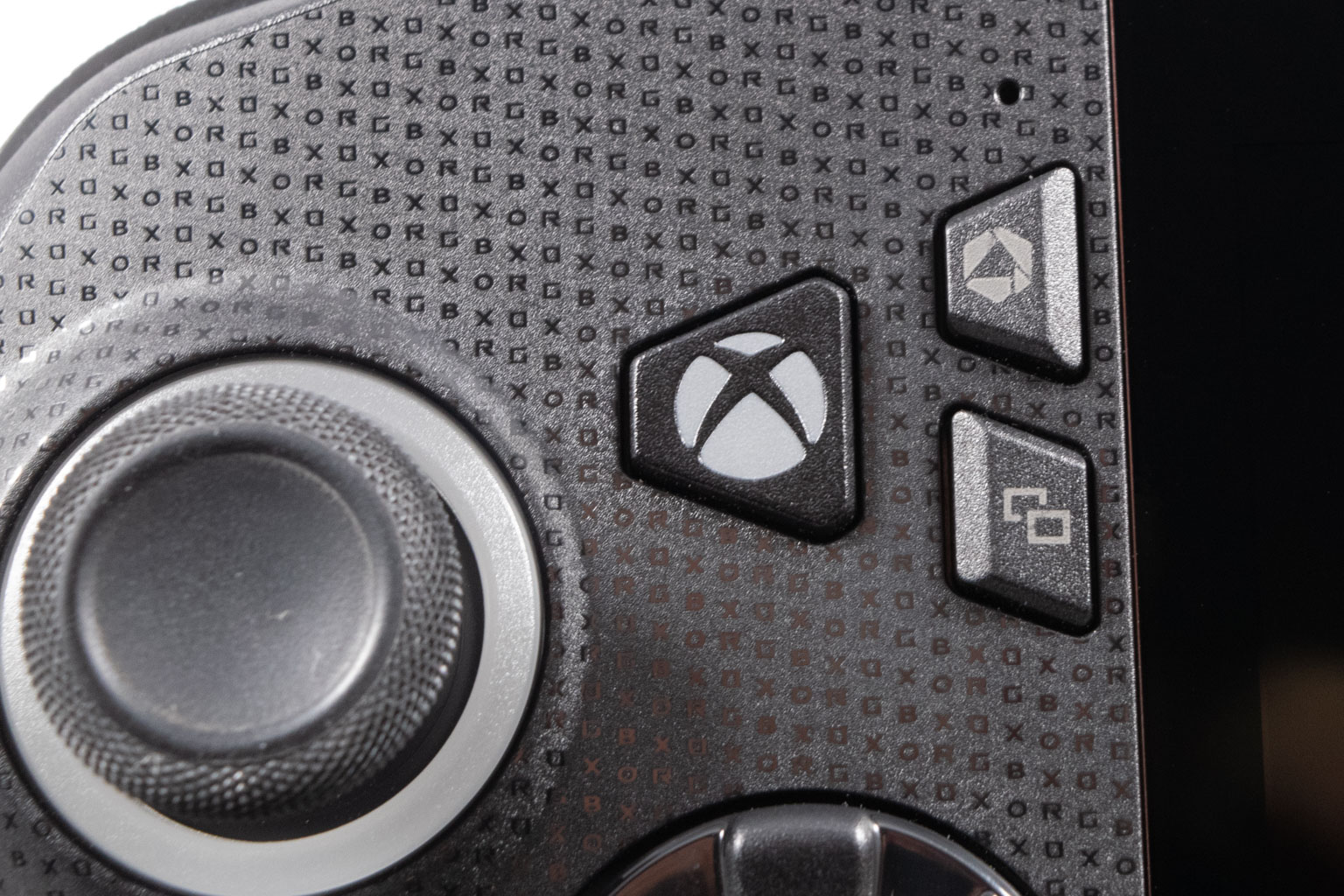
While the front of the device features smooth plastic covered with "ROG" and "XBOX" emblems, the rest of the chassis is made of simple matte plastic that doesn't pick up fingerprints. Even the relatively smooth finish covering the front of the device isn't an excessive fingerprint magnet.

Right smack in the middle, we've got a 7-inch IPS screen with the same thick bezels found on the rest of the ROG Ally family of handhelds. While the bezels aren't an eyesore thanks to the all-black design, this bezel-heavy design does show signs of age since ASUS has been using the same screen with the same thick bezels for a few years now. That said, until the company opts for an OLED screen, we will likely continue seeing prominent bezels on future ROG Ally handhelds.
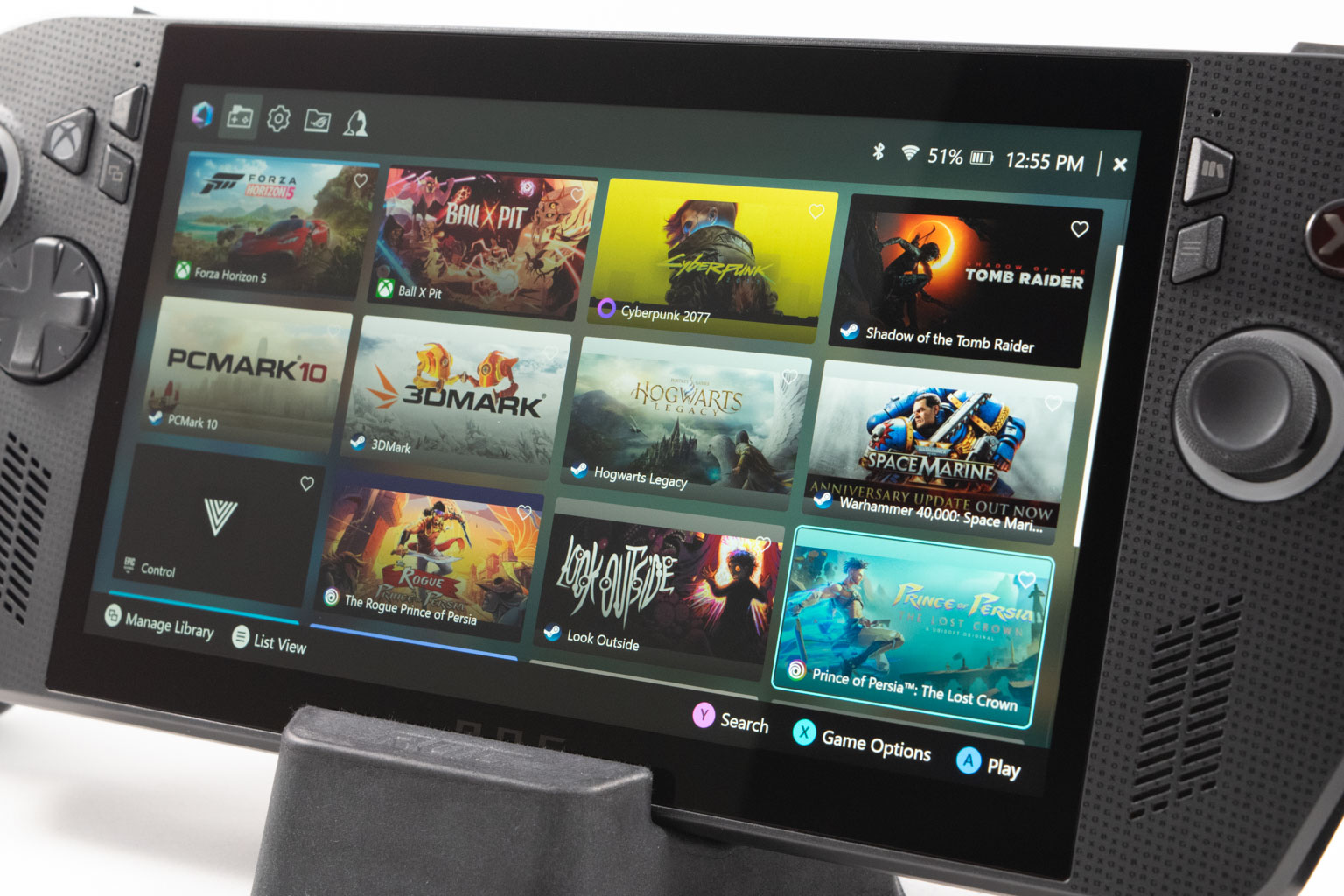
The space around the screen is very busy; there's no free real estate at the front where ASUS could've placed a trackpad, which would make navigating the Windows desktop more manageable. That said, the FSE does reduce the need for a mouse-like navigation device; once Microsoft irons out the FSE-related kinks, we hope the need for mouse-like input will be reduced to a minimum.
What we don't like is that—yet again—there's no USB-C port on the bottom. While not a must-have, having a bottom-placed USB-C port means you don't have to wrestle with the charging cable while gaming.
The overall build quality is quite high. There's zero creaking or flex when twisting the device or applying force to the handles, and the plastic used is high-grade.
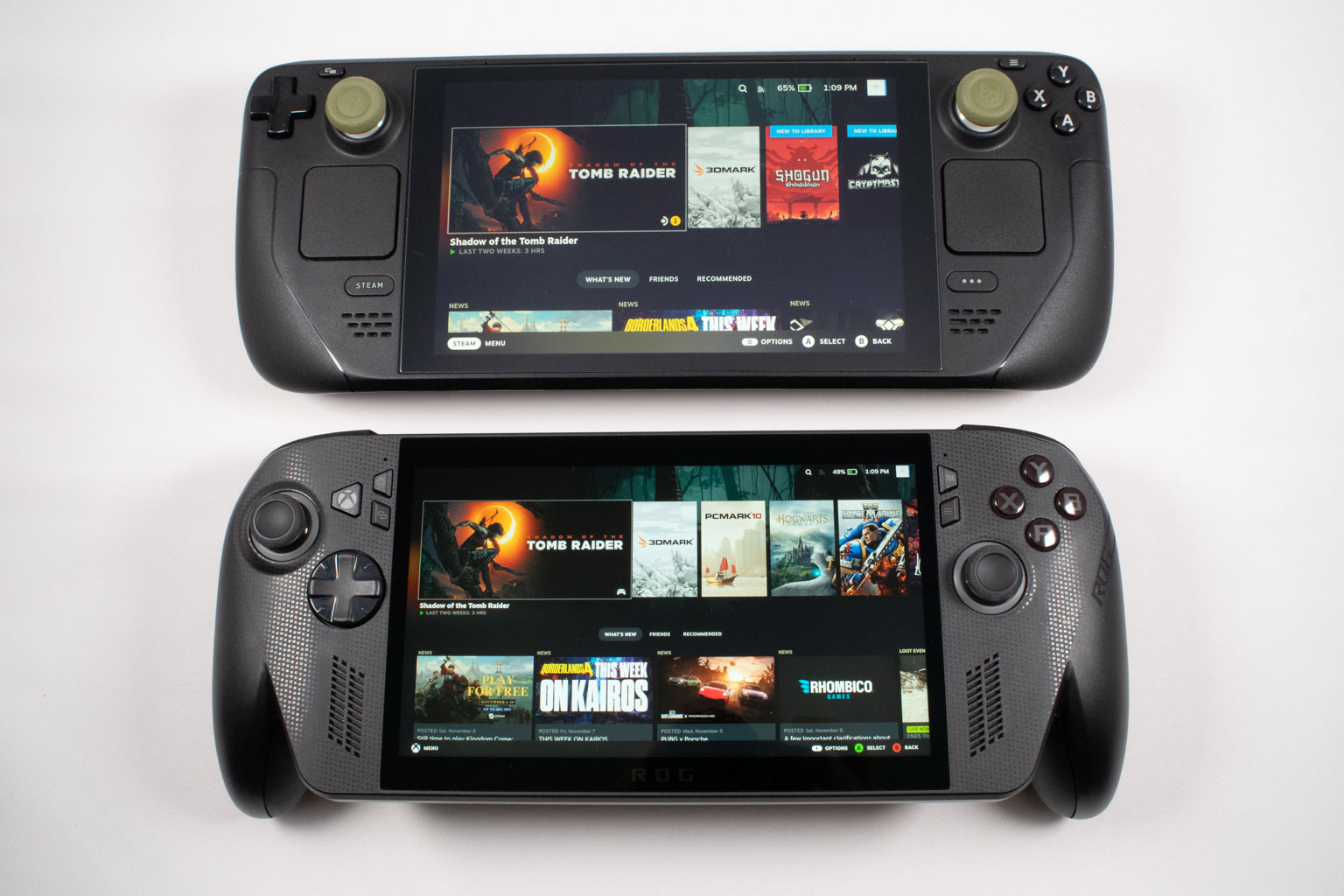
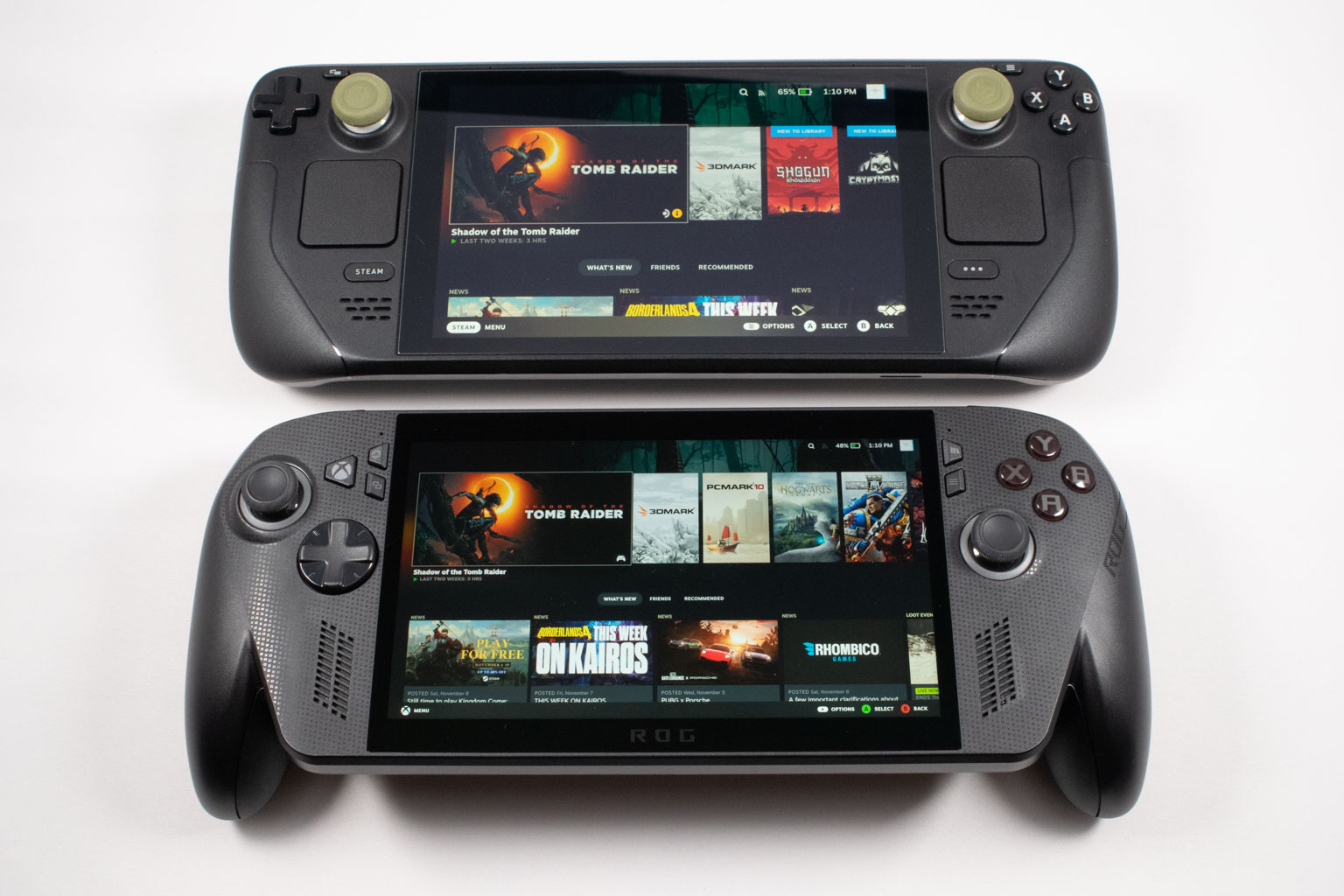
Compared to a Steam Deck LCD, the ROG Xbox Ally X is a tad taller and thicker while packing the same-sized screen.
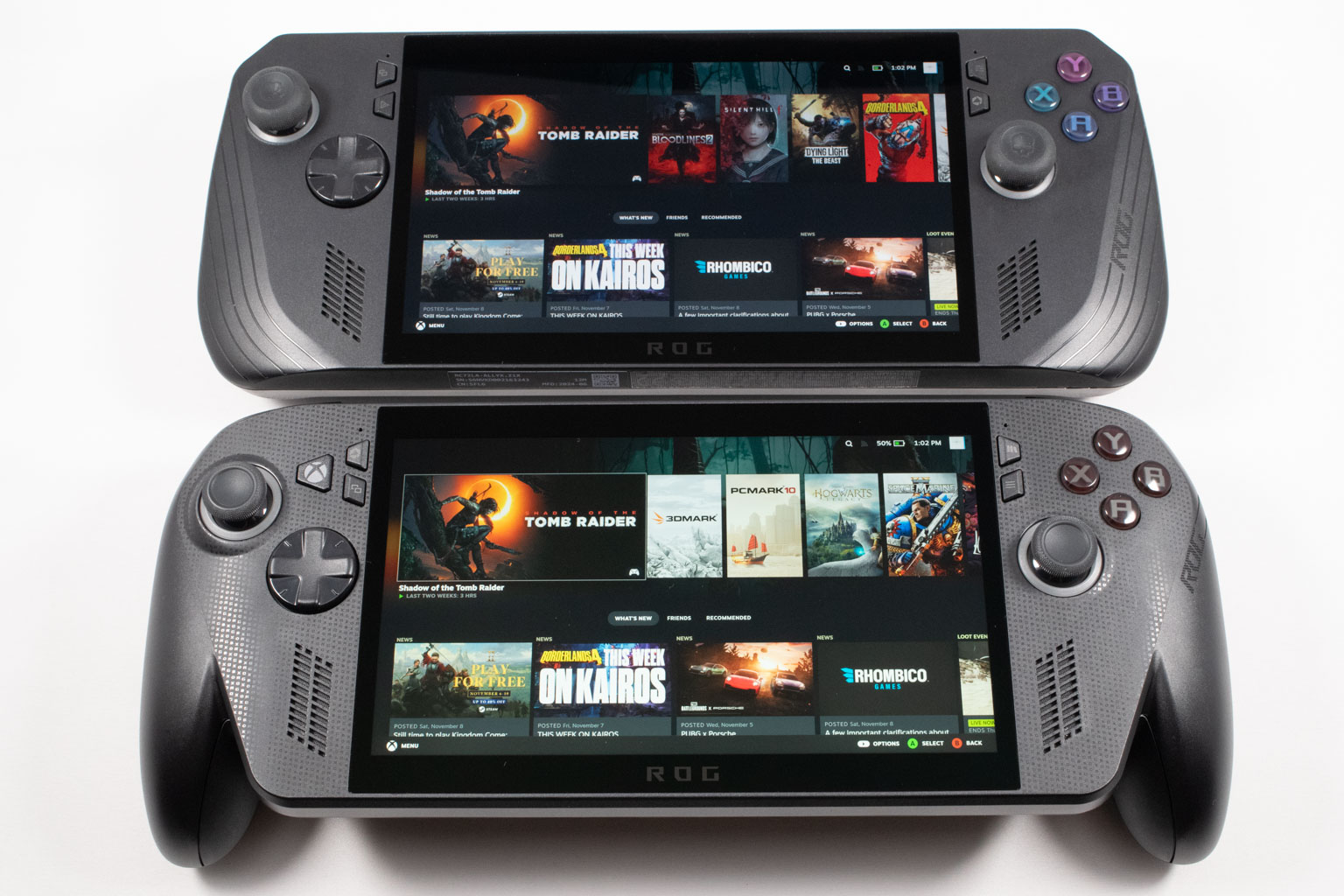
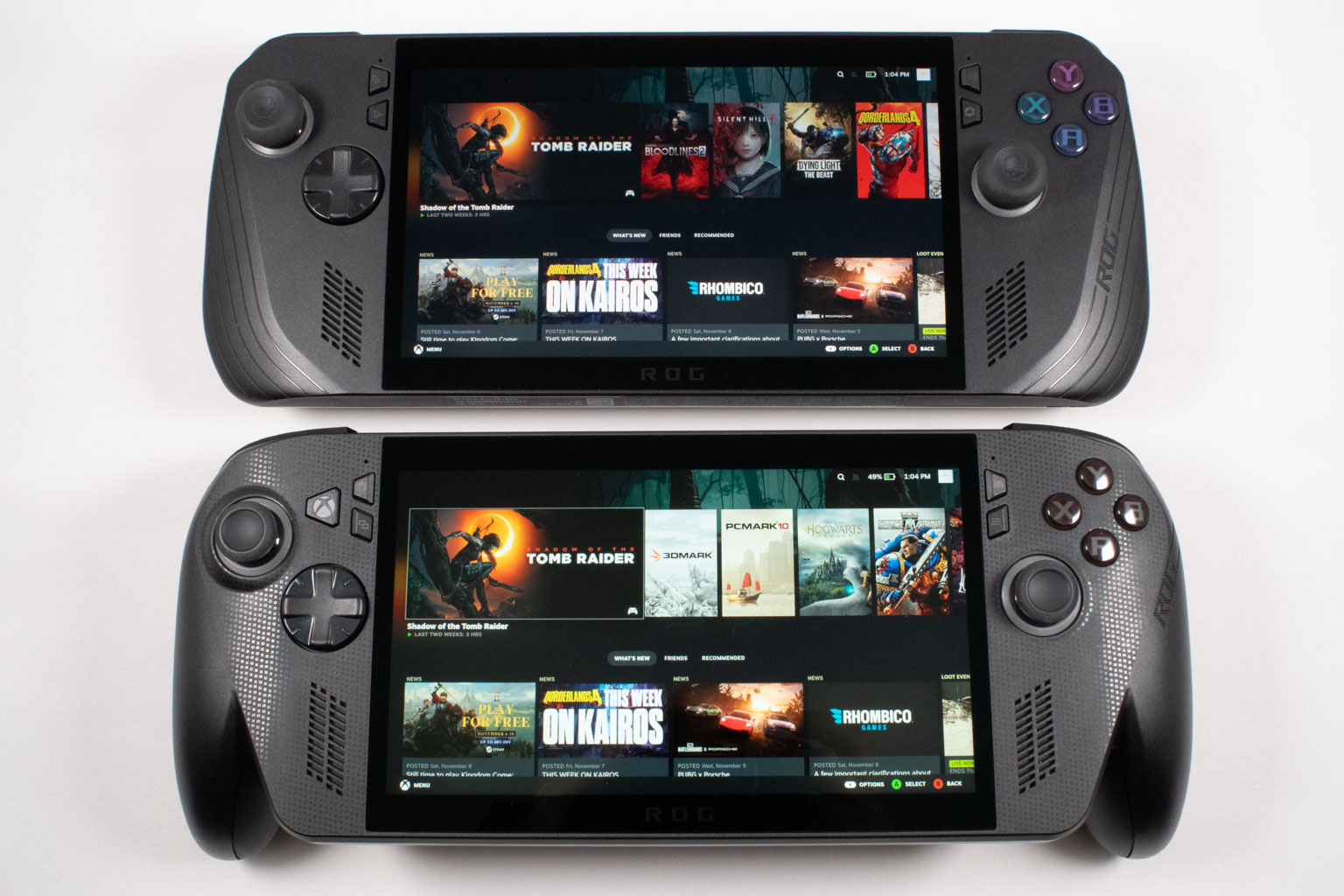
When placed next to an ROG Ally X, the ROG Xbox Ally X appears wider and taller. The Xbox-branded ROG Ally is also much thicker, even if we only consider the middle part of the chassis that doesn't include the grips/handles.

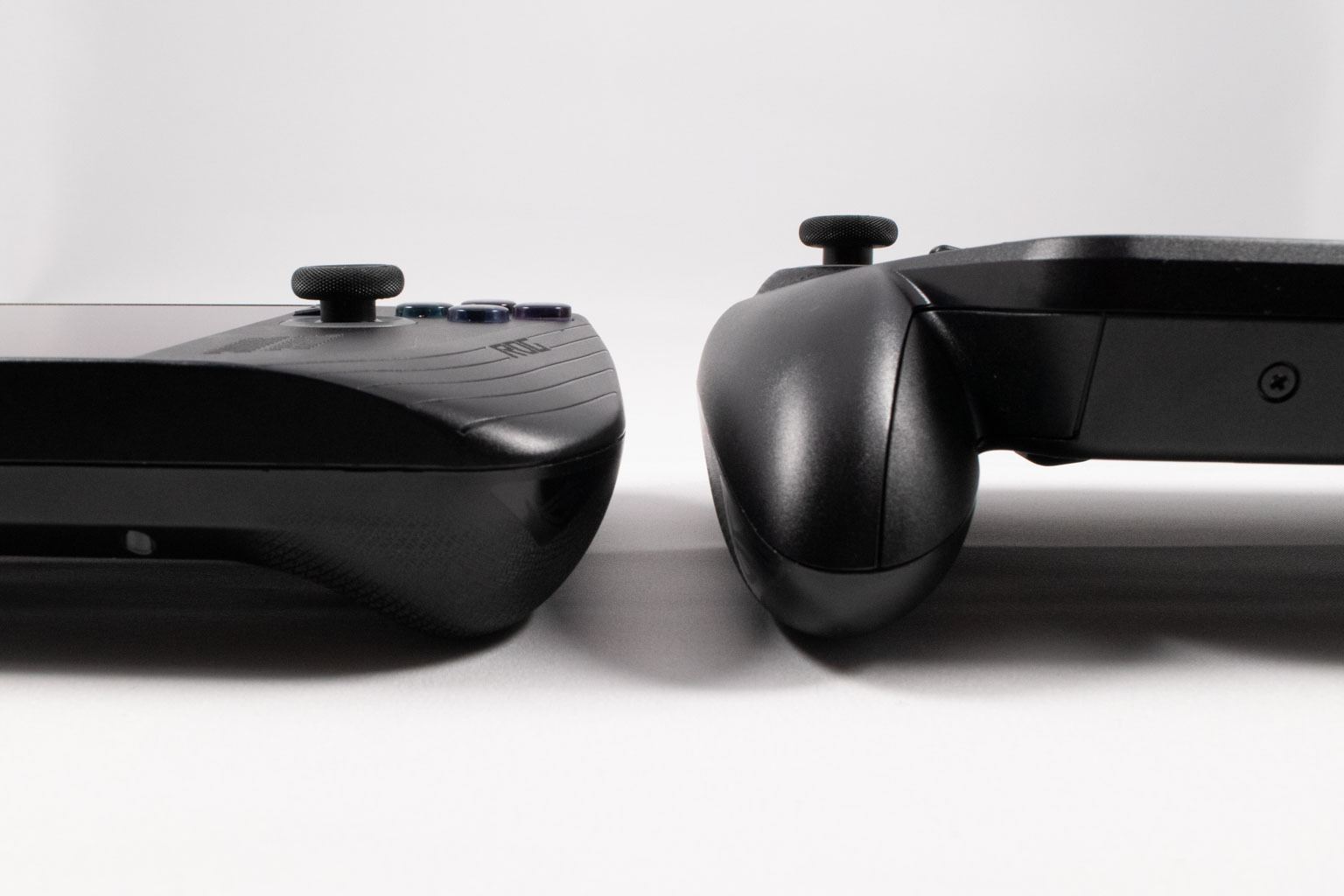
The Xbox Ally X is curvier than its predecessor. While it's got a considerably larger footprint, it's worth it for the much higher level of ergonomics, thanks to the pair of super-grippy controller-like handles. It also feels lighter in hand than the Ally X despite actually weighing more.
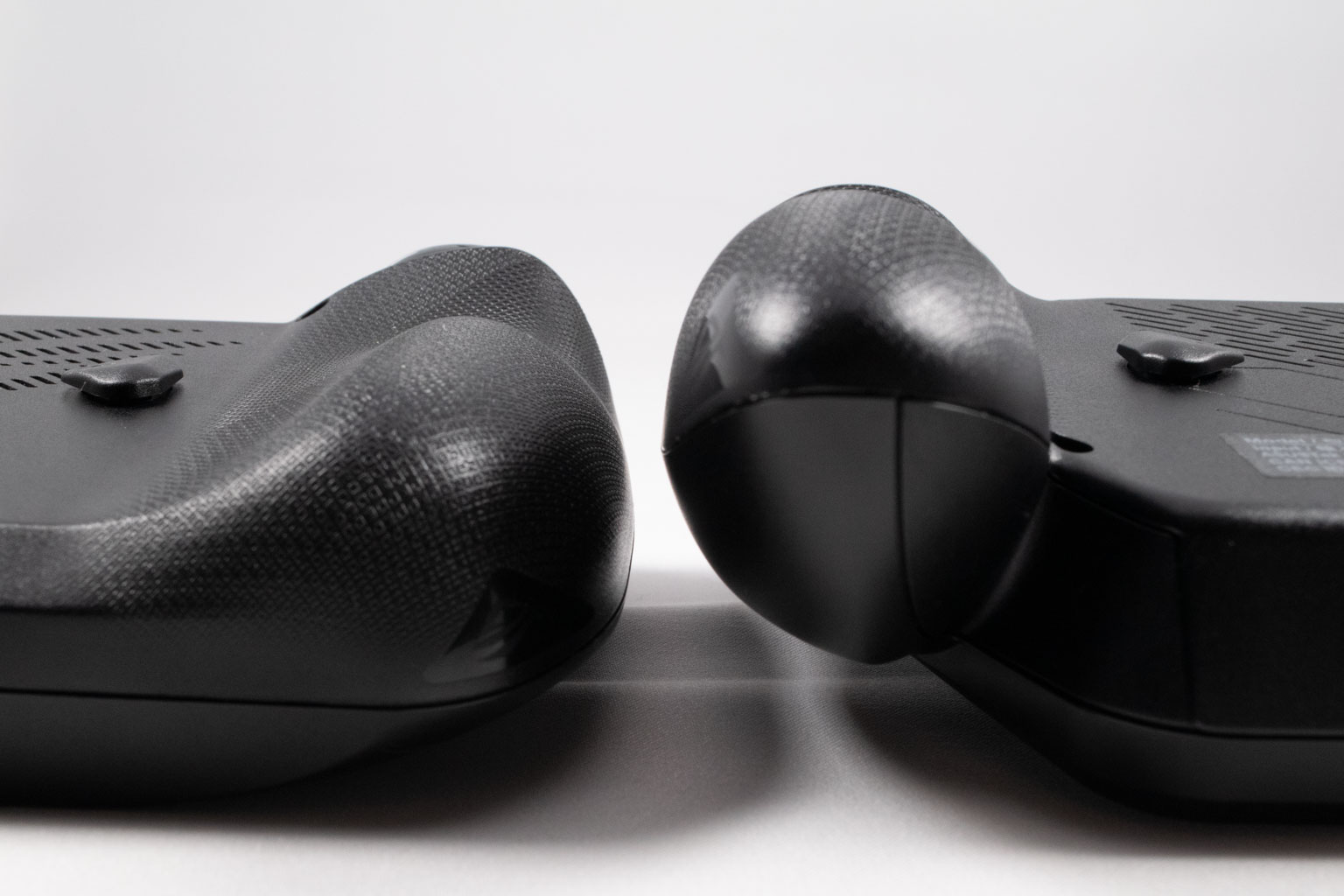
The reason the Xbox Ally X feels much lighter stems from the handles, which do wonders for its weight distribution and the subjective feeling of weight when held. Compared to the Xbox Ally X, the ROG Ally X feels like a brick made of pure lead despite its solid ergonomics.
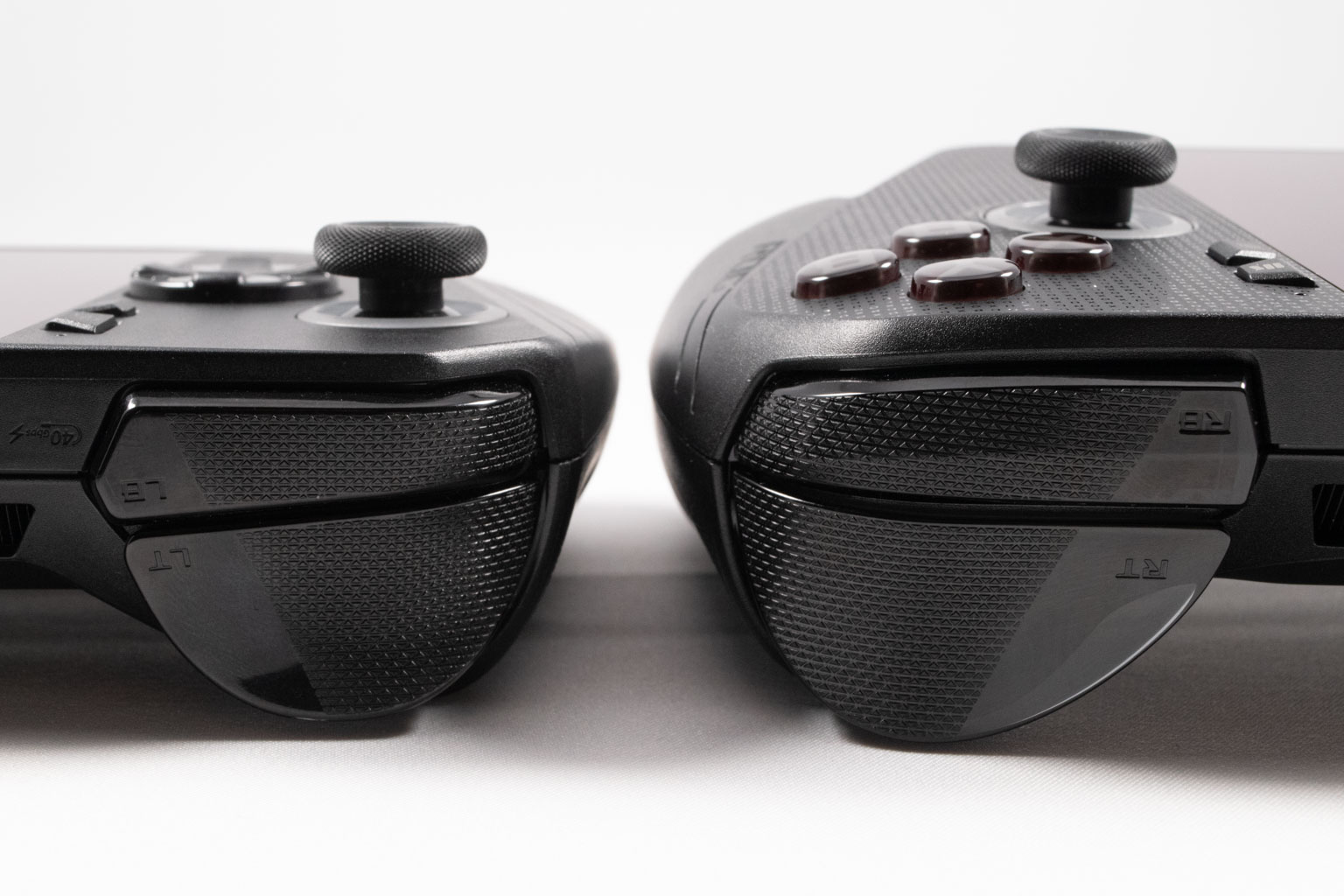
While the bumpers and triggers on the ROG Ally X were already very wide and comfortable to use, the bumpers and triggers on the Xbox Ally X are even wider, making them a joy to use even if you've got smaller hands.
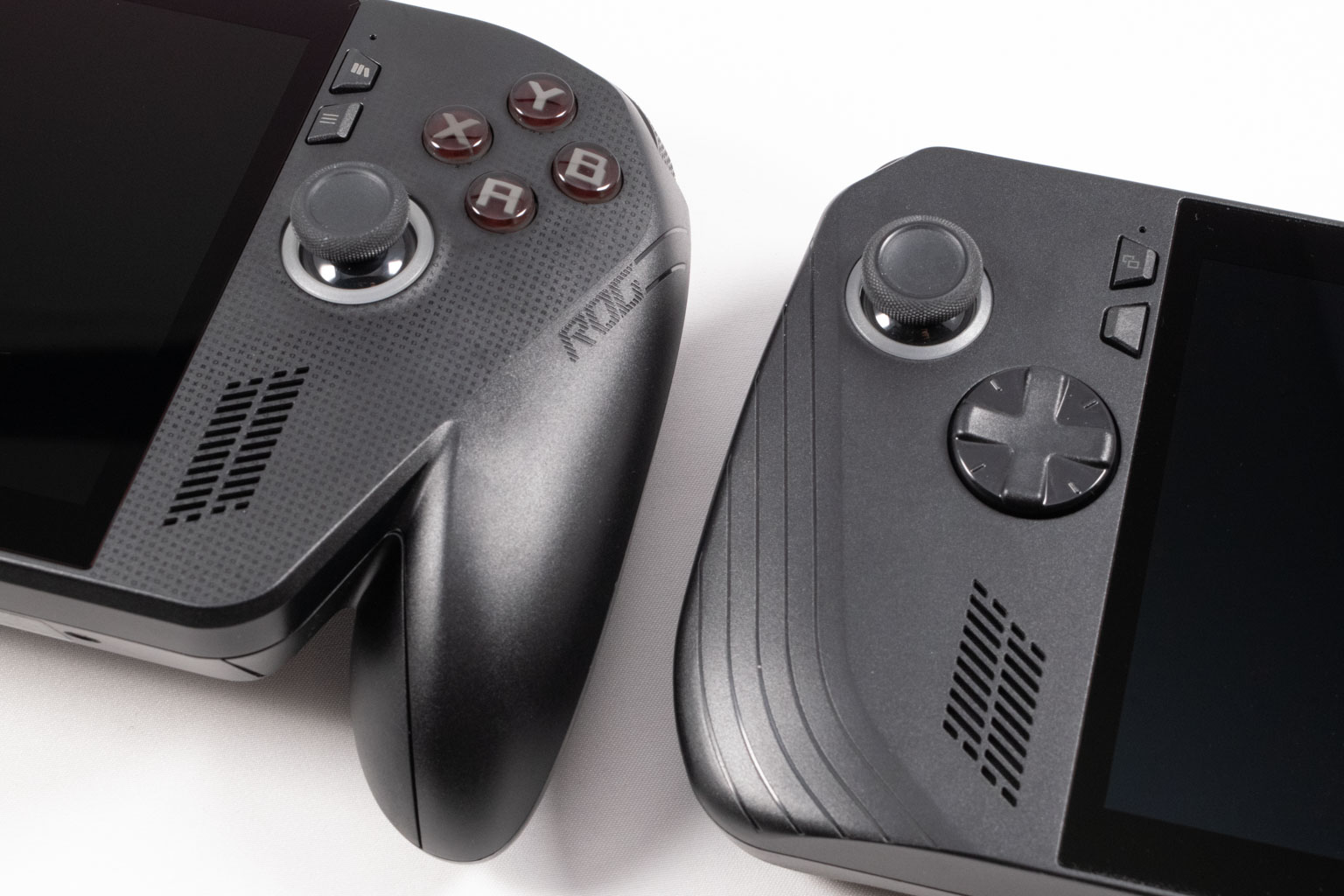
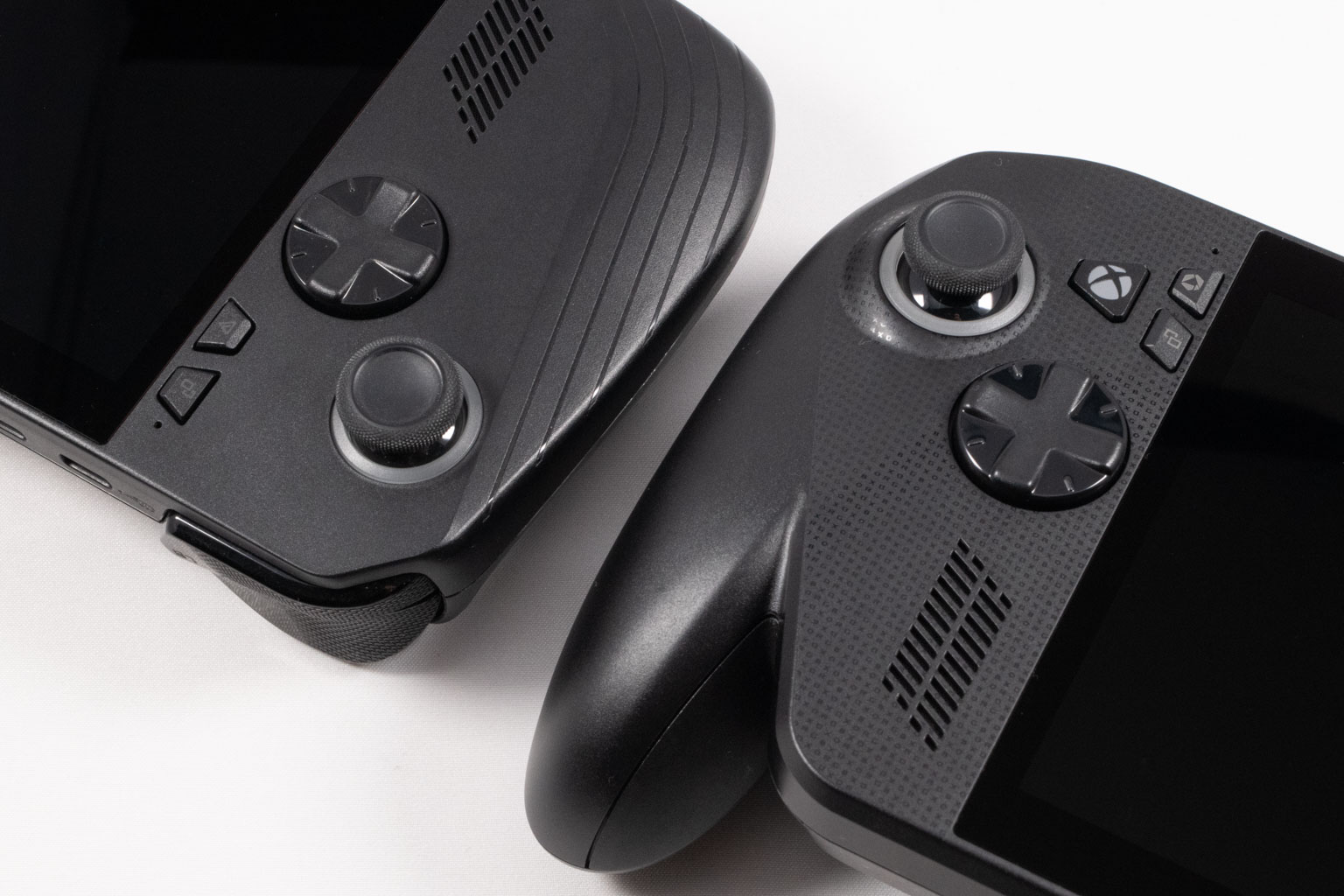
The two devices share the same analog sticks, but those on the Xbox Ally X feel smoother because there's zero friction between the thumbstick's plastic domes and the chassis, something that's slightly noticeable on our ROG Ally X, in contrast.

At the bottom, we can find the same rear buttons on both devices. While they work rather well on the Ally X, they feel too stiff on the Xbox Ally X because they are located quite far from the handles, making them harder to reach and press.
Nov 23rd, 2026 07:19 CST
change timezone
Latest GPU Drivers
New Forum Posts
- RAM overclock cause worse feeling than JEDEC (4)
- UPS what one to get? (50)
- What are you playing? (26242)
- Increasing Power Limit? (11)
- Battlefield 6 (964)
- Your PC ATM (36461)
- repair an NVIDIA Quadro M4000 (3)
- GTA VI (23)
- Honestly, do you care about GTA VI? (272)
- Youtube channel video downloader, not playlist. (2)
Popular Reviews
- Microsoft Surface Laptop Ultra Review - The Next-gen Arm Laptop
- Corsair RM1200e (Second Generation) Review
- Upcoming Hardware Launches 2027 (Updated Nov 2026)
- Pulsar Office Tour & First Look at P1 Dual-Sensor Mouse
- Ugreen NASync DXP4800 GT Review
- AMD Ryzen 7 9800X3D Review - The Best Gaming Processor
- AMD Zen 6 Technical Deep Dive
- Phantom Blade Zero Performance Benchmark Review - 35 GPUs Tested
- AMD Ryzen 7 5800X3D 10th Anniversary Review
- Biwin Black Opal NV7400 2 TB Review
TPU on YouTube
Controversial News Posts
- NVIDIA Co-Founder and CEO Jensen Huang Officially Resigns (492)
- Report: Jensen Huang Eyes NVIDIA Comeback (269)
- Open Letter Asking NVIDIA to Reinstate Jensen Huang Passes 115,000 Signatures (184)
- OpenAI CEO Argues Home PCs Waste the World's Limited DRAM Supply (152)
- NVIDIA Launches Investigation Into Jensen Huang's Relationship With Suspected Chinese Spy (136)
- Intel "Raptor Lake Next" 16-Core and 20-Core CPUs Surface (130)
- NVIDIA GeForce RTX 50-Series Scheduled for up to $500 Price Hike This Week (89)
- Intel Razor Lake Gets a 12 P-Core bLLC Chip With No E-Cores, Per Leak (86)