 35
ASUS ROG Xbox Ally X Review
Display & Audio »Controls and Ergonomics

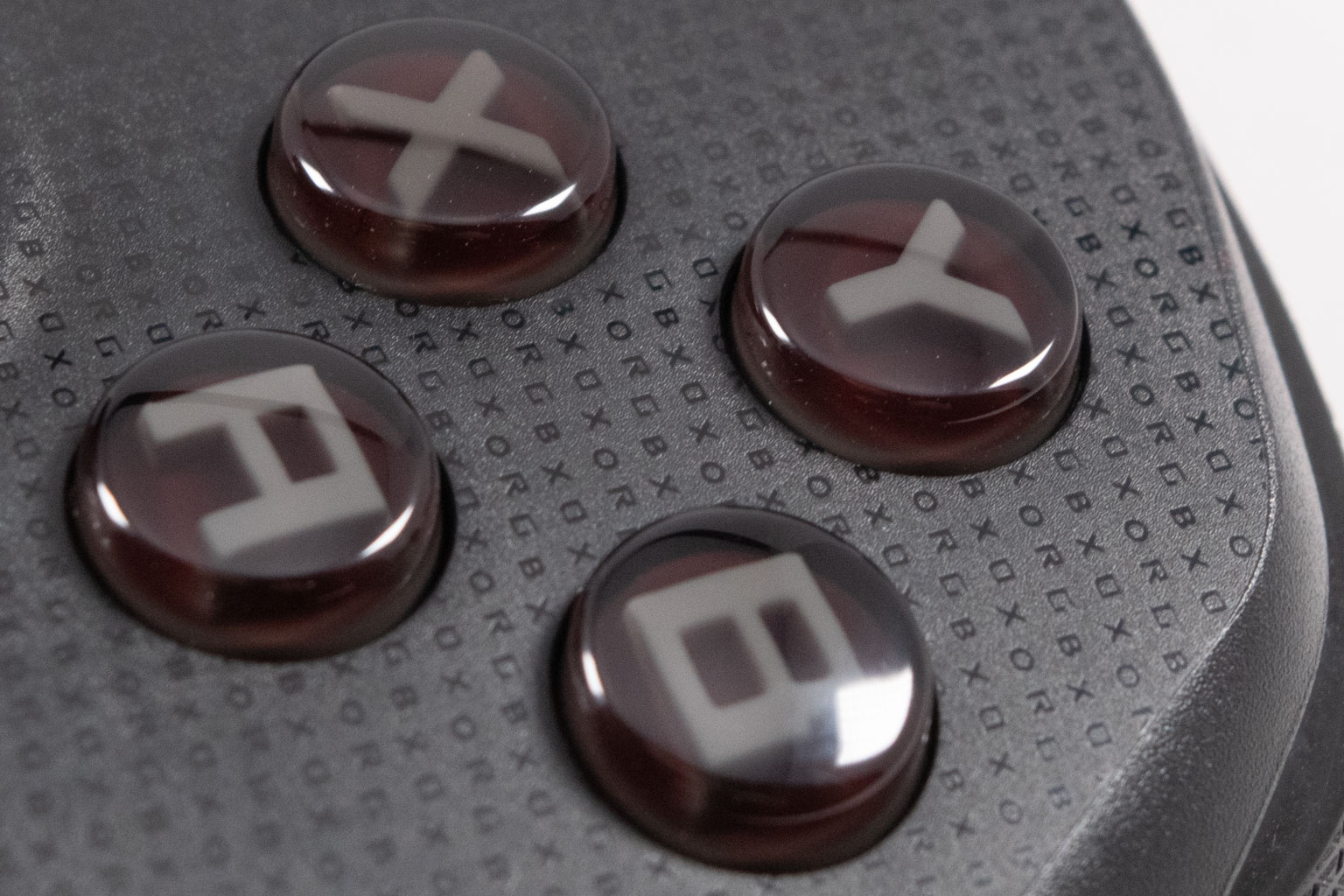
As always, we begin with the face buttons. Overall they're fine, but nothing to write home about. They feature rather flat tops and are rattlier than on the ROG Ally X. The level of feedback is just a tad below what we'd deem just right, but they feel rather pleasant under the fingers.
Also, despite using rubber dome switches, the face buttons are quite loud. We can't say we like them, but we also don't consider them a genuine drawback. In any case, we prefer the face buttons on the Steam Deck and MSI Claw 8.
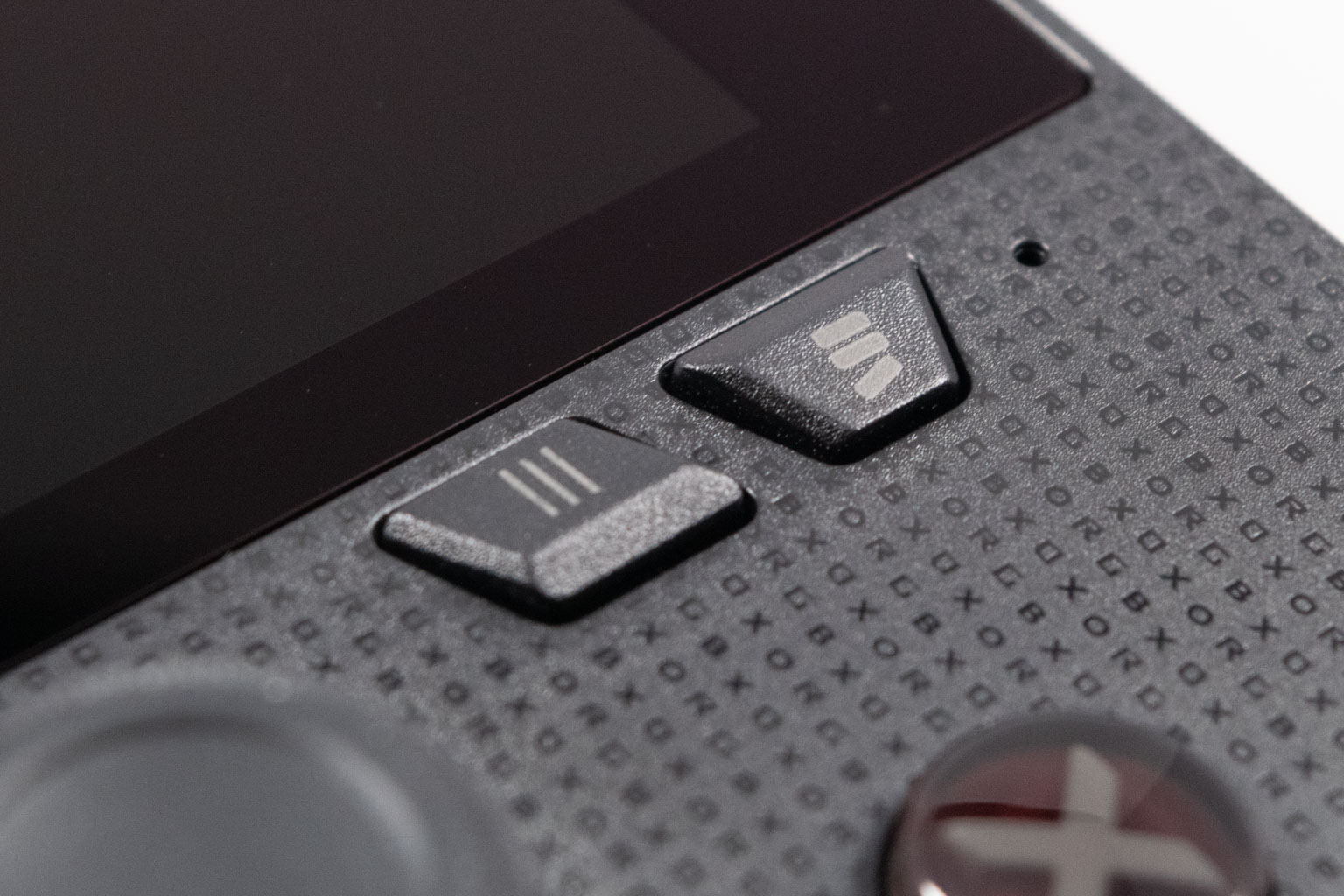
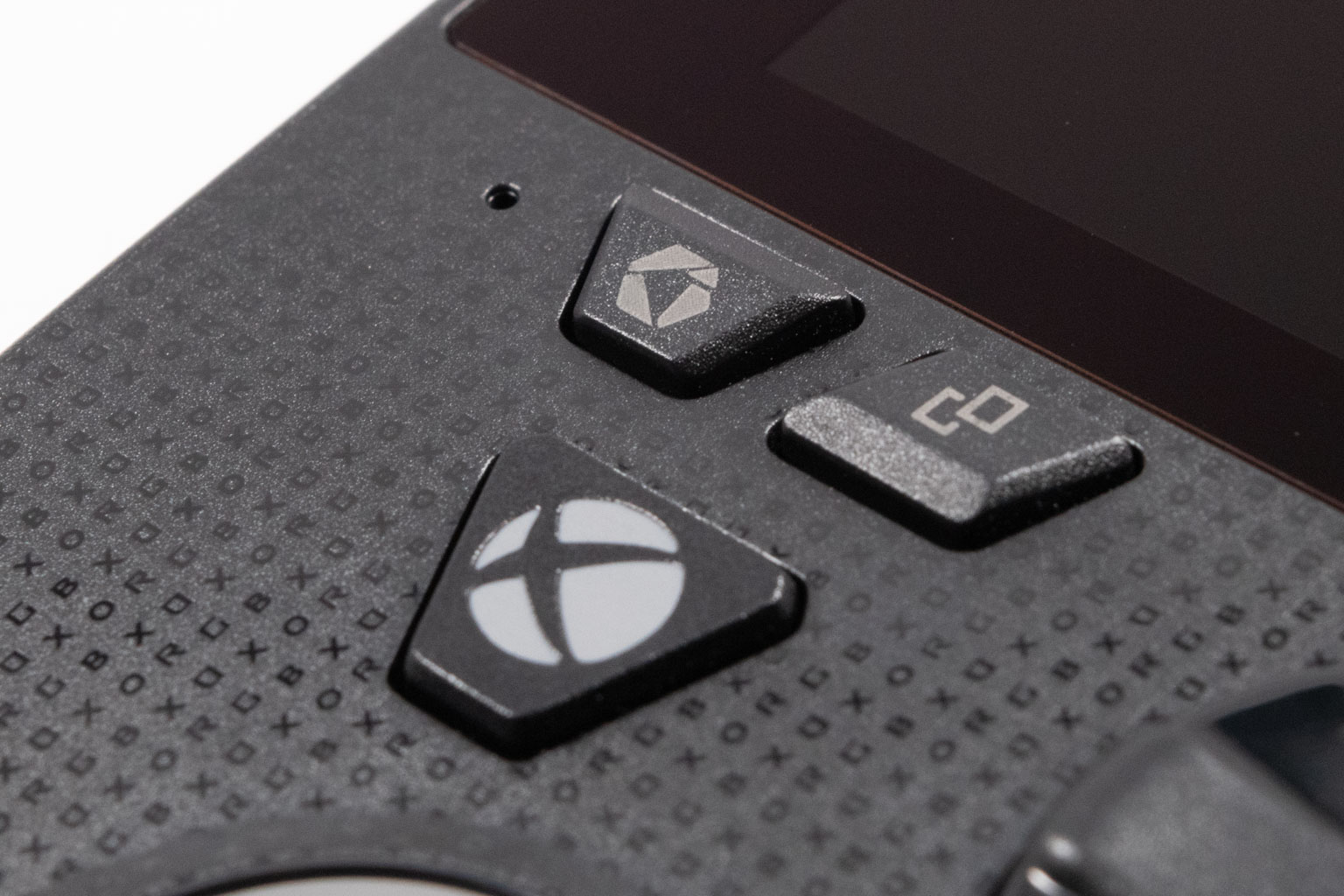
Moving on to the four extra buttons placed around the screen, and we just don't get why ASUS decided to swap their places. Instead of Start and Select being at the top, with the other two being below, they're now the other way around, and we just don't get why. This made the first week of testing the device filled with opening the Control Center (quick settings) panel and the Xbox app's library (the second button can be remapped, but by default it opens the Xbox app's library) instead of pausing the games, and vice versa.
We suppressed our muscle memory after some time, but then we'd mispress the buttons on the ROG Ally X and ROG Ally when benchmarking games (sigh). If you're a regular gamer who doesn't use other handhelds, this shouldn't be a long-term issue. But since we regularly review games on multiple handhelds, it can be pretty annoying.

Lastly, there's the fifth button, the Xbox button. Holding it while in the Xbox FSE opens the multitasking interface, allowing you to switch between open apps with the d-pad. Pressing the button opens the Game Bar's home tab, where you can access recently played games as well as game launchers you've got installed.
The five extra buttons are all clicky and feature very sharp feedback. While this makes the four smaller buttons quite hard to press, the larger Xbox button feels just right.

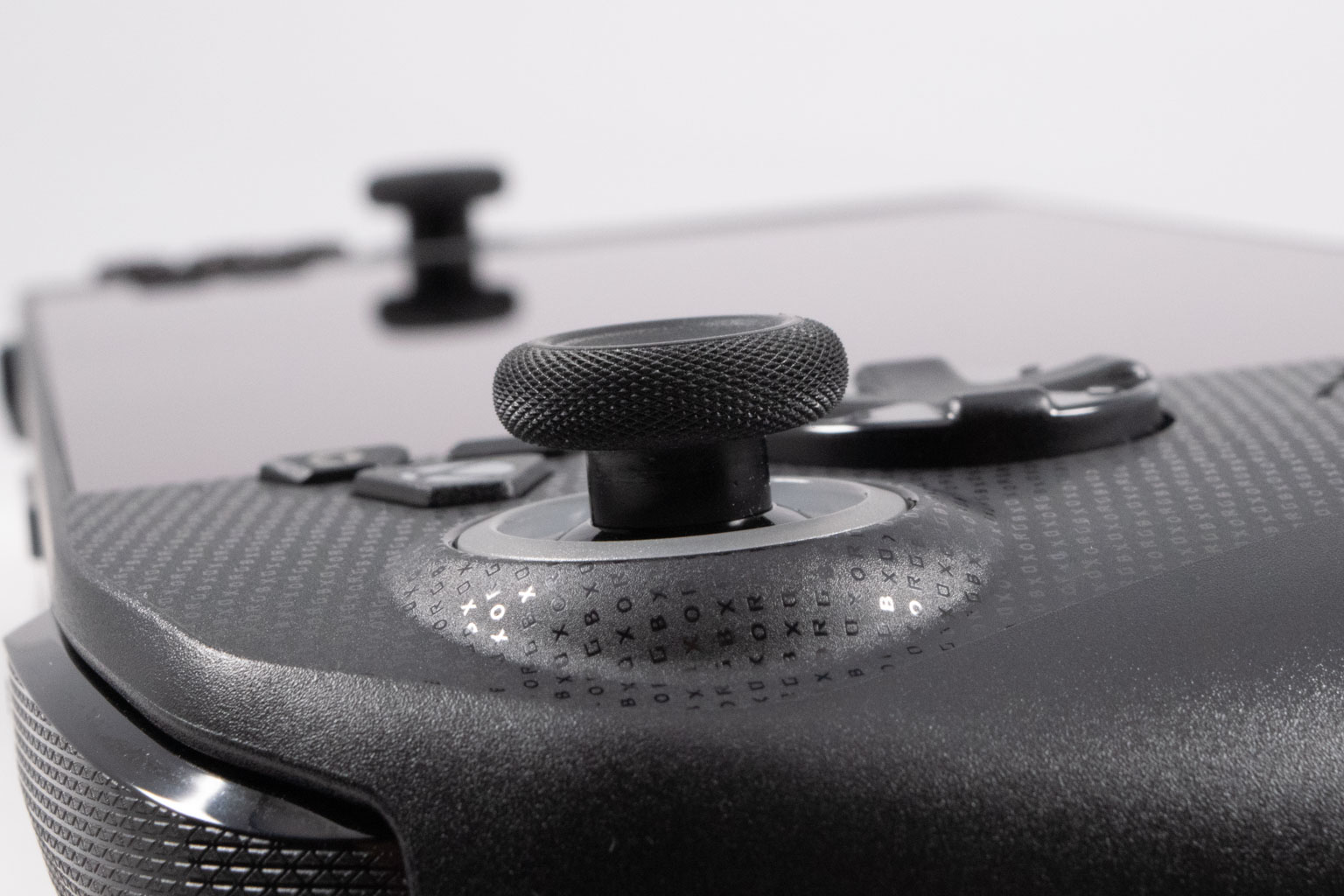
The thumbsticks are the same ones used on the ROG Ally X, which means no Hall-effect nor TMR thumbsticks for you this time. While they feature mechanical joysticks, the thumbsticks feel great. They're tight, with just the right amount of resistance, the concave tops are super grippy, and moving them around feels smooth as butter. Excellent sticks that are now easier to replace.
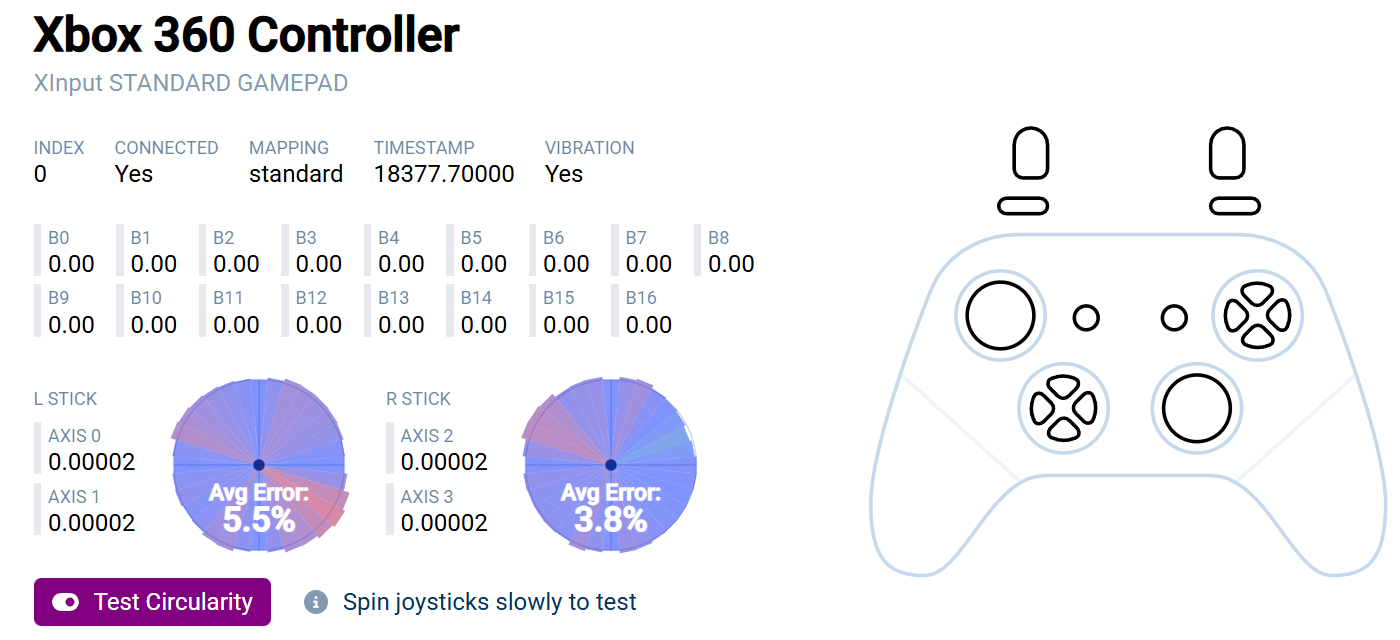
We used HardwareTester for testing the analog sticks. While not perfectly circular—likely due to using mechanical joysticks—they feel great when playing games, especially first-person shooters. We didn't notice any issues during testing.

The d-pad is the same one seen on the ROG Ally X as well. Overall, it's decent but prone to mispresses in games where precise input is critical, such as Lumines or Tetris. For instance, you will accidentally fast-drop blocks because the d-pad will register pressing up or down when you press left or right a bit harder, or are a bit off the horizontal axis. The story's different in 2D platformers, in which the d-pad feels and works rather well.
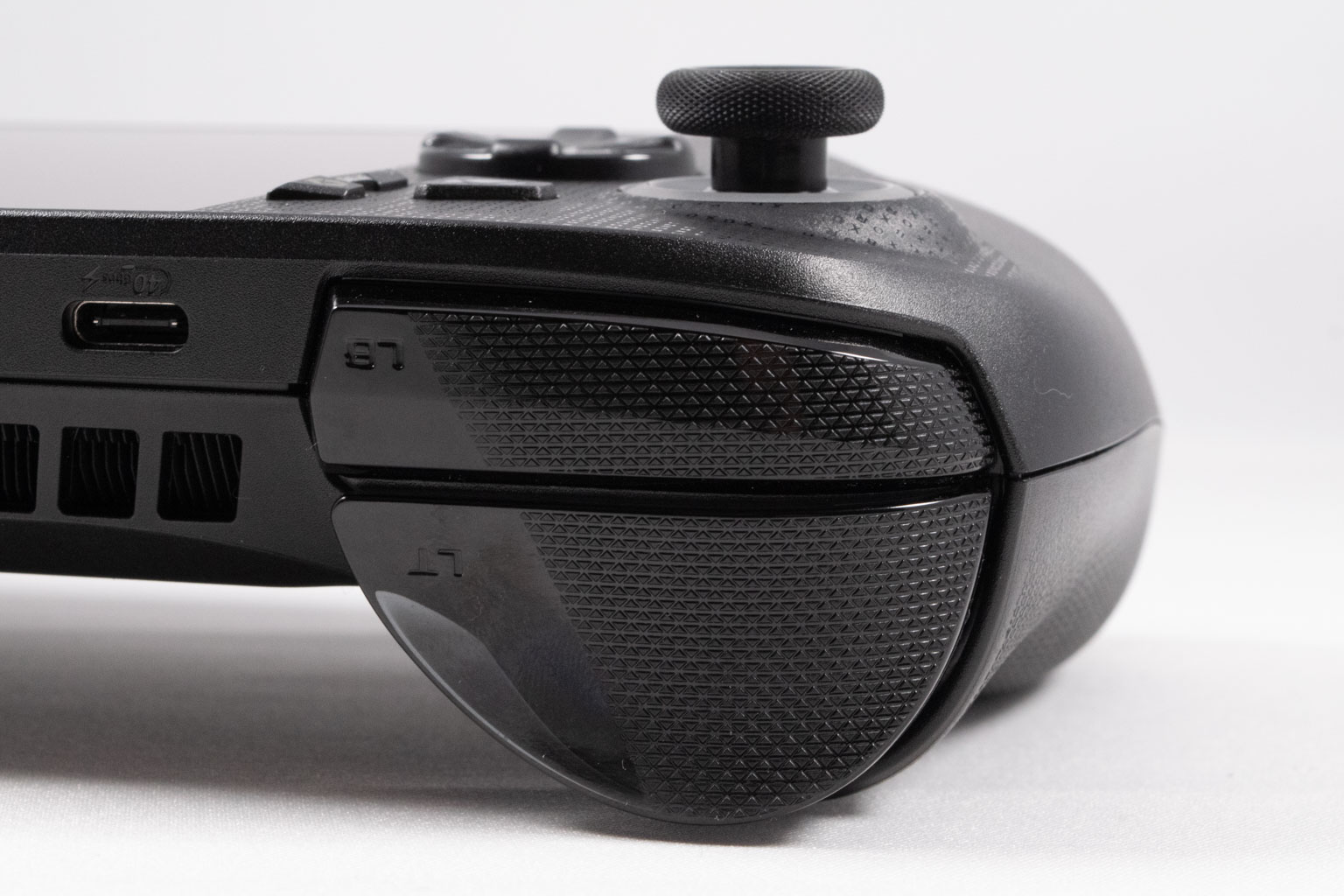
The bumpers are clicky, massive, easy to press, and feel great under the fingers. The only issue is that—due to the extra width of the handheld and the fact that you're wrapping your fingers around the handles, restricting their movement—they can be a tad hard to reach, especially in games where you rest your fingers on the triggers. That said, you can click them with the middle phalanx (the part of the finger between the two knuckles) when resting your index fingers on the triggers.
As for the triggers, they're very wide and comfortable to use, but are a bit too loose for our taste. Playing racing games is fine, but you're getting very little resistance when pressing the triggers, making feathering the gas in corners harder than it should be. We'd like them much more if they had ~30% more resistance when pressed.
Triggers also support rumble, branded by Microsoft as impulse triggers. While the rumble's technically there, it's very weak and doesn't add much to the experience when playing racing games. Still, it's better than nothing since now you can feel cars oversteering in games that support impulse triggers, such as Forza Horizon 5, which is a plus. The regular rumble is also quite feeble—zero improvement over the ROG Ally X—which is a shame considering you've got two massive handles that could've housed proper rumble motors.
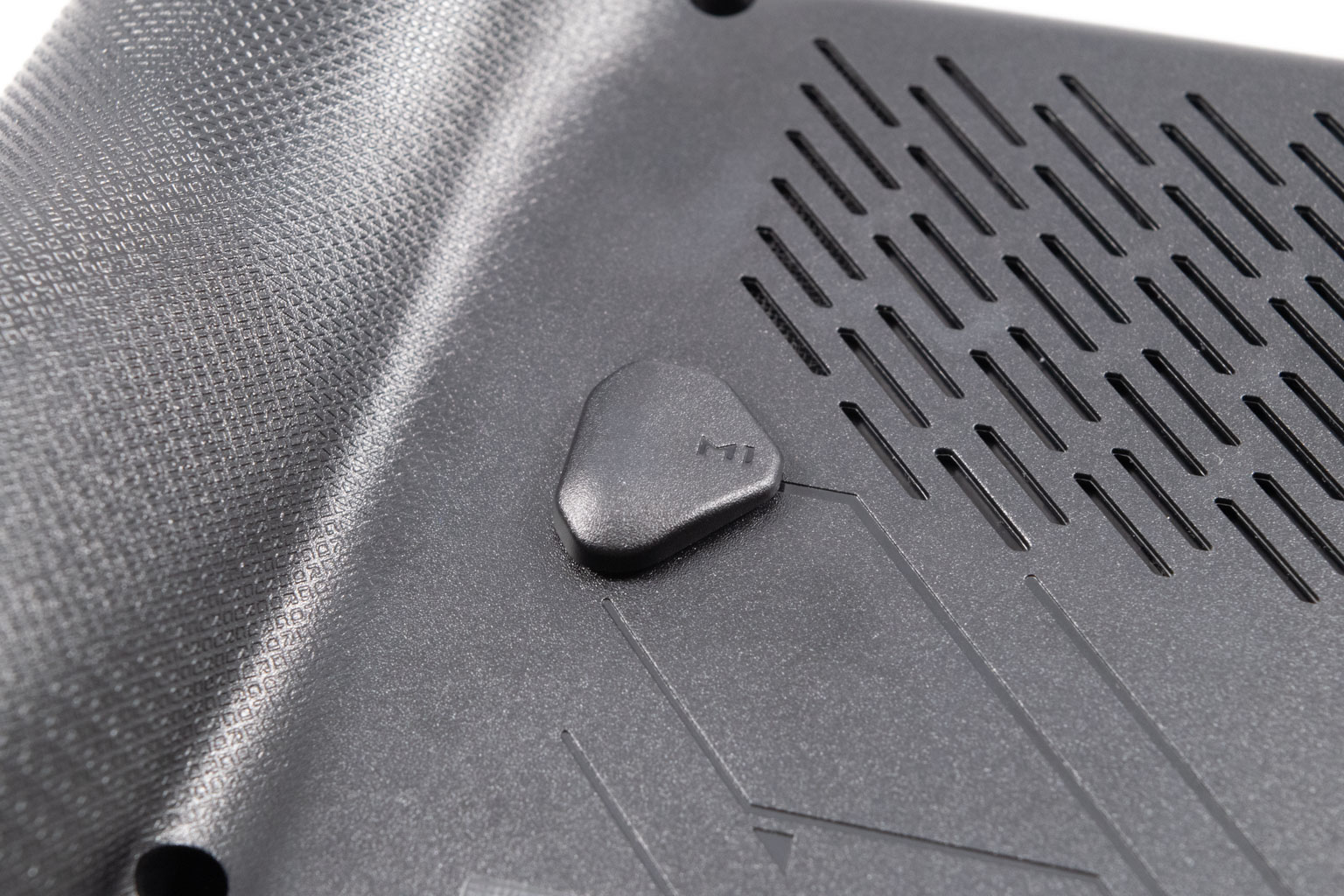
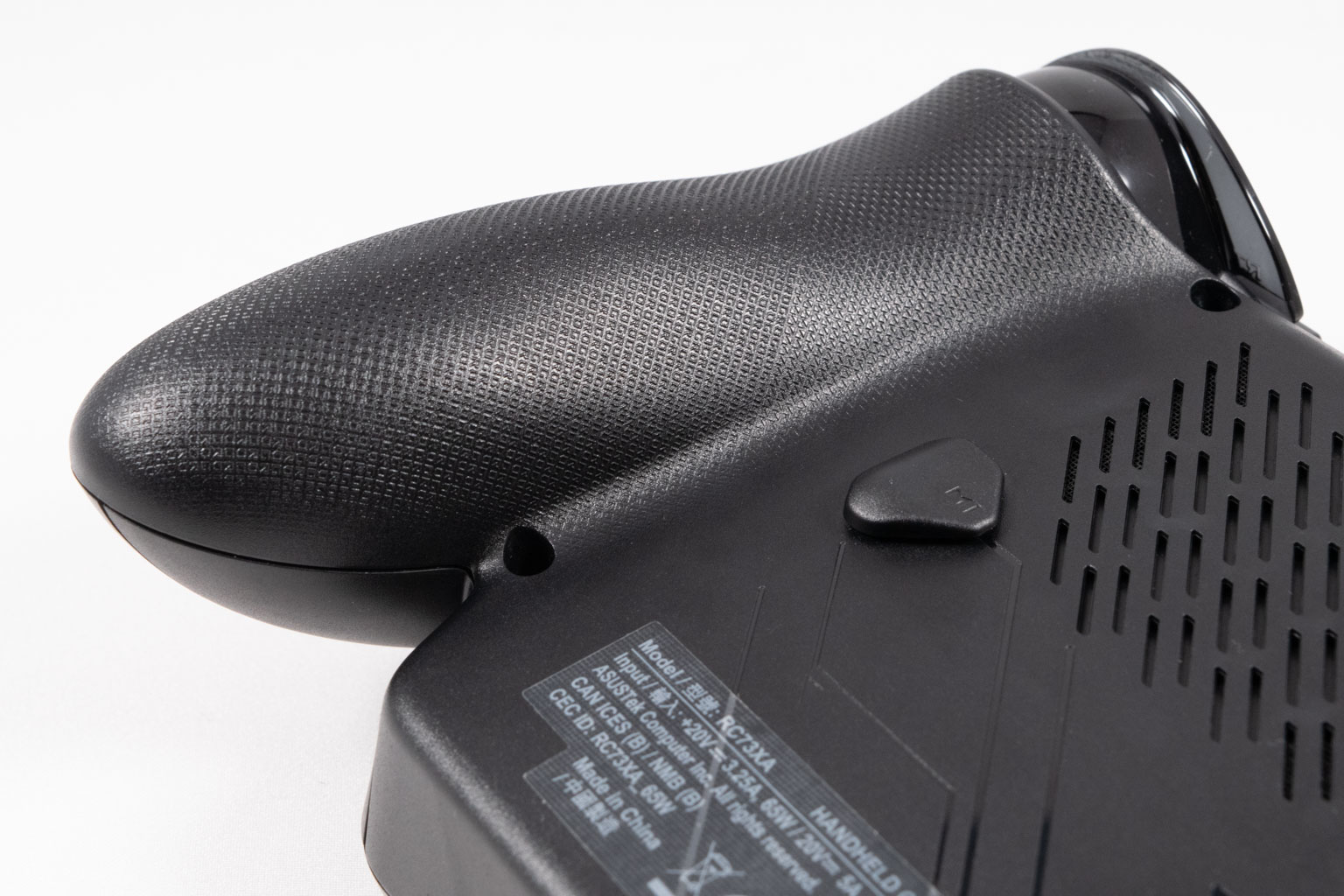
The two rear buttons are the same as on the Ally X. While they feel pretty good on the Ally X, they're very hard to press on the Xbox Ally X, despite featuring the same actuation force. It's because your fingers wrap around the Xbox Ally X's handles, making the rear buttons hard to reach, which in turn makes them hard to press since their actuation force is very high.
ASUS should return to the drawing board and redesign the rear buttons again. Ideally, they should be part of the handles, which would make them easier to press. If anyone from ASUS is reading this, just check the rear buttons on the 8BitDo Ultimate controller to see what I'm talking about.
Lastly, the power button is easy to reach and press, the built-in fingerprint sensor works rather well, and while the volume rocker feels just right when pressed, it's hard to reach given the device's extra width compared to the ROG Ally X.
Overall, the ROG Xbox Ally X has solid controls. Yes, the d-pad and triggers are a bit loose, the face buttons are a tad too rattly and loud, and the rear buttons are hard to reach and press. But on the flip side, we love the thumbsticks and bumpers and find the triggers very comfortable. The d-pad is also pretty good, as long as you don't play games that require ultra-precise d-pad inputs.
Ergonomics
The ROG Xbox Ally is, hands down, the most comfortable PC handheld on the market. I knew that the moment I wrapped my hands around its handles. I just shouted, "Dang, this is comfy!" The ASUS ROG Xbox Ally X easily trumps the Steam Deck, as well as the MSI Claw 8, both of which I find very comfortable in their own right.
Those handles, man, they're a game-changer. As you may know by now, my right wrist is in bad shape, and it starts hurting after I use the Ally X or Steam Deck for less than an hour when lying down. But I can game on the ROG Xbox Ally X for hours in any position without feeling even the slightest discomfort in my wrists, let alone pain.
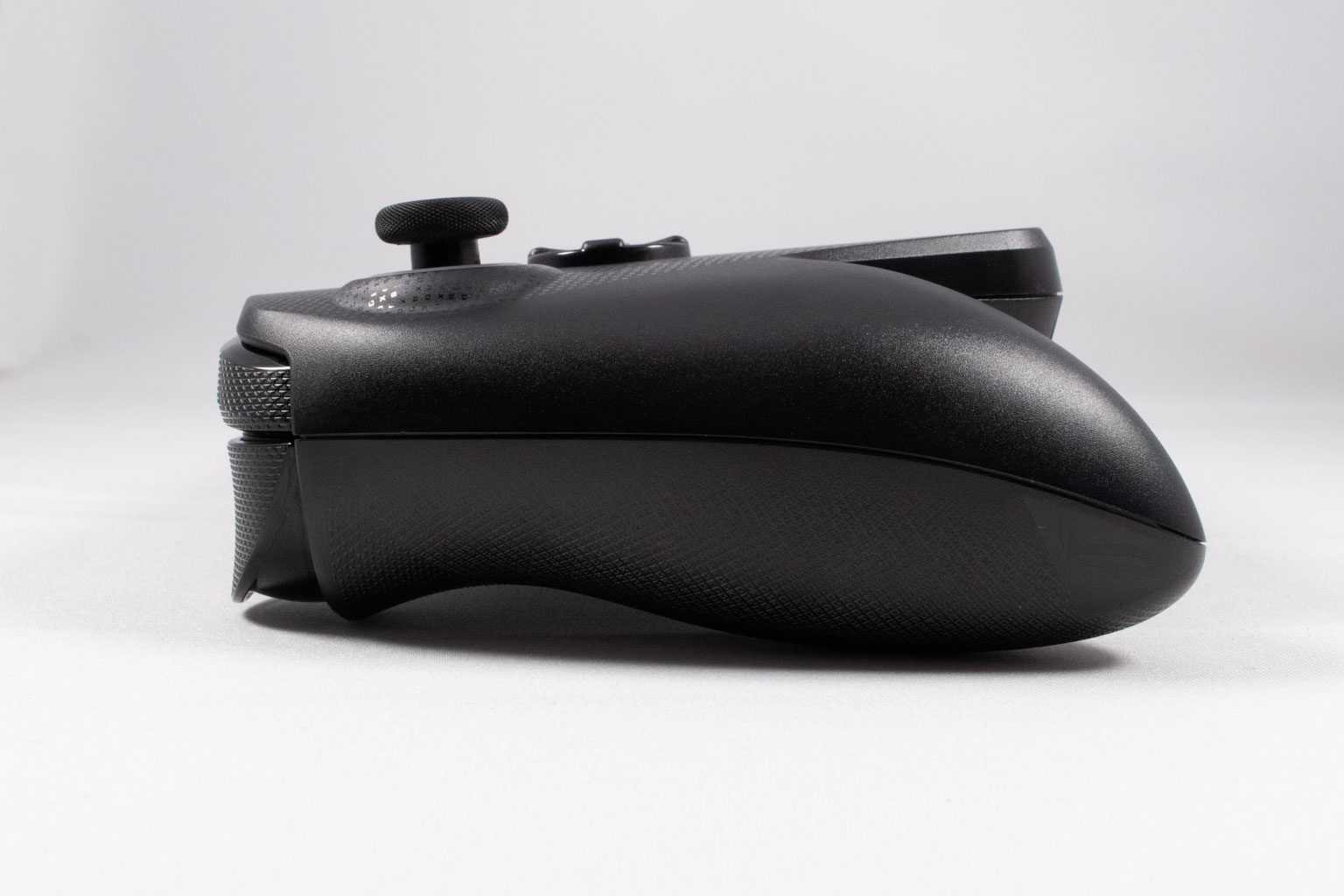
I spent a whole day playing games on the Xbox Ally X multiple times during testing (one Sunday, I spent about eight hours playing The Rogue Prince of Persia), and I didn't feel pain in my right wrist once. My elbows would occasionally feel numb, but as long as you've got solid cushioning under them, repositioning them and moving them around a bit removes the numbness.
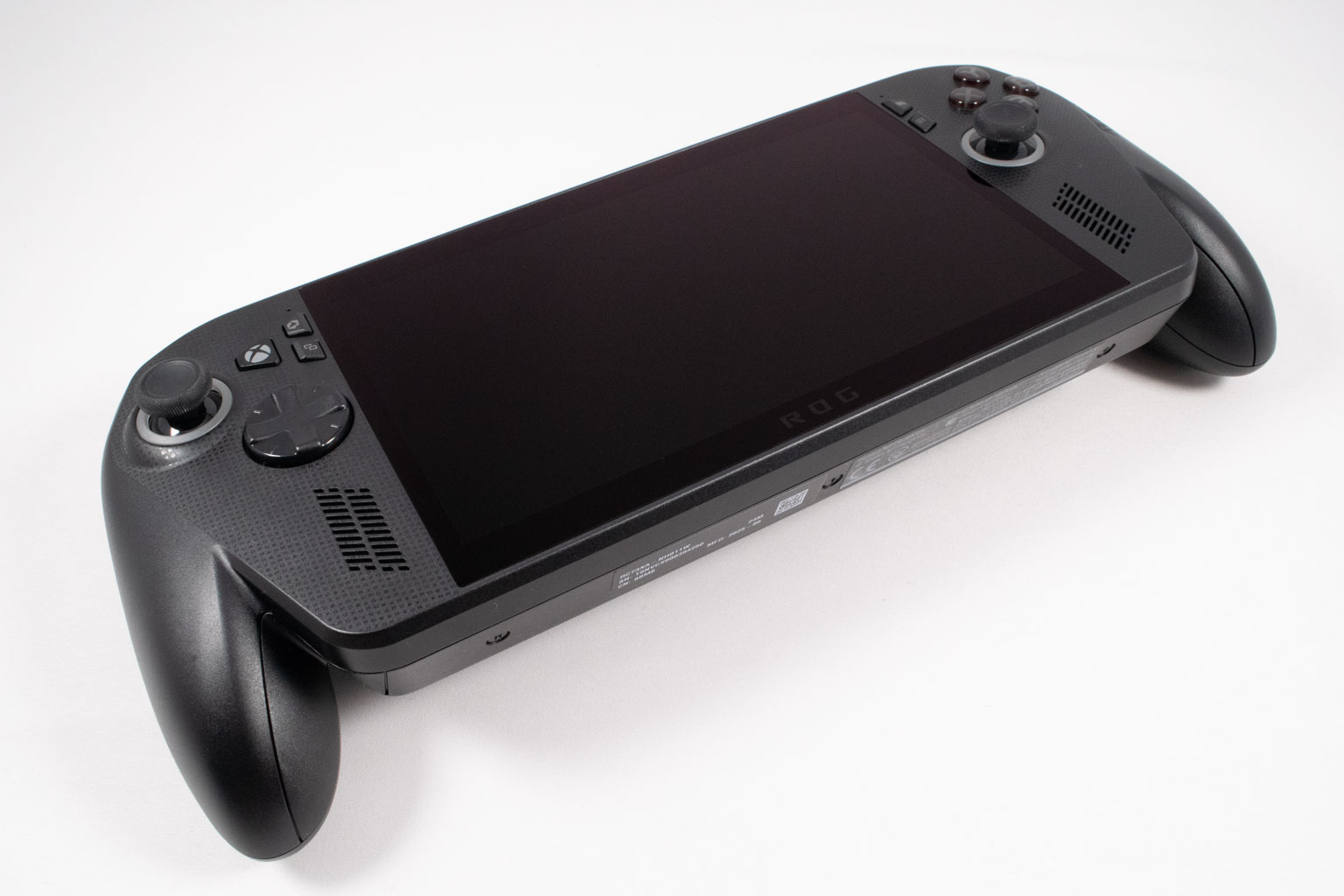
Unlike most other PC handhelds, holding the Xbox Ally X is like holding a controller. There isn't a single part of the handheld that directly exerts pressure on your palm and wrists because you wrap your fingers around the handles—allowing the weight to distribute evenly across the entire hand—which drastically reduces the force exerted on the wrists. If you have banged-up wrists like I do, you'll love this thing! It's 10/10 when it comes to comfort and ergonomics; it's ridiculously comfortable.
My message to other PC handheld vendors is to either just copy ASUS or try iterating on the Xbox Ally X's design by including even more comfortable handles on their future handhelds. Personally, I don't care about the handles making the Xbox Ally X wider and thicker; PC handhelds are getting larger and larger anyway. There's borderline zero reason not to make controller-like handles a mandatory part of every PC handheld design from this point forward.
The increased width and overall footprint do make reaching bumpers harder than on the Ally X, but this is a sacrifice I'm more than willing to make for the terrific level of comfort the Xbox Ally offers. Again, the ROG Xbox Ally X is a 10/10 in terms of the level of comfort.
Nov 23rd, 2026 07:06 CST
change timezone
Latest GPU Drivers
New Forum Posts
- RAM overclock cause worse feeling than JEDEC (4)
- UPS what one to get? (50)
- What are you playing? (26242)
- Increasing Power Limit? (11)
- Battlefield 6 (964)
- Your PC ATM (36461)
- repair an NVIDIA Quadro M4000 (3)
- GTA VI (23)
- Honestly, do you care about GTA VI? (272)
- Youtube channel video downloader, not playlist. (2)
Popular Reviews
- Microsoft Surface Laptop Ultra Review - The Next-gen Arm Laptop
- Corsair RM1200e (Second Generation) Review
- Upcoming Hardware Launches 2027 (Updated Nov 2026)
- Pulsar Office Tour & First Look at P1 Dual-Sensor Mouse
- Ugreen NASync DXP4800 GT Review
- AMD Ryzen 7 9800X3D Review - The Best Gaming Processor
- AMD Zen 6 Technical Deep Dive
- Phantom Blade Zero Performance Benchmark Review - 35 GPUs Tested
- AMD Ryzen 7 5800X3D 10th Anniversary Review
- Biwin Black Opal NV7400 2 TB Review
TPU on YouTube
Controversial News Posts
- NVIDIA Co-Founder and CEO Jensen Huang Officially Resigns (492)
- Report: Jensen Huang Eyes NVIDIA Comeback (269)
- Open Letter Asking NVIDIA to Reinstate Jensen Huang Passes 115,000 Signatures (184)
- OpenAI CEO Argues Home PCs Waste the World's Limited DRAM Supply (152)
- NVIDIA Launches Investigation Into Jensen Huang's Relationship With Suspected Chinese Spy (136)
- Intel "Raptor Lake Next" 16-Core and 20-Core CPUs Surface (130)
- NVIDIA GeForce RTX 50-Series Scheduled for up to $500 Price Hike This Week (89)
- Intel Razor Lake Gets a 12 P-Core bLLC Chip With No E-Cores, Per Leak (86)