 9
ASUS TUF Gaming B850I Wi-Fi Neo Review
(9 Comments) »Value and Conclusion
- The ASUS TUF Gaming B850I Wi-Fi Neo is available for US$270
- Tamed our PCIe Gen 5 SSD
- Excellent EFI and software
- Good CPU cooler compatibility
- Coped with a Ryzen 9 9950X in our stress test
- Four fan headers
- Dual display outputs
- CMOS clear and USB BIOS flashback buttons
- USB 3.2 Gen 2 10 Gbps Type-C header
- USB 3.2 Gen 2x2 20 Gbps Type-C port
- Expensive compared to better specced competition
- Below average number of rear USB ports
- Toasty VRM temperatures
- Below par audio
- Only two SATA ports
- Front Type-C header is only USB 3.2 Gen 2 10 Gbps
- No enhanced Type-C power delivery
- No enhanced GPU release mechanism
- M.2 ports lack tool-free installation
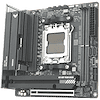
It's always good to see another Mini-ITX motherboard hit the shelves and ASUS now has an impressive three AMD options available in major markets, spread across X870 and B850 chipsets. Its previous offerings here have been excellent, if a little pricey, to the extent that they're out of reach for many, or in the case of the ROG Strix B850-I Gaming Wi-Fi, its price increases have put it out of contention somewhat. At $270, the TUF Gaming B850I Wi-Fi Neo needs to offer a solid feature set because the similarly priced competition certainly does.
For some reason, despite using the same Neo name as its siblings, the board doesn't have a 512 Mbit (64 MB) BIOS like other recent additions to the ASUS lineup, but the latest ASUS EFI and software are on the whole the best out there, so if they're an important consideration for you then it scores highly. It also managed the tricky feat of just about taming our toasty PCIe Gen 5 SSD with its large heatsink, and while its VRMs were certainly running warm, it pushed our Ryzen 9 9950X to its limits without throttling. Offering four fan headers gives it extra points over the ASRock Phantom Gaming B850I Lightning Wi-Fi and Gigabyte B850I Aorus Pro too.
The problem is, with the ASRock Phantom Gaming B850I Lightning Wi-Fi often being a lot cheaper, and we certainly reviewed it at just $210 all the way back in February 2025, the new ASUS board hits its first stumbling block. The ASRock board has better audio, more USB ports, a thermistor header and offered cooler VRM temperatures too. It was far from a clean sweep for the ASRock as it did struggle in a few areas, but if you can find it for a lot less than the TUF Gaming B850I Wi-Fi Neo, it's definitely a better buy.
While the Gigabyte B850I Aorus Pro is a little cheaper, it's a pretty mediocre option that's inferior in a number of areas, although it does have better audio, Wi-Fi 7 and lower M.2 temperatures. MSI's alternative, the MPG B850I Edge Ti Wi-Fi, hasn't seen the same price hike as the ASUS ROG Strix B850-I Gaming Wi-Fi, and costs about the same as the TUF Gaming B850I Wi-Fi Neo too. This is where the new board's biggest problem lies, as the MSI board has Wi-Fi 7, better audio, faster Ethernet, an extra USB 2.0 header, cooler-running VRMs and an actively-cooled M.2 heatsink. Apart from marginally better software, at the same price the MSI board is a clear winner in terms of bang for your buck, except if you want to use your CPU's graphics with more than one monitor.
The only issue for the TUF Gaming B850I Wi-Fi Neo is its price. The similarly-priced MSI MPG B850I Edge Ti Wi-Fi offers more features and better cooling overall, while the ASRock Phantom Gaming B850I Lightning Wi-Fi is a close match and even exceeds it in a few areas, but is often significantly cheaper. If you got change from $220 it would be worth considering, but as it stands, there are much better value options out there.
For some reason, despite using the same Neo name as its siblings, the board doesn't have a 512 Mbit (64 MB) BIOS like other recent additions to the ASUS lineup, but the latest ASUS EFI and software are on the whole the best out there, so if they're an important consideration for you then it scores highly. It also managed the tricky feat of just about taming our toasty PCIe Gen 5 SSD with its large heatsink, and while its VRMs were certainly running warm, it pushed our Ryzen 9 9950X to its limits without throttling. Offering four fan headers gives it extra points over the ASRock Phantom Gaming B850I Lightning Wi-Fi and Gigabyte B850I Aorus Pro too.
The problem is, with the ASRock Phantom Gaming B850I Lightning Wi-Fi often being a lot cheaper, and we certainly reviewed it at just $210 all the way back in February 2025, the new ASUS board hits its first stumbling block. The ASRock board has better audio, more USB ports, a thermistor header and offered cooler VRM temperatures too. It was far from a clean sweep for the ASRock as it did struggle in a few areas, but if you can find it for a lot less than the TUF Gaming B850I Wi-Fi Neo, it's definitely a better buy.
While the Gigabyte B850I Aorus Pro is a little cheaper, it's a pretty mediocre option that's inferior in a number of areas, although it does have better audio, Wi-Fi 7 and lower M.2 temperatures. MSI's alternative, the MPG B850I Edge Ti Wi-Fi, hasn't seen the same price hike as the ASUS ROG Strix B850-I Gaming Wi-Fi, and costs about the same as the TUF Gaming B850I Wi-Fi Neo too. This is where the new board's biggest problem lies, as the MSI board has Wi-Fi 7, better audio, faster Ethernet, an extra USB 2.0 header, cooler-running VRMs and an actively-cooled M.2 heatsink. Apart from marginally better software, at the same price the MSI board is a clear winner in terms of bang for your buck, except if you want to use your CPU's graphics with more than one monitor.
The only issue for the TUF Gaming B850I Wi-Fi Neo is its price. The similarly-priced MSI MPG B850I Edge Ti Wi-Fi offers more features and better cooling overall, while the ASRock Phantom Gaming B850I Lightning Wi-Fi is a close match and even exceeds it in a few areas, but is often significantly cheaper. If you got change from $220 it would be worth considering, but as it stands, there are much better value options out there.
Nov 11th, 2026 16:22 CST
change timezone
New Forum Posts
- Bought MAX-P495 - Which model? (29)
- WarpCoreBench scores! (11)
- GeekMagic Ultra Smart WiFi Weather Station (3)
- DTS DCH Driver for Realtek HDA [DTS:X APO4 + DTS Interactive] (2809)
- Rare GPUs / Unreleased GPUs (2271)
- Samsung 870 EVO - Beware, certain batches prone to failure! (1486)
- Windows new update 26H2 - Throttlestop (10)
- When you could finally run Crysis maxed out? (42)
- TPU's F@H Team (20569)
- Graphical corruption on lower part of monitor (3)
Popular Reviews
- AMD Zen 6 Technical Deep Dive
- Upcoming Hardware Launches 2027 (Updated Nov 2026)
- Gigabyte Z890I Aorus Ultra Review
- XPG NIMBUS PLUS Review - Mid-range Chair With Strong Competitors
- INNOCN 45C1R Review - Two QHD Screens, Zero Bezels
- NZXT H7 RGB+ Review
- Phantom Blade Zero Performance Benchmark Review - 35 GPUs Tested
- Gears of War: E-Day Performance Benchmark Review - 35 GPUs Tested
- NZXT H5 Review
- be quiet! Light Mount TKL Keyboard Review
TPU on YouTube
Controversial News Posts
- OpenAI CEO Argues Home PCs Waste the World's Limited DRAM Supply (152)
- NVIDIA Launches Investigation Into Jensen Huang's Relationship With Suspected Chinese Spy (136)
- Intel "Raptor Lake Next" 16-Core and 20-Core CPUs Surface (130)
- Legendary Game Studio BioWare Shuts Down Following EA Layoffs (104)
- Dell CEO Says the Memory Shortage Will Get Worse in 2027 (95)
- NVIDIA GeForce RTX 50-Series Scheduled for up to $500 Price Hike This Week (89)
- Modder Fits RTX 5090 With Four 8-Pin Connectors, Halving Current per Wire (80)
- AMD Radeon Owners Can Now Run Nearly Every DLSS Feature Through Fan-Made Mod (80)