 4
Beelink EQi13 Pro Review
A Look Inside »Design and Build
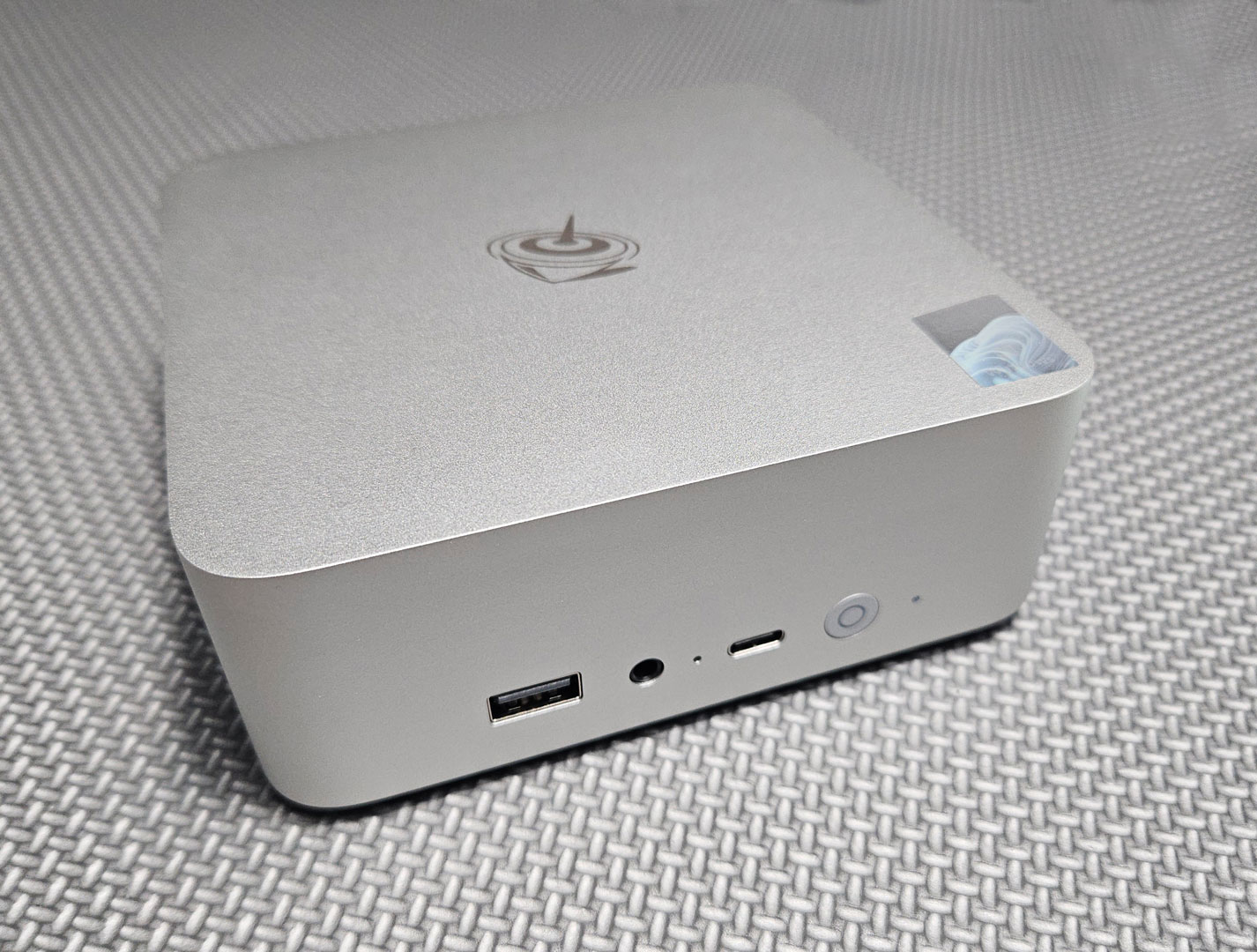
The Beelink EQi13 Pro features a smooth "Frost Silver" aluminium chassis. It feels nice and solid, being well put together, and the slight curvature gives it a softer look than many boxier Mini-PCs. The finish also resists fingerprints well. Its small footprint makes it easy to place on a desk or mount behind a monitor (though it doesn't come with a VESA bracket, so you'll need to purchase this separately).
The front panel includes a USB 3.2 Gen 2 Type-A port (10 Gbps), a USB-C 10 Gbps data port, a 3.5 mm headphone jack, a power button with a white LED indicator, and a CMOS reset pinhole, which lets you quickly restore BIOS defaults if a setting causes boot issues. Note that the USB-C port does not support video output (DisplayPort Alt Mode). The system also tops out at two displays via the rear HDMI 2.0 ports, so you cannot add a third monitor over USB-C, even with a compatible dock. Though for typical home office or media use, two monitors are usually enough.
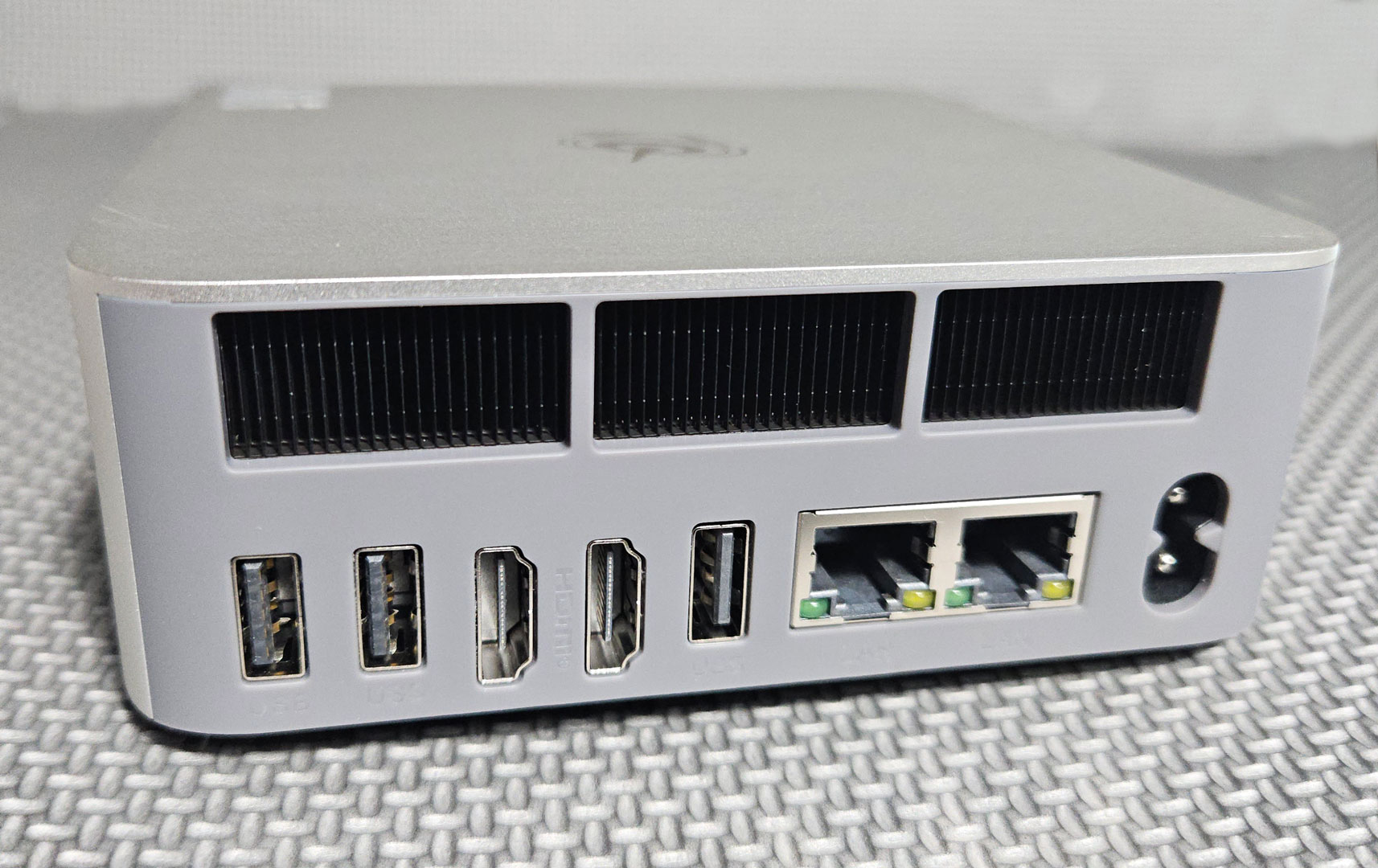
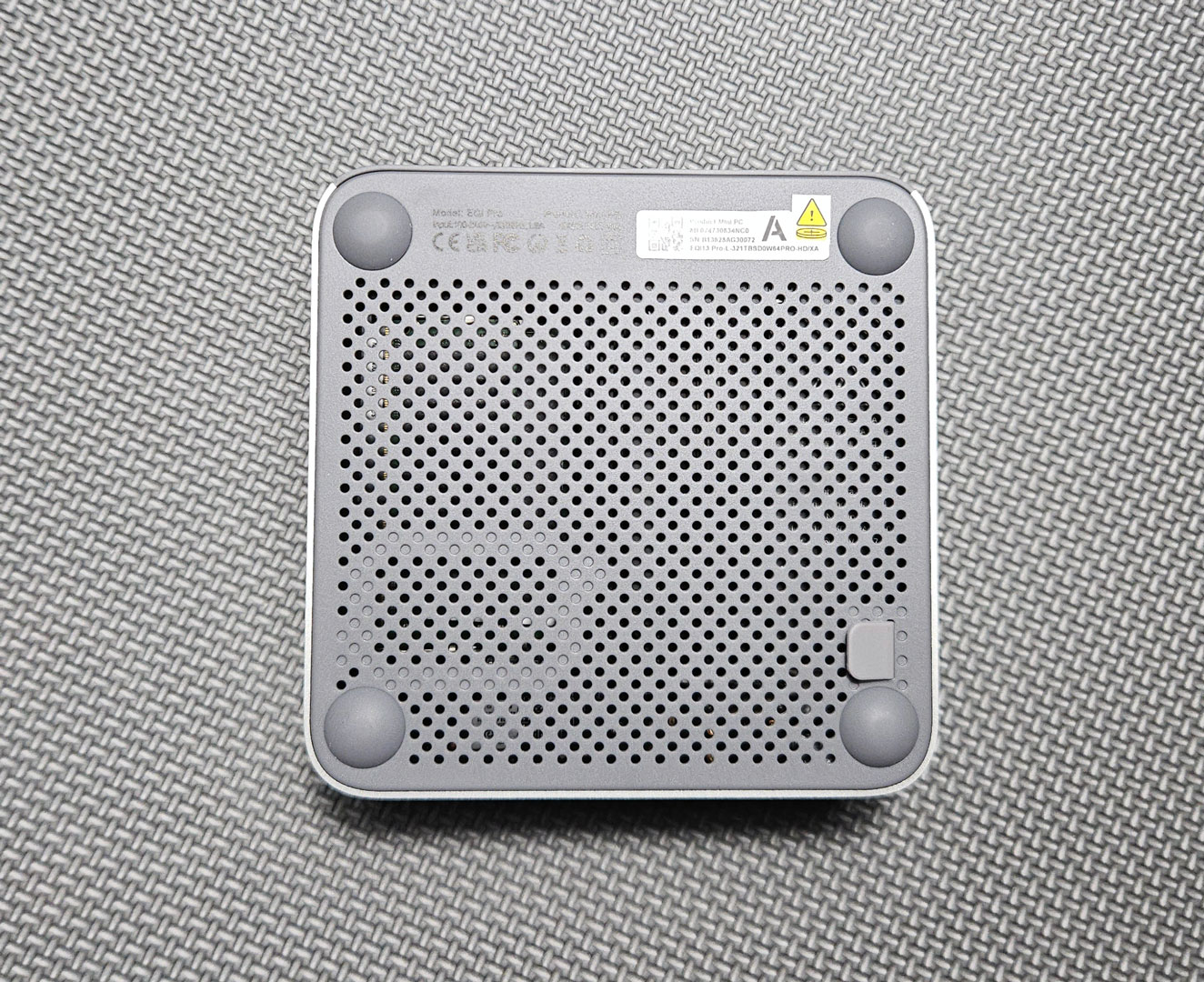
Around the back, you'll find plenty of I/O: two HDMI 2.0 ports supporting 4K at 60 Hz, two USB 3.2 Gen 2 ports, one USB 2.0 port, dual Gigabit Ethernet ports, and the DC power input. Ventilation covers much of the rear side, working with Beelink's MSC 2.0 cooling system that draws air from the bottom and exhausts warm air out the back.
The base includes rubber feet for stability and threaded inserts for VESA mounting.
Nov 20th, 2026 01:25 PST
change timezone
Latest GPU Drivers
New Forum Posts
- Folding Pie and Milestones!! (10207)
- RX 7600 + Ryzen 5 5600GT getting the same FPS as my old RX 6500 XT – What am I missing? (12)
- GTA VI (13)
- Intel Core Ultra 5 processor 250K Plus (1)
- How to prevent OLED burn damage due to PC freezes or power outtages? (41)
- WarpCoreBench scores! (79)
- What are you playing? (26236)
- Warning for Windows 10 and 11 users running newer AMD GPU drivers (65)
- Honestly, do you care about GTA VI? (178)
- Anthrophics IPO (10)
Popular Reviews
- AMD Zen 6 Technical Deep Dive
- Ugreen NASync DXP4800 GT Review
- Acemagic Retro X3 Review
- Corsair RM1200e (Second Generation) Review
- Upcoming Hardware Launches 2027 (Updated Nov 2026)
- Pulsar Office Tour & First Look at P1 Dual-Sensor Mouse
- Biwin Black Opal NV7400 2 TB Review
- Chieftec Iceberg PRO 360 DARK Review
- AMD Ryzen 7 9800X3D Memory Performance Scaling
- AMD Ryzen 7 9800X3D Review - The Best Gaming Processor
TPU on YouTube
Controversial News Posts
- NVIDIA Co-Founder and CEO Jensen Huang Officially Resigns (490)
- Report: Jensen Huang Eyes NVIDIA Comeback (224)
- Open Letter Asking NVIDIA to Reinstate Jensen Huang Passes 115,000 Signatures (184)
- OpenAI CEO Argues Home PCs Waste the World's Limited DRAM Supply (152)
- NVIDIA Launches Investigation Into Jensen Huang's Relationship With Suspected Chinese Spy (136)
- Intel "Raptor Lake Next" 16-Core and 20-Core CPUs Surface (130)
- Legendary Game Studio BioWare Shuts Down Following EA Layoffs (104)
- Dell CEO Says the Memory Shortage Will Get Worse in 2027 (95)