 7
Corsair Air 5400 RS-R ARGB Review
A Closer Look - Inside »A Closer Look - Outside
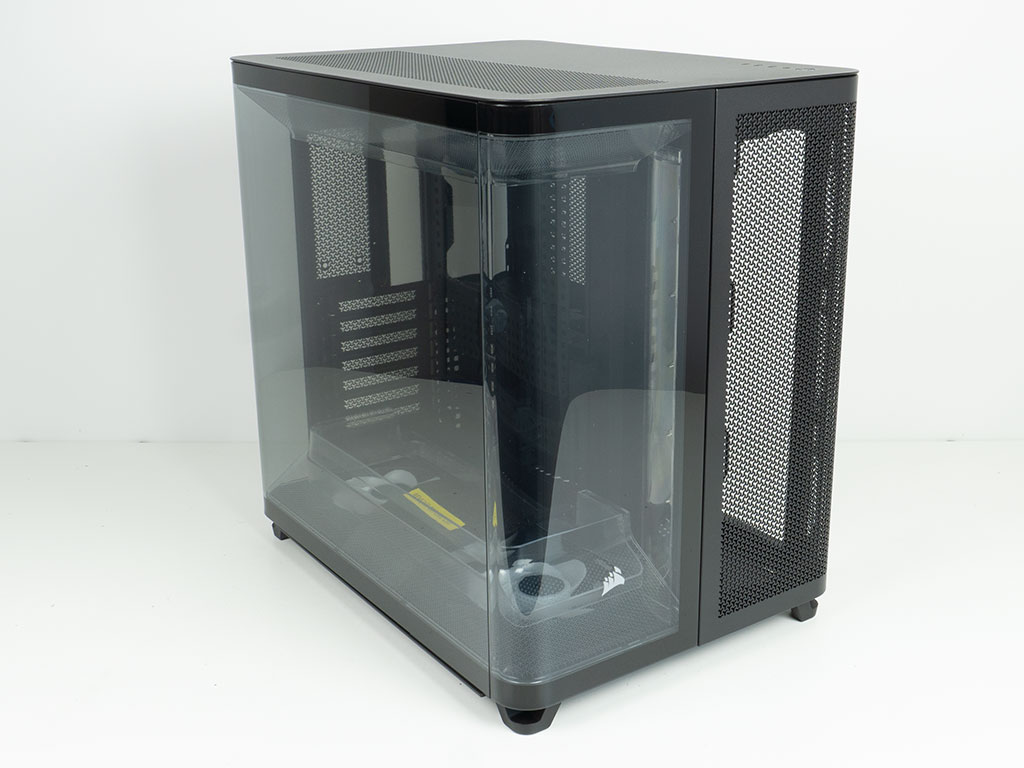

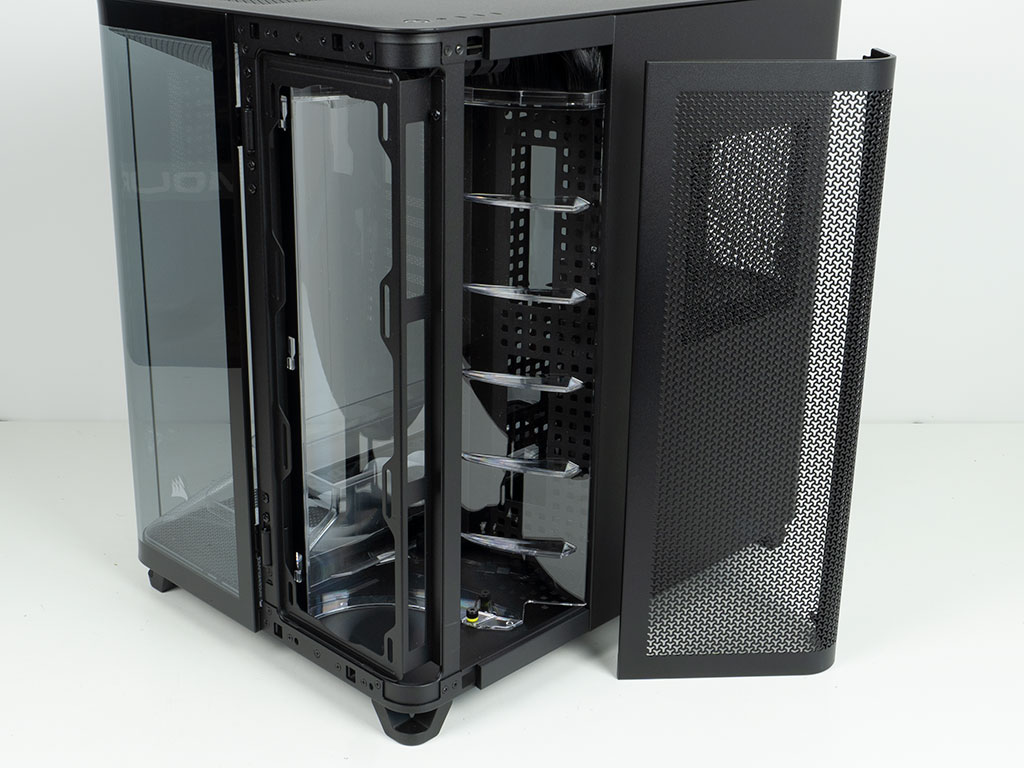
The Corsair Air 5400 RS-R ARGB is quite the unique chassis as it sports rounded corners, two of which are made of glass. While it does have the general layout of a dual-chamber case, thanks to the redesigned front, the AIO itself is in the right half of the case—venting out the side—thus technically being outside the confines of the enclosure. As such, Corsair can rightfully call it a triple-chamber design.
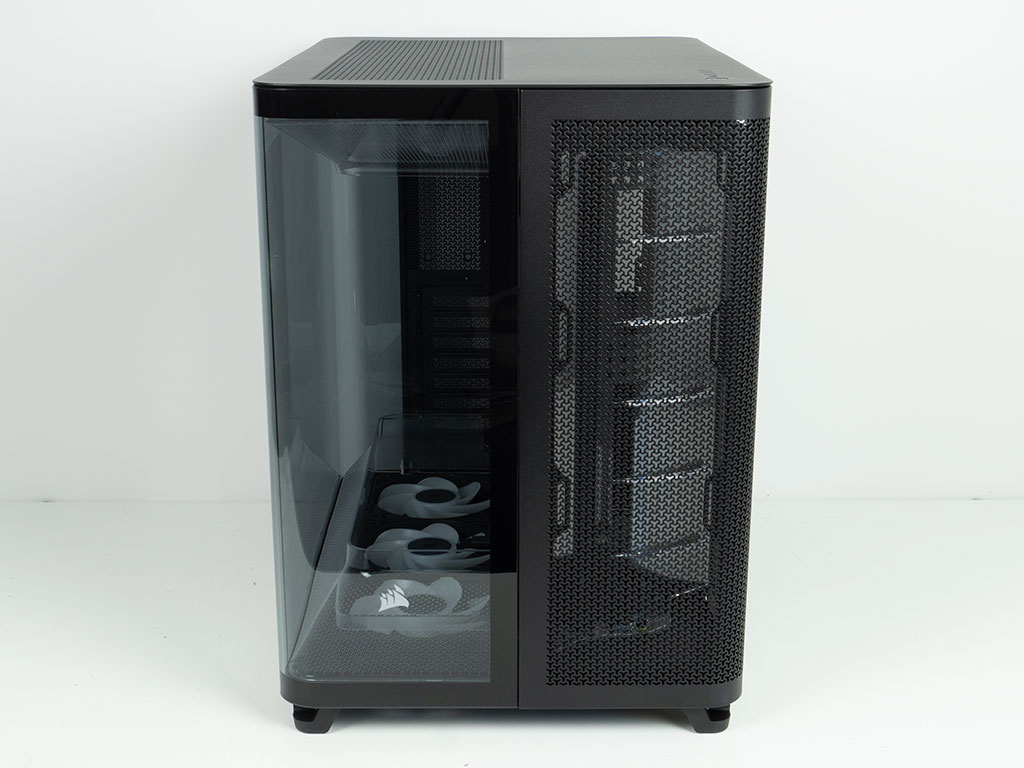
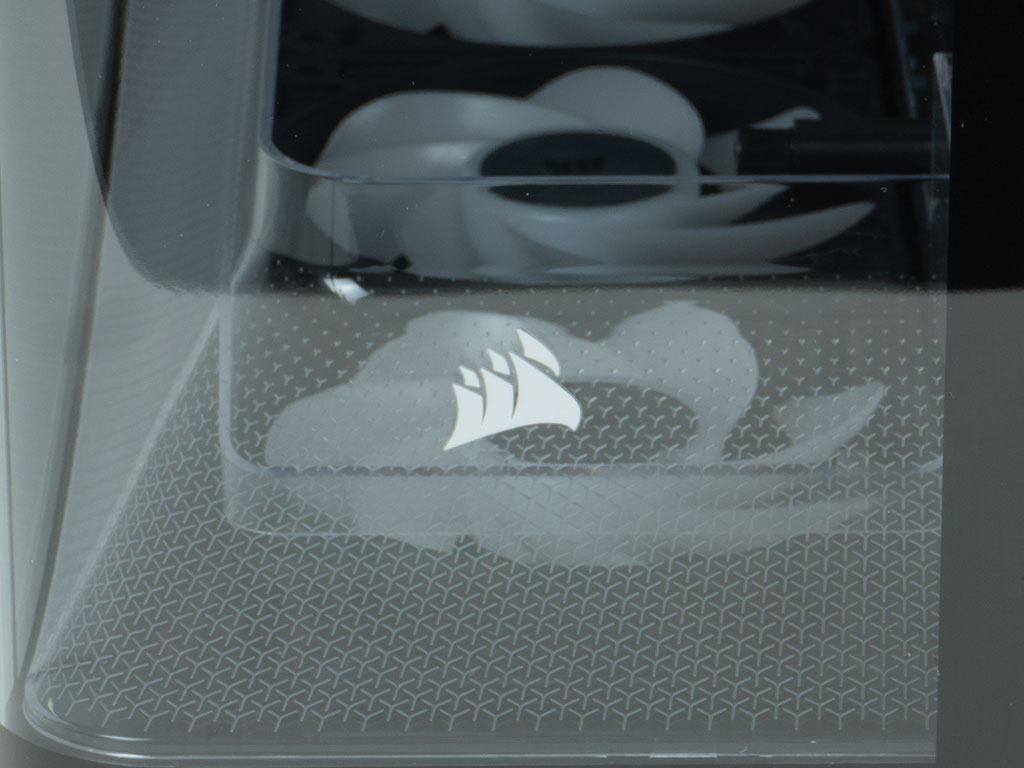
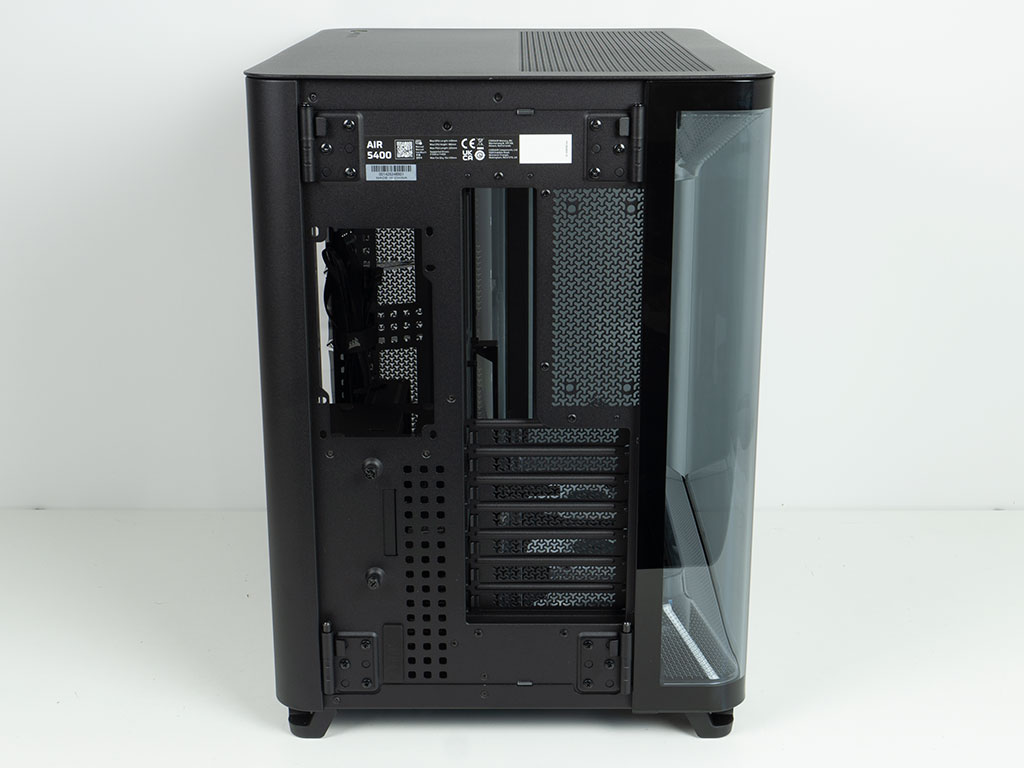
Looking at the Air 5400 RS-R ARGB from the front, it is evenly divided between the glass portion and the vented section for the external AIO. The vent pattern is Y-shaped, which is something that Corsair has been doing to set its products apart from the classic holes or squares. A simple logo has been silk-screened unto the glass as well, which is a pretty nice touch. In the rear, the curves continue on both corners, with a second bent glass portion. From this view point, the Air 5400 RS-R ARGB has a pretty traditional dual-chamber layout, with the storage and PSU behind the motherboard tray.
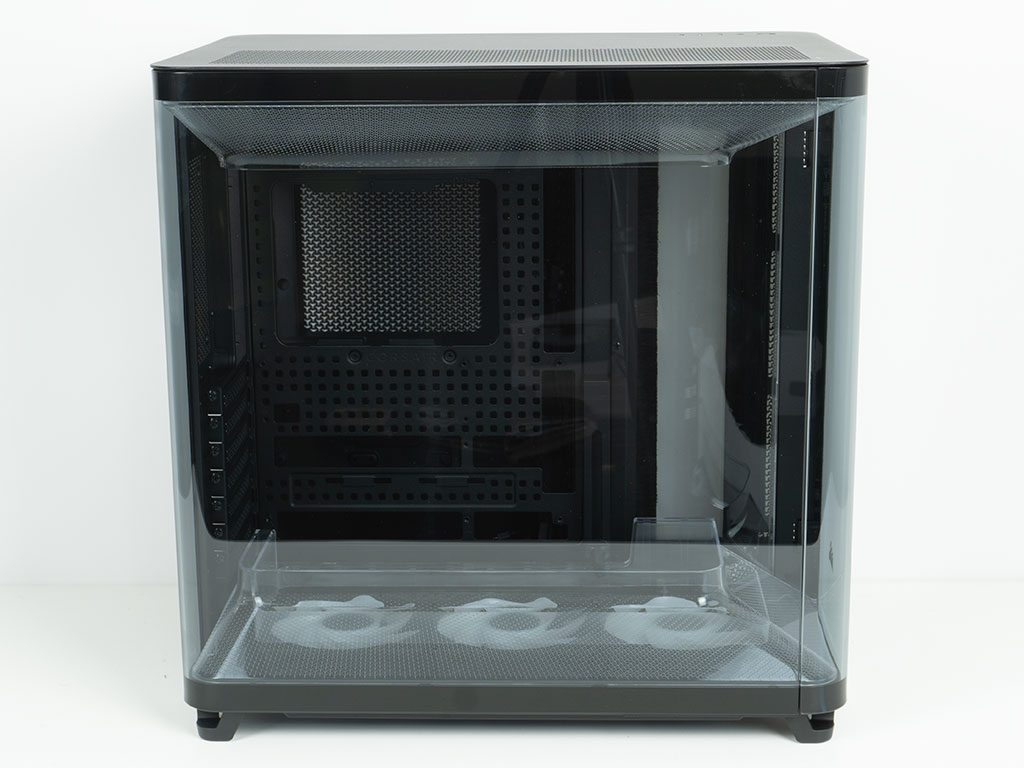
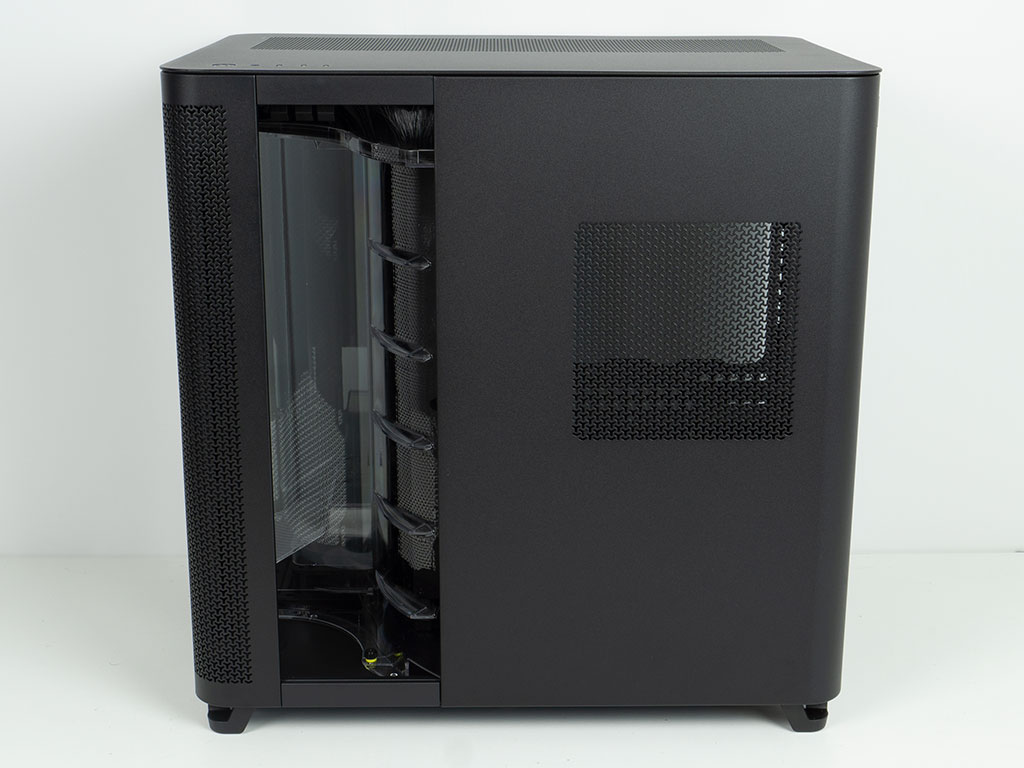
Thanks to the two bent glass elements, the main side panel is nothing but glass. Corsair did separate them into two individual panels, so there is a subtle break towards the front. Oddly enough, on our sample the black stripes at the top did not align, which is rather unsightly. On the other side, there is the external chamber and a clear plastic shroud with a brush at the top, to allow for wires to pass through. A vent on the solid portion of the case is placed exactly where your PSU will go, so it will get access to fresh air. Corsair did not put a dust filter here, unfortunately.
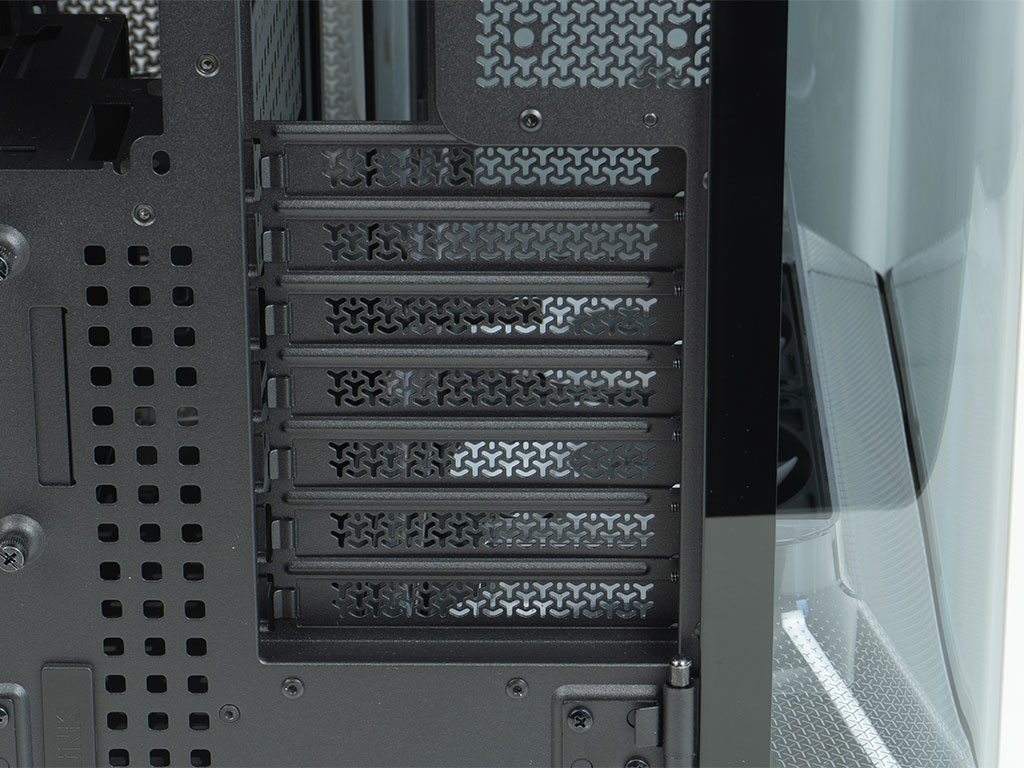
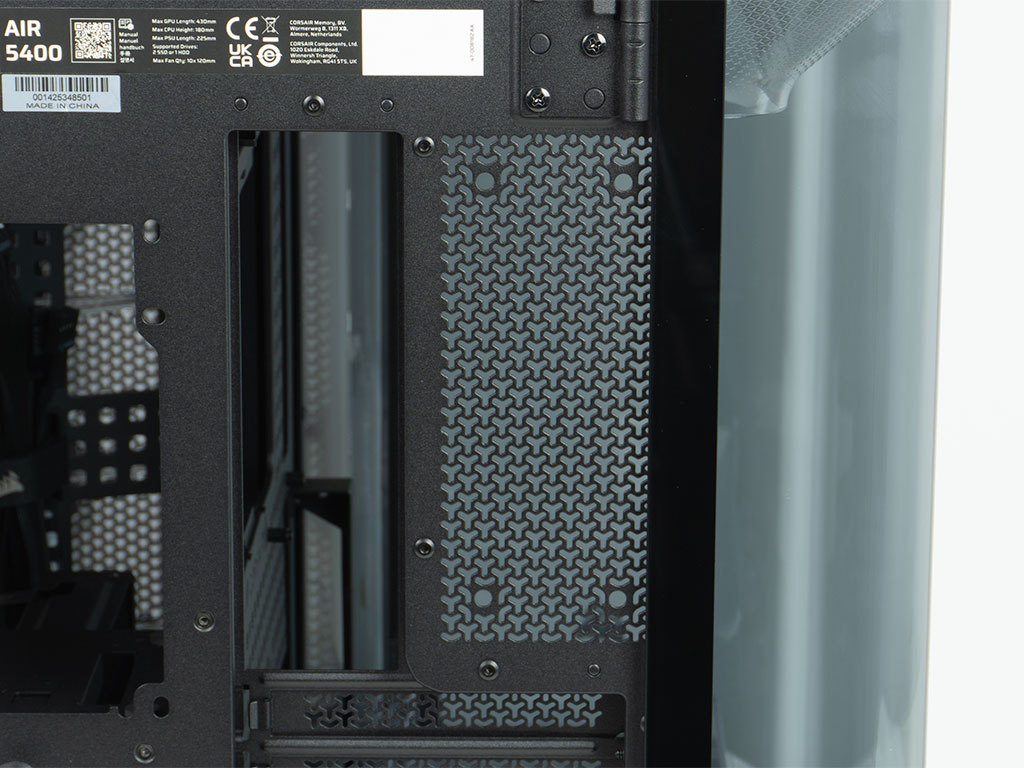
The expansion slots on the case are protected by individual, reusable covers. Unfortunately, Corsair has not made these gapless, so you will not be able to buy yourself a universal vertical GPU mount to show off your GPU from almost 180°. Above that, there are four mounting holes where the extension brackets will go to allow you to install a 120 mm exhaust fan. While this is nice, half the fan airflow will be blocked by the glass, so its functional value is limited.
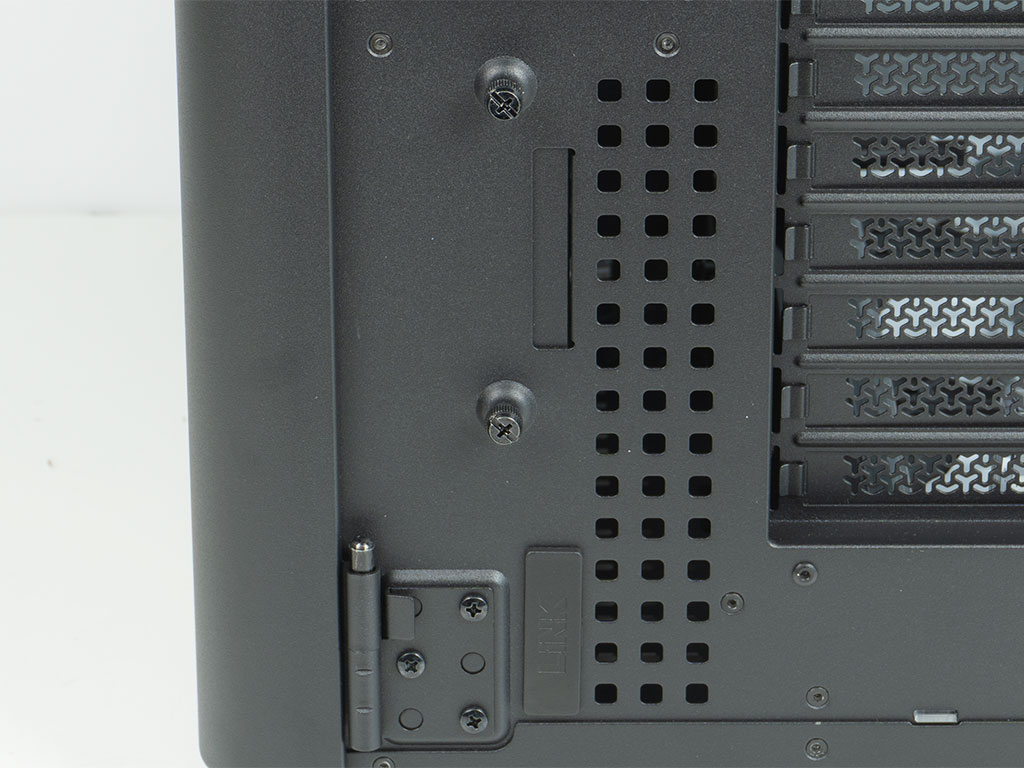
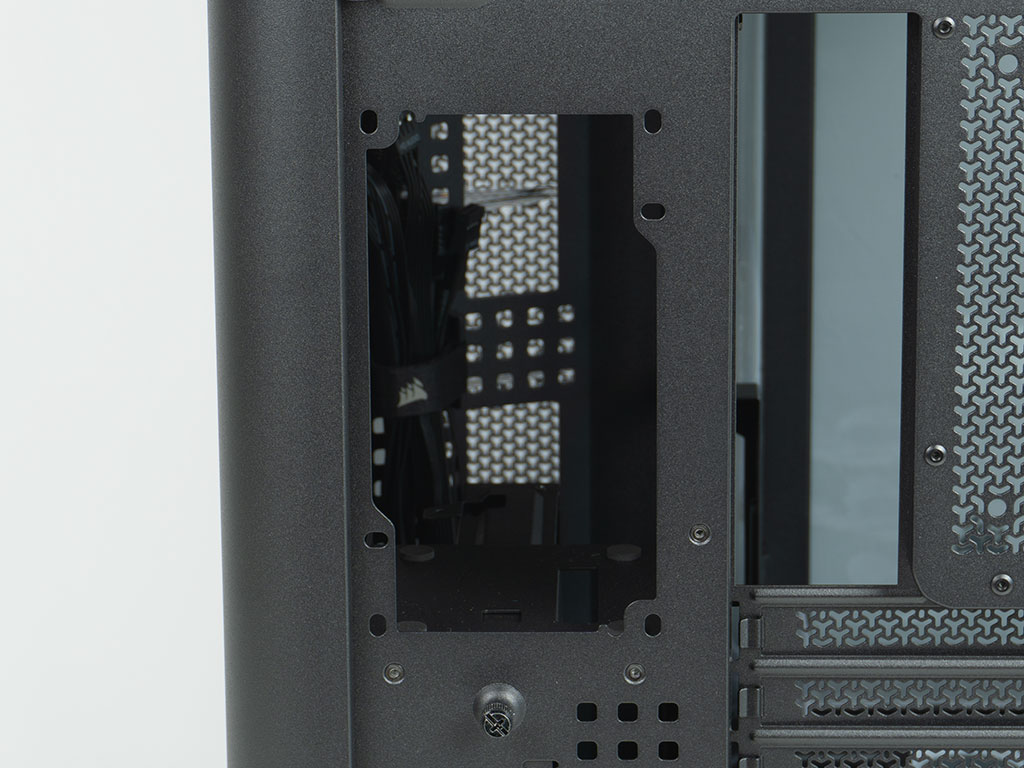
On the left side of the rear, you will find a pair of thumb screws holding the internal HDD bracket in place. Below that is the opening to route external Link wiring into the chassis. Above that, you will find that aforementioned PSU bay, with two sets of mounting holes, so you could have your fan facing the right direction regardless of what unit you may have. Obviously, it would be ill-advised installing it facing the backside of the motherboard.
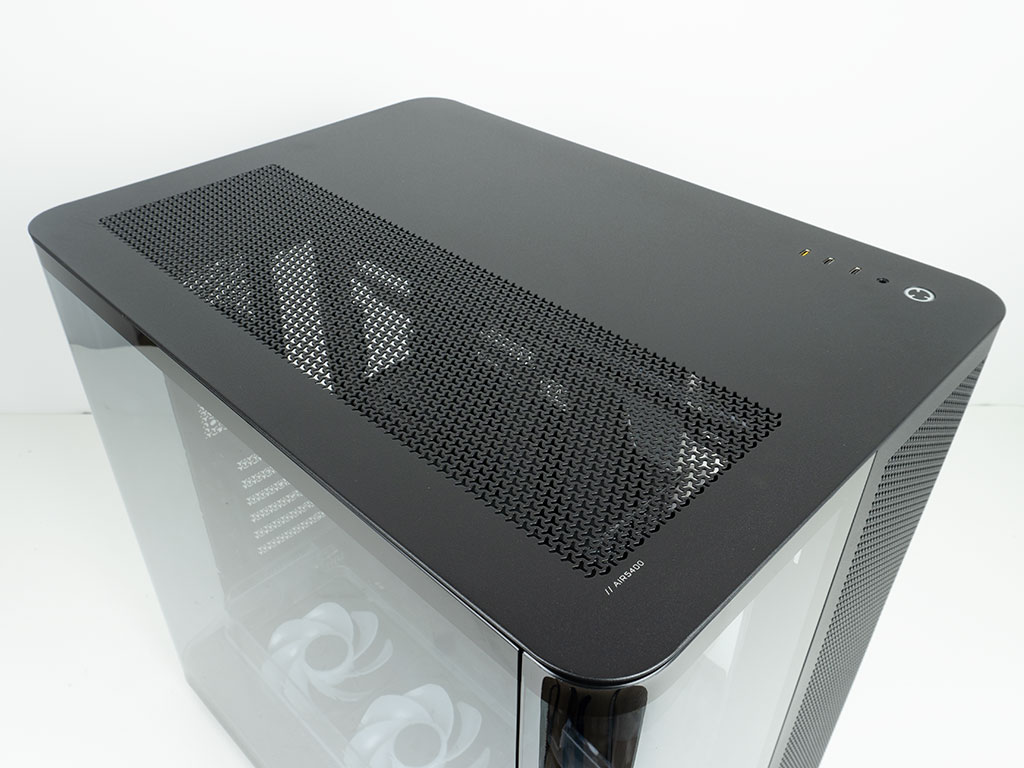


The top panel has a vented section above the motherboard chamber. This is both useful and functional, but purely from a design perspective, Corsair could have had a shape that runs parallel to the rounded corners to visually align with the overall shape, instead of simply a square. Here, you will also find a nifty small print reading "//AIR5400." You may pull the whole cover off to reveal a removable mounting frame for the top allowing you to install three 120 mm fans. You may also fit a radiator here, but you will have to forgo the clear shroud to do so. Above the PSU and storage chamber you will have excellent access, thanks to the large opening. From this angle, you can also clearly see the brush wall to keep air from entering the case, while allowing for wires and tubing to pass through.
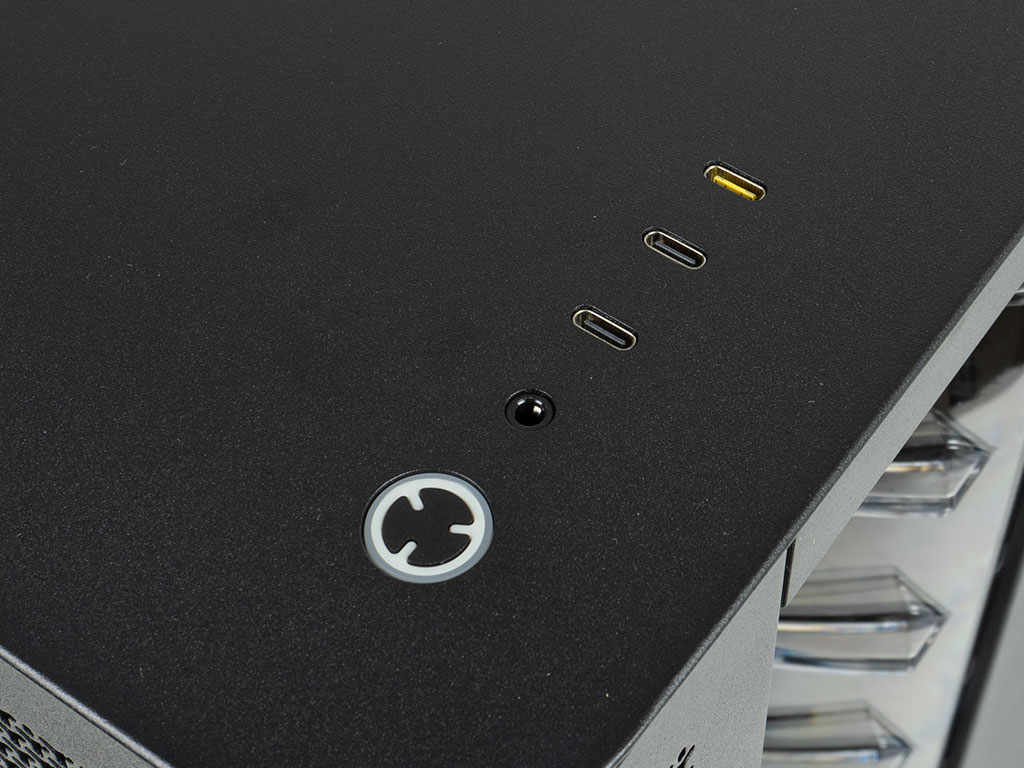
Another highlight of the Corsair Air 5400 RS-R ARGB is the fact that it sports three USB-C ports. While only one is truly a fully-fledged port bandwidth wise, it makes so much sense these days as the vast majority of peripherals, headsets, chargers and USB equipped accessories are Type-C. That said, those with equipment utilizing USB-A will likely be very annoyed. Maybe Corsair could have compromised and still had one of these ports for the time being, or included an adapter.
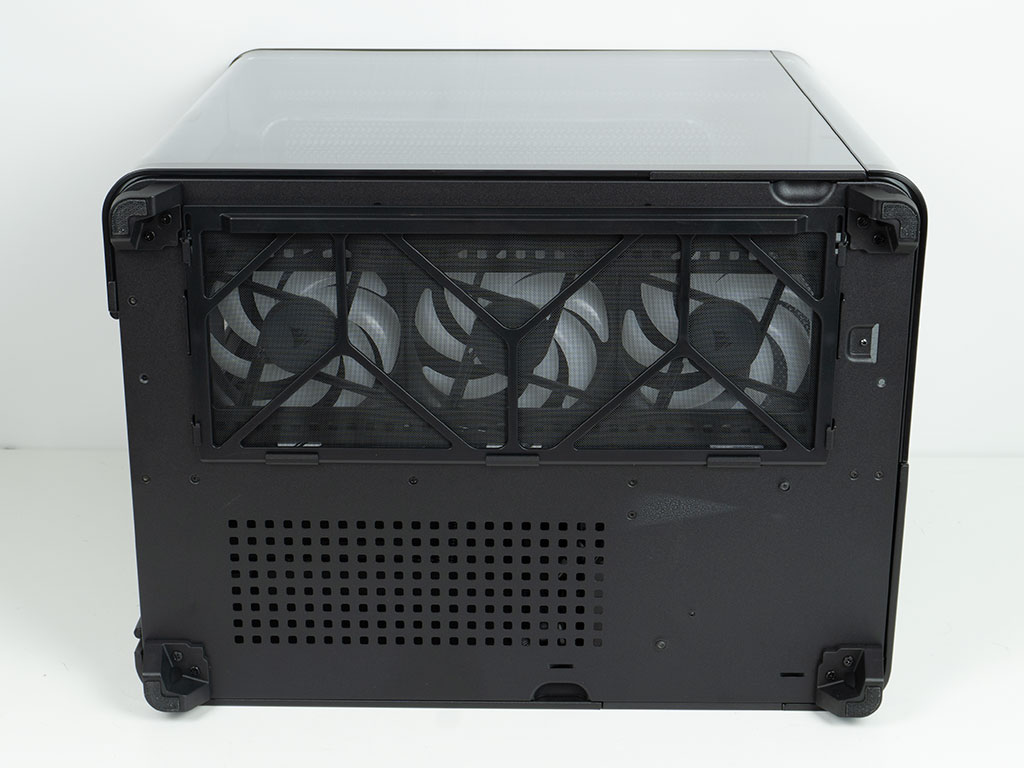
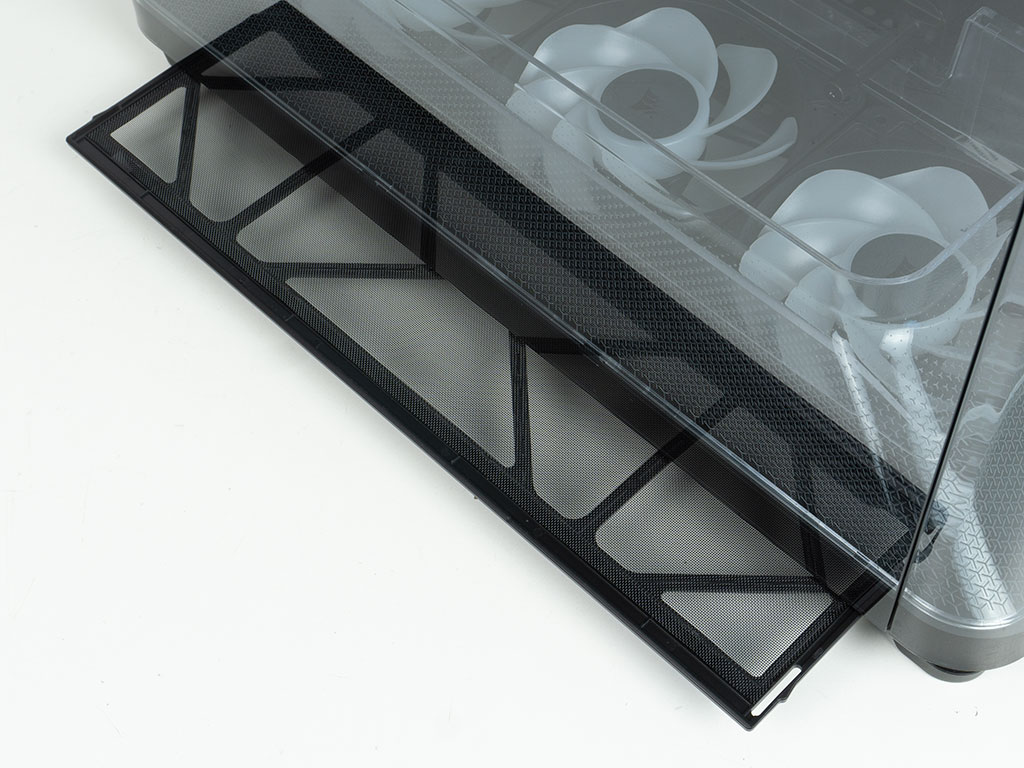
The dust filter on the underside of the chassis can easily be removed by pulling it out the side of the case. Besides that, you will find an area cut out in squares. This is actually part of the flexible cable management system the Air 5400 RS-R ARGB employs.
Nov 13th, 2026 22:26 CST
change timezone
Latest GPU Drivers
New Forum Posts
- What are you playing? (26214)
- Tell me about your favourite graphics card (30)
- no "PhysX" workable (8)
- AI generated images... (224)
- Crimson Desert (31)
- RenoDX HDR - how to view the differnce Before&After in game? (0)
- Displayport DP80 3M (10ft) cable that can achieve 80gbps stable? (5)
- I'll flash a ASUS ROG Strix RX480 O8G in Cause of Code 43, as a Newbie (1)
- Opinion on Monitor Replacement (6)
- TMOG - post your benchmark results here (16)
Popular Reviews
- AMD Zen 6 Technical Deep Dive
- Corsair HX1000i Shift Crystal Review
- NZXT C1200 Platinum Review
- Upcoming Hardware Launches 2027 (Updated Nov 2026)
- ASUS ROG Strix B850-I Gaming Wi-Fi7 W Review
- Montech King 95 3D PRO Review
- NZXT H7 RGB+ Review
- NZXT H5 Review
- Phantom Blade Zero Performance Benchmark Review - 35 GPUs Tested
- XPG NIMBUS PLUS Review - Mid-range Chair With Strong Competitors
TPU on YouTube
Controversial News Posts
- NVIDIA Co-Founder and CEO Jensen Huang Officially Resigns (379)
- OpenAI CEO Argues Home PCs Waste the World's Limited DRAM Supply (152)
- NVIDIA Launches Investigation Into Jensen Huang's Relationship With Suspected Chinese Spy (136)
- Intel "Raptor Lake Next" 16-Core and 20-Core CPUs Surface (130)
- Legendary Game Studio BioWare Shuts Down Following EA Layoffs (104)
- Dell CEO Says the Memory Shortage Will Get Worse in 2027 (95)
- NVIDIA GeForce RTX 50-Series Scheduled for up to $500 Price Hike This Week (89)
- Modder Fits RTX 5090 With Four 8-Pin Connectors, Halving Current per Wire (80)