 20
Corsair iCUE LINK TITAN II 360 RX LCD Review
Installation »A Closer Look
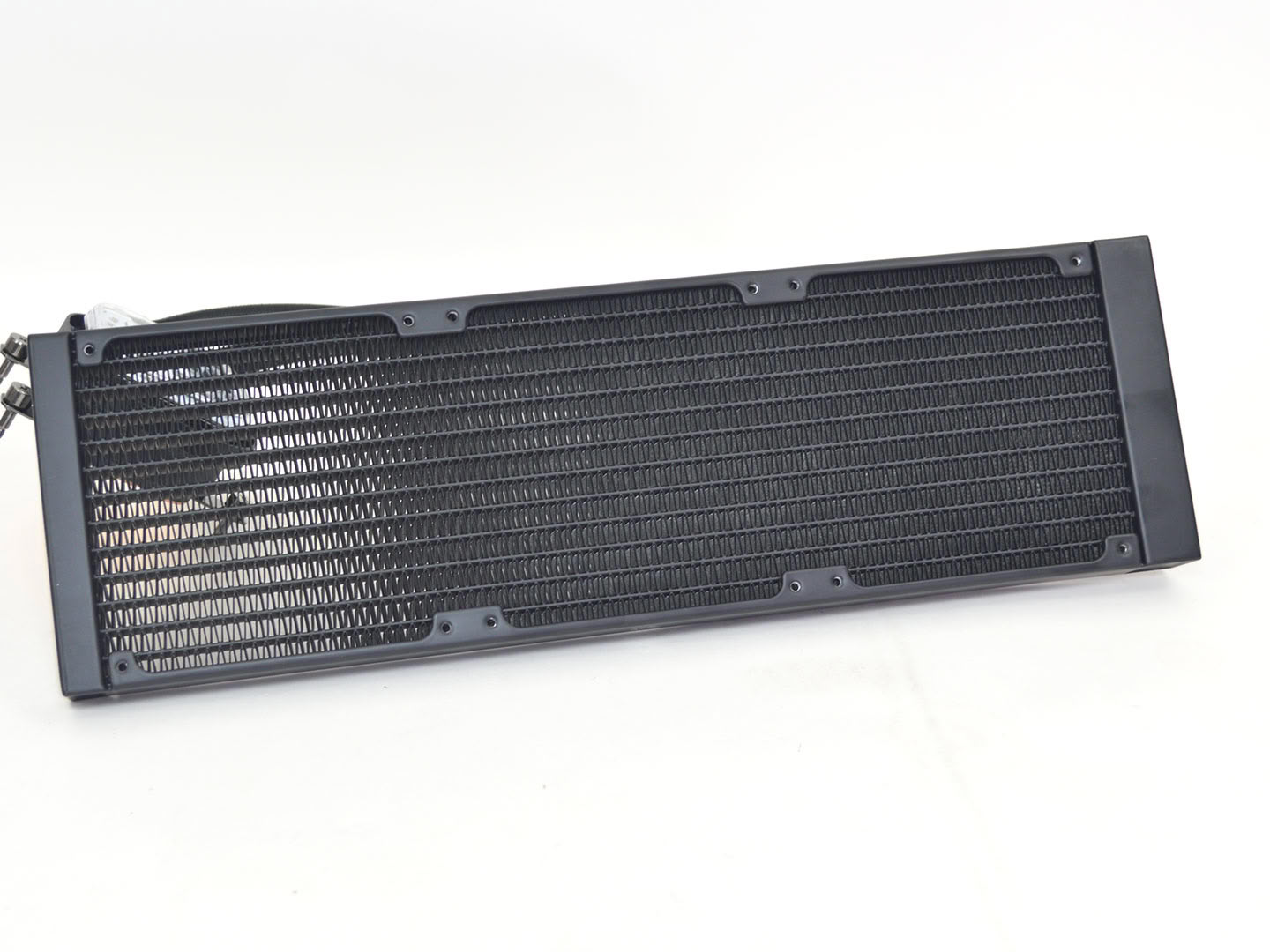
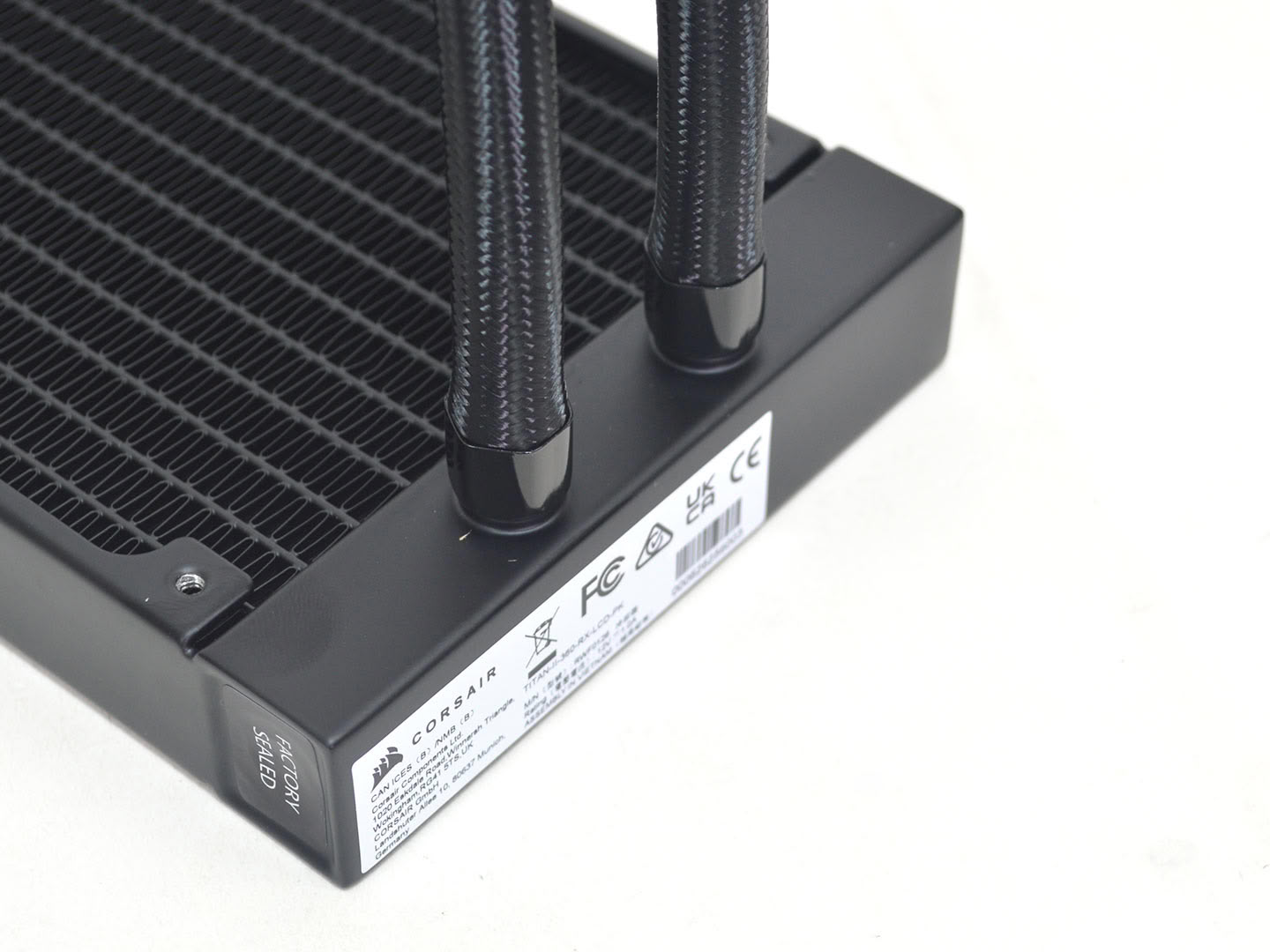
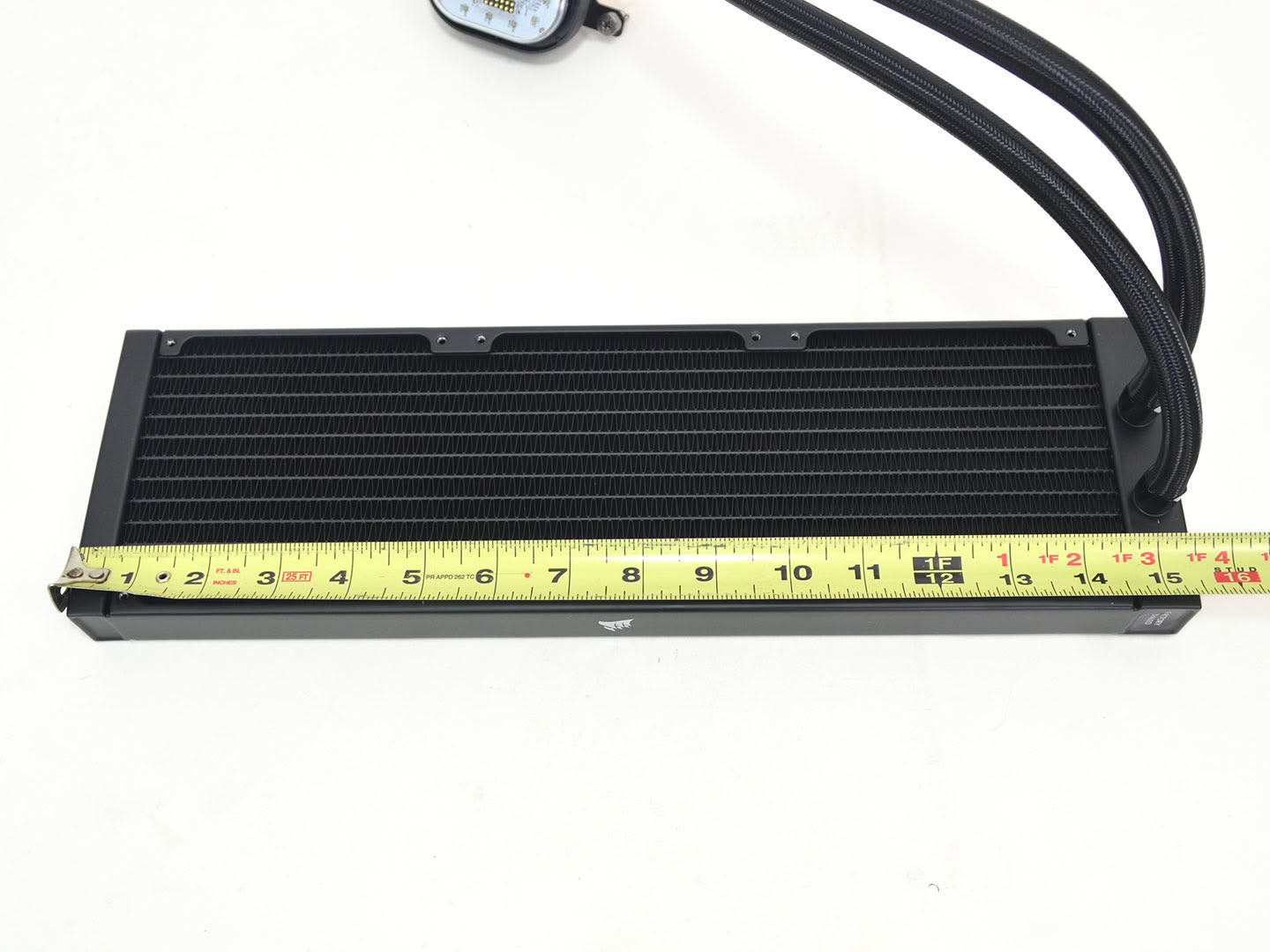
Looking at the radiator, it is the same traditional aluminum box you're all familiar with. As for the FPI (fins-per-inch) of the radiator, I measured 15, which is far more open than normal and should allow for a larger volume of air to pass through the radiator at the expense of surface area. Meanwhile, tubing length is also fairly typical at 450 mm.
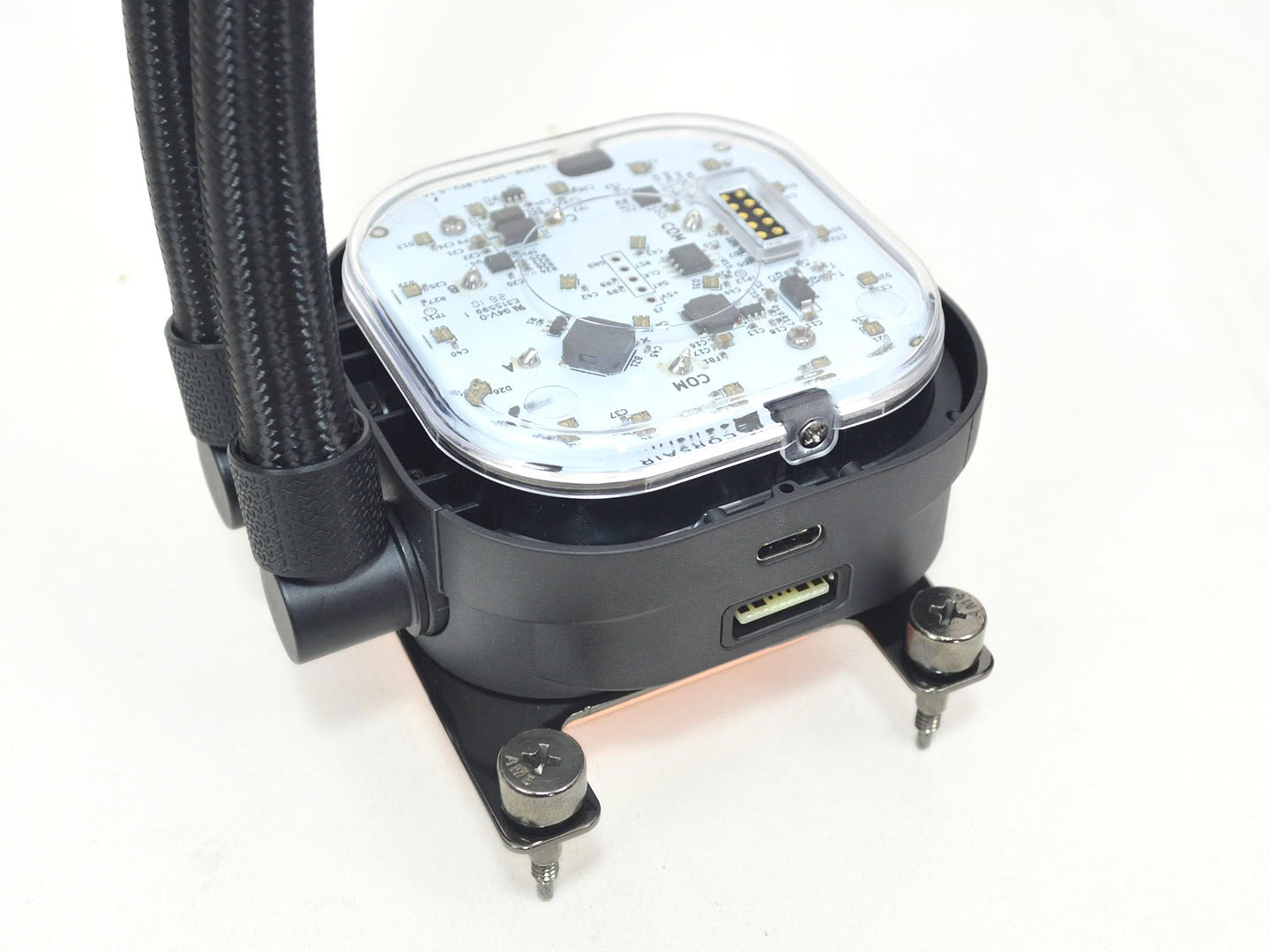
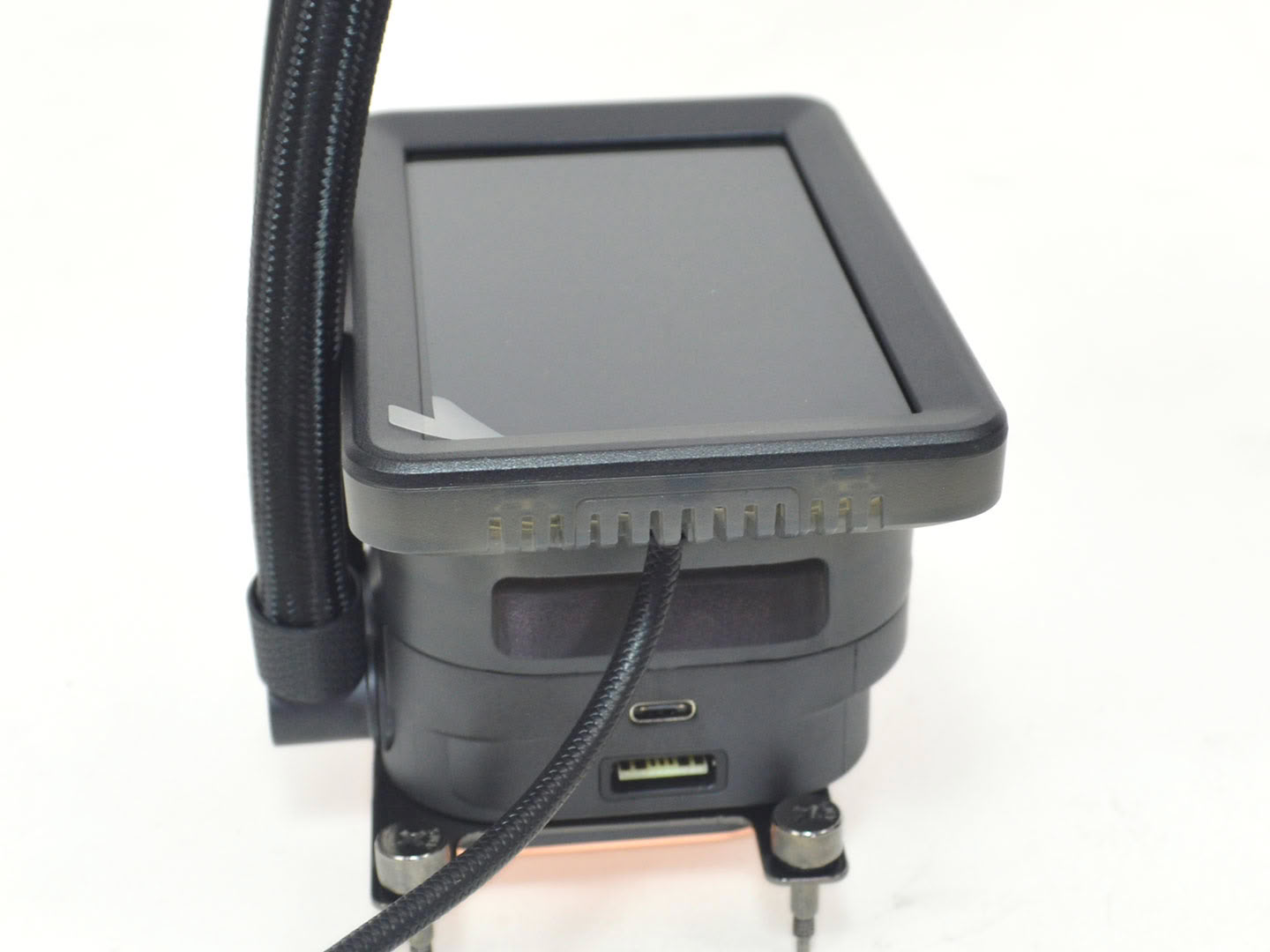
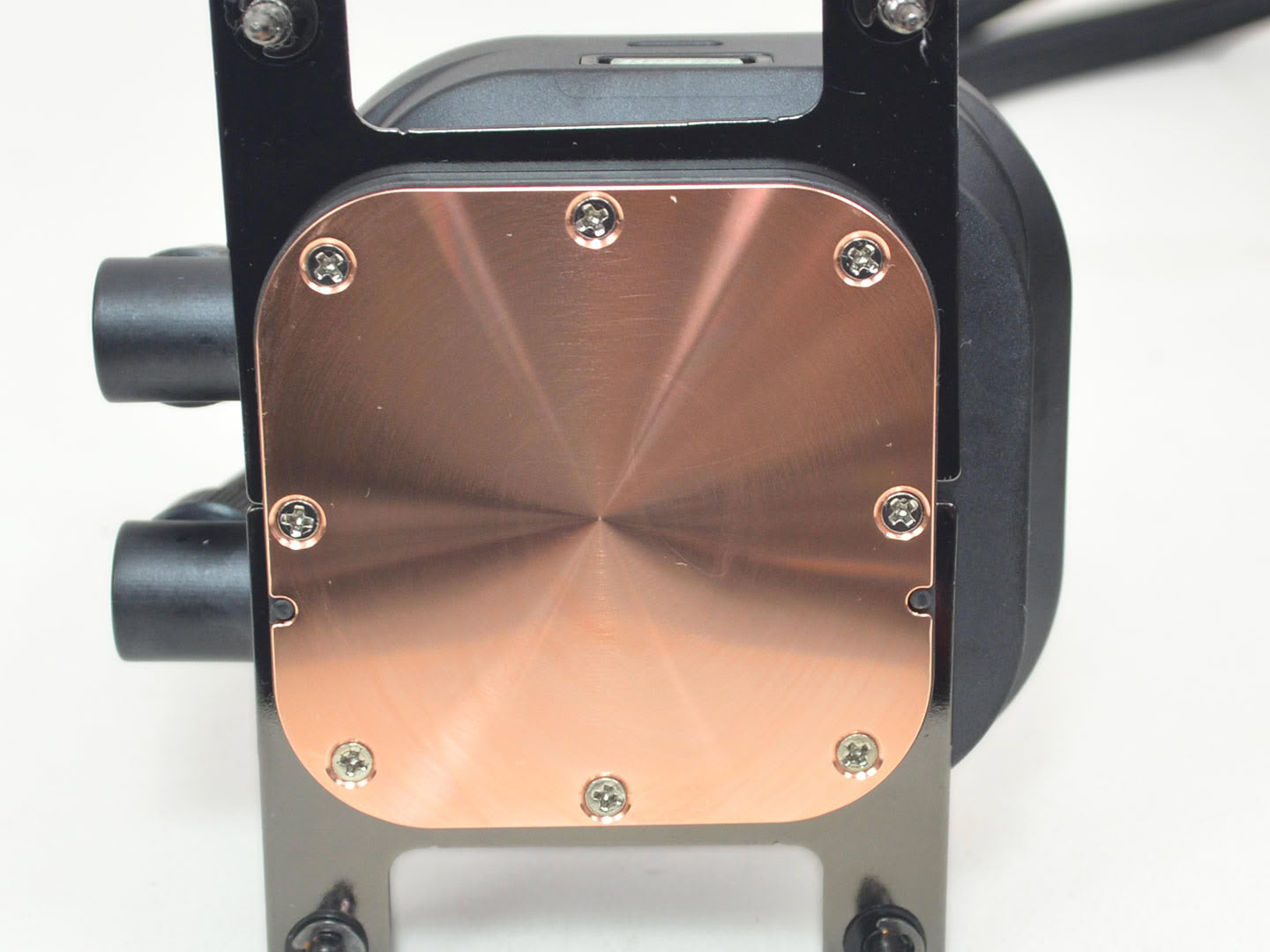
The pump has a clip-on display via Corsair's CapSwap. With it removed you can see the contact pads the display will make contact with for data delivery along with the ARGB LEDs that give an ambient backlight. To use the display as an extended display, Corsair has attached a DisplayPort cable. As for the fittings on the block, they are of the swivel variety with a good range of motion. The wiring from the pump itself uses a proprietary cable and works with Corsair's iCUE ecosystem with the included hub. It's also worth noting that the display has a built-in 70 mm VRM fan inside. As for the copper cold plate, machining marks are visible but can't be felt, with the base itself being slightly convex.
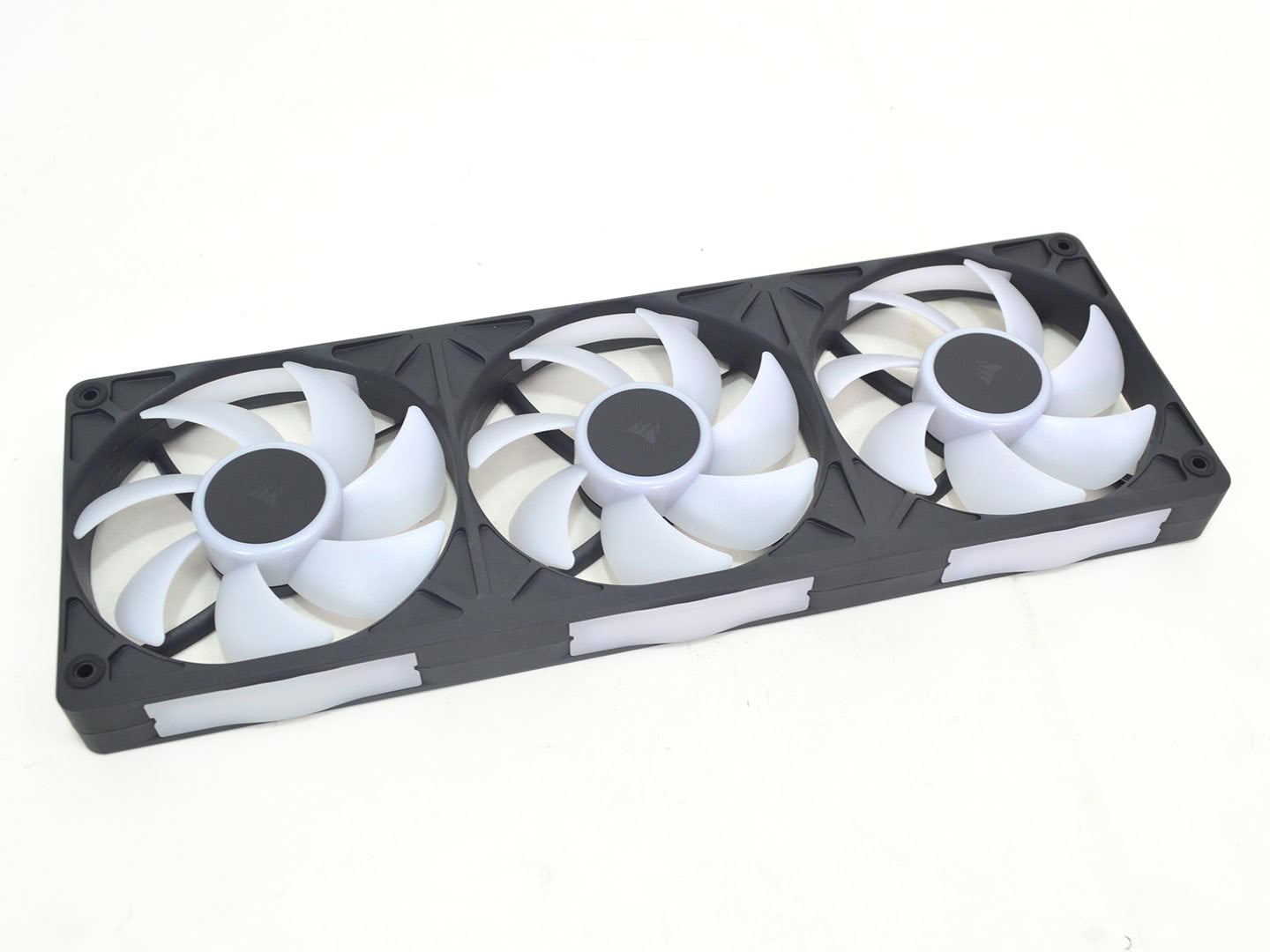
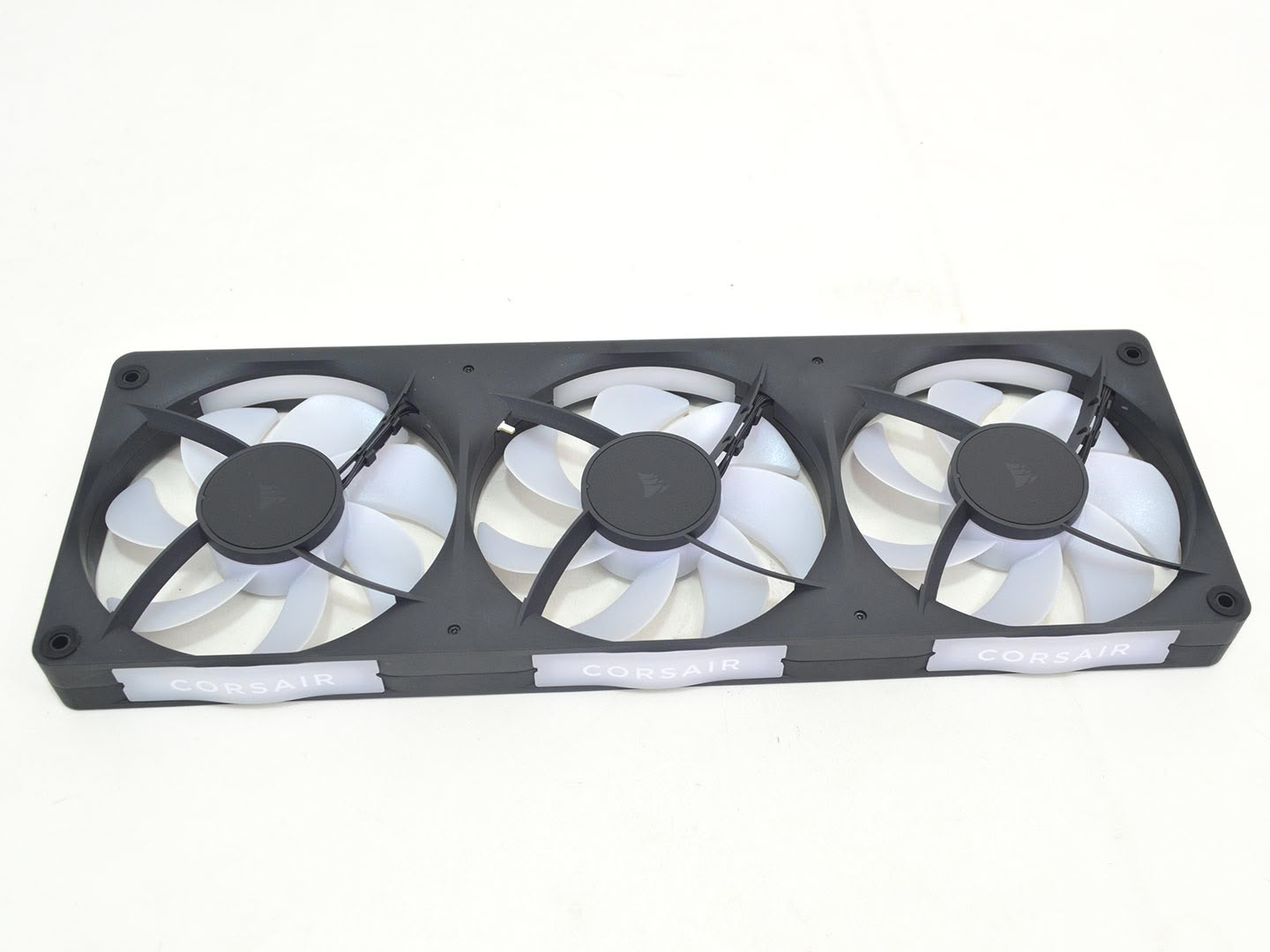
It seems going with unified fan designs is becoming more common with Corsair now joining in as well. The RX has three 120 mm fans. They are 26 mm thick with each fan having the same 400 to 2100 RPM range, along with an airflow of 14.1–64.7 CFM. As for bearing type, the fans use magnetic dome bearings, which are a successor to Corsair's older MagLev bearing design.
Nov 19th, 2026 02:29 PST
change timezone
Latest GPU Drivers
New Forum Posts
- Time to upgrade CPU and MOBO (44)
- Without Jensen, PC gaming will be (48)
- 3DMARK "LEGENDARY" (475)
- [Poll] 12V-2x6 Connector Protection: What Are You Using? (WireView / Ampinel / Equalizer / Other / Nothing) (43)
- Windows HDR on = Tinted colors (5)
- WarpCoreBench scores! (68)
- Honestly, do you care about GTA VI? (155)
- Very unusual two gaming-pc scenarios. (13)
- TPU's Nostalgic Hardware Club (22168)
- Dual B70 or Dual R9700 Pro on Linux (7)
Popular Reviews
- Acemagic Retro X3 Review
- Ugreen NASync DXP4800 GT Review
- Upcoming Hardware Launches 2027 (Updated Nov 2026)
- AMD Zen 6 Technical Deep Dive
- Pulsar Office Tour & First Look at P1 Dual-Sensor Mouse
- Biwin Black Opal NV7400 2 TB Review
- Sapphire Radeon RX 7700 XT Pure Review
- Sapphire Radeon RX 7700 XT Pulse Review
- Chieftec Iceberg PRO 360 DARK Review
- AMD Ryzen 7 9800X3D Review - The Best Gaming Processor
TPU on YouTube
Controversial News Posts
- NVIDIA Co-Founder and CEO Jensen Huang Officially Resigns (483)
- Report: Jensen Huang Eyes NVIDIA Comeback (196)
- Open Letter Asking NVIDIA to Reinstate Jensen Huang Passes 115,000 Signatures (184)
- OpenAI CEO Argues Home PCs Waste the World's Limited DRAM Supply (152)
- NVIDIA Launches Investigation Into Jensen Huang's Relationship With Suspected Chinese Spy (136)
- Intel "Raptor Lake Next" 16-Core and 20-Core CPUs Surface (130)
- Legendary Game Studio BioWare Shuts Down Following EA Layoffs (104)
- Dell CEO Says the Memory Shortage Will Get Worse in 2027 (95)