 5
CPS PCCOOLER F7 X120 ARGB Fan Review
Performance Testing »Closer Examination


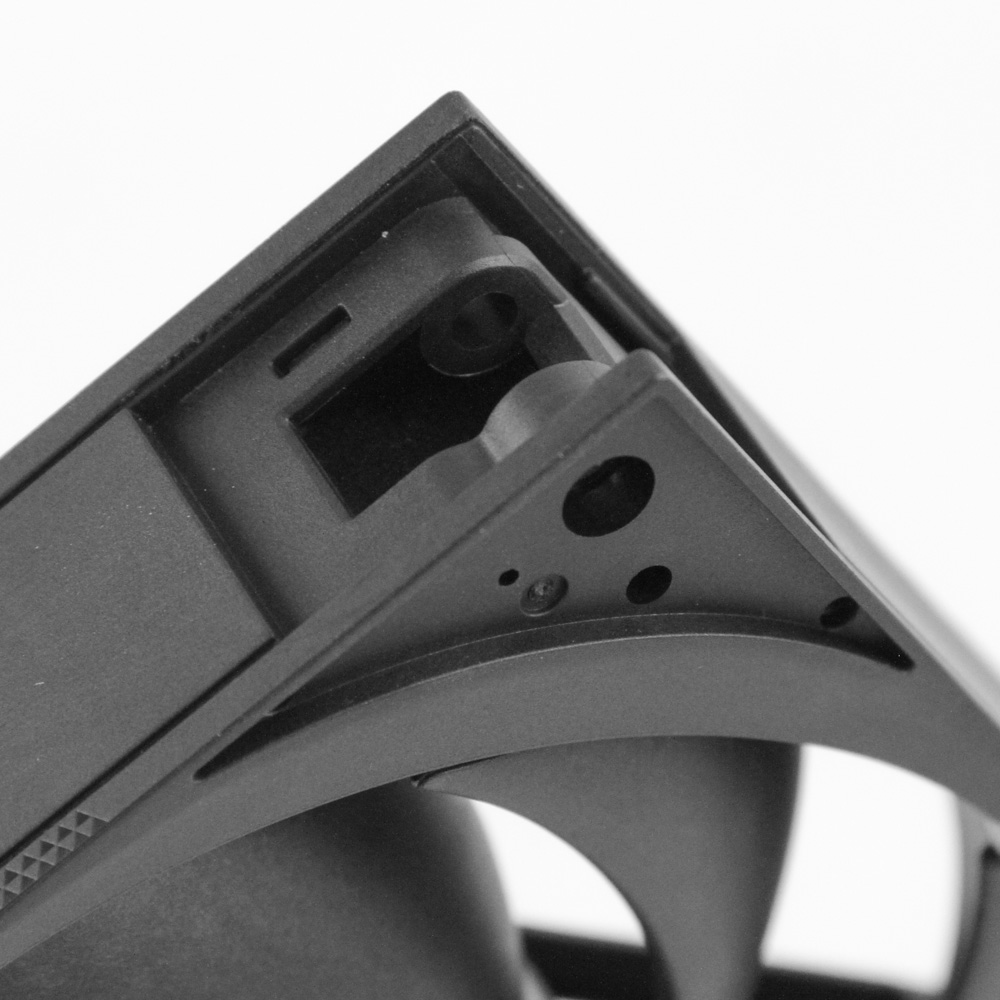

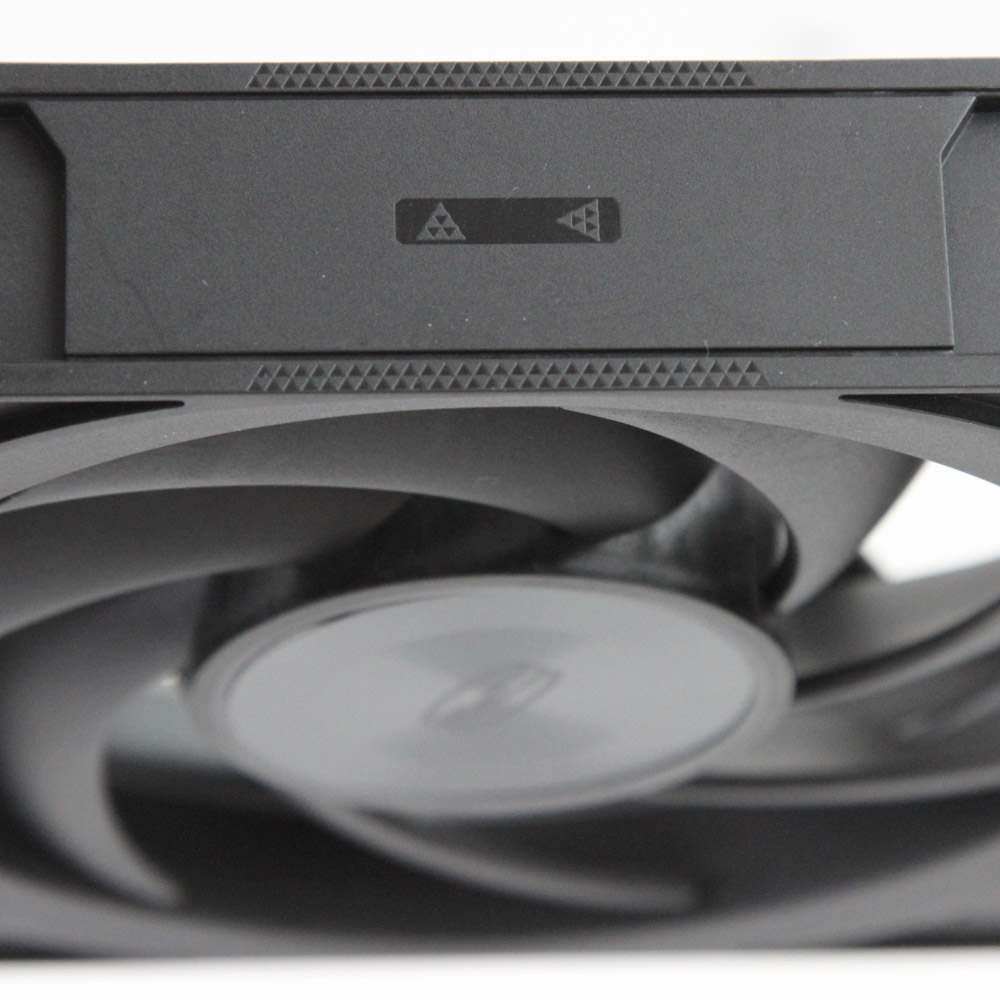
CPS PCCOOLER sent over three of its F7 X120 ARGB fans, so let's begin with a photo of them together. A careful eye will also see that the fan is thicker than the standard 25 mm, with the brand rating these at 28 mm thick with the other two dimensions being the typical 120 x 120 mm. Thicker fans are becoming more common in PC DIY applications these days since you can now fit larger blades that in turn move a higher air volume. Those used to industrial fans that are even thicker will no doubt understand, and the extra ~3 mm here should hopefully not be a dealbreaker for build compatibility. These fans are predominantly black, although there is a white version also available, and I do like the clean and industrial look—even the logo on the front hub is barely out of place here. You may notice the fan corners look unfinished, and that's where the included accessories come in. The rotor has seven blades and the general shape and design makes me think this can be a hybrid fan for balanced airflow and static pressure, but we'll test it out for ourselves and see. CPS PCCOOLER is using a composite of glass fiber and PBT for the rotor—not LCP that has become the trend with higher performance PC fans lately, but still plenty tough and durable. There is an obvious gap between the blades and the inner frame though, and this becomes all the more evident when you realize this is also an RGB fan with LED rings there. The exposed corners reveal how the daisy-chaining system here works, but again more on that soon. There are arrows on the side to indicate the direction of airflow and that of the blades rotating.

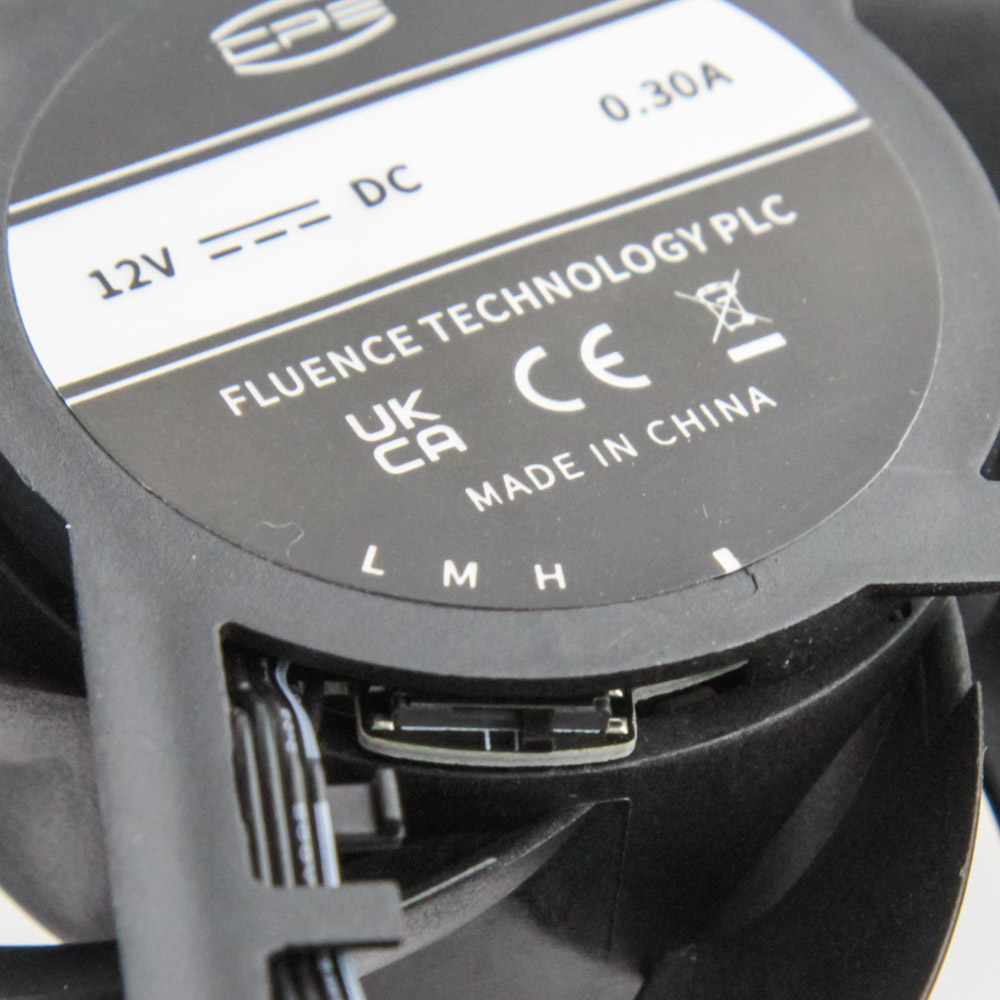
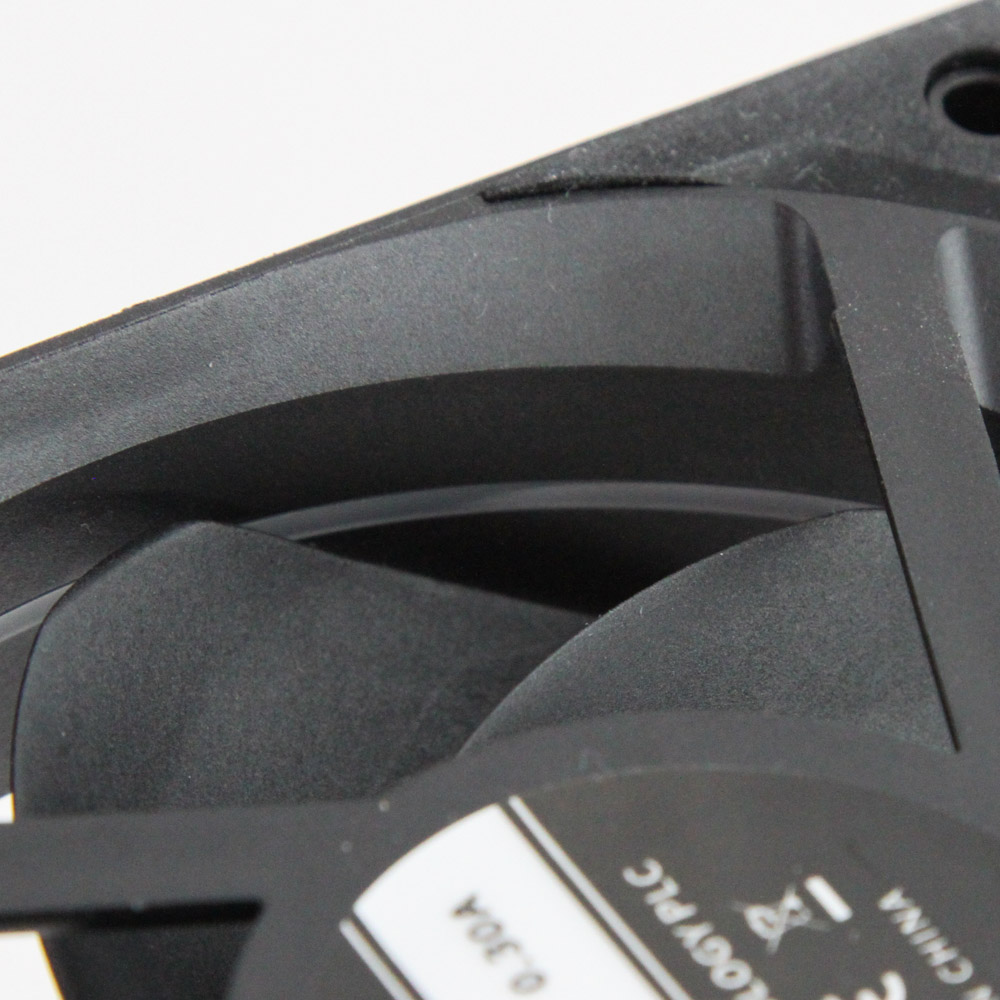
From the back we see a fairly standard 4-way stator vane configuration employing a typical straight design, although one has an offshoot to help support the fan cable leading from the motor. The sticker on the back has the expected certification labels in addition to the rated current draw (fan motor only, includes start-up boost). A 6-pole motor is responsible for driving the fan and, at 0.3 A each, you can get away with driving 3 fans off a single 1 A PWM fan header on your motherboard without issues. The LEDs are powered separately anyway, be it via a motherboard header per fan or using the included LED controller/hub if you go with the triple pack SKU. These fans use dual ball bearings for longevity—which isn't always the quietest bearing option—and incorporate a feedback system that aims to regulate fan RPM regardless of the airflow restriction used. This reminds me of what we saw employed by Noctua before, and I do wish CPS PCCOOLER provided more details on how this works besides simply stating the motor output current is variable. There is a switch here to help you choose between three fan RPM ranges marked L (low), M (medium), and H (high), and we can further see the aforementioned LED ring used for lighting up the fan.
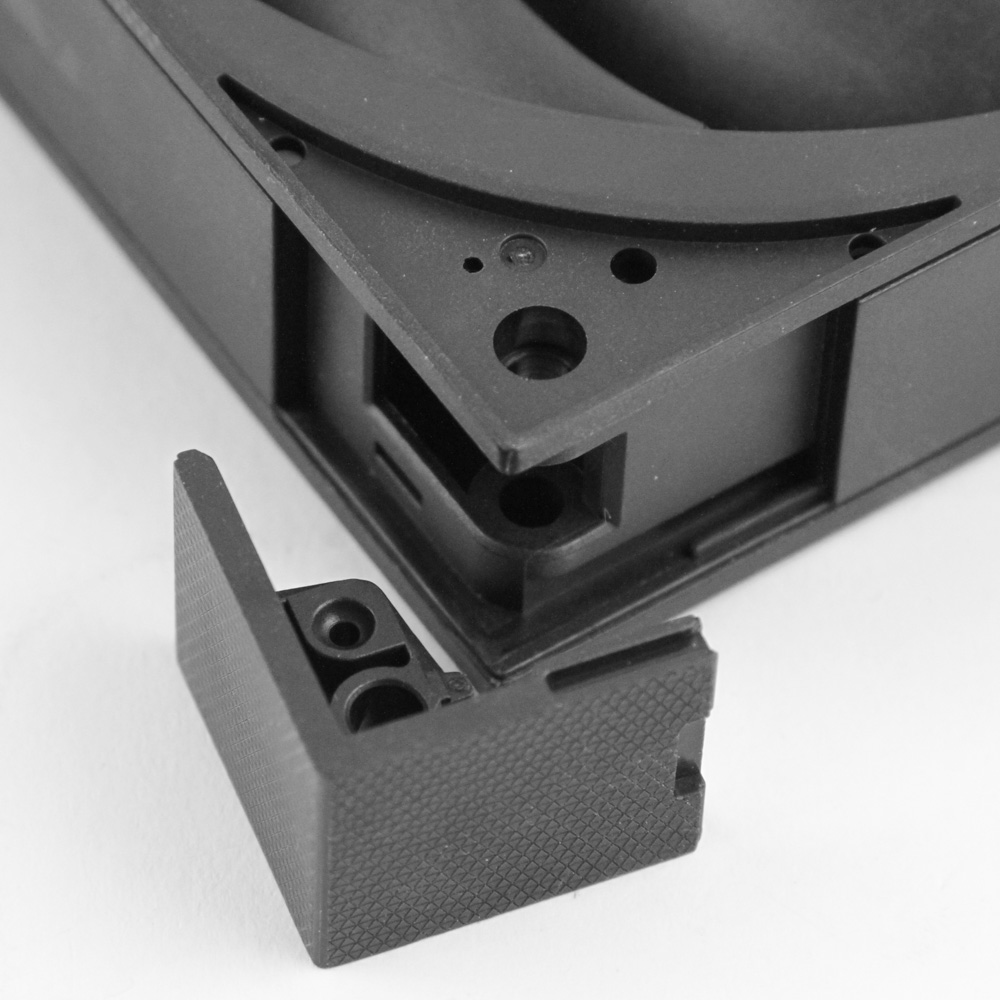
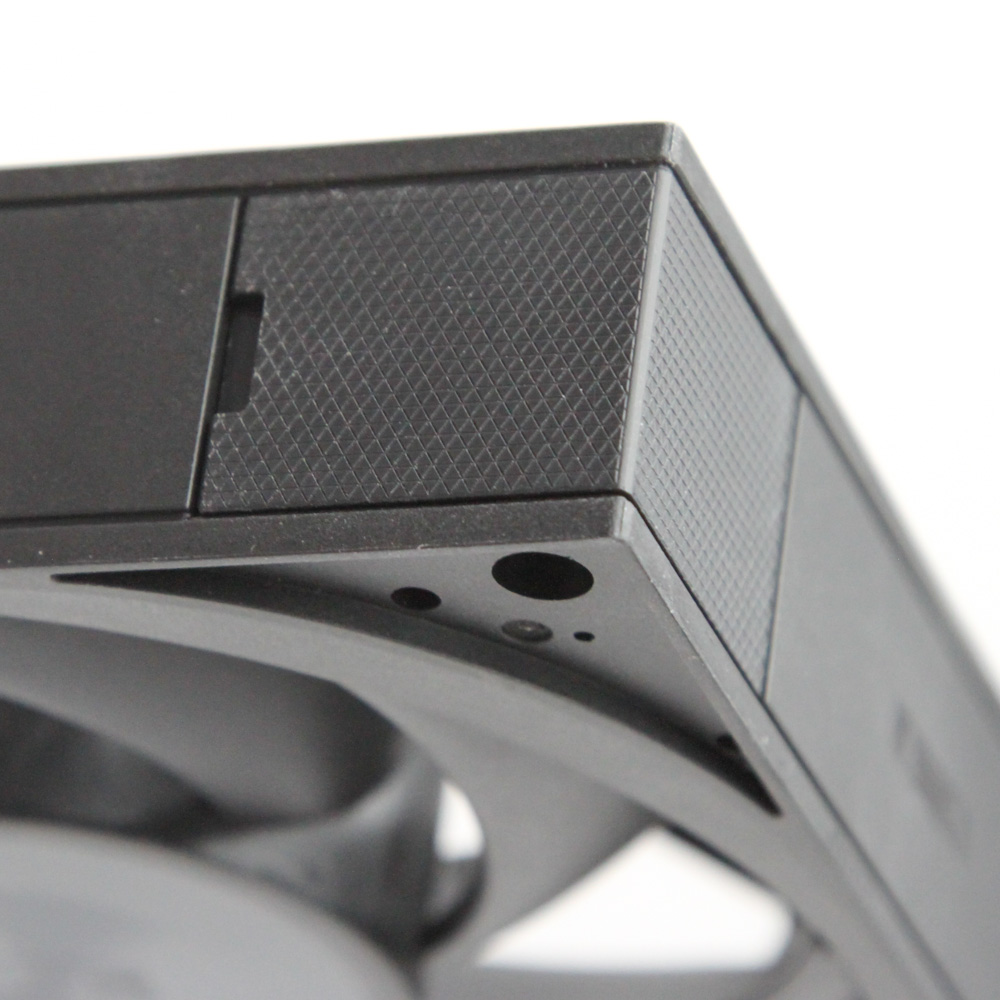
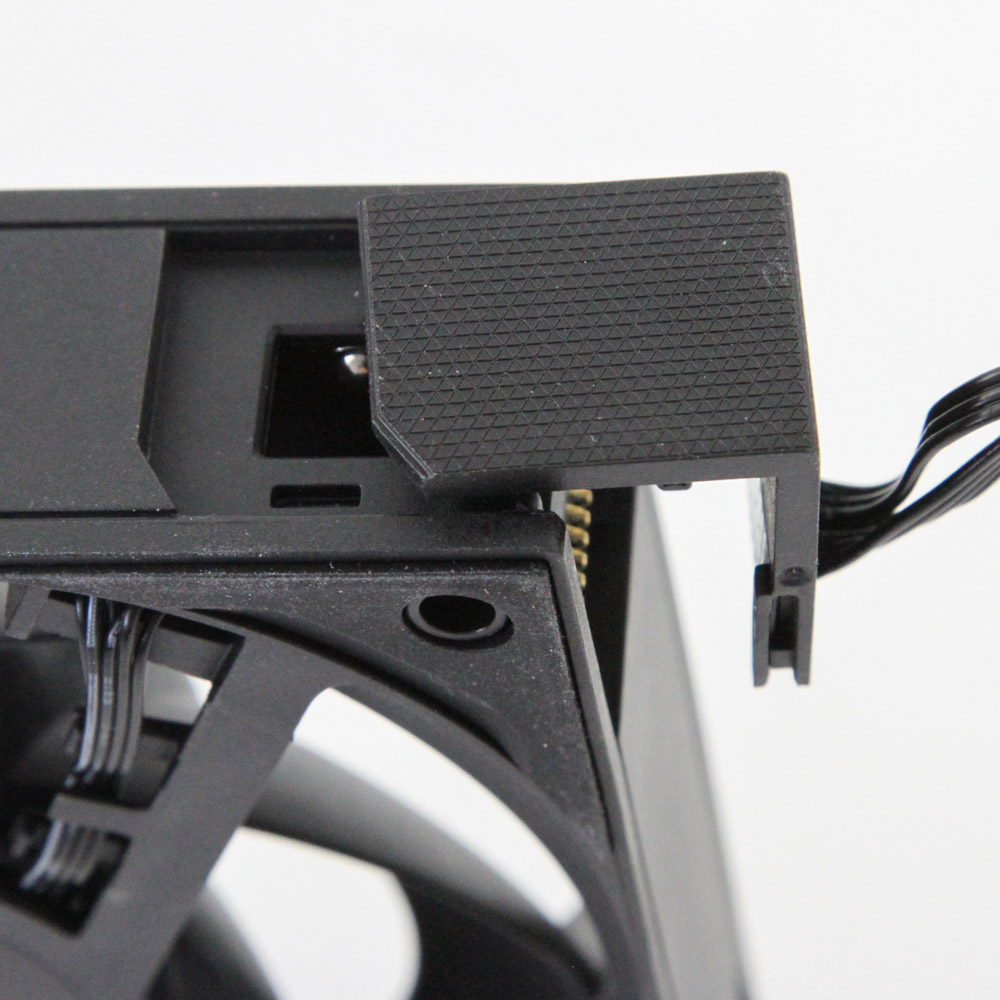
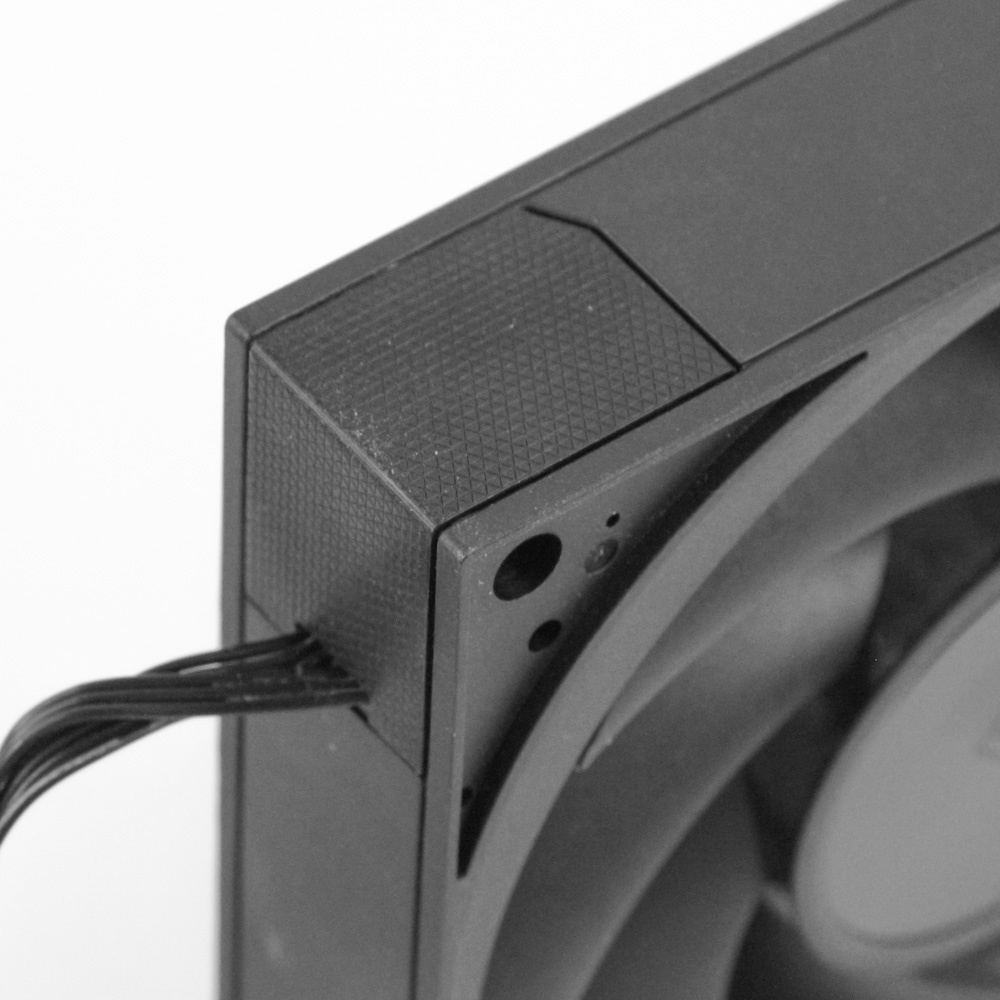
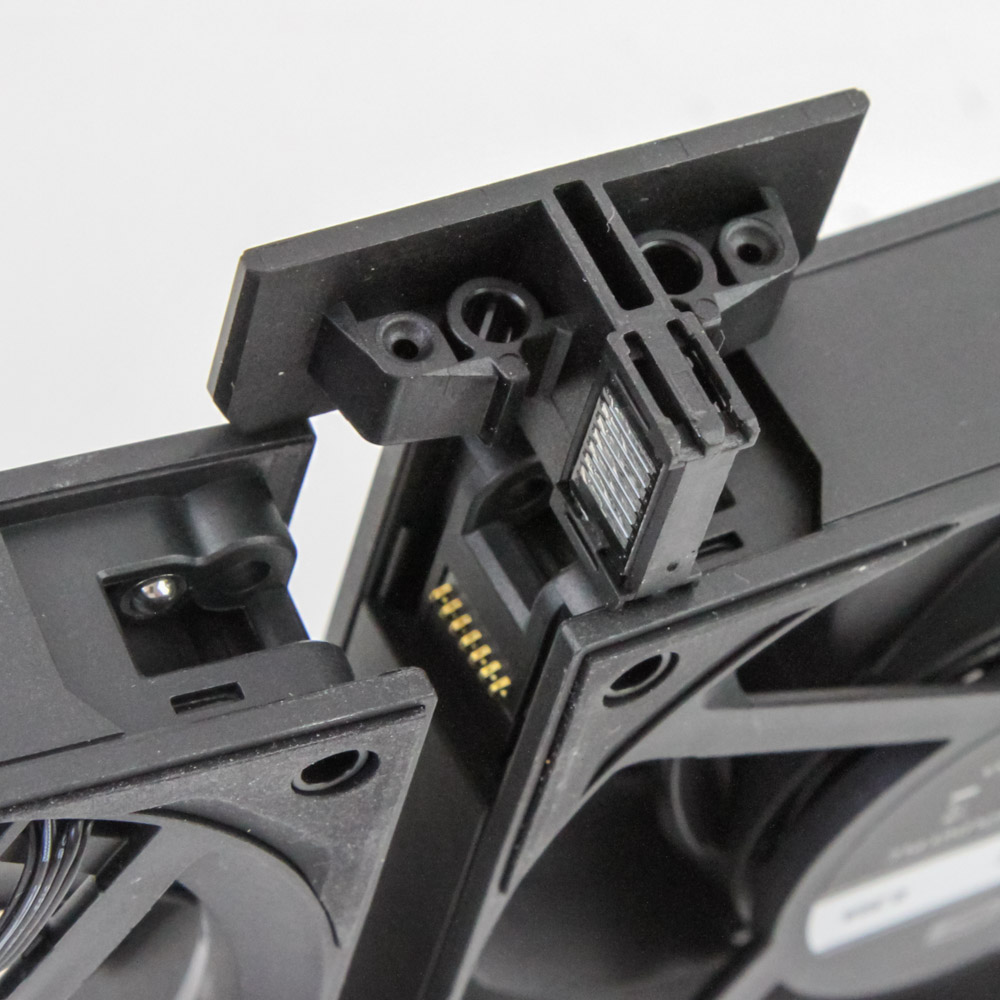

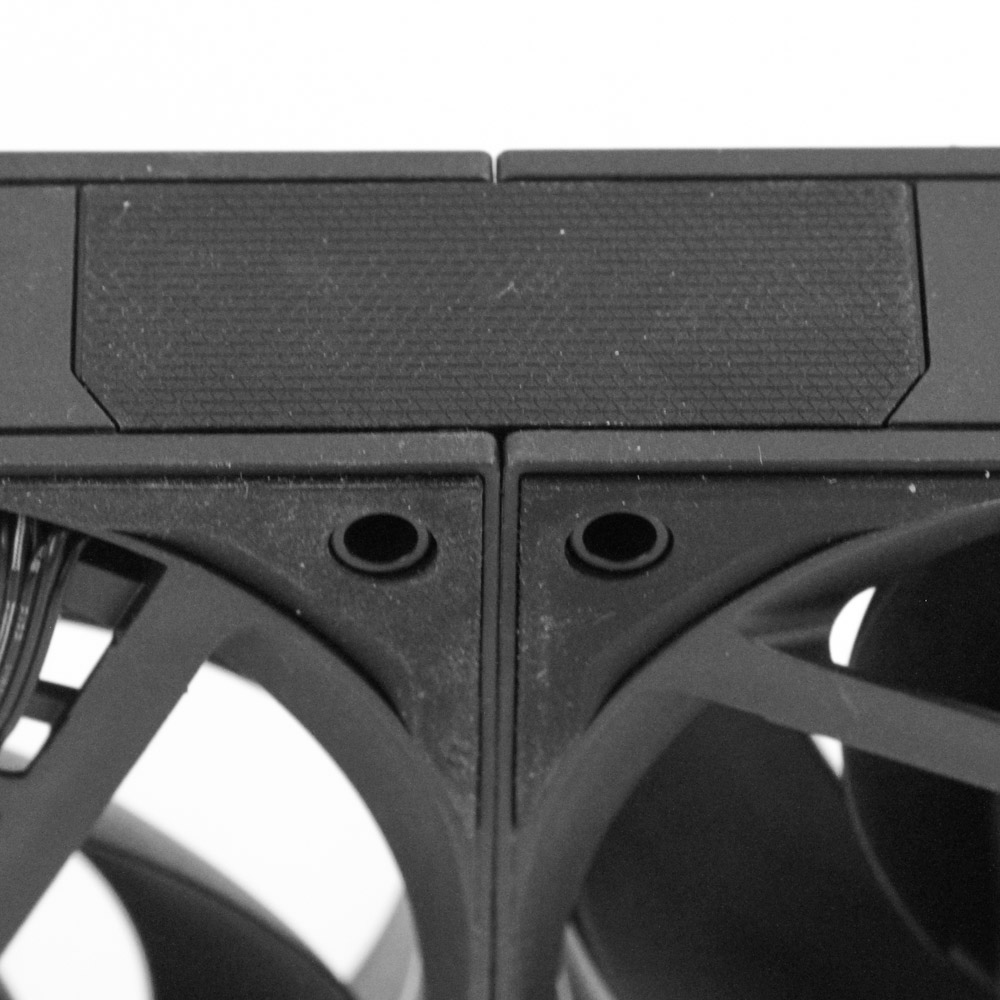
CPS PCCOOLER calls its implementation of daisy-chaining the "Poka-Yoke" system, which is likely based on the same Japanese term for a system that is supposedly foolproof. It's simple enough once you get the hang on it, and helping things further is the part where the plastic corners and connectors only fit in a specific manner. There are dummy corners you use to fill out the gaps of unused corners, and those with active connections get either the Poka-Yoke corner piece with the attached cable, or the connector that allows two fans to fit together in an extremely clean manner. I suggest fitting this on one fan first and sliding the other fan in place to avoid any frustrations. Once done, you can use the provided screws and fan corner pads to maintain the clean aesthetic.

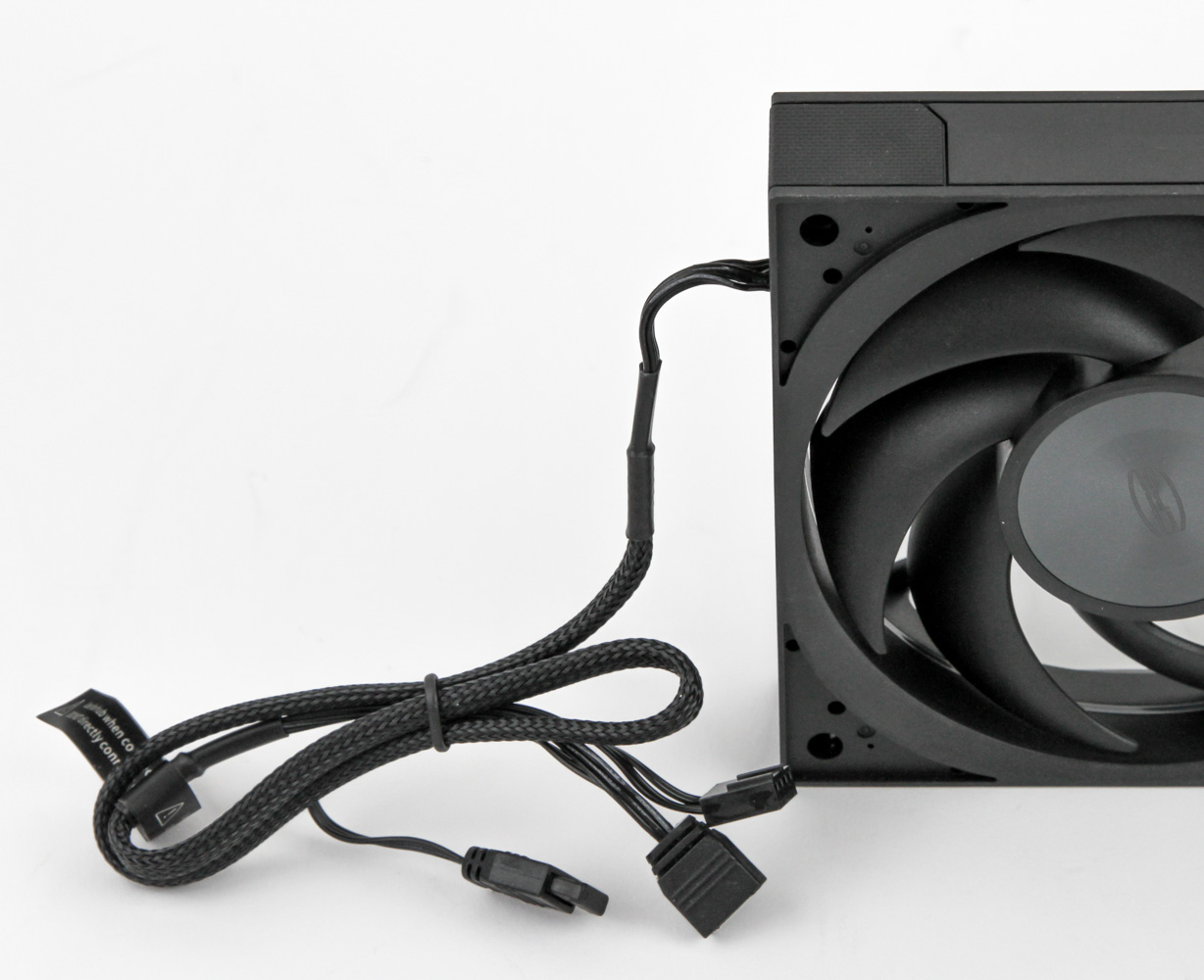

This system allows you to thus run fans individually or in a chain, with this triple SKU shown above for reference. Irrespective of how you set up the fans, there will be a lead fan (or only fan) with cables headed out from a corner as seen here. These terminate in a standard 4-pin PWM connector and 3-pin ARGB connector, with the triple SKU coming also with a fan hub that takes SATA power from the PSU and allows you to power and control the fans from your motherboard. This allows you to sync the LEDs on the fans to your other connected devices for a uniformly lit PC. You can connect up to eight fans with this hub, although I do wish CPS PCCOOLER provided some double-sided tape to help place this behind the motherboard tray in the PC case. The input cable could also be longer, but this depends on where you end up positioning the hub.
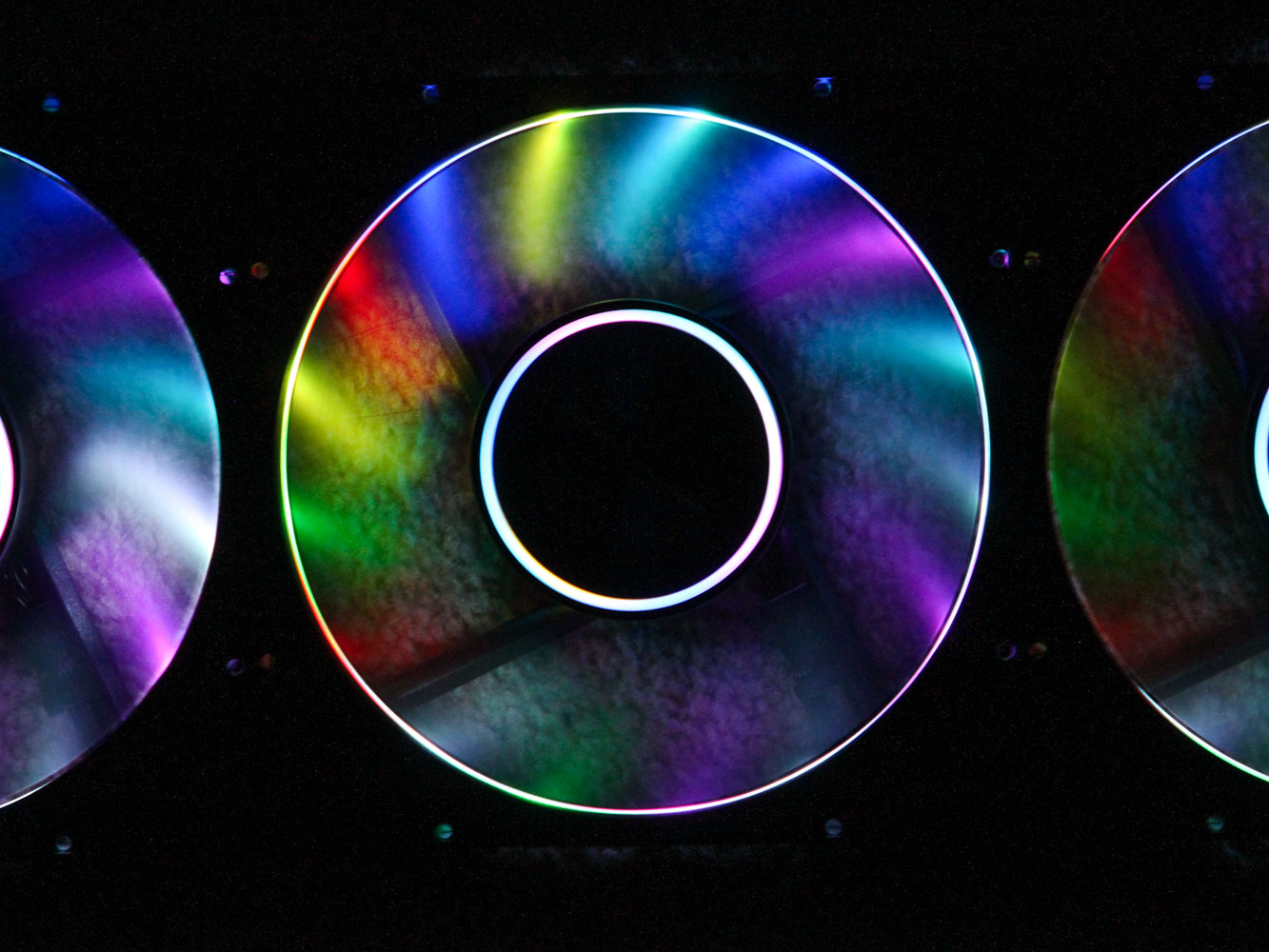
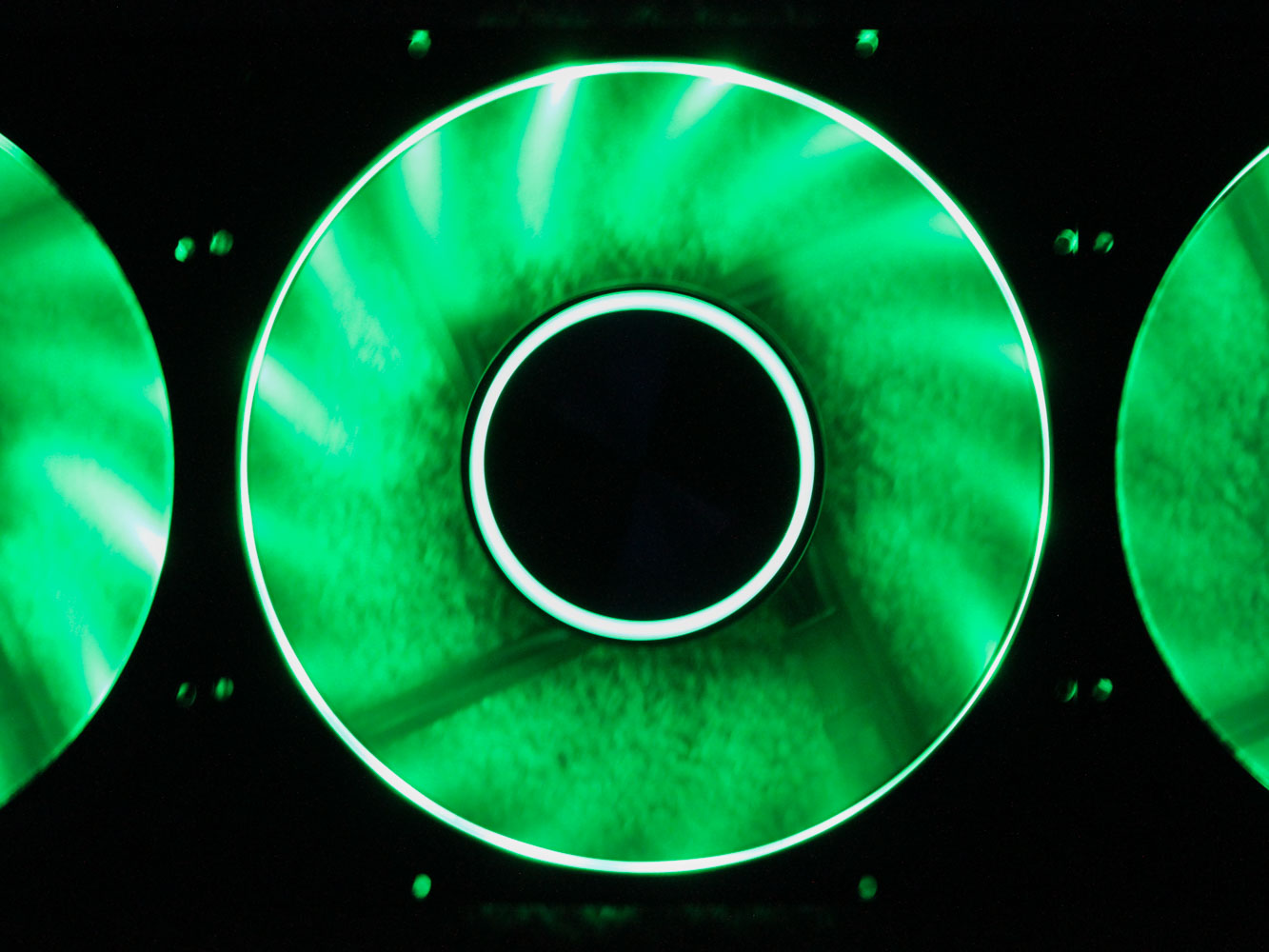
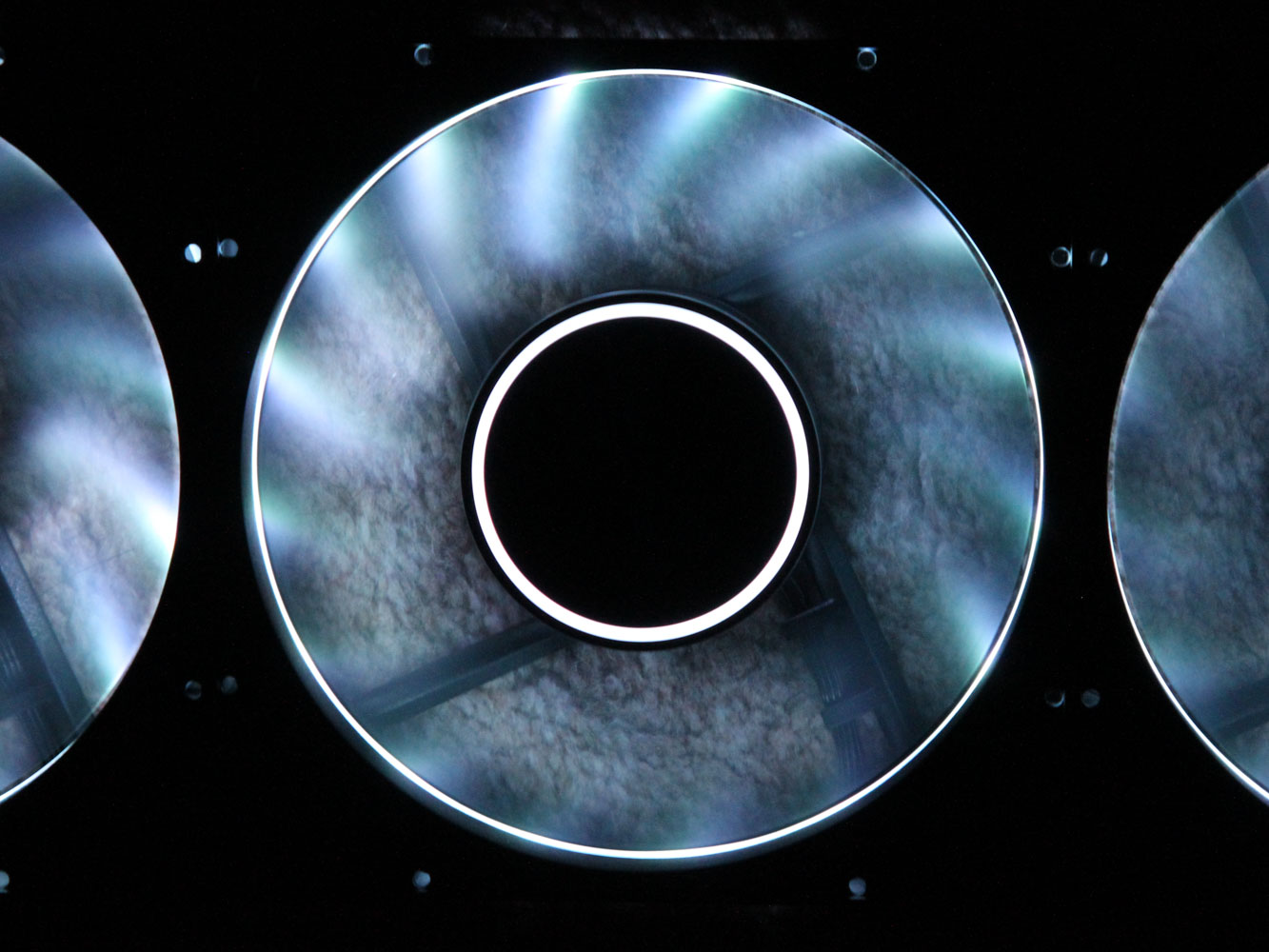
Seen above are all three fans powered on and lit up so you get a better idea of what to expect from the LEDs on board. The impeller is opaque and thus CPS PCCOOLER has relied on two LED rings for lighting outwards from the hub and the inner frame. It is brighter than you might expect from this design, and the colors are fairly consistent too despite the absence of a frosted white plastic rotor/frame, which most RGB fans feature these days. There are 24 ARGB LEDs per fan here, and this is now starting to remind me of the SeaSonic MagFlow ARGB fan.
Nov 25th, 2026 08:20 CST
change timezone
Latest GPU Drivers
New Forum Posts
- Increasing Power Limit? (35)
- Claude credits purchased on or after Dec. 7 now have an expiry date (0)
- Ryzen Owners Zen Garden (8566)
- WarpCoreBench scores! (104)
- Sexy Hardware Close-Up Pic Clubhouse. (10344)
- {NA} 2026 Black November prices / deal (6)
- Smokin Hot Lappy (1)
- What is the latest game you finished or 100% (205)
- The time has come to upgrade...my desktop (20)
- Can you guess Which game it is? (358)
Popular Reviews
- ASRock X870E Challenger Wi-Fi White Review
- Microsoft Surface Laptop Ultra Review - The Next-gen Arm Laptop
- VZMORE AX9 Max Review
- Upcoming Hardware Launches 2027 (Updated Nov 2026)
- AMD Ryzen 7 9800X3D Review - The Best Gaming Processor
- AMD Zen 6 Technical Deep Dive
- Corsair RM1200e (Second Generation) Review
- Phantom Blade Zero Performance Benchmark Review - 35 GPUs Tested
- Pulsar Office Tour & First Look at P1 Dual-Sensor Mouse
- Ocypus lota P1000 Review
TPU on YouTube
Controversial News Posts
- Jensen Huang Reinstated as CEO of NVIDIA (555)
- NVIDIA Co-Founder and CEO Jensen Huang Officially Resigns (492)
- Report: Jensen Huang Eyes NVIDIA Comeback (281)
- Open Letter Asking NVIDIA to Reinstate Jensen Huang Passes 115,000 Signatures (184)
- OpenAI CEO Argues Home PCs Waste the World's Limited DRAM Supply (152)
- NVIDIA Launches Investigation Into Jensen Huang's Relationship With Suspected Chinese Spy (136)
- Intel "Raptor Lake Next" 16-Core and 20-Core CPUs Surface (130)
- Intel Razor Lake Gets a 12 P-Core bLLC Chip With No E-Cores, Per Leak (94)