 6
G-Wolves VUK Review
(6 Comments) »Value and Conclusion
- The G-Wolves VUK is available for $159.00.
- True 8000 Hz wireless polling
- Ultra-low click latency
- Very good sensor performance
- Very high button quality
- Good scroll wheel
- Good choice of components
- Lightweight
- Nicely gliding mouse feet
- Full software customizability
- Sets of replacement feet included
- Set of grip tape included
- Pricey
- Polling instability below 8000 Hz
- Included cables are either too short or too stiff
- Web driver not available as standalone app
Innovation within the gaming mouse space is a rare sight these days, mostly due to the fact that the industry has moved towards a high standard of optimizing under given parameters. Mice come with lower weight, higher battery life, or lower latency, but outside those boundaries, genuine innovation is seldomly seen. With the VUK, G-Wolves attempts something new. While there is typically some variability in terms of how far towards the front or back a sensor will sit between different mice, on the vast majority the sensor will be located more-or-less within the geometric median, and even on mice with an adjustable sensor position such as the Pwnage StormBreaker, the median is the starting point. The VUK likewise has a sensor in that position, but on top of that, it also has a secondary sensor positioned right at the front. Within the software, one can freely switch between either of these sensors depending on preference, and sensor-related settings can even be set separately, with the software remembering those settings.
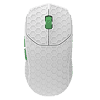
Conceptually, this design is complemented by the shape of the VUK. While not identical, the shape of the VUK is very similar to that of the CHERRY XTRFY M68 Pro. Much like on the latter, the VUK features a very low-sitting front (even lower than on the M68 Pro), and the USB connector likewise has been moved to the right side of the mouse. By virtue of this design, there is enough room at the front for the secondary sensor, which simply wouldn't fit on other mice that have their USB connector placed there. Owing to G-Wolves's engineering efforts in terms of weight savings, the VUK also has enough "headroom" in this regard that even with the added sensor and a large form factor, the VUK only weighs 36 g while having a fully solid upper shell. As with previous G-Wolves mice, the PCB has been extended such that it supports the shell, which is why there is no creaking or flexing of the shell when applying lateral pressure despite the lack of a proper bottom shell, and the side buttons cannot be actuated by pressing below them, either. I did notice a minor rattle possibly coming from the scroll wheel when shaking the mouse, but aside from this, the VUK is remarkably solid.
In short, the dual-sensor concept has been realized smartly, which brings us to the question of its benefits. Ultimately, this is a subjective matter, though in my case at least, I consider the usefulness of the front sensor dubious. Before coming to any assessment, one has to spend quite a few hours with it, as it'll feel highly alien for a good while. In theory, a front sensor should be advantageous in particular for those using exclusively their wrist for moving their mouse and aiming, as a more forward sensor will afford a wider motion arc, but as soon as non-wrist motion is incorporated as well, it'll feel very weird. Personally, I believe the most useful application of a dual-sensor setup would be a virtual sensor, which could be realized by computing the relative position differences between the two sensors. Unfortunately, no such feature is present. Still, the concept is realized well otherwise, and G-Wolves can be commended for their willingness to try something new.
The VUK comes with another new feature, although this one is already familiar from a different manufacturer. Much like the OP1 8K and other mice from Endgame Gear, the VUK implements a different switch type, which have a top contact in addition to the usual bottom contact. Such switches are called SPDT (single-pole, double throw), and since these aren't too common, G-Wolves had a custom SPDT switch requested from Huano. With SPDT mode enabled, a click will already be registered upon the top contact being opened instead of having to wait for the bottom contact to close, reducing physical latency in the process. In my testing, enabling SPDT mode reduces physical latency by 1.65 ms, which is highly substantial. In wireless operation, the VUK already has among the lowest click latency at 0.3 ms when using the lowest debounce time setting, and by enabling SPDT mode, one can cut down on physical latency even further.
Regarding button response, these switches also do well. Pre-travel is low and post-travel low to moderate, resulting in a firm and snappy button response, and lateral movement can only be provoked to a very low degree. The side buttons have been outfitted with 2-pin, low-profile switches from TTC (brown shell, blue plunger), which are familiar from previous G-Wolves releases. Pre- and post-travel are low on these, and the actuation point is even across their entirety, but feedback isn't all that pleasant, as they're quite loud. For the scroll wheel, G-Wolves once again opted for a TTC "Gold" encoder (blue/yellow core) in the 11 mm size. I've found that this encoder has quite a bit of unit-to-unit variance, and the one on my sample seems to be no exception to this rule. In this case, scrolling up in particular is noisy, and tactility is merely above average, with the individual steps being reasonably well-separated. Much like on previous G-Wolves releases, the bottom (what little there is) lacks indents for feet, allowing one to apply feet of non-default sizes and shapes. Aside from the feet installed by default, no less than four sets of fitted feet are included with the mouse, along with one set of dots. They're all made of pure PTFE, and glide very well. Of note is that due to the lack of a bottom, the VUK lacks a sensor ring entirely, which isn't necessarily an issue, but having one would probably be better for users of soft mats in particular.
The VUK combines PixArt's latest PAW3950 sensor with a Nordic nRF52840 MCU. Of particular note is the presence of a so-called competitive mode in the software. When enabled, this sets sensor run mode to corded and the sensor framerate to its maximum value, prioritizing performance over battery life. At polling rates of 2000 Hz and higher, corded mode is already enabled by default, which is why only sensor framerate is set to its maximum value. This setting is worthwhile in that it allows one to set corded mode in wireless operation even for polling rates of 1000 Hz and under, which otherwise aren't set to corded, and accordingly bring these polling rates of 1000 Hz and under on par with polling rates of 2000 Hz and over in terms of motion delay, albeit without the hit to FPS brought about by the latter. Click latency is the same across all polling rates anyway, so the only benefit polling rates of 2000 Hz and above have over polling rates of 1000 Hz and under with competitive mode enabled is higher positional accuracy, along with increased smoothness due to more frequent updates.
In terms of numbers, the VUK with the latest firmware marginally improves on older firmware versions. There is no CPI deviation whatsoever. At 2000, 4000, and 8000 Hz in wireless operation, the VUK enjoys a lead of 1.0 ms over the Logitech G403 (control subject) without MotionSync, which will also apply to the other polling rates if competitive mode is enabled, as explained earlier. In terms of polling stability, the VUK has issues. 125, 250, 500, and 1000 Hz show non-periodic off-period polls, though these aren't particularly frequent. At 2000 Hz, the target interval of 0.5 ms may be averaged, but variance is elevated due to the fact that instead of maintaining 0.5 ms intervals, the VUK for the most part alternates between polls of 0.375 ms and 0.625 ms. 4000 Hz instead suffers from high variance in terms of motion delay due to frequently missed polls and should be avoided in general. 8000 Hz, however, is perfectly stable, averaging flawless 0.125 ms intervals with or without MotionSync.
G-Wolves does not cite any battery life numbers. That said, given that 80 hours were cited for the Hati-S Ultra at 1000 Hz, which used a 250 mAh battery, it is fair to assume that the VUK lands on a similar level, since a 250 mAh battery is utilized for this one, too. Unfortunately, the percent-based battery life indicator still isn't much help in this regard, as it is simply not reliable enough to gauge anything. Charging isn't all that speedy on the VUK, but decent enough, though playing while charging won't be an option with the included cables anyway. The first one isn't all that flexible to begin with, but more importantly seriously short at 1.25 m, whereas the second one is a bit longer at 1.45 m yet even stiffer. As such, it is best to keep the VUK charged at all times to minimize forced downtime.
As with other recent G-Wolves releases, configuration on the VUK is done through a web driver. Due to using WebHID, this will only work in Chromium-based browsers such as Chrome or Edge. Hence, for those not already using these browsers, being directed towards a web driver requires installing an additional browser, which of course comes with its own resource footprint, much like standalone peripheral software would. In addition, if G-Wolves were to go defunct, or decide to no longer host the web driver, configuration would become impossible, as a local copy unfortunately won't work. This is doubly problematic in that the VUK doesn't even have a CPI button, so even something basic as changing CPI requires using software. As such, I consider the exclusive web driver a step back compared to the previous standalone application featured with earlier G-Wolves mice, and would welcome if G-Wolves would also release a desktop version of their web driver in the future. As for the driver itself, I couldn't find any bugs, and all the relevant options are present. The issue where setting changes could still be made after the mouse has entered sleep mode has been addressed, and the only remaining oddity is that any adjustment to the debounce settings will only take effect after the mouse has been lifted and reset once.
At $159.00, the VUK is hardly a bargain. At the same time, it does something new, and the only other manufacturer offering SPDT mode and the exceptionally low click latency afforded by it is Endgame Gear. Due to the similarity in terms of shape, the VUK directly competes with the CHERRY XTRFY M68 Pro, which is priced a bit lower at $139.00 and performs similarly well, but weighs significantly more and lacks SPDT mode. The $119.99 XM2w 4K V2 and OP1w 4K V2 from Endgame Gear do have SPDT mode and similar performance, but too are a good bit heavier. Accordingly, the VUK is expensive, but not unreasonably so relative to the competition. With that in mind, the VUK gets our Recommended and Innovation awards.


Conceptually, this design is complemented by the shape of the VUK. While not identical, the shape of the VUK is very similar to that of the CHERRY XTRFY M68 Pro. Much like on the latter, the VUK features a very low-sitting front (even lower than on the M68 Pro), and the USB connector likewise has been moved to the right side of the mouse. By virtue of this design, there is enough room at the front for the secondary sensor, which simply wouldn't fit on other mice that have their USB connector placed there. Owing to G-Wolves's engineering efforts in terms of weight savings, the VUK also has enough "headroom" in this regard that even with the added sensor and a large form factor, the VUK only weighs 36 g while having a fully solid upper shell. As with previous G-Wolves mice, the PCB has been extended such that it supports the shell, which is why there is no creaking or flexing of the shell when applying lateral pressure despite the lack of a proper bottom shell, and the side buttons cannot be actuated by pressing below them, either. I did notice a minor rattle possibly coming from the scroll wheel when shaking the mouse, but aside from this, the VUK is remarkably solid.
In short, the dual-sensor concept has been realized smartly, which brings us to the question of its benefits. Ultimately, this is a subjective matter, though in my case at least, I consider the usefulness of the front sensor dubious. Before coming to any assessment, one has to spend quite a few hours with it, as it'll feel highly alien for a good while. In theory, a front sensor should be advantageous in particular for those using exclusively their wrist for moving their mouse and aiming, as a more forward sensor will afford a wider motion arc, but as soon as non-wrist motion is incorporated as well, it'll feel very weird. Personally, I believe the most useful application of a dual-sensor setup would be a virtual sensor, which could be realized by computing the relative position differences between the two sensors. Unfortunately, no such feature is present. Still, the concept is realized well otherwise, and G-Wolves can be commended for their willingness to try something new.
The VUK comes with another new feature, although this one is already familiar from a different manufacturer. Much like the OP1 8K and other mice from Endgame Gear, the VUK implements a different switch type, which have a top contact in addition to the usual bottom contact. Such switches are called SPDT (single-pole, double throw), and since these aren't too common, G-Wolves had a custom SPDT switch requested from Huano. With SPDT mode enabled, a click will already be registered upon the top contact being opened instead of having to wait for the bottom contact to close, reducing physical latency in the process. In my testing, enabling SPDT mode reduces physical latency by 1.65 ms, which is highly substantial. In wireless operation, the VUK already has among the lowest click latency at 0.3 ms when using the lowest debounce time setting, and by enabling SPDT mode, one can cut down on physical latency even further.
Regarding button response, these switches also do well. Pre-travel is low and post-travel low to moderate, resulting in a firm and snappy button response, and lateral movement can only be provoked to a very low degree. The side buttons have been outfitted with 2-pin, low-profile switches from TTC (brown shell, blue plunger), which are familiar from previous G-Wolves releases. Pre- and post-travel are low on these, and the actuation point is even across their entirety, but feedback isn't all that pleasant, as they're quite loud. For the scroll wheel, G-Wolves once again opted for a TTC "Gold" encoder (blue/yellow core) in the 11 mm size. I've found that this encoder has quite a bit of unit-to-unit variance, and the one on my sample seems to be no exception to this rule. In this case, scrolling up in particular is noisy, and tactility is merely above average, with the individual steps being reasonably well-separated. Much like on previous G-Wolves releases, the bottom (what little there is) lacks indents for feet, allowing one to apply feet of non-default sizes and shapes. Aside from the feet installed by default, no less than four sets of fitted feet are included with the mouse, along with one set of dots. They're all made of pure PTFE, and glide very well. Of note is that due to the lack of a bottom, the VUK lacks a sensor ring entirely, which isn't necessarily an issue, but having one would probably be better for users of soft mats in particular.
The VUK combines PixArt's latest PAW3950 sensor with a Nordic nRF52840 MCU. Of particular note is the presence of a so-called competitive mode in the software. When enabled, this sets sensor run mode to corded and the sensor framerate to its maximum value, prioritizing performance over battery life. At polling rates of 2000 Hz and higher, corded mode is already enabled by default, which is why only sensor framerate is set to its maximum value. This setting is worthwhile in that it allows one to set corded mode in wireless operation even for polling rates of 1000 Hz and under, which otherwise aren't set to corded, and accordingly bring these polling rates of 1000 Hz and under on par with polling rates of 2000 Hz and over in terms of motion delay, albeit without the hit to FPS brought about by the latter. Click latency is the same across all polling rates anyway, so the only benefit polling rates of 2000 Hz and above have over polling rates of 1000 Hz and under with competitive mode enabled is higher positional accuracy, along with increased smoothness due to more frequent updates.
In terms of numbers, the VUK with the latest firmware marginally improves on older firmware versions. There is no CPI deviation whatsoever. At 2000, 4000, and 8000 Hz in wireless operation, the VUK enjoys a lead of 1.0 ms over the Logitech G403 (control subject) without MotionSync, which will also apply to the other polling rates if competitive mode is enabled, as explained earlier. In terms of polling stability, the VUK has issues. 125, 250, 500, and 1000 Hz show non-periodic off-period polls, though these aren't particularly frequent. At 2000 Hz, the target interval of 0.5 ms may be averaged, but variance is elevated due to the fact that instead of maintaining 0.5 ms intervals, the VUK for the most part alternates between polls of 0.375 ms and 0.625 ms. 4000 Hz instead suffers from high variance in terms of motion delay due to frequently missed polls and should be avoided in general. 8000 Hz, however, is perfectly stable, averaging flawless 0.125 ms intervals with or without MotionSync.
G-Wolves does not cite any battery life numbers. That said, given that 80 hours were cited for the Hati-S Ultra at 1000 Hz, which used a 250 mAh battery, it is fair to assume that the VUK lands on a similar level, since a 250 mAh battery is utilized for this one, too. Unfortunately, the percent-based battery life indicator still isn't much help in this regard, as it is simply not reliable enough to gauge anything. Charging isn't all that speedy on the VUK, but decent enough, though playing while charging won't be an option with the included cables anyway. The first one isn't all that flexible to begin with, but more importantly seriously short at 1.25 m, whereas the second one is a bit longer at 1.45 m yet even stiffer. As such, it is best to keep the VUK charged at all times to minimize forced downtime.
As with other recent G-Wolves releases, configuration on the VUK is done through a web driver. Due to using WebHID, this will only work in Chromium-based browsers such as Chrome or Edge. Hence, for those not already using these browsers, being directed towards a web driver requires installing an additional browser, which of course comes with its own resource footprint, much like standalone peripheral software would. In addition, if G-Wolves were to go defunct, or decide to no longer host the web driver, configuration would become impossible, as a local copy unfortunately won't work. This is doubly problematic in that the VUK doesn't even have a CPI button, so even something basic as changing CPI requires using software. As such, I consider the exclusive web driver a step back compared to the previous standalone application featured with earlier G-Wolves mice, and would welcome if G-Wolves would also release a desktop version of their web driver in the future. As for the driver itself, I couldn't find any bugs, and all the relevant options are present. The issue where setting changes could still be made after the mouse has entered sleep mode has been addressed, and the only remaining oddity is that any adjustment to the debounce settings will only take effect after the mouse has been lifted and reset once.
At $159.00, the VUK is hardly a bargain. At the same time, it does something new, and the only other manufacturer offering SPDT mode and the exceptionally low click latency afforded by it is Endgame Gear. Due to the similarity in terms of shape, the VUK directly competes with the CHERRY XTRFY M68 Pro, which is priced a bit lower at $139.00 and performs similarly well, but weighs significantly more and lacks SPDT mode. The $119.99 XM2w 4K V2 and OP1w 4K V2 from Endgame Gear do have SPDT mode and similar performance, but too are a good bit heavier. Accordingly, the VUK is expensive, but not unreasonably so relative to the competition. With that in mind, the VUK gets our Recommended and Innovation awards.
Nov 24th, 2026 22:47 CST
change timezone
Latest GPU Drivers
New Forum Posts
- WarpCoreBench scores! (100)
- Which ryzen am5 cpu ? (211)
- Asus Rog Maximus Z890 Extreme. (Various questions). (36)
- The time has come to upgrade...my desktop (15)
- AMD ULL settings tinkering thread - post settings and Zen pics (90)
- TPU's F@H Team (20570)
- Can you guess Which game it is? (352)
- Ryzen Owners Zen Garden (8562)
- What are you playing? (26253)
- Your PC ATM (36503)
Popular Reviews
- ASRock X870E Challenger Wi-Fi White Review
- Microsoft Surface Laptop Ultra Review - The Next-gen Arm Laptop
- Upcoming Hardware Launches 2027 (Updated Nov 2026)
- VZMORE AX9 Max Review
- AMD Ryzen 7 9800X3D Review - The Best Gaming Processor
- Corsair RM1200e (Second Generation) Review
- AMD Zen 6 Technical Deep Dive
- Phantom Blade Zero Performance Benchmark Review - 35 GPUs Tested
- Pulsar Office Tour & First Look at P1 Dual-Sensor Mouse
- Ocypus lota P1000 Review
TPU on YouTube
Controversial News Posts
- Jensen Huang Reinstated as CEO of NVIDIA (535)
- NVIDIA Co-Founder and CEO Jensen Huang Officially Resigns (492)
- Report: Jensen Huang Eyes NVIDIA Comeback (281)
- Open Letter Asking NVIDIA to Reinstate Jensen Huang Passes 115,000 Signatures (184)
- OpenAI CEO Argues Home PCs Waste the World's Limited DRAM Supply (152)
- NVIDIA Launches Investigation Into Jensen Huang's Relationship With Suspected Chinese Spy (136)
- Intel "Raptor Lake Next" 16-Core and 20-Core CPUs Surface (130)
- Intel Razor Lake Gets a 12 P-Core bLLC Chip With No E-Cores, Per Leak (94)