 4
Gigabyte MO27Q28GR Review - Gloss Without the Glare
Controls, OSD & Software »Connectivity
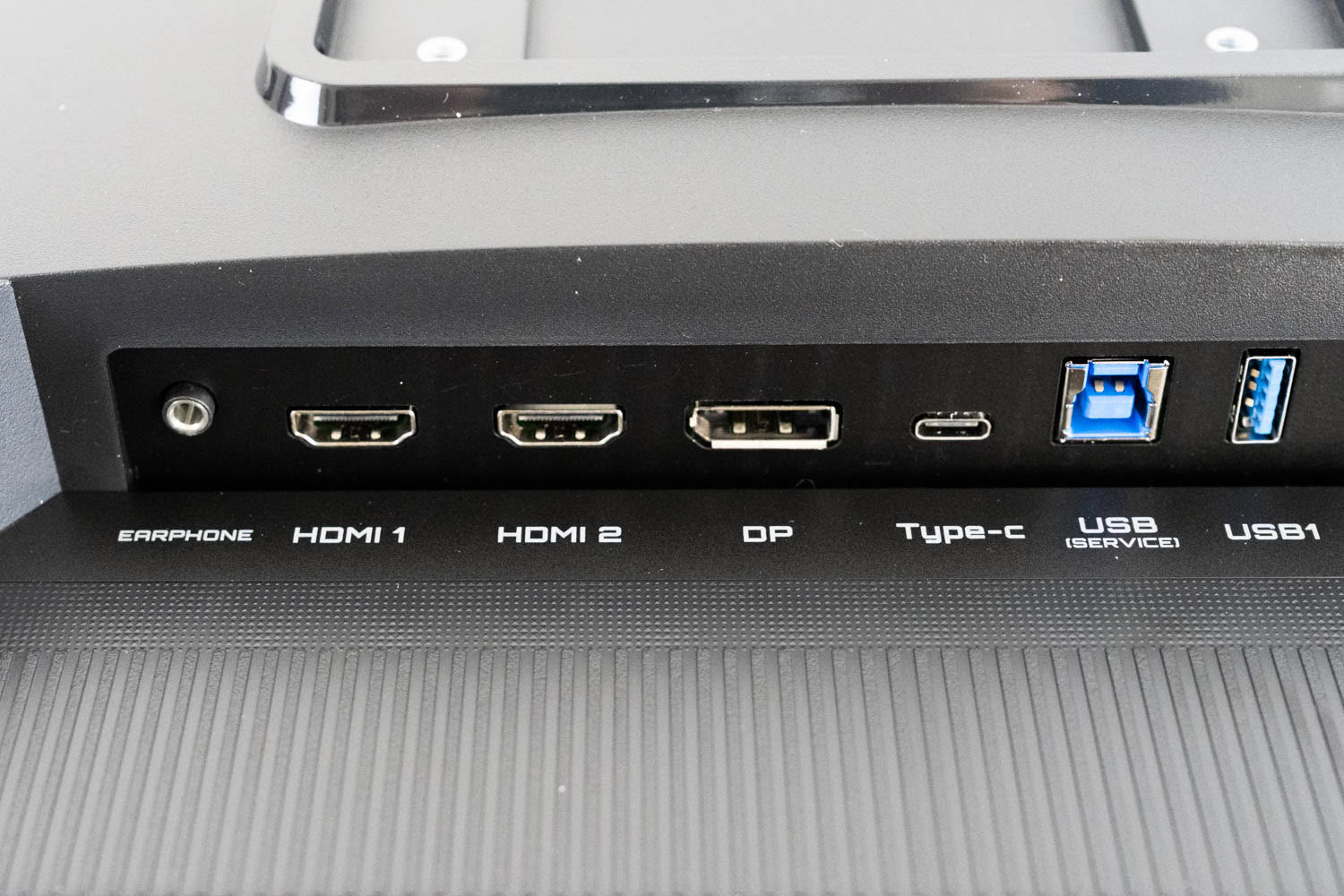
All ports live in a single downward-facing row along the bottom of the rear housing, which keeps the back of the monitor clean but means you are working blind when plugging anything in. Video comes in over two HDMI 2.1 ports and one DisplayPort 1.4 running HBR3, and which one you choose has consequences here. A 10-bit signal at 2560×1440 and 280 Hz needs roughly 33 Gbps of video bandwidth. DisplayPort 1.4 cannot deliver that: HBR3 carries 32.4 Gbps of raw bandwidth, but 8b/10b encoding leaves only around 25.9 Gbps usable, so Display Stream Compression is mandatory on this input. Both HDMI ports run at the full 48 Gbps, and with 16b/18b encoding that works out to roughly 42.7 Gbps usable, comfortably above what the signal requires. HDMI 2.1 therefore carries the native resolution and refresh rate uncompressed.
DSC is visually lossless and I have never been able to identify it in normal use, so most people can pick whichever input suits their setup and think no further about it. But anyone who specifically wants an uncompressed signal path should know that this monitor offers one, and that it is on HDMI rather than on DisplayPort. That inverts the usual advice, where DisplayPort is the enthusiast's default and HDMI is what you use for consoles.
The USB-C port supports DP Alt Mode, so a laptop can drive the display over a single cable. Power delivery is where it gets interesting, and not entirely in a good way. Gigabyte implements what it calls Smart PD: the port is rated at 18 W, but when the panel is displaying dark content and drawing less power itself, the monitor reallocates the headroom and pushes USB-C output up to 45 W. It is a genuinely clever piece of engineering and I have not seen it on another monitor.
However, it is also not something you can plan around. The 45 W figure only materializes under conditions you do not control, since it depends on what is on-screen from moment to moment, and a laptop that needs more than 18 W sustained will drain its battery whenever the picture brightens. Treat the MO27Q28GR as an 18 W monitor, because that is the number you can rely on, and understand that no modern laptop charges properly from 18 W under load. Smart PD is a bonus when it kicks in, not a docking solution.
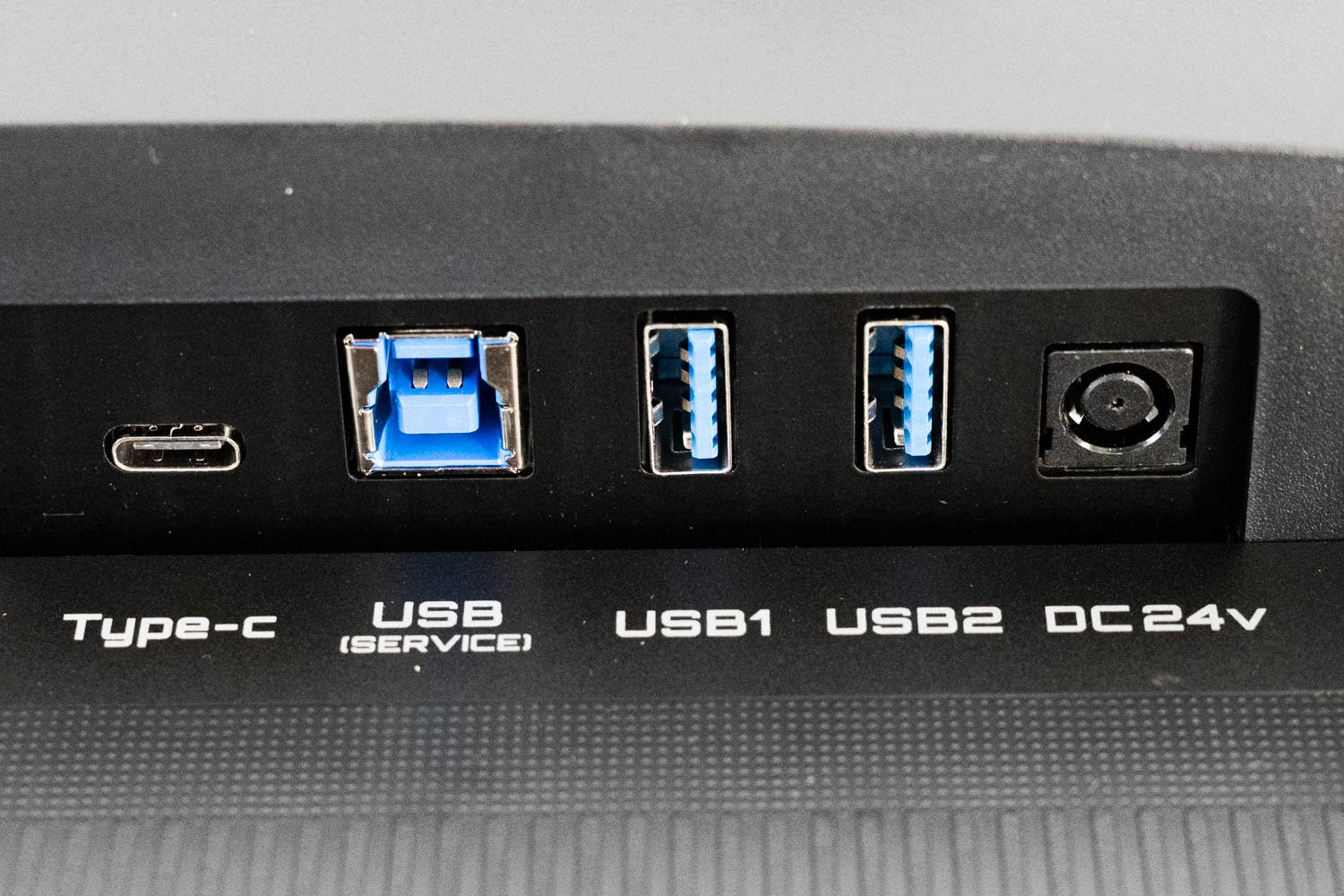
The USB hub consists of two downstream Type-A ports, labeled USB1 and USB2, fed by the Type-B connector to their left. That connector is labeled USB (SERVICE) rather than upstream, which is worth explaining because the naming undersells it. It is the same port in all three roles: it carries the hub data, it provides the link OSD Sidekick needs to control the monitor from Windows, and it is what firmware updates run over. Nothing about it is reserved for service technicians.
The KVM switch is automatic. Select a video input and the connected peripherals follow it across without any manual step, which is exactly the behavior you want on a two-system desk and something the cheaper GO27Q24G does not offer at all.
A 3.5 mm headphone jack sits at the opposite end of the row, marked EARPHONE, alongside two 5 W speakers. The speakers will handle system sounds and a video call. They will not handle anything you might actually care about hearing.
Power Consumption
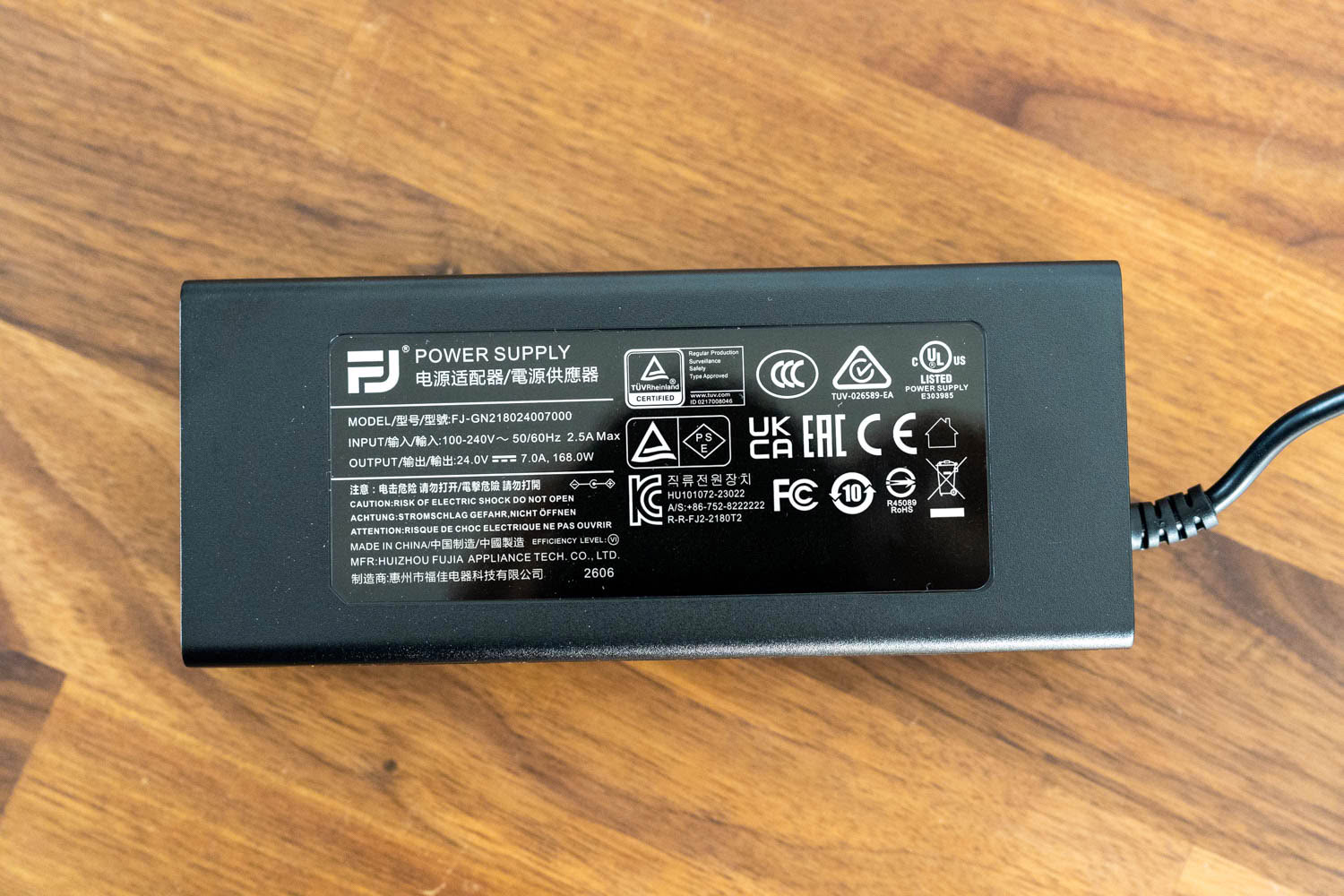
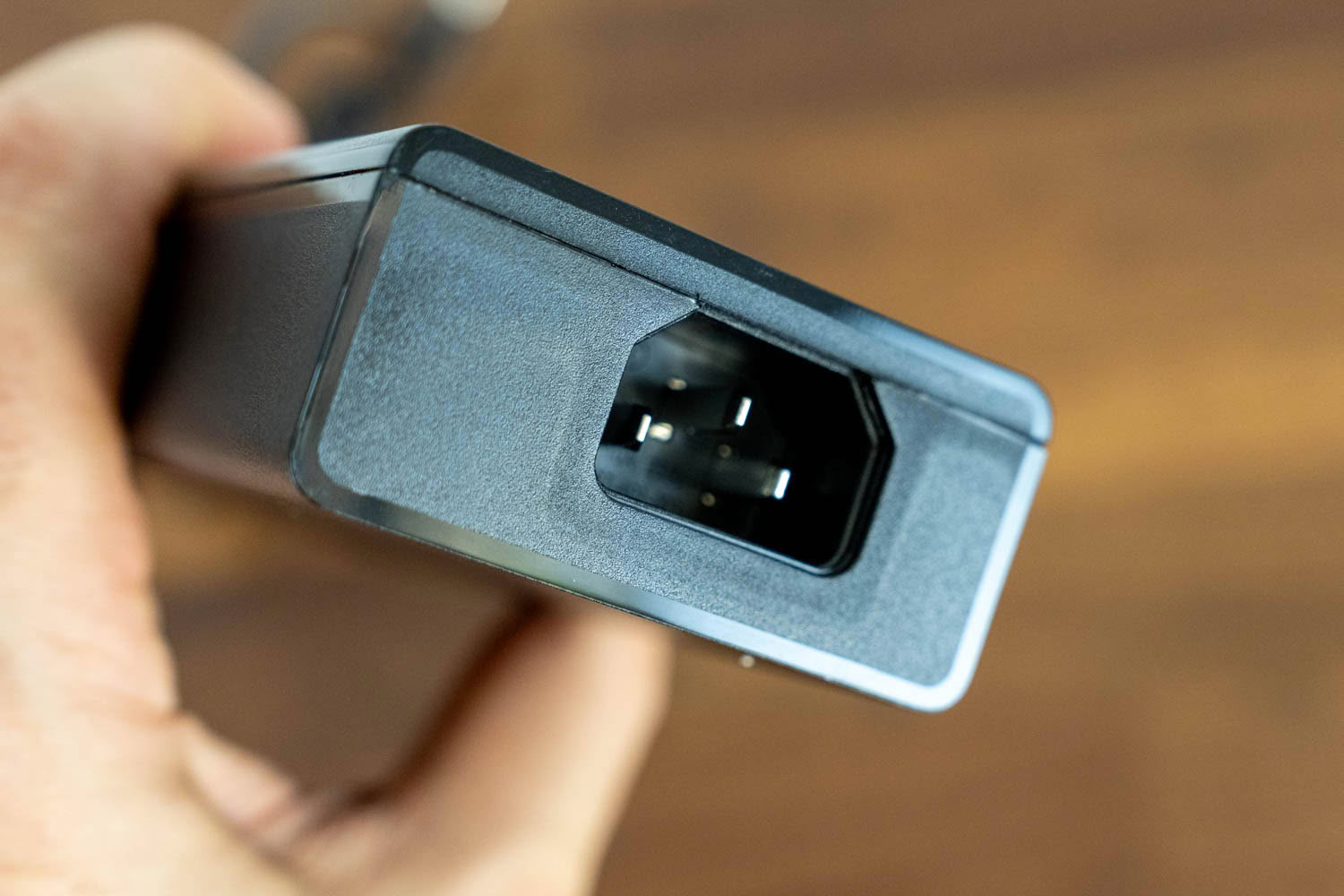
The MO27Q28GR uses an external power supply rated at 168 W, which is a strange amount of headroom for a 27-inch monitor that never approaches 50 W in SDR. It is a large brick to find room for under a desk, and the sizing looks like it was inherited from a platform decision rather than derived from this particular display's needs. An internal supply would have been preferable given how thin the chassis already is, but the trade here bought a slimmer panel rather than a lower price.
Power consumption was measured with the Meross MSS315 Matter Smart Wi-Fi Plug and its companion app after resetting the monitor to factory defaults.
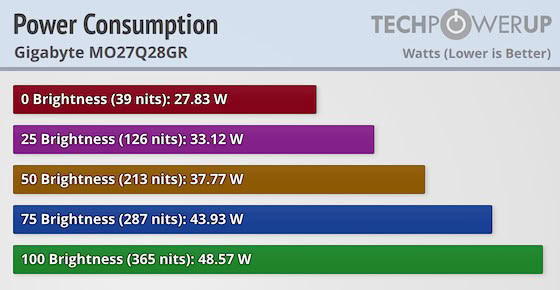
The numbers are excellent, and they tell you something about the panel. Draw runs from 27.83 W at minimum brightness to 48.57 W at maximum, a spread of under 21 W across the entire range. What matters more is the second figure on each bar: at maximum brightness the panel measured 365 cd/m², comfortably above the 335 cd/m² Gigabyte rates it for, and it reaches that on under 50 W. Third generation WOLED panels needed to be run flat out to reach 250 cd/m². This one has enough headroom left over that you can sit at a comfortable 250 cd/m² with the brightness control barely past halfway, which is the single most useful practical consequence of the tandem structure.
Nov 19th, 2026 23:10 PST
change timezone
Latest GPU Drivers
New Forum Posts
- Honestly, do you care about GTA VI? (178)
- Anthrophics IPO (10)
- WarpCoreBench scores! (78)
- Upgrade Considerations: CPU (12/13/14) and Motherboard (B660/B760 and Z690/Z790) (62)
- How to prevent OLED burn damage due to PC freezes or power outtages? (39)
- TPU's Nostalgic Hardware Club (22172)
- RX 7600 + Ryzen 5 5600GT getting the same FPS as my old RX 6500 XT – What am I missing? (5)
- GTA VI (11)
- GPU Temperatures Rise Very Quickly in FurMark – Is This Normal? (18)
- Time to upgrade CPU and MOBO (72)
Popular Reviews
- AMD Zen 6 Technical Deep Dive
- Ugreen NASync DXP4800 GT Review
- Acemagic Retro X3 Review
- Upcoming Hardware Launches 2027 (Updated Nov 2026)
- Corsair RM1200e (Second Generation) Review
- Pulsar Office Tour & First Look at P1 Dual-Sensor Mouse
- Biwin Black Opal NV7400 2 TB Review
- Chieftec Iceberg PRO 360 DARK Review
- AMD Ryzen 7 9800X3D Memory Performance Scaling
- AMD Ryzen 7 9800X3D Review - The Best Gaming Processor
TPU on YouTube
Controversial News Posts
- NVIDIA Co-Founder and CEO Jensen Huang Officially Resigns (490)
- Report: Jensen Huang Eyes NVIDIA Comeback (224)
- Open Letter Asking NVIDIA to Reinstate Jensen Huang Passes 115,000 Signatures (184)
- OpenAI CEO Argues Home PCs Waste the World's Limited DRAM Supply (152)
- NVIDIA Launches Investigation Into Jensen Huang's Relationship With Suspected Chinese Spy (136)
- Intel "Raptor Lake Next" 16-Core and 20-Core CPUs Surface (130)
- Legendary Game Studio BioWare Shuts Down Following EA Layoffs (104)
- Dell CEO Says the Memory Shortage Will Get Worse in 2027 (95)