 12
Gigabyte MO32U24 Review - Penta Tandem Hits Its Stride
Controls & OSD »Connectivity
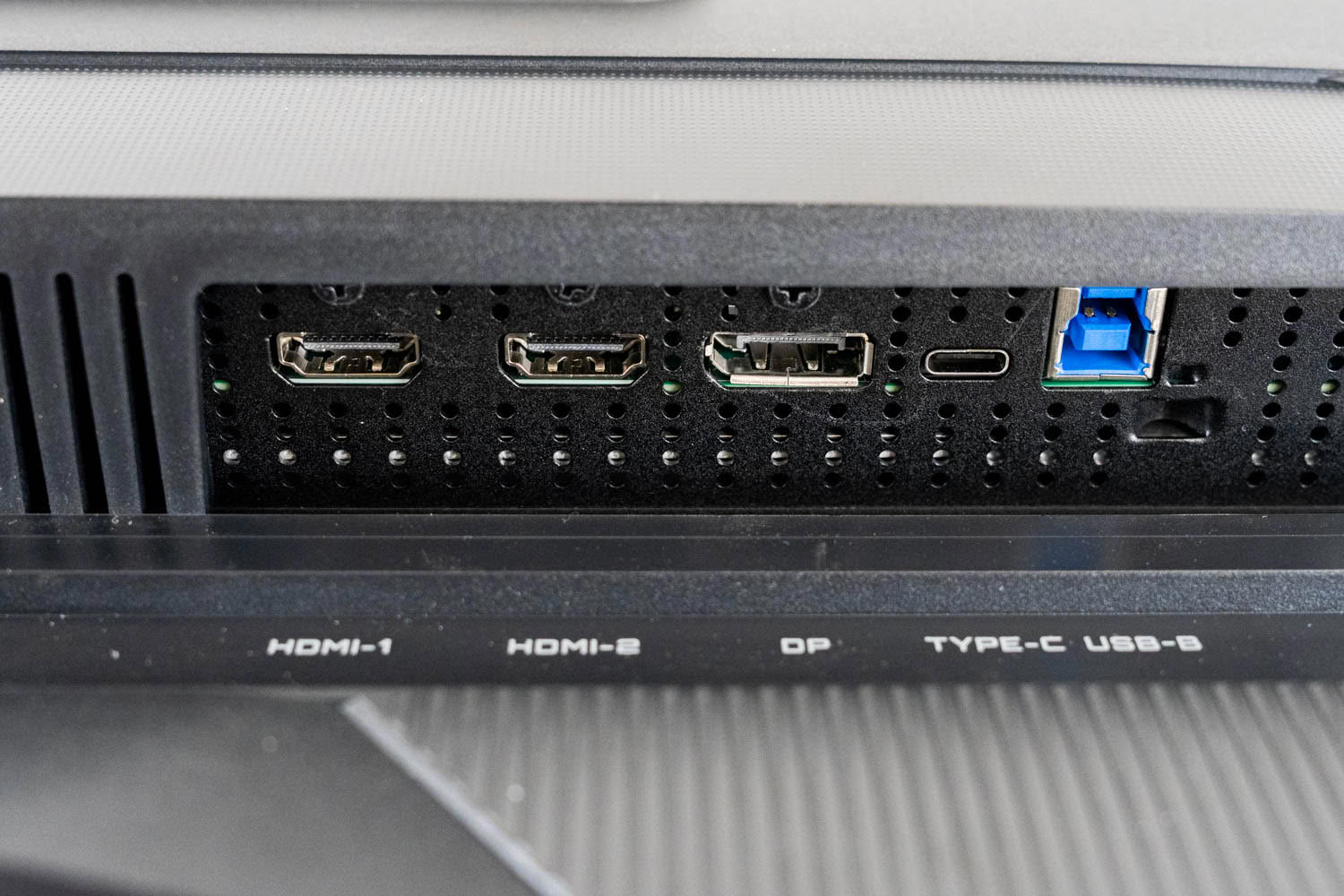
Video input consists of two full-bandwidth HDMI 2.1 ports rated at the complete 48 Gbps and one DisplayPort 1.4 running HBR3. Both HDMI ports handle 3840×2160 at 240 Hz. The DisplayPort connection does too, but it has to lean on Display Stream Compression to get there, because HBR3 tops out around 25.9 Gbps of usable throughput. The HDMI 2.1 inputs likewise cannot carry a full-bandwidth 10-bit RGB 4K signal at 240 Hz without compression. DSC is visually lossless, and I would not expect anyone to identify it in a blind test, but MSI ships DisplayPort 2.1a with UHBR20 on comparable 32-inch 4K models, providing enough bandwidth for an uncompressed 4K 240 Hz signal. At this price, DisplayPort 1.4 in 2026 reads as a cost-optimized decision rather than an engineering one.
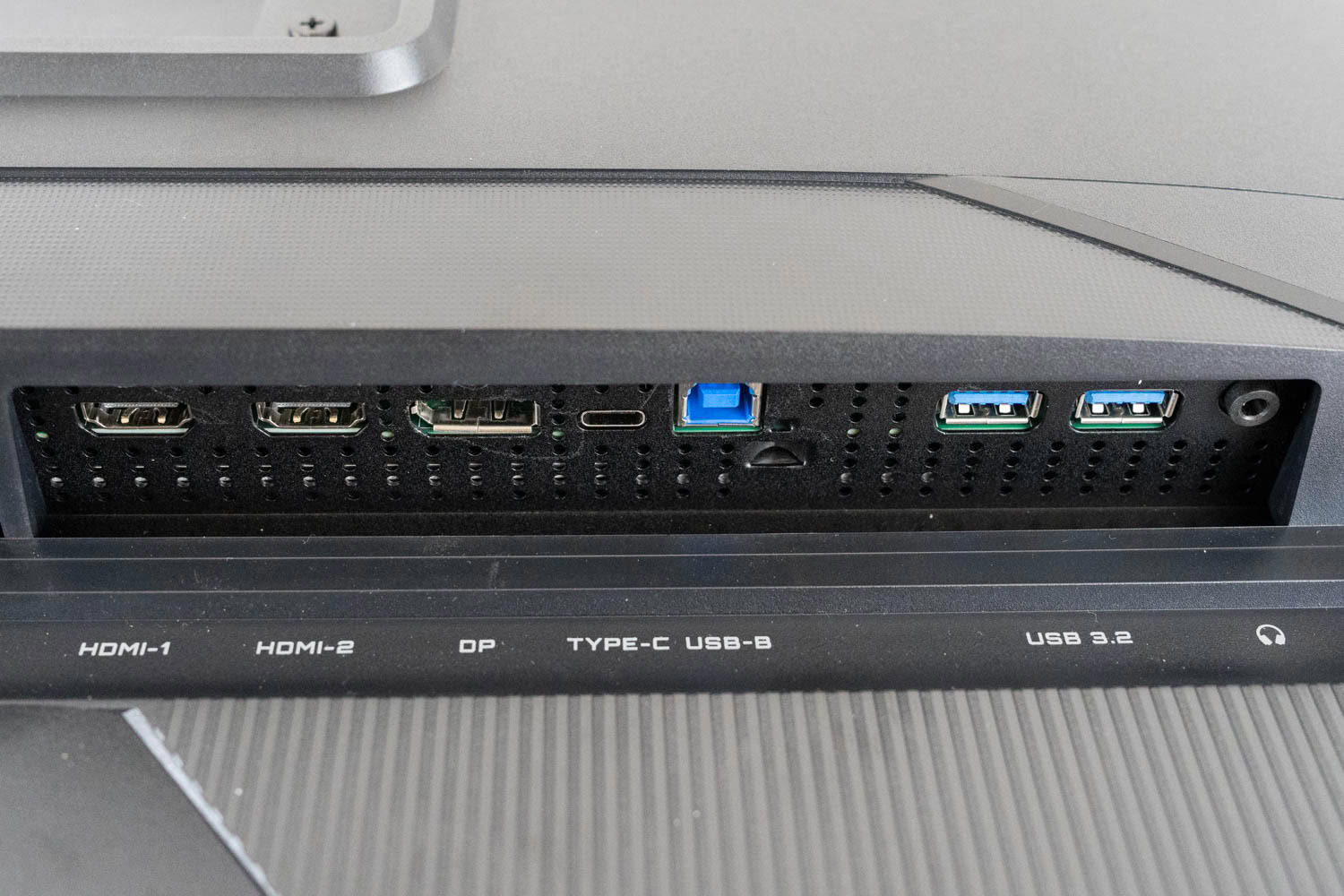
The USB-C port supports DisplayPort Alt Mode, so a single cable will drive the display from a laptop, but power delivery is capped at 18 W. That is enough to keep a phone topped up and nothing else. Most laptops capable of pushing 4K at 240 Hz will still discharge their battery under normal use while connected, which means the single-cable docking scenario that USB-C normally enables is effectively not on the table here. Competing monitors in this class routinely offer 90 W or more.
The hub itself consists of two downstream USB 3.2 Type-A ports fed by a Type-B upstream connection. The KVM lives under Display > KVM in the OSD and switches automatically: pick a video input and the connected peripherals follow it across without any manual intervention. It works exactly as it should, and its presence is the single biggest connectivity improvement over Gigabyte's cheaper OLED models.
A 3.5 mm headphone jack sits on the rear I/O panel. Gigabyte also fits two 5 W speakers, which is unusual for this lineup. They will get you through a video call or a YouTube clip, but there is no low end to speak of, and I would reach for anything else if given the option. Treat them as a fallback rather than a feature.
Power Consumption
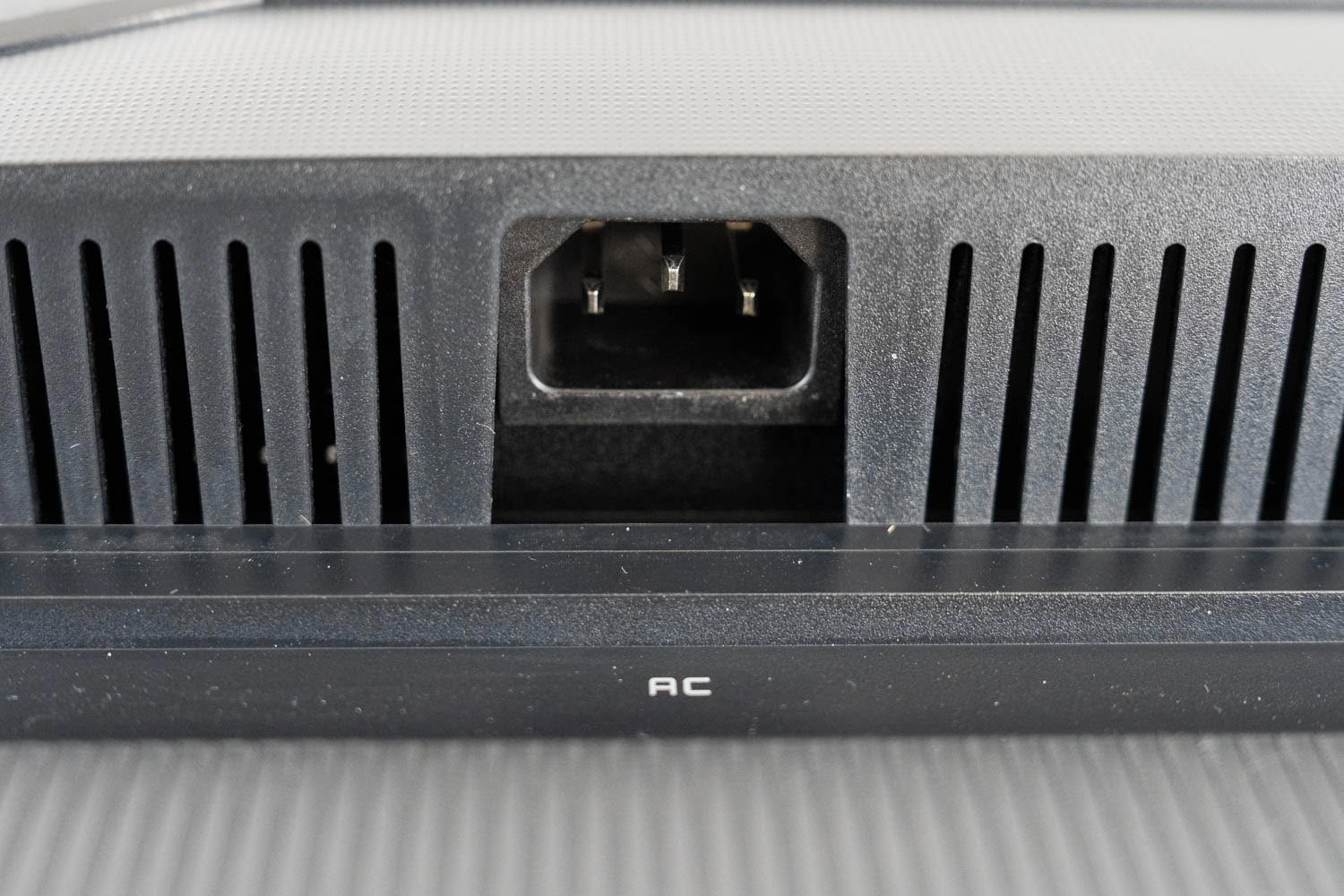
The MO32U24 uses an integrated power board rather than an external brick, so there is no lump of plastic under the desk, though it does mean a failed supply cannot be swapped out on its own. Power consumption was measured with the Meross MSS315 Matter Smart Wi-Fi Plug and its companion app after resetting the monitor to factory defaults.
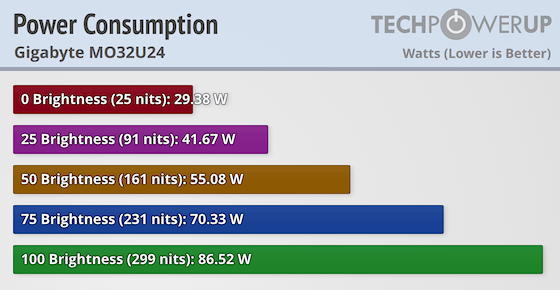
The numbers are considerably higher than what the smaller GO27Q24G drew, which is entirely expected: this is a 4K panel pushing 2.25 times as many pixels and reaching 299 cd/m² across the full screen. At minimum brightness the monitor draws 29.38 W, and at maximum it climbs to 86.52 W. The 57 W spread between the two extremes is steep, and it illustrates something specific to emissive displays. An LCD burns most of its power on a backlight that runs regardless of content, so its consumption is relatively flat. An OLED only lights the pixels it needs, so a dark desktop at moderate brightness costs very little, while a full white field at maximum brightness costs a great deal. In typical mixed use, where average picture level stays low, real-world draw sits far closer to the bottom of that range than the top. Gigabyte's quoted 50 W figure is measured under CEC test conditions and should not be read as a maximum.
Nov 18th, 2026 12:10 CST
change timezone
Latest GPU Drivers
New Forum Posts
- My Final Barrier to Exclusively Using Linux has Fallen (Azure Virtual Desktops) (8)
- Ghetto Mods (4883)
- Very unusual two gaming-pc scenarios. (3)
- Honestly, do you care about GTA VI? (140)
- [Intel AX1xx/AX2xx/AX4xx/AX16xx/BE2xx/BE17xx] Intel Modded Wi-Fi Driver with Intel® Killer™ Features (633)
- RX 580 2048SP 8GB Samsung – Black Screens in Games, Looking for a Compatible BIOS (2)
- DTS DCH Driver for Realtek HDA [DTS:X APO4 + DTS Interactive] (2812)
- Time to upgrade CPU and MOBO (31)
- Primary DisplayPort Monitor Not Waking After Driver Updates 621.01 and 621.14 (9)
- Will zen 6 mobos have anything extra vs current ones? (56)
Popular Reviews
- Acemagic Retro X3 Review
- Upcoming Hardware Launches 2027 (Updated Nov 2026)
- AMD Zen 6 Technical Deep Dive
- ASUS ROG Strix B850-I Gaming Wi-Fi7 W Review
- Corsair HX1000i Shift Crystal Review
- Biwin Black Opal NV7400 2 TB Review
- Chieftec Iceberg PRO 360 DARK Review
- AMD Ryzen 7 9800X3D Review - The Best Gaming Processor
- Phantom Blade Zero Performance Benchmark Review - 35 GPUs Tested
- Montech King 95 3D PRO Review
TPU on YouTube
Controversial News Posts
- NVIDIA Co-Founder and CEO Jensen Huang Officially Resigns (477)
- Open Letter Asking NVIDIA to Reinstate Jensen Huang Passes 115,000 Signatures (184)
- Report: Jensen Huang Eyes NVIDIA Comeback (184)
- OpenAI CEO Argues Home PCs Waste the World's Limited DRAM Supply (152)
- NVIDIA Launches Investigation Into Jensen Huang's Relationship With Suspected Chinese Spy (136)
- Intel "Raptor Lake Next" 16-Core and 20-Core CPUs Surface (130)
- Legendary Game Studio BioWare Shuts Down Following EA Layoffs (104)
- Dell CEO Says the Memory Shortage Will Get Worse in 2027 (95)