 16
Gigabyte GA-X79-UD5 Intel LGA 2011 Review
(16 Comments) »Introduction

Over the past several weeks we've taken a look at a couple of products from Intel's X79 Express platform, launched just seven weeks ago. The past two products we've looked at from ASUS and ECS each had their own spin on the features they provided, each having its own flavor that lets each stand out. Gigabyte recently revamped their own line-ups, offering several different products with different color schemes, and features tailored towards specific audiences. Today we take a look at Gigabyte's mid-range X79 offering, the GA-X79-UD5. Gigabyte has been in the news recently with their X79 products, with a BIOS recall and a launch of a new BIOS that at first glance aims to offer performance not seen anywhere else. With many questions to be asked, we fired up the GA-X79-UD5 to get some answers, and set the story straight.
Specifications
| Specifications | |
|---|---|
| CPU SUPPORT: | 2nd Gen Intel Core i7 processor family for the LGA 2011 Socket |
| POWER DESIGN: | CPU Power: 14 Phase PCH Power: 1 Phase Memory Power: 1+1 Phase |
| CHIPSET: | Intel X79 Express |
| INTEGRATED GRAPHICS: | Not Applicable |
| MEMORY: | 8 x DIMM, Max. 64 GB, DDR3 1066 to DDR3 2133 |
| BIOS: | Dual AMI EFI BIOS with 2x 64 Mb Flash ROM |
| SLOTS: | 3 x PCIe 3.0 x16 slots (x16/x8/x16) 1 x PCI slot 2 x PCIe 2.0 x1 slots |
| HDD CONNECTIVITY: | 2 x SATA 6.0 Gb/s (Intel X79) 4 x SATA 3.0 Gb/s (Intel X79) 4 x SATA 6.0 Gb/s (Marvell 9172) 2 x eSATA 6.0 Gb/s (Marvell 9172) |
| NETWORKING: | 1x Intel WG82579V PCIe Gigabit LAN |
| PORTS: | 14 x USB 2.0 ports (8 at back panel, 6 at front panel) 4 x USB 3.0 ports (2 at back panel, 2 at front panel) 2 x eSATA port 1 x RJ45 LAN connectors 1 x Audio port with 5 audio jacks 1 x SPDIF Output(Optical) 1 x BIOS Button 1 x O.C. Button 1 x IEEE1394 port |
| AUDIO: | Realtek ALC898 HD CODEC |
| FORM FACTOR: | ATX Form Factor (305 mm x 264 mm) |
| EXCLUSIVE FEATURES: |
|
Intel X79 Express Chipset

Launched November 14th, 2011, the Intel X79 Express chipset is very similar to the Intel P67 Express and Intel Z68 Express chipsets launched earlier in 2011. The Intel X79 Express platform supports 40 PCIe 3.0 lanes via the CPU for graphics, while the Intel Z68/P67 Express chipsets support only 16 lanes. Of course, the Intel X79 Express PCH itself supports eight lanes of PCIe 2.0 connectivity for external devices, as well as housing all of the I/O functionality via dual SATA 6 Gb/s ports and quad SATA 3 Gb/s ports, which are managed via Intel Rapid Storage Technology 3.0 for RAID support. USB 2.0/3.0 and HD Audio are also supported as is eSATA and Gigabit Ethernet connectivity.

The SKT2011 CPUs that the platform supports are also very similar to the previously released SKT1155 CPUs, but nearly everything offered in the SKT1155 platform has been doubled up, including cache and core count. Going by the marketing material given out by Intel, the SB-E CPUs (as they are referred to in enthusiast circles) feature eight total processing cores, but two have been disabled to keep power in check, so rather than a total of eight cores active, we find just six, but as these cores feature Hyper-Threading, they appear as 12 separate cores to the OS.
The PCIe on the CPU can be split many ways, including dual x16 links and a single x8 link at the same time, a single x16 link with triple x8 links, or a single x16 link with dual x8 and dual x4 links. Together these options offer the most flexibility for multi-card GPU configurations, with support for up to five total devices connected directly to the CPU. While only four discrete GPUs maximum are supported in current multi-GPU rendering options, the 5th link can be used for an external RAID controller or other PCIe devices that are commonly found in high-end builds.
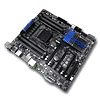
The Gigabyte GA-X79-UD5, clad in matte black like a stealth fighter, is a thinly-veiled and highly tuned overclocking master, built with a BIOS to match. Gigabyte has ensured that all the essentials are here, and none of the frills.

Packaging


The Gigabyte GA-X79-UD5 comes in a bright white box, with the board's name the first thing that catches the eye, thanks to part of the writing being bright orange. There's just a few logos across the bottom for technology the board carries, and very little else, just what we like to see. Simple and elegant, the box design is sure to stand out on the store shelf, thanks to its clean looks. The rear of the box features a picture of the board itself in the middle, with several detailed explanations of the board's features. There's nothing overly surprising here, other than that the box itself is a bit taller than a standard ATX board box, and weighs a fair bit, too.


Inside we find another white box, this time made of bleached cardboard. Opening the flap, we are greeted by yet more cardboard, and we are happy to see such an expensive product nice and secure inside it's box.


Lifting the inner flap reveals the board itself, covered with the usual anti-static bag. Removing the board pulls its entire box out, and below we find all of the board's literature and accessories, separated from each other by cardboard partitions.
Our Patreon Silver Supporters can read articles in single-page format.
Nov 11th, 2026 03:40 CST
change timezone
New Forum Posts
- My dell g15 5510 is stuck at 210 mhz while pulling impossible wattage (21)
- Planning for Prolonged High Prices and Maintaining What You Already Have (62)
- Excessively high prices for RAM (90)
- I cannot download games that are larger than 30–40 GB. (82)
- Meeting point of those who broke their GPUs. Please share what GPUs you've burned, shattered, ionized or melted accidentally. (33)
- Warning for Windows 10 and 11 users running newer AMD GPU drivers (42)
- budget home NAS – X79, X99 or another platform? (126)
- What are you playing? (26204)
- When you could finally run Crysis maxed out? (19)
- What Speakers Are You You Using For Your Computer (346)
Popular Reviews
- AMD Zen 6 Technical Deep Dive
- Upcoming Hardware Launches 2027 (Updated Nov 2026)
- Gigabyte Z890I Aorus Ultra Review
- INNOCN 45C1R Review - Two QHD Screens, Zero Bezels
- XPG NIMBUS PLUS Review - Mid-range Chair With Strong Competitors
- Phantom Blade Zero Performance Benchmark Review - 35 GPUs Tested
- Gears of War: E-Day Performance Benchmark Review - 35 GPUs Tested
- NZXT H7 RGB+ Review
- NZXT H5 Review
- be quiet! Light Mount TKL Keyboard Review
TPU on YouTube
Controversial News Posts
- OpenAI CEO Argues Home PCs Waste the World's Limited DRAM Supply (152)
- NVIDIA Launches Investigation Into Jensen Huang's Relationship With Suspected Chinese Spy (136)
- Intel "Raptor Lake Next" 16-Core and 20-Core CPUs Surface (130)
- Legendary Game Studio BioWare Shuts Down Following EA Layoffs (104)
- Dell CEO Says the Memory Shortage Will Get Worse in 2027 (95)
- NVIDIA GeForce RTX 50-Series Scheduled for up to $500 Price Hike This Week (88)
- Modder Fits RTX 5090 With Four 8-Pin Connectors, Halving Current per Wire (80)
- AMD Radeon Owners Can Now Run Nearly Every DLSS Feature Through Fan-Made Mod (80)