 24
Gigabyte Z87X-UD3H (Intel LGA 1150) Review
(24 Comments) »Introduction

My motherboard reviews over the past few months have almost solely been of high-grade enthusiast products from various brands. There are a lot of board options for those looking to spend $200 or more, and I will cover more of those soon, but there are just as many options if you want to spend a bit less. Gigabyte was one of the first to send me such a relatively inexpensive board option focusing on basic functionality with a few additional things thrown into the mix for good measure.
Gigabyte has been around for a long, long time, and their years of experience in designing board products and other consumer-grade devices give them a level of expertise that might be overlooked by some. In an effort to solidify their product offering and deliver clear and concise design choices catering to certain users, Gigabyte has now launched a whole new esthetic design with their Z87-based product lines. Each Z87 product features a different color to separate it and its functionality from all the other Gigabyte boards. Many recognize Gigabyte's orange-themed OC products, and we now have gold, red, black, and blue boards following the same pattern.
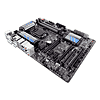
The blue board, the Gigabyte Z78X-UD3H, is an entry board for enthusiasts. Purpose-built to provide a strong, stable computing platform to all users, including gamers who like a slight overclock, it is very much a "sand-bagging" board to me, a board built with many enthusiast OC features that come together to give very decent long-term overclockabilty. None of its overclocking features are actually advertised, but Gigabyte's UD3H boards have been hidden overclocking gems for many generations now. One key indicator of the Gigabyte Z87X-UD3H not exactly being what it appears to be is in the bottom PCIe slot; it is connected to the Z87 PCH. Add in its minimalistic esthetic design with just a few slashes of color and the Gigabyte Z87X-UD3H really is "The Sleeper".

Specifications
| Specifications | |
|---|---|
| CPU SUPPORT: | 4th Gen Intel Core i7/i5/i3/Pentium/Celeron processor family for the LGA 1150 Socket |
| POWER DESIGN: | CPU Power: 8 Phases Memory Power: 2 Phases |
| CHIPSET: | Intel Z87 Express |
| INTEGRATED GRAPHICS: | Dependant on installed CPU |
| MEMORY: | 4 x DIMM, Max. 32 GB, DDR3 1066 to DDR3 3000(OC) |
| BIOS: | Dual AMI UEFI BIOS with 2x 64 Mb Flash ROM |
| SLOTS: | 2 x PCI Express 3.0 x16 slots (x16 or x8/x8) 1 x PCI Express 2.0 x4 slot 3 x PCI Express 2.0 x1 slot 1 x PCI slot |
| HDD CONNECTVIITY: | 8 x SATA 6.0 Gb/s (6 @ Intel Z87, 2 @ Marvell 88SE9172) |
| NETWORKING: | 1 x Intel Gigabit LAN |
| PORTS: | 10 x USB 3.0 ports (4 at front panel, 6 at rear panel) 6 x USB 2.0 ports (6 at front panel) 1 x PS/2 keyboard/mouse port 1 x RJ45 LAN connectors 1 x Audio block with 6 audio jacks 1 x Optical S/PDIF port 1 x HDMI port 1 x Displayport 1 x DVI port 1 x D-Sub port 2 x eSATA port |
| AUDIO: | Realtek ALC898 7.1 High Definition Audio CODEC |
| FAN HEADERS: | 6 (5 x 4-pin PWM, 1 x 3-pin) |
| FORM FACTOR: | ATX Form Factor (304 mm x 244 mm) |
| EXCLUSIVE FEATURES: |
|
Intel Z87 Chipset

New and fresh on the scene for June of 2013 is Intel's latest Socket 1150 platform, with Intel's Z87 chipset taking the top-tier spot in chipset functionality and for performance options on this platform.

Most of the basic functionality offered by Intel's new Z87 chipset is quite similar to what was offered with Intel's Z77 Express, but there are more USB 3.0 ports, and they are faster too. All of the SATA ports provided offer SATA 6 Gb/s functionality. Intel's Z77 Express only had two ports at those speeds. There are also new power-saving features to keep power consumption at a bare minimum, and Z87 also includes all the features of the Intel Z77 Express. The chipset offers PCIe speeds of up to 5 GT/s for fast access to peripheral devices and networking with up to eight PCI Express 2.0 x1 ports that can be configured to act as x2-, x4-, or x8 ports. Intel's functionality diagram for the Z87 chipset is shown above.

The new 4th Gen Intel Core CPUs are 64-bit, multi-core chips built on a 22nm process; pairing with the Intel Z87 chipset enables the performance-tuning features of "K"-SKU CPUs, allowing independent changes to core-, graphics-, "ring"-, and memory frequencies. This allows you to clock up one part of the chip while running any other part of the chip at stock speeds, which is extremely useful for enthusiasts that like to overclock, as each part can be clocked and tested independently for the absolute most out of your chip if the time is taken to test everything fully. Users who prefer the simpler approach of past platforms can use it instead, ensuring everyone's needs are met. For PCIe connectivity, Intel Z87-based platforms allow the processor's PCI Express 3.0 port to be configured into three different configurations: 1x16, 2x8, or 1x8 and 2x4. The third x8 and 2x4 configurations are primarily meant for use with Intel Thunderbolt Technology but can be used to support other devices as well.
Other TPU reviews cover the CPUs themselves in more detail. We will now also separate those reviews. One will cover iGPU performance and the other will cover CPU performance.
Packaging


The first hint of the Gigabyte Z87X-UD3H being a hidden gem is in the box design. It closely resembles that of the Gigabyte Z87X-OC, but comes with a slightly different color scheme. The big "Ultra Durable 5 PLUS" logo on the bottom-right refers to the board's overall feature set, rather than just the board's power-delivery section as I had first thought. Gigabyte has a fancy website explaining all of the Ultra Durable 5 PLUS features HERE.


The Z87X-UD3H is the entry-level version of this "Ultra Durable 5 PLUS" product design, so what you find in the box is pretty simple, with just the board on top and a few accessories below.
Contents

In an attempt to keep costs down, only the essential accessories are included, but there is definitely enough here to get most users started. A full list is below:
- 1 x User's Manual
- 1 x Multilingual Installation Guidebook
- 1 x I/O shield
- 4 x SATA 6 Gb/s cable
- 1 x SLI bridge
- 1 x Gigabyte case badge
- 1 x Driver disc
Our Patreon Silver Supporters can read articles in single-page format.
Nov 12th, 2026 03:57 CST
change timezone
New Forum Posts
- Home page search by category (3)
- Samsung 870 EVO - Beware, certain batches prone to failure! (1488)
- Unallocated space in ssd , is it normal? (10)
- Windows 11 General Discussion (7723)
- Rare GPUs / Unreleased GPUs (2272)
- Ryzen 7 8700G OC (1)
- My dell g15 5510 is stuck at 210 mhz while pulling impossible wattage (29)
- Your PC ATM (36405)
- 3050 Ti 120W TGP Shunt Mod Result [Legion 5 2021] (4)
- Graphical corruption on lower part of monitor (4)
Popular Reviews
- AMD Zen 6 Technical Deep Dive
- Upcoming Hardware Launches 2027 (Updated Nov 2026)
- NZXT C1200 Platinum Review
- XPG NIMBUS PLUS Review - Mid-range Chair With Strong Competitors
- NZXT H7 RGB+ Review
- NZXT H5 Review
- Montech King 95 3D PRO Review
- Phantom Blade Zero Performance Benchmark Review - 35 GPUs Tested
- Gigabyte Z890I Aorus Ultra Review
- INNOCN 45C1R Review - Two QHD Screens, Zero Bezels
TPU on YouTube
Controversial News Posts
- OpenAI CEO Argues Home PCs Waste the World's Limited DRAM Supply (152)
- NVIDIA Launches Investigation Into Jensen Huang's Relationship With Suspected Chinese Spy (136)
- Intel "Raptor Lake Next" 16-Core and 20-Core CPUs Surface (130)
- Legendary Game Studio BioWare Shuts Down Following EA Layoffs (104)
- Dell CEO Says the Memory Shortage Will Get Worse in 2027 (95)
- NVIDIA GeForce RTX 50-Series Scheduled for up to $500 Price Hike This Week (89)
- AMD Radeon Owners Can Now Run Nearly Every DLSS Feature Through Fan-Made Mod (80)
- Modder Fits RTX 5090 With Four 8-Pin Connectors, Halving Current per Wire (80)