 4
GMKtec M6 Ultra Review
(4 Comments) »Introduction

The GMKtec M6 Ultra is built around AMD's Ryzen 5 7640HS and DDR5 memory, with hardware that feels more like a higher-priced Mini-PC, including dual 2.5 GbE networking and USB4. With the 32 GB configuration coming in at around $510, it offers strong desktop performance in a compact chassis, without the premium price tag.

AMD's Ryzen 5 7640HS is a 6-core, 12-thread processor manufactured on TSMC's 4 nm process and paired with Radeon 760M integrated graphics. This setup delivers plenty of CPU headroom for productivity tasks, media playback, and multitasking. The RDNA 3-based Radeon 760M still holds up as a current-generation iGPU, making the system great for casual gaming and lighter graphics work, even though it trails Mini-PCs equipped with Radeon 780M, let alone the newer 890M or Arc 140V graphics.
Connectivity includes dual 2.5 GbE LAN ports, Wi-Fi 6E, and a USB4 port with DisplayPort Alt Mode support, alongside full size HDMI and DisplayPort for multi-monitor setups. USB4 also enables higher-resolution displays, adding flexibility depending on how the system is used. Inside, GMKtec leaves room for upgrades, with dual DDR5 SODIMM slots and two M.2 NVMe bays available for memory and storage expansion.
The configuration tested here includes 32 GB of DDR5 memory running at 4800 MT/s, paired with the bundled generic PCIe 3.0 SSD. GMKtec also offers a barebones option at $270 USD without memory, storage, or a pre-installed copy of Windows 11, for users who prefer to use their own components.
I will get into the details later in the review, but after spending time with the M6 Ultra, it feels like the kind of Mini-PC that fits well into a lot of setups. It is quick enough for daily work, handles multitasking easily, and offers more connectivity than many systems in this price range. The integrated graphics are strong enough for casual gaming and lighter creative tasks. A few compromises show up, such as the entry level bundled SSD and higher power draw under load, but at around $510, the overall package feels very competitive, especially for anyone looking for a compact Ryzen system with upgrade flexibility and dual 2.5 GbE networking.
That said, let's dig into it.
| Specifications | |
|---|---|
| CPU | AMD Ryzen 5 7640HS 6 cores/12 threads TSMC 4 nm process Up to 5.0 GHz 35–50 W TDP |
| GPU | AMD Radeon 760M RDNA 3 architecture 8 CUs up to 2.6 GHz |
| Memory | Dual-channel DDR5 SODIMM 4800 MT/s Up to 128 GB supported |
| Storage | 2× M.2 2280 SSD slot, NVMe (supports PCIe 4.0, ships with PCIe 3.0) |
| Display Outputs | HDMI 2.0 (4K @ 60 Hz) DisplayPort (4K @ 60 Hz, supports up to 8K) USB4 (DP Alt Mode, supports up to 8K) |
| I/O Ports | Front: 2× USB 3.2 Gen 2 Type-A (10 Gbps) 1× USB4 Type-C (40 Gbps, DP/PD) 3.5 mm audio jack (CTIA) Rear: 1× USB 3.2 Gen 2 Type-A (10 Gbps) 1× USB 2.0 Type-A (480 Mbps) 1× HDMI 2.0 1× DisplayPort 2× 2.5 GbE Ethernet DC power input |
| Networking | Wi-Fi 6E (RZ616) Bluetooth 5.2 Dual 2.5 GbE Ethernet |
| Operating System | Windows 11 Pro |
| Power Adapter | 19 V/120 W |
| Weight | 528 g (bare unit) 1,386 g (full package) |
| Included Accessories | Power adapter HDMI cable VESA mount Documentation |
| Price | $510 USD (32 GB/1 TB configuration, at time of testing) |
Packaging and Contents

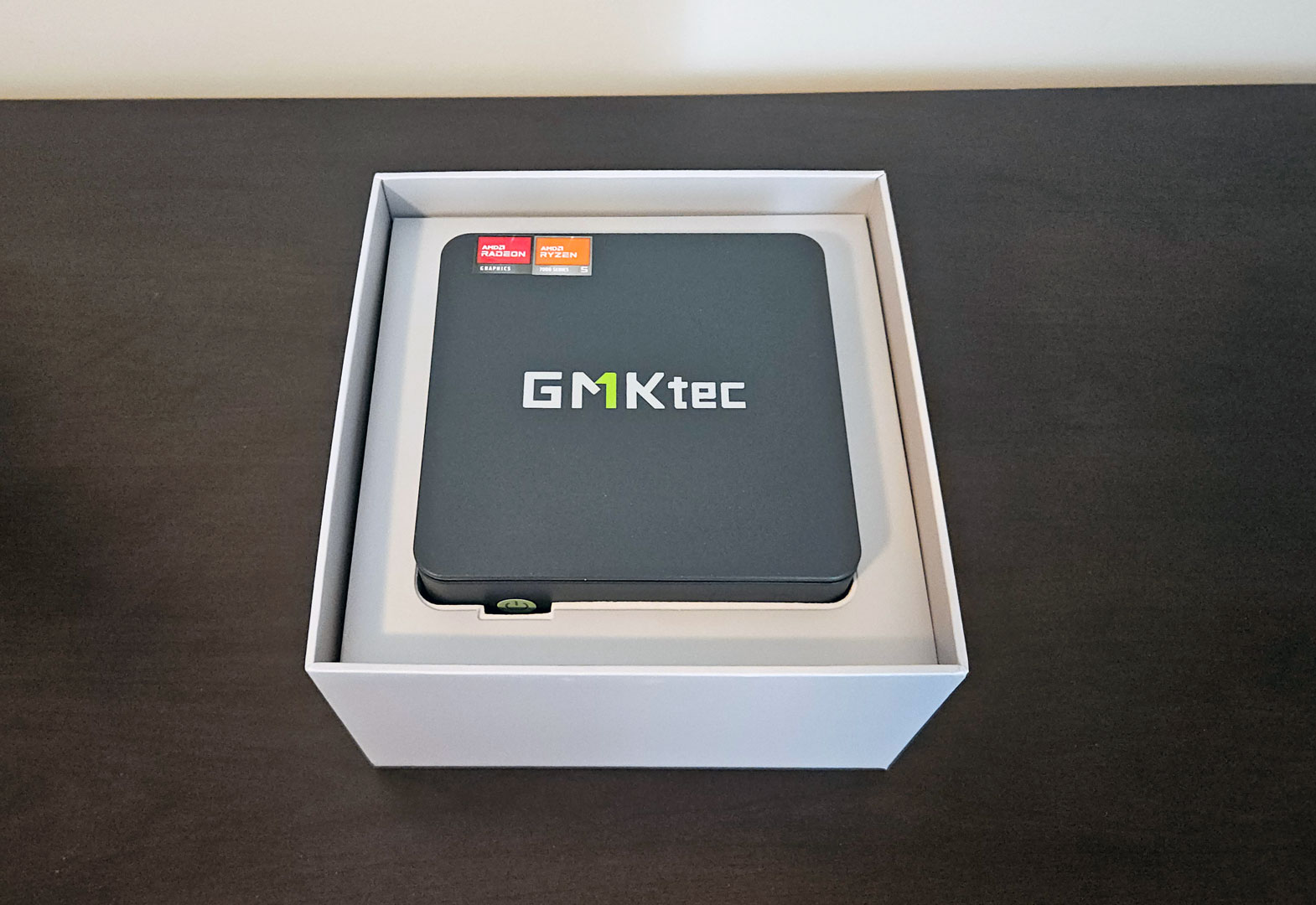
The GMKtec M6 Ultra ships with a simple compact box designed with subtle branding. Inside, the system is held firmly in place with molded white inserts, and nothing rattles or shifts once the box is opened.
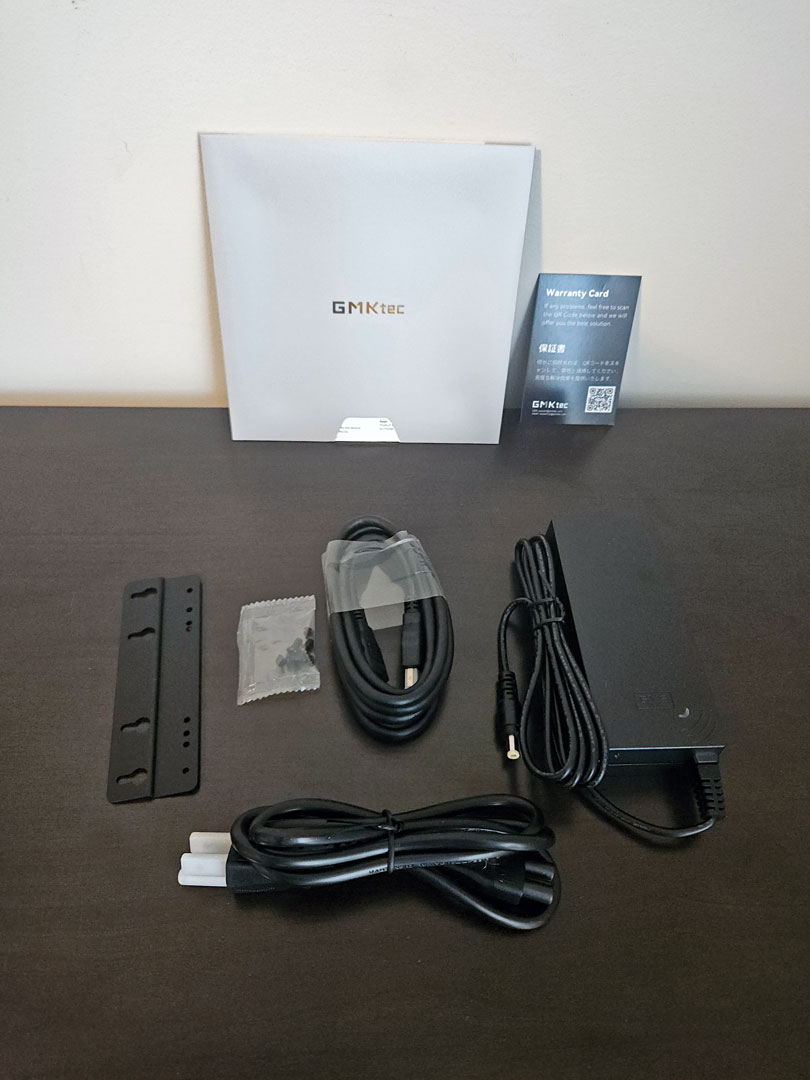
Included accessories cover all the essentials, as GMKtec provides a 120 W power adapter, AC power cable, HDMI cable, VESA mount with screws, and basic documentation. That is enough to set the system up on a desk or mount it behind a display without needing extra parts.
Design and Build

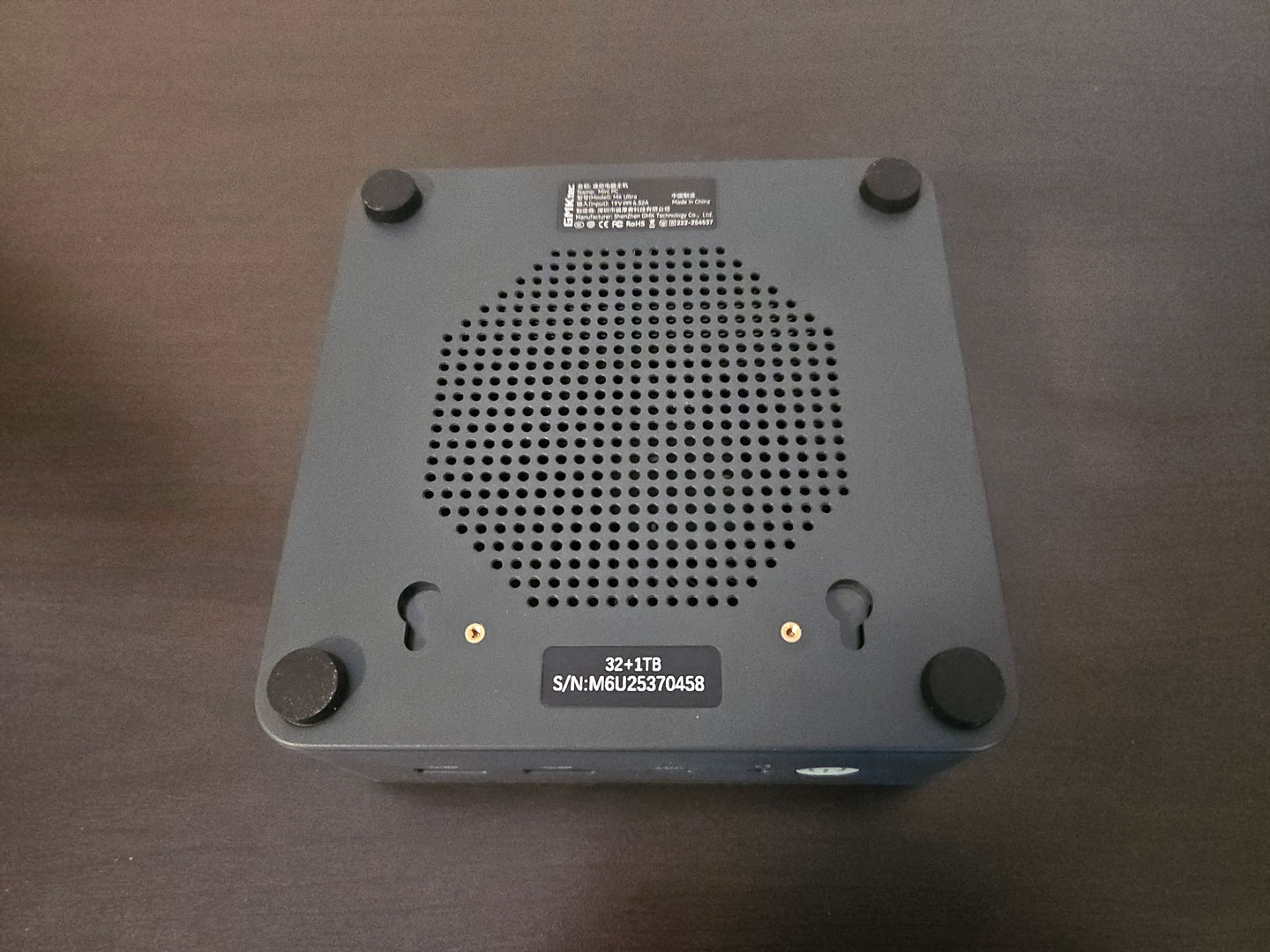
The M6 Ultra uses a compact metal enclosure finished in a dark gray tone that fits nicely into both home and office setups. The chassis feels solid in hand, with clean edges and tight seams. There's no creaking or give when handled, and the overall build is good. The front panel layout includes a bright green power button, a 3.5 mm audio jack, and two USB 3.2 Gen 2 Type-A ports. The ports are spaced well enough that wider USB devices don't crowd each other. There's also a front-facing USB4 port, which works well for fast external storage or quick connections without having to reach around the back.


Around the rear, the M6 Ultra features the bulk of its connectivity. There's one HDMI 2.0 port, one DisplayPort, two 2.5 GbE Ethernet ports, a USB 3.2 Gen 2 Type-A port, a USB 2.0 port, and the DC power input. Vent openings run along the rear and side panels, giving warm air a clear path out of the enclosure.
A Look Inside
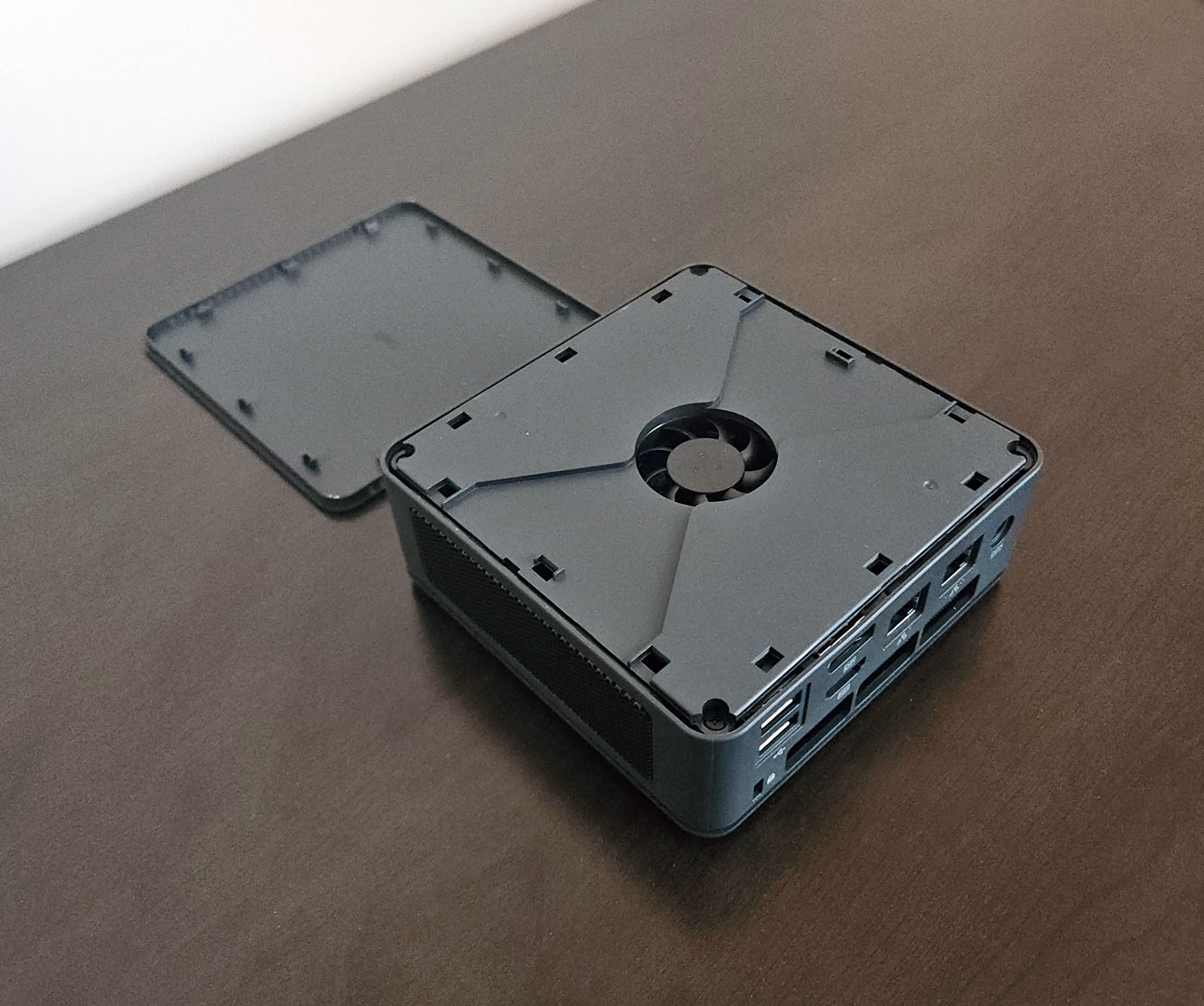
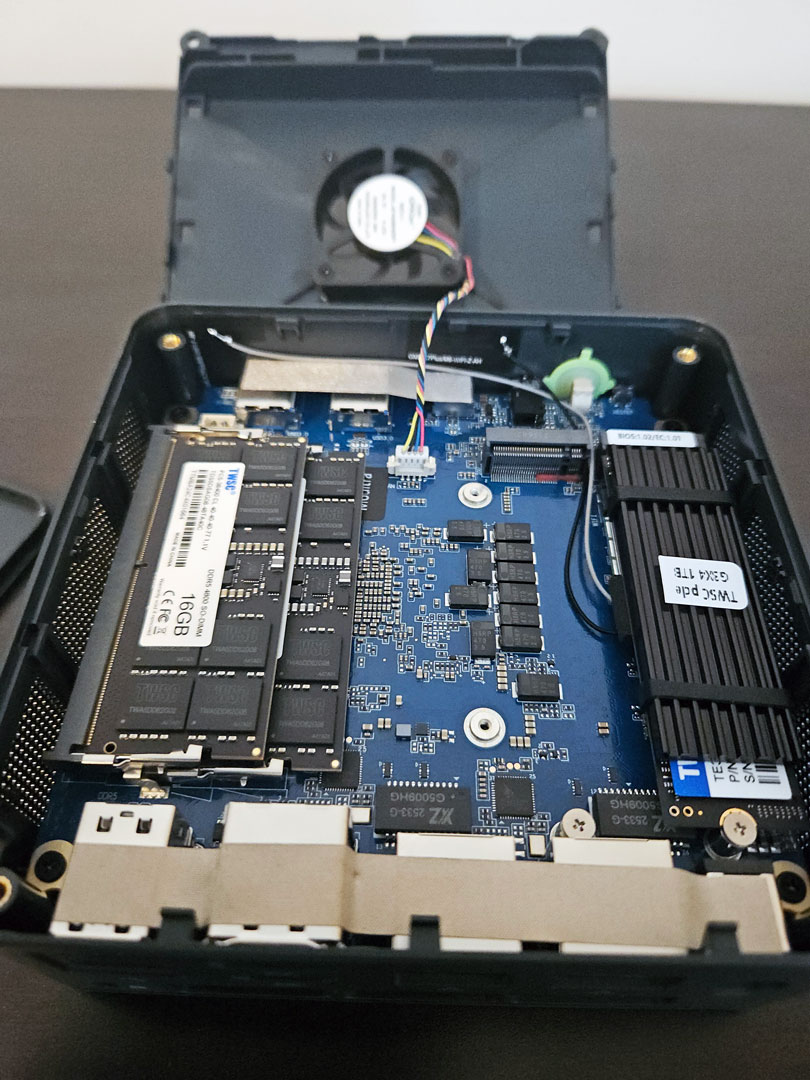
Access to the internals requires a two-step process: the outer panel comes off first, and then a second internal plate secured with screws is revealed. A fan is mounted to the underside of that plate, drawing air across the motherboard when the system is under load. This active airflow setup helps move heat away from the CPU and other components and explains the extensive bottom ventilation.
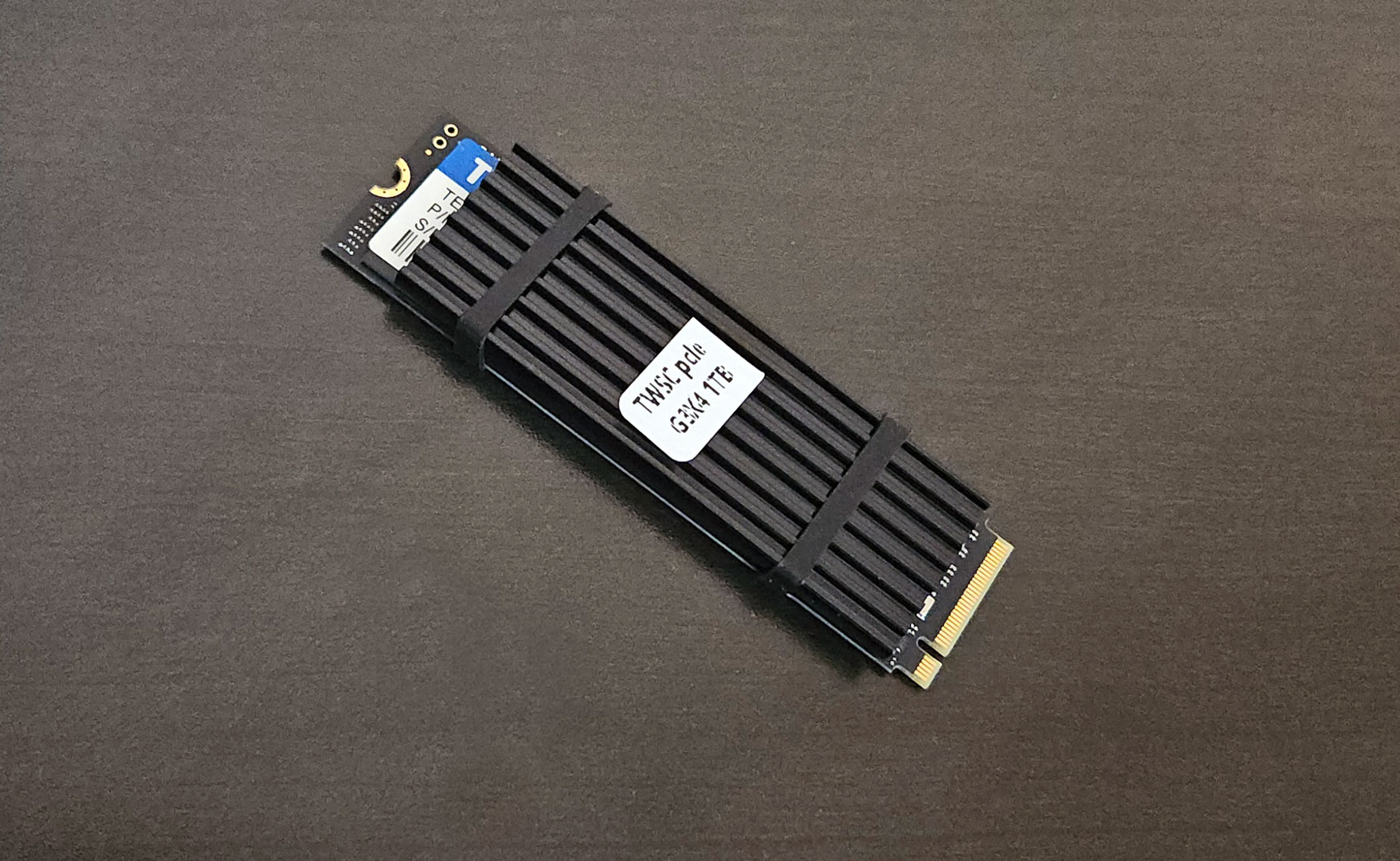
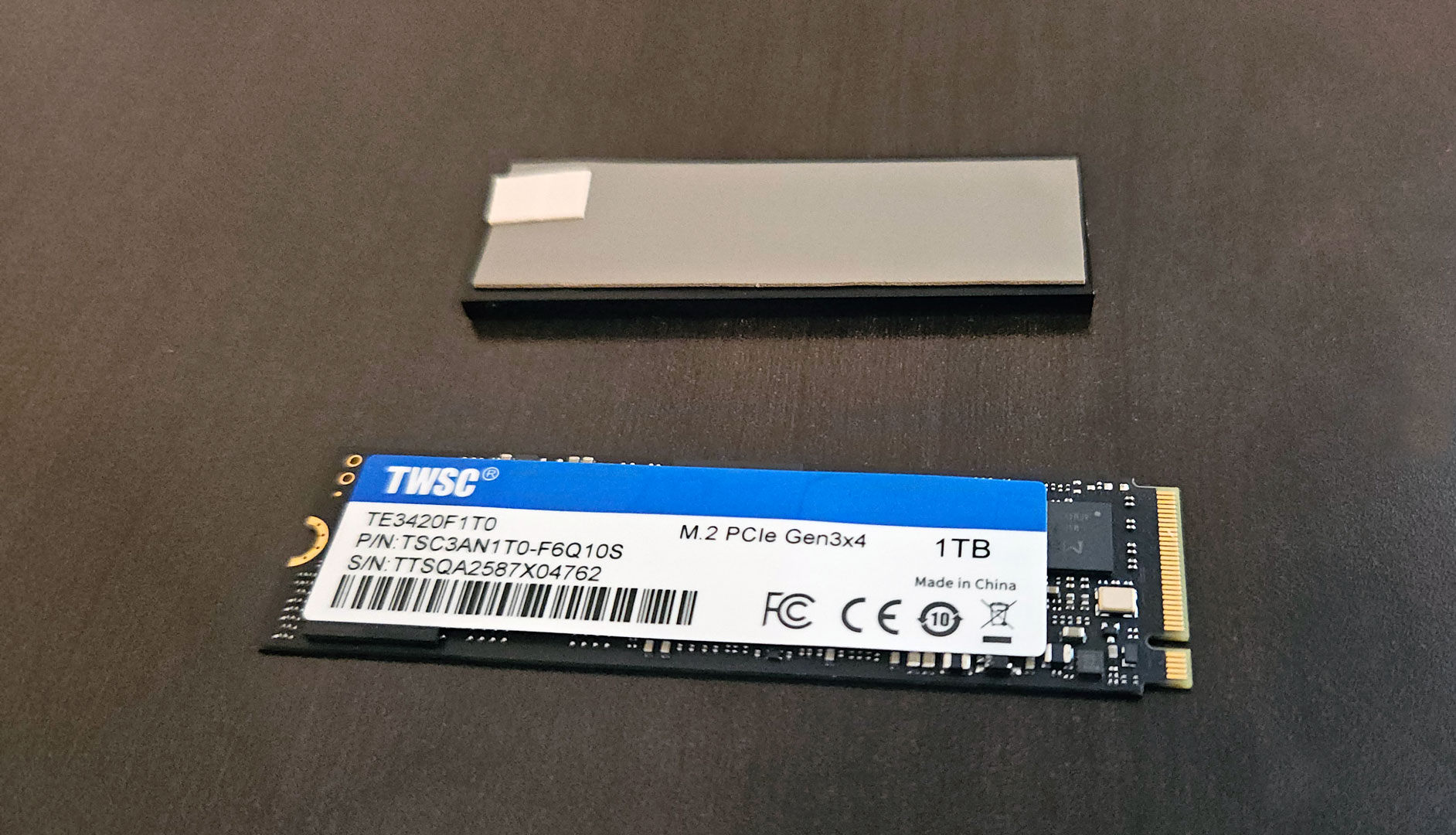
The system offers two M.2 NVMe slots that support PCIe 4.0 SSDs. Both slots are easily reached, and GMKtec has placed a thermal pad on the bundled drive to help manage temperatures during longer transfers. Dual DDR5 SODIMM slots are also accessible once the internal plate is removed, making memory upgrades straightforward.
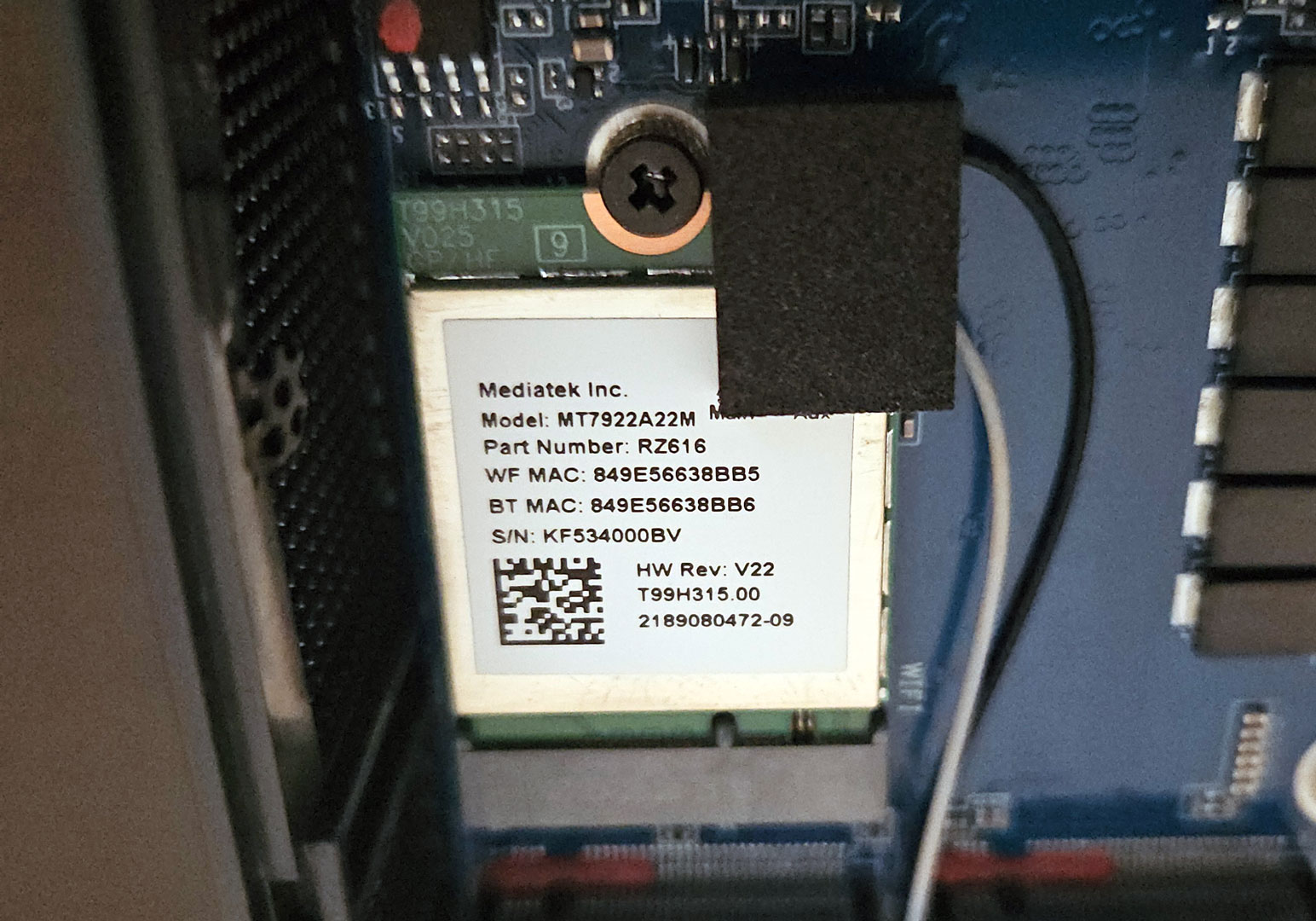
The Wi-Fi 6E module sits in its own M.2 2230 slot separate from storage, keeping wireless hardware organized and easy to service if needed.
Our Patreon Silver Supporters can read articles in single-page format.
Nov 13th, 2026 21:34 CST
change timezone
Latest GPU Drivers
New Forum Posts
- Tell me about your favourite graphics card (26)
- Crimson Desert (31)
- RenoDX HDR - how to view the differnce Before&After in game? (0)
- Displayport DP80 3M (10ft) cable that can achieve 80gbps stable? (5)
- I'll flash a ASUS ROG Strix RX480 O8G in Cause of Code 43, as a Newbie (1)
- Opinion on Monitor Replacement (6)
- TMOG - post your benchmark results here (16)
- no "PhysX" workable (7)
- Microsoft Exchange/365 outages? (61)
- Unallocated space in ssd , is it normal? (18)
Popular Reviews
- AMD Zen 6 Technical Deep Dive
- Corsair HX1000i Shift Crystal Review
- NZXT C1200 Platinum Review
- Upcoming Hardware Launches 2027 (Updated Nov 2026)
- ASUS ROG Strix B850-I Gaming Wi-Fi7 W Review
- Montech King 95 3D PRO Review
- NZXT H7 RGB+ Review
- NZXT H5 Review
- Phantom Blade Zero Performance Benchmark Review - 35 GPUs Tested
- XPG NIMBUS PLUS Review - Mid-range Chair With Strong Competitors
TPU on YouTube
Controversial News Posts
- NVIDIA Co-Founder and CEO Jensen Huang Officially Resigns (379)
- OpenAI CEO Argues Home PCs Waste the World's Limited DRAM Supply (152)
- NVIDIA Launches Investigation Into Jensen Huang's Relationship With Suspected Chinese Spy (136)
- Intel "Raptor Lake Next" 16-Core and 20-Core CPUs Surface (130)
- Legendary Game Studio BioWare Shuts Down Following EA Layoffs (104)
- Dell CEO Says the Memory Shortage Will Get Worse in 2027 (95)
- NVIDIA GeForce RTX 50-Series Scheduled for up to $500 Price Hike This Week (89)
- Modder Fits RTX 5090 With Four 8-Pin Connectors, Halving Current per Wire (80)