 0
Lenovo ThinkPad X1 Carbon Gen 14 Aura Edition Review - The Sub-Kilo Marathon Runner
(0 Comments) »Introduction

For more than a decade, the ThinkPad X1 Carbon has been the business ultraportable that everyone else gets measured against. It's light, it's sturdy, and it has never tried to be a gaming machine or a fashion statement. This year, though, Lenovo didn't just drop a new CPU into last year's shell. The Gen 14 gets a brand-new chassis with a reworked internal layout, Intel's Panther Lake platform, and the "Aura Edition" badge, which brings a few of Lenovo's AI-assisted software features along for the ride.

Today, I'm checking out the Lenovo ThinkPad X1 Carbon Gen 14 Aura Edition (21V7). To be more precise, our review unit is the FIFA World Cup 26 Edition, which is a mouthful of a name, honestly. Under the skin, it's identical to the regular model, so everything you're about to read applies to both. I'll cover the football-themed bits on the packaging page.
The X1 Carbon Gen 14 is available with a wide range of Intel Core Ultra Series 3 chips, from the 8-core Core Ultra 5 325 all the way up to the Core Ultra X7 models with vPro. Our unit packs the Core Ultra 7 356H, which sits right in the middle of the lineup. It has 16 cores in total (4P + 8E + 4LP E-cores) with no Hyper-Threading, a max boost clock of 4.7 GHz, and 18 MB of cache. Intel rates it at 25 W base power and up to 80 W of max turbo power, while the NPU is good for up to 50 TOPS. In case you aren't familiar with the Panther Lake naming scheme, the "X" chips are the ones with the beefy 12-core Arc B390 iGPU. Regular H models like ours make do with Intel Graphics and 4 Xe3 cores. That's plenty for office work, video playback, and light photo editing, but don't expect miracles in games. We've already tested the 12-core version inside the ASUS Zenbook DUO (UX8407), so we'll see exactly how big that gap is.
Memory is soldered, as expected for this class. Our unit has 32 GB of LPDDR5X-8533, and Lenovo also sells 16 and 24 GB versions. Since the iGPU borrows its video memory from system RAM, I'd stick with 32 GB or more. The Core Ultra X7 versions can be configured with up to 64 GB of even faster LPDDR5X-9600. Storage is handled by a single M.2 2280 slot. Our unit came with a 1 TB Samsung PM9C1b PCIe 4.0 drive, but the slot itself supports PCIe 5.0 SSDs.
In terms of displays, all versions use a 14-inch 16:10 panel. The base option is a 1920x1200 IPS screen, available with or without touch. Our unit has the upgraded 2880x1800 OLED with a 120 Hz refresh rate, VRR, 500 nits of brightness (stated by Lenovo), 100% DCI-P3 coverage, and Dolby Vision support. It's the non-touch version with an anti-glare, anti-reflective coating. The panel choice also affects the chassis. OLED models get a magnesium bottom shell and start at just 998 g, while IPS versions use an aluminium base and weigh a bit more. The lid is carbon fiber across the board, and the chassis is 16.85 mm thick at its thickest point.
Port selection hasn't been sacrificed for the slim profile. You get three Thunderbolt 4 ports (one of them on the right side, so you can charge from either side), HDMI 2.1, a 5 Gbps USB-A port, and a combo audio jack. Wi-Fi 7 and Bluetooth 5.4 are standard, and 4G or 5G WWAN is optional. The webcam goes up to 10 MP with IR and a ToF presence sensor, and there's a physical privacy shutter. The battery is a 58 Wh unit, and Lenovo includes a 65 W USB-C GaN charger in the box (region-dependent).
The X1 Carbon has always been about the whole package rather than raw power, so the questions here are a bit different from our usual reviews. Is it light enough to forget it's in your bag? Does the battery survive a full workday and then some? And is the Core Ultra 7 356H the right chip for the money? Let's find out.
Specifications
| Specifications | |
|---|---|
| Manufacturer: | Lenovo |
| Model: | Lenovo ThinkPad X1 Carbon Gen 14 Aura Edition (21V7) |
| Weight: | 0.977-0.998 kg |
| Processor: | Intel Core Ultra 5 325/Panther Lake 4 P-Cores+4 LPE-cores/8 threads up to 4.5 GHz, 12 MB L3 cache 25 W Base Power Intel Core Ultra 5 335/Panther Lake 4 P-Cores+4 LPE-cores/8 threads up to 4.6 GHz, 12 MB L3 cache 25 W Base Power Intel Core Ultra 7 355/Panther Lake 4 P-Cores+4 LPE-cores/8 threads up to 4.7 GHz, 12 MB L3 cache 25 W Base Power Intel Core Ultra 7 356H/Panther Lake 4 P-Cores+8 E-Cores+4 LPE-cores/16 threads up to 4.7 GHz, 18 MB L3 cache 25 W Base Power Intel Core Ultra 7 365/Panther Lake 4 P-Cores+4 LPE-cores/8 threads up to 4.8 GHz, 12 MB L3 cache 25 W Base Power Intel Core Ultra 7 366H/Panther Lake 4 P-Cores+8 E-Cores+4 LPE-cores/16 threads up to 4.8 GHz, 18 MB L3 cache 25 W Base Power Intel Core Ultra X7 358H/Panther Lake 4 P-Cores+8 E-Cores+4 LPE-cores/16 threads up to 4.8 GHz, 18 MB L3 cache 25 W Base Power Intel Core Ultra X7 368H/Panther Lake 4 P-Cores+8 E-Cores+4 LPE-cores/16 threads up to 5.0 GHz, 18 MB L3 cache 25 W Base Power |
| Chipset: | Intel Panther Lake-H PCH |
| Display: | Default Display: 14"/1920×1200 (16:10)/IPS/ 60 Hz ~500 nits/100% sRGB/Anti-glare On-cell Touchscreen ThinkPad Privacy Guard Optional Display: 14"/1920×1200 (16:10)/IPS/ 60 Hz ~500 nits/100% sRGB/Anti-glare In-cell Touchscreen Low Power 14"/2880×1800 (16:10)/OLED/ 120 Hz VRR ~500 nits/100% DCI-P3/Anti-glare DisplayHDR True Black 500 14"/2880×1800 (16:10)/OLED/ 120 Hz VRR ~500 nits/100% DCI-P3/Anti-glare/Anti-reflection/Anti-smudge DisplayHDR True Black 500 14"/2880×1800 (16:10)/OLED/ 120 Hz VRR ~500 nits/100% DCI-P3/Anti-glare/Anti-reflection/Anti-smudge Touchscreen DisplayHDR True Black 500 |
| Operating System: | Microsoft Windows 11 Home/11 Pro/Linux/No OS |
| Integrated Graphics: | Intel Graphics 4 Xe3 Intel Arc B390 (12 Xe3) - Core Ultra X7 models |
| Memory: | up to 64 GB of soldered LPDDR5x-9600 |
| Storage: | 1× M.2 2280 PCI Express 5.0 x4 |
| Optical Drive: | None |
| Connectivity: | 3× 40 Gbps Thunderbolt 4 with DP 2.1/65 W PD 1× 5 Gbps USB-A (Always On) 1× HDMI 2.1 (up to 4K/60 Hz) 1× 3.5 mm combo audio jack 1× Nano-SIM card slot (WWAN models) |
| Communications: | Wi-Fi 7 + Bluetooth 5.4 Optional 4G LTE or 5G WWAN 5MP IR webcam with privacy shutter Optional 10MP IR webcam with privacy shutter and ToF sensor |
| Audio: | 2× 2 W speakers optimized with Dolby Atmos Dual 360° far-field microphones |
| Input device: | Buttonless glass surface multi-touch haptic touchpad (80 × 130 mm) Optional Mylar surface multi-touch touchpad with 3 buttons (80 × 120 mm) TrackPoint Backlit, spill-resistant keyboard with 1.5 mm key travel and Copilot key |
| Power: | 1× 65 W Type-C adapter (optional) 58 Wh battery |
| Warranty: | One to three years, depending on region |
| MSRP: | Starting at $1,884 |
Packaging


The unboxing is business as usual. The X1 Carbon arrives in a compact cardboard box, and inside, you get the laptop, the 65 W USB-C charger with its cable, and the usual paperwork. Nothing more, nothing less.


As I mentioned, our unit is the FIFA World Cup 26 Edition. So, what does that actually get you? A FIFA logo on the lid, a FIFA-themed Windows theme, and a sticker for the trackpoint. That's it. To be fair, the lid logo is subtle and doesn't clash with the classic ThinkPad look, but I honestly expected more than a few cosmetic touches from a special edition. If you're a die-hard football fan, it's a nice little bonus. If you're not, the regular model gives you the exact same laptop.
A Closer Look - Outside


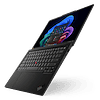
The first thing you notice when you pick up the X1 Carbon Gen 14 is how light it is. Our OLED unit has the magnesium bottom shell, and at roughly 1 kg, it's one of the lightest 14-inchers I've ever had on the bench. Between the carbon fiber lid and the magnesium base, the whole thing feels premium as heck. Black, understated, no flashy accents.


The FIFA logo is the only thing that breaks up the lid. There's one more at the bottom too.


Speaking of logos, you get a ThinkPad one on the lid and the main body.

The stickers in the bottom left show the CPU manufacturer.

The lid bump insignia reminds us that the lid is made of carbon.

I like how the black Lenovo branding is blending so well with the dark finish.

Despite the weight, the chassis is very solid for its size. I pushed on the center of the lid on purpose and managed to get a small amount of flex out of it, which is normal for a lid this thin.

The keyboard deck is rigid too, with one exception. The area between the Space key and the touchpad flexes a bit more than I'd like when you press hard. That said, nobody types by stabbing that spot with their thumbs, so in real life, you won't notice it. Lenovo also claims MIL-STD-810H compliance, if you're the type who drops laptops a lot.

Opening the lid is a joy. The small bump at the top of the lid acts as a grip, and you can open the X1 Carbon with just one finger, all the way to a fully flat 180-degree position. Wow! That's handy when you want to show something to the person sitting across the desk, or when you're working on your lap on a plane and need a weird angle.

On top of the lid, there's a small "communication bar" that houses the webcam, the IR sensors, and the ToF presence sensor. It makes room for a better camera without thickening the bezels, and as I mentioned, it makes opening the lid even easier.

Speaking of the camera, the base option is already a 5 MP unit with IR and a privacy shutter, while the optional 10 MP UHD camera adds an ultrawide lens and the ToF sensor. Nice! That's a big step up from the usual 1080p webcams.

The keyboard is a classic ThinkPad affair, and that's a compliment. Key travel is 1.5 mm, which is above average for an ultraportable, and the feedback is great. Each press has a clear, defined end point, without feeling mushy or harsh. The backlight is white with two brightness levels, plus an Auto mode, and it's nice and even across the whole deck. Lenovo moved the power button (with the fingerprint reader) to the top right corner of the keyboard, and the right Ctrl key is back, so you also get a dedicated Copilot key without losing anything.
I also really like the arrow keys. They're bigger than average, which is a rare find on such a small laptop, and they're easy to hit without looking. And yes, the red TrackPoint is still there in the middle, for those who never learned to live without it.

Our unit came with the haptic glass touchpad, and it's top of the line. The surface is smooth, tracking is super accurate, and the clicks are quiet. Since there's no mechanical hinge underneath, you can click anywhere on the pad with the same force and feedback. If you're a TrackPoint user, there's an optional button zone at the top of the pad that can be turned on or off. Lenovo also sells versions with a mechanical clickpad and physical TrackPoint buttons, but I'd go for the haptic one without hesitation.


Flip the laptop over, and you'll find wide rubber feet and the intake vents, which are covered with dust filters on the inside (more on that on the disassembly page).


The hinge cover design block a big amount of the hot air from not reaching the OLED screen.

The speakers fire downward and out of the sides. Overall, the build quality is what you'd expect from an X1 Carbon. It's just lighter than ever.
Ports and Connectivity

On the left side, there are two Thunderbolt 4 ports, an HDMI 2.1 output, and a 3.5 mm combo audio jack.

On the right, you get the third Thunderbolt 4 port, a 5 Gbps USB-A port, and a Kensington Nano lock slot. Versions with WWAN also get a nano-SIM tray.
All three Thunderbolt 4 ports support 40 Gbps transfers, USB Power Delivery, and DisplayPort 2.1 output. Having a Type-C port on each side is a small thing that makes a big difference, since you can plug in the charger from whichever side is closer to the wall socket. Desk setups are covered too: one Thunderbolt dock gives you power, displays, and peripherals through a single cable. The USB-A port is always on, so you can charge your phone even when the laptop is asleep.
Is anything missing? An SD card reader would be nice for photographers, and there's no Ethernet port, but that's par for the course at this thickness. A cheap USB-C hub solves both. HDMI 2.1 output is limited to 4K at 60 Hz per Lenovo's spec sheet, so if you want to drive a high-refresh monitor, use one of the Thunderbolt ports instead.
Wireless connectivity is handled by a soldered Intel Wi-Fi 7 (2x2) card with Bluetooth 5.4. If you need connectivity on the go, Lenovo offers optional 4G and 5G WWAN modules.
This article is not public yet. Patreon Gold Supporters can read it early.
Nov 12th, 2026 06:13 PST
change timezone
New Forum Posts
- budget home NAS – X79, X99 or another platform? (137)
- Hey all my intro & love for retro computers (102)
- TPU's Nostalgic Hardware Club (22147)
- What are you playing? (26207)
- So I fixed the r36s “k36” variant and clone with an Onn 128gb sd card and the Onn sd card reader and it BOOTED..so real neat! Take a look. (2)
- When you could finally run Crysis maxed out? (49)
- Gacha Games - Discussions, Pulls, Updates, etc. (1152)
- Unallocated space in ssd , is it normal? (12)
- Home page search by category (4)
- Browser Bechmark scores (131)
Popular Reviews
- AMD Zen 6 Technical Deep Dive
- Upcoming Hardware Launches 2027 (Updated Nov 2026)
- NZXT C1200 Platinum Review
- XPG NIMBUS PLUS Review - Mid-range Chair With Strong Competitors
- NZXT H7 RGB+ Review
- Montech King 95 3D PRO Review
- NZXT H5 Review
- Phantom Blade Zero Performance Benchmark Review - 35 GPUs Tested
- Gigabyte Z890I Aorus Ultra Review
- INNOCN 45C1R Review - Two QHD Screens, Zero Bezels
TPU on YouTube
Controversial News Posts
- OpenAI CEO Argues Home PCs Waste the World's Limited DRAM Supply (152)
- NVIDIA Launches Investigation Into Jensen Huang's Relationship With Suspected Chinese Spy (136)
- Intel "Raptor Lake Next" 16-Core and 20-Core CPUs Surface (130)
- Legendary Game Studio BioWare Shuts Down Following EA Layoffs (104)
- Dell CEO Says the Memory Shortage Will Get Worse in 2027 (95)
- NVIDIA GeForce RTX 50-Series Scheduled for up to $500 Price Hike This Week (89)
- AMD Radeon Owners Can Now Run Nearly Every DLSS Feature Through Fan-Made Mod (80)
- Modder Fits RTX 5090 With Four 8-Pin Connectors, Halving Current per Wire (80)