 5
Ninkear L20 Review
General Performance »A Look Inside
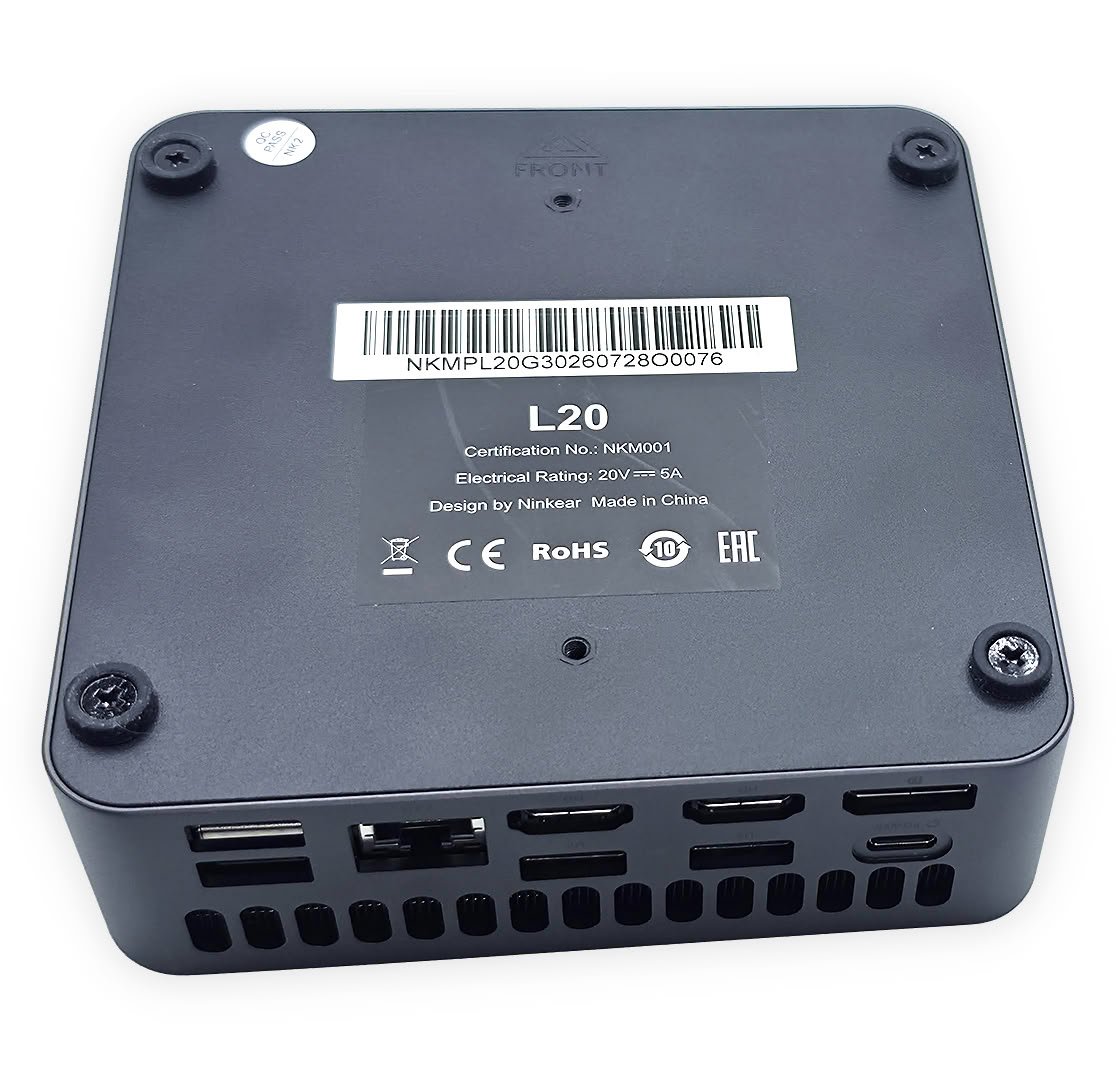

Getting into the L20 starts with four screws by the rubber feet, and removing the bottom panel gives quick access to the storage side of the motherboard. The process is easy, and the component most owners are likely to replace or expand is available without taking the system any further apart.
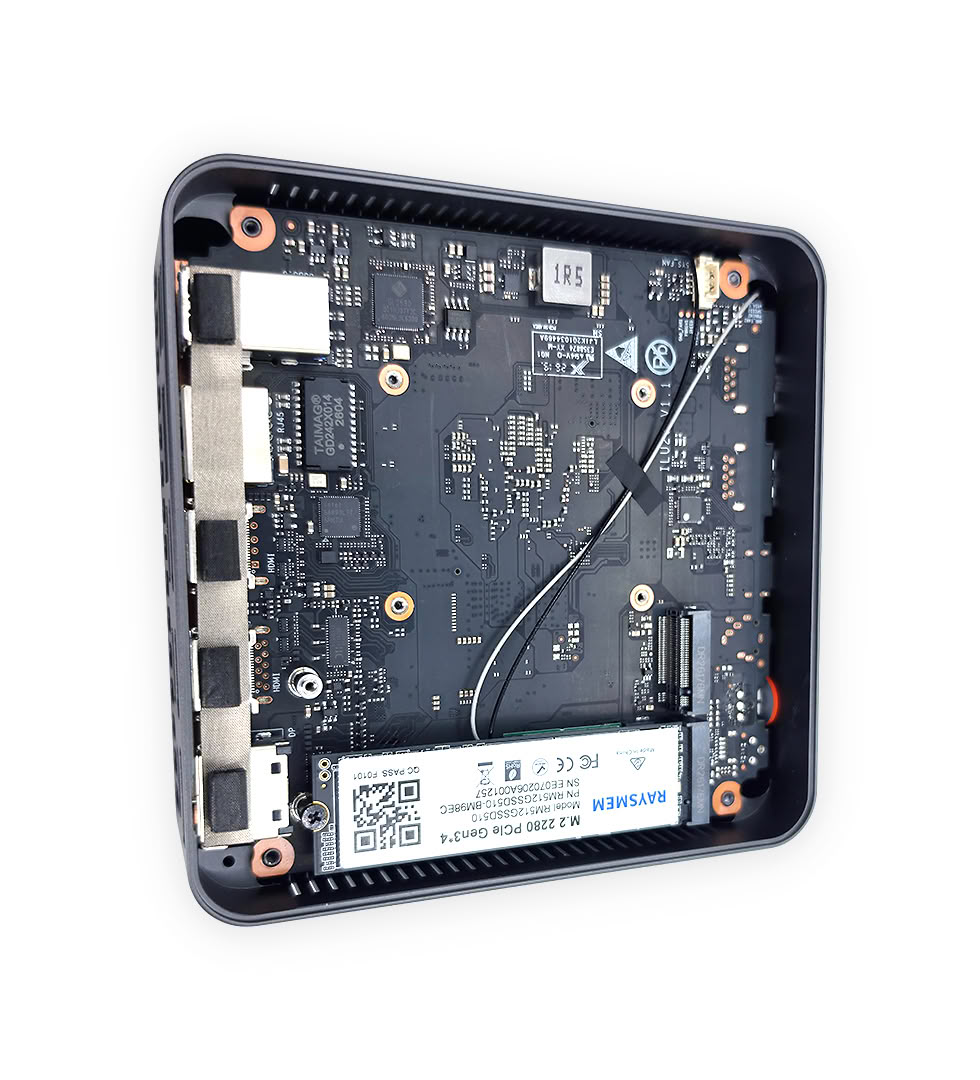
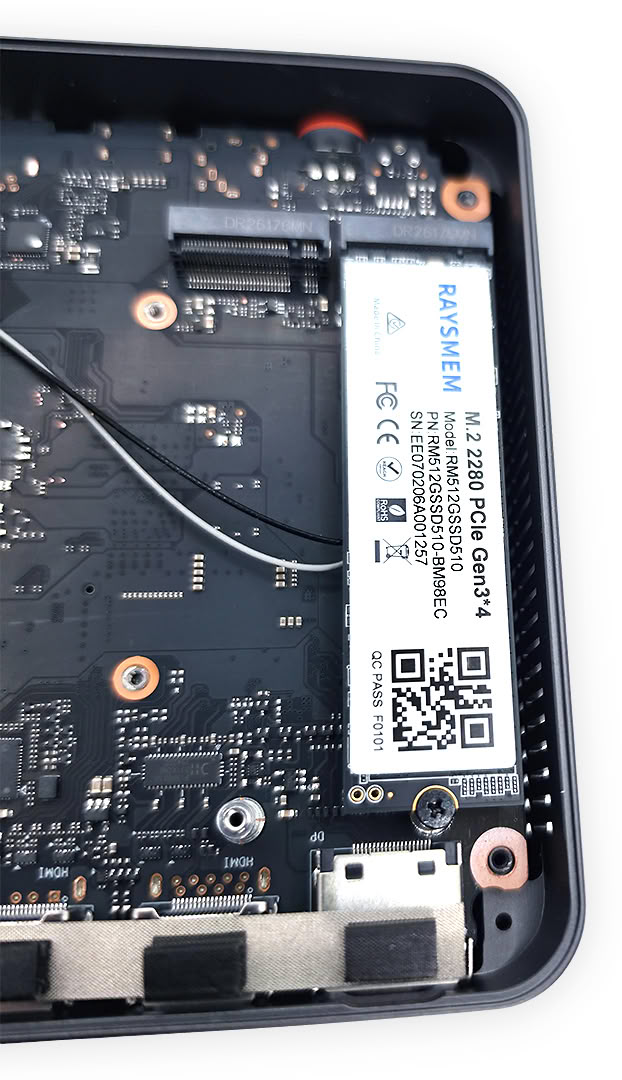
The factory drive is a 512 GB RAYSMEM RM512GSSD510 M.2 2280 PCIe 3.0 NVMe SSD. The drive itself supports a PCIe 3.0 x4 connection, while HWiNFO showed the L20's M.2 connection running it at PCIe 3.0 x2. HWiNFO also reported the upstream root port as supporting PCIe 4.0 x2, so a newer PCIe generation 4 or 5 drive would have double the theoretical bandwidth, despite still operating with half the usual lanes.
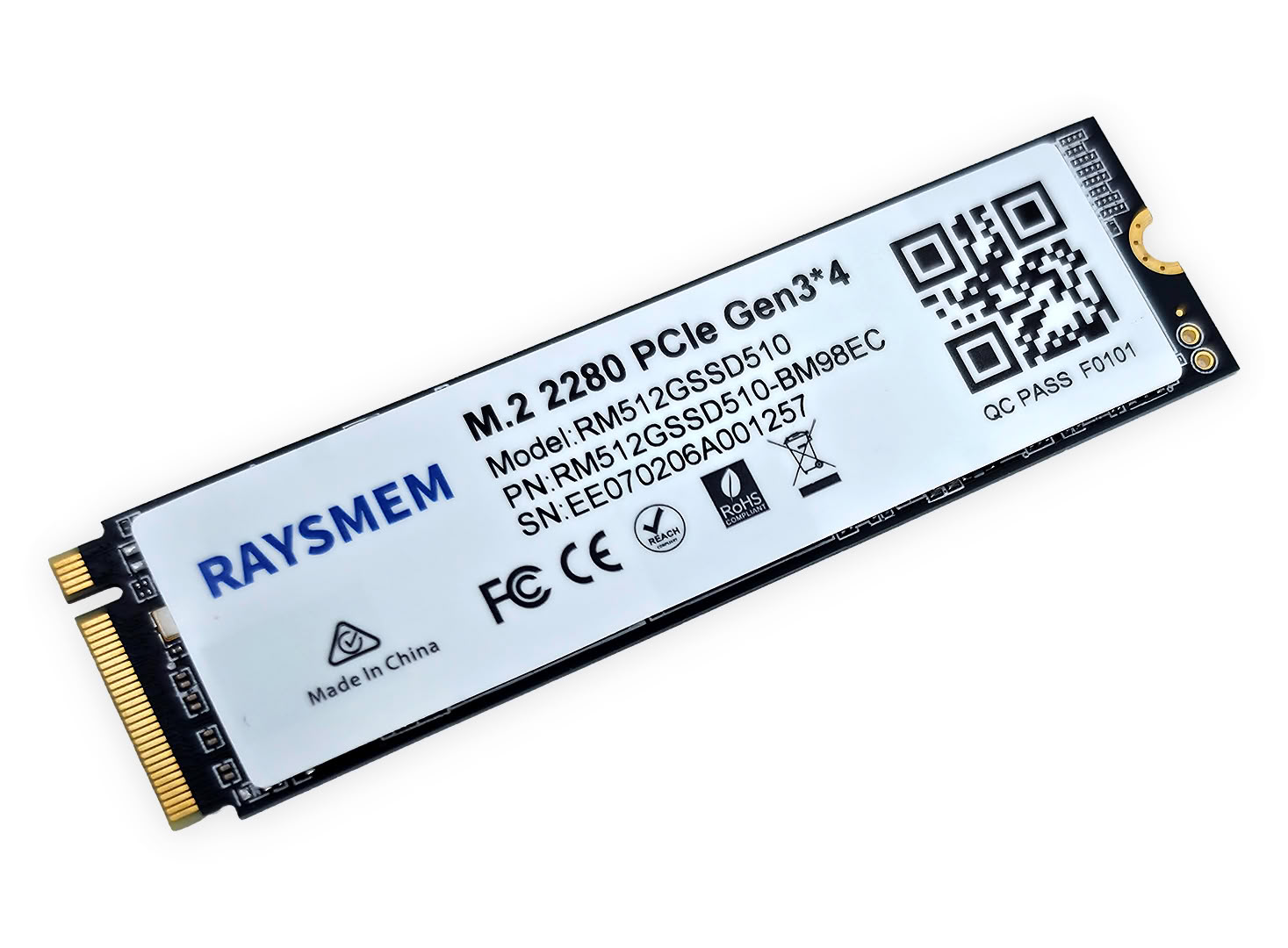
That said, with only 512 GB installed from the factory, the open second M.2 slot is a nice addition if you plan on loading larger applications or games. Storage is also the only part of the L20 that can be expanded later, since the 16 GB of LPDDR5X memory is built into the Core Ultra 5 226V package and cannot be upgraded.
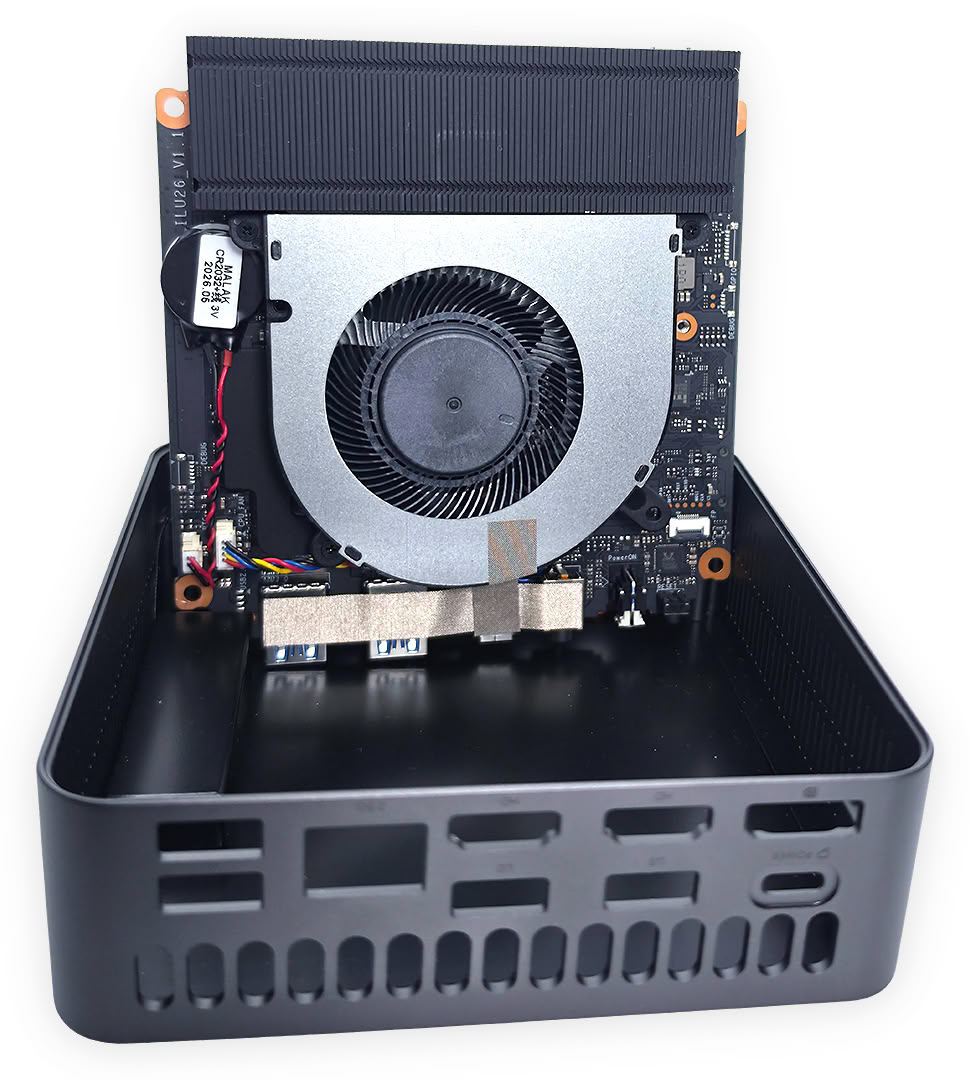
Getting to the cooling side is more involved, as I had to lift and work the motherboard out of the chassis, and the power button kept slipping out-of-place while I was moving it around. It is doable, but I would only go that far if I needed to service the cooling hardware. Ninkear has at least made the SSD area much easier to reach, which is probably the part most people will only want to access anyway.
Nov 22nd, 2026 21:03 CST
change timezone
Latest GPU Drivers
New Forum Posts
- Increasing Power Limit? (8)
- DTS DCH Driver for Realtek HDA [DTS:X APO4 + DTS Interactive] (2818)
- Honestly, do you care about GTA VI? (266)
- What are you playing? (26240)
- UPS what one to get? (48)
- Your PC ATM (36458)
- Gacha Games - Discussions, Pulls, Updates, etc. (1157)
- Last game you purchased? (1414)
- Making a game in Godot engine (19)
- Intel D270 (5)
Popular Reviews
- Microsoft Surface Laptop Ultra Review - The Next-gen Arm Laptop
- Corsair RM1200e (Second Generation) Review
- Upcoming Hardware Launches 2027 (Updated Nov 2026)
- Pulsar Office Tour & First Look at P1 Dual-Sensor Mouse
- Ugreen NASync DXP4800 GT Review
- AMD Ryzen 7 9800X3D Review - The Best Gaming Processor
- AMD Zen 6 Technical Deep Dive
- AMD Ryzen 7 5800X3D 10th Anniversary Review
- Phantom Blade Zero Performance Benchmark Review - 35 GPUs Tested
- Biwin Black Opal NV7400 2 TB Review
TPU on YouTube
Controversial News Posts
- NVIDIA Co-Founder and CEO Jensen Huang Officially Resigns (492)
- Report: Jensen Huang Eyes NVIDIA Comeback (266)
- Open Letter Asking NVIDIA to Reinstate Jensen Huang Passes 115,000 Signatures (184)
- OpenAI CEO Argues Home PCs Waste the World's Limited DRAM Supply (152)
- NVIDIA Launches Investigation Into Jensen Huang's Relationship With Suspected Chinese Spy (136)
- Intel "Raptor Lake Next" 16-Core and 20-Core CPUs Surface (130)
- NVIDIA GeForce RTX 50-Series Scheduled for up to $500 Price Hike This Week (89)
- Intel Razor Lake Gets a 12 P-Core bLLC Chip With No E-Cores, Per Leak (86)