 12
NZXT H6 RGB+ Review
Review System Setup »A Closer Look - Inside
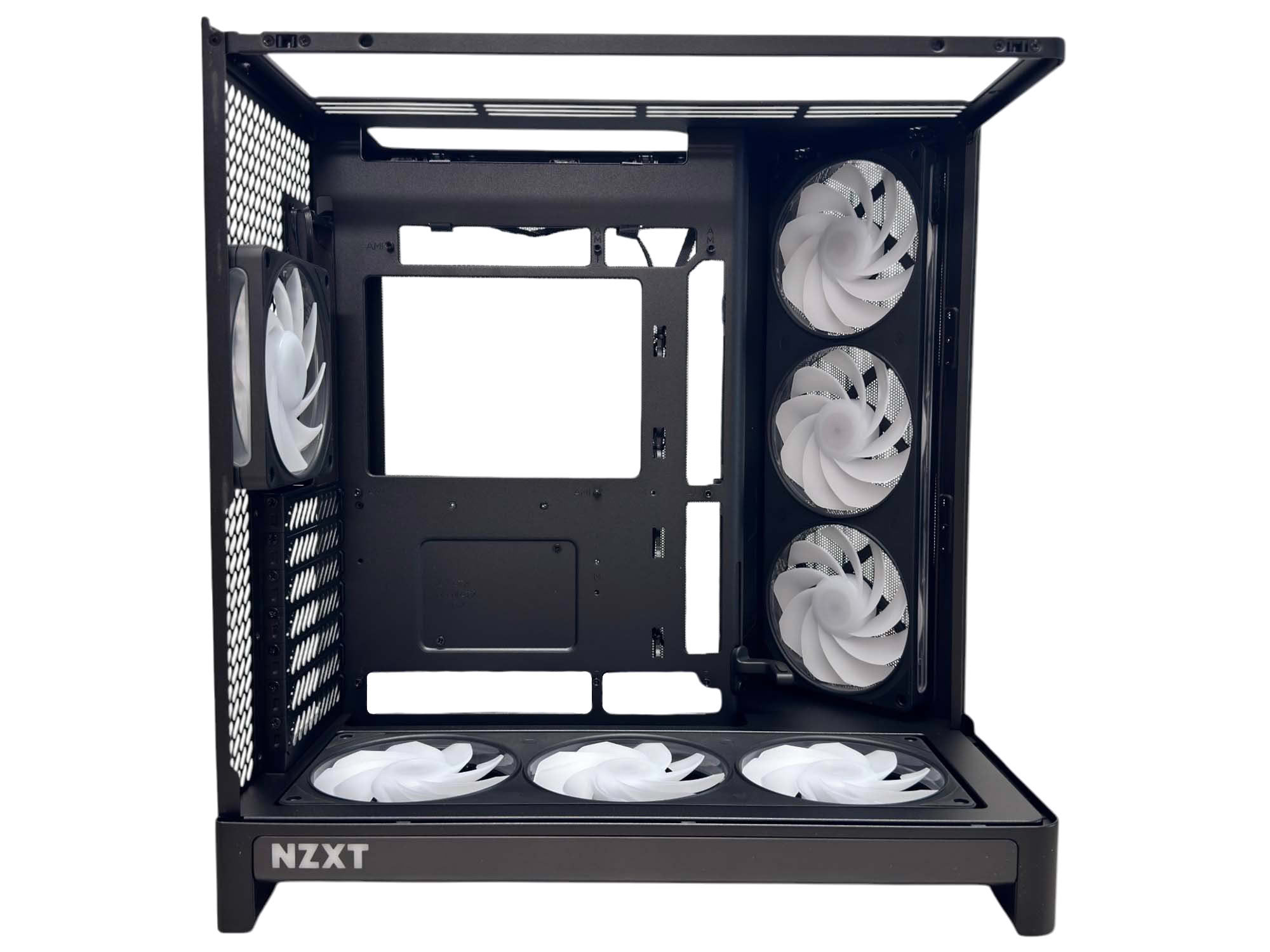
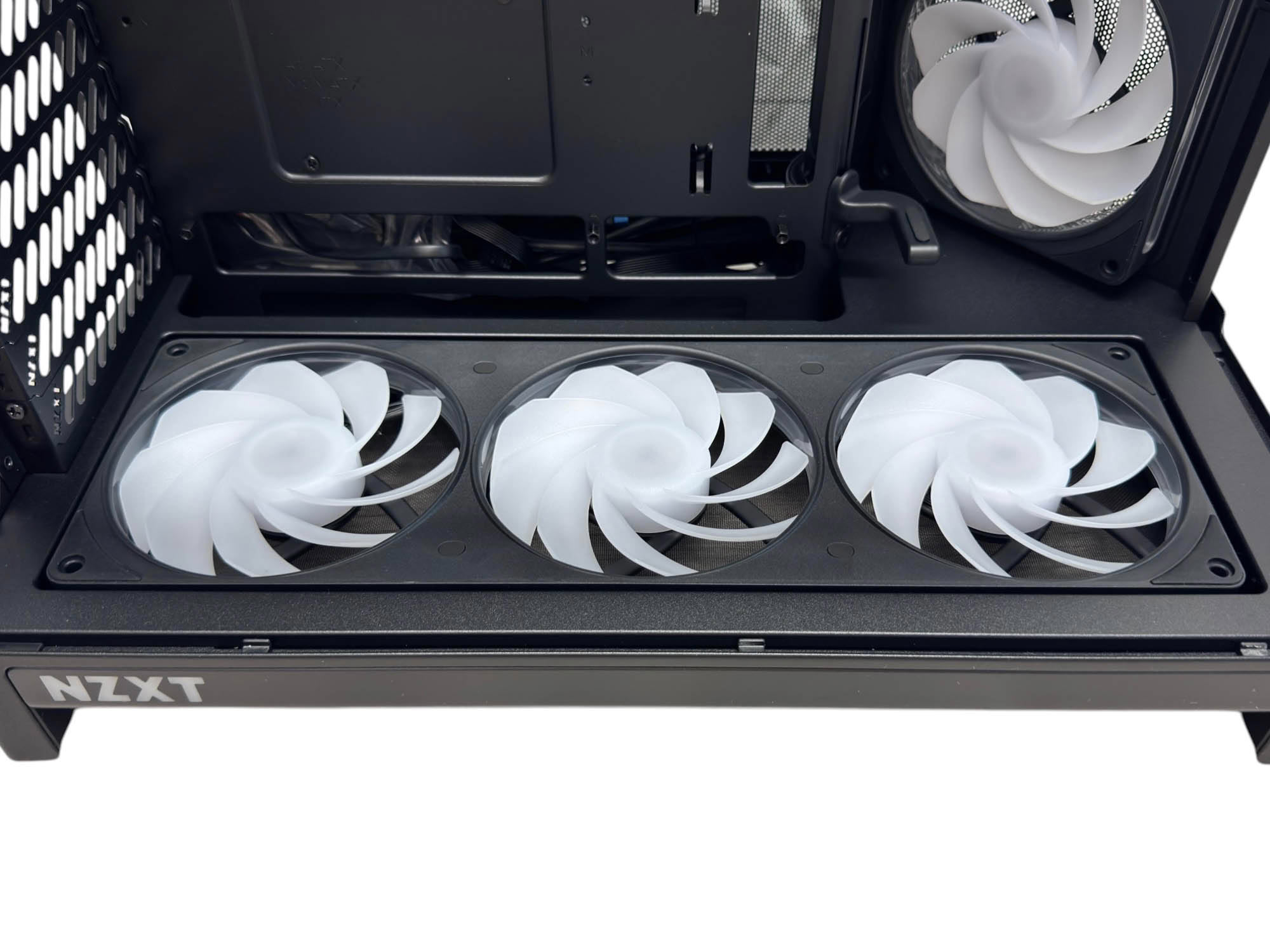
With the glass panel removed, there's no corner support, so access to the interior is excellent. The rear connector support is visible too, but there's only ATX motherboard support there, with no holes present for microATX rear connector (BTF/Project Zero/Project Stealth) motherboards. The F360 RGB Reverse fan frames are available separately and have a peak fan speed of 2,200 rpm and feature fluid dynamic bearings and RGB lighting. Unlike the optional fan frames, though, there is no adapter cable with a 4-pin option here. You have to use NZXT CAM to control the fan speed as well as lighting, and everything is pre-wired, which is sort of the point of the H6 RGB+.
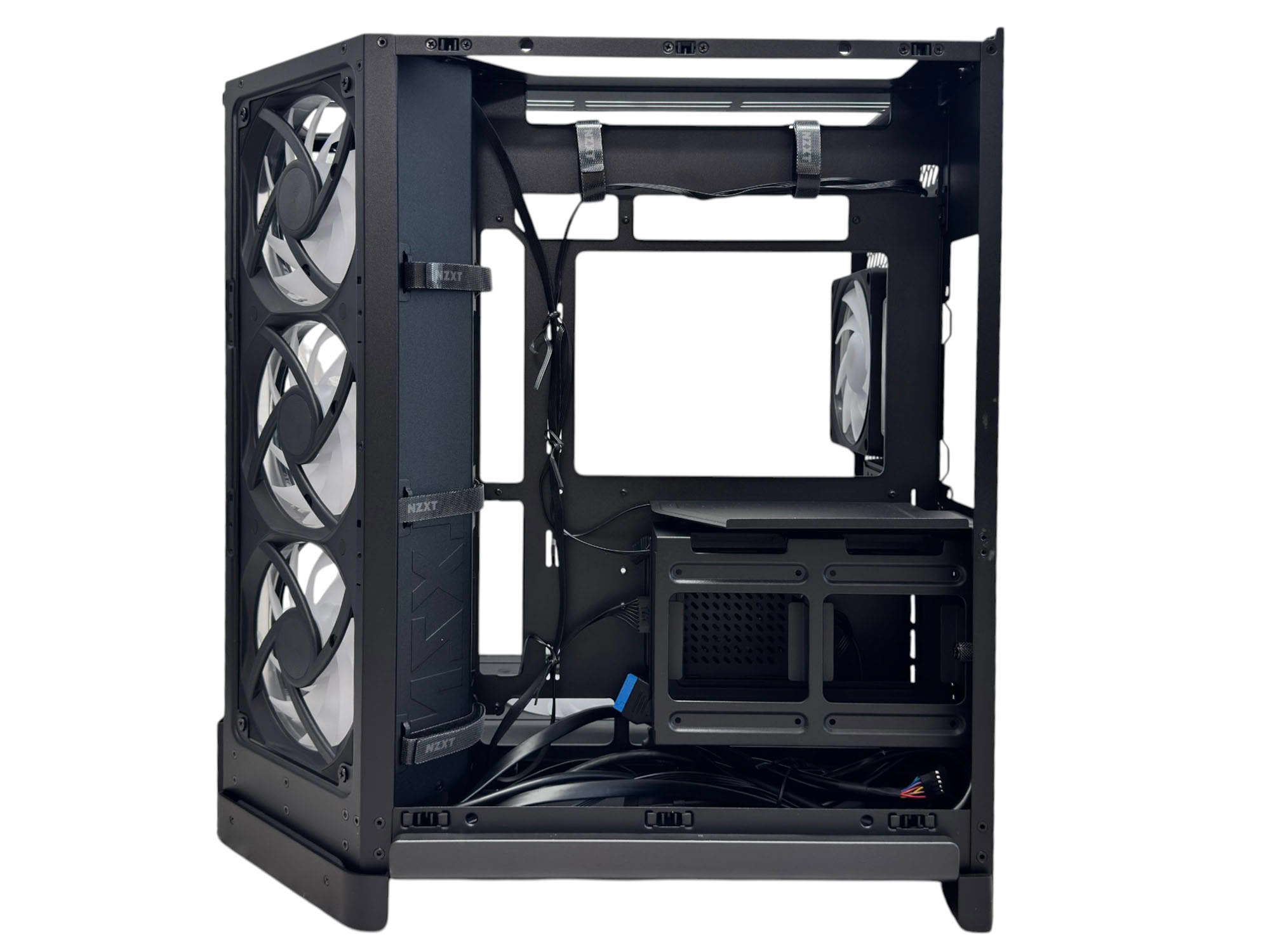
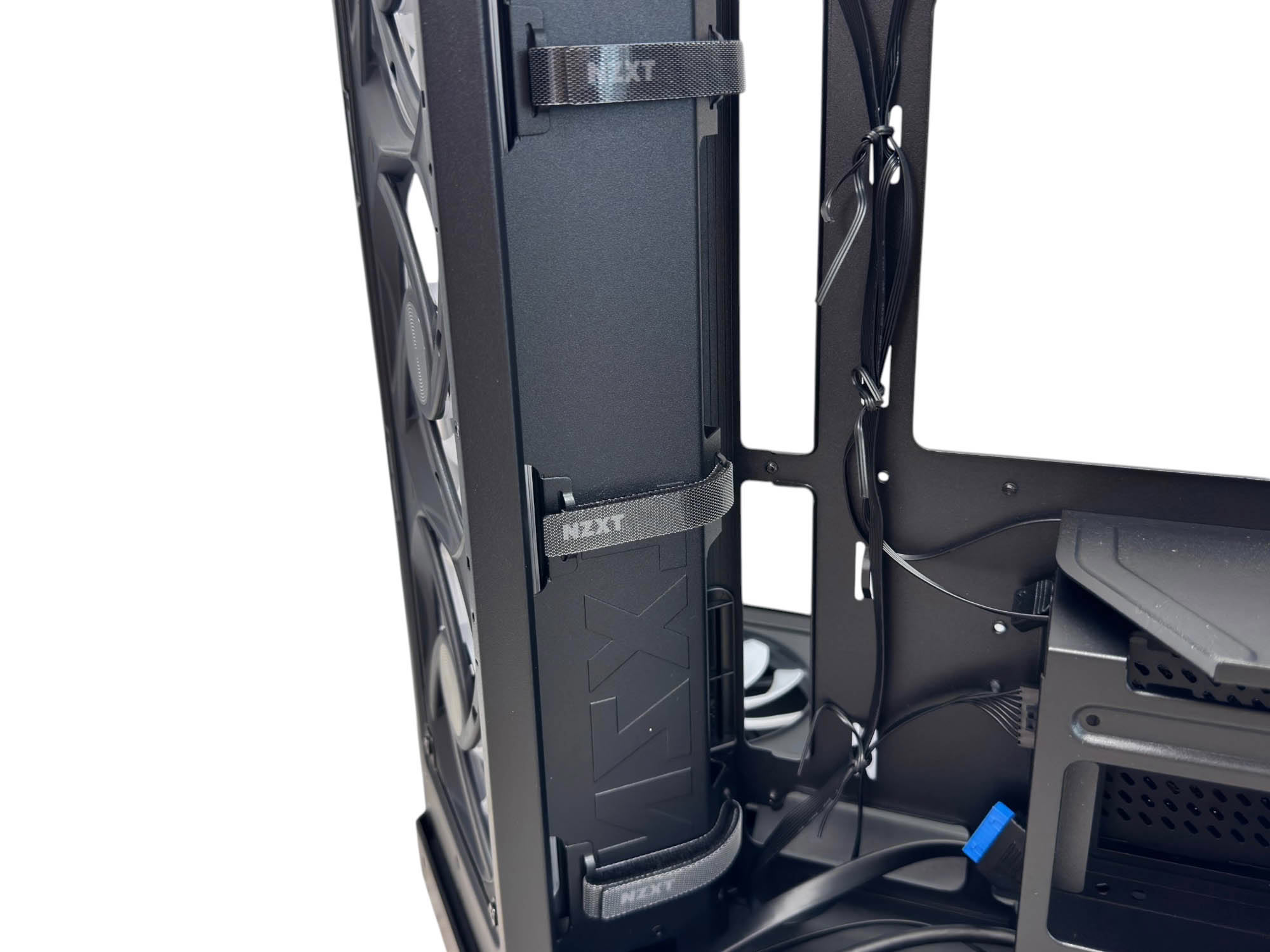
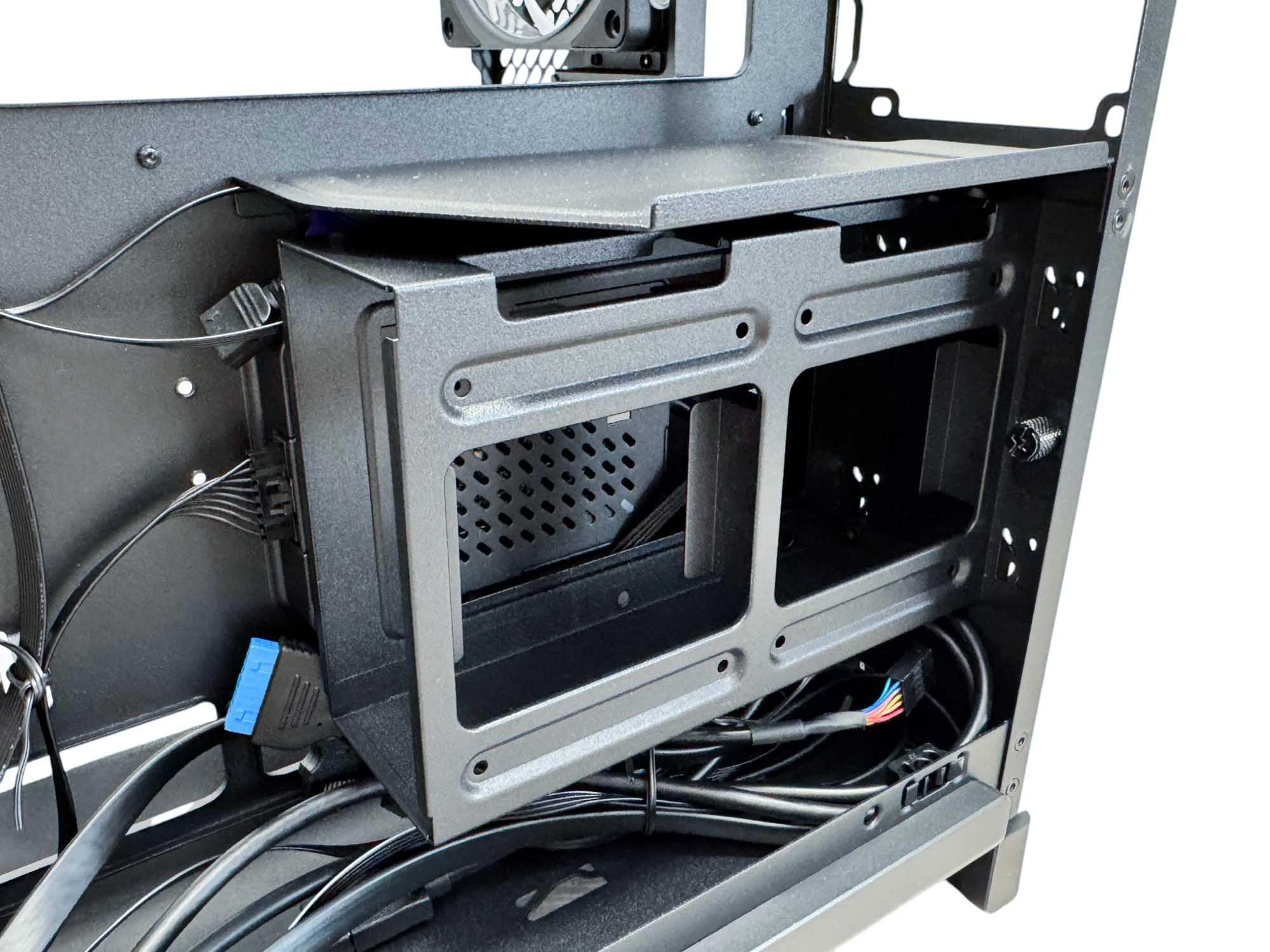
Behind the motherboard tray are four large Velcro cable ties with additional cable anchor points for the included plastic ties in the accessory box. The Velcro ties on the left are placed on the angled section that houses the side fans, which has the added advantage of moving them away from the rear connector holes so anchoring cables here shouldn't obstruct them too much. A single storage enclosure sits beneath the PSU and is secured by slide-in metal runners at the rear of the case as well as a thumb screw. It can house two 2.5" SSDs and a single 3.5" hard disk, with that being the total for the case. The enclosure sits over the fan hub which can make accessing its cables a little fiddly.
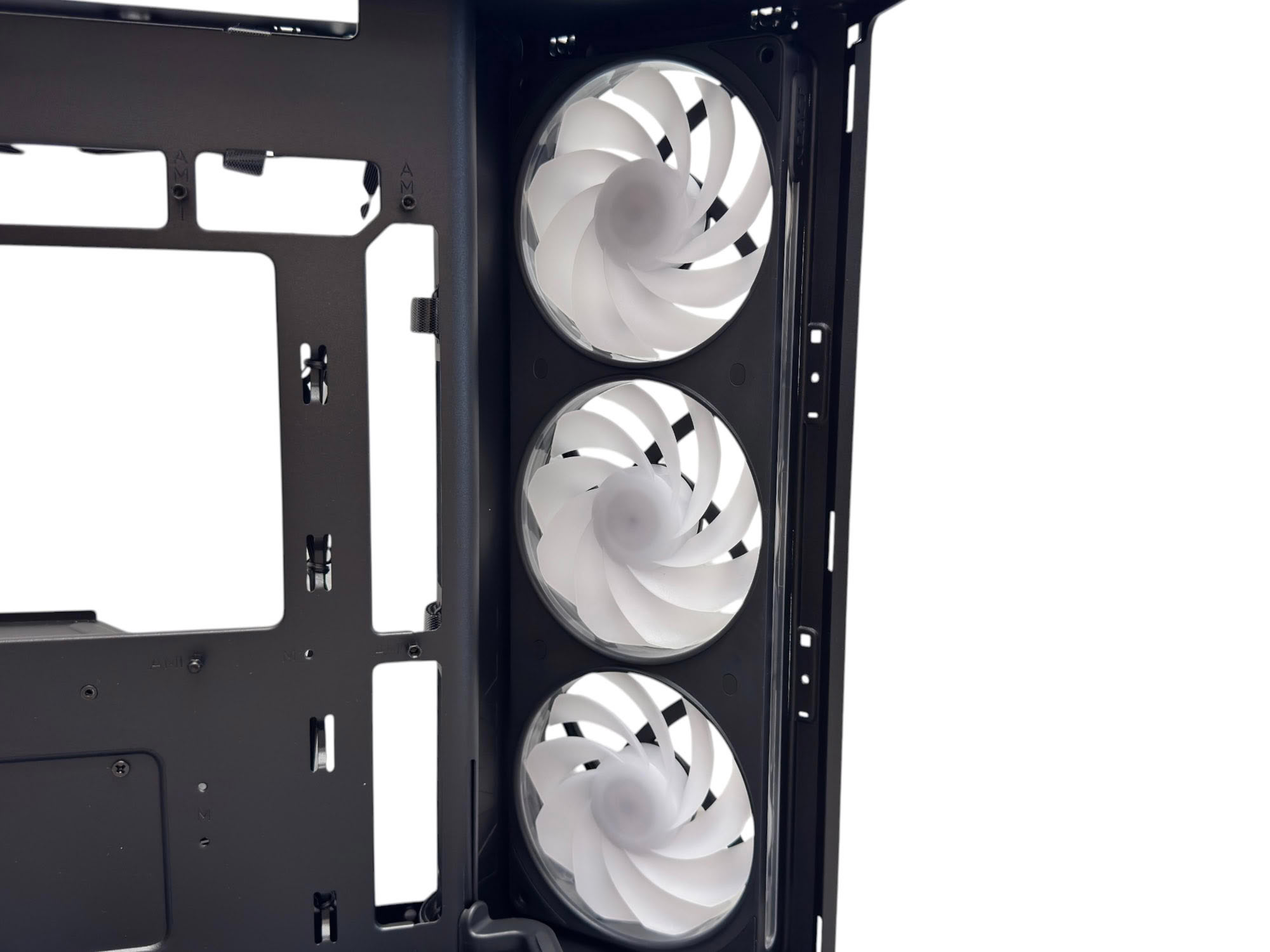
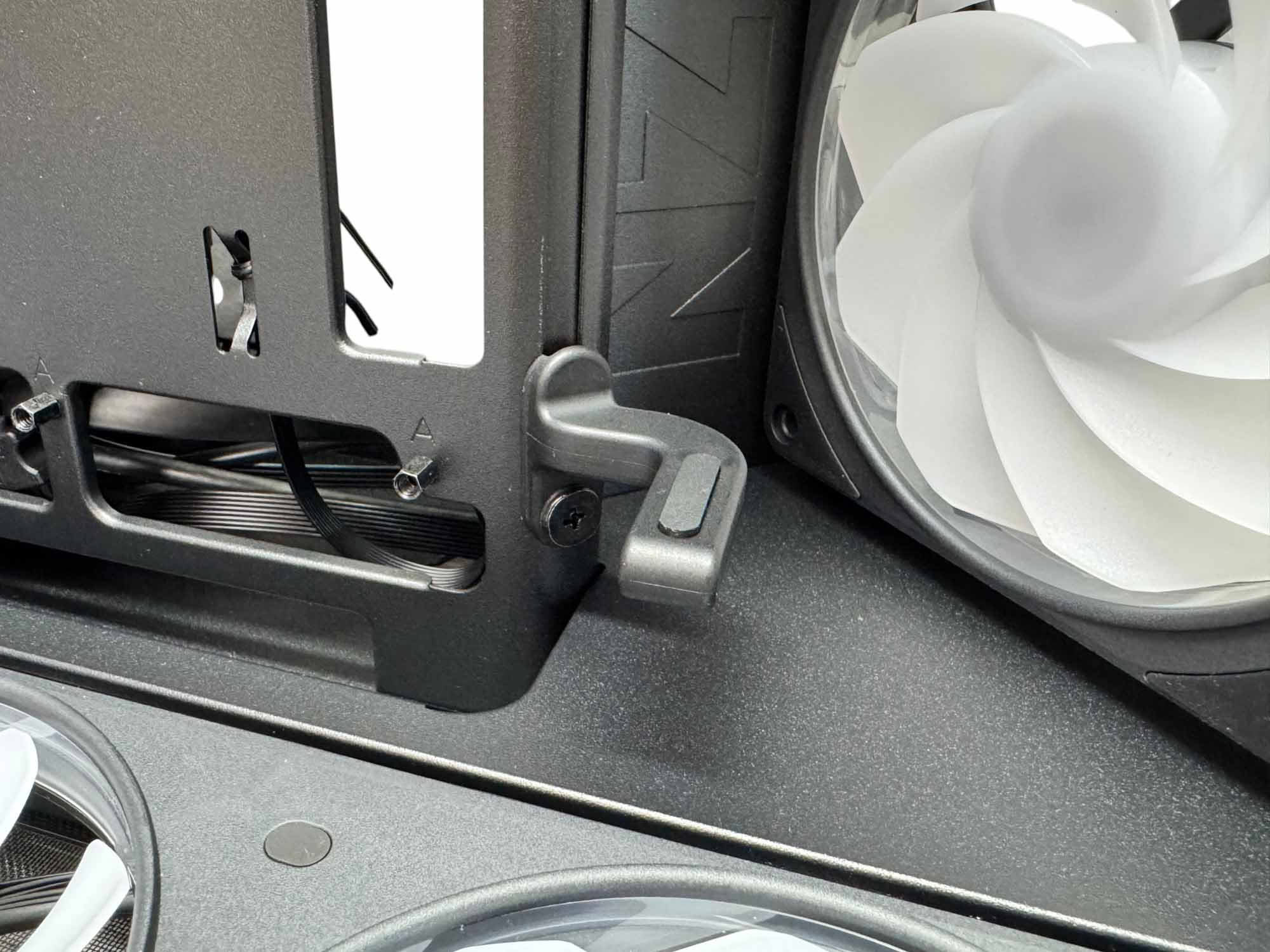
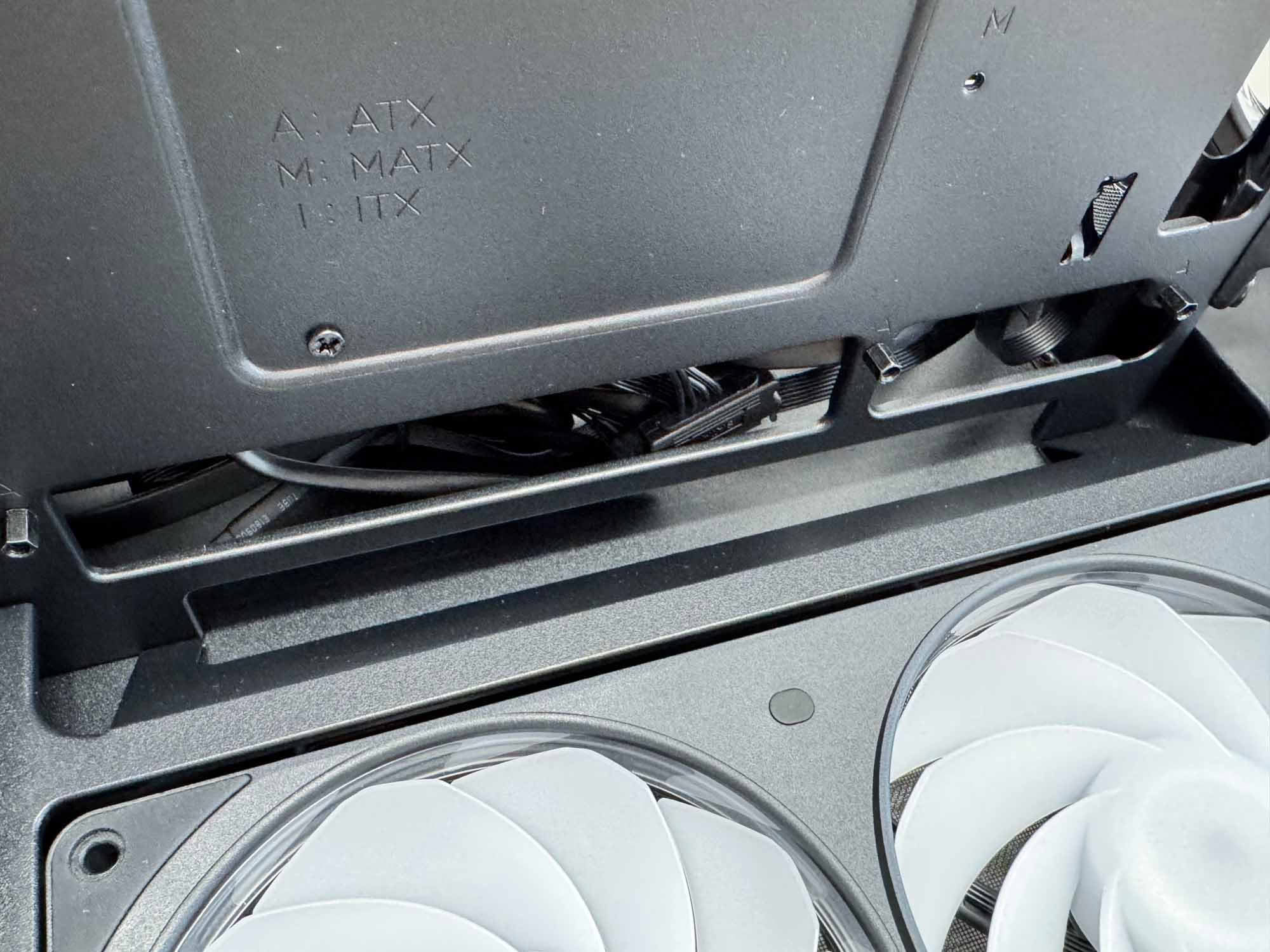
The side F360 RGB Reverse fan frame is identical to the one in the base and due to it only having screw mounting holes at either end and there not being much clearance above or below, fitting a radiator here isn't possible. Included in the box are fan adapters for this mounting location that provide inner mounting points should you wish to install your own fans. There's an adjustable GPU support at the end of the motherboard tray and this can be adjusted and tightened from within the main chamber, unlike some cases we've seen where you have to secure it from the rear. Along from this is a recessed cable routing cutout, which is there as ATX motherboards sit practically roof to ceiling. Unfortunately, our ASUS BTF motherboard's fascia ended up mostly blocking this gap so it's something to be aware of.
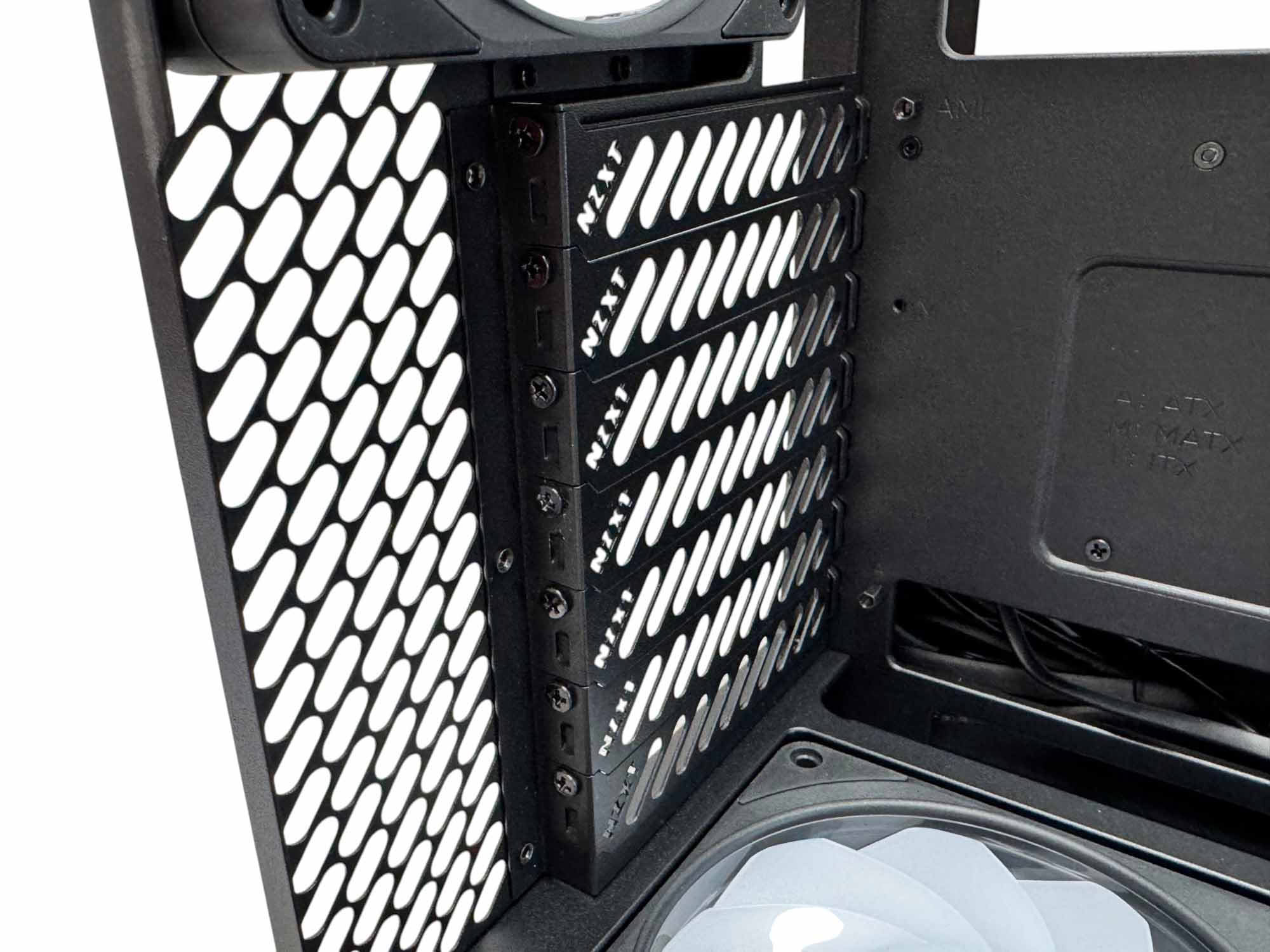
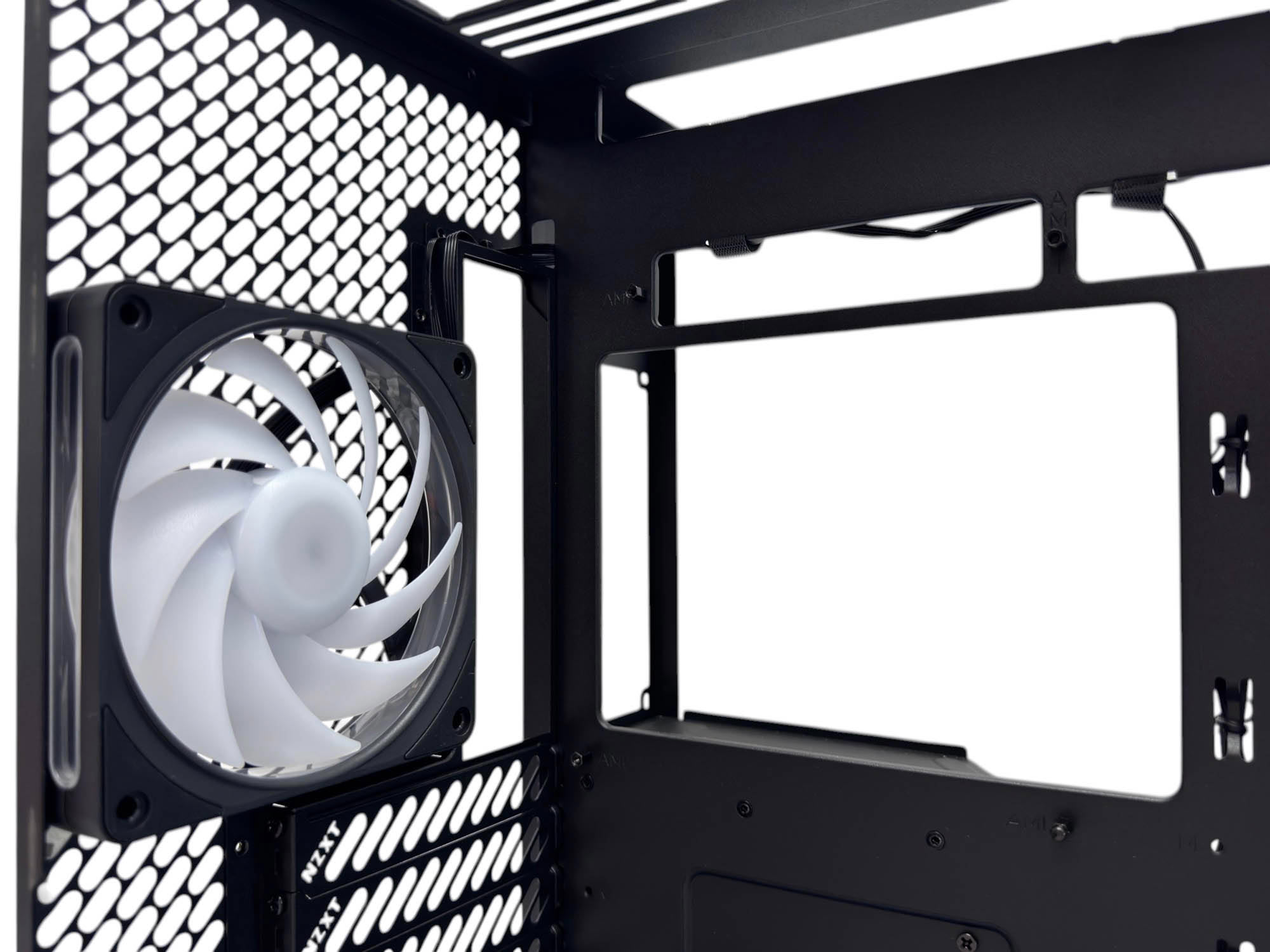
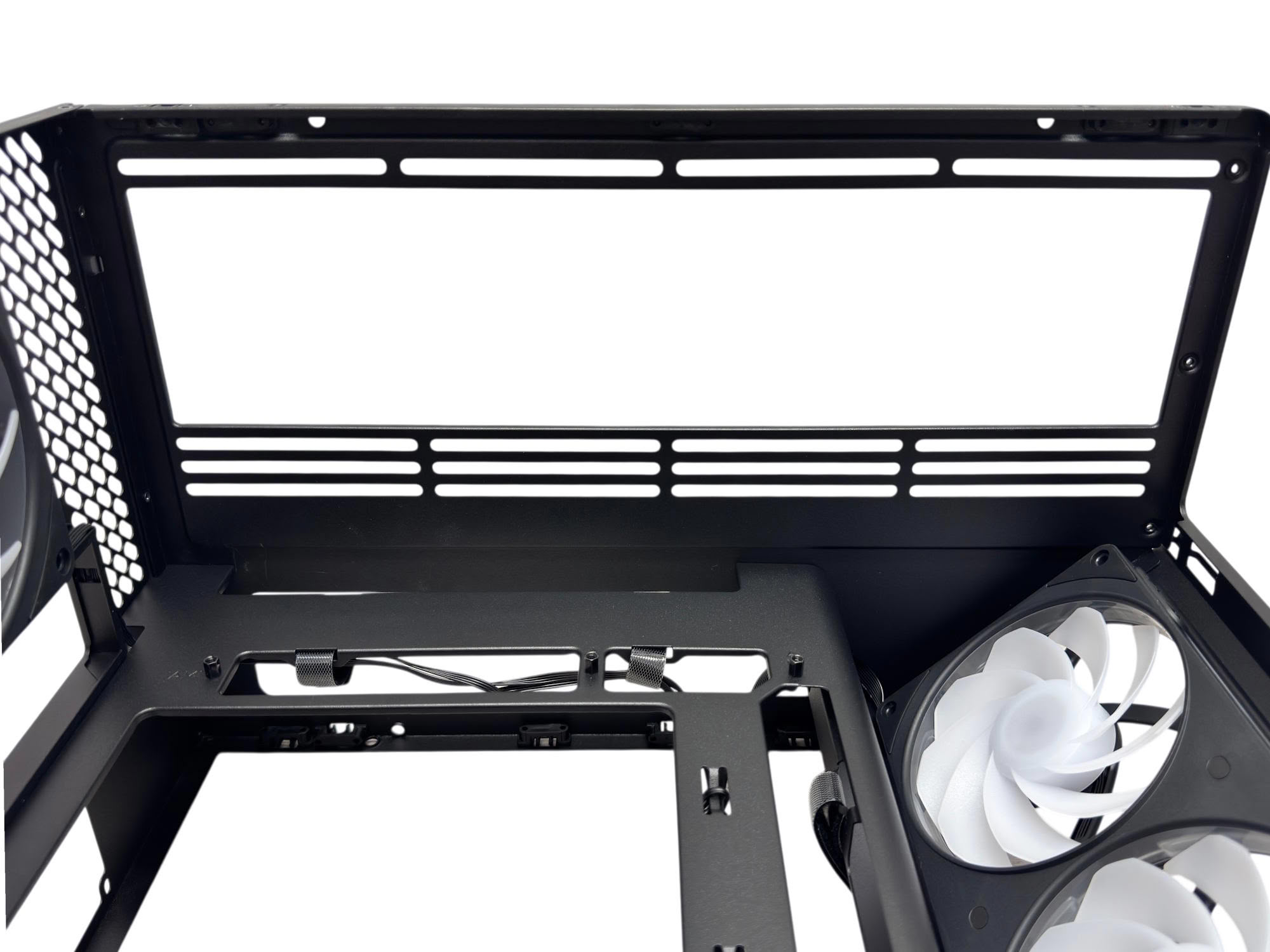
The seven rear PCI expansion slot covers use standard screws to secure, and little NZXT cutouts are a nice touch seen here a little closer than earlier. However, there's no vertical GPU support. There are several large vents around the rear of the case that aren't protected by dust filters, relying instead on the massive amount of positive air pressure to keep things out. The rear fan is NZXT's F120 RGB, which has a peak speed of 2,400 rpm and isn't adjustable up or down. The CPU cooler clearance here of 165 mm is reasonable, but does fall short of being enough for larger air coolers, such as the popular 168 mm Noctua NH-D15. The roof is the primary location for an all-in-one liquid cooler and supports either 280 or 360 mm radiators.
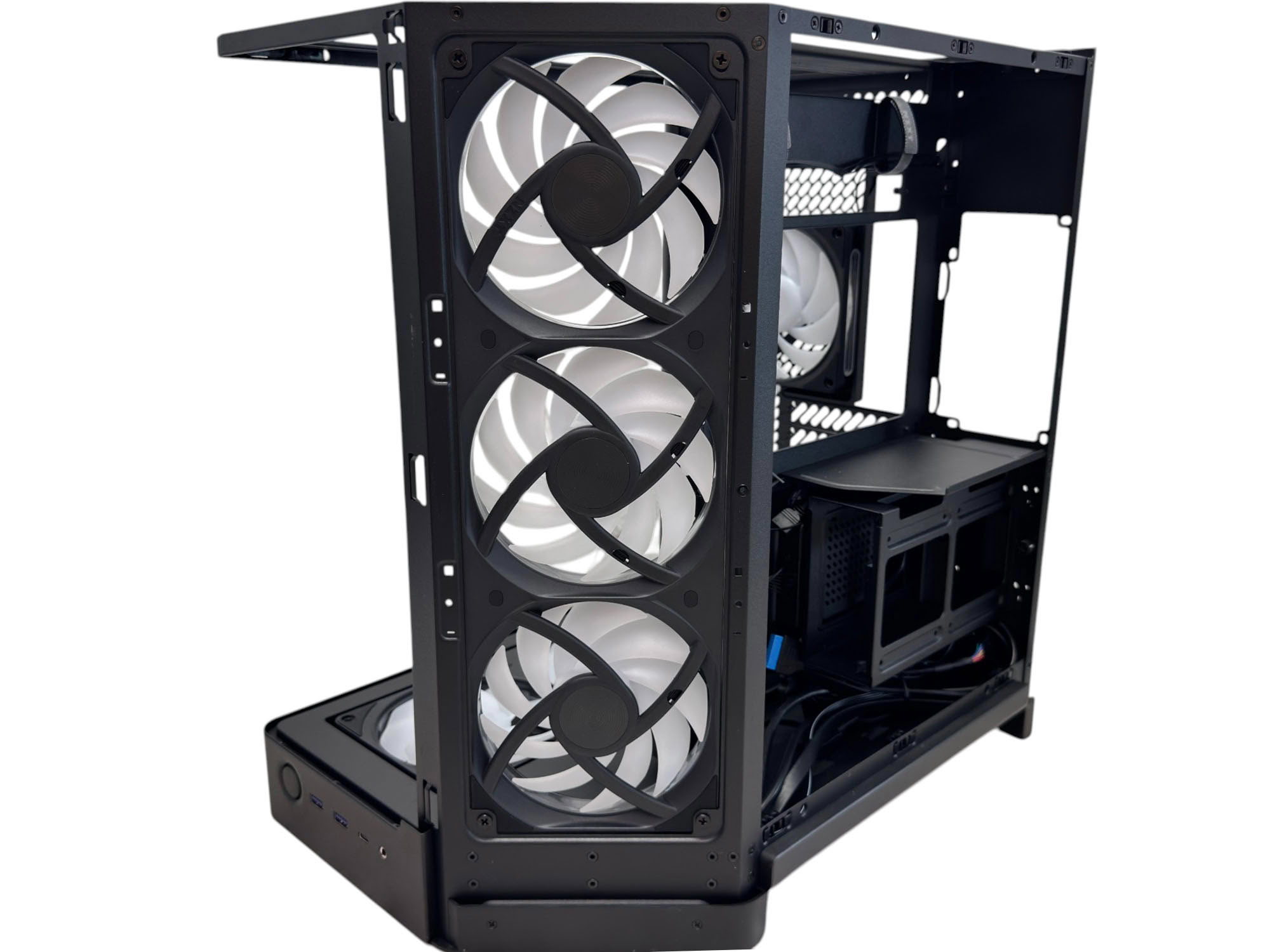
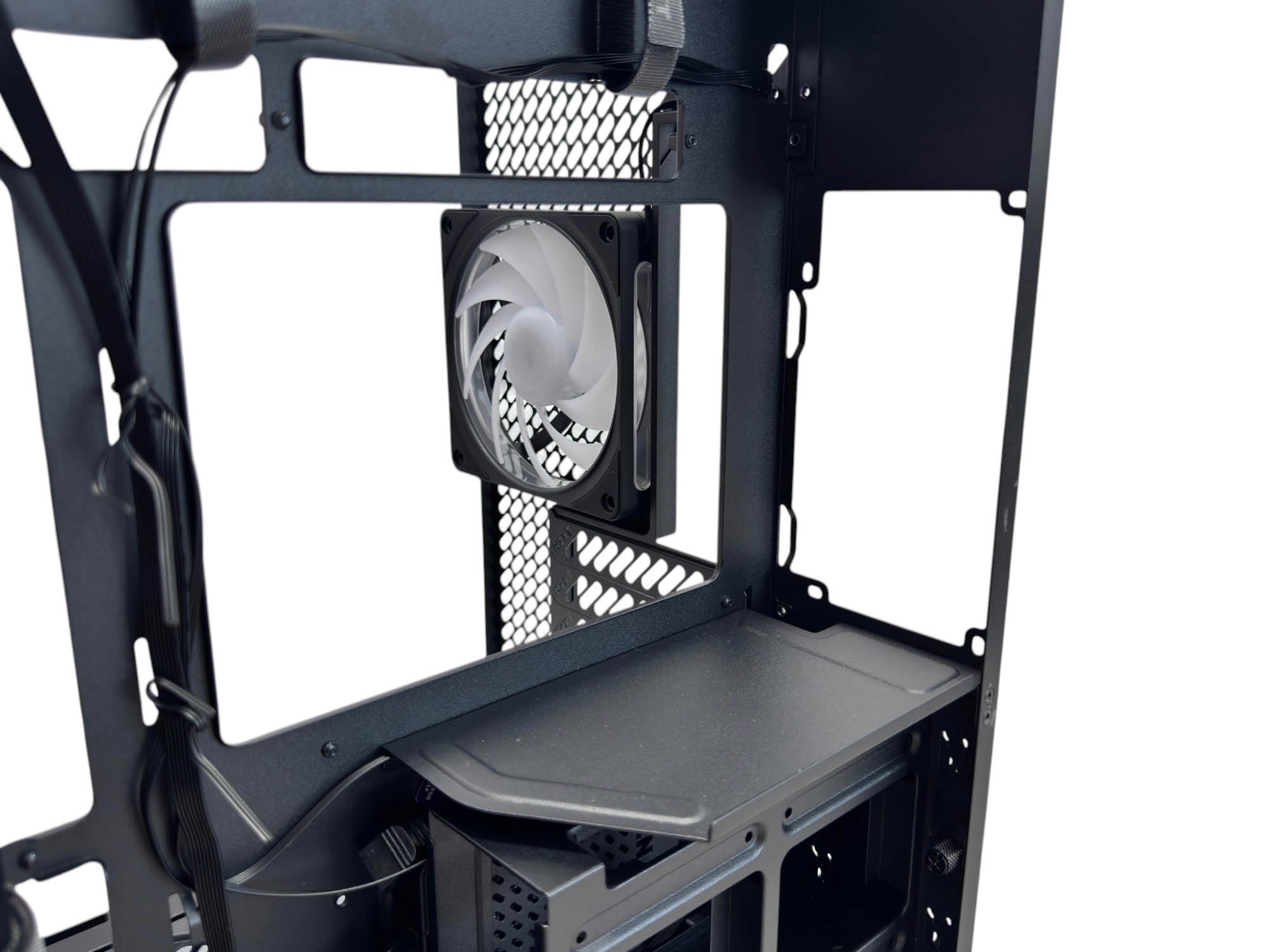
The side fan frame is removable by detaching the side panel and dealing with the four corner screws. The panel itself can be a little hit or miss whether it fits the first try, with three slots next to the fan frame offering a home to metal flanges on the edge of the panel, and push pins being used to secure it. However, this end of the panel has a habit of coming loose if you don't hold it firmly in place, at least on our sample. The PSU mount is at a bit of a disadvantage in that it lacks vibration-absorbing pads, plus it will also cover the rear of the CPU area cutout, potentially making cooler swaps a lot more time-consuming.
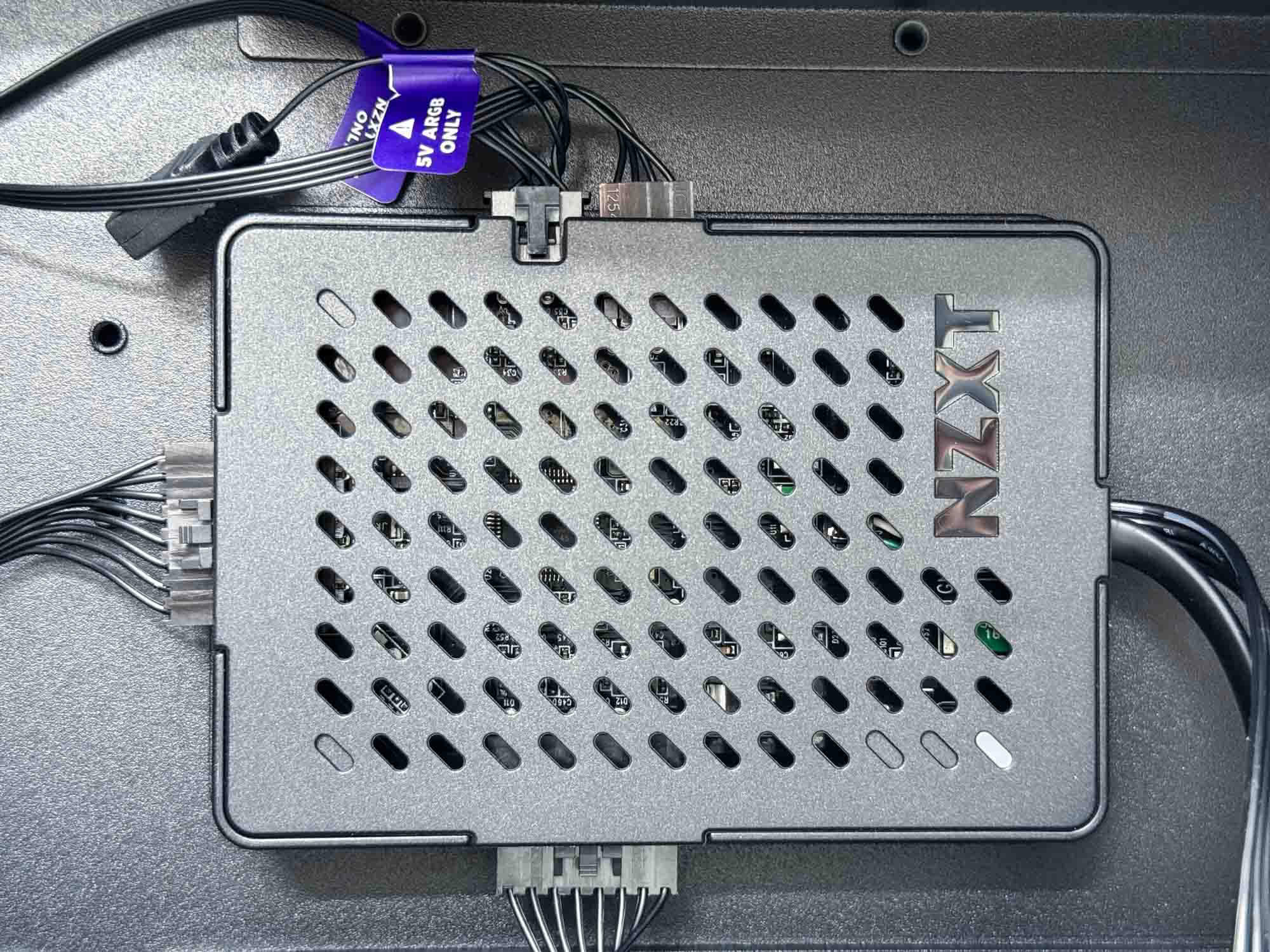
The NZXT Control Hub Lite fan and lighting controller is similar to those included with other NZXT products. There's a single expansion port by way of a 3-pin ARGB cable, but the other connectors are proprietary with no adapters included like you get with off-the-shelf fan frames to offer a 4-pin fan header cable. As mentioned a few times already, the H6 RGB+ is designed to work with NZXT's CAM software using the hub's USB 2.0 header.
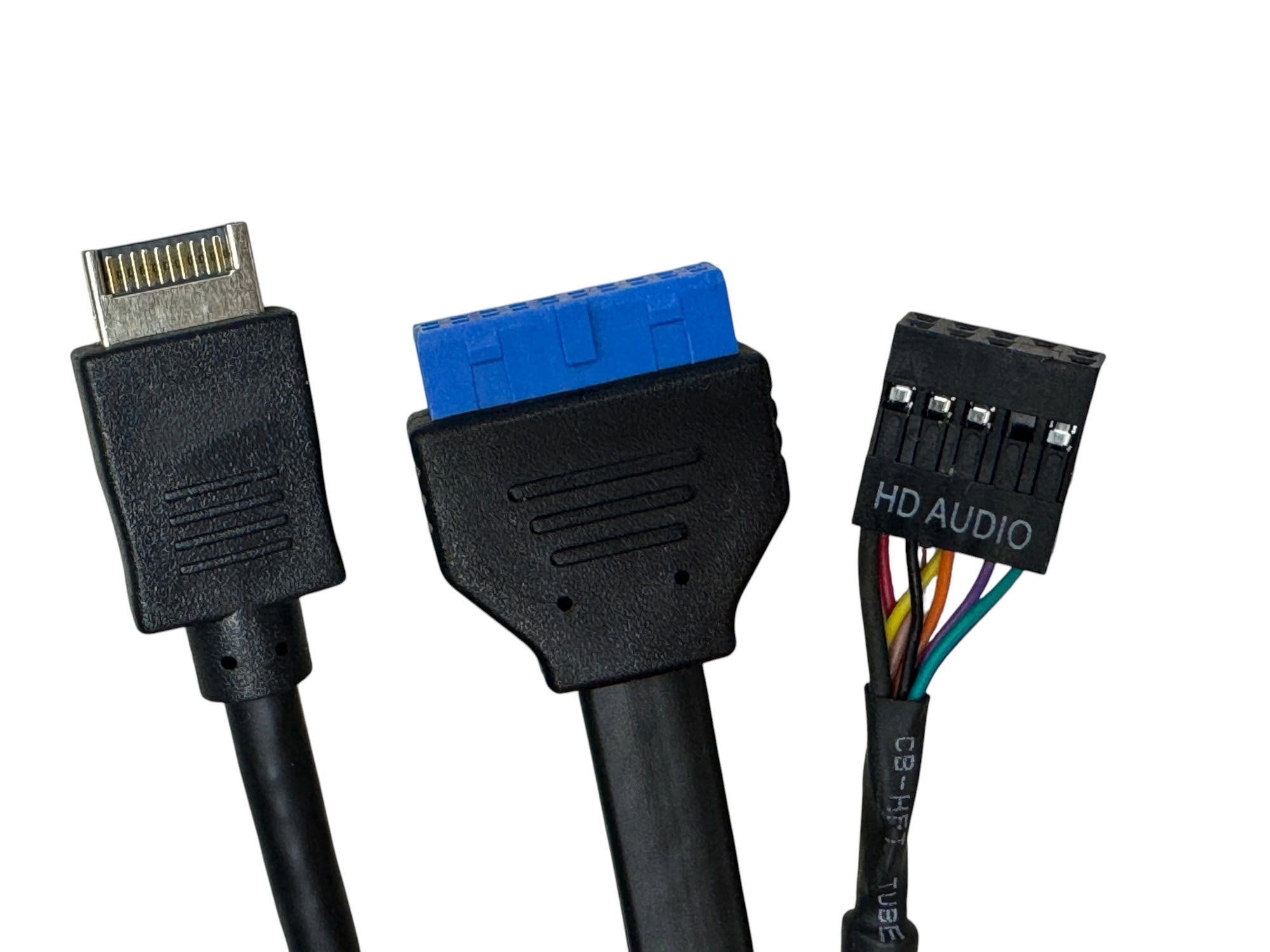
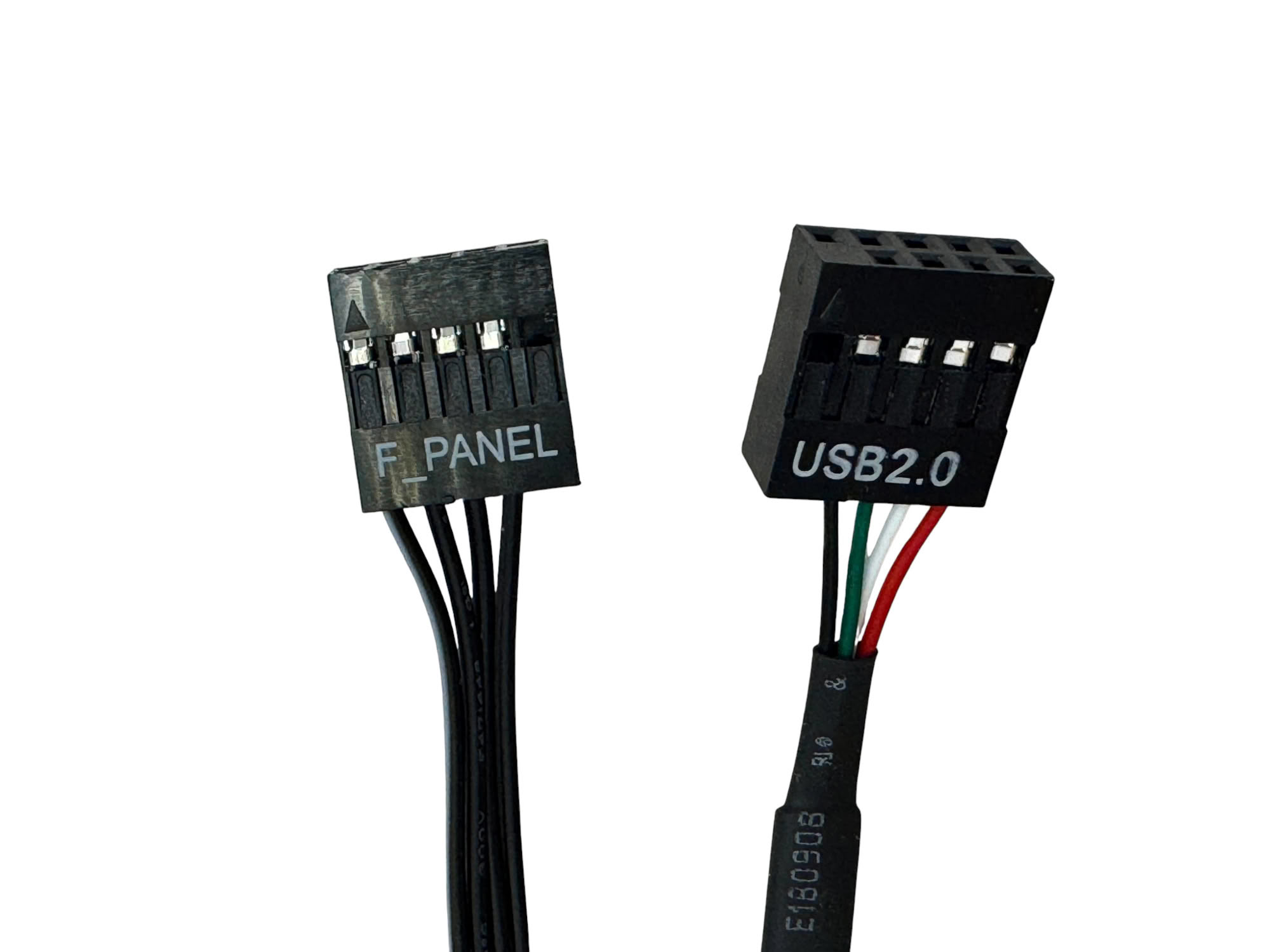
Front Panel connectors here include USB 3.0 and USB 3.2 Gen 2x2 20 Gbps Type-C header cables, along with audio and front panel cables. The USB 2.0 header cable is linked to the NZXT fan hub for fan and lighting control through NZXT CAM.
Nov 11th, 2026 20:50 CST
change timezone
New Forum Posts
- TPU's Nostalgic Hardware Club (22145)
- Unallocated space in ssd , is it normal? (1)
- Your PC ATM (36402)
- Classic Blizzard games (WarCraft 1-2, Diablo 1-2, StarCraft 1) (3)
- When you could finally run Crysis maxed out? (45)
- Gacha Games - Discussions, Pulls, Updates, etc. (1149)
- Steam Deck Owners Clubhouse (618)
- Ryzen 7 8700G OC (0)
- Case to fit 2X Alphacool NexXxoS UT60 Rads (5)
- AAF Optimus Modded Driver For Windows 10 & 11 - Only for HDAUDIO Chips [WINDOWS 11 RECOMMENDED] (1153)
Popular Reviews
- AMD Zen 6 Technical Deep Dive
- Upcoming Hardware Launches 2027 (Updated Nov 2026)
- XPG NIMBUS PLUS Review - Mid-range Chair With Strong Competitors
- NZXT H7 RGB+ Review
- NZXT H5 Review
- NZXT C1200 Platinum Review
- Phantom Blade Zero Performance Benchmark Review - 35 GPUs Tested
- Montech King 95 3D PRO Review
- Gigabyte Z890I Aorus Ultra Review
- INNOCN 45C1R Review - Two QHD Screens, Zero Bezels
TPU on YouTube
Controversial News Posts
- OpenAI CEO Argues Home PCs Waste the World's Limited DRAM Supply (152)
- NVIDIA Launches Investigation Into Jensen Huang's Relationship With Suspected Chinese Spy (136)
- Intel "Raptor Lake Next" 16-Core and 20-Core CPUs Surface (130)
- Legendary Game Studio BioWare Shuts Down Following EA Layoffs (104)
- Dell CEO Says the Memory Shortage Will Get Worse in 2027 (95)
- NVIDIA GeForce RTX 50-Series Scheduled for up to $500 Price Hike This Week (89)
- AMD Radeon Owners Can Now Run Nearly Every DLSS Feature Through Fan-Made Mod (80)
- Modder Fits RTX 5090 With Four 8-Pin Connectors, Halving Current per Wire (80)