 10
OWC Envoy Ultra 2TB Thunderbolt 5 SSD Review - Blistering Speed for Creators
Performance »Test Setup
| Test System Portable SSD 2026 | |
|---|---|
| Processor: | Intel Core Ultra 7 265K Arrow Lake 5.5 GHz, 8+12 cores/20 threads |
| Motherboard: | ASUS TUF Gaming Z890-PRO WiFi BIOS 2401 |
| USB Host Controller: | ASUS ThunderboltEX 5 add-on card Intel JHL9580 2-port TB5 + USB4 V2 Host |
| Memory: | 2× 16 GB DDR5-5600 |
| Storage: | ADATA XPG Mars Blade 980 2 TB PCI-Express Gen 5, NVMe 2.0 |
| Graphics: | Integrated |
| Cooling: | Thermalright Assassin X120 Refined SE |
| Power Supply: | MSI MAG A750BN 750 W ATX 2.52/16-pin 12VHPWR |
| Case: | Kolink Observatory HF Mesh Core |
| Operating System: | Windows 11 Pro 25H2 VBS enabled (Windows 11 default) |
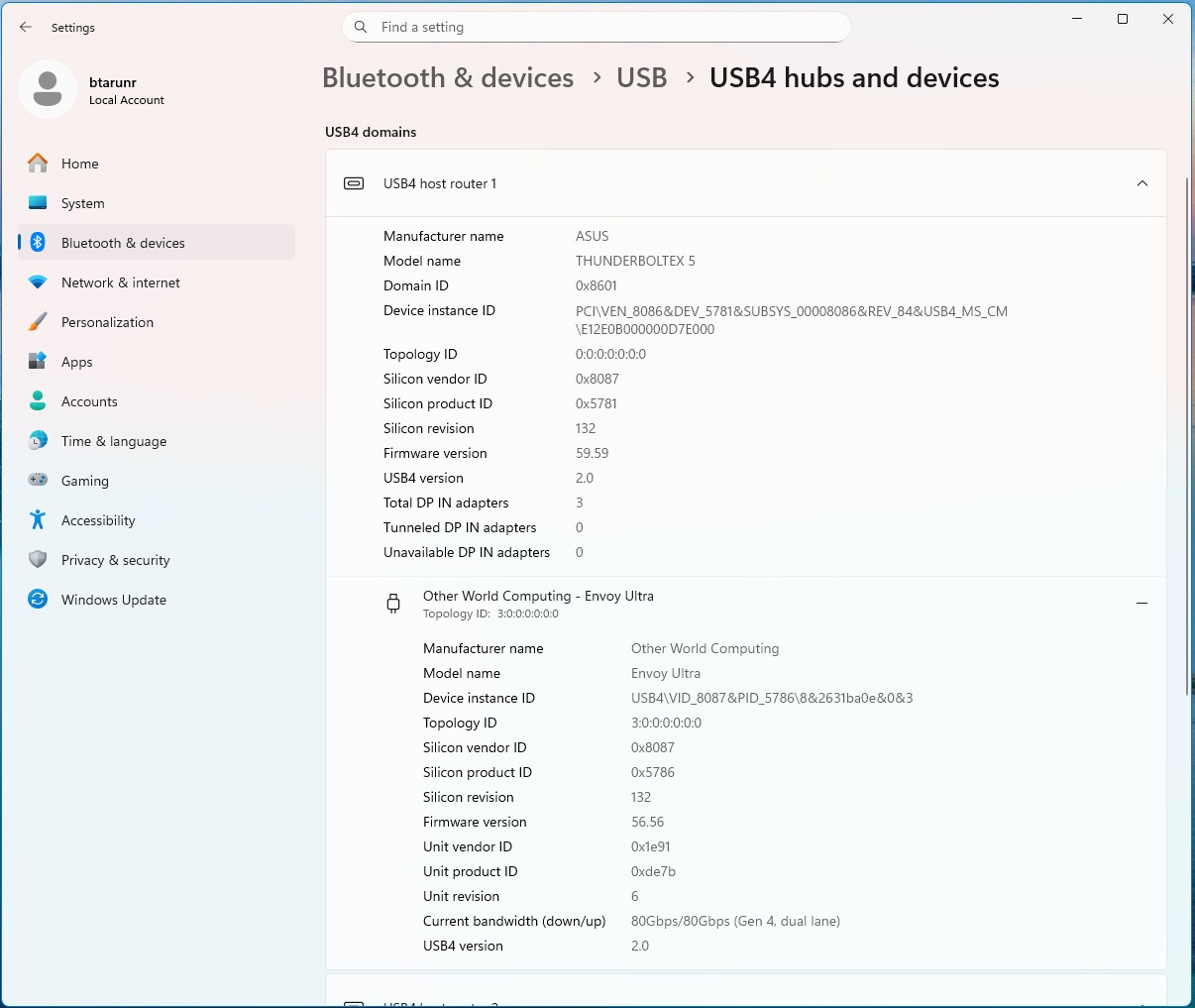
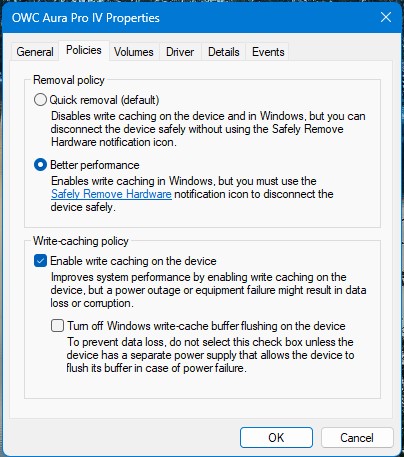
Windows 11 settings has a neat feature under the section "USB4 Hubs and Devices" which lets you verify if a USB4 or Thunderbolt device is properly negotiated for its rated bandwidth. Here, you can see that the OWC Envoy Ultra 2 TB, connected to our ASUS ThunderboltEX 5 add-on card, is correctly configured for 80 Gbps bandwidth as a USB4 V2 device. OWC also asks you to enable "Better Performance" disk policy.
Out of the box, the drive comes pre-formatted in Apple's APFS file-system, so Windows PCs won't list the drive in Explorer. You are supposed to use Disk Management to format the drive in NTFS, so Windows can properly mount the drive with a drive letter.
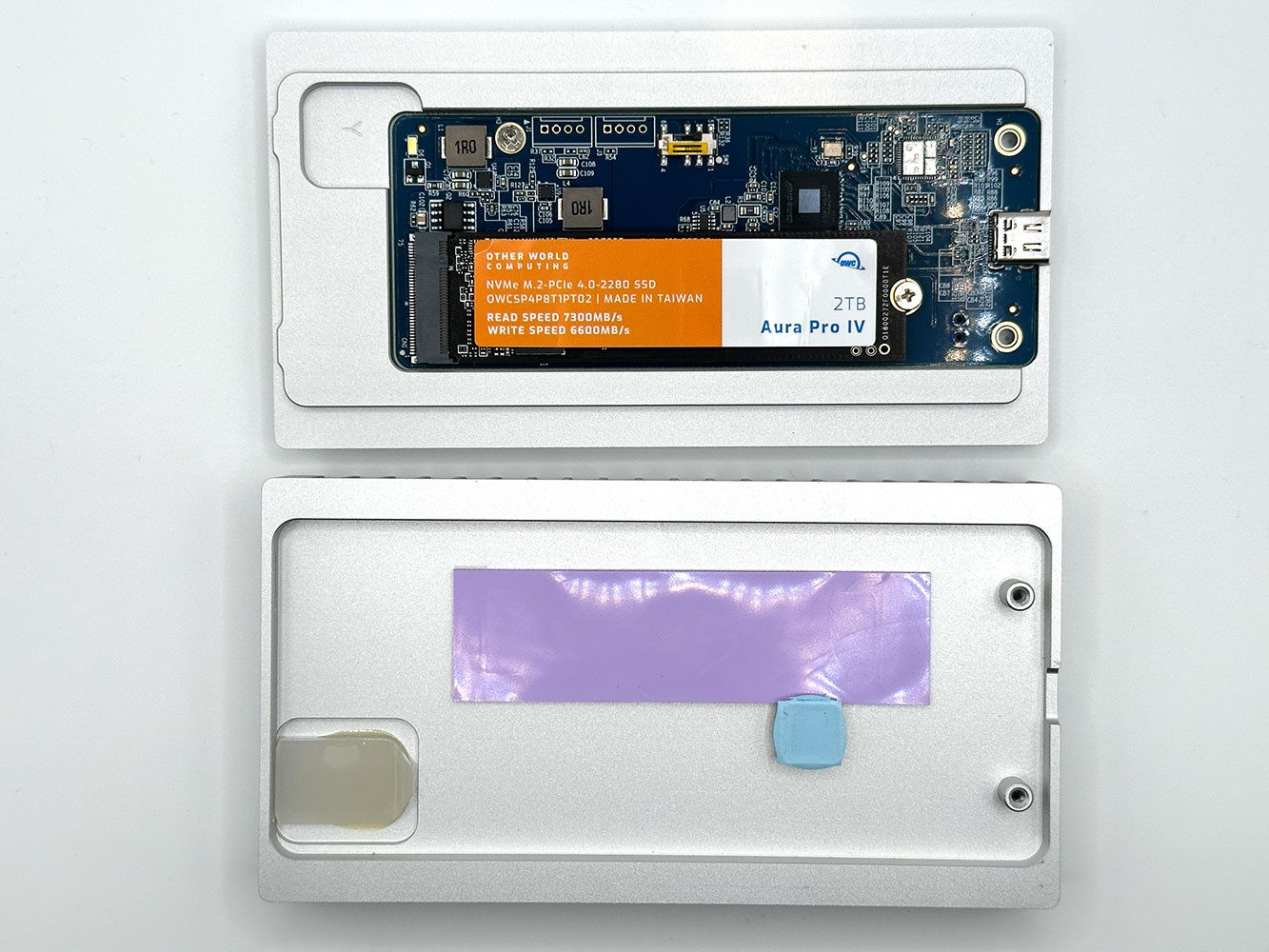
In the next page, you will see measurements for "OWC Express 1M2 2 TB." We never had a chance to test this drive, but rather we moved the Aura Pro IV 2 TB internal SSD from the Envoy Ultra to the Express 1M2 0 GB enclosure and put the contraption through our entire bench. OWC uses the Aura Pro IV in its variants of the Express 1M2 that come with pre-installed SSDs, so this is a fairly accurate representation.
Nov 14th, 2026 12:18 CST
change timezone
Latest GPU Drivers
New Forum Posts
- Tell me about your favourite graphics card (57)
- no "PhysX" workable (10)
- TPU's Nostalgic Hardware Club (22162)
- What can the FX 8320 do today? Here is the answer. (30)
- Slow SSD read speeds - help! (7)
- What card do I get for VR? (29)
- Ddr4 instead of ddr5 for 9060xt 8 gb over 5060 8 gb (7)
- Your PC ATM (36414)
- Microsoft Exchange/365 outages? (62)
- Opinion on Monitor Replacement (7)
Popular Reviews
- AMD Zen 6 Technical Deep Dive
- ASUS ROG Strix B850-I Gaming Wi-Fi7 W Review
- Corsair HX1000i Shift Crystal Review
- NZXT C1200 Platinum Review
- Upcoming Hardware Launches 2027 (Updated Nov 2026)
- Montech King 95 3D PRO Review
- NZXT H7 RGB+ Review
- NZXT H5 Review
- Phantom Blade Zero Performance Benchmark Review - 35 GPUs Tested
- XPG NIMBUS PLUS Review - Mid-range Chair With Strong Competitors
TPU on YouTube
Controversial News Posts
- NVIDIA Co-Founder and CEO Jensen Huang Officially Resigns (399)
- OpenAI CEO Argues Home PCs Waste the World's Limited DRAM Supply (152)
- NVIDIA Launches Investigation Into Jensen Huang's Relationship With Suspected Chinese Spy (136)
- Intel "Raptor Lake Next" 16-Core and 20-Core CPUs Surface (130)
- Legendary Game Studio BioWare Shuts Down Following EA Layoffs (104)
- Dell CEO Says the Memory Shortage Will Get Worse in 2027 (95)
- NVIDIA GeForce RTX 50-Series Scheduled for up to $500 Price Hike This Week (89)
- Modder Fits RTX 5090 With Four 8-Pin Connectors, Halving Current per Wire (80)