 6
The Blood of Dawnwalker Handheld Performance Review
Conclusion »ASUS ROG Xbox Ally X and ASUS ROG Ally X Optimized Settings
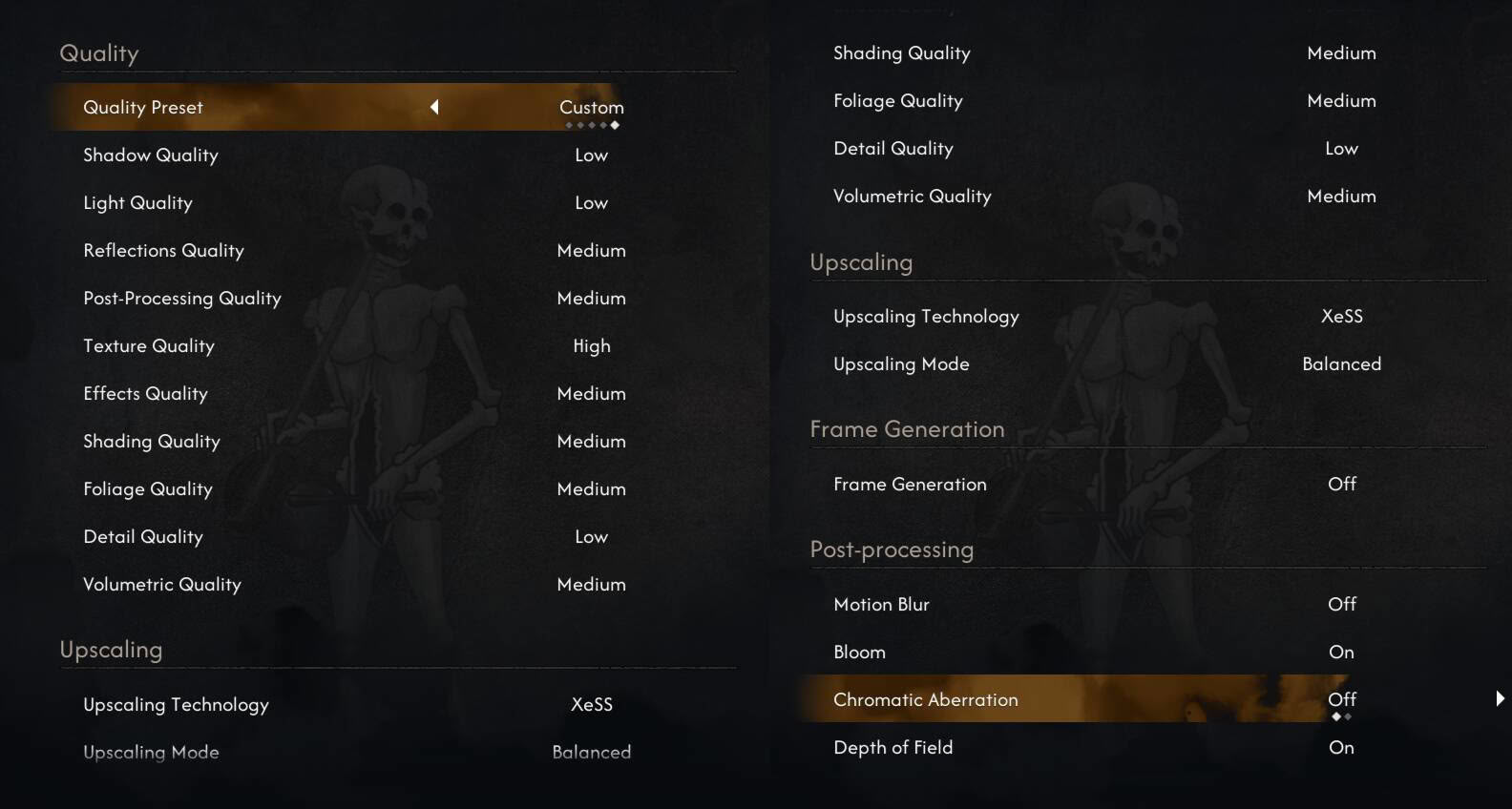
ASUS ROG Xbox Ally X owners should apply the settings combo shared above, set the TDP to 35 W, and set the resolution to 1080p. With this combo, you should get solid performance that mostly hovers around 40 FPS but will drop to the low 30s in busier areas. You may also notice momentary drops to the high 20s when running around the map, courtesy of traversal stuttering, but overall, you shouldn't see frame rates dropping below 30 FPS.
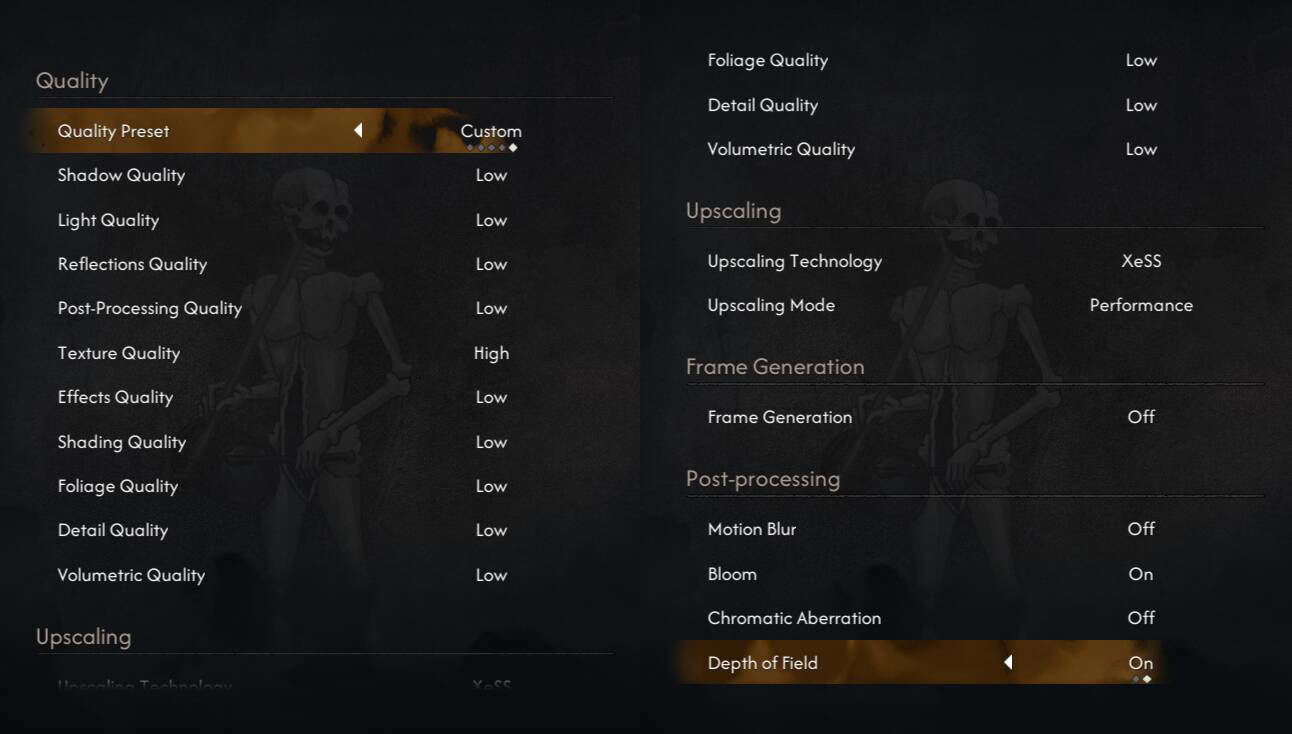
The ROG Ally X can also run the game at playable frame rates, but at a lower resolution and with more aggressive upscaling. We recommend applying the settings we shared above, setting the TDP to 30 W, and setting the resolution to 900p. The resulting performance will be a bit below what the ROG Xbox Ally X can provide, but you shouldn't see the frame rate counter drop below 30 FPS very often, aside from the traversal stutters that occur fairly frequently.
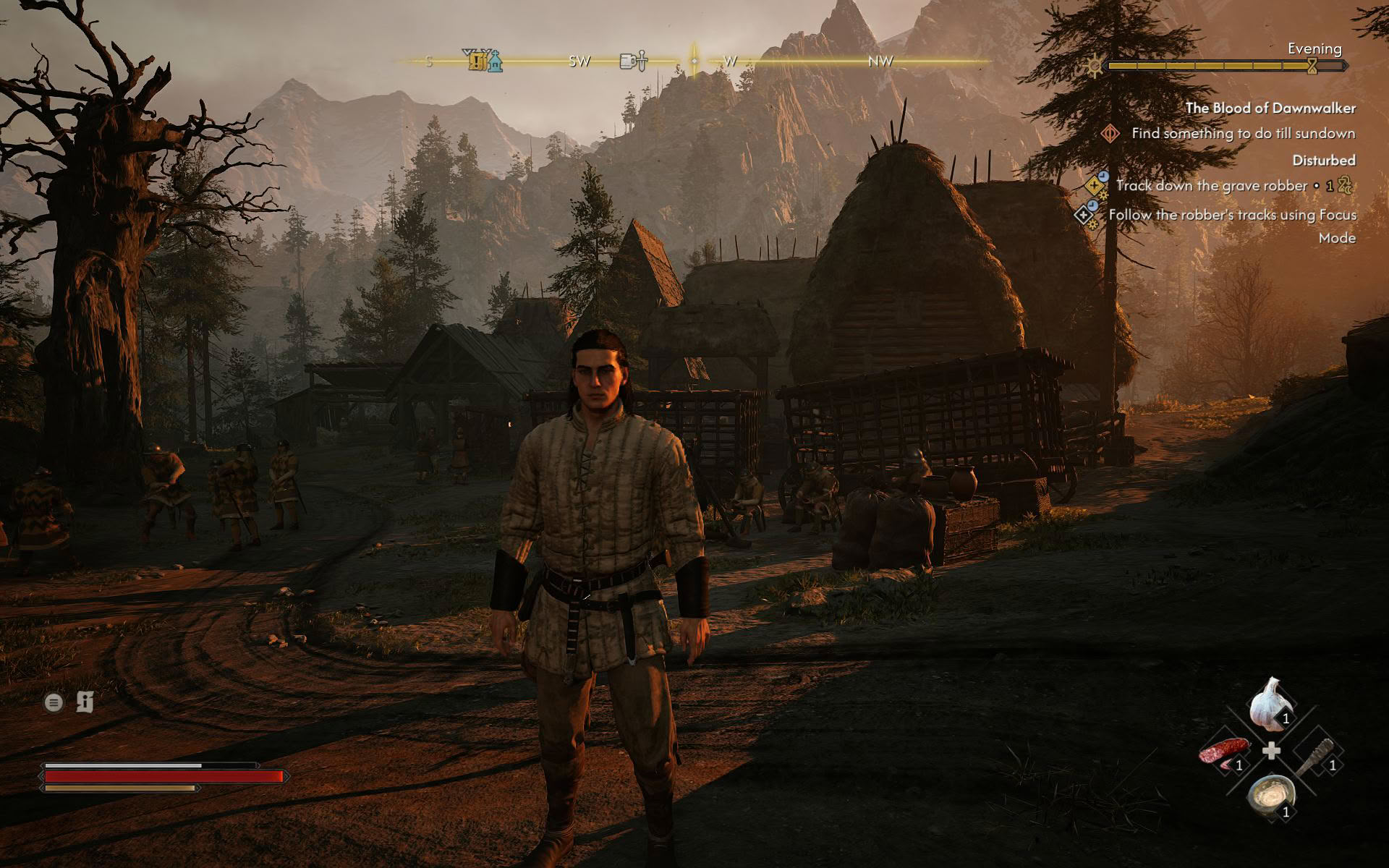
Note that we opted for XeSS here because it looks much better than FSR in The Blood of Dawnwalker while offering virtually the same performance. That said, nothing stops you from trying out FSR instead. Also, considering the frequency of traversal stutters and a fairly low base frame rate, we don't recommend using frame generation. With regard to battery life, you should get around an hour and a half of playtime on the ROG Xbox Ally X and ROG Ally X with our optimized settings applied.
MSI Claw 8 EX and MSI Claw 8 Optimized Settings
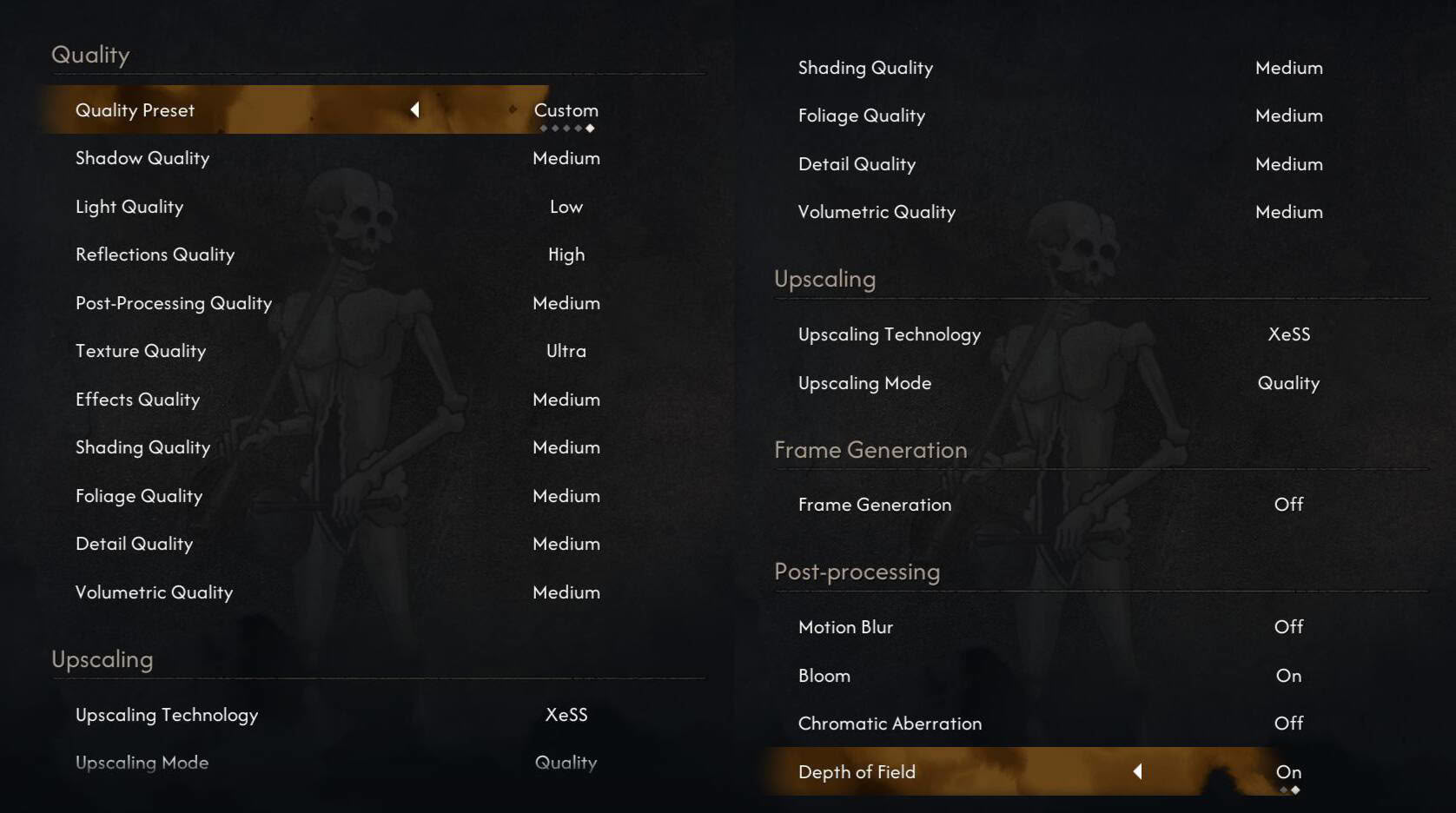
The MSI Claw 8 EX can run The Blood of Dawnwalker quite well. First of all, set the TDP to 30 W, the resolution to 1200p, and then apply the settings shared above. With our optimized settings, you should get average performance of about 40 FPS, with drops to the low 30s in busier areas. If you want to squeeze out more frames, you can set XeSS to Balanced instead of Quality, with image quality remaining more than serviceable. Doing so can net you about 12% higher performance, which is nothing to sneeze at.
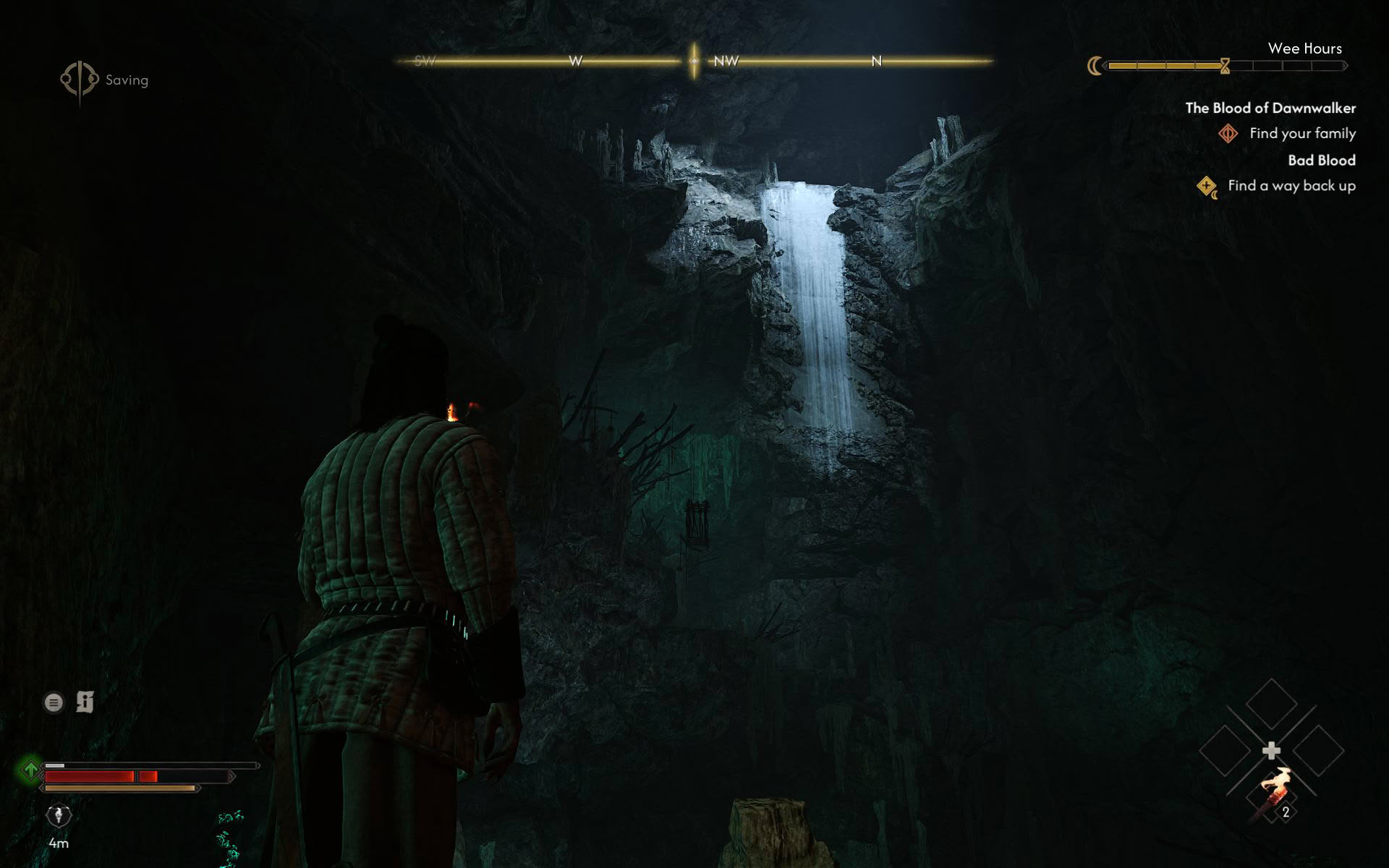
Unfortunately, The Blood of Dawnwalker is yet another game where the MSI Claw 8 can only match the ASUS ROG Ally X instead of its more capable successor. Even with day-one drivers that feature support for The Blood of Dawnwalker applied, the MSI Claw 8 falls short of expectations. That said, you can still achieve a fairly stable 30 FPS experience if you set everything to Low aside from textures (set those to Ultra), the TDP to 30 W, the resolution to 1680×1050, and XeSS to Performance. The resulting experience won't be great-looking, but it will offer playable performance with image quality that's noticeably above what the ROG Ally X can provide, thanks to XeSS looking great in this game, especially its ML-based version available on Intel GPUs.
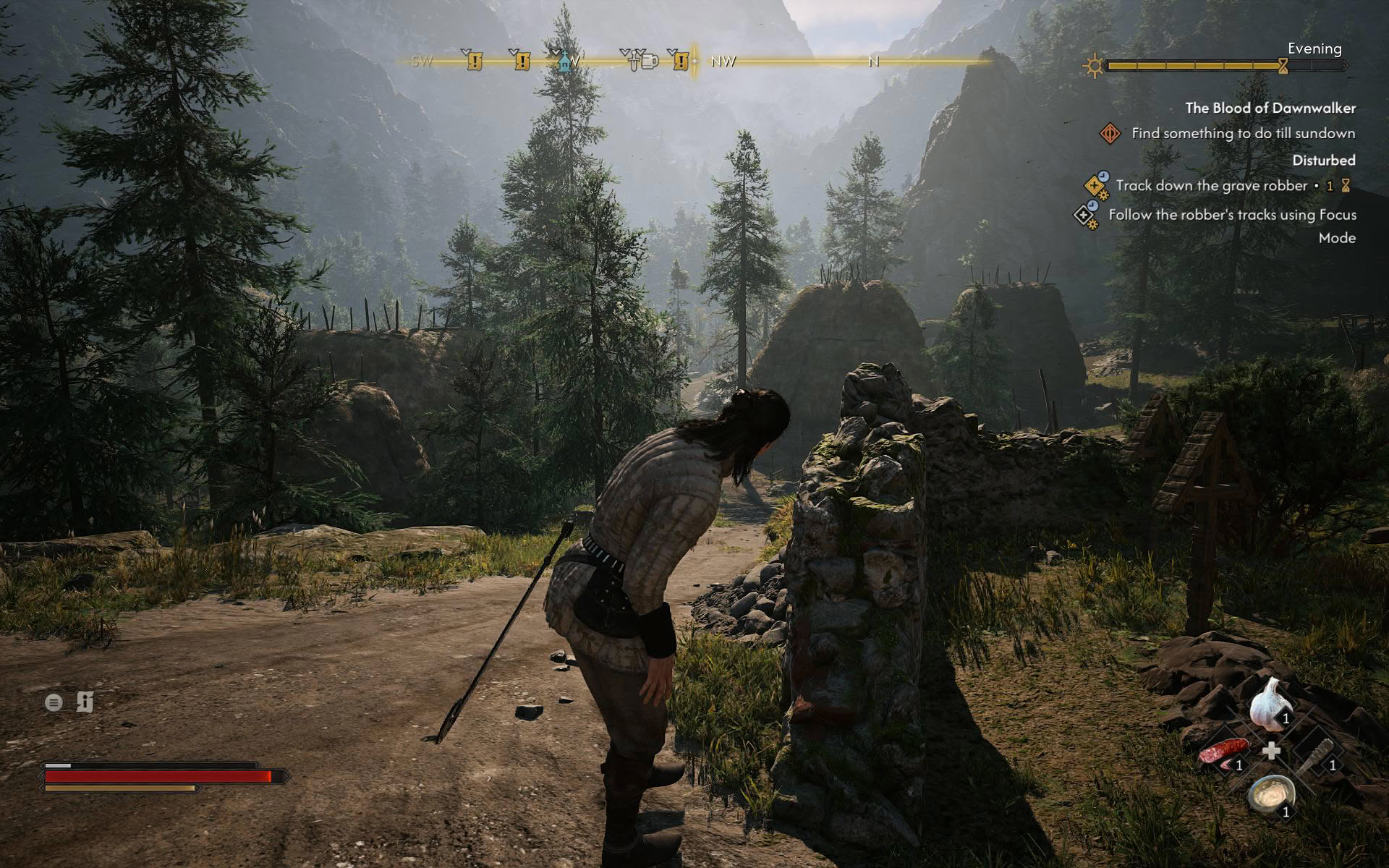
The Intel-powered handheld duo from MSI should last for about two hours before their juice runs out with our optimized settings applied.
Nov 11th, 2026 18:45 CST
change timezone
New Forum Posts
- Samsung 870 EVO - Beware, certain batches prone to failure! (1487)
- Request - revert LFC behaviour to old patch. (0)
- GeekMagic Ultra Smart WiFi Weather Station (4)
- When you could finally run Crysis maxed out? (44)
- WarpCoreBench scores! (14)
- Warning for Windows 10 and 11 users running newer AMD GPU drivers (49)
- Bought MAX-P495 - Which model? (29)
- DTS DCH Driver for Realtek HDA [DTS:X APO4 + DTS Interactive] (2809)
- Rare GPUs / Unreleased GPUs (2271)
- Windows new update 26H2 - Throttlestop (10)
Popular Reviews
- AMD Zen 6 Technical Deep Dive
- Upcoming Hardware Launches 2027 (Updated Nov 2026)
- XPG NIMBUS PLUS Review - Mid-range Chair With Strong Competitors
- NZXT H7 RGB+ Review
- NZXT H5 Review
- NZXT C1200 Platinum Review
- Phantom Blade Zero Performance Benchmark Review - 35 GPUs Tested
- Montech King 95 3D PRO Review
- Gigabyte Z890I Aorus Ultra Review
- INNOCN 45C1R Review - Two QHD Screens, Zero Bezels
TPU on YouTube
Controversial News Posts
- OpenAI CEO Argues Home PCs Waste the World's Limited DRAM Supply (152)
- NVIDIA Launches Investigation Into Jensen Huang's Relationship With Suspected Chinese Spy (136)
- Intel "Raptor Lake Next" 16-Core and 20-Core CPUs Surface (130)
- Legendary Game Studio BioWare Shuts Down Following EA Layoffs (104)
- Dell CEO Says the Memory Shortage Will Get Worse in 2027 (95)
- NVIDIA GeForce RTX 50-Series Scheduled for up to $500 Price Hike This Week (89)
- AMD Radeon Owners Can Now Run Nearly Every DLSS Feature Through Fan-Made Mod (80)
- Modder Fits RTX 5090 With Four 8-Pin Connectors, Halving Current per Wire (80)