 10
Thermal Grizzly DeltaMate CPU Block - MPII Review
Liquid Flow Restriction »Installation and Lighting
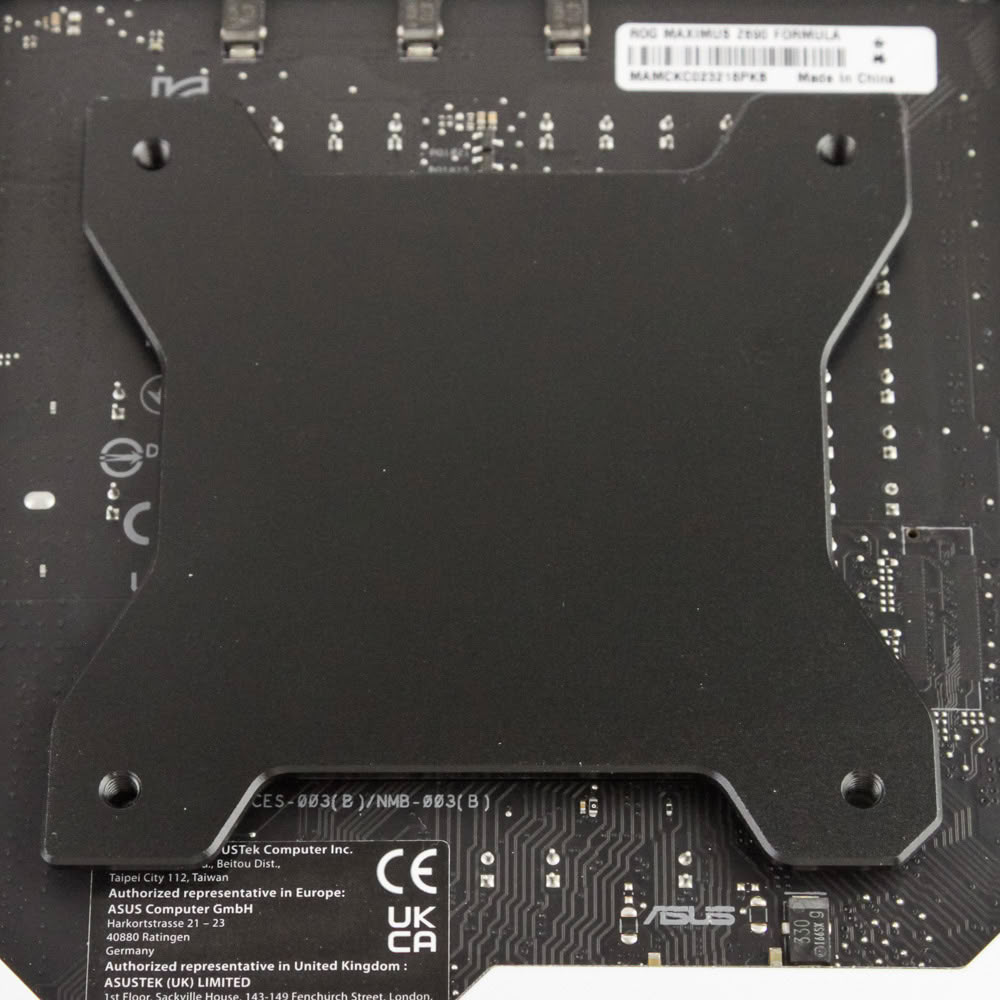
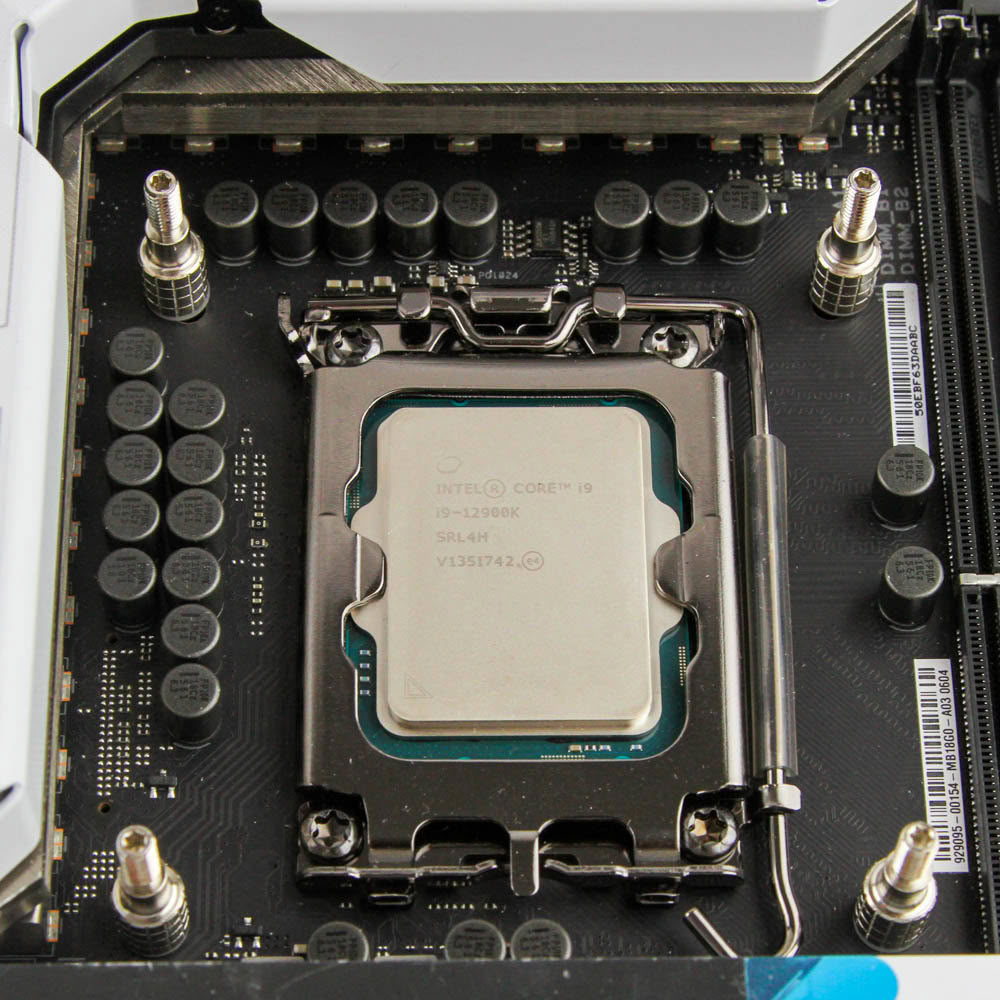
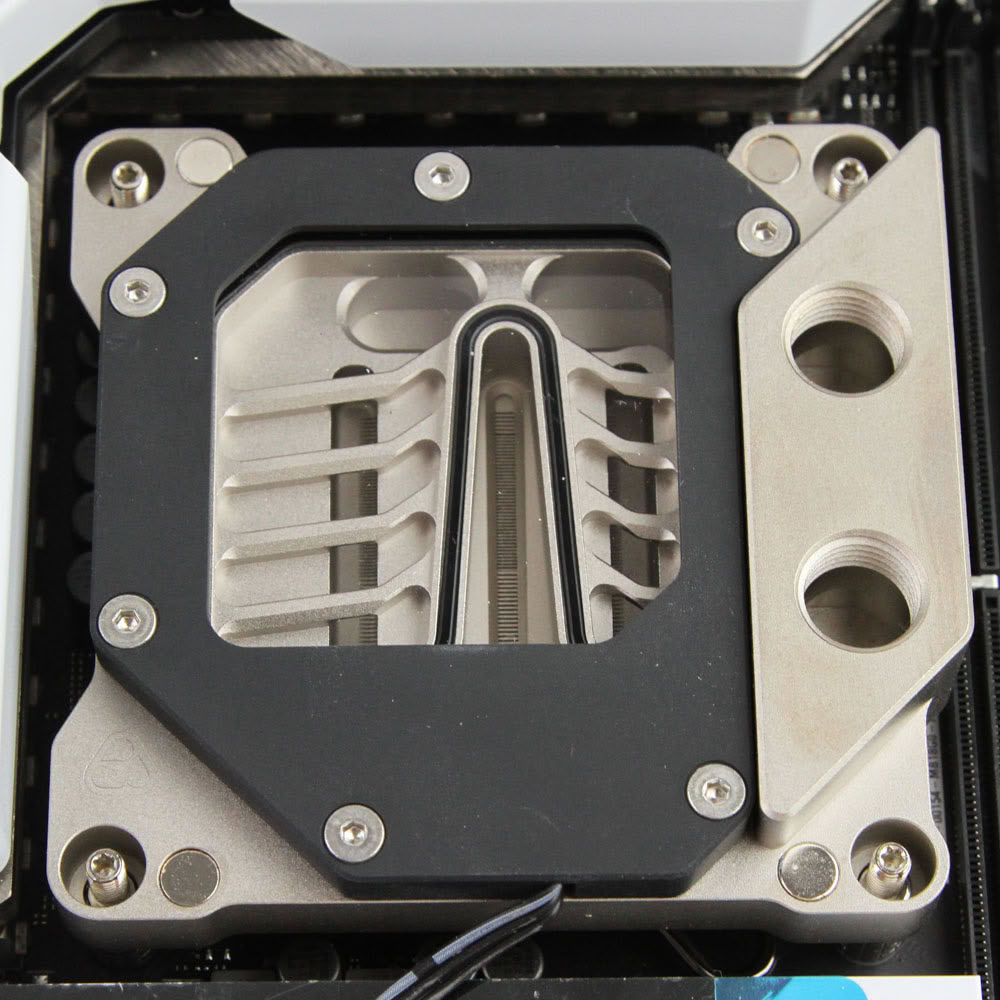
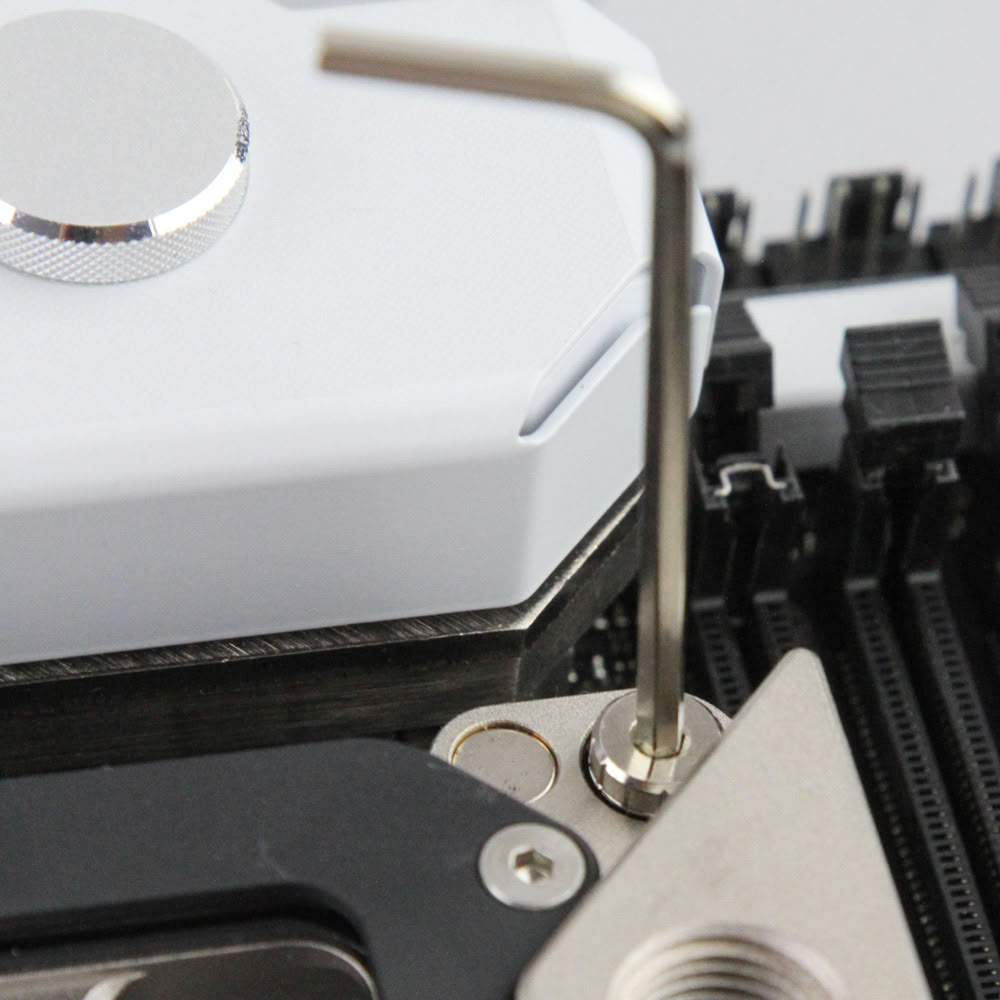
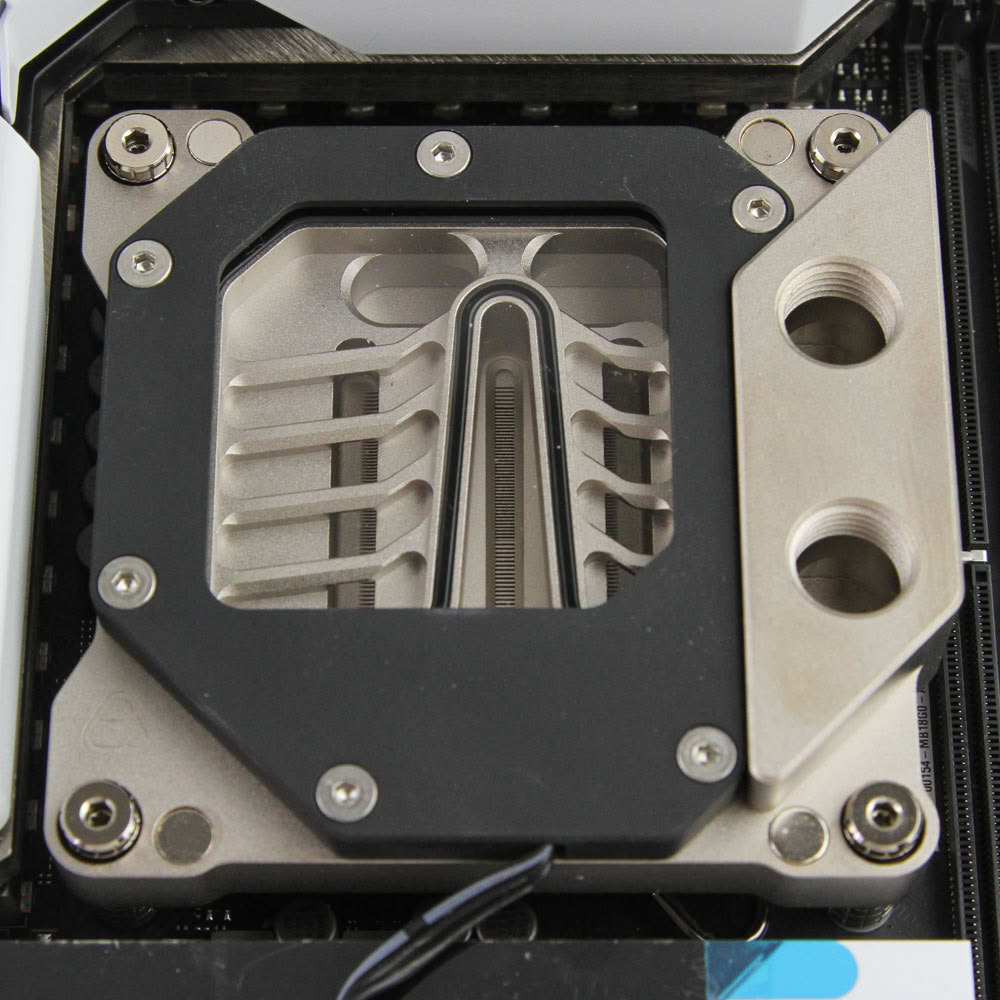
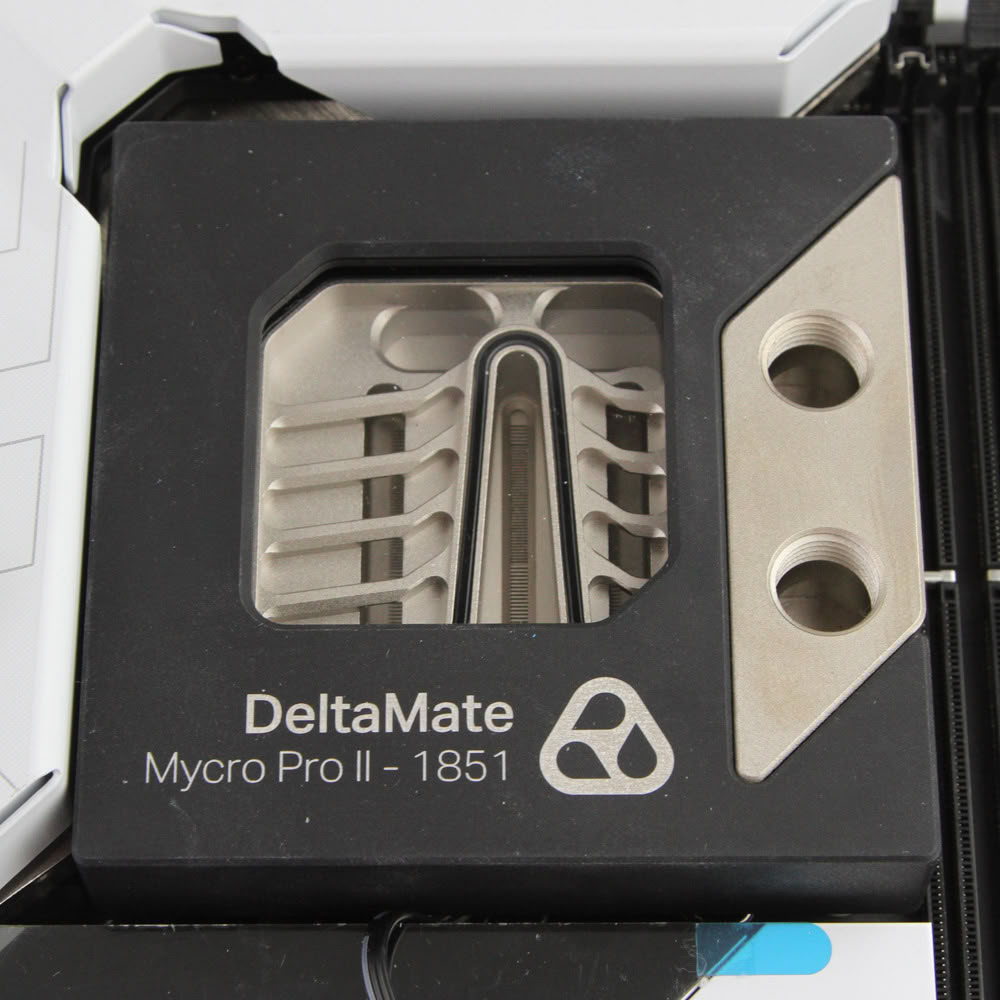
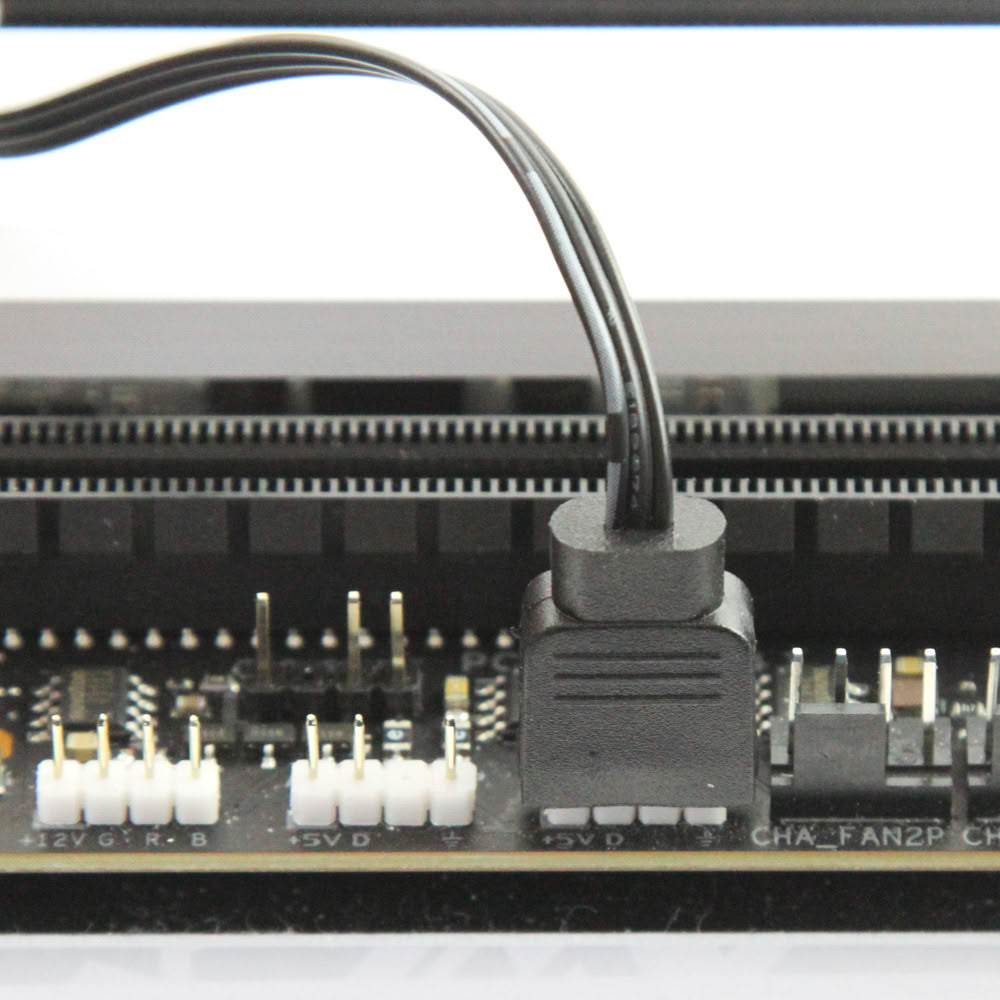
The user manual that comes with the Thermal Grizzly DeltaMate MPII isn't the most detailed, and there is even scope for confusion, since the block comes with two sets of plastic washers whereas the printed instructions only refer to one. Thankfully there is a video published by the brand which goes over the installation of the block for both AMD and Intel platforms, and I recommend watching it if this is your first time watercooling. Anyone who has used a few different CPU blocks already would know what to do here with the washers, but let's go over all the steps together regardless. The first step involves placing the socket backplate on the underside of the motherboard and ensuring that the corner holes line up with the CPU cooler mounting holes in the motherboard. Now use the standoff screws and the thicker washers to go through the motherboard and into the backplate, until finger tight. There is enough grip to do so without needing to use a Torx head screwdriver. Now apply the thermal paste and place the block over these screws with the cover removed, then use the springs and thinner washers over these screws on the corners, before tightening everything with the knurled nuts. This is not a precise mount, meaning there is no fixed stop. Thermal Grizzly says this is on purpose to account for variations in thermal paste thickness and CPU IHS height, and that it's recommended to have the knurled nuts be in line with the block surface. You will likely need to use the provided Allen key here, but don't go too tight for obvious reasons. As always, tighten these in a diagonal manner for even mounting pressure. At this point you can place the magnetic cover back on, although it can be slightly snug if you have a VRM heatsink or block too. Finally, connect the RGB cable using the provided adapter that will work natively with any standard 3-pin, 5 V addressable RGB header.
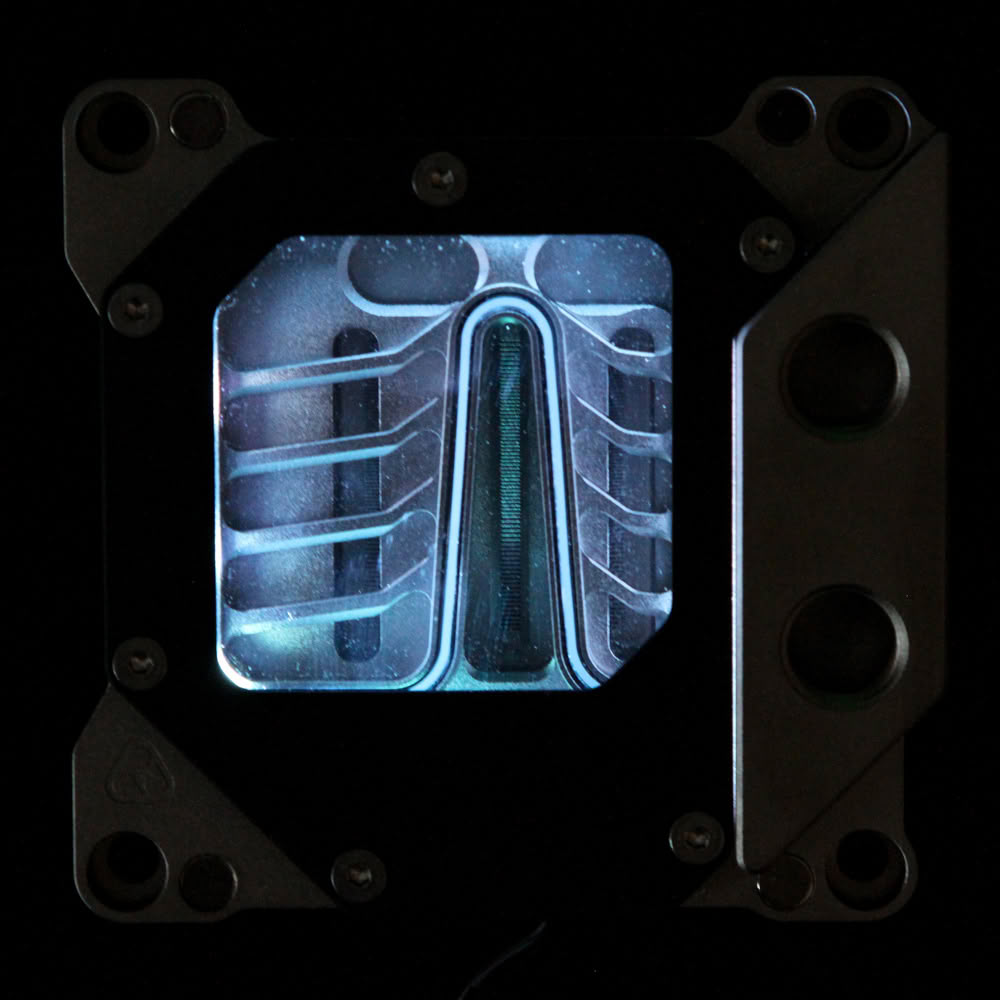
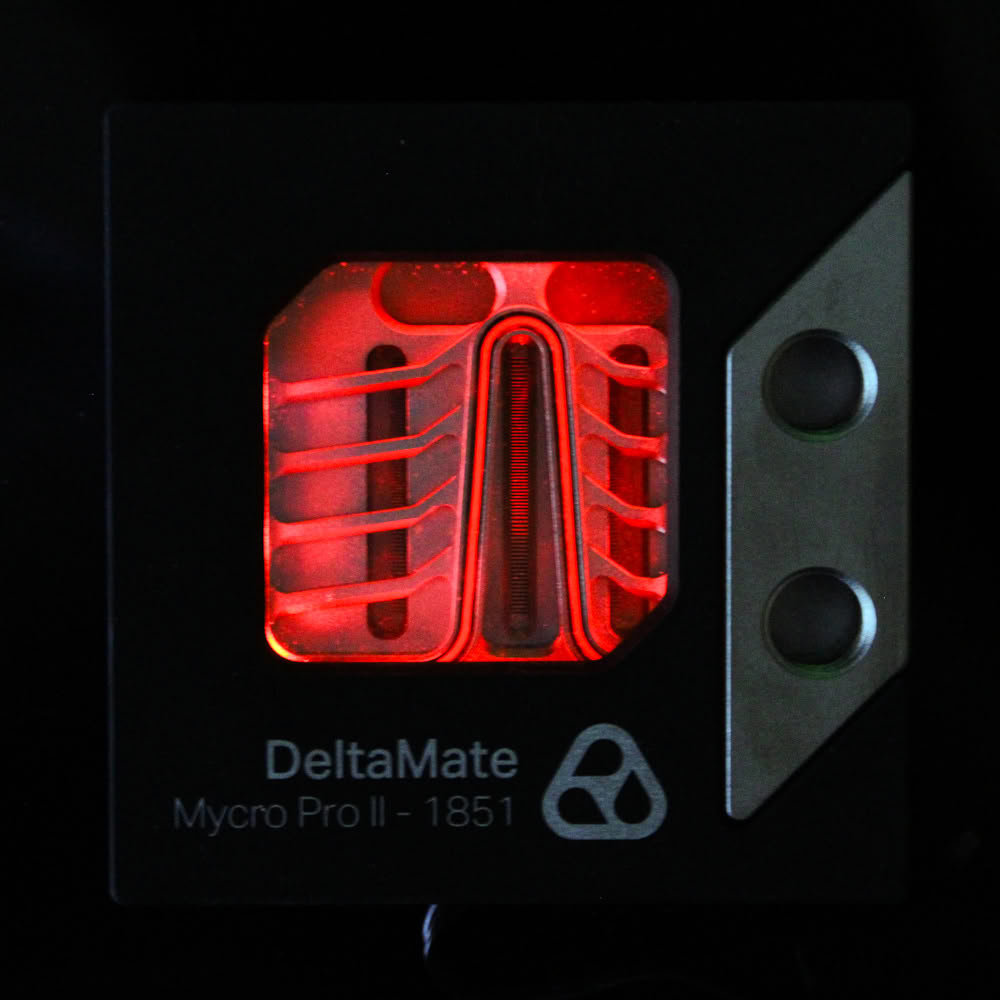
Here is a look at the DeltaMate MPII lit up both with and without the aluminium cover so you get a decent idea of what to expect. Given the opaque housing and the relatively lower amount of LEDs used—which also happen to be placed around a corner—this is not the brightest or most visually stunning block if RGB lighting is a priority for you. That said, I think the more transparent and thicker borosilicate glass does help diffuse the lighting more through the window section than I originally anticipated.
Nov 18th, 2026 16:21 PST
change timezone
Latest GPU Drivers
New Forum Posts
- Got a new laptop! What should I do with it? (5)
- Honestly, do you care about GTA VI? (147)
- Dell Workstation Owners Club (3514)
- Making a game in Godot engine (2)
- [Poll] 12V-2x6 Connector Protection: What Are You Using? (WireView / Ampinel / Equalizer / Other / Nothing) (39)
- Last game you purchased? (1406)
- Time to upgrade CPU and MOBO (34)
- Can i play GTA 6 now? (Joke) (7)
- What are you playing? (26234)
- Very unusual two gaming-pc scenarios. (12)
Popular Reviews
- Acemagic Retro X3 Review
- Upcoming Hardware Launches 2027 (Updated Nov 2026)
- AMD Zen 6 Technical Deep Dive
- Ugreen NASync DXP4800 GT Review
- Biwin Black Opal NV7400 2 TB Review
- Pulsar Office Tour & First Look at P1 Dual-Sensor Mouse
- Chieftec Iceberg PRO 360 DARK Review
- Sapphire Radeon RX 7700 XT Pure Review
- ASUS ROG Strix B850-I Gaming Wi-Fi7 W Review
- Sapphire Radeon RX 7700 XT Pulse Review
TPU on YouTube
Controversial News Posts
- NVIDIA Co-Founder and CEO Jensen Huang Officially Resigns (478)
- Report: Jensen Huang Eyes NVIDIA Comeback (194)
- Open Letter Asking NVIDIA to Reinstate Jensen Huang Passes 115,000 Signatures (184)
- OpenAI CEO Argues Home PCs Waste the World's Limited DRAM Supply (152)
- NVIDIA Launches Investigation Into Jensen Huang's Relationship With Suspected Chinese Spy (136)
- Intel "Raptor Lake Next" 16-Core and 20-Core CPUs Surface (130)
- Legendary Game Studio BioWare Shuts Down Following EA Layoffs (104)
- Dell CEO Says the Memory Shortage Will Get Worse in 2027 (95)