 1
Thermaltake ARGENT M5 Wireless RGB Review
Sensor & Performance »Build Quality
Overall build quality is solid. When shaking the mouse, a rattle comes from the scroll wheel and side buttons. When applying lateral pressure, no flexing or creaking of the shell can be observed. It's impossible to activate the side buttons by squeezing the sides. Lastly, no accidental clicks occur when slamming down the mouse.Buttons

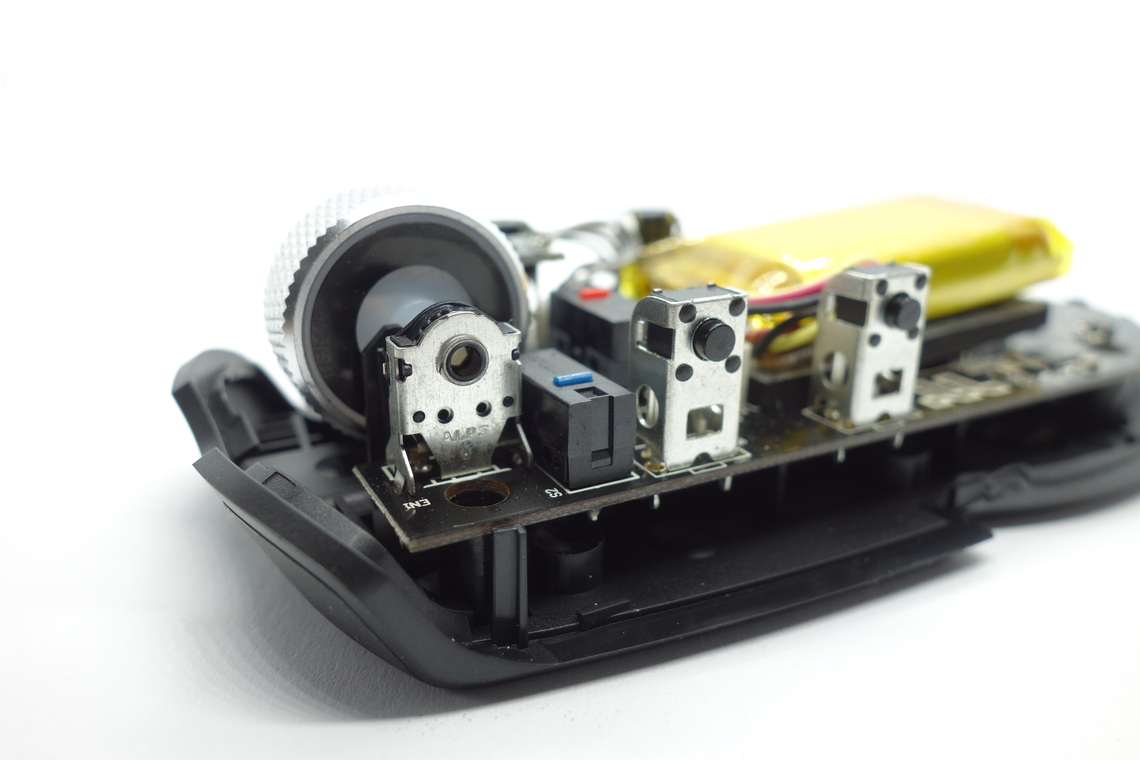
Main buttons on the ARGENT M5 Wireless RGB are very good. There is moderate post-travel, but pre-travel is low to where the clicks almost are too sensitive. During play, I often found myself accidentally actuating the buttons. Click feel is great, providing crisp actuation and firm feedback. While the buttons are visually separated from the shell, lateral button movement is fairly low. Button stiffness is light. A set of Omron D2FC-F-K (50M) (China) switches is used.
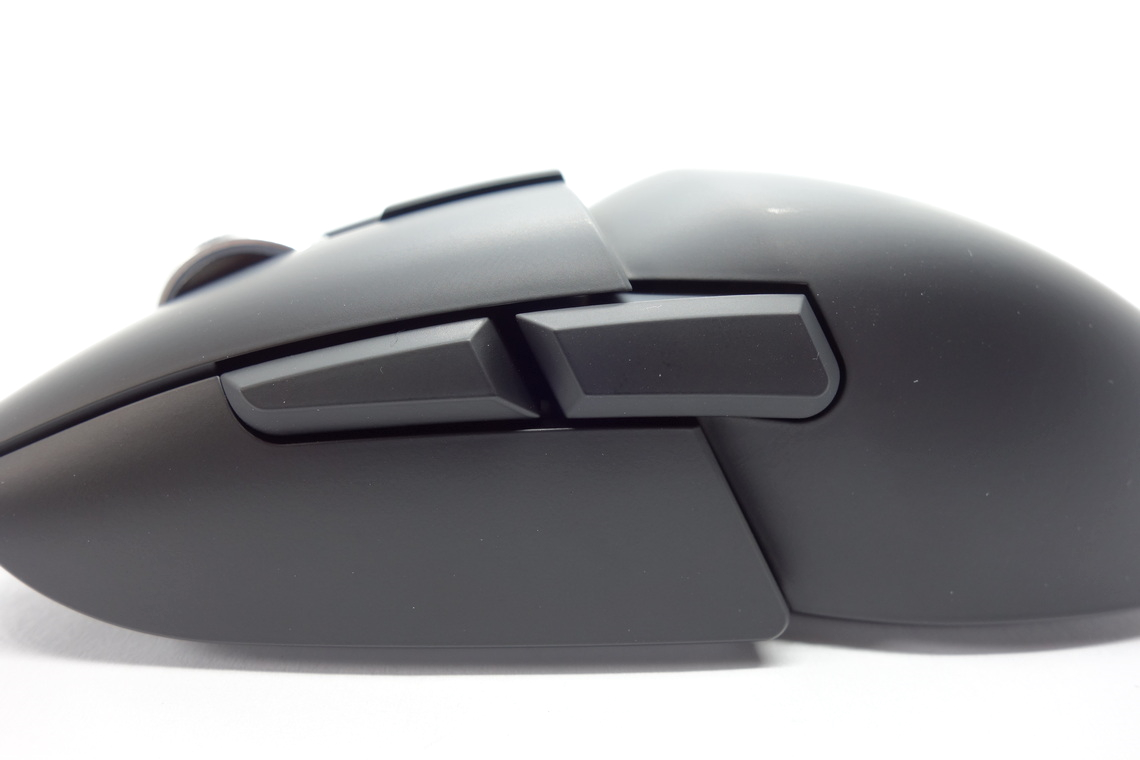
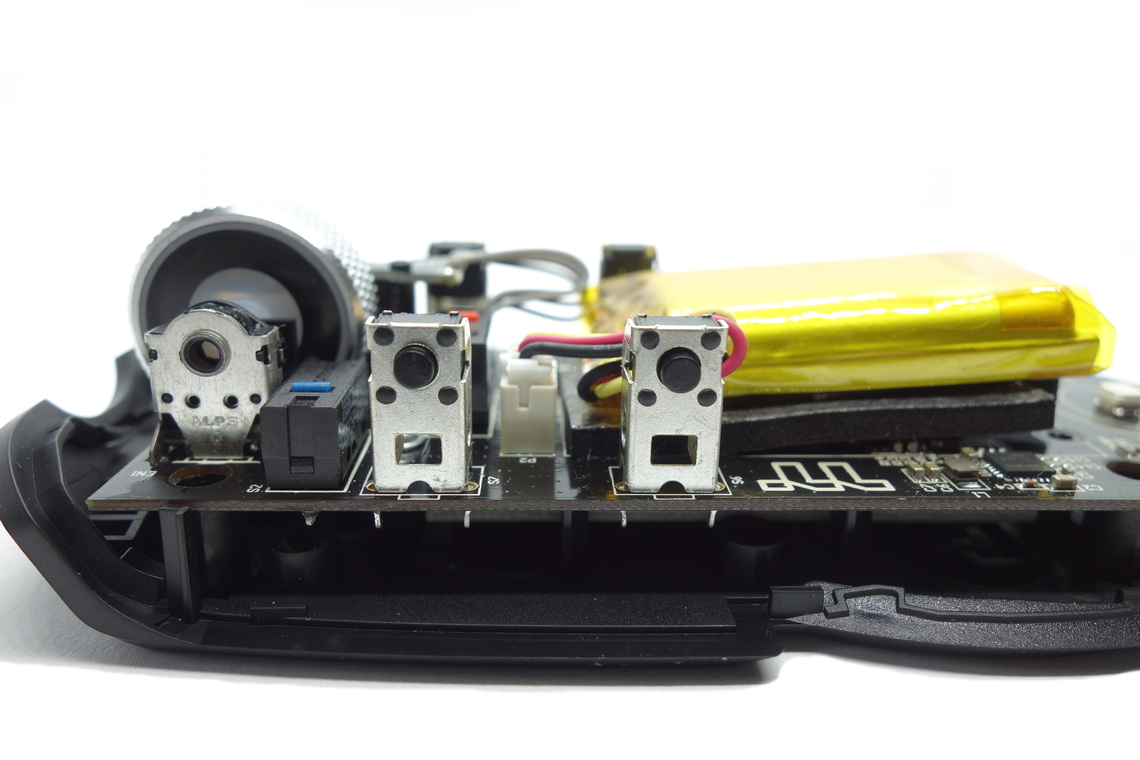
Side buttons are very good. The back button on the right side has some noticeable pre-travel, and it's possible to press these buttons well past their actuation point, but button response itself is pleasant and snappy, and the pressure point is even across the entirety of these buttons. Button placement is good as actuation is possible quite easily by rolling one's thumb across. I wasn't irritated by the buttons on the right side during play and general use, but they do protrude quite a bit, so depending on one's finger placement, some people may be annoyed by them. Two pairs of seemingly unbranded tactile switches are used.
At the top of the mouse is a single button for cycling through the set profiles. Its click feel is good. A single Huano switch (red plunger) is used for this one. At the bottom of the mouse is a slider that switches between Bluetooth, 2.4 GHz, and off-state, which works just fine.
Scroll Wheel
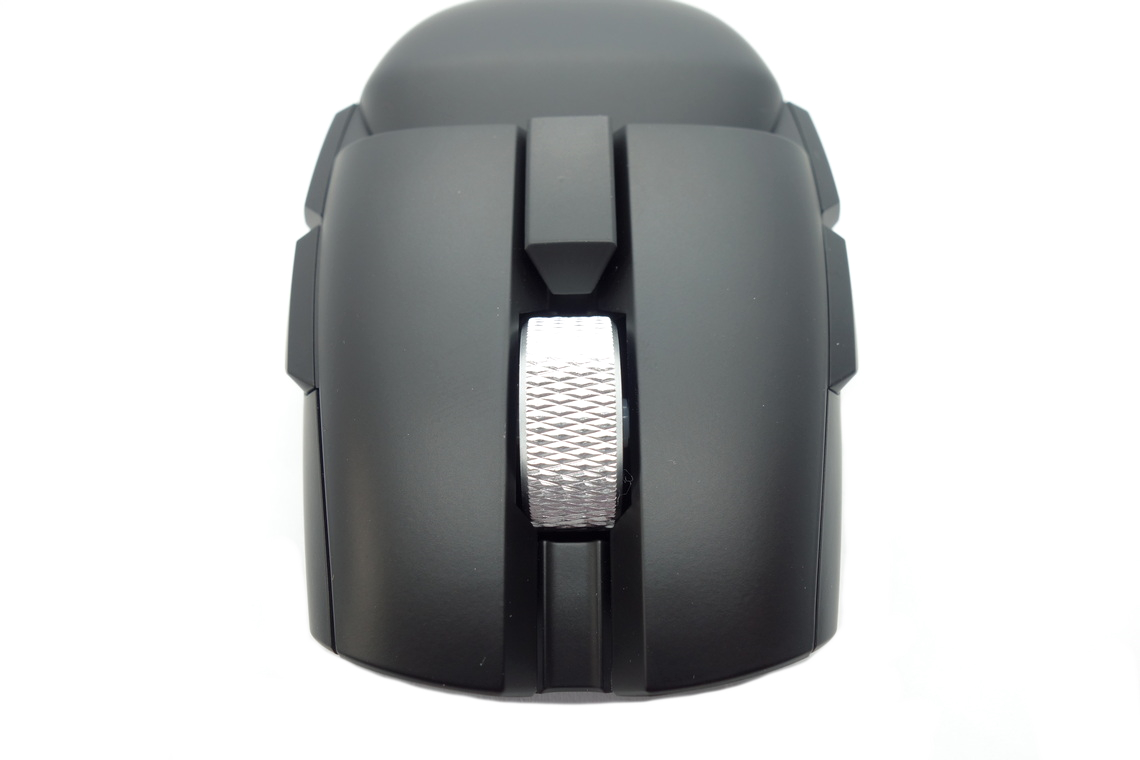
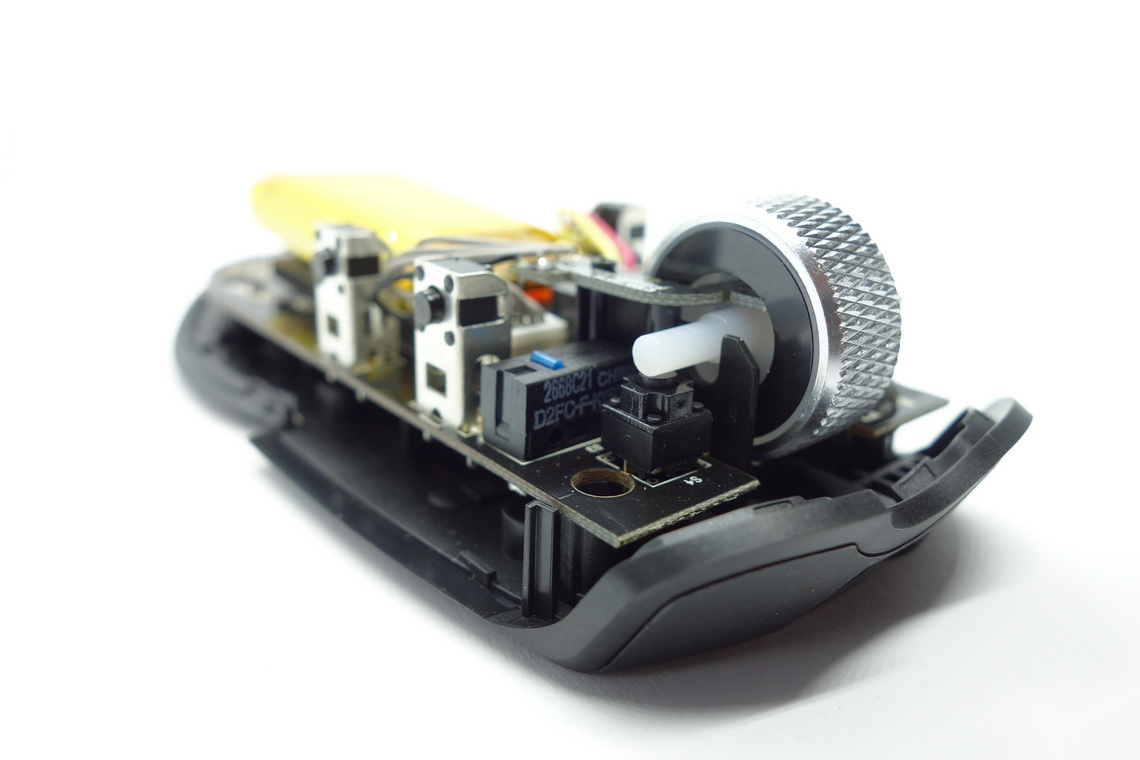
The scroll wheel is excellent. Scrolling up or down doesn't produce much noise, and the individual steps are nicely separated, resulting in above average tactility. What really sets the wheel apart is the aluminium, which lends it a feel of robustness and quality that is rarely encountered on scroll wheels. The encoder comes from ALPS. Actuating the middle (scroll wheel) click requires medium force. Another seemingly unbranded tactile switch is used here.
Coating
The ARGENT M5 Wireless RGB has a smooth matte surface. It doesn't attract fingerprints, dirt, or the likes too much. It is easy to clean, and there are barely any signs of wear left after doing so. All in all, very good materials.Button Sound Test
Disassembly
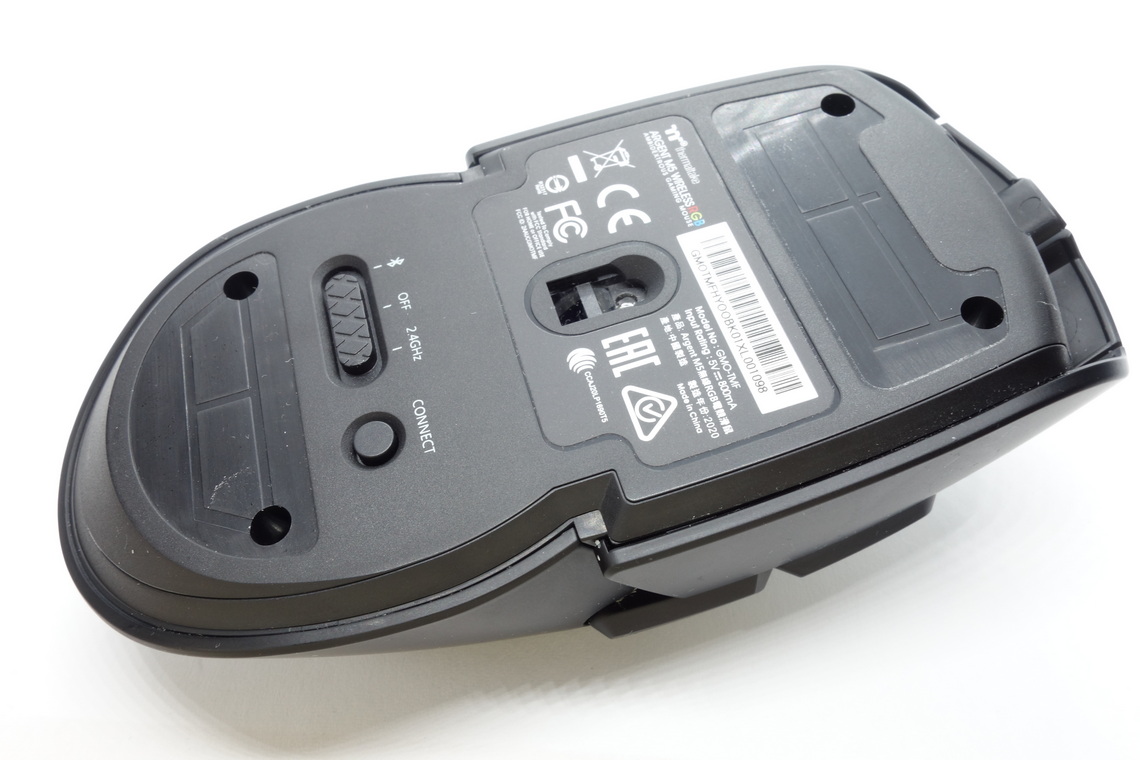
Disassembling the ARGENT M5 Wireless RGB is pretty easy. First, the two big skates need to be removed. The screws are recessed fairly deeply into the shell and of a type I'm unable to identify, so I just randomly went through my screwdriver arsenal until I found one that kinda worked. Much like its wired sibling, the M5 Wireless RGB has a dual-PCB design. Whereas the lower PCB holds the sensor, everything else sits on the upper PCB, including MCU, switches, and LEDs. However, the M5 Wireless RGB lacks most of the LEDs placed around the top PCB, and the big empty space on said PCB is now occupied by the battery. A ribbon cable is used to connect the PCBs. Both PCBs are fairly thick, and coupled with the huge battery and thick plastic, it's no wonder the ARGENT M5 Wireless RGB came out at a higher weight. The side buttons are vertically mounted onto the upper PCB, and an auxiliary PCB next to the scroll wheel provides wheel illumination. The battery obstructs the MCU, so I'm unable to tell which model is used. I think I can also identify a fuel gauge IC.
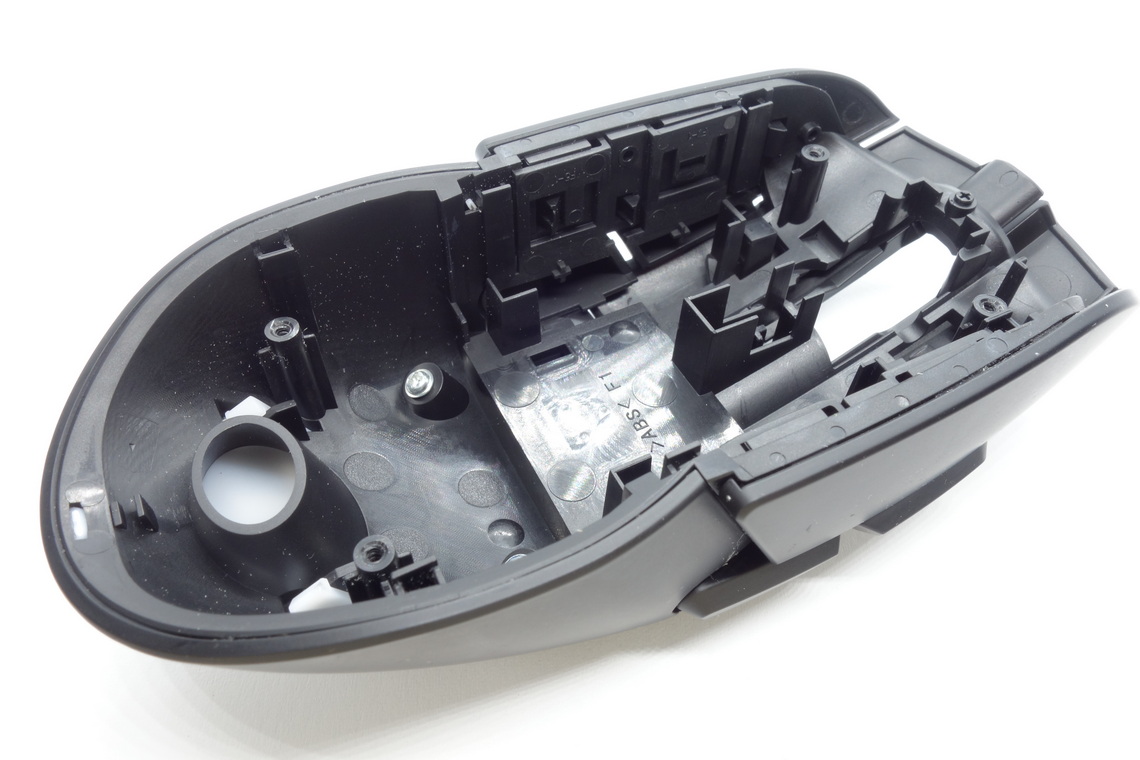
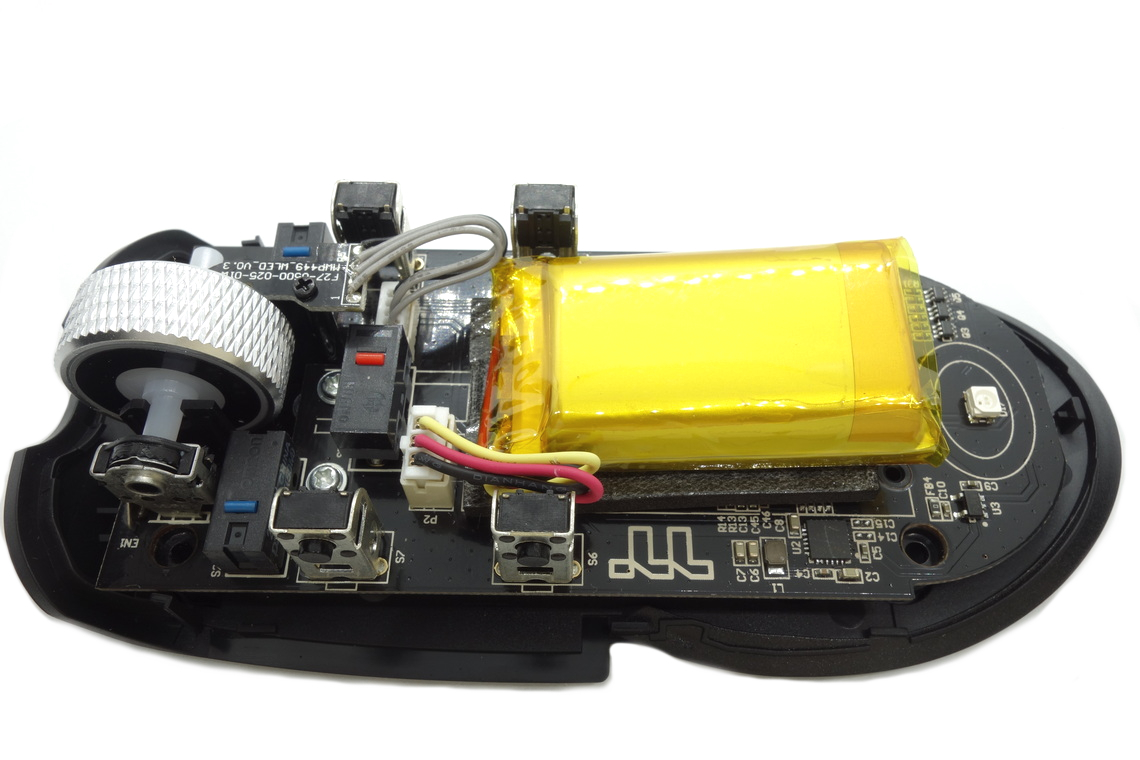
As for the soldering and general quality of the PCB, I'm unable to find any noteworthy flaws.
Nov 15th, 2026 08:45 CST
change timezone
Latest GPU Drivers
New Forum Posts
- WireView Pro II GPU Alignment: Wired | Variant: Black (1)
- Planning for Prolonged High Prices and Maintaining What You Already Have (74)
- Technical Issues - TPU Main Site & Forum (2026) (409)
- budget home NAS – X79, X99 or another platform? (148)
- What generation of Wi-Fi do you use at home (98)
- I'll flash a ASUS ROG Strix RX480 O8G in Cause of Code 43, as a Newbie (5)
- Honestly, do you care about GTA VI? (58)
- Recommendations Wanted - Affordable Enterprise SSD for Boot (4)
- Is this anyhow possible, that a GPU (ROG Strix RX480 O8G) can crash the whole PC after "ReFlash" in normal Mode? (2)
- WarpCoreBench scores! (47)
Popular Reviews
- AMD Zen 6 Technical Deep Dive
- ASUS ROG Strix B850-I Gaming Wi-Fi7 W Review
- Corsair HX1000i Shift Crystal Review
- Upcoming Hardware Launches 2027 (Updated Nov 2026)
- Montech King 95 3D PRO Review
- NZXT C1200 Platinum Review
- NZXT H7 RGB+ Review
- NZXT H5 Review
- Phantom Blade Zero Performance Benchmark Review - 35 GPUs Tested
- AMD Ryzen 7 9800X3D Review - The Best Gaming Processor
TPU on YouTube
Controversial News Posts
- NVIDIA Co-Founder and CEO Jensen Huang Officially Resigns (412)
- OpenAI CEO Argues Home PCs Waste the World's Limited DRAM Supply (152)
- NVIDIA Launches Investigation Into Jensen Huang's Relationship With Suspected Chinese Spy (136)
- Intel "Raptor Lake Next" 16-Core and 20-Core CPUs Surface (130)
- Open Letter Asking NVIDIA to Reinstate Jensen Huang Passes 115,000 Signatures (105)
- Legendary Game Studio BioWare Shuts Down Following EA Layoffs (104)
- Dell CEO Says the Memory Shortage Will Get Worse in 2027 (95)
- NVIDIA GeForce RTX 50-Series Scheduled for up to $500 Price Hike This Week (89)