 23
Ugreen NASync DH2300 Review
UGOS Pro Continued »What's new in UGOS Pro
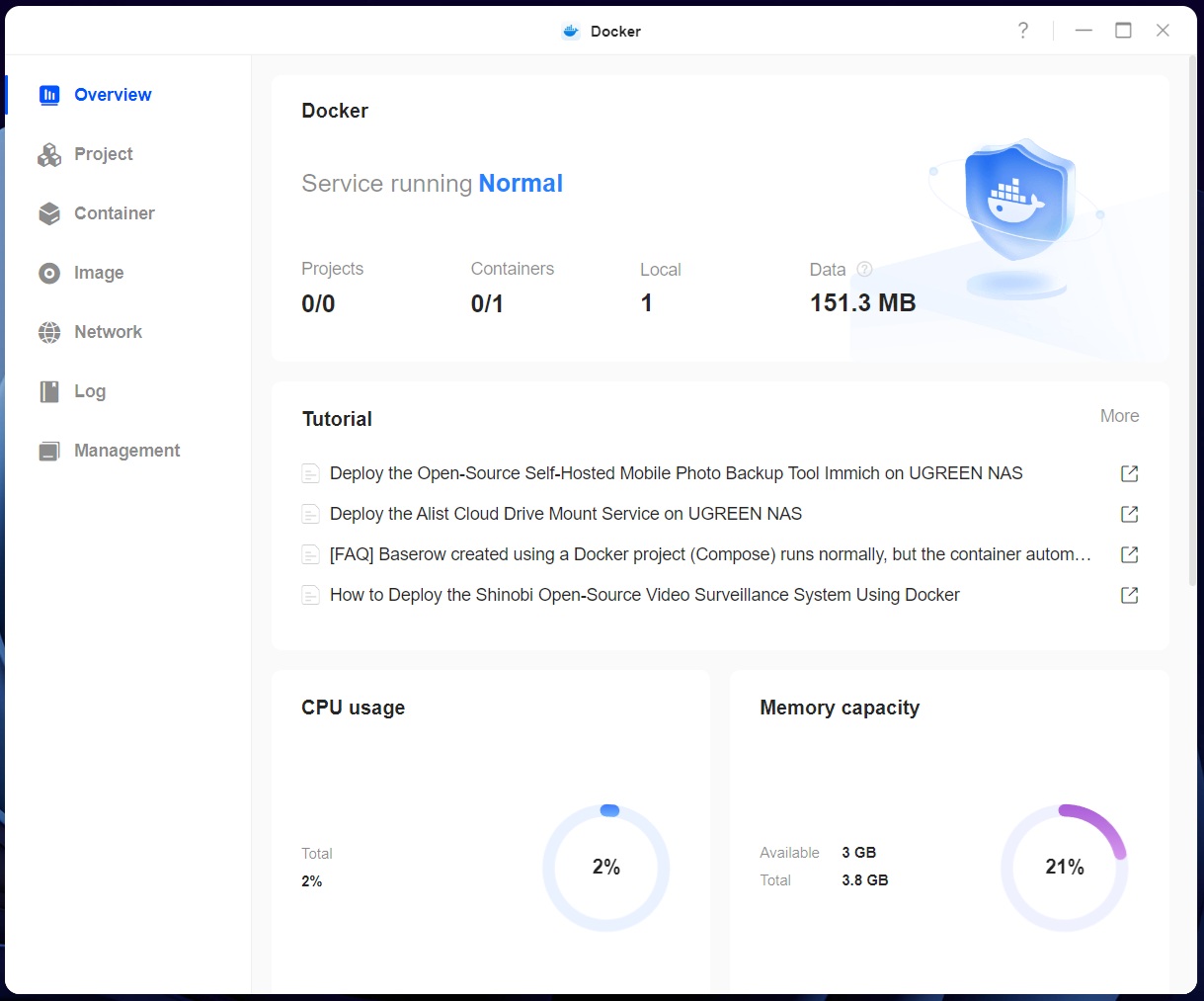
It's been over a year and half since we last looked at a NAS from Ugreen and its in-house UGOS Pro OS has improved quite a lot since then. When we reviewed the NASync DXP4800 Plus, it shipped with OS version 1.0.0.0483, we've tested this NASync DH2300 with version 1.10.0.0108, so that's a jump by 10 major releases and many minor releases. Ugreen has been pushing out a lot of updates in that year and a half and added most of the missing features that its customers were expecting. That said, the NASync DH2300 comes with a scaled down version of UGOS Pro that the company refers to as a simplified version. What this means in real terms is that some features such as Docker support aren't available for the NASync DH2300, but are oddly enough supported on the DH4300 Plus. We're not sure why Ugreen decided to support it on the four-bay model, but not the two-bay model, and it's actually possible to manually download Docker from the DH4300 Plus app download page and install it on the DH2300, and it appears to run just fine. You might not be able to run all Docker apps on the DH2300, but it's at least possible to manually install Docker.
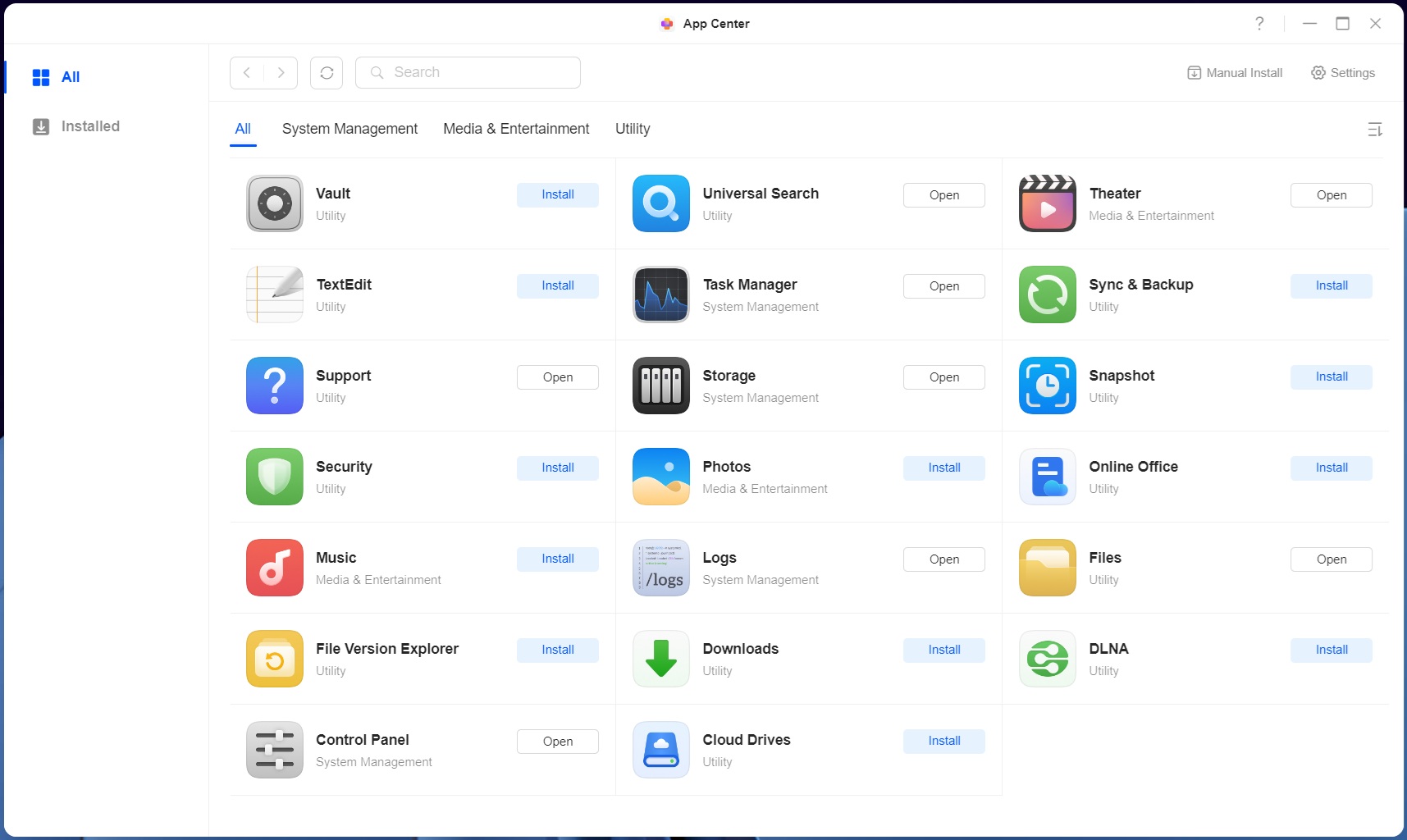
What we can see though is that besides Docker missing in the app selection, so is the Virtual Machine, SAN manager, SiYuan, qBittorrent, Jellyfin, Home Assistant and Firefox. Most of these should run on Arm based hardware, so it's possible that Ugreen will add at least some of them in the future. In addition to Docker, the SAN manager is also available for the DH4300 Plus, so it's possible that will work on the DH2300 as well, but we didn't give it a try. The company is planning support for third party apps on UGOS Pro, which would enable support for a lot more software as well, but as with other NAS manufacturers, it's likely that the Arm based models will see more limited software support in these early days of their availability. Note that none of these apps apart from Docker were present at the time of our NASync DX4800 Plus review, and the NASync DH2300 now has support for several new apps that weren't available back then. These include the "Vault" app that allows you to encrypt files and folders, "Theatre" which is Ugreen's own media library, "TextEdit," "Snapshot," "Security," "Online Office," "Music," "File Version Explorer" and "Cloud Drives." Most—if not all—the other apps have also been overhauled since then as well.
Ugreen has also changed things under the hood quite a bit and as the user/owner of one of their NASes, you now have access to more command line options, if that's the kind of thing you like to poke around with. This time around we could, for example, figure which Linux kernel was being used, or at least close enough. Just like TerraMaster, Ugreen is on kernel 6.1.x, although neither company seems to want you to know the exact kernel they're using, Ugreen appears to be only a few minor releases behind TerraMaster. This is even more impressive considering the Rockchip SoC, as devices based on various Arm hardware are often using older kernels, so a big thumbs up here for Ugreen. That said, many common Linux commands appear to have been removed or restricted, which is annoying, as it limited us from finding out some of the hardware specifications.
Initial Setup
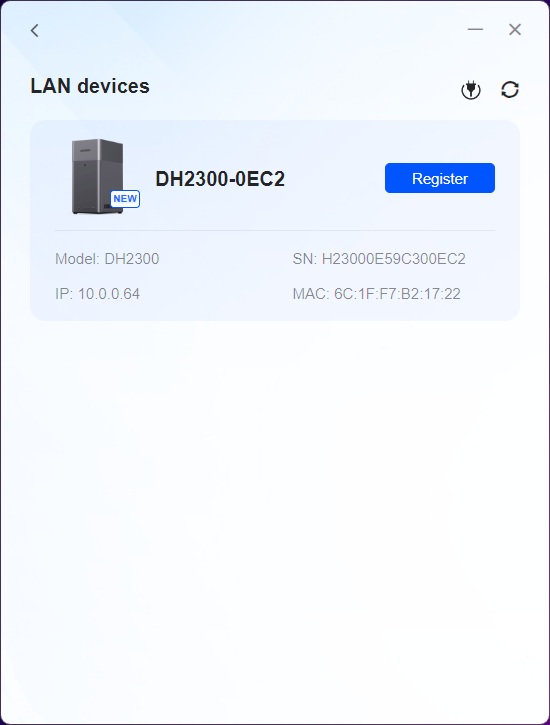


The setup procedure has changed a bit as well, and we did it through the Ugreen NAS app that acts as a Web browser specifically for the NASync devices. As already mentioned, you can connect to the NAS using the mobile app, and it can use either the NFC tag or a QR-code to quickly connect. However, Ugreen also allows your NAS to be found by going to find.ugnas.com—as long as you have this feature enabled—since it would route your query via their servers. This can be disabled under "About, Device analysis" and "Enable WebFind," and isn't needed for any of the other options to find your device on your LAN.


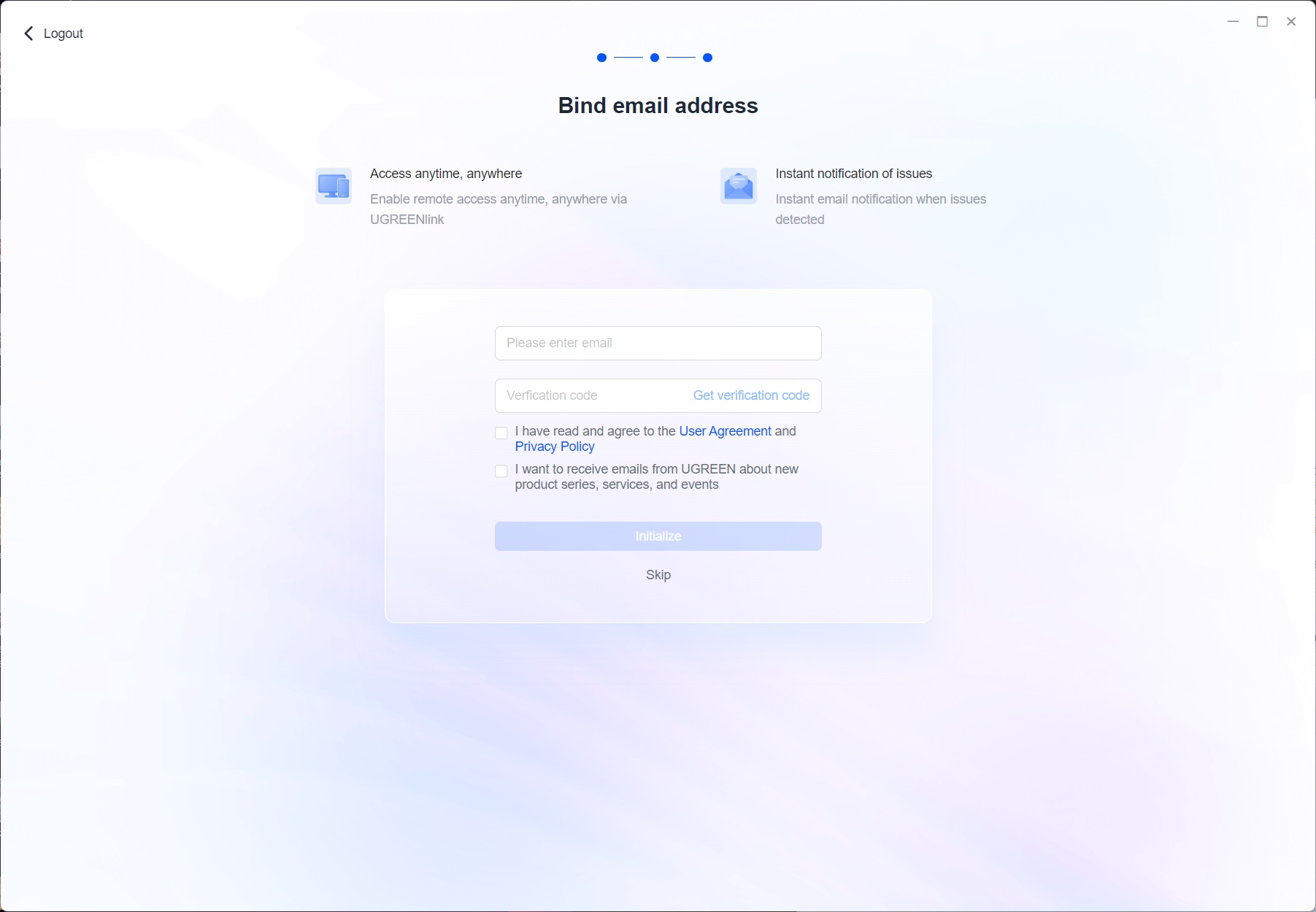
The setup process of the NASync DH2300 is pretty straightforward, you start by entering a device name and accepting a user agreement and a privacy statement, followed by entering a username and password. The next step is optional, but it enables you to get notifications via email via Ugreen's notification service. Then you wait for the process to complete, it took around 15 minutes or so for the NASync DH2300 to finish the setup.

You're greeted by a welcome screen, clicking on start takes you through a quick overview of the features and what they do, which is handy for first time user of UGOS Pro. The next step is to set up a storage pool and here too, you end up with a welcome page that explains the various options available.
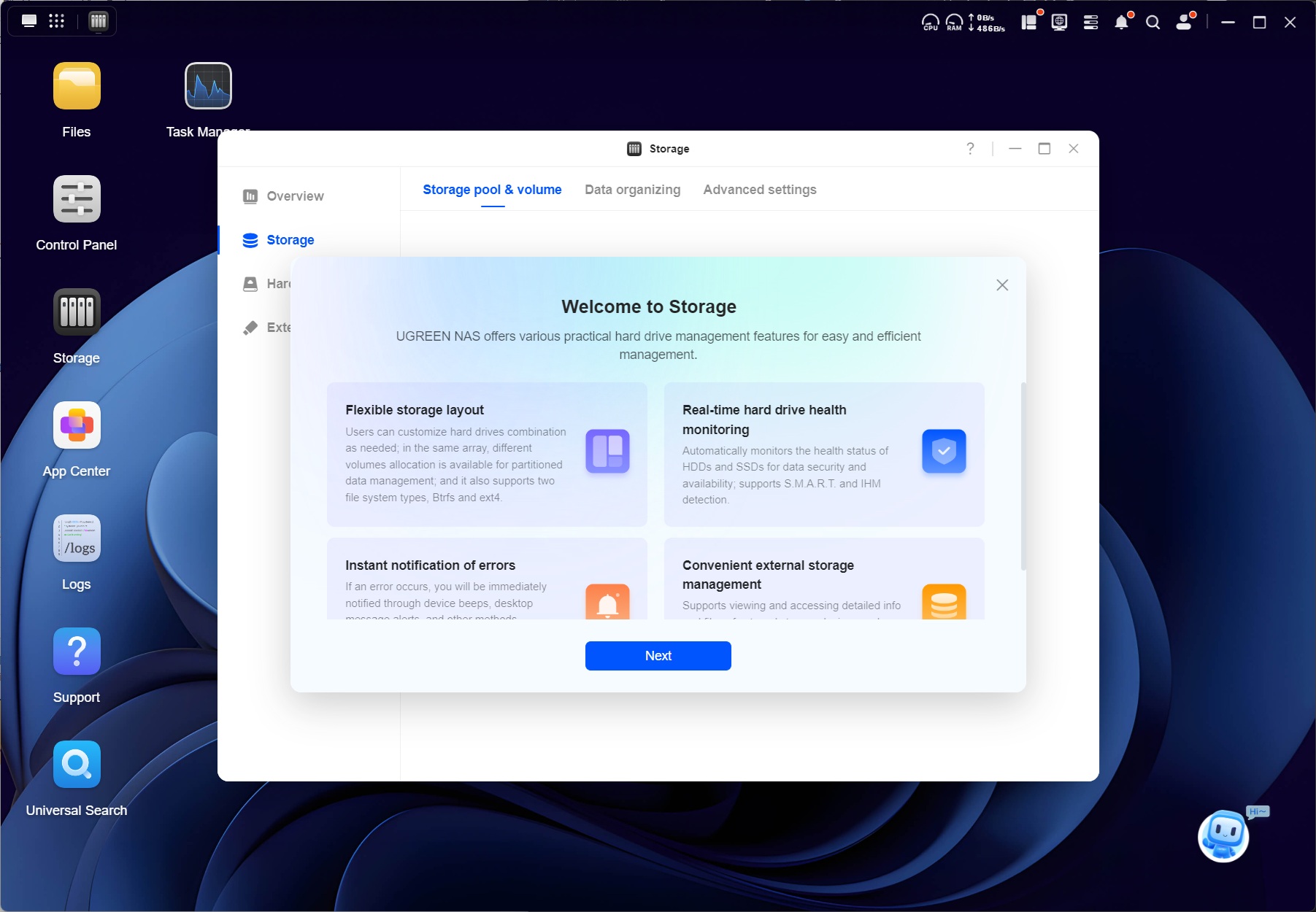
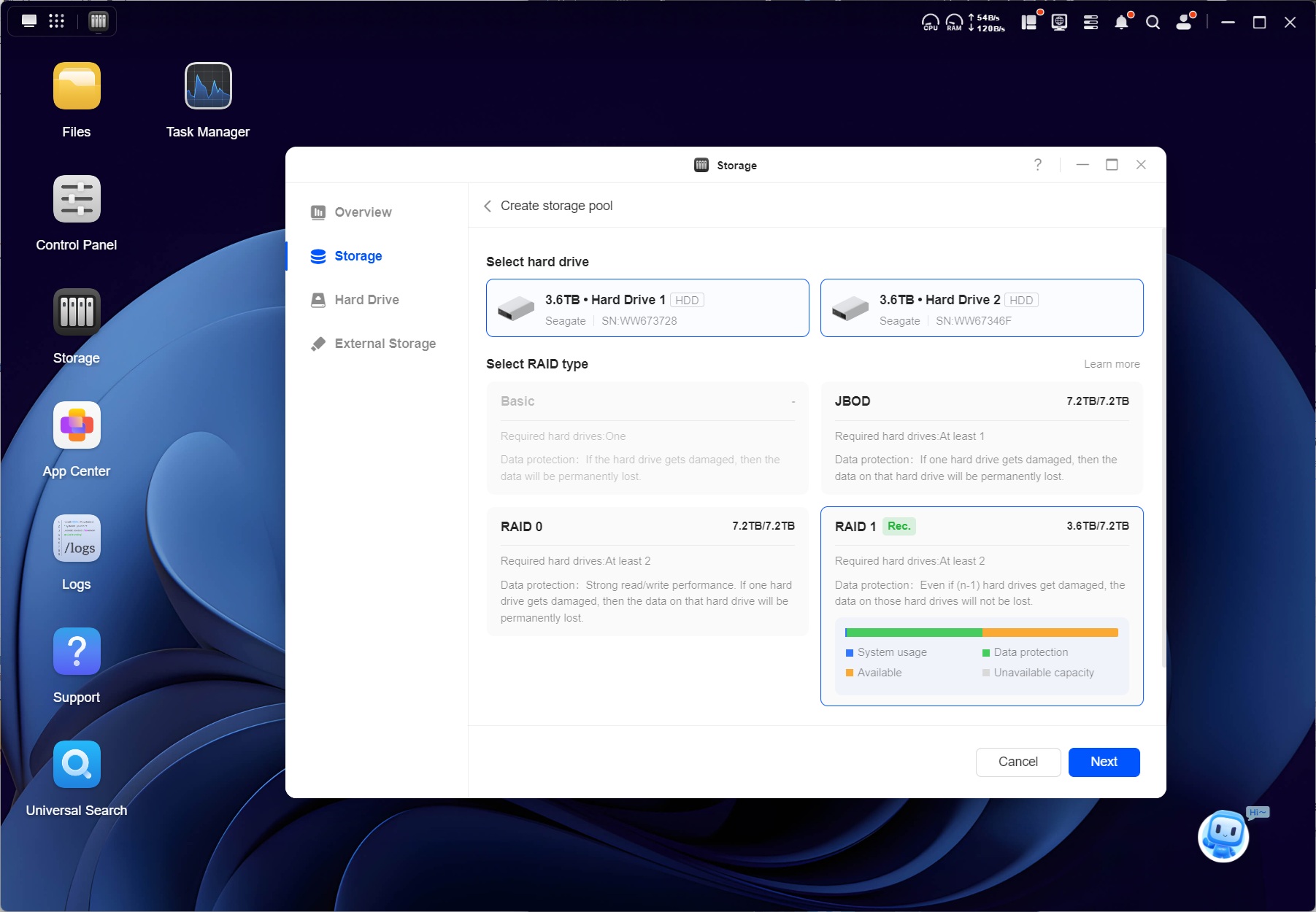

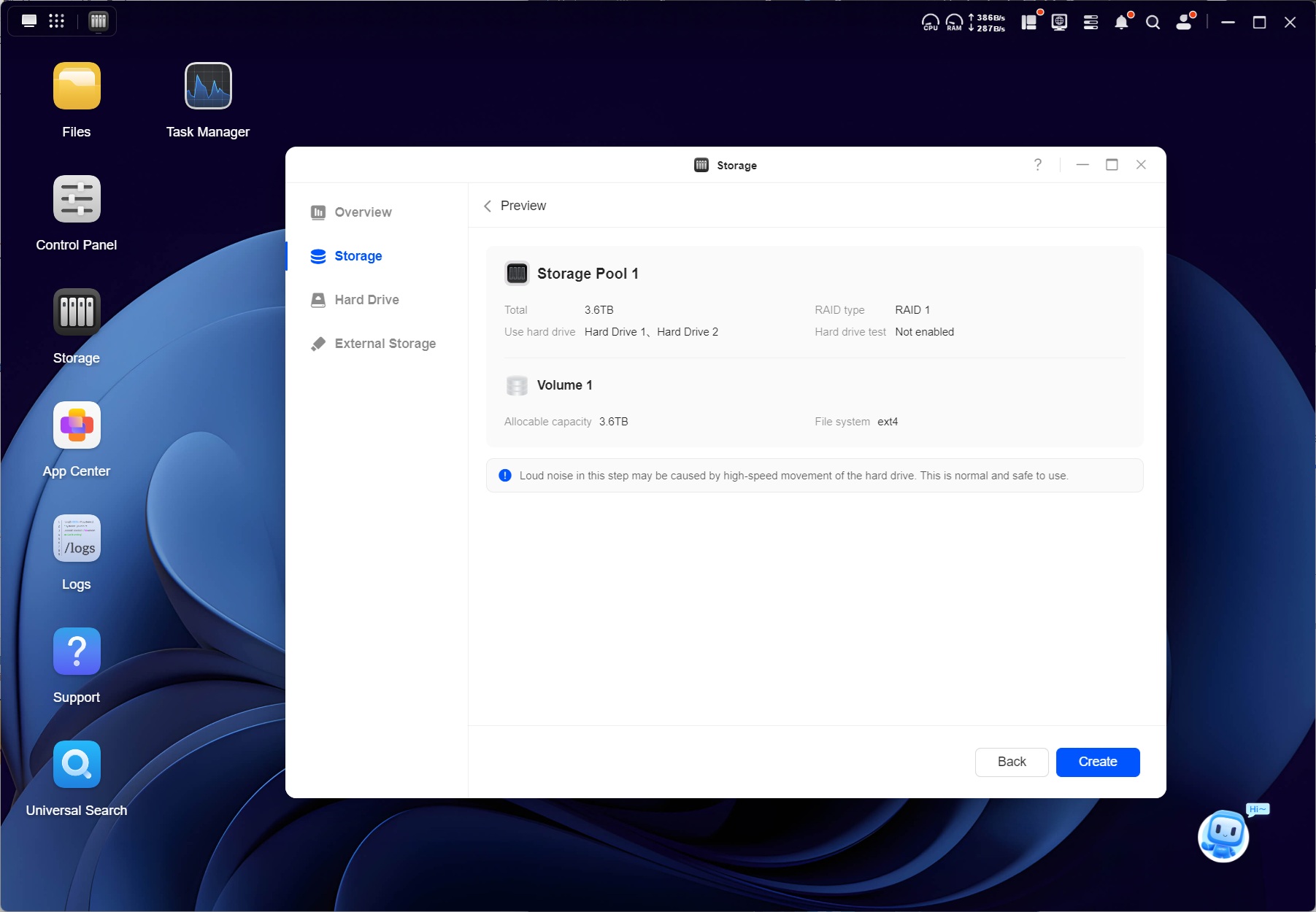
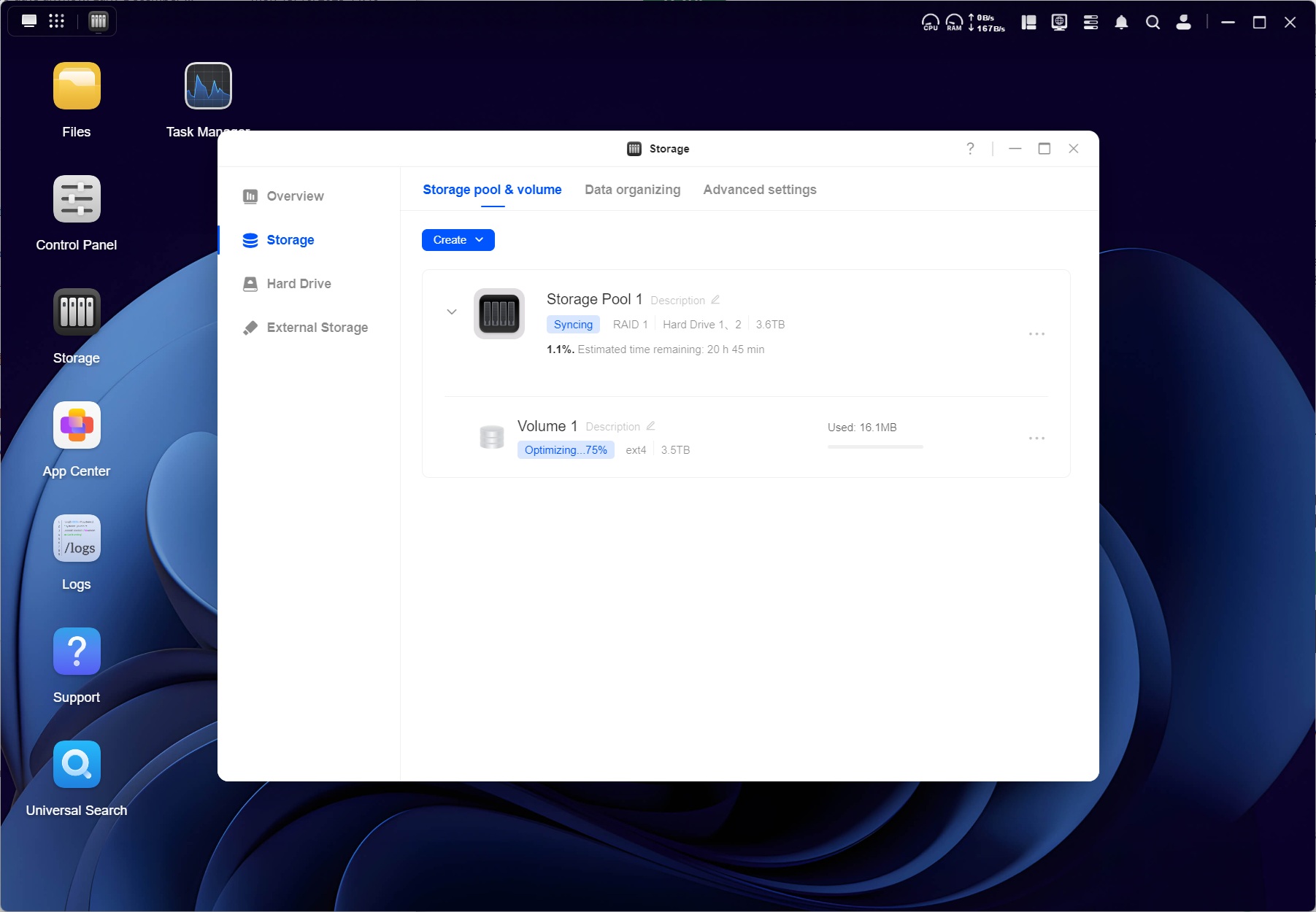
Since some of you wanted us to use ext4 rather than Btrfs, we decided this was as good time as any to make the swap, partially due to the slightly weaker hardware, but also since we're using different drives here, so the test results wouldn't be comparable with the four bay devices we've tested to date anyhow. As the NASync DH2300 only supports RAID 1 and RAID 0—as well as JBOD and single drive—there aren't any complicated options here. The RAID synchronization didn't take 20 hours and 45 minutes as suggested in the screenshot, but it ended up somewhere around 12 hours for a pair of 4 TB 3.5" drives in RAID 1.
Note the little "bot" in the lower right-hand side corner, it forces you to go through a few steps during the initial setup and if you don't perform those steps, it won't go away, which is a bit annoying for experienced users, but hopefully it helps those less familiar with a NAS.
Nov 13th, 2026 23:02 CST
change timezone
Latest GPU Drivers
New Forum Posts
- no "PhysX" workable (9)
- What are you playing? (26215)
- Tell me about your favourite graphics card (32)
- AI generated images... (224)
- Crimson Desert (31)
- RenoDX HDR - how to view the differnce Before&After in game? (0)
- Displayport DP80 3M (10ft) cable that can achieve 80gbps stable? (5)
- I'll flash a ASUS ROG Strix RX480 O8G in Cause of Code 43, as a Newbie (1)
- Opinion on Monitor Replacement (6)
- TMOG - post your benchmark results here (16)
Popular Reviews
- AMD Zen 6 Technical Deep Dive
- Corsair HX1000i Shift Crystal Review
- NZXT C1200 Platinum Review
- Upcoming Hardware Launches 2027 (Updated Nov 2026)
- ASUS ROG Strix B850-I Gaming Wi-Fi7 W Review
- Montech King 95 3D PRO Review
- NZXT H7 RGB+ Review
- NZXT H5 Review
- Phantom Blade Zero Performance Benchmark Review - 35 GPUs Tested
- XPG NIMBUS PLUS Review - Mid-range Chair With Strong Competitors
TPU on YouTube
Controversial News Posts
- NVIDIA Co-Founder and CEO Jensen Huang Officially Resigns (380)
- OpenAI CEO Argues Home PCs Waste the World's Limited DRAM Supply (152)
- NVIDIA Launches Investigation Into Jensen Huang's Relationship With Suspected Chinese Spy (136)
- Intel "Raptor Lake Next" 16-Core and 20-Core CPUs Surface (130)
- Legendary Game Studio BioWare Shuts Down Following EA Layoffs (104)
- Dell CEO Says the Memory Shortage Will Get Worse in 2027 (95)
- NVIDIA GeForce RTX 50-Series Scheduled for up to $500 Price Hike This Week (89)
- Modder Fits RTX 5090 With Four 8-Pin Connectors, Halving Current per Wire (80)