 4
UPERFECT BE173BU Review - Sharp Picture, Blurred Gaming Ambitions
Controls & OSD »Connectivity
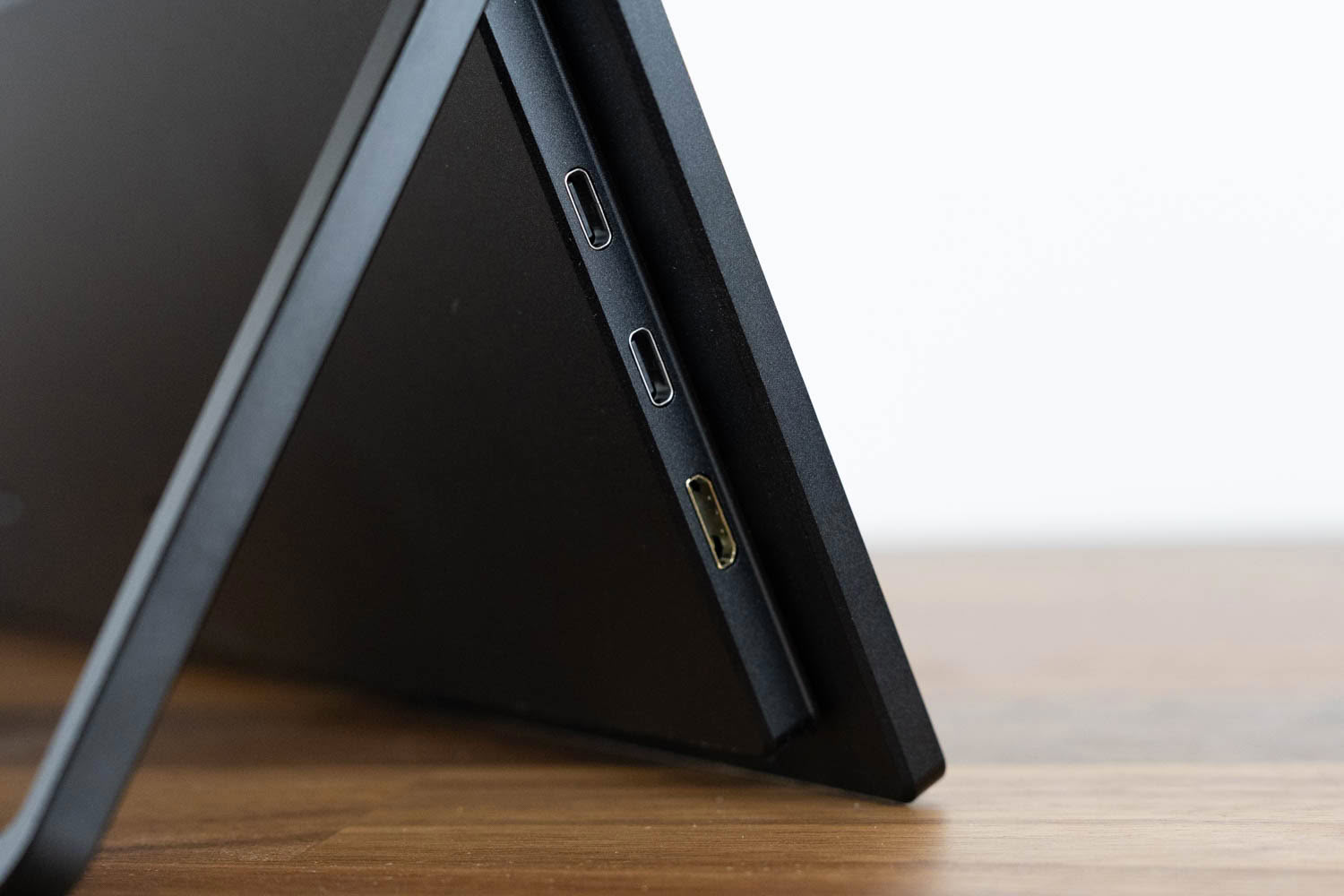
All the video inputs are on the left edge: two USB-C 3.1 ports, both with DisplayPort Alt Mode, and a Mini-HDMI port for audio and video. A single USB-C cable from a laptop or phone with DP Alt Mode drives the panel, and because there is no touch layer here, that one cable is genuinely all you need for the picture. The catch is brightness. On bus power alone, connected to a Lenovo ThinkBook G4 over USB-C, the panel would not climb past 195 cd/m² even at maximum, and it stayed capped there even with the laptop on its own charger. To unlock full brightness you feed the bundled adapter, or another powered USB-C source, into the second USB-C port. That is the familiar data-plus-power pairing most USB-C portables rely on rather than a true one-cable dock. For a 4K panel this bright, the 195 cd/m² bus-power ceiling is limiting outdoors or in a bright room, so in practice you will usually be plugging in the adapter. If your source only offers HDMI, the Mini-HDMI input handles video while a USB-C port takes power.
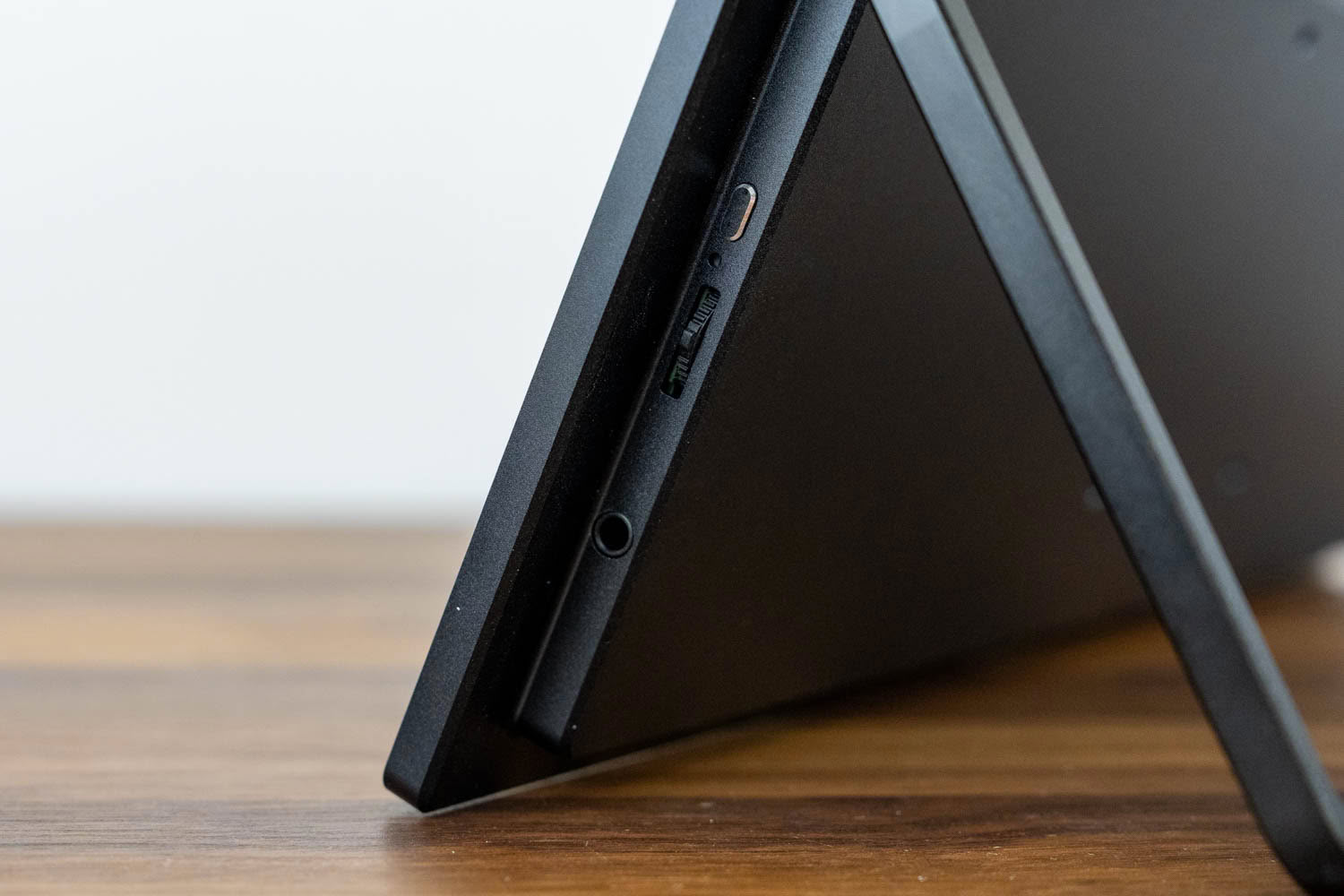
The right edge holds the power button, the OSD control wheel, a reset pinhole, and the 3.5 mm headphone jack. That jack feeds headphones or powered speakers, and two 1 W speakers are built in, fine for system sounds and casual video but not much more. There is no USB hub and no OTG port on this model, so peripherals cannot be routed through the monitor; it is a pure display.
Power Consumption
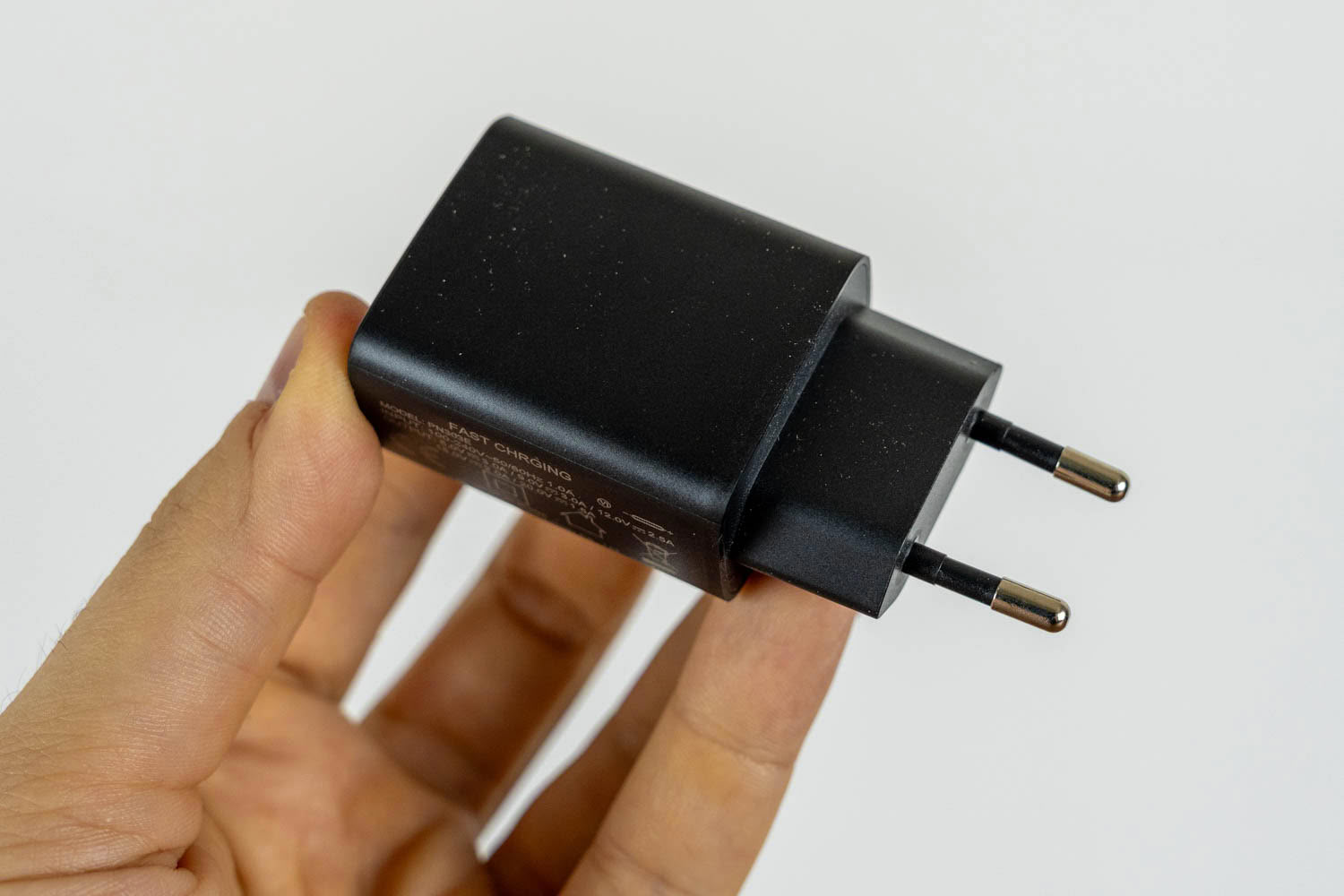
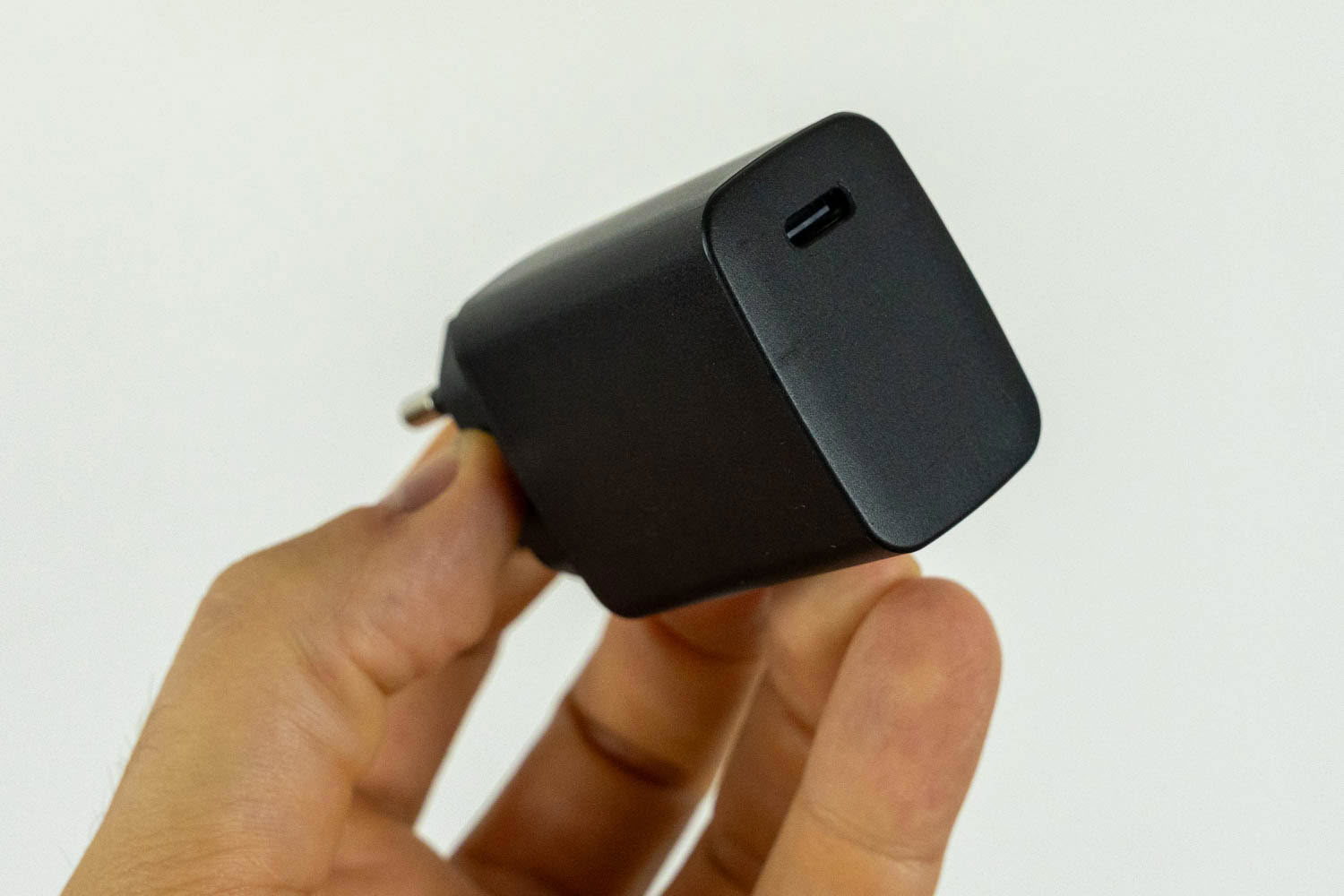
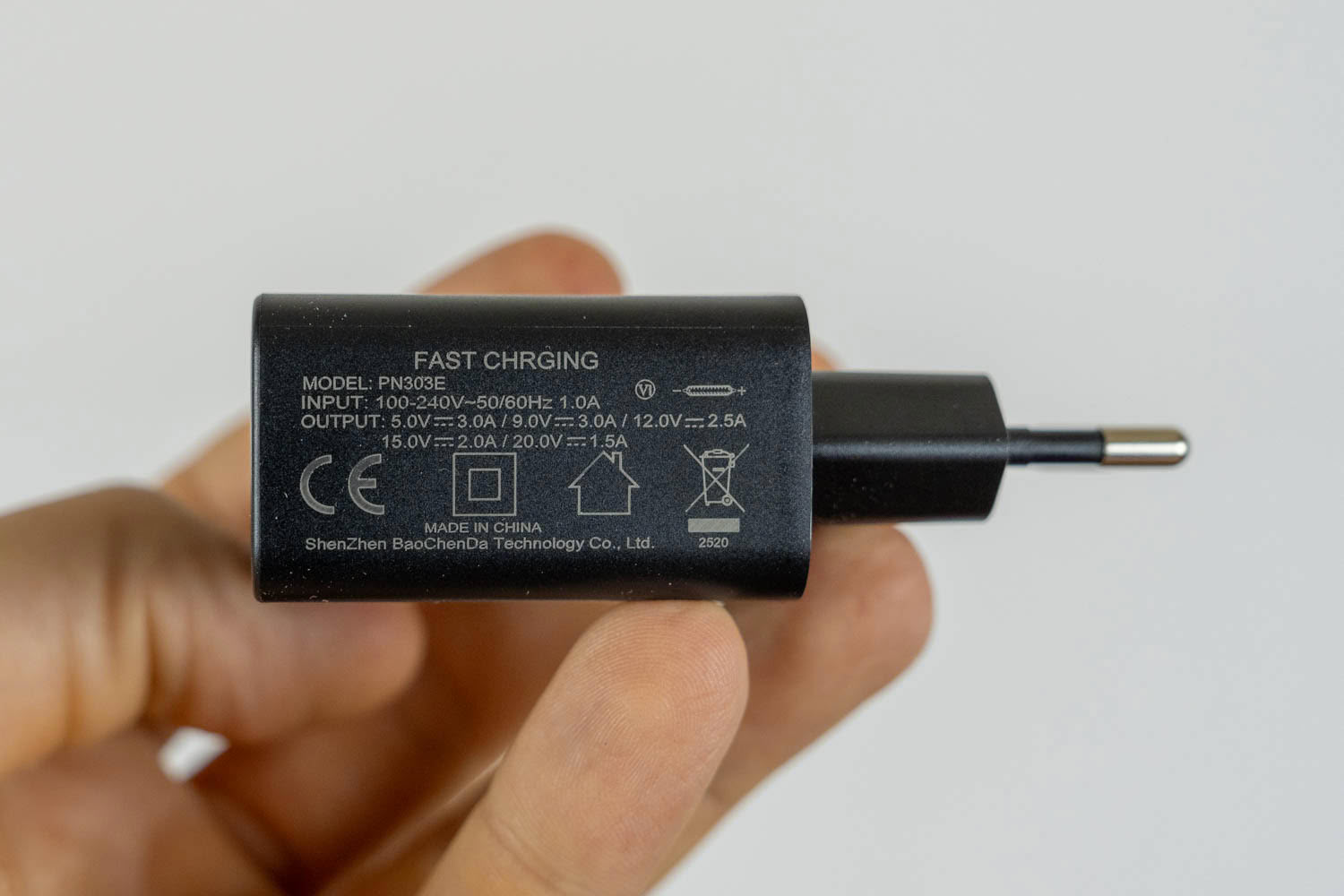
The bundled brick is a PN303E from ShenZhen BaoChenDa Technology, rated at 30 W with a EU plug (other regions get the appropriate plug) and a single USB-C output that negotiates 5 V/3 A, 9 V/3 A, 12 V/2.5 A, 15 V/2 A, and 20 V/1.5 A. It has an amusing "FAST CHRGING" typo printed on the casing, but electrically it has ample headroom over the roughly 18 W the monitor draws at full brightness.
Power consumption was measured with the Meross MSS315 Matter Smart Wi-Fi Plug and its companion app after resetting the monitor to factory defaults, with external power supplied, so the panel could reach its full brightness range.
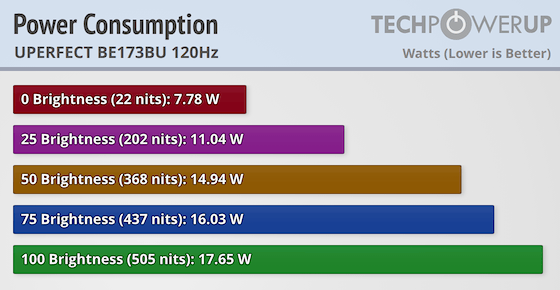
The efficiency is genuinely impressive for a 4K panel this bright. At minimum brightness the monitor pulls just 7.78 W, rising to 11.04 W at 25%, 14.94 W at 50%, 16.03 W at 75%, and 17.65 W at full brightness. That maximum corresponds to a measured 505 cd/m², so the panel blows well past its rated 400 cd/m² while still drawing under 18 W. Getting 500-plus nits out of a 4K screen for that little power is a strong result, and it keeps the monitor easy to run from a modest USB-C power bank or the bundled adapter.
Nov 19th, 2026 15:58 CST
change timezone
Latest GPU Drivers
New Forum Posts
- Honestly, do you care about GTA VI? (163)
- Windows 11 General Discussion (7736)
- Current Sales, Bundles, Giveaways (10448)
- Last game you purchased? (1409)
- WarpCoreBench scores! (76)
- Got the EOL 32GB TridentZ 6000 CL26 1.4V (12)
- Dell Workstation Owners Club (3516)
- Making a game in Godot engine (4)
- DTS DCH Driver for Realtek HDA [DTS:X APO4 + DTS Interactive] (2815)
- Security Apps (2)
Popular Reviews
- Acemagic Retro X3 Review
- Ugreen NASync DXP4800 GT Review
- Upcoming Hardware Launches 2027 (Updated Nov 2026)
- Pulsar Office Tour & First Look at P1 Dual-Sensor Mouse
- AMD Zen 6 Technical Deep Dive
- Biwin Black Opal NV7400 2 TB Review
- Sapphire Radeon RX 7700 XT Pure Review
- Sapphire Radeon RX 7700 XT Pulse Review
- AMD Ryzen 7 9800X3D Review - The Best Gaming Processor
- Chieftec Iceberg PRO 360 DARK Review
TPU on YouTube
Controversial News Posts
- NVIDIA Co-Founder and CEO Jensen Huang Officially Resigns (488)
- Report: Jensen Huang Eyes NVIDIA Comeback (223)
- Open Letter Asking NVIDIA to Reinstate Jensen Huang Passes 115,000 Signatures (184)
- OpenAI CEO Argues Home PCs Waste the World's Limited DRAM Supply (152)
- NVIDIA Launches Investigation Into Jensen Huang's Relationship With Suspected Chinese Spy (136)
- Intel "Raptor Lake Next" 16-Core and 20-Core CPUs Surface (130)
- Legendary Game Studio BioWare Shuts Down Following EA Layoffs (104)
- Dell CEO Says the Memory Shortage Will Get Worse in 2027 (95)