 4
UPERFECT GR14BU Review - A Touch-Enabled OLED for the Road
Picture Quality, Uniformity & Viewing Angles »Touchscreen and Everyday Use
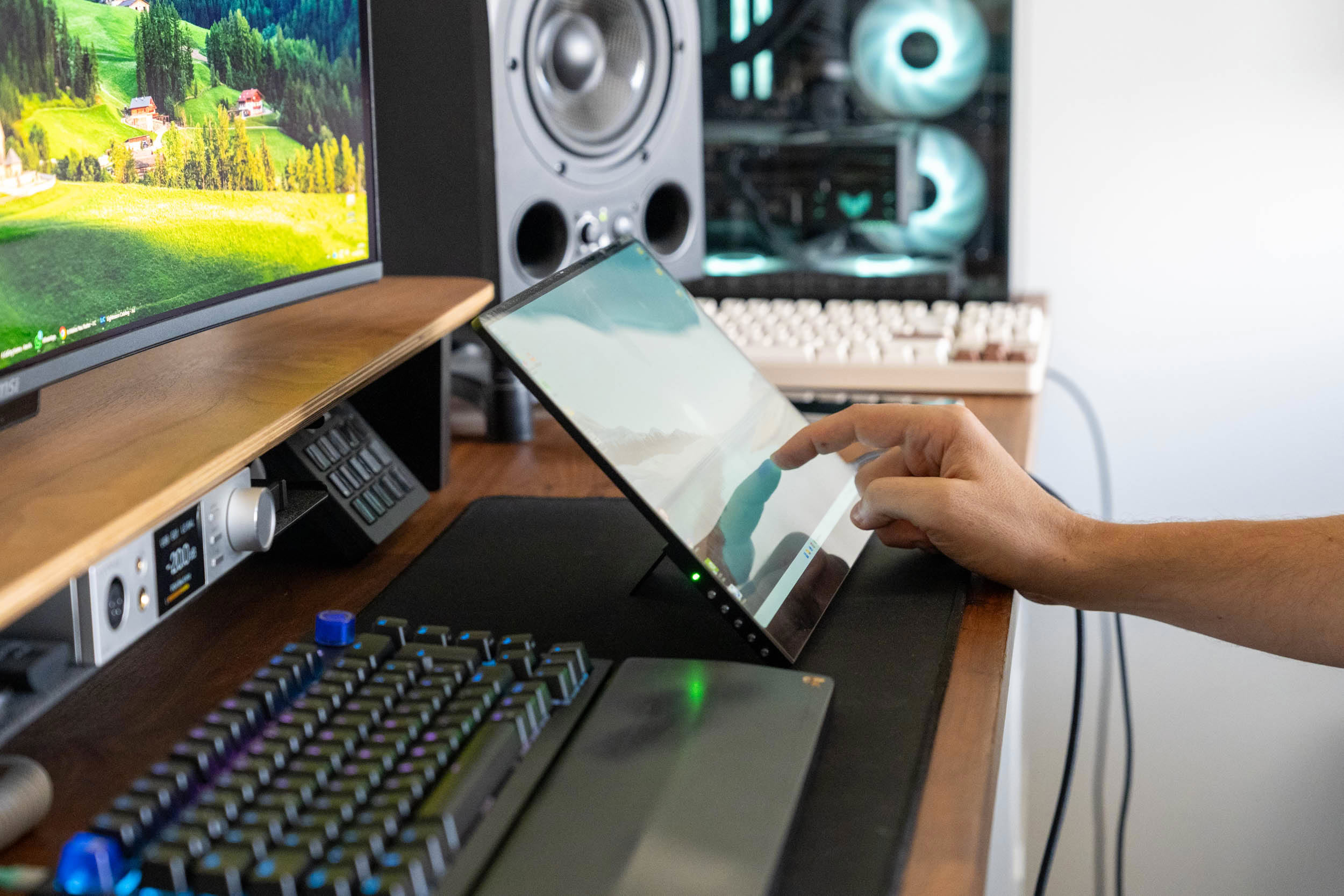
The touch layer is the main reason to choose the GR14BU over the cheaper GR14CU, and it works well. Touch detection is fast and accurate, and the glass surface is smooth, so swipes and drags feel natural. Best of all, it works over a single USB-C cable, on either of the two ports, without any additional cables or drivers. I tested the monitor with Windows, Android, and iOS devices. Touch functionality worked well on Windows and Android, while iOS devices could only use the GR14BU as an external display. Touch input is also not supported on macOS.
The 2880×1800 resolution makes the GR14BU extremely sharp, but it also means that Windows scaling is mandatory. At 150%, which gives you a logical workspace of 1920×1200, text and interface elements are already quite small on a 14-inch screen. I recommend 200%, which results in a 1440×900 workspace that's comfortable to read from a normal distance and easier to hit with a finger. With a diagonal this small, there's simply not much room to maneuver. You're not getting more desktop space than on a 1080p portable monitor; you're getting a much sharper image.
The two 1 W speakers are in the same league as those in a cheaper laptop. They're fine for a short video or a video call in an emergency, but nothing beyond that. To their credit, they don't distort even at the maximum volume. Since there's no headphone output on the monitor, you'll have to use your laptop's audio jack or a pair of Bluetooth headphones if you want better sound.
Nov 18th, 2026 13:38 PST
change timezone
Latest GPU Drivers
New Forum Posts
- Can i play GTA 6 now? (Joke) (6)
- Very unusual two gaming-pc scenarios. (12)
- Dell Workstation Owners Club (3513)
- Any other old-timers here planning to play WoW Forever? (151)
- Time to upgrade CPU and MOBO (33)
- The Filthy, Rotten, Nasty, Helpdesk-Nightmare picture clubhouse (2876)
- WarpCoreBench scores! (67)
- Honestly, do you care about GTA VI? (144)
- Acer Predator BiFrost Radeon RX 9070 OC (9)
- DTS DCH Driver for Realtek HDA [DTS:X APO4 + DTS Interactive] (2814)
Popular Reviews
- Acemagic Retro X3 Review
- Upcoming Hardware Launches 2027 (Updated Nov 2026)
- AMD Zen 6 Technical Deep Dive
- ASUS ROG Strix B850-I Gaming Wi-Fi7 W Review
- Corsair HX1000i Shift Crystal Review
- Biwin Black Opal NV7400 2 TB Review
- Chieftec Iceberg PRO 360 DARK Review
- AMD Ryzen 7 9800X3D Review - The Best Gaming Processor
- Pulsar Office Tour & First Look at P1 Dual-Sensor Mouse
- Phantom Blade Zero Performance Benchmark Review - 35 GPUs Tested
TPU on YouTube
Controversial News Posts
- NVIDIA Co-Founder and CEO Jensen Huang Officially Resigns (478)
- Report: Jensen Huang Eyes NVIDIA Comeback (187)
- Open Letter Asking NVIDIA to Reinstate Jensen Huang Passes 115,000 Signatures (184)
- OpenAI CEO Argues Home PCs Waste the World's Limited DRAM Supply (152)
- NVIDIA Launches Investigation Into Jensen Huang's Relationship With Suspected Chinese Spy (136)
- Intel "Raptor Lake Next" 16-Core and 20-Core CPUs Surface (130)
- Legendary Game Studio BioWare Shuts Down Following EA Layoffs (104)
- Dell CEO Says the Memory Shortage Will Get Worse in 2027 (95)