Saturday, July 2nd 2016
Official Statement from AMD on the PCI-Express Overcurrent Issue
AMD sent us this statement in response to growing concern among our readers that the Radeon RX 480 graphics card violates PCI-Express power specification, by overdrawing power from its single 6-pin PCIe power connector and the PCI-Express slot. Combined, the total power budged of the card should be 150W, however, it was found to draw well over that power limit.
AMD has had out-of-spec power designs in the past with the Radeon R9 295X2, for example, but that card is targeted at buyers with reasonably good PSUs. The RX 480's target audience could face troubles powering the card. Below is AMD's statement on the matter. The company stated that it's working on a driver update that could cap the power at 150W. It will be interesting to see how that power-limit affects performance.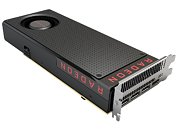
AMD has had out-of-spec power designs in the past with the Radeon R9 295X2, for example, but that card is targeted at buyers with reasonably good PSUs. The RX 480's target audience could face troubles powering the card. Below is AMD's statement on the matter. The company stated that it's working on a driver update that could cap the power at 150W. It will be interesting to see how that power-limit affects performance.

"As you know, we continuously tune our GPUs in order to maximize their performance within their given power envelopes and the speed of the memory interface, which in this case is an unprecedented 8 Gbps for GDDR5. Recently, we identified select scenarios where the tuning of some RX 480 boards was not optimal. Fortunately, we can adjust the GPU's tuning via software in order to resolve this issue. We are already testing a driver that implements a fix, and we will provide an update to the community on our progress on Tuesday (July 5, 2016)."
358 Comments on Official Statement from AMD on the PCI-Express Overcurrent Issue
reachdrop to your level.Maybe I am missing something, but I don't see anyone explaining to me how you can get 20% extra performance and don't consume any more power. Can someone explain me that magic? The card consumes 74W at average and default clocks, it gets overclocked, it scores 20% higher in performance and I have to assume that power consumption on average remained at under 75W because of Nvidia boost? Oh, please explain.When you don't have any arguments just throw degrees and hardware in the face of the other. That will make you look more credible I guess. You think you are the first person on the internet that starts a post with "You should hear me, I am an engineer" and then you can't believe the BS he writes. I am not saying that you are talking BS. I just say that taking pictures of your hardware doesn't makes you an expert. You think I bought my PC yesterday? And no I haven't thought about PCIe power draw and I bet 99% of those posting in here haven't either. The last time I was worrying about a graphics card and a bus, was when running a GeForce 2 MX64 with the AGP at 83MHz.Reinforcements... :ohwell:If it was an Nvidia card we would have never hear about it?:eek:
AMD managed to confuse the entire gaming community with their propaganda Vs the GTX 970 memory size, & made the people believe that the card had less than advertised memory, and now you expect me to believe that if NV's cards had similar power issues (*which is something far greater than the memory size, since its a safety matter ), no one would know? !!o_O
The low power 950 is at all times limited to 75W power target ... at all times. Sample that @W1zzard reviewed probably had considerably better ASIC quality than average, meaning it was able to reach higher clocks on lower voltages than average sample. The rest is boost 2.0, power target is same 75W, clocks are offset by 200 Hz and the boost tightens the voltages to stay inside 75W and voila stable overclock. Every review has dynamic OC: clock vs. voltage table ... as you can see there are multiple clock samples for each voltage state.
support.amd.com/en-us/kb-articles/Pages/HowtoidentifythemodelofanATIgraphicscard.aspx#DID
Driver can identify it even beyond just basic HW ID and can differentiate between reference or AIB models.
Everytning is back to square one.
Nothing solved, nothing learned.
Just fanboys fighting all over TPU.
Truth be told, nobody should compare AMD to Nvidia, and it is becase they have different aproach on the GPU Market.
I honestly owned 4 AMD Cards, none of which blew up my system (on a side note my old psu almost did, people know what i mean).
I guess this one wont either.
Jays2Cents said clearly in the review of this card: mIt makes systems unstable if they have low or mid class mobos"
It does not blow up hardware. And it never will. It is just excuse to make AMD look bad, just because of a small problem their product has.
So what? No company for any tipe of product has perfection, and nobody bitches over most of those brands and names.
By increasing the frequency you don't necessarily gain performance. If the card is limited in how much power it will take from the pcie bus, remaining under or at 75W, in will throttle. But if the results of overclocking the card are 20% extra performance, then the card doesn't stop at 75W, it asks and it gets more power from the pcie bus. Remember. At standard speeds, based on the review, the card is already at 74W average. Not talking about the peak at 79W. Let's ignore that. If at 100% performance you have an average power consumption of 74W, even if you keep the voltages stable, by increasing the frequency of the GPU AND the frequency of the GDDR5, you are going higher in power consumption. And probably power consumption increases more than 20% that is the performance gain. For Nvidia's Boost to do some magic to keep the card at 75W, it will have to drop voltages automatically at higher frequencies and the card to remain stable.
1: AMD decided to split the power supply 50/50 between the external power connector (happens to be 6-pin in this case) and the PCI-E slot. To illustrate:
This is a problem because while the official spec for the 6-pin connector is 75W it can realistically provide upwards of 200W continuously without any ill effects.
The PCI-E slot and the card's x16 connector have 5 (five) flimsy pins at their disposal for power transfer. Those cannot physically supply more than a bit above 1A each. The better ones can sometimes handle 1.2A before significantly accelerating oxidation (both due to heating and passing current) and thus increasing resistance, necessitating more amps to pass to supply enough power further increasing oxidation rate... It's a feedback loop eventually leading to failure.
2: AMD cannot fix this via drivers, as there are trace breaks with missing resistors and wires that would bridge the PCI-E slot supply to the 6-pin power connector. This would make the connector naturally preferable to the current flow as its path has a lower resistance and that's the path current prefers to take. It can only be permanently fixed by physical modification. No other methods. AMD can lower the total power draw and thus by extension relieve the stress on the PCI-E slot, but it will probably cost some of the GPU's performance. We'll see.
3: Buying and using this card won't kill your motherboard... straight away. Long-term consequences are unpredictable but cannot be positive. Would driving your car in first gear only, bumping into RPM limiter all the time kill your car? Well, not right away, but... Yeah. It's the same here, you're constantly at the realistic limit of an electromechanical system, constant stress is not going to make it work longer nor better, that's for sure.
The AIB partners would do well to design their PCBs such that the PCI-E slot only supplies power past 150W being drawn from the auxiliary power connector or something like that. Perhaps give one of the six phases to the slot, and the remaining five to the connector... Or better yet, power memory from the slot and GPU from the power connector exclusively. Breaking PCI-E spec that way is much less damaging due to the actual cpaabilities of the Molex Mini-Fit Jr. 2x3-pin connector that we like to call the 6-pin PCI-E power.
Please try to NOT ignore the fact that the average power draw in the review at defaults is at 74W. Even if the GTX 950 runs at 1.0V instead of 1.3V, in the end it consumes 74W on average. So even if the difference in voltage is massive, as you say, the card still uses 74W on average. So the starting line is there at 74W. The card overclocks really well in W1zzard's review and it gets 20% extra performance(I am keep writing this, everyone conveniently ignores it). You don;t get 20% extra performance with lower clocks and voltage. So, if the card is at 74W at defaults, for that 20% extra performance it probably jumps at 90W through the pcie bus. If it was staying at 75W, then there wouldn't have been any serious performance gains and W1zzard's conclusion would have been that the card is power limited.
Am I right @W1zzard ?
Are you sure phases are physically tied to one and another power input? I wanted to ask just that if anyone can trace the wiring on the PCB...
Either way, if AMD limits power draw to actual 150W, that technically wouldn't really be cheating, they'd just be bringing it to what they've been advertising the whole time. Assuming they did it on purpose to boost framerate in reviews, hoping no one would notice it is just foolish seeing what kind of shitstorm everyone made out of this. And especially since all reviewers also tackle power consumption and that would also be a straight giveaway, like it was now.
So, calling it intentional, I'm not buying it. No one is this stupid.
A bit more current is drawn from the slot than from the aux connector simply due to higher resistance of the slot power pins...
I'm sure @W1zzard could confirm if he could find a bit of free time to do it :)
No need to quote me again. Just see McSteel's post and stop there. Save both ourselves some time.
In fact, one of the trick of overclocking nVidia cards is to actually lower the voltage to get higher clock speeds. If your card is stable, but hitting the power limit, you can lower the voltage and raise the clocks to get better performance. It is a commonly used trick, and one I had to use on my GTX970s.
-Also, @newtekie1 said:So, according to McSteel's type, the power at the 1st example [ 1408MHz(@1.3v) ] will have to be higher than the 2nd example [ 1440Mhz(@1.0v)], right?