Tuesday, March 15th 2022

Intel Starts Shipping Core i9-12900KS to Early Customers
Intel's ambitious new flagship desktop processor, the Core i9-12900KS, started shipping to early customers before retail embargo. By this we don't mean enthusiasts with privileged ties to the company, but retailers. PC enthusiast DAGINATSUKO was able to purchase one online for roughly USD $790, before the store they purchased from took down the listing.
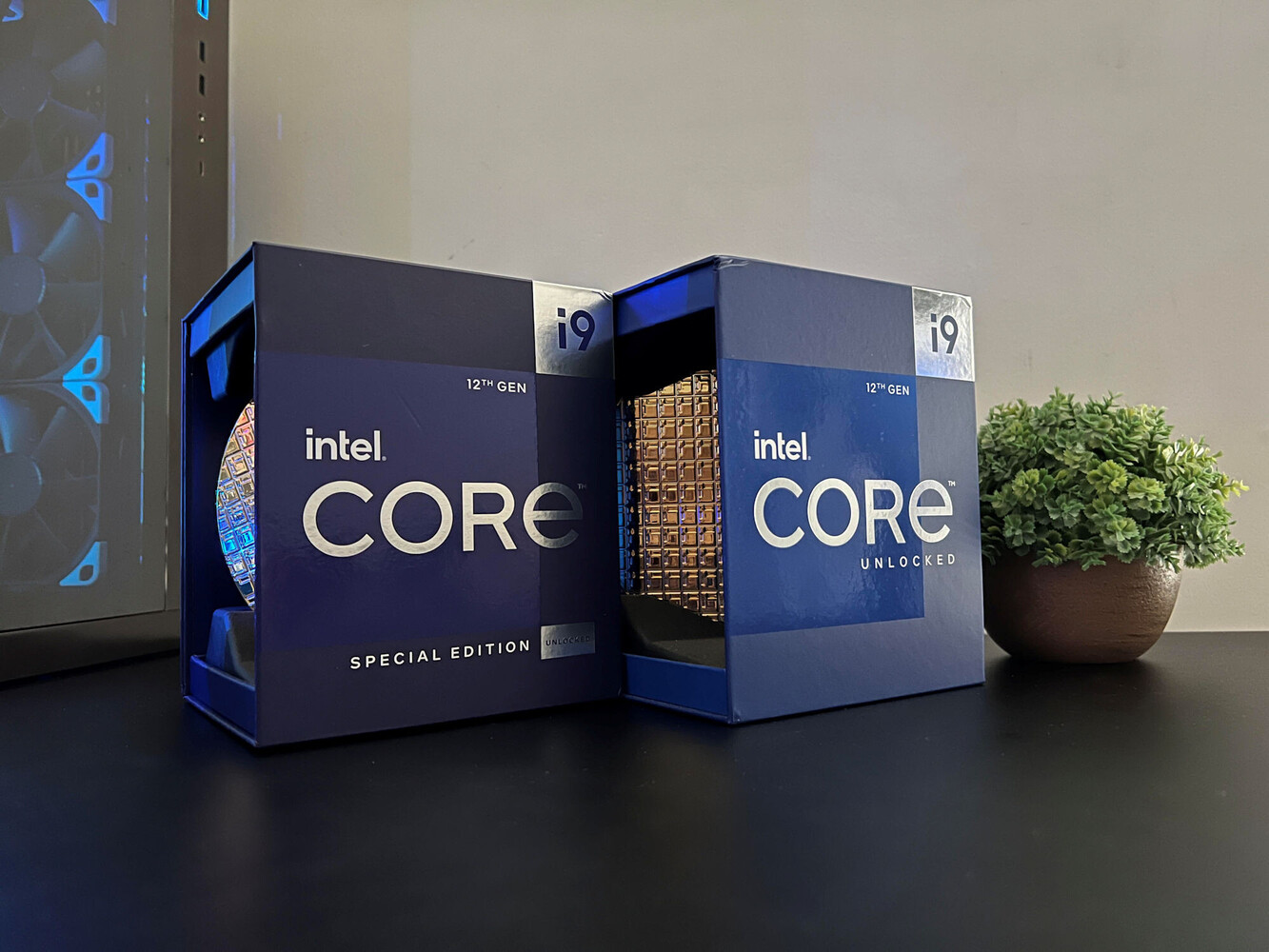
Pictures of the retail i9-12900KS reveal a darker-themed box than that of the i9-12900K, with "Special Edition" written on the front-face. The chip features an S-Spec code "SRLDD." We also learn a few interesting tidbits about the i9-12900KS from this source. Apparently, its processor base power (PBP) is set at 150 W, and its maximum turbo power (MTP) at 260 W. The standard i9-12900K comes with 125 W PBP and 241 W MTP. The increased power limits support a more aggressive boosting algorithm, with the maximum Turbo Boost clocks on the P-cores set at 5.50 GHz, compared to 5.20 GHz on the i9-12900K. The P-core base frequency is increased by 200 MHz, too, now at 3.40 GHz.


Source:
VideoCardz
Pictures of the retail i9-12900KS reveal a darker-themed box than that of the i9-12900K, with "Special Edition" written on the front-face. The chip features an S-Spec code "SRLDD." We also learn a few interesting tidbits about the i9-12900KS from this source. Apparently, its processor base power (PBP) is set at 150 W, and its maximum turbo power (MTP) at 260 W. The standard i9-12900K comes with 125 W PBP and 241 W MTP. The increased power limits support a more aggressive boosting algorithm, with the maximum Turbo Boost clocks on the P-cores set at 5.50 GHz, compared to 5.20 GHz on the i9-12900K. The P-core base frequency is increased by 200 MHz, too, now at 3.40 GHz.


45 Comments on Intel Starts Shipping Core i9-12900KS to Early Customers
List it in your system spec's page along with all your other parts
www.techpowerup.com/forums/account/specs
You can also post some images of your build or builds here
www.techpowerup.com/forums/threads/your-pc-atm.65012/
I sure don't but like the performance even though as usual the price was imho way to high
Seeing you have a asus apex what is the sp# on your 12900k ?
This is a cinebench R23 with undervolt, peaked at 66c
I also run one @35watts, basically beat the M1 pro in efficiency
First image quality was pretty bad but score was pretty good no idea what max clocks and temps were used though besides what you noted.
Makes you wonder how can some reviewers manage to hit 100c using way beefier coolers instead of a small single tower air one
I believe it's called overclocking :cool:
Turbo max clocks seems to be the most common overclock for all cores/ threads
So this will change temps massively :laugh:
Which is 5.2 not 4.9
Seems like a reasonable take. No i dont have 12900K. Im running 3800X. I have it configured to hit 4.6Ghz single core tho at stock it is not capable of that. Im not going to say reviewers are wrong because they cant hit this number.
My guess is that some motherboards are more agressive with auto voltages and that is why in the reviews it runs hotter than it should.
Where the issue with power comes in is heat. 250 watts will create a lot of heat to dissipate. If you cant dissipate the heat, the chip will throttle (which defeats the purpose of a 5.5ghz turbo).
I am curious to see what cooling will be effective on the CPU because there may be very few options that can handle that type of heat from a CPU.
Then the board had memory training issues, so then a board swap. Seems DDR5 is finicky currently, as they tried 3 sets of ram. Board could have been faulty though, as struggled to post at JEDEC speeds.
They couldnt locate the battery for cmos reset, so looks like placed in a hideous location as well, boards should have external cmos reset buttons as standard in 2022.
Then after things were running just running a cinebench which isnt that demanding caused temps to hit 100C on a water cooler and thermal throttling.
Not a good day for MSI and Intel, but a entertaining stream, Steve probably stressed but its good he didnt rage quit and the viewers probably appreciated it more than everything working first time perfect.
These charts further validate my thoughts on a 3PC and 12LC design from Intel and how nice it could be on value and performance. It could offload lots of heat form the P cores while providing plenty of efficiency and multi-thread performance at a good value proposition much more than say a 6PC design that would run hotter and be less efficient as a whole.
It would seem the power limits removed temperature relative to the E-Cores disabled temperature reflects that the E-cores with power limits removed actually helps aid and reduce temperatures as a whole even in spite of drawing more power relative to P cores that simply less efficient and produce more heat reflective of the fact that they are a dated design based solely around single thread performance which is important, but kind of only up to a point and too much of it will hinder overall performance, efficiency, and temperature as a whole.
I think actually 3PC clocked high is sufficient for the vast majority of games aided with a bunch of E cores to pick up some slack and offload multitask performance from background tasks both in and out of games. I think there is a fair degree of background tasks the E cores game developers could try to use them to target and extract a bit more performance offloading certain area's of rendering tasks to them or physics, sound, ect while the P cores concentrate on the harder most time sensitive portions of the render pipeline.
If you look at modern game engines it's clear the 4 cores is enough was a false perception hell consoles today use 8 cores and further more today's cores are higher frequency and IPC so it was entirely bogus to some degree though game engines absolutely needed time to mature along with GPU technology.
Looking at the charts this new SKU has a 25W PBP increase and 19W MTP increase to power limits it'll be a bit hotter, but they've increased the power limits on the base frequency more than the boost which is the right decision it appears for overall performance, efficiency, and at the same time limit the increase in heat output over the previous model in regard to what the charts show. They might've been better off though keeping the MTP the same and increasing the PBP more instead or only very marginally increasing the MTP while more aggressively bumping the PBP a bit more.
The reason is it helps with efficiency and heat so that would make sense to me. I think dropping some of the P cores to match the PBP multiplier on E cores would help as a whole on efficiency and temperature perhaps 50/50 to load balance them better while giving more head room for up to half as many P cores to scale higher while the others do more the opposite, but can match or exceed the E core performance at the same frequencies while dropping temperatures as a whole increasing efficiency as a whole and allowing the E cores to scale higher raising overall efficiency as a whole.
I think a interesting thing to think about is could the OS assign P cores and E cores multipliers and core scheduling in a stairway fashion linearly from the lowest E core cluster to the highest P core alternating between P core and E core cluster and in a way that they maintain efficiency and scaling in a none jarring way at the same time!? Why would you do that to extract more efficiency and reduce heat while allowing the top most P core to scale higher or bottom most E core to scale higher depending on the scheduling algorithm like processing scheduling for programs/background with time slices.
If it could be done properly it could be quite good with E core picking up slack from P cores and giving some temperature headroom between them to leverage either design more proactively between multi-thread or single thread targeted performance while maintaining efficiency and heat in a better managed way. The architecture itself I find fascinating from a tweaking and programmable standpoint in regard to the best ways to leverage it from a min/max standpoint.
Like, every Zen3 chip being way more efficient...
Of course at stock its not efficienct at all core workloads (it is at everything else) cause the power limit is set insanely high. Thank god it literally takes 2 seconds to change it
At 35 watts the 12900k is the most efficient cpu on planet earth, only comparable to the m1. Zen 3 isnt even anywhere close..
Yeah it's TechPowerUp not TechPowerEfficiency
But the AMD/ Intel argument always follows this flow when the other is beaten
Said it before 12900ks is a suckers chip release
Intel pushing it up just before amd drops it's 3d chips that are supposed to match 12900k gaming performance how ever amd proves that ?