Monday, September 18th 2023

Acer Launches Affordable 4K 150 Hz Gaming Monitor
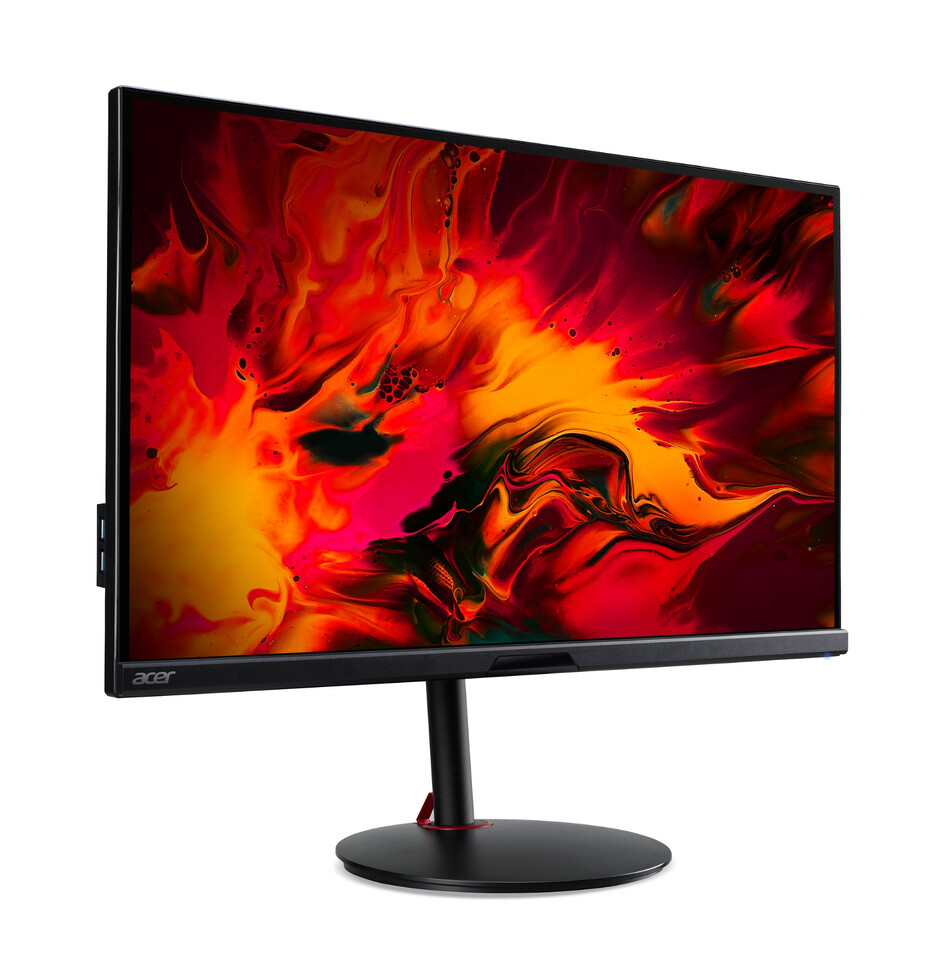
When it comes to affordable gaming monitors, Acer tends to be one of the main contenders among the well known brands out there and its latest addition is a 4K model with 150 Hz refresh rate. The Acer Nitro XV282K V3 is an updated version of a model that's been available for a few years now and although Acer didn't do any major changes to the overall specs, apart from that extra 6 Hz on the refresh rate, the company has dropped the MSRP by over half, making the Nitro XV282K V3 something of a bargain.
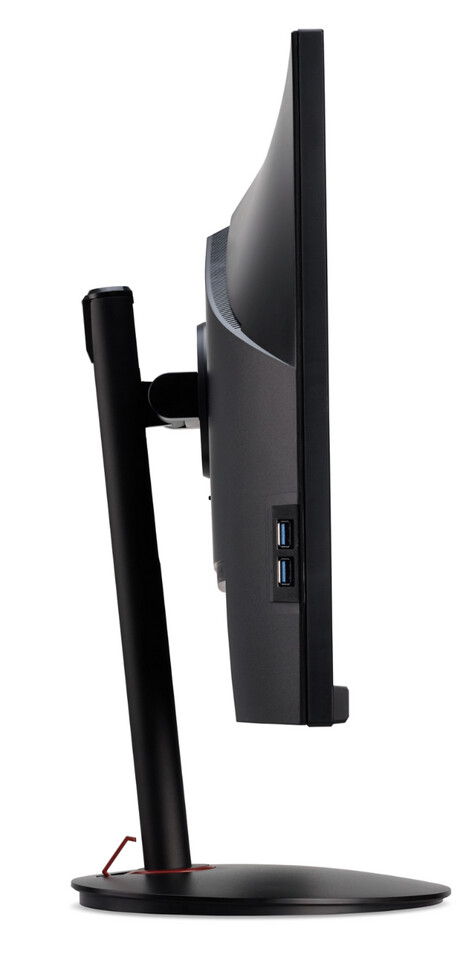
Feature wise we're looking at a 28-inch IPS panel with HDR 400 support and a 1 ms GTG response time. The panel is a typical 8-bit panel with FRC support for 10-bit dithering with a 1000:1 contrast ratio and a DCI-P3 colour gamut of 90 percent. It also has AMD FreeSync Premium support with a VRR range of 48 to 150 Hz. The port selection consists of one DP 1.4 and two HDMI 2.1 ports and should also feature some kind of USB inputs and outputs, but Acer didn't bother adding those to its website. That said, the older model had both a USB Type-C and Type-B input, as well as four USB-A outputs, so hopefully this was carried over to the updated model. There's also a height adjustable stand with tilt and pivot support. With a US$429.99 MSRP, it's likely that this could become one of the most affordable 4K gaming monitors out there.


Source:
Acer US
Feature wise we're looking at a 28-inch IPS panel with HDR 400 support and a 1 ms GTG response time. The panel is a typical 8-bit panel with FRC support for 10-bit dithering with a 1000:1 contrast ratio and a DCI-P3 colour gamut of 90 percent. It also has AMD FreeSync Premium support with a VRR range of 48 to 150 Hz. The port selection consists of one DP 1.4 and two HDMI 2.1 ports and should also feature some kind of USB inputs and outputs, but Acer didn't bother adding those to its website. That said, the older model had both a USB Type-C and Type-B input, as well as four USB-A outputs, so hopefully this was carried over to the updated model. There's also a height adjustable stand with tilt and pivot support. With a US$429.99 MSRP, it's likely that this could become one of the most affordable 4K gaming monitors out there.

63 Comments on Acer Launches Affordable 4K 150 Hz Gaming Monitor
Personally I'd never use more than 120, as I don't play competitive games.
1440p with downsampled 4K using DLDSR is ALOT BETTER than Native 4K using DLSS at Performance mode, or just 1440p using DLAA.
1440p using DLDSR 4K don't tank performance. Performance hit is lower than native 4K and DLSS can be used on top.
DLSS Performance @ 4K/UHD equals to an internal resolution of just 1080p. It will look worse than 1440p for sure.
DLSS is amazing but I never use Performance or Ultra Performance presets. I don't even use Balanced. It's Quality or nothing for me. I mostly use DLAA for 1440p and DLSS Quality when I output to my 4K QD-OLED TV if performance is a problem, if not I also use DLAA for 4K.
No LCD panel is amazing in terms of visuals and HDR. LCD monitors have low contrast and mediocre HDR, 99% of HDR PC monitors can't show HDR properly. LCD requires FALD / miniLED backlighting to deliver somewhat decent HDR on top of 1000+ nits peak brightness.
Backlight control are deactivated or zones drops down to lousy levels on FALD monitors (including LCD TVs), or the input lag would simply be too high. Using FALD makes input lag 200-300ms.
Backlight needs to be controlled to perfection frame by frame and this is far from instant. This is why most HDR PC monitors don't even have backlight zones. Too expensive and induces input lag.
The only way to get proper HDR on PC is to use a proper HDR TV (pref. OLED) or the extremely high-end PC monitors with FALD and 500-1000 zones and they have other problems like input lag when this is used to its fullest because of processing / backlight control.
OLED can do HDR with no processing delay because there's no backlight. This is how OLED destroys LCD completely in actual gaming, where you DISABLE most processing including backlight control.
OLED keeps most of the image quality in game mode. LCD loses a ton in game mode, especially if it's FALD.
Gigabyte M28U and M32U is def not some of the best 4K monitors. They are value oriented. They even write value in your own link. The monitors are using cheap 4K panels that can't deliver HDR meaning no FALD, low peak brightness and low contrast - Hence the price.
Your original assertion of "Nah, but you don't get a quality 4K monitor for this price either." is incorrect. These are quality. Are the the best of the best OLEDS? no but if that's your definition of quality then basically everything is low quality.
I would take a good, bright 4K SDR IPS monitor over 1440 P OLED for mixed usage (read WORK) any day. You don't lose that much in gaming. Is OLED better
But anyway, the HDMI forum are the ones to blame for this mess, they made a garbage standard and oem's are using what it allows to make garbage productsStill a pipe dream in the drawing board
If you want useful HDR on PC, OLED/QD-OLED is the way to go really. Most LCD monitors won't deliver and the cheap HDR monitors are terrible for HDR because of no FALD.
OLED monitors absolutely crush LCD monitors in terms of image quality and HDR. Which is why I don't understand the point of going 4K on a cheap LCD panel.
Resolution alone won't improve visuals much. Higher contrast and HDR support will.
1440p with DLAA enabled or using DLDSR to downsample 4K, looks almost identical to "native 4K". There's little point in going actual 4K unless you need the workspace for actual work, not gaming.I would take 1440p OLED any day for sure over a cheap 4K LCD panel and then apply DLAA or use DLDSR to downsample 4K, this way you can even keep 240 Hz instead of dropping to 120-150 Hz range like most cheap 4K panels. Most 4K monitors can't even do 4:4:4 chroma subsampling while using 144-150 Hz anyway.
There is zero point going native 4K for gaming when DLAA and DLDSR exist.
My 1440p 280 Hz IPS panel can deliver 4K visuals using DLAA/DLDSR easily. How do I know? Because I have plenty of native 4K panels in house.
HDR is a bigger improvement in terms of visuals and immersion than going from 1440p to 4K SDR for sure.
4K without HDR is pretty much pointless if you ask me.
They do 4:4:4 at 144-150hz. I'm on the older IPS version of this panel on my 32" and it's great - second only to the cx in gaming (not by much), and much better for mixed use.
Passes midashi 4:4:4 and all of the chroma subsampling at 144Hz, and has no inversion on lagom (unlike my 240hz G8 samsung that couldn't do anything above 120hz without inversion).
4k without HDR is good for everything desktop/gaming/movies - inferior to 4k OLED with HDR for gaming and movies, and even then it's still better than VA or TN panels, and better than 1440p's lack of ppi especially with a WRGB layout. For desktop use you're not going to be cranking HDR at max brightness unless you want to blind yourself, it's uncomfortable even on a 400nit panel.
you can pay double the money for a marginally better ips panel (not worth) or double the money to compromise on everything other than gaming... so IMHO these make a ton more sense to buy than either of the other two.That's just you rethinking your 1440P purchase/justifying it to yourself. It's just not true, DLDSR looks incredible at 4K as well and makes games like Baldurs Gate 3 a sight to behold. DLDSR at 1440P doesn't match 4k visuals unless you're in DLSS performance on the 4k monitor.
When 4k 240hz OLEDs are out people will be jumping all over those, but they will also be $1500+
And yes, you need a 8+2 or 10 bit panel to properly show HDR.
Show me one, just one monitor or TV with a 6+2 or 8 bit panel that can do proper HDR.Hahaha, a cheap 4K/UHD IPS panel is good for anything, including series and movies THANKS for a cheap laugh :laugh: HDR is useless, contrast is weak making black seem grey and shadow detail is horrible as well + IPS glow (especially on larger IPS panels) + slow pixel response = smearing + backlight bleed (it's edge LED) and horrible blooming.
Good LCD panels have FALD / local dimming for a reason. And 1000+ nits peak for highlights. 400 nits peak is absolutely useless for HDR, especially without local dimming.
400 nits won't blind you when we are talking highlights LMAO ... do you even know what proper HDR looks like? HDR and 400 nits is a NO GO. Useless.
Yes 1440p using DLDSR to downsample 4K looks pretty much identical to native 4K in terms of sharpness and visuals and it even has less performance hit. Done it 100s of times and I have several native 4K panels as well. I use whatever suits the game I want to play. Shooters are still played on 1440p 280 Hz because 144 Hz is not enough for me, 240 Hz when talking LCD is bare minimum for me. If OLED I can settle with 120-144 Hz because pixel reponse is instant and smearing is not present. LCD is a dated tech, good for speed (if panel is up to the task) but image quality is mediocre.
You ramble about OLED issues meanwhile LCD has tons of issues and horrible image quality in comparison. OLED owns the high end market for a reason. Even with all bells and whistles (which LCD TVs are using), LCD is inferior to OLED. And you think an edge lit cheap 400 nit IPS panel has good image quality for "anything" :roll:
4K on its own, without high contrast and proper HDR, is waste of money unless you need the workspace for 2D work only. It is a horrible solution for gaming, series and movies for sure. Image quality is mediocre. I'd take 1440p OLED any day over 4K LCD and it's just a matter of time before I go OLED on desktop as well, however waiting for 2nd gen; 3440x1440 WOLED/QD-OLED at 240 Hz.
Funny you act like LG CX is a high-end OLED. A high-end OLED panel hits 1000+ nits and 99.9% of HDR content is mastered for 1000 nits. LG C series stopped being high-end with C9 series. G series is LGs high-end consumer line which gets all the good stuff. Tons of black crush on older LG OLEDs and dimming in black scenes (not fixed and will never be fixed). Simply google it. LG recently fixed this on 2022 and 2023 models, 2021 and before won't get the fix.
The only high-end consumer LG OLEDs are G2 and G3, both hits 1000+ nits. Zero B or C series do and older ones have tons of issues with gaming (VRR flicker, auto dimming in dark scenes + aggressive ABL)
Truth bombs dropped
That was a very long way of saying "4K resolution isn't worth it without having FULL HDR" - which is nonsense. Especially from someone sitting on a 1440P IPS daily driver panel that is very similar to the 4k panel they're trying to &*&* on.
It must have been hard to proofread all that blurry text on that low ppi panel where you're seeing cleartype struggle to make the text render smoothly. Imagine how clear and crisp it would be if that panel was 4k.
About your new point, no, you also don't need a 10/8+2 panel to properly show HDR, what you need is a panel that is capable of high contrast and brigthness and can maintain that in reasonably small zones. HDR stands for High Dynamic Range, that is being able to display high highs and low lows at the same time. Having more colour depth doesn't help with that at all.Do YOU know what proper HDR looks like? HDR it's not about blinding you, in the context of the HDR400 certification yes, absolute garbage, in the context of what the concept of HDR is no, 400 nits is absolutely plenty granted you're also able to go super low on the opposite end (ideally 0 nits like oled gets very close to).
1000 nits exists because it's easier to blind you with a super bright light than it is to achieve the very low brightnesses necessary to match a lower maximum, shine a heavy light and suddenly the low doesn't need to go as low anymore. It has it's place to make details pop like the sun would but it's not the core of the experience at all.
Yes I know what proper HDR looks like. I have multiple OLED panels in house and been using OLED since 2016 or so. I also tested and tried multiple LCD TVs with full HDR support.
A panel with 400 nits peak will NEVER be able to deliver good HDR, especially not on a lousy LCD panel with no local dimming. 99.9% of HDR content is mastered for 1000 nits and you need those 1000 nits to deliver proper highlights.Never said my IPS was good in terms of image quality, it's fast tho. For me LCD is pointless below 240 Hz. When 2nd gen OLED monitors come out, it will be replaced anyway, probably going 3440x1440 for better immersion, because 4K/UHD is just more of the same. Won't change immersion at all coming from 1440p. Pixel increase alone is meh, especially when refresh rate is going down.
I run most games with DLAA or DLDSR downsampling 4K/UHD, while I retain my refresh rate. Pointless to go native 4K/UHD for me.
When I want best image quality, I simply use my OLED TV and it shits all over any LCD monitor in this regard with proper HDR and next level contrast with zero smearing.
LG UltraGear 45" OLED Curved WQHD FreeSync and NVIDIA G-SYNC Compatible Gaming Monitor with HDR10 (DisplayPort, HDMI, USB) Black 45GR95QE-B.AUS - Best Buy
But most people coming into a new setup that work and game, and cant drop 1K on a monitor and have the choice between 1440P 240hz/280hz and that 4k at 150hz will pick the 4k if they see them side by side - overwhelmingly. Unless you have horrible eyesight or need the refresh for competitive gaming (a minority of gamers) the difference is extremely obvious. Throw in the fact that the 4k, in this case, is cheaper, and no contest.
Price is the only good part about LCD and I could never accept less than 240 Hz for LCD in 2023, because of the smearing and slowness of pixel response times. 120-150 Hz LCD is meh. Better than 60 Hz, sure and thats about it.
4K LCD looks just as bad as 1440p LCD in terms of actual image quality. More pixels won't change a thing when I can downsample 4K easily or use DLAA and keep my refreshrate. I play tons of games in the 200+ fps range.
I use 27" on purpose. I think 32" is crap for gaming in comparison. Way too big when I sit close, like you should for proper gaming. No serious fps gamers are using 32 inch monitors for a reason. 32 inch with no local dimming is even worse. The bigger the panel the worse the image quality is when no local dimming feature is present. Just Horrible.
When I want superior immersion and next level image quality for AAA games, I simply output to my 77" QD-OLED. I never play shooters this way tho. Sucks.
Most people won't choose 4K for sure. Because they will need scaling in Windows, lowering the actual workspace alot, and they won't have the GPU power to run demanding games at 4K anyway, forcing them to use upscaling and if they have an AMD GPU upscaling is mediocre. 4K using lower upscaling presets def looks worse than 1440p using DLAA.
Its funny you think 4K SDR is impressive on a silly LCD panel.
Resolution alone won't get people to change. Makes little difference really. 1440p is the sweetspot and will be for years on PC. Less than 3.5% of all Steam Users use 4K/UHD or higher. For good reason; It's irellevant for gaming and won't change a thing when it comes to immersion. Most people doing actual work will go ultrawide instead. Going OLED with proper HDR very easily beat 4K LCD.
34" Ultrawide 3440x1440 beats 32" 4K/UHD any day in both immersion and work if you ask me. 16:9 is mediocre for actual work. I use a 32 inch 4K IPS Black panel at work and I can easily go home and use 1440p. I prefer the higher refresh rate over more pixels, even for work. Luckily I am going 38" Ultrawide at work soon, 3840x1600.
32 inch 16:9 is too tall really, going wider using Ultrawide 34/38 inch is more helpful. Both for work and immersion in games. Can't wait for 2nd gen OLED panels so I can leave LCD behind.
After having used them all to some extent - the pixel pitch on a 1440P 27" is mediocre, and the extra W on LG subpixel or the triangle layout of current oleds is atrocious for non-gaming computer use.
High end LCD is still king for PC use easily for foreseeable future. Once it isn't everyone will switch. But Gen1 1440P oleds - no thanks - and that's why you don't even have one lol - if 1440P was so great, as you say -- no difference with DLAA on then why not run out and buy the oled ultrawide now? - oh yeah because it's 1440P and you would rather have the 38/45" 4k one that's going to be out.
You use a 32" UHD monitor at work... because those are currently the best monitors for work -- you can make an argument for 1440P ultrawide real estate but you sacrifice text clarity. 4k UW is at 75hz so... if you want the internet to look like you're not reading it on a neolithic PPI, and you don't want 75hz you're pretty much stuck with 16:9 IPS UHD right now.
First gen OLEDs very easily beat any LCD for gaming and content. For work, not ideal yet but its only a matter of time before LCD will die off like it did in the TV market. Atleast when it comes to high-end.
LCD is just dated really. Can't put more lipstick on that pig.
Lets see Rtings best gaming monitors; www.rtings.com/monitor/reviews/best/by-usage/gaming
Ohh, two OLEDs taking 1st and 2nd place :laugh: :laugh:
Nothing about LCD is considered great in 2023 and going 4K/UHD won't change a thing, still the same crappy image quality with low contrast, low peak nits, hence no proper HDR + smearing because of slow pixel transistioning, bad uniformity, halo effect / blooming, corner glow and limited viewing angles.
The bigger you go with LCD and no local dimming, the worse the image quality. This is why all (somewhat) decent LCD TVs have FALD with 1000s of dimming zones. Meanwhile 99.9975% of PC LCD monitors have nothing and relies on the cheapest and worst backlight control :roll:
Nah I am going 38" Ultrawide at work. 3840x1600 at 144 Hz. Way better for work than a silly 4K/UHD 16:9 panel that needs scaling to work great anyway. Luckily I don't have to pay for it. I don't pay for LCD trash anymore.
Here's the best monitor: :nutkick: - Enjoy your work LCD ;)
Yeah I espcially like the "Low contrast" and "Terrible local dimming feature" :roll:
Now please stop acting like a cheap 4K LCD panel is great for everything. This is 2023, not 2013, HDR matters.
Low contrast, low nits, terrible local dimming yeah really a great LCD panel rigth there :laugh: :laugh:
great self-own btw.