Thursday, February 19th 2026

Microsoft Shows AI Integration in Windows 11 Running in Task Bar and File Explorer
Microsoft has showcased its latest AI capabilities in the Windows 11 operating system, demonstrating what this planned integration will look like. The new interface, called "Ask Copilot," is an optional feature that users can enable in place of the standard Windows Search. Once activated, it connects to Microsoft 365 services and allows users to summon specific agents in the taskbar by typing the "@" symbol, similar to tagging someone in a message thread. For example, one of these agents, the Researcher, can perform extended research tasks that run for ten minutes or longer in the background, with small taskbar indicators tracking its progress in a manner similar to file downloads.
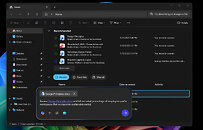
Although this project contradicts with the company's recent promise to step back from its "AI everywhere" strategy, this AI integration has been part of Microsoft's long-term plan. In addition to the taskbar changes, Microsoft is adding a Copilot button inside File Explorer, which provides summaries and relevant context for synced shared documents without requiring users to open a separate application. Instead of directing users to a dedicated Copilot app, Microsoft aims to integrate AI assistance into the parts of Windows that people use every day. This means that these small AI integrations across the OS can help provide little productivity boosts that compound, delivering users a slightly better experience researching new topics and creating new content. Microsoft states that these changes will be widely available to users within the next few weeks.
Although this project contradicts with the company's recent promise to step back from its "AI everywhere" strategy, this AI integration has been part of Microsoft's long-term plan. In addition to the taskbar changes, Microsoft is adding a Copilot button inside File Explorer, which provides summaries and relevant context for synced shared documents without requiring users to open a separate application. Instead of directing users to a dedicated Copilot app, Microsoft aims to integrate AI assistance into the parts of Windows that people use every day. This means that these small AI integrations across the OS can help provide little productivity boosts that compound, delivering users a slightly better experience researching new topics and creating new content. Microsoft states that these changes will be widely available to users within the next few weeks.


100 Comments on Microsoft Shows AI Integration in Windows 11 Running in Task Bar and File Explorer
Are you actually trying to push users off Windows? Where are your heads? In your backside? Read the following very carefully;
We do NOT want AI on our PCs! Stop forcing it on us like insufferable, goose-stepping morons!
Want to make it available for use? Sure, do that.
Want to make an app that people can download and install if they want to? Sure, do that.
Quit integrating it into everything. Most of us don't need AI and don't want it on our devices.
Also, most computers don't have the capacity to run ML/LLMs locally yet, and won't have for years, so it has to run in the cloud. Even Copilot, on Copilot+ PCs, runs in the cloud for the most part.
The problem is not the tech itself, which may be useful if implemented transparently and honestly, but how it's used by corpos to infiltrate our lives in sneaky ways.
Also keep storage requirement in mind. These models can be in excess of 20GB each and you often want to have few for different purposes. Even then, these models are a tiny fraction of something like ChatGPT, both in terms of size and capability. I quickly found them inadequate when compared to ChatGPT. They're cool to try out but they just don't compare.
So no, we are a long way from running LLMs locally being a viable solution.
Small models are specialized. Running small models is useless unless they're very specific to your needs. Say, you write scripts or code and you have a model that does just that. Coding is one area of possible use for local LLMs. But even those "small" models are 10-20GB in size (I'm talking download size and space on disk not VRAM), some are over 50 or even 100GB. The smaller the model, the narrower its capability. So small models would be useless for general purpose use which is what most people need.
And its not just the VRAM, but the GPU speed and even something like RTX4080 is puny compared to hardware that ChatGPT runs on, that's why ChatGPT responds much quicker than a local LLM running on a local GPU.
So, nope, not viable and I'm gonna stop here.
Harr harr.But our masters at the eyes wide shut party under the mountain want it.
Also, it kinda helped that updates slowed down when 11 started, so 10 actually became a bit stable and useful.
It tells a lot about current Microsoft coding capabilites, though...And we also have Copilot 365 that will record all your activities, but it will write texts you don't need in Word, Notepad, Paint, Excel, Outlook, PowerPoint and supported 3rd party applications. Windows 11 now requires 16 GB of RAM to idle.