Wednesday, April 29th 2026

Microsoft PowerToys April Update Steals Yet Another Feature from Linux
Microsoft PowerToys is an oft-recommended utility that makes Windows 11 much more user-friendly by adding new features and UI tweaks to Microsoft's desktop OS. In an update not too long ago, PowerToys got a nifty dock, and before that a Command Palette, just like KDE's Krunner and macOS's Spotlight. Now, in an April update, version 0.99, Power Toys is getting a handful of new features that make Windows a little more like Linux and macOS. The first notable feature is Grab and Move, which allows you to hold Alt and left click to grab and move a window without having to aim for the border. Holding Alt and right click lets you resize a window from the nearest edge. If you're not familiar with Linux, this is exactly how most Linux desktop environments, like KDE Plasma and Gnome, work, except they generally use the System or Windows key as a modifier.
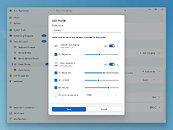
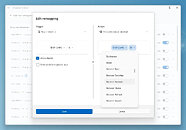
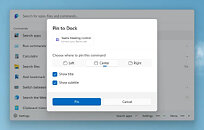
The other new addition to PowerToys 0.99 is Power Display, which allows you to change external display settings, like the source, power state, brightness, and contrast, from a taskbar fly-out menu. Users can also create specific display profiles that can be displayed and selected from the task bar menu. There are also minor changes to the keyboard layout editor, which now has support for selecting keys that are not physically available on your keyboard when setting up shortcuts and chords. The Command Palette also now features a compact dock option for those with limited screen space, and it has received several new features, including persistent calculator history and options for how applets pin to the dock and how the dock interacts with windows—you can choose to keep the dock above all windows, and there is a new dialogue to choose where apps pin to the dock.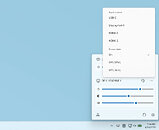
Source:
PowerToys
The other new addition to PowerToys 0.99 is Power Display, which allows you to change external display settings, like the source, power state, brightness, and contrast, from a taskbar fly-out menu. Users can also create specific display profiles that can be displayed and selected from the task bar menu. There are also minor changes to the keyboard layout editor, which now has support for selecting keys that are not physically available on your keyboard when setting up shortcuts and chords. The Command Palette also now features a compact dock option for those with limited screen space, and it has received several new features, including persistent calculator history and options for how applets pin to the dock and how the dock interacts with windows—you can choose to keep the dock above all windows, and there is a new dialogue to choose where apps pin to the dock.


7 Comments on Microsoft PowerToys April Update Steals Yet Another Feature from Linux
* gets a common feature from KDE and Gnome Linux DE *
kde and gnome are not linux. those are common windows operating system movers desktop environment. has to look like windows and behave like windows. sometimes they try to mimic apple mac os.
:(
i think windows is just trying out certain features and than remove those again. I think i see that pattern in past few years already.
i expected a more awesome gnu userspace and linux kernel feature to be reused in windows with that awesome clickbait headline.
The ability to switch inputs on the connected display is pretty cool, I don't know if Twinkle Tray could do that.
PowerToys is getting a bit of feature creep, but at least you can outright disable the features you don't need. For me, it's pretty much just Awake, PowerRename, and now Power Display.
End of the day it's build on the windows search. Last I tried, it even had trouble finding windows update right after booting (when you want to start programs the most).
Krunner is great, loads fast, runs programs with arguments if need be, calculates stuff quickly, converts imperial to normal units, and configurable to what you personally find relevant.
Wake me up when it does "firefox -p", round(544 / 1.21;2) while not keeping you waking.