Monday, June 22nd 2026
AMD Releases Adrenalin Edition 26.6.2 WHQL Drivers

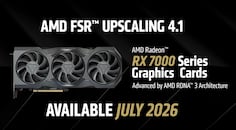
AMD has released its latest Adrenalin Edition 26.6.2 WHQL Drivers today, bringing FSR Upscaling 4.1 to the RDNA 3 GPU family, commonly known as the Radeon RX 7000 series. This driver release is the second in June, specifically tailored for RDNA 3 gamers, with general improvements for everyone else as well. Starting with new game support, the Adrenalin Edition 26.6.2 WHQL drivers introduce support for Assassin's Creed Black Flag Resynced and DOOM: The Dark Ages | Revelations across all RDNA generations. This means Radeon GPUs will now power these titles without any issues. Interestingly, there have been a few fixes for issues such as playing RoadCraft on Radeon RX 7000 series, as well as screen corruption when using third-party VR headsets on the Radeon RX 6000 series of GPUs. Some known issues, like Battlefield 6 crashing on Ryzen AI 9 HX 370 APU, remain, and AMD is working on a fix that will likely be included in the next driver release.

DOWNLOAD: AMD Software Adrenalin 26.6.2 WHQL.

For a full list of details, check the release notes below.

New Features
  • AMD FSR Upscaling 4.1 support for AMD Radeon RX 7000 Series Graphics cards
.
New Game Support
  • Assassin's Creed Black Flag Resynced
  • DOOM: The Dark Ages | Revelations
Fixed Issues
  • Intermittent application crash or driver timeout may be observed while playing RoadCraft on Radeon RX 7000 series products.
  • Purple screen may be displayed when using an HP Reverb G2 headset with SteamVR on Radeon RX 6000 series graphics products.
Known Issues
  • Intermittent application crash or driver timeout may be observed while playing Battlefield 6 on AMD Ryzen AI 9 HX 370. AMD is actively working on a resolution with the developer to be released as soon as possible.
  • Texture flickering or corruption may appear while playing Battlefield 6 with AMD Record and Stream on some AMD graphics products.
  • AMD FSR Upscaling and AMD FSR Frame Generation may show as inactive in AMD Software: Adrenalin Edition while playing Battlefield 6 when enabled on Radeon RX 9000 series graphics products.
  • Failure to install may be observed while installing AI Bundle components in some regions with limited access to HuggingFace and GitHub.
  • Model flickering or rendering failure may be observed in Maxon Cinema 4D and Blender on Radeon RX 7000 series and above graphics products. Users experiencing this issue are recommended to install AMD Software: Adrenalin Edition 26.3.1.
  • Intermittent application crash may be observed on some models while running Blender on Radeon RX 7000 and above graphics products. Users experiencing this issue are recommended to install AMD Software: Adrenalin Edition 26.3.1.
Add your own comment

57 Comments on AMD Releases Adrenalin Edition 26.6.2 WHQL Drivers

#26
Jtuck9
Steve-007UKI don't know if it was because i have used optiscaler in some games or because i replaced a dll file in another but Forza horizon 6 kept crashing when trying to use FSR 4.1.1

After going into safe mode and using DDU then installing the drivers fresh, Forza horizon 6 then worked just fine.
Now i need to test some other games but so far so good.
I'm not sure if it would have made a difference but there's a new Optiscaler test build on the Discord

*I initially had a crash using Optiscaler with the Cronos demo, but after removing and rerunning the bat it seemed to work alright (aside from the 1200 or so odd frames in the menu)*
Posted on Reply
#27
Steve-007UK
Jtuck9I'm not sure if it would have made a difference but there's a new Optiscaler test build on the Discord

*I initially had a crash using Optiscaler with the Cronos demo, but after removing and rerunning the bat it seemed to work alright (aside from the 1200 or so odd frames in the menu)*
With FH6 i just replaced a DLL file so i could use FSR 4 and it was showing as FSR 4.0.2b or something like that and worked at the time.

Then i updated to the new drivers so i could use FSR 4.1.1 officially but in the game it was then showing as 4.1.0* and trying to select it crashed the game.
Now after a DDU in safe mode the game is working perfect and showing 4.1.1

I have many other games to test now to so have removed everything to do with optiscaler and it will be interesting to see how things go now.
Posted on Reply
#28
Jtuck9
Steve-007UKWith FH6 i just replaced a DLL file so i could use FSR 4 and it was showing as FSR 4.0.2b or something like that and worked at the time.

Then i updated to the new drivers so i could use FSR 4.1.1 officially but in the game it was then showing as 4.1.0* and trying to select it crashed the game.
Now after a DDU in safe mode the game is working perfect and showing 4.1.1

I have many other games to test now to so have removed everything to do with optiscaler and it will be interesting to see how things go now.
Yea, with the latest stable release of Opti and these new drivers I was seeing the 4.1.1 with an Asterix next to it, so presumably the override should be working.
Posted on Reply
#29
Makaveli
Jtuck9I found this over on REDDIT for you Windows 10 users

Users Running Windows 10 and AMD Software: Adrenalin Edition 26.6.2 May Encounter Yellow Bang in Device Manager Affecting AMD Radeon RX Series Graphics

www.amd.com/en/resources/support-articles/faqs/PA-622.html
Can confirm on Win 10 ESU had to roll back to 26.6.1 for now.
Posted on Reply
#30
Patriot
zenlessyankInstalled fine here with no issues.
are you on windows 11?
The amd package manager updated me and broke itself today. A simple windows driver rollback fixed it back to 26.6.1 ... this update seems to have not been tested on windows 10.
Posted on Reply
#31
zenlessyank
Patriotare you on windows 11?
The amd package manager updated me and broke itself today. A simple windows driver rollback fixed it back to 26.6.1 ... this update seems to have not been tested on windows 10.
Yes. Tiny11.iso. I will say that the AMD install manager self updated the last version automatically and jacked it up. I had to DDU and manually reinstall, so I turned off the AMD update tool and just did the upgrade thru the link on the Adrenaline Home screen this time since the link on TPU at the time was to the older driver at the time which has since been fixed.
Posted on Reply
#32
Rulumi
zenlessyankYes. Tiny11.iso. I will say that the AMD install manager self updated the last version automatically and jacked it up. I had to DDU and manually reinstall, so I turned off the AMD update tool and just did the upgrade thru the link on the Adrenaline Home screen this time since the link on TPU at the time was to the older driver at the time which has since been fixed.
AMD says that Windows 10 is affected, but I won't be surprised if older versions of Windows 11 may be as well, which is likely what that modified ISO is using.
Posted on Reply
#33
zenlessyank
RulumiAMD says that Windows 10 is affected, but I won't be surprised if older versions of Windows 11 may be as well, which is likely what that modified ISO is using.
Well I have had this install running for over a year and it gets updated regularly. I don't wait around on Windows updates like some folks. So whatever was installed originally is all patched up to current.

25H2. Build 26200.8655
Posted on Reply
#34
_larry
Sigh...Windows 10 seems to be an issue now.. F U Microsoft.
Posted on Reply
#35
Dr. Dro
_larrySigh...Windows 10 seems to be an issue now.. F U Microsoft.
Since nothing changed on Windows' side, the problem here is AMD's poor quality driver.
Posted on Reply
#36
R-T-B
Dr. DroSince nothing changed on Windows' side, the problem here is AMD's poor quality driver.
Honestly... the problem is the user here. The user is expecting top tier support for an EOL OS. They are lucky they get support at all, really.

That being said Win11s current state does make things more awkward I won't deny.
Posted on Reply
#37
Dr. Dro
R-T-BHonestly... the problem is the user here. The user is expecting top tier support for an EOL OS. They are lucky they get support at all, really.

That being said Win11s current state does make things more awkward I won't deny.
That makes no sense, as long as an OS and hardware combination is supported by the drivers, then it should just work. This cannot be possibly the user's or Microsoft's fault.
Posted on Reply
#38
R-T-B
Dr. DroThat makes no sense, as long as an OS and hardware combination is supported by the drivers, then it should just work. This cannot be possibly the user's or Microsoft's fault.
You aren't going to get top-tier support on a legacy OS, period. But yes, of course the release should work aw documented. It just doesn't surprise me that its low on the totem pole.

So no its not the users fault but if I were in such a boat I'd still start asking about how to get out of it, and an OS choice change may be in line with that. YMMV, as always.
Posted on Reply
#39
Dr. Dro
R-T-BYou aren't going to get top-tier support on a legacy OS, period. But yes, of course the release should work aw documented. It just doesn't surprise me that its low on the totem pole.

So no its not the users fault but if I were in such a boat I'd still start asking about how to get out of it, and an OS choice change may be in line with that. YMMV, as always.
But ensuring that the driver... loads instead of spitting a hardware fault error when you turn your computer on is part of the absolute basics, no?
Posted on Reply
#40
3x0
R-T-BYou aren't going to get top-tier support on a legacy OS, period.
Whether it's a "legacy" OS or not doesn't matter, Windows 10 market share is very close to that of 11 and should be given the same priority when doing QC
Posted on Reply
#41
R-T-B
Dr. DroBut ensuring that the driver... loads instead of spitting a hardware fault error when you turn your computer on is part of the absolute basics, no?
Yes, I didn't deny that part. That's certainly a pretty bad one.
3x0Whether it's a "legacy" OS or not doesn't matter, Windows 10 market share is very close to that of 11 and should be given the same priority when doing QC
But it won't be and you by now know this. That's all I'm saying. Don't shoot the messenger, mind.
Posted on Reply
#42
Hecate91
Windows 10 drivers not working is more of a Windows issue, full support ended last year, and ESU support ends on October 13th, 2026.
I'm definitely not surprised support is not on the same level as W11, despite the OS at a fundamental level being pretty much the same. But users need to find an alternative to Windows 10 or switch to 11 if they haven't already.
Posted on Reply
#43
Rulumi
zenlessyankWell I have had this install running for over a year and it gets updated regularly. I don't wait around on Windows updates like some folks. So whatever was installed originally is all patched up to current.

25H2. Build 26200.8655
That's weird, but may be down to certain configurations or not? But in general this as a whole is a very weird issue, kind of feels like AMD rushed this release.
Hecate91Windows 10 drivers not working is more of a Windows issue, full support ended last year, and ESU support ends on October 13th, 2026.
I'm definitely not surprised support is not on the same level as W11, despite the OS at a fundamental level being pretty much the same. But users need to find an alternative to Windows 10 or switch to 11 if they haven't already.
AMD still lists Windows 10 support and hasn't said anything about ending Windows 10 support yet, same way they have both Windows 11 and Windows 10 tabs in the driver download pages of each GPU.

Considering that Adrenalin 26.6.1 works fine in Windows 10, that the latest NVIDIA GPU drivers from this month also work fine in Windows 10 and that the latest Intel GPU drivers from this month also work fine in Windows 10...

This really seems more like AMD rushed this release and only tested in Windows 11 somehow. And can't really blame people for wanting to stay in 10 for now when it is still viable to if using Windows is needed, apart from the unnecesary new default services and XAML UI, Windows 11 has had actual realibility oddities and weirdness in multiple updates, including breaking Safe Mode one time.
Posted on Reply
#44
zenlessyank
Any Windows 10 users install this successfully?
Posted on Reply
#45
Longfellow66
Dr. DroThat makes no sense, as long as an OS and hardware combination is supported by the drivers, then it should just work. This cannot be possibly the user's or Microsoft's fault.
It's also not EOL even on the Microsoft side. They extended their mainstream updates for free. And there will be security updates for some versions of the OS to January 2032.
Posted on Reply
#46
shhnedo
zenlessyankAny Windows 10 users install this successfully?
After my unsuccessful attempts, a friend of mine tried on his 5800x3d / 7800 XT win10 x64 PC. No success. 26.6.1 is the latest working driver for windows 10.
Posted on Reply
#47
Dr. Dro
Longfellow66It's also not EOL even on the Microsoft side. They extended their mainstream updates for free. And there will be security updates for some versions of the OS to January 2032.
I'm not an unreasonable fellow, extended security updates and mainline support aren't the same and Nvidia will also drop Win10 support soon. But while graphics vendors don't, I expect the update packages to work.
Posted on Reply
#48
R-T-B
Longfellow66It's also not EOL even on the Microsoft side. They extended their mainstream updates for free. And there will be security updates for some versions of the OS to January 2032.
I mean it is EOL but some regions get extended updates free of charge for one year. Basically everywhere, but there are exceptions.
Dr. DroI'm not an unreasonable fellow, extended security updates and mainline support aren't the same and Nvidia will also drop Win10 support soon. But while graphics vendors don't, I expect the update packages to work.
That's fair. I think thats a reasonable ask.
Posted on Reply
#49
Gulemot
I first installed the drivers via Adrenalin, but not a single game would launch; specifically, Forza Horizon 6 and Arc Raiders were throwing strange error messages. I didn't wait around, so I immediately performed a DDU and did a clean install of the new Adrenalin 26.6.2 drivers. The drivers worked fine for a while, but a few hours later, when I turned off the computer and then turned it back on, Windows froze after loading to the desktop. I could only move the mouse, but I couldn't open any applications, and the computer ignored all commands. I had to force a shutdown by holding the power button. I turned the computer on again, and it booted up normally, so I didn't worry about it and went about my business. However, later, when I turned the PC off and turned it back on a few hours later, the same problem occurred. This time, however, a simple reboot didn't help; the moment I turned the computer on and reached the desktop, it froze, and I could only move the cursor. Luckily, I uninstalled the drivers in Safe Mode and installed an older version that worked without any issues, 26.5.2. After this experience, I don't want to see these latest drivers ever again, and I recommend everyone stay on the older ones.

This happened to me on Windows 11 with a 7900 XTX, in case anyone is interested.
Posted on Reply
Add your own comment
Nov 18th, 2026 14:04 PST change timezone

New Forum Posts

Popular Reviews

TPU on YouTube

Controversial News Posts