Thursday, September 24th 2026

MSI MAG 271KPD7 27-inch 5K Dual Mode Gaming Monitor Launches in Japan

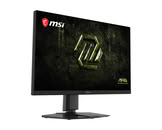
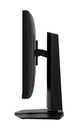
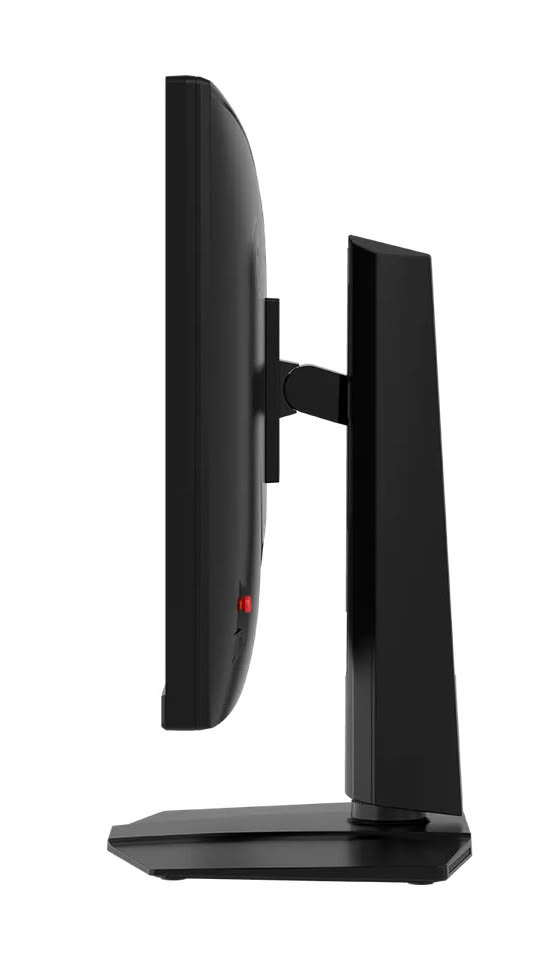
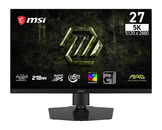
MSI introduced the MAG 271KPD7 gaming monitor in Japan following its presentation at CES 2026 in January. The main feature of this 26.9-inch monitor is the Dual Mode Ultra technology. This allows users to switch between modes: 5K (5120 x 2880) at 75 Hz or WQHD (2560 x 1440) at 300 Hz, closer to the MSI MAG 274QPF X32 WQHD 320 Hz model launched in July. The 5K mode offers 218 pixel density and is best suited for creatives and professionals, while the WQHD mode is best for gaming with its 0.5 ms GtG response time. There is also a 24.5-inch mode for FPS and battle royale games where a smaller field of view is useful. The Rapid IPS panel offers 350 cd/m² brightness with 500 cd/m² peak, 1500:1 contrast ratio, 95% DCI-P3 and 99.1% sRGB, and has typical IPS 178° viewing angles. The monitor has VESA DisplayHDR 400 certification and supports AMD FreeSync Premium.

Connectivity options include two HDMI 2.1 ports, one DisplayPort 1.4a, one USB-C with DisplayPort Alt Mode and 15 W power delivery. There are two USB 3.2 Gen 1 Type-A hub ports, one USB 3.2 Gen 1 Type-B for a PC connection and a headphone output. MSI also included a built-in KVM switch that lets users control two PCs. The MSI MAG 271KPD7 will be available from October 1 at around 98,800 yen (around $622) with a three-year warranty.
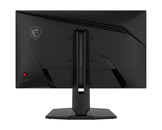
Sources: MSI Japan, MAG 271KPD7
Add your own comment

12 Comments on MSI MAG 271KPD7 27-inch 5K Dual Mode Gaming Monitor Launches in Japan

#1
MikOnTopGG
Can we please stop throwing the term 5k.

That's in accurate and kinda hurts my ears.

Also, 75hz at this goofy resolution is silly.

For Davinci artists?
Posted on Reply
#2
AGlezB
Nomad76WQHD (2560 x 1440) at 300 Hz, significantly faster than the MSI MAG 274QPF X32 WQHD 320 Hz model launched in July
:confused:
How is 300Hz "significantly faster" than 320Hz?
Posted on Reply
#3
Nomad76
News Editor
AGlezB:confused:
How is 300Hz "significantly faster" than 320Hz?
I was looking at 75 Hz but my brain just had a magic moment. Thanks.
Posted on Reply
#4
AGlezB
Nomad76my brain just had a magic moment
Where I'm from those are called brain farts, with the full knowledge that when digesting, be information or food, a fart is never far behind. :D
Posted on Reply
#5
ZoneDymo
MikOnTopGGCan we please stop throwing the term 5k.

That's in accurate and kinda hurts my ears.

Also, 75hz at this goofy resolution is silly.

For Davinci artists?
Good thing it's typed then ;)
75hz is a common refresh rate and better the the standard 60 so I'm all for it.
Posted on Reply
#6
csendesmark
"5K" resolution on a 27" display... 😆
Good luck seeing any details on that.
Posted on Reply
#7
Scircura
csendesmark"5K" resolution on a 27" display... 😆
Good luck seeing any details on that.
It's ideal for macOS which doesn't have good support for fractional scaling: you must use 200% scaling or everything is blurred (looks similar to Windows desktop with Nvidia DSR active). And macOS also looks awful at 100% scaling because Apple dropped support for subpixel font anti-aliasing once its newest device models came with high-PPI "Retina" screens.
Posted on Reply
#8
csendesmark
ScircuraIt's ideal for macOS which doesn't have good support for fractional scaling: you must use 200% scaling or everything is blurred (looks similar to Windows desktop with Nvidia DSR active). And macOS also looks awful at 100% scaling because Apple dropped support for subpixel font anti-aliasing once its newest device models came with high-PPI "Retina" screens.
How about larger physical size so you can see the regular details without perfect eagle like vision?
Posted on Reply
#9
jdrch
MikOnTopGGFor Davinci artists?
Or productivity. The more content you can have onscreen at once, the better.
csendesmark"5K" resolution on a 27" display... 😆
Good luck seeing any details on that.
Depends on viewing distance and, of course, user. I can see 1880p @ 14" and 4K @ 17.3" just fine without glasses (though I'm losing that ability). Idk about 5K @ 27" because I've never tried it.
ScircuraIt's ideal for macOS which doesn't have good support for fractional scaling: you must use 200% scaling or everything is blurred (looks similar to Windows desktop with Nvidia DSR active). And macOS also looks awful at 100% scaling because Apple dropped support for subpixel font anti-aliasing once its newest device models came with high-PPI "Retina" screens.
Windows is my daily driver, but I have a Mac connected to a 4K display. I disagree with the notion that content looks blurry at 100% scaling, but I agree that Apple pushed 5K @ 27" before anyone else
csendesmarkHow about larger physical size so you can see the regular details without perfect eagle like vision?
Nothing stopping you from using a 4K TV as a PC monitor, as many do.
Posted on Reply
#10
csendesmark
jdrchNothing stopping you from using a 4K TV as a PC monitor, as many do.
Or a decently sized display for 4K+ resolution.
Posted on Reply
#11
jdrch
csendesmarkOr a decently sized display for 4K+ resolution.
I keep forgetting monitors larger than 27" exist. Yeah. 32"?
Posted on Reply
#12
csendesmark
jdrchI keep forgetting monitors larger than 27" exist. Yeah. 32"?
Yup. that 5" is +18,5% in size compared to 27" .
Actually helps a lot.
Posted on Reply
Add your own comment
Nov 26th, 2026 07:54 CST change timezone

New Forum Posts

Popular Reviews

TPU on YouTube

Controversial News Posts