 17
Nioh 3 Handheld Performance Review
Screenshots »Introduction
Nioh, one of the most popular masocore franchises around, just got its third entry. Similar to the previous two games, Nioh 3 is all about utilizing every part of your arsenal to survive brutal encounters and tricky boss battles. Some people call it a Souls-like, but while the Nioh series share similarities with other Souls-like games, it's very much its own thing, and it's been pretty successful at it for almost a decade.Nioh 3 introduces a number of major changes to the series. For the first time ever, you've got vast, semi-open world maps instead of linear levels, making the game a tad easier than its predecessors since now you can go out into the world and grind for a bit if you bounce off a particularly difficult boss. Switching between ninja and samurai styles can now be done with the press of a button. The game has also locked specific weapons to one of the two styles and brought about a number of other smaller changes.
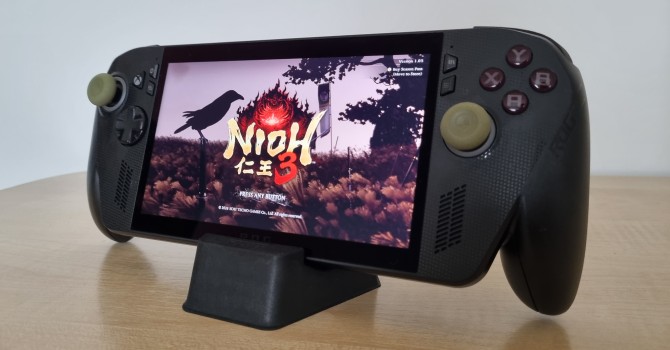
Nioh 3 is developed by Team Ninja, but unlike the previous two entries, which used a modified Team Ninja's NG3/NG3RE Engine, the latest entry is built on Koei Tecmo's Katana Engine. The engine supports a number of modern features, including automatic LOD generation, fluid simulation, and physically based materials. On the flip side, Nioh 3 doesn't include ray tracing, but it does feature all three major upscalers and supports FSR and DLSS frame generation, including DLSS multi-frame generation.
Unfortunately, Katana Engine is infamous for its poor optimization, high CPU usage, poor frame pacing, and other problems, so let's see how Nioh 3—the latest game utilizing it—fares on the Steam Deck, ASUS ROG Xbox Ally X, ASUS ROG Ally X, and an ASUS ROG Ally running SteamOS.
Nov 13th, 2026 04:57 PST
change timezone
Latest GPU Drivers
New Forum Posts
- To AiO CPU Cooler users? (0)
- Home page search by category (6)
- I won't download games that are larger than 30–40 GB. (104)
- Windows 11 General Discussion (7727)
- Slow SSD read speeds - help! (1)
- Microsoft Exchange/365 outages? (32)
- Warning for Windows 10 and 11 users running newer AMD GPU drivers (58)
- TPU's Nostalgic Hardware Club (22150)
- DDR5 CL30 SK HYNIX A Die ram overclocking - End goal is CL26 6400, FCLK 2200 if possible (26)
- CPU debug LED stays red on Gigabyte AORUS X870E Elite WiFi 7, system works normally (1)
Popular Reviews
- AMD Zen 6 Technical Deep Dive
- NZXT C1200 Platinum Review
- Corsair HX1000i Shift Crystal Review
- Upcoming Hardware Launches 2027 (Updated Nov 2026)
- Montech King 95 3D PRO Review
- NZXT H7 RGB+ Review
- NZXT H5 Review
- Phantom Blade Zero Performance Benchmark Review - 35 GPUs Tested
- XPG NIMBUS PLUS Review - Mid-range Chair With Strong Competitors
- Gigabyte Z890I Aorus Ultra Review
TPU on YouTube
Controversial News Posts
- NVIDIA Co-Founder and CEO Jensen Huang Officially Resigns (344)
- OpenAI CEO Argues Home PCs Waste the World's Limited DRAM Supply (152)
- NVIDIA Launches Investigation Into Jensen Huang's Relationship With Suspected Chinese Spy (136)
- Intel "Raptor Lake Next" 16-Core and 20-Core CPUs Surface (130)
- Legendary Game Studio BioWare Shuts Down Following EA Layoffs (104)
- Dell CEO Says the Memory Shortage Will Get Worse in 2027 (95)
- NVIDIA GeForce RTX 50-Series Scheduled for up to $500 Price Hike This Week (89)
- Modder Fits RTX 5090 With Four 8-Pin Connectors, Halving Current per Wire (80)