Thursday, August 21st 2025

EIZO Releases 30.5-inch DCI 4K Monitor with HDR Workflow Support
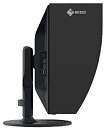
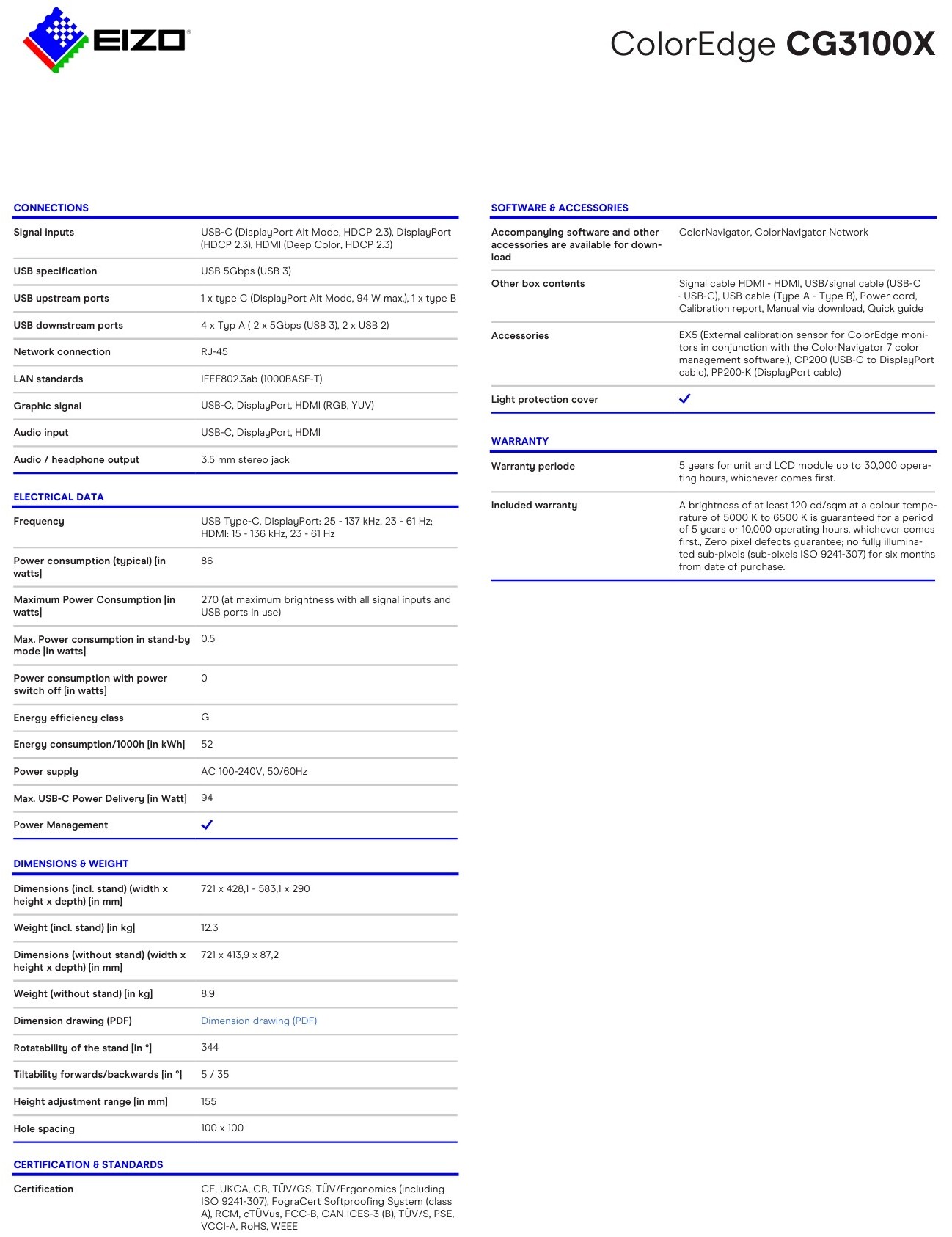
EIZO Corporation today introduced the 30.5-inch ColorEdge CG3100X color management monitor - the latest in EIZO's lineup of DCI 4K (4096 x 2160) resolution monitors for post-production, joining the ColorEdge PROMINENCE CG1 and CG319X. The new CG3100X features HDR (High Dynamic Range) workflow support in editing and post-production environments, as well as USB Type-C for streamlined connectivity.
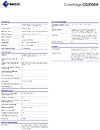
High brightness is crucial in modern editing and post-production workflows to support HDR and ensure consistent display of colors and highlights in video content. The CG3100X features a high brightness of 500 cd/m², up from 350 cd/m² in the CG319X, while delivering highly detailed images in DCI 4K. This ensures optimal display of highlights in 4K content, meeting the technical requirements of today's creators. Additionally, the monitor boasts a high contrast ratio of 1800:1 for producing true blacks and rendering shadows in high detail.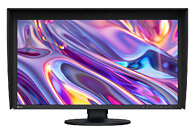
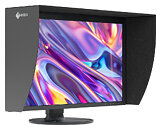
 The CG3100X further ensures professionals can reliably create and edit in HDR by supporting the hybrid log-gamma (HLG) transfer function for broadcasts and the perceptual quantization (PQ) curve. These optimized gamma curves render images to appear truer to how the human eye perceives the real world compared to SDR (standard dynamic range).
Working within incorrect color parameters can affect editing decisions, leading to significant rework and costly delays. The monitor's Pixel Inspection function enables system managers to verify technical settings and reduce the likelihood of these setbacks. This function allows users to select any pixel on the screen and display the color information from the source input data and the data as it appears on the monitor. System managers can use this information to ensure that creators' settings match the project's predefined color parameters, making adjustments as needed to maintain a consistent production environment.
To support the diverse needs of professionals in video production, photography, design, print, and more, the CG3100X is equipped with a USB Type-C port for streamlined connection with laptops or creative workstations. With a single cable, users can display video, access the monitor's multi-port USB hub, and charge their device with up to 94 W of power delivery. This helps maintain a tidier workspace by keeping the area free of excess cable clutter. It also offers stable network access for sharing creative assets and files via the monitor's built-in LAN port.
Following the ColorEdge PROMINENCE CG1, the CG3100X is the next model in the ColorEdge series to support Fixed Rate Link (FRL), the latest signal technology supported in the latest HDMI specification. FRL is required to receive 12-bit signals, handle higher uncompressed high-resolution data, and take advantage of high-speed bandwidths for compressed video transport. This ensures that the monitor works reliably with devices using HDMI signals to manage data throughout the workflow.
The monitor is equipped with EIZO's award-winning built-in calibration sensor technology and ColorNavigator 7 color management software. This eliminates the need for a third-party calibration device and ensures the screen maintains its color accuracy over time.
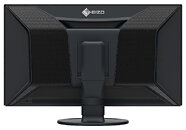
The CG3100X features a sleek design with punched metal on the back, enhancing airflow for effective heat management. Its internal fan operates at just 20 dB, ensuring a quiet workstation environment.
In line with EIZO's commitment to transitioning its products to more environmentally conscious materials and packaging as part of its company-wide sustainability efforts, the monitor's housing is made of over 85% recycled plastic. This helps reduce plastic waste, conserve resources, and promote the reuse of materials, preserving the natural ecosystem. The monitor is also securely packaged using molded pulp made from recycled cardboard and newspaper instead of environmentally unfriendly materials.
Additional Features
The ColorEdge CG3100X will begin shipping end of November 2025. The date of availability varies by country or region.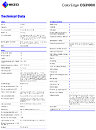
Source:
EIZO
High brightness is crucial in modern editing and post-production workflows to support HDR and ensure consistent display of colors and highlights in video content. The CG3100X features a high brightness of 500 cd/m², up from 350 cd/m² in the CG319X, while delivering highly detailed images in DCI 4K. This ensures optimal display of highlights in 4K content, meeting the technical requirements of today's creators. Additionally, the monitor boasts a high contrast ratio of 1800:1 for producing true blacks and rendering shadows in high detail.


Working within incorrect color parameters can affect editing decisions, leading to significant rework and costly delays. The monitor's Pixel Inspection function enables system managers to verify technical settings and reduce the likelihood of these setbacks. This function allows users to select any pixel on the screen and display the color information from the source input data and the data as it appears on the monitor. System managers can use this information to ensure that creators' settings match the project's predefined color parameters, making adjustments as needed to maintain a consistent production environment.
To support the diverse needs of professionals in video production, photography, design, print, and more, the CG3100X is equipped with a USB Type-C port for streamlined connection with laptops or creative workstations. With a single cable, users can display video, access the monitor's multi-port USB hub, and charge their device with up to 94 W of power delivery. This helps maintain a tidier workspace by keeping the area free of excess cable clutter. It also offers stable network access for sharing creative assets and files via the monitor's built-in LAN port.
Following the ColorEdge PROMINENCE CG1, the CG3100X is the next model in the ColorEdge series to support Fixed Rate Link (FRL), the latest signal technology supported in the latest HDMI specification. FRL is required to receive 12-bit signals, handle higher uncompressed high-resolution data, and take advantage of high-speed bandwidths for compressed video transport. This ensures that the monitor works reliably with devices using HDMI signals to manage data throughout the workflow.
The monitor is equipped with EIZO's award-winning built-in calibration sensor technology and ColorNavigator 7 color management software. This eliminates the need for a third-party calibration device and ensures the screen maintains its color accuracy over time.
The CG3100X features a sleek design with punched metal on the back, enhancing airflow for effective heat management. Its internal fan operates at just 20 dB, ensuring a quiet workstation environment.
In line with EIZO's commitment to transitioning its products to more environmentally conscious materials and packaging as part of its company-wide sustainability efforts, the monitor's housing is made of over 85% recycled plastic. This helps reduce plastic waste, conserve resources, and promote the reuse of materials, preserving the natural ecosystem. The monitor is also securely packaged using molded pulp made from recycled cardboard and newspaper instead of environmentally unfriendly materials.
Additional Features
- 97% Adobe RGB and 99% DCI-P3 color space reproduction
- 3D LUT for enhanced color precision
- Screen uniformity with patented digital uniformity equalizer (DUE) technology
- Headphone jack for wired audio output
- DisplayPort and HDMI inputs that support up to DCI 4K at 60p 4:4:4 10- and 12-bit, respectively
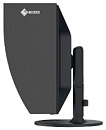
- Light-shielding hood included
- 5-year manufacturer's warranty (Usage time is limited to 30,000 hours)
The ColorEdge CG3100X will begin shipping end of November 2025. The date of availability varies by country or region.
17 Comments on EIZO Releases 30.5-inch DCI 4K Monitor with HDR Workflow Support
I just don't get these products. You can't pitch a single thing that makes the investment worth it for me, even within the context of professional visualization.Fixed refresh rates are already a thing of the past, but fixed 60 Hz? :fear:
I still main a Eizo CX240 and loving it, especially the lack of IPS Glow due to the polarizer. Not to mention is still as uniform as when i got it in 2013, and that's after 37000 hours.
You're missing out bigtime.
In short - consumer OLEDs may look good ON PAPER, but there is a very good reason why they are not picked up for pro tasks. That is not to say they are not suitable if you are dabbling, but EIZO will sell these suckers out no issue. 60Hz is a bummer, but little you can do considering that no appropriate 4K panel above exists.
My notebook can do 300Hz and 60hz. I don't "notice" which mode it is on, when browsing around.
Internal LUT is probably the most compelling argument anyone could tell me but can be worked around...This is not meant to be insulting, but this is simply not possible, unless you have brain damage of some sort and your optical nerves don't work well, so you're unable to perceive motion.
Comparing 300 Hz you'll feel the smoothness vs. 60 even in the most basic tasks like mouse tracking or moving an application window around. You can already feel that even at 120, are you sure you don't have some power saving feature deliberately reducing refresh rate?
If I happened to be in the business, I'd seriously consider investing on a proper Trimaster EL or something, even if they're $10K. Cannot overstate the importance of having quality tools, regardless of your craft or profession.
And when i found it, i saw some gibberish which i never saw again. Well hiding bad specs is also some dark arts.
To reveal it. It looks like a 50 Hz panel. Maybe a 60 Hz panel.
I'm good, thanks.
60 Hz...rofl. The last time I used such a setting was back in '96. And that was a CRT, so it's still completely different than an LCD, because the input lag is effective zero.
Which is not how anything I use (which is largely pretty standard stuff by the way) is working.
I... don't move windows around with a mouse (or at all, stuff is always maximized) , but yeah, that bit is quite visible.
The mouse pointer though, is more of a "I need to pay attention to it", rather than "oh my god, give me that amazing smoothness".
And all that on 60 => 300hz, which is much more extreme than Carmack's example.