Friday, October 31st 2025
Redragon Announces $64.99 Otiim K729 Pro: Silent Wireless TKL Mechanical Keyboard with Flush Mounted Horizontal Knob
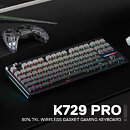
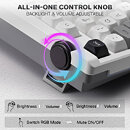
Redragon has announced its latest wireless TKL keyboard, the Otiim K729 Pro. Instead of opting for fancy Hall effect switches, like the upcoming Wooting 60HE v2, the K729 Pro instead uses traditional 5-pin mechanical switches, with a handful of visual and functional features to set itself apart from the wealth of TKL mechanical keyboards out there. The K729 Pro is a wireless mechanical keyboard with a traditional TKL layout, a plastic case stuffed with sound damping materials, and a rotary knob mounted in an unorthodox position horizontally along the top edge of the keyboard's case. It is available in a white and grey colorway with rounded OEM-like double-shot PBT keycaps or "Black Gradient" with OEM profile double-shot PBT keycaps with a side-printed legend. The case also features two-stage flip-out feet, although Redragon hasn't provided any exact typing angles. The Otiim K729 Pro wireless mechanical keyboard is available from Redragon for $64.99.
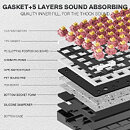
The Redragon Otiim K729 Pro is also Redragon's first mechanical keyboard to feature custom silent switches. The switches in question are simply called Silent Peach switches, but they seem to be Outemu Silent Peach V3 linear switches, judging from the colors and the construction. The switches feature a box stem, 3.3 mm of total travel, and a 40 gf actuation force. The actuation distance is a pretty standard 2.0 mm, but the overall travel is reduced from the usual 4 mm found in mechanical switches due to the internal silicone stops that silence the switch. In combination with the keyboard's gasket mount, those silent switches should provide a fairly soft and virtually silent typing experience, which Redragon says is a consideration for office users. If you're not a fan of the switches, the Otiim K729 Pro is compatible with regular 3- and 5-pin mechanical switches, so you can swap them out.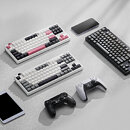
 In terms of connectivity, the Otiim K729 Pro offers both 2.4 GHz and Bluetooth 5.0 for wireless users, as well as a detachable USB Type-C cable for those who prefer to use their keyboards in wired mode. That wireless connectivity is powered by a 4,000 mAh battery, which should provide decent battery life, even with the keyboard's south-facing RGB enabled.
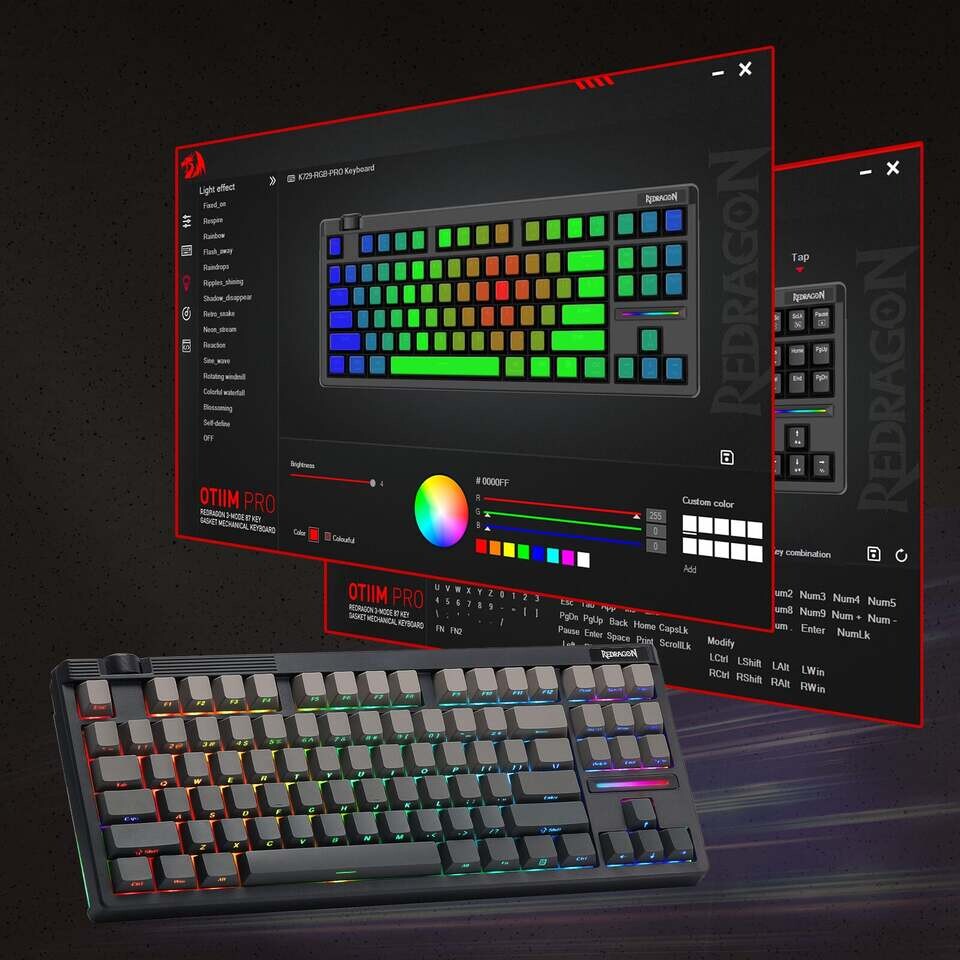
 That RGB backlighting and the keyboard's layout and onboard macros can be configured with a downloadable software tool, although this is only available for Windows, so Linux and macOS users may need to look for a QMK/VIA-compatible keyboard instead, or at least something that uses a web configuration tool, like the NuPhy Air60 HE we reviewed.
Source:
Redragon
The Redragon Otiim K729 Pro is also Redragon's first mechanical keyboard to feature custom silent switches. The switches in question are simply called Silent Peach switches, but they seem to be Outemu Silent Peach V3 linear switches, judging from the colors and the construction. The switches feature a box stem, 3.3 mm of total travel, and a 40 gf actuation force. The actuation distance is a pretty standard 2.0 mm, but the overall travel is reduced from the usual 4 mm found in mechanical switches due to the internal silicone stops that silence the switch. In combination with the keyboard's gasket mount, those silent switches should provide a fairly soft and virtually silent typing experience, which Redragon says is a consideration for office users. If you're not a fan of the switches, the Otiim K729 Pro is compatible with regular 3- and 5-pin mechanical switches, so you can swap them out.


9 Comments on Redragon Announces $64.99 Otiim K729 Pro: Silent Wireless TKL Mechanical Keyboard with Flush Mounted Horizontal Knob
I've saying this to you folks for OVER two years now: There is no point in having volume controls unless you also have mute/unmute. Come on guys, common sense here. Additionally, full size version please. Not every like TKL, in fact a lot of people don't. The Horus K619 in Silver/White only needed a mute/unmute button to be perfect. A low profile version of the Shiva K512W-RGB with full anti-ghosting would be a sheer delight!
I don't buy keyboards without volume controls and mute/unmute is a required part of that.
Don't get me wrong, they focus on quality at good price and they generally deliver, it's just that they miss a few key points. Their mice rock!
Aren't they advertising your requested feature here? But I'm onboard with full sized layouts, especially since they are suggesting office use with the silent mechanical switches.
Looks superb for the people who enjoy 80% TKL tho