Tuesday, August 25th 2026

Resizable BAR Control Options Are Coming to NVIDIA App
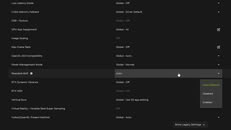
The NVIDIA App will soon gain an additional control option for Resizable BAR, according to NVIDIA GeForce Evangelist Jacob Freeman. In a post on X, Freeman mentioned that the NVIDIA App build will include Resizable BAR options such as Auto, Enabled, and Disabled. The default option in the application will be Auto, which will switch between enabled and disabled modes depending on the use case and system requirements. Interestingly, the post didn't reveal if the feature will be available with the latest NVIDIA App update, or is it now in beta. We still need an update from NVIDIA to confirm that.
For those wondering, Resizable BAR is a relatively new consumer PC feature that allows multiple CPU-to-GPU memory transfers to occur simultaneously. Before the introduction of Resizable BAR, the CPU could only access the graphics card's memory in 256 MB chunks, making it slow to read and update data. Now, the CPU can read the GPU's entire memory at once, helping the system with easier transfers and better reading of the whole GPU memory. When the feature was introduced in April 2021, there was a dedicated NVIDIA GeForce driver update and a list of conditions that needed to be met. Performance enhances followed, but stayed in the low single percentage digits.
 In 2021, Ryzen 3000 "Zen 2" and Ryzen 5000 "Zen 3" processors were required to support it, meaning that most modern processors already have it. On the Intel side, hardware support technically dates back to the 4th Gen "Haswell." However, most motherboard vendors limited their Resizable BAR enabling BIOS updates to the 300-series chipset or 8th Gen "Coffee Lake" and later architectures, as well as X299 or 7th Gen "Skylake-X" HEDT and later. You'll also need a compatible graphics card, such as an NVIDIA RTX 30-series or AMD RX 6000 series and onwards. Finally, your PC must boot in UEFI mode with CSM disabled to support UEFI GOP.
Source:
Jacob Freeman on X
For those wondering, Resizable BAR is a relatively new consumer PC feature that allows multiple CPU-to-GPU memory transfers to occur simultaneously. Before the introduction of Resizable BAR, the CPU could only access the graphics card's memory in 256 MB chunks, making it slow to read and update data. Now, the CPU can read the GPU's entire memory at once, helping the system with easier transfers and better reading of the whole GPU memory. When the feature was introduced in April 2021, there was a dedicated NVIDIA GeForce driver update and a list of conditions that needed to be met. Performance enhances followed, but stayed in the low single percentage digits.


10 Comments on Resizable BAR Control Options Are Coming to NVIDIA App
Does this imply nvidia benchmarks the best use case for the user, or just expose what we know from 5 years ago,
when you are really interested in FPS numbers, etc,
test with and without resizeable bar enabled and disabled for every application in question, for every driver and update version in question.
I do not see the usability as other tools most likely expose that feature anyway, uefi should show you that option also.
I'm surprised this wasn't a feature from the start, as already mentioned Resizeable BAR isn't anything new.
The override switch in NvApp is still not available, will come with the next GRD, which is probably the first R615 driver, scheduled to release soon.
Honstely now I remember it but I forgot about it. Do really big games really benefit from turning it off? I can only imagine small E-sport games like counterstrike to benefit from it, when you want very high fps numbers with a game which is so small in footprint.
Thanks for clarification. The option is there to disable the active feature which needs first to be turned on in uefi on "some" modern motherboards when the option RBAR or above 4GB memory, over Cryptomining is visble. Yes ASUS and MSI calls it differently over the motherboards.
You enable it in BIOS and leave it like that.
EDIT: For older games that makes sense.