Thursday, July 4th 2024

ViewSonic's XG323-4K-OLED2 brings dual-mode, DisplayPort 2.1 and 140 W USB PD
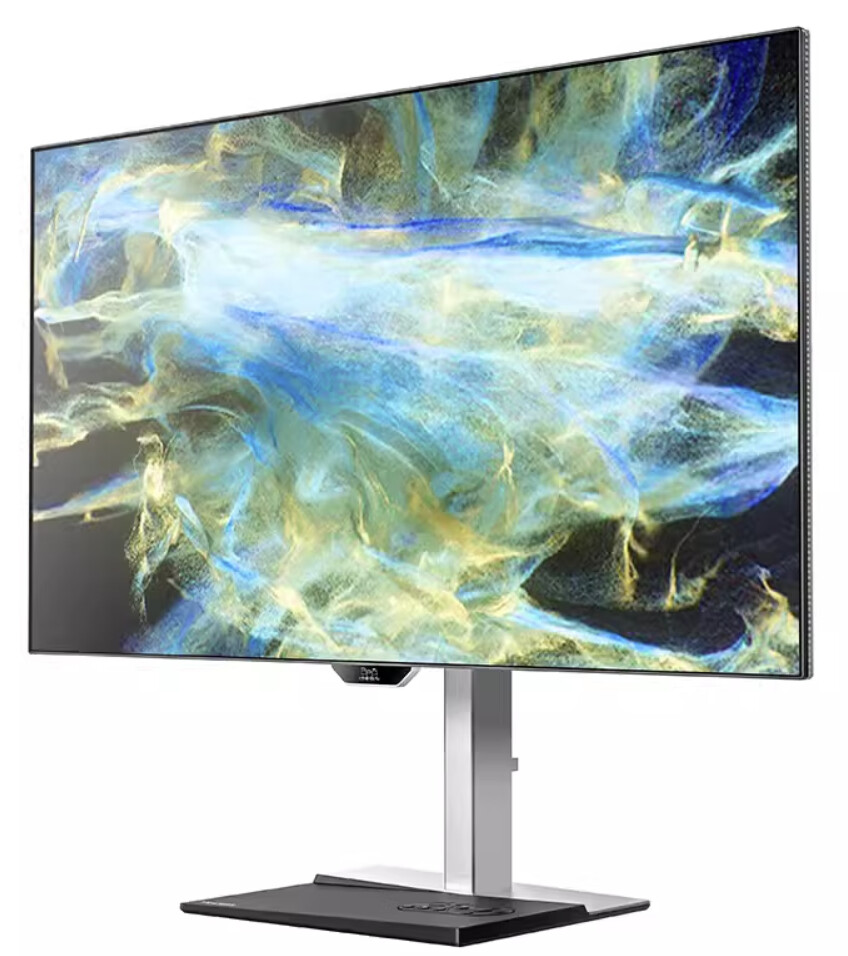
ViewSonic has launched a new OLED gaming monitor in the Chinese market that not only is a dual-mode 4K 240 Hz / 1080p 480 Hz display, but it also brings DisplayPort 2.1 connectivity as part of the package. The XG323-4K-OLED2 is said to sport a 31.5-inch LG OLED panel with an anti glare coating, that delivers up to 450 nits brightness, but it can reach as high as 1300 nits in HDR mode. The 10-bit OLED panel delivers 0.03 ms Grey to Grey response time, 98.5 percent of the DCI-P3 colour gamut and it's also VESA DisplayHDR True Black 400 certified. There's also support for VRR via some form of AMD FreeSync version.
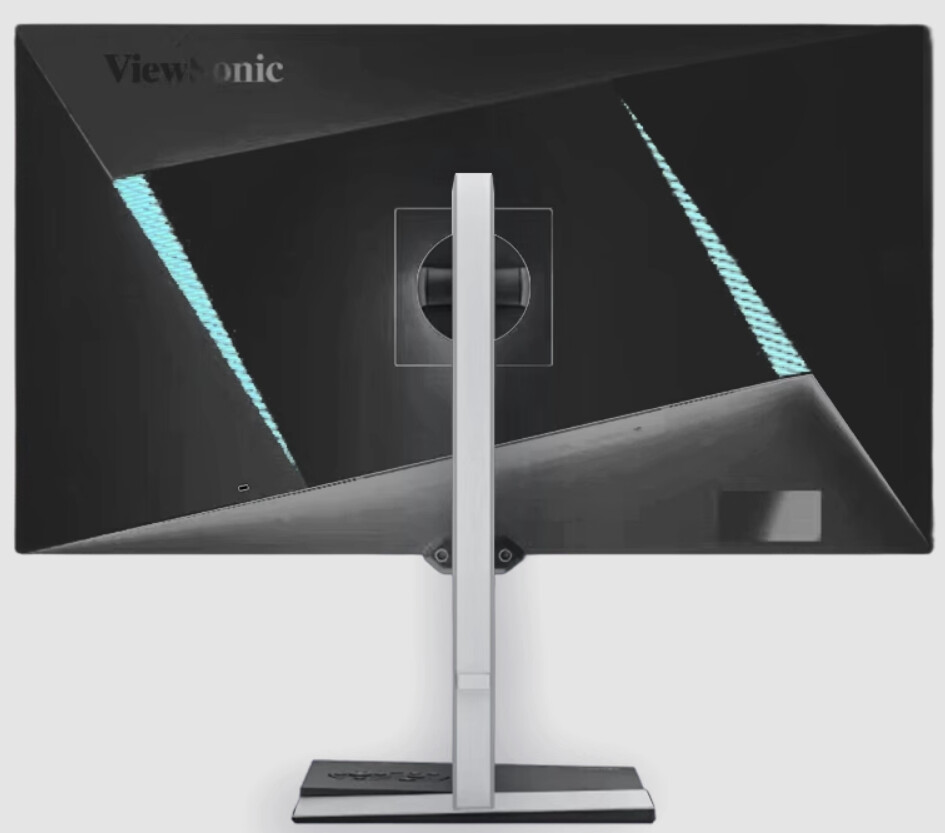
However, what stands out here is the paired back design, especially considering that the XG323-4K-OLED2 is being sold as a gaming monitor. We get a more traditional square stand and a much thicker display back compared to most other gaming OLED displays. That said, we're not quite sure what ViewSonic was thinking when the base of the stand was designed, as it's not flat. Connectivity, besides two DisplayPort 2.1 port with full 80 Gbps UHBR20 support, also consists of a USB Type-C port with DP Alt-mode and 140 W USB PD support—a first as far as we're aware—as well as more mundane options like two HDMI 2.1 inputs, one USB 3.2 Type-B input, three USB 2.0 outputs and an audio jack. The stand supports the standard tilt, swivel and height adjustments, as well as rotation. Finally the XG323-4K-OLED2 sports a pair of 5 W speakers and a remote control. JD.com is listing the display of RMB 10,999 which is just north of US$1,500. It's unclear which, if any other markets ViewSonic will offer the XG323-4K-OLED2 in.


Sources:
via Gizmochina, via IThome (in Simplified Chinese)
However, what stands out here is the paired back design, especially considering that the XG323-4K-OLED2 is being sold as a gaming monitor. We get a more traditional square stand and a much thicker display back compared to most other gaming OLED displays. That said, we're not quite sure what ViewSonic was thinking when the base of the stand was designed, as it's not flat. Connectivity, besides two DisplayPort 2.1 port with full 80 Gbps UHBR20 support, also consists of a USB Type-C port with DP Alt-mode and 140 W USB PD support—a first as far as we're aware—as well as more mundane options like two HDMI 2.1 inputs, one USB 3.2 Type-B input, three USB 2.0 outputs and an audio jack. The stand supports the standard tilt, swivel and height adjustments, as well as rotation. Finally the XG323-4K-OLED2 sports a pair of 5 W speakers and a remote control. JD.com is listing the display of RMB 10,999 which is just north of US$1,500. It's unclear which, if any other markets ViewSonic will offer the XG323-4K-OLED2 in.



60 Comments on ViewSonic's XG323-4K-OLED2 brings dual-mode, DisplayPort 2.1 and 140 W USB PD
I'm actually weighing up get the MSI MAG variant as I've seen it drop from 2199 to 1650ish (at of all places, JB Hifi)
WRGB OLED and QD-OLED have similar lifespan and the main difference is that LG panels have better blacks in brighter enviroment and also handle grey scale better, while Samsung ones have higher brightness and "punchier" colours.
The problem with 4K >120Hz monitors (OLED, IPS, or any other) is price - for $1-1,5K You can buy a 65" OLED and even 75" QD LCD (with miniLED FALD!!!), but if it's a PC monitor then ~32" is all You get for that amount of money.
Remember, this product is not for average consumers, it is for high-end, power users, enthusiasts, and content creators / professionals.
Oh, and no, this monitor is absolutely not intended for professionals. No support for hardware calibration, no claims of factory calibration that I can see, no HLG or PQ curve, no shroud - it’s not a monitor any serious color professional would ever use. It’s strictly a consumer model.
There is a world of difference between consumer displays and those made specifically for precise color work. I mean, this thing isn’t even PROPERLY 4K. Not as what is required for mastering.
-Better HDR peak brightness throughout the entire range ( 2% to 100% screen ).
-Much better motion clarity due to 240Hz.
-Much better text and overall clarity due to higher PPI and new pixel structure.
The only use case the C2 could be better is for viewing movies etc due to size advantage but yeah other than that i don't see many scenarios the C2 would be a better monitor .
Especially HDR which needs firmware updates anways.
Regarding brightness I think reviewers have done you people a disservice. You don't measure brightness at NITS. It's a useless metric for comparing monitors. You measure it at lumens. The C2 is brighter simply because it's bigger. Putting both at 100% in HDR, I can certainly tell you the C2 will blind you in a dark room. The 32GS will not.
Text is also better on the c2 simply because you can use it without scaling. The 32" can't really be used without scaling cause you simply cant read text, it's too small. And when you use scaling there is some soft shadowing in some letters which the c2 doesn't have
Jessie, what the f**k are you even rambling about? What real life colors? What does any of the nonsense you mentioned has to do with color assembly, color grading, digital mastering, digital-to-print matching, HDR composition and other work that’s actually done on pro-level screens? Did you even look at the monitor I linked? You’ve managed to condense into a single pile DSC, file compression techniques, proper cables (oh god, not this nonsense again), ppi and none of these things have anything to do with the topic at hand.
You are completely clueless, please stop embarrassing yourself.
I guess you know what the screen-door effect is.
You must be not a master, but god to be able to offset these differences.
Real world means that you should get the colours on the monitor as if it was seen directly with your eyes in front of you, without the monitor.
Also, why do the monitors have different Gamma settings in the menus?
How do you know which Gamma is the most "Accurate".
And what is "accurate" to you?
Have you got enough studies on the human vision capabilities?
You do realize we are derailing the news thread, right? I like @TheLostSwede, I would like it if he didn’t have grounds to turn me into fermented herring or whatever other abominations the Swedes consume (I jest). Create a thread if you want this discussion to continue. Or, rather, if you genuinely want to inquire about properties of professional screens and what they are used for. And, most importantly, how nothing that you mentioned so far has anything to do with reality (hint: no, screen door effect has absolutely no bearing on color work, gamma settings are a consumer display crutch and nobody masters to “real world” colors).