Monday, March 23rd 2026

Microsoft Plans Better Windows 11 RAM Management and a Smoother User Experience
Microsoft recently announced a plethora of changes coming to Windows 11 to reshape the operating system into a completely stable and enjoyable experience. Today we learn that Microsoft plans a major background usage overhaul with future updates, focusing on RAM usage and overall memory management, so even configurations with less RAM can enjoy the benefits of a smooth operating system. For example, the minimum requirement for Windows 11 is a system with 4 GB of memory, while Copilot+ PCs require a minimum of 16 GB. When a PC has 8 GB of RAM installed, standard Windows 11 versions like Home or Pro will take up a majority of that, leaving only about 2 GB free. Even with 16 GB installed, regular Windows allocation goes beyond 10 GB.
However, Microsoft plans to change this with better background memory management. For example, OS overhead is a significant performance and memory hog, which impacts the user's overall experience on the PC. Apple recently launched a MacBook Neo with 8 GB of memory, and reviews confirmed that users will be able to get a relatively smooth user experience with only 8 GB, while a comparable Windows-based machine would struggle. This has pushed Microsoft to think about memory management more, and the company now promises that the entire operating system will implement new background policies that will help with resource management. While the exact implementation is unknown, we suspect that doing something like Xbox Full Screen Experience, which is proven to increase performance and lower RAM usage, will be implemented on a wider scale. When the numerous background tasks disappear, memory is freed for other things like excessive Chrome browser tabs.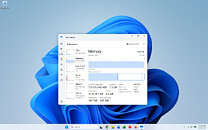 Next, Microsoft plans to improve the software animations, transitions, and UI to look better and feel smoother by reducing latency. For now, Windows 11 is a mixture of legacy Microsoft frameworks for the user interface, which include web-based WebView2, React, and others. Microsoft plans to transition its entire user experience to the desktop-only WinUI 3 framework, which will reduce application latency, improve user experience, and feel noticeably smoother. Core Windows 11 applications like File Explorer, which is now being preloaded, are also getting additional optimizations so that application launch is instantaneous, file search is much faster, and the overall experience is improved. Windows Search is also becoming much faster and more accurate, so your start search doesn't lead to a web search first but performs an application and file search first.
Source:
Windows Latest
However, Microsoft plans to change this with better background memory management. For example, OS overhead is a significant performance and memory hog, which impacts the user's overall experience on the PC. Apple recently launched a MacBook Neo with 8 GB of memory, and reviews confirmed that users will be able to get a relatively smooth user experience with only 8 GB, while a comparable Windows-based machine would struggle. This has pushed Microsoft to think about memory management more, and the company now promises that the entire operating system will implement new background policies that will help with resource management. While the exact implementation is unknown, we suspect that doing something like Xbox Full Screen Experience, which is proven to increase performance and lower RAM usage, will be implemented on a wider scale. When the numerous background tasks disappear, memory is freed for other things like excessive Chrome browser tabs.

62 Comments on Microsoft Plans Better Windows 11 RAM Management and a Smoother User Experience
Best regards,
Fred.
All it took was for Apple to convert a previous flagship phone into a laptop and pair it with it's highly customized BSD/UNIX-based OS, sold for less than the phone actually cost.
EDIT: Grammar.
Probably CoPilot mistakenly puts 'quantity' over 'quality' just to please the MS person who prompted it to solve the current crisis :rolleyes:
543M with a bloated desktop
--
one windows browser tab in vivaldi
better situation: one browser tab, hardly any plugins, less plugins less dram usage
i consider 8.1GB in use - the gnu world also cashes in dram
--
more tabs open as i am unwilling to open those again
more plugins
some files in dram, more plugins
too much bloat, as the core os was 150mb in the past.
8.1GB / 1.3GB = ~4 to 5 times without using a calculator. it is unfair as i preload stuff in dram, modules etc. a heavy bloated, 20 year old gnu gentoo linux ~amd64 installation. 64 bit installatin for ages while windows did hardly knew about 64 bit operating systems.
It was for sure a windows 11 pro reinstall when i switched to am5 ~3 years ago.
--
I read that topic before on my tablet. yes apple sells new hardware with only 8gib dram for the graphic card and the processor and the operating system and the user.
--
the naked windows desktop after cold boot should not be more than 500mb. In my point of view this topic lacks cold boot memory footprint of different operating systems and memory footprint with e.g. www-client/vivaldi opening a single tab and active network connection.
I expected more 800mb memory footprint after bootup for windows 11 pro.
Well roman, you have for sure a polluted windows wiht a million logitech mouseware running, norton antivirus etc. nope. nothing
-- back to my first pictures
7% dram usage according to windows taskmanager vs ~0.813% (assuming we can trust bing.com to divide 543mb/62.2gib)
The point is to show a bigger picture how bloated it is. nitpicking here or there won't change the fact it is factor 5x, 7x choose whateer you prefer bloated.
the same can be done with the single browser window vs my 20-30 open vivaldi tabs. with a margin of error, choose whatever you prefer, it is around factor 3 to factor 4 bloatness of windows 11 pro
its good memory management is being placed higher on the agenda at microsoft.
but I doubt much is going to come out of it
I have Windows 11 Pro with 64 GB ram and booted up only using about 2.5 GB ram. But I have another with 16 GB ram booted up uses 5.6 GB ram. Same config on both. WHy?
The solution is to throw all the post-2012 rubbish out of the window, and go back to bare Win32 code, which would run like lightning.
But how could those explain hogging GBs of memory when that legacy code is from time when amount of memory was counted in MBs?User indeed shouldn't need to do anything to have reasonable memory usage at desktop.
While I'm all for freedom of users to be able to install what ever bloated software/asslets/crapplets they choose to bog down the PC with, by default operating system itself and included basic software should simply install and stay out of the way of usage of PC.This "modern" flat Earth retarded UI crap definitely isn't even low on memory consumption.
Compare with previous Windows 10 for PC with 8GB RAM it is still manageable.
But on Windows 11 if your PC only have 8GB RAM the PC will be laggy as hell.
16GB is bare minimum on Windows 11 since half of the RAM will be utilized.
32GB will be more comfortable when running Windows 11 especially with
its AI and security features hogging even more resources.
So Microslop take a good look at previous Windows like Windows 7
which uses 1 - 2GB when the PC is booted.
That is not hogging memory back than and most Windows 7 PC either come
with 4GB or 8GB of DDR2/DDR3 RAM.