News Posts matching #Windows 11

Return to Keyword Browsing

STORMCRAFT PC Launches Fantasy Gaming PCs

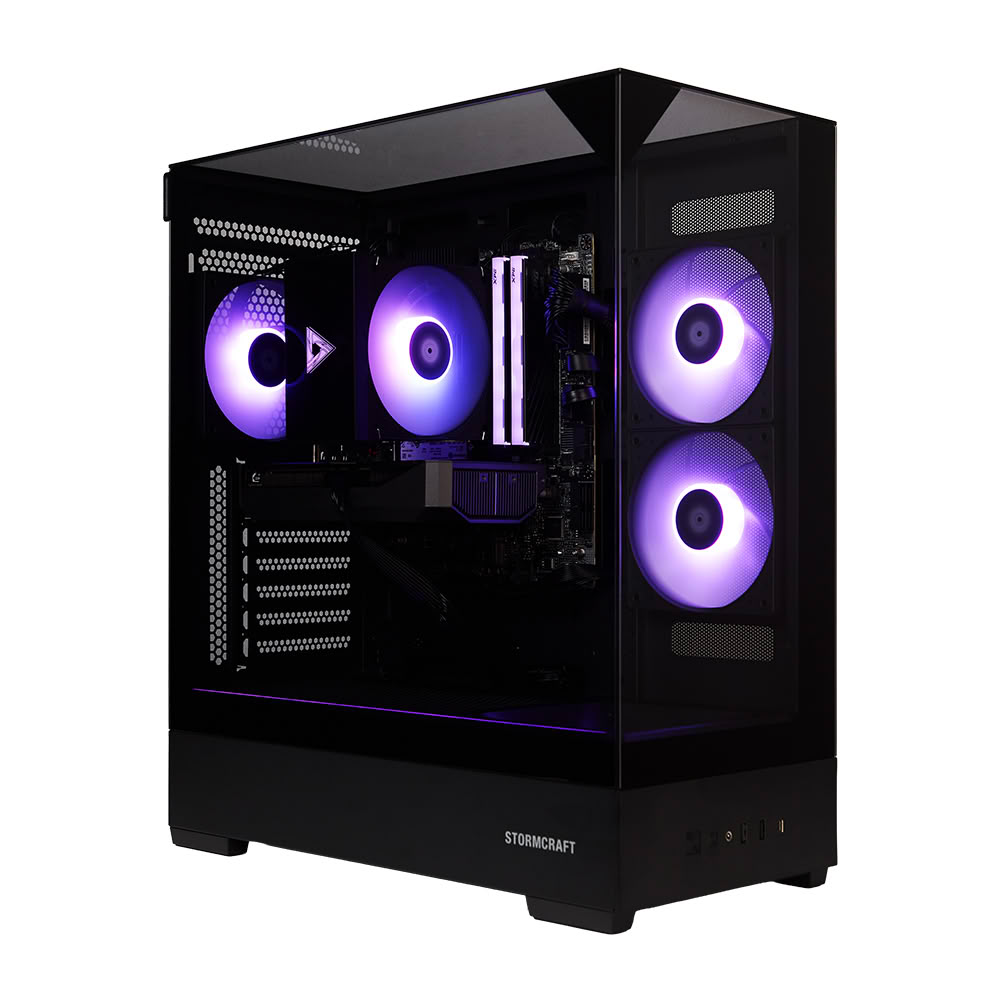
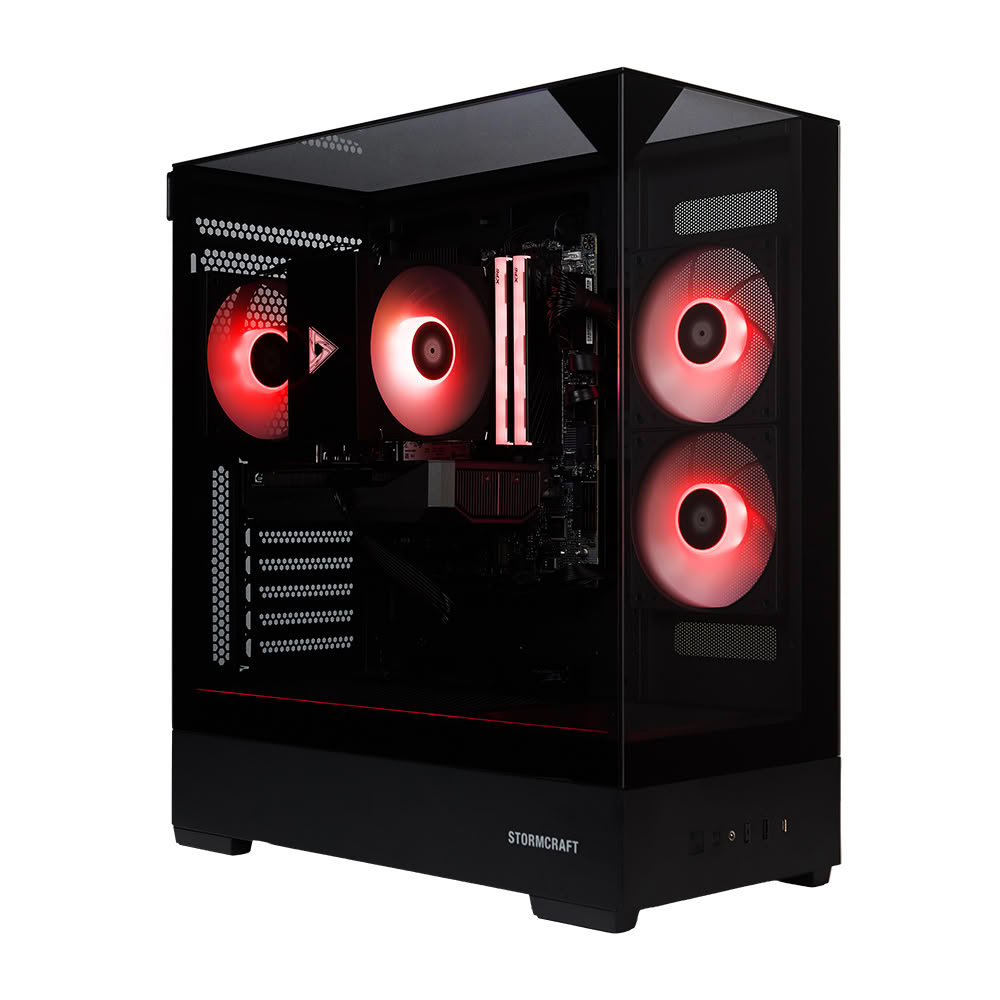
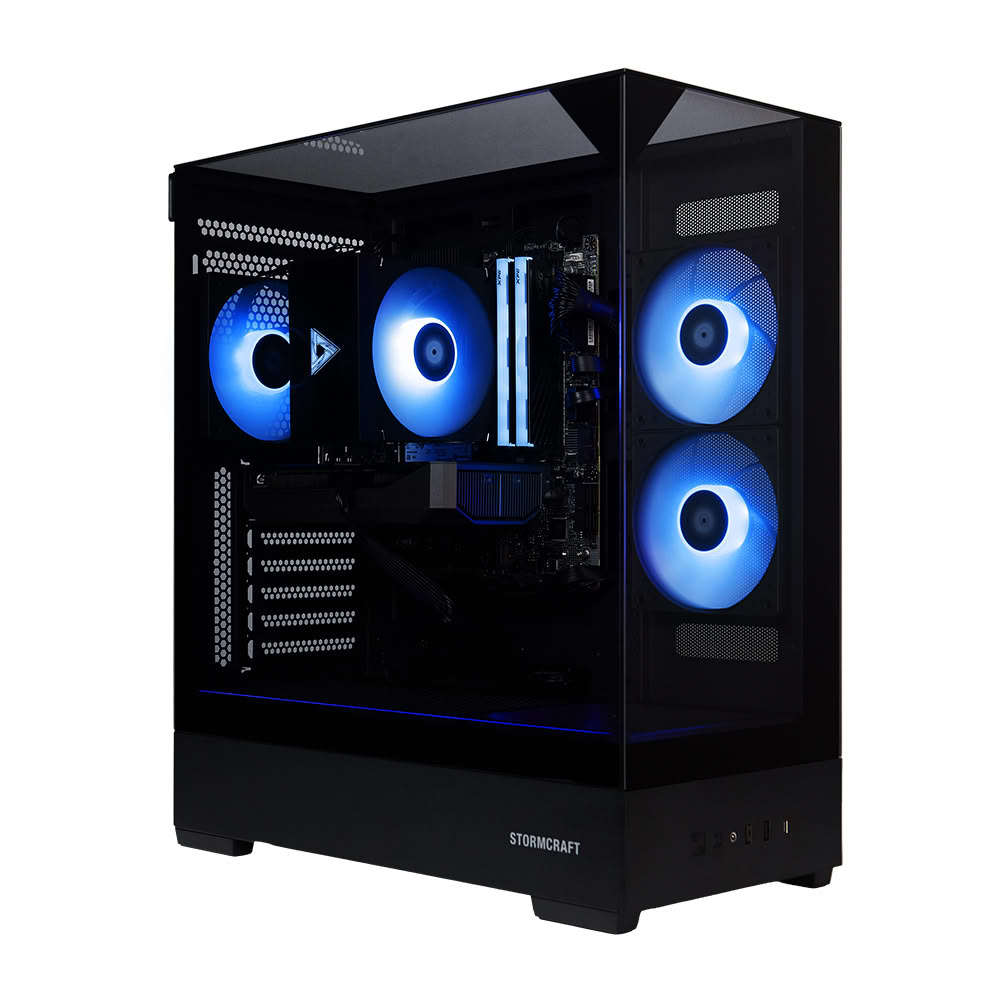
STORMCRAFT PC, a California gaming PC brand founded by gamers and engineers, today announced the launch of its Fantasy Series prebuilt gaming desktops, introducing 10 configurations across Intel and AMD platforms. Featured systems pair the AMD Ryzen 7 7800X3D processor with AMD Radeon RX 9070 16 GB graphics, or the Intel Core Ultra 7 265F processor with NVIDIA GeForce RTX 5070 12 GB graphics, giving gamers a choice of processor and graphics combinations within the new series.

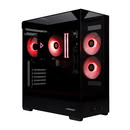
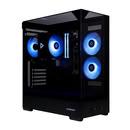
Fantasy combines these hardware options with a 270-degree panoramic glass chassis, ARGB lighting and new illustrated packaging inspired by classic game boxes and arcade-era adventures. The lineup also includes NVIDIA GeForce RTX 5060 Ti and RTX 5060 graphics options. Arriving ahead of the holiday shopping season, the series connects a modern hardware showcase with the nostalgic excitement of unboxing a new gaming adventure.
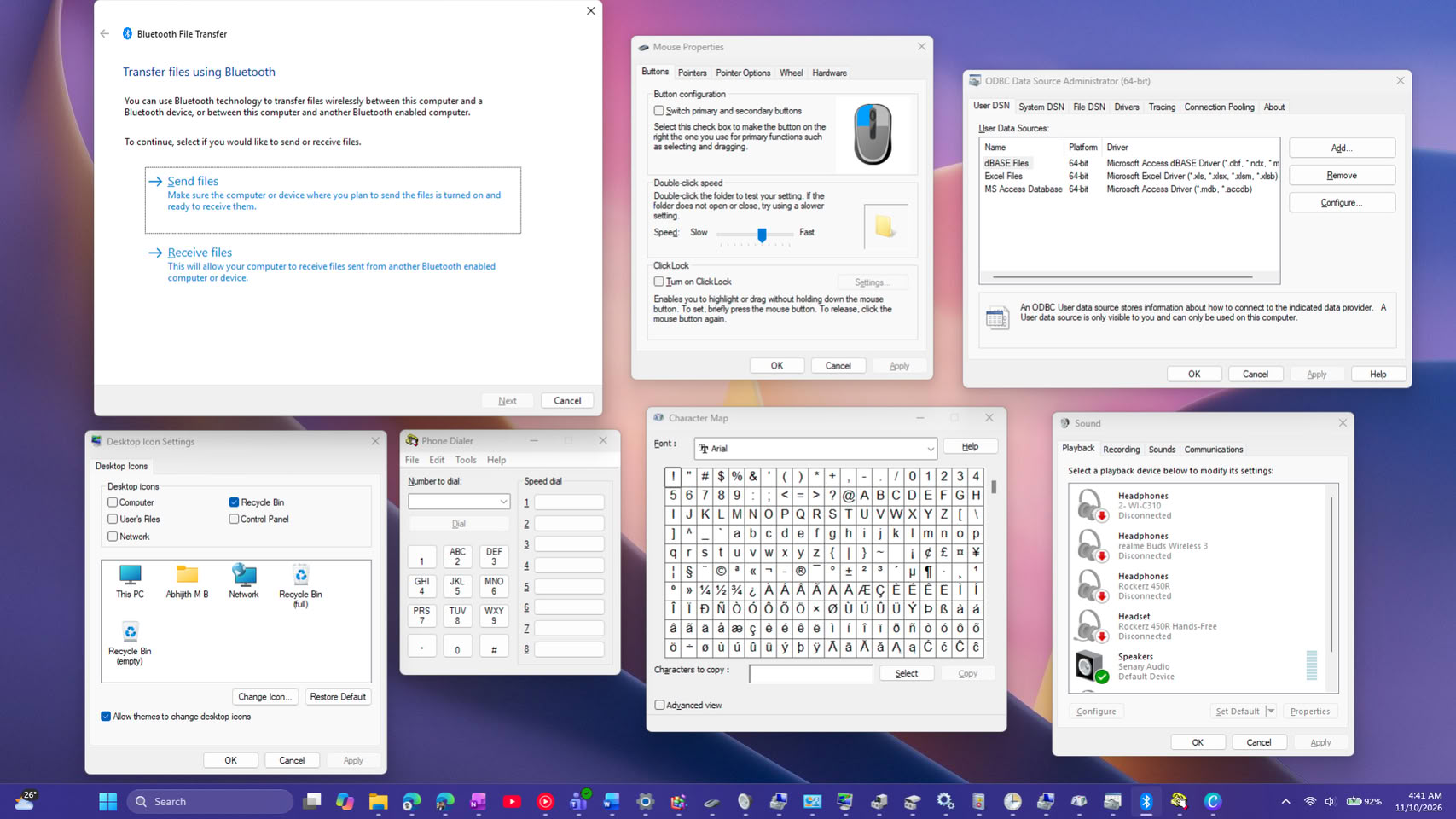
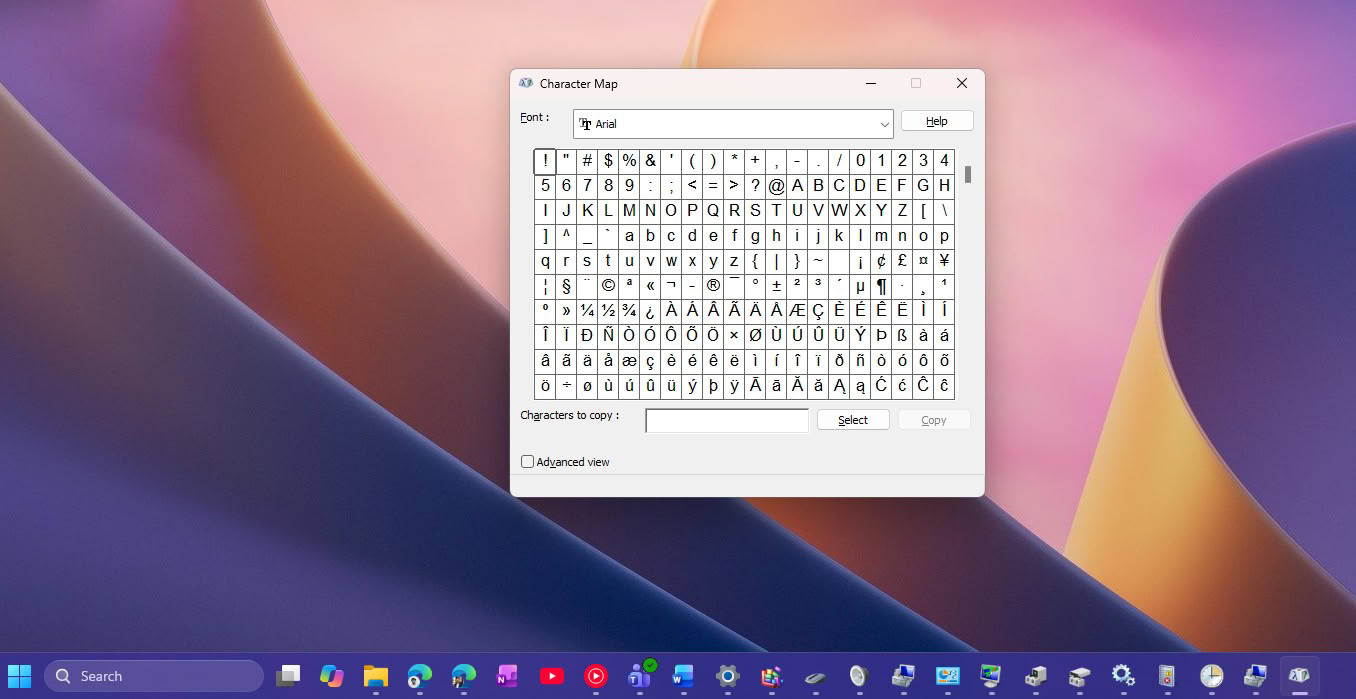
Microsoft Hints at WinUI 3 Overhaul for Windows 11's Leftover Legacy Dialogs

Marcus Ash, Microsoft's design and research lead for Windows and Devices, has hinted that more of Windows 11's old dialogs and admin tools could get a modern makeover. Under Jen Gentleman's post about the new option to silence the Sticky Keys prompt, a user asked Microsoft to "winui-fy" the legacy Win32 dialogs and MMC apps, and to fully move Control Panel into Settings. Ash replied with a short "Noted and working on that too." He didn't give a timeline or name any tools, so it's more like a nod than a roadmap.

There's plenty to work with, as Windows 11 still ships more than 20 tools with older interfaces, including Defragment and Optimize Drives, Disk Cleanup, Device Manager, Event Viewer, and the DirectX Diagnostic Tool. Folder Options and the Sticky Keys prompt still have no dark mode, and some links in Settings, such as the extra sound and mouse options, open the old Control Panel windows. Microsoft's recent dark mode update for Hyper-V Manager, another legacy tool, also came out incomplete.

Windows 11 Will Finally Let You Silence the Sticky Keys Prompt for Good

Pressing Shift five times in a row might soon stop summoning the Sticky Keys prompt on Windows 11. Microsoft is updating the dialogs that ask whether you want to turn on Sticky Keys or Filter Keys, adding a way to tell Windows not to ask again directly from the prompt. The change shows up in the release notes for Beta build 26320.9876 and Experimental build 26340.9882, both released to Windows Insiders on November 6. Right now, getting rid of the prompt for good means going into Settings > Accessibility > Keyboard and turning off the keyboard shortcut for each feature. The same Beta build also moves the channel to Windows 11 26H2 and brings Microsoft's rebuilt Windows Search.

This is a small tweak, though it fixes a long-running annoyance for gamers. Plenty of games use Shift to sprint or crouch, which makes it easy to trigger the Sticky Keys shortcut by accident, and the prompt can pull players out of full-screen games. Filter Keys has a similar shortcut that kicks in when the right Shift key is held down for eight seconds. Microsoft's notes don't mention games at all, saying only that it should mean fewer interruptions for people who don't use these features. It looks like another quality-of-life fix from Microsoft's internal push to clean up Windows 11. There's no word on when the updated prompts will reach regular Windows 11 PCs, and Microsoft notes that features in Insider builds may not always ship, so it's reasonable to expect a wait of at least a few weeks.

Microsoft Showcases Modernized Registry Editor as WinUI 3 Sample

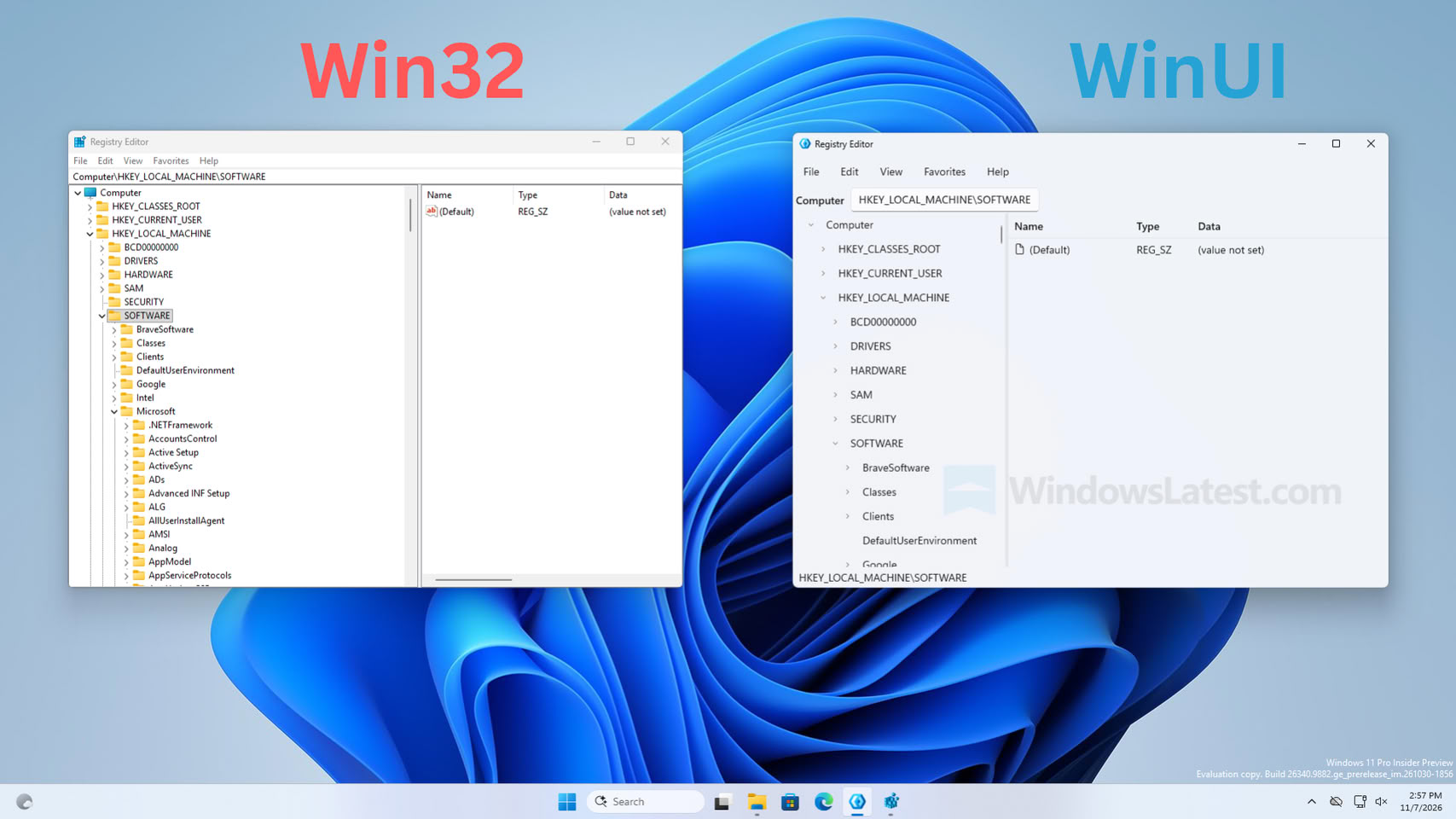
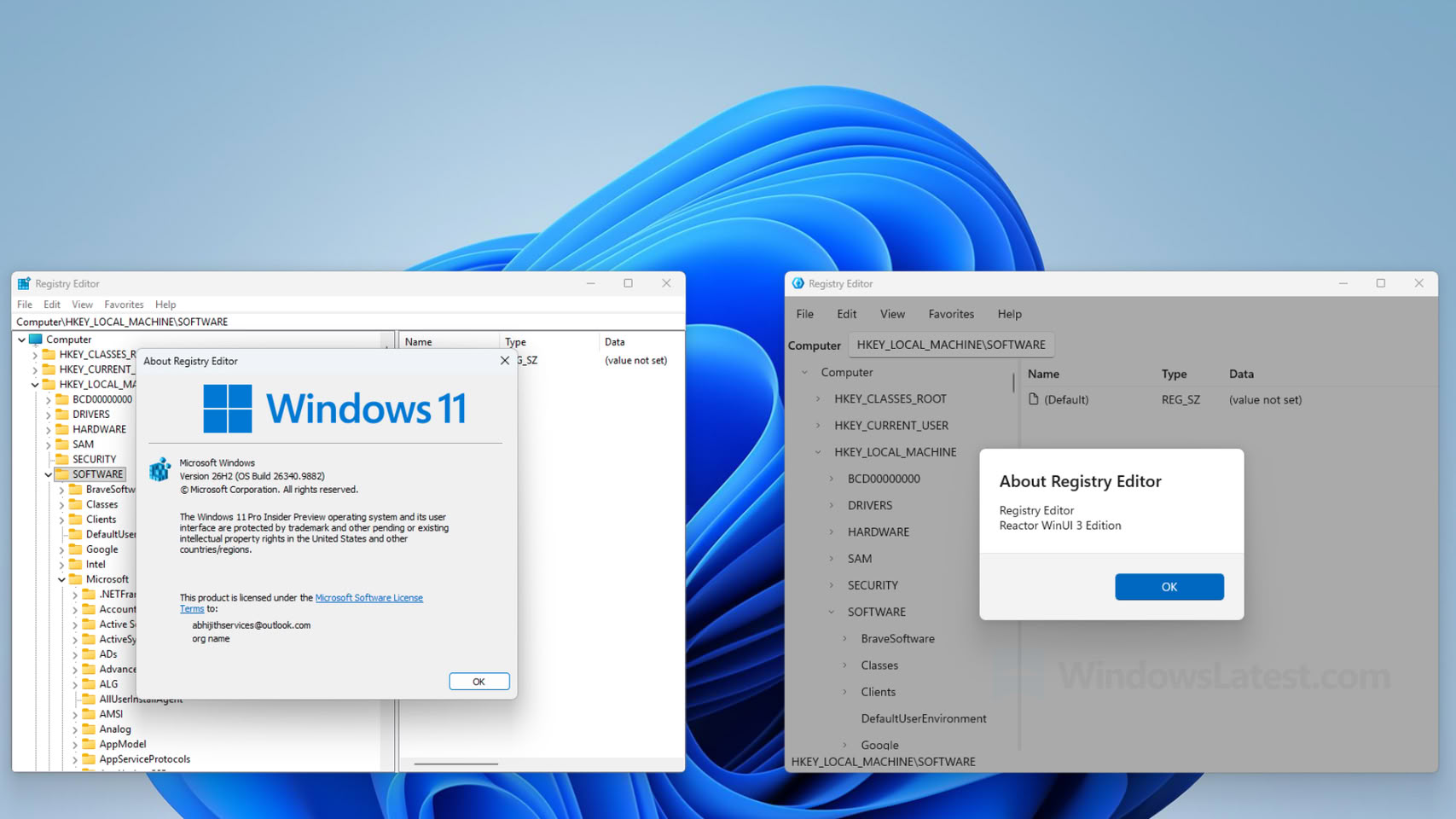
Microsoft has updated its core component, the Registry Editor, with the latest WinUI framework as a demonstration of what the WinUI 3 framework can offer to existing applications with legacy Win32 components. The Registry Editor, a fundamental Windows application, has remained unchanged across many generations of Windows operating systems, which have relied on it for essential system modifications. According to a report from Windows Latest, Microsoft showcased a modernized version of the Registry Editor built with the WinUI 3 framework as a sample, but it is not intended to replace the current application found in every Windows build.

Initially, Windows Latest did not explicitly state that the application overhaul was just a sample. This led Microsoft's executive Scott Hanselman to clarify on X that the new build is merely a sample application and is not connected to the team maintaining the current Registry Editor. Previously, communities on X criticized the new design for its sparse menus and unfinished look, prompting a response from Microsoft's staff. It is important to note that while a new version might be in development, the current application is only a demonstration and is not related to the team maintaining the existing application. A future update may address this, but for now, we remain with the older version.

Windows 11 Optimizations Bring Up to 40% Faster Multitasking to 8 GB PCs

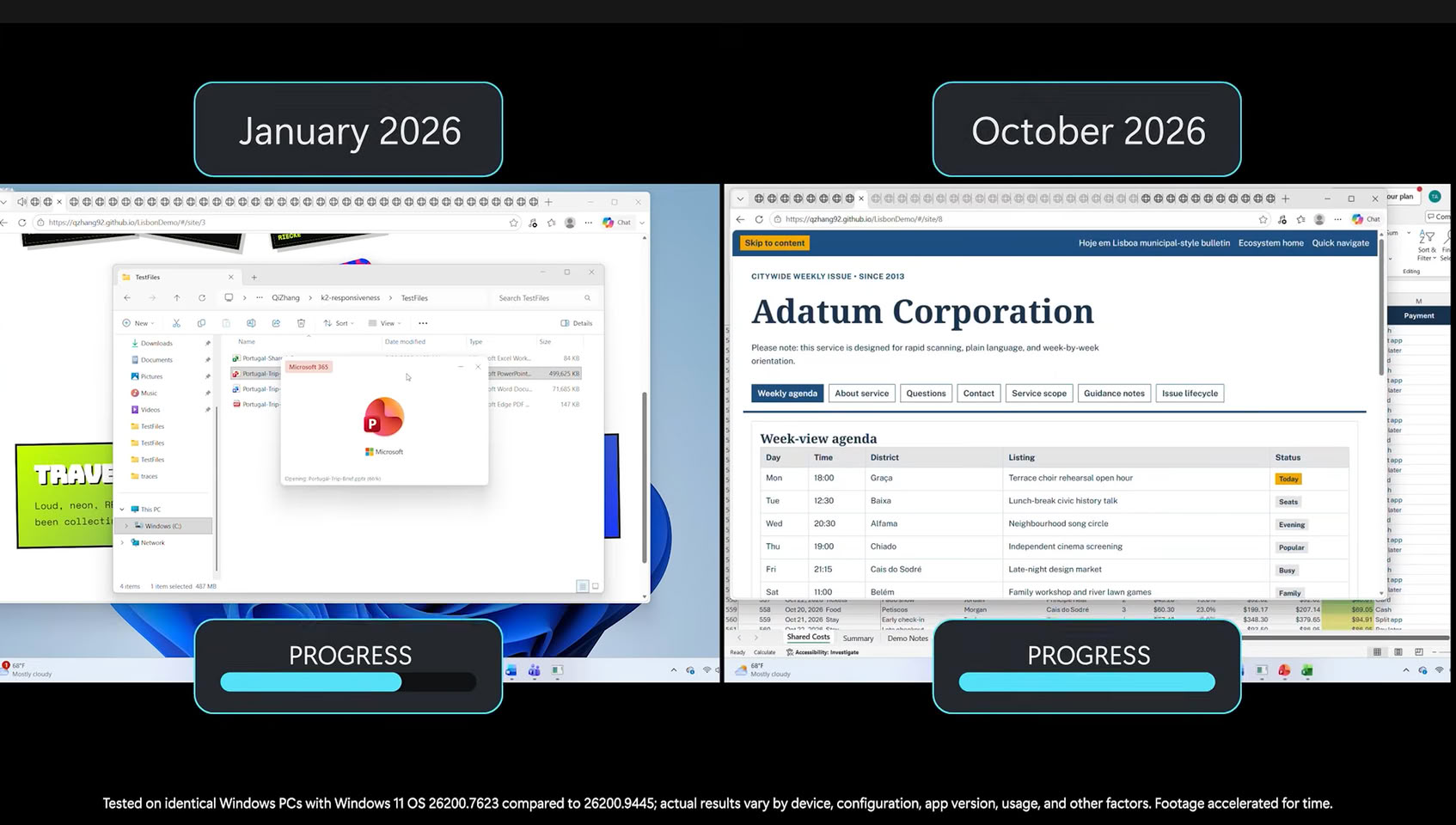
Microsoft today released a series of optimizations for Windows 11 PCs running on 8 GB of system RAM, promising significant improvements for those with smaller RAM capacities. Especially in the age of RAM shortages, Windows 11 is getting an update that might be most beneficial for those with lower PC specifications. With Windows 11, version 26H2, build 26300.9818 or later, users with systems equipped with 8 GB RAM can expect up to a 20% more responsive Windows operating system experience with day-to-day tasks, as well as up to 40% faster multitasking.

Microsoft's labs tested around 20,000 PCs to find solutions for lower hardware specifications and discovered that keeping more data in RAM significantly enhances the Windows experience. For systems with 8 GB of RAM, the OS will now retain up to 2 GB more of your active application data in memory, rather than moving it to slower SSD or HDD storage. This change directly results in a smoother experience. Additional benefits include reducing committed-memory growth by up to 900 MB in apps like Microsoft Edge and 365 apps, and decreasing the memory usage of Word, PowerPoint, Excel, and Outlook by 360 MB. Third-party apps can also take advantage of improved memory management, with Microsoft noting that WhatsApp is already utilizing these enhancements.

Microsoft Adds Cloud Rebuild Recovery to Windows 11 in Latest Preview Update

Microsoft has introduced Cloud Rebuild, a recovery option that can wipe and reinstall Windows 11 by pulling a fresh image and the PC's drivers from Windows Update, even when the system refuses to boot. It ships with KB5127936, the optional preview update released on October 28 for Windows 11 25H2 and 26H2, and it's rolling out gradually. If Windows still loads, the option sits under Settings > System > Recovery as "Rebuild PC." If it doesn't, the PC falls back to the Windows Recovery Environment (WinRE) after a few failed boots, where Cloud rebuild shows up under the Troubleshoot menu.

The "Reset this PC" menu has had a Cloud download mode for a while. According to Microsoft, Cloud rebuild goes a step further by grabbing drivers as well and by not depending on the installed copy of Windows being intact. It is a clean slate, though. The system drive gets reformatted, wiping apps, settings, user accounts, and local files, and only data synced to services like OneDrive survives. Anyone handing the PC off can pick a sanitize mode that has the drive securely erase itself first, and IT admins can kick off a rebuild remotely through the Recovery CSP.

Dragging the Windows Taskbar To Move It Is Dead, and That's a Feature

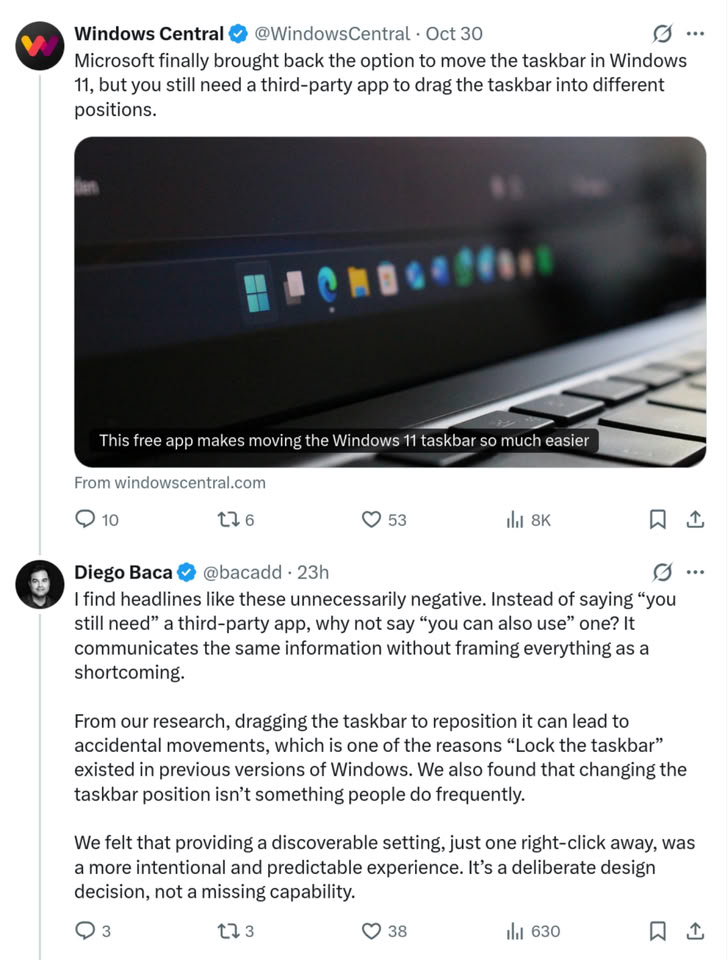
Microsoft recently restored the ability for Windows users to move the Taskbar to any screen edge, nearly five years after Windows 11 launched. The Windows 11 implementation, however, is not the same as it was in Windows 10, where users could click and drag to move the Taskbar and lock it in place when they were happy with its position. Instead, Windows 11 makes users go into the settings app to change the Taskbar position, and now, in response to a news story about a third-party utility that allows Taskbar dragging, Windows Vice President of Design, Diego Baca, explains that this is indeed a feature, not a bug, and that the drag-and-drop repositioning often caused accidental movements.
Diego Baca, Windows Vice President of Design at MicrosoftFrom our research, dragging the Taskbar to reposition it can lead to accidental movements, which is one of the reasons "Lock the Taskbar" existed in previous versions of Windows. We also found that changing the Taskbar position isn't something people do frequently.

We felt that providing a discoverable setting, just one right-click away, was a more intentional and predictable experience. It's a deliberate design decision, not a missing capability.

Microsoft Reports 22% Decline in Windows OEM and Devices Revenue

Microsoft reported strong Q3 2026 results with $92.3 billion in revenue. However, the company's earnings report also revealed that, despite overall revenue growing 19% year-over-year, the Windows OEM licensing business is struggling, with a 22% decline on a yearly basis. This quarter, revenue from Windows 11 OEM licensing and Surface PCs amounted to $3.6 billion, a significant drop from the $4.6 billion this segment generated last year. Several factors contribute to this decline, making it the only business unit, alongside Xbox, to experience a downturn. The first factor is the drop in consumer PC demand. As Microsoft sells Windows 11 licenses to PC OEMs, weakening demand in this space, caused by rising prices, has directly resulted in fewer licenses sold to major PC OEMs like ASUS, HP, Dell, and Lenovo.

Additionally, Microsoft Surface PCs are included in this mix. The generally weak PC demand means consumers are less willing to spend on other brand PCs, and they are behaving similarly toward Microsoft. Surface PC shipments have seemingly declined, as these products are historically priced for mid-tier to high-end buyers. When recent increases in memory and storage supply chain costs affected Microsoft's procurement, general price increases followed. Consequently, consumers are opting to wait for another opportunity to purchase a PC.

Biostar Introduces the EdgeComp MS-U320 Fanless Edge AI System

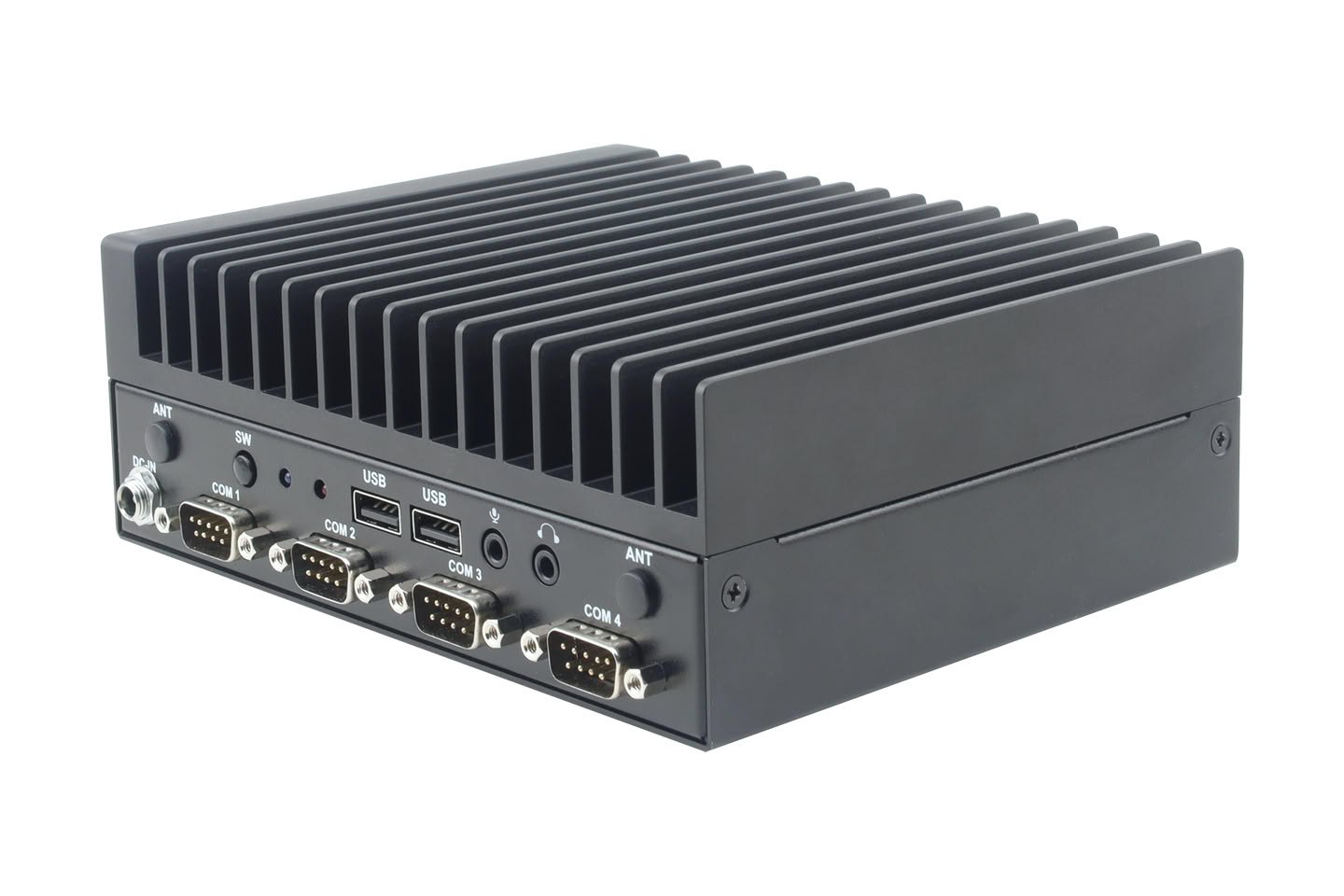
BIOSTAR, a leading manufacturer of edge AI solution, IPC systems, motherboards, graphics cards, and storage devices, today introduced the EdgeComp MS-U320, a compact fanless edge AI system powered by the Intel Core 5 320 processor (Wildcat Lake). Designed for equipment manufacturers and system integrators, the MS-U320 combines on-site data processing, light AI computing, and industrial connectivity for applications in industrial automation, smart manufacturing, industrial IoT, smart retail, and smart infrastructure.

The MS-U320 features an onboard Intel Core 5 320 processor with six cores, clock speeds of up to 4.6 GHz, a 15 W TDP, and integrated Intel graphics. A single DDR5-6400 SO-DIMM slot supports up to 64 GB of memory, while the integrated CPU, GPU and NPU deliver up to 40 TOPS of AI performance. This combination supports local data processing and light AI workloads without requiring a separate accelerator.

Windows 11 Gets New Command Palette Features and Mouse Button Lock in PowerToys 0.102

Microsoft's in-house PowerToys utility may be one of the most useful tools for fixing many of the shortcomings of Windows 11, and its latest update, version 0.102, adds a number of new features to the productivity suite that will be just as useful for everyday users as they will be for those who need accessibility accommodations. The headline features of PowerToys 0.102 are the new CursorHide and Mouse Button Lock. CursorHide is a configurable tool that allows Windows 11 users to hide their mouse cursor automatically while typing, after a user-defined period of inactivity, or both.

Mouse Button Lock is somewhat more involved, being a customizable mouse feature that sort of works like an accessibility tool. It allows users to set mouse buttons to automatically lock in the clicked position after being held down for a certain period. The example provided by Microsoft's PowerToys team is to use Mouse Button Lock to perform click and drag operations—as you might imagine, Mouse Button Lock will be significantly more useful to users of certain hardware setups, like trackballs and trackpads. It can be configured on the left, right, and middle mouse buttons, and users can customize the mouse hold duration and set up a movement threshold that helps cut back on misfires.

Intel APX Support Lands in Windows 11 Ahead of "Nova Lake" Launch

Intel's Advanced Performance Extensions (APX) are officially supported on Windows 11 PCs. However, there are currently no consumer PCs capable of utilizing APX. Intel's APX is set to debut with the "Nova Lake" processors in early 2027, but software development has been ongoing to ensure new features are ready before the processors reach retailers. In Windows 11 build 29695 for insiders, there is a toggle that allows you to enable APX for better performance. This indicates that Microsoft has prepared the APX optimizations across Windows, which will enhance everyday tasks and handle workloads with more processing power.

Intel APX is an extension to the x86-64 ISA that adds more registers and introduces new features to boost workloads across various use cases. Intel has designed APX to double the number of general-purpose registers in a CPU from 16 to 32, along with specific optimization paths to ensure compiled code is optimized to take advantage of the additional CPU capacity, resulting in performance improvements. Although this is a minor tweak, the data paths that follow are much more efficient. Intel reports around 10% fewer instructions in compiled code for Intel APX, even though the new instruction lengths are larger. This means the overall efficiency of executed tasks will consume fewer CPU cycles, freeing up resources for more tasks and boosting system performance.

Microsoft Brings Its Customizable File Explorer Context Menu to Windows 11 Beta Insiders

Microsoft's redesigned File Explorer context menu is now rolling out to Windows Insiders in the Beta channel with build 26220.9757. The new menu first showed up in the Experimental channel back in August, when the File Explorer team admitted that the Windows 11 right-click menu had grown cluttered and sluggish over time, partly because every app that adds its own entries makes the menu do extra work each time it opens. The redesign trims the top level down to commonly used actions and adds a new Settings page, reachable through a "Customize menu" link at the bottom of the menu, where users can pick what shows up.

Going by Microsoft's August post, the customization goes fairly deep. Built-in commands such as Send to and Create shortcut can be toggled on or off, Print can be added, and app extensions can sit in the main menu or a submenu, or be hidden entirely. Cut, Copy, Paste, Rename, Delete, and Share can also be shown as text instead of a row of icons, and Properties can be moved to the bottom. A first-time teaching tip may also pop up to point people toward those options. Microsoft says it will keep refining the design based on Insider feedback, so some of this could still change.

Microsoft Warns AI Agents Can't Be Trusted, But Continues Adoption

Microsoft is one of the few companies evaluating the dangers of AI while simultaneously implementing the latest features across its product portfolio with cutting-edge designs, advanced models, and top-tier frameworks. However, this doesn't mean the company is halting the rollout of new AI features, despite being aware of the risks of these products on consumer PCs. For example, on PCs running the Windows 11 operating system, the Copilot AI companion includes features that can control some actions on your PC, with your consent. Yet, the company is now arguing in a separate news post that frontier models and the agents running on them are not to be trusted.
Unfortunately, frontier models, regardless of their origin, cannot be trusted. This is not because models are inherently malicious. Models have been trained to attain results, which often leads to reward hacking, and models are not optimized around organizational norms or judgment. Agents are unpredictable. They will adapt as the context changes, may not behave as intended and will collaborate and collude with other agents to reach their objectives, without needing to be compromised.

Microsoft Scales Back Copilot Integration in Windows 11, Removes Eight File Explorer Actions

Microsoft is officially cutting back on forced AI adoption that has been troubling Windows 11 users by working to simplify AI use across its operating system. According to a report by Windows Latest, Microsoft is removing Copilot actions related to OneDrive in File Explorer. This means that a simple right-click to open the context menu and then selecting the OneDrive icon will no longer present a long list of tasks that Microsoft's Copilot LLM would perform on the file. These tasks included summarizing, comparing, and asking questions, which provided minimal value on their own. Instead, Copilot features like these can be accessed through "Ask Copilot" or other less intrusive methods. This change is part of a OneDrive update aimed at reducing eight AI actions and keeping them available for those who wish to use them. Image below is a courtesy of Windows Latest, which shows how these actions look like.
MicrosoftAs part of this change, we're retiring the OneDrive Copilot Summarize, Create FAQ, Compare Files, Ask a question, Explain image, Explain images, Compare images, Extract text actions from the File Explorer context menu... Users can still access Copilot features via right-click "Ask Copilot," the File Explorer Home icon, or the OneDrive activity center.

ORICO Enters Laptop Market With Obook 15 AI Laptop

ORICO, usually known for its storage and connectivity solutions, is officially entering the PC market with its first laptop design, the Obook 15 AI Laptop. For this initial design, the company has chosen AMD's Ryzen 7 6800H SoC, an eight-core, 16-thread mobile processor that can boost up to 4.7 GHz. The integrated Radeon 680M graphics handle visuals, and memory configurations include options of 12 GB or 24 GB running at 6,400 MT/s. Buyers can select up to a 1 TB NVMe SSD, and a second M.2 slot allows for storage expansion up to 4 TB. While not running the latest SoCs from AMD, the system wants to be a competitive solution price-wise. Obook 15 runs on Windows 11 out of the box and features a cooling system with selectable Eco, Normal, and Performance modes for fan profiles.

The Obook 15 boasts a 15.6-inch IPS display with a 1,920 x 1,080 resolution, an anti-glare finish, 170-degree viewing angles, and wide-frequency dimming. It includes Wi-Fi 6, a 54.29 Wh battery, and a bundled 100 W charger. Additional features include a 180-degree hinge, a physical webcam shutter, a full-size keyboard with a number pad, and a wide selection of ports. ORICO lists US prices starting at $689.99 for the version with 12 GB of RAM and a 256 GB SSD. A 12 GB/512 GB version is priced at $749.99, while the top configuration with 24 GB of memory and 1 TB of storage costs $899.99. The Obook 15 is now available in the United States and the Philippines, targeting students, office users, and content creators with its attractive price points, especially for this day and age, amid memory and storage shortages.

Microsoft Confirms 20% Faster Windows 11 Experience, 8 GB Systems Also Run Better

Microsoft is making its long-promised Windows 11 changes official! Today, the company confirmed that Windows 11 is finally getting a responsiveness improvement, up to 20% more noticeable than the older Windows experience. In footnotes, Microsoft states that the company compared response times across Search, Start, Settings, Snipping Tool, File Explorer, Microsoft 365, and right-clicking on applications and functions across the operating system. Compared to the older Windows 11 build 26200.7628, the newest Windows 11 build 26300.9550 offers up to a 20% faster, noticeable improvement in response time. Microsoft has spent months of engineering work optimizing this behavior, and we are finally seeing a concrete figure that will help get Windows 11 to where Microsoft promised months ago.

Additionally, Microsoft has stated in the past that 8 GB systems will receive a significant set of optimizations to ensure that millions of users across the Windows ecosystem continue to have a smooth experience, even with 8 GB of RAM in their systems. With the latest Windows 11 build 26300.9550, the operating system will keep up to 2 GB more data in memory instead of storage, enhancing responsiveness. Keeping more data in RAM doesn't mean that resources are inefficient; rather, it means that services will start faster, and overall usage will feel smoother. To combat unnecessary background memory-hogging processes, Microsoft has confirmed that when your PC runs on 8 GB of memory or less, Widgets will load only when you open them, freeing up more than 200 MB of memory for your apps and other tasks. Hence, only what is needed will be loaded into the memory.

ASUS Announces ExpertBook A7 (14-inch AMD)

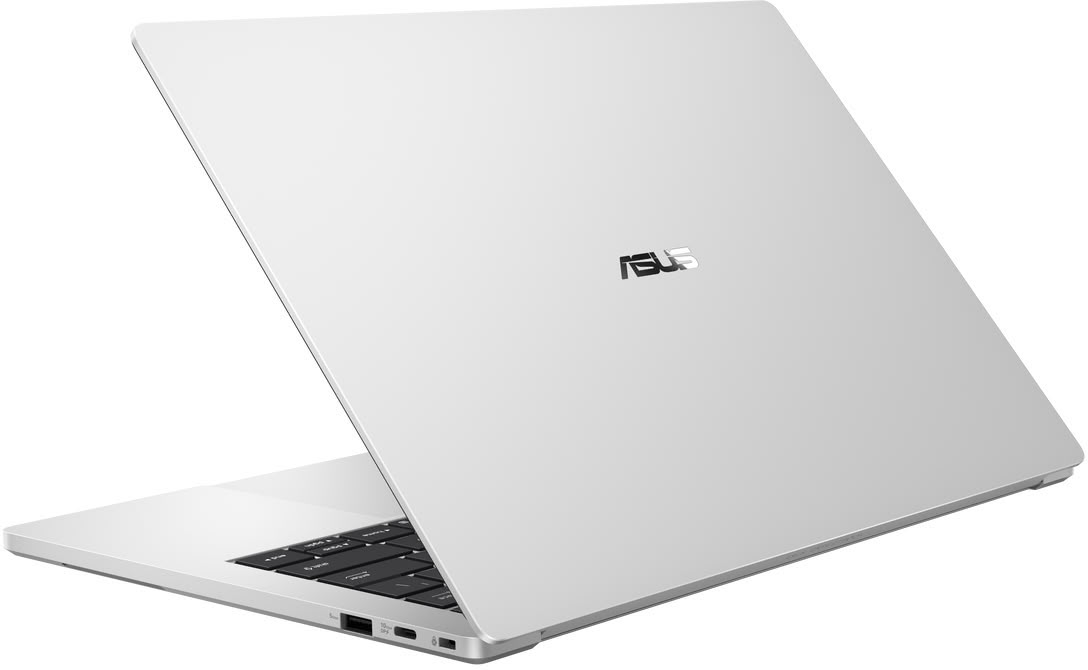
ASUS today announced the ExpertBook A7 (14" AMD) laptop, designed to set the new measure for the modern workday through refined aesthetics, effortless agility, and everyday assurance. Its seamless all-metal construction, clean lines, beautiful finish, and precision details create a sophisticated look that feels polished from every angle. With a compact design measuring just 1 cm thin and starting at 1.2 kg, ExpertBook A7 moves effortlessly from one workspace to the next, while smooth performance, advanced security, and dependable durability help professionals stay productive wherever work takes them.

Designed for professionals whose work moves with them, ExpertBook A7 brings together style and mobility without compromising the essentials of everyday productivity. From its precision-milled aluminium alloy construction and immersive 3K OLED display to its intuitive haptic touchpad, responsive performance, and layered protection, every element is carefully considered creating an experience that feels refined, effortless, and dependable throughout the day.

NVIDIA RTX Spark Game Ready for Dozens of AAA Titles at Launch, Including DLSS 5 and Anti-Cheat Support

NVIDIA today announced that its new RTX Spark superchip that will power the next-generation of AI-native PCs, will be Game Ready for dozens of AAA games at launch on Windows 11, providing an uncompromising gaming experience that's maxed out for 1440p. The RTX Spark superchip features a 20-core Grace CPU and a GeForce RTX Blackwell iGPU featuring 6,144 CUDA cores. NVIDIA is closely collaborating with Microsoft and the various game developers to ensure not just Spark-native ports of popular titles, but also seamless translation of games to the RTX Spark platform for both the system- and graphics APIs.

A key announcement here is that NVIDIA is working with developers of competitive online games to ensure that their anti-cheat solutions work seamlessly with RTX Spark. Modern anti-cheat solutions rely heavily on kernel-mode interactions with hardware to ensure trust, something that has the potential to break in scenarios where games originally developed for Windows x64 machines are made to run on Windows Arm64 machine through translation layers. NVIDIA's developer collaboration ensures that the hardware-end of the anti-cheat trust-chain remains intact, and you should be able to play your favorite online games such as Counter-Strike 2, Dota 2, Fortnite, Marvel Rivals, NARAKA: BLADEPOINT, Rocket League, RUST, THE FINALS, War Thunder, World of Tanks, and more.

Microsoft Adds Incomplete Dark Mode to Some Legacy Windows 11 UI Elements

Microsoft is known for maintaining a mix of UI frameworks across its Windows 11 operating system, carrying over elements from as far back as the Windows 7 era. These include WebView2, React, WinUI, and Win32 UI, each with its own distinct look and behavior. Recently, the company added dark mode support to one of its older frameworks and applications, specifically Hyper-V Manager, which runs on the Win32 API for system graphics. This legacy software layer has been updated to include a dark mode, where most interactions now occur in a darker theme.

However, testing by Windows Latest reveals that the dark mode support is still incomplete, as Microsoft implemented Hyper-V Manager in a somewhat unfinished manner. While Hyper-V Manager generally features dark UI elements, some parts remain in light mode, such as the main management view and virtual machine listing. Additionally, Hyper-V Quick Create Gallery and Virtual Machine Connection are still exclusive to light mode. Switching between creating checkpoints and opening VMs in VM Connection is also problematic, as light screens persist. This makes the implementation less than seamless, raising questions about why Microsoft chose to release it before achieving a fully functional dark mode.

NexPhone, a Pocket PC-Smartphone Running Windows 11 Linux and Android, Launching in 2027

Nex Computer is the company behind the NexPhone, an upcoming smartphone that doubles as a pocketable computer running Android, Linux, and Windows 11. While the project was first announced a whole 14 years ago, Nex Computer recently published a development blog update revealing a Q1 2027 launch, indicating that the NexPhone will launch around March 2027.
Our estimated shipping window is now the end of Q1 2027 (March 2027). New preorders are priced at $599, and the device price remains protected for customers who reserved at either $549 or $599. NexPhone is now running Android 17 on development devices, with continued Linux and Windows development.

Microsoft Warns Windows Update Will Stop Working on Unpatched PCs Next Year

Microsoft is replacing the certificates that Windows PCs use to confirm they are talking to genuine Windows Update servers, and machines that miss the changeover will stop receiving updates. The company announced the rotation on October 8, and the current certificates expire on May 17 and June 19, 2027. Most users apparently won't have to do anything, since the replacements ship inside the regular monthly security updates. Windows 11 25H2 and later, including the recently launched 26H2, need no action. Windows 11 24H2 needs the September 2025 security update or newer, while other supported Windows 11 and Windows 10 versions need the July 2026 update or later before June 19. Windows 10 Enterprise 2019 LTSC, Windows Server 2019, and Windows Server 2016 face the earlier May 17 deadline.

Microsoft says devices on unsupported versions "will lose access to Windows Update services and won't receive any updates as a result," and its only advice is to upgrade. For home users, that mostly points at Windows 10 PCs that were never enrolled in Extended Security Updates (ESU) after the OS reached end of life in October 2025. Those machines probably never got the July 2026 patch. Microsoft extended ESU coverage to October 12, 2027, so it looks like enrolling and installing the offered updates before June should bring the new certificates along. The warning also comes months after Microsoft began refreshing Secure Boot certificates that were due to expire in late June 2026. Readers are advised to check their update history for a cumulative update from July 2026 or later.

Microsoft Is Testing a Faster Xbox PC App Codenamed "Garrison"

Microsoft is working on a rebuilt version of the Xbox PC app, codenamed "Garrison," and Windows Central's Jez Corden has gone hands-on with an early build. The current app has a reputation for being slow, especially when loading big libraries or the store, and that seems to be the main thing Microsoft is trying to fix. Corden says the new app is a lot faster, even with his library of over 1,400 Xbox titles. He did not share any load time numbers, however. The Verge's Tom Warren also posted screenshots on X, saying the design is "coming along nicely" and that performance is definitely better.

Game listings and store listings now share a single page, although store pages aren't fully working in this build. The app also makes it clearer which games can be installed locally and which can only be streamed through Xbox Cloud Gaming. There are layouts for both mouse and keyboard and controllers, and the app can apparently be set as the default home screen when Windows 11 boots into its gaming mode. That is probably a reference to Xbox mode, which Microsoft expanded to laptops, desktops, and tablets in April.

Microsoft Rebuilds Windows 11 Search, Adds Typed Commands and Inline Copilot

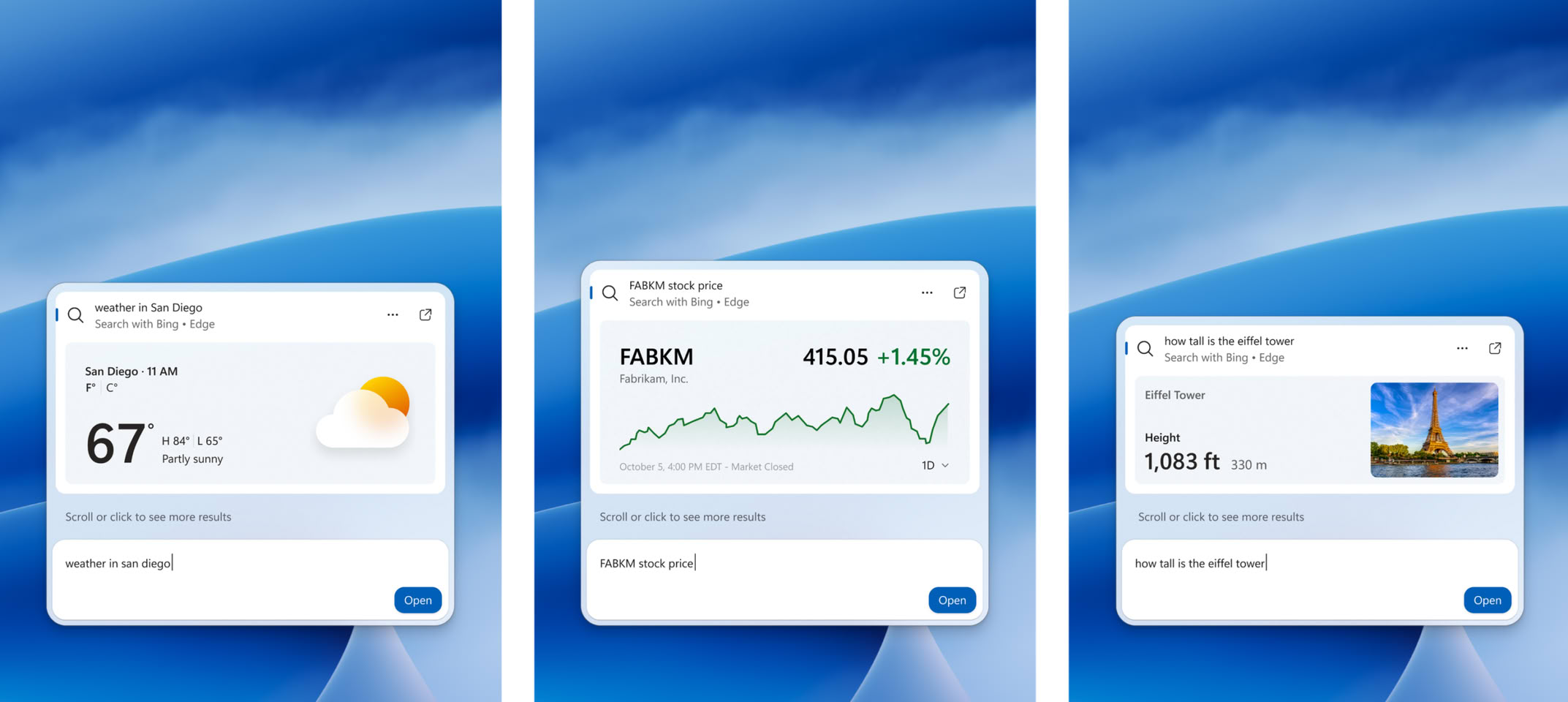
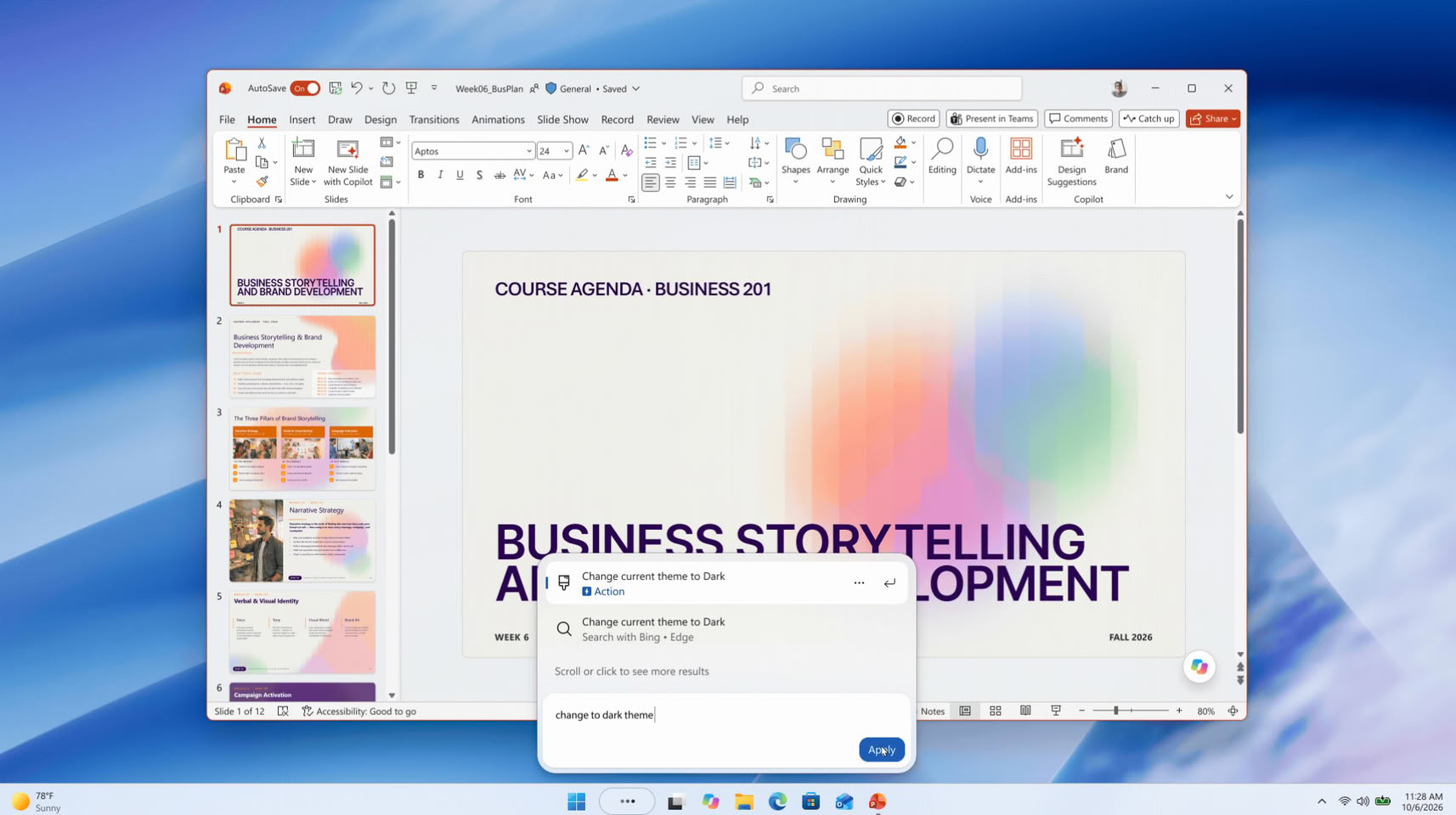
Microsoft has unveiled a rebuilt Windows 11 Search at its Windows and Surface event, and it can now change system settings straight from the taskbar. Windows chief Pavan Davuluri showed it on stage, and Microsoft says the box will handle thousands of quick actions typed as simple commands. Examples include "switch to dark mode", "turn on Bluetooth", "dim my screen", "mute", and "minimize all my windows". Microsoft says these are only the first batch, and Phone Link actions such as sending a text message from a connected phone are also planned. The more interesting part for enthusiasts is probably under the hood. The new Search is built on WinUI 3, which Microsoft says makes it faster and lighter on system resources, and early testing apparently showed sizable gains in speed and memory use.

The layout is now a single list of results, replacing the current design with its large preview pane. Search should also cope better with typos and synonyms, and richer file details and web previews are planned for later this year. Copilot is part of it too, of course. Its answers show up inside Search, with a shortcut to open the full app. This follows the July cleanup that removed ads and promotional content from Search and added a setting to hide web and Microsoft Store suggestions. The new version started rolling out to Windows Insiders in the Experimental channel on October 7. Microsoft is targeting this fall for regular Windows 11 PCs, though there's no exact date yet.

Windows 11 is Phasing Out Classic Printer Drivers, Could Break Older Workflows

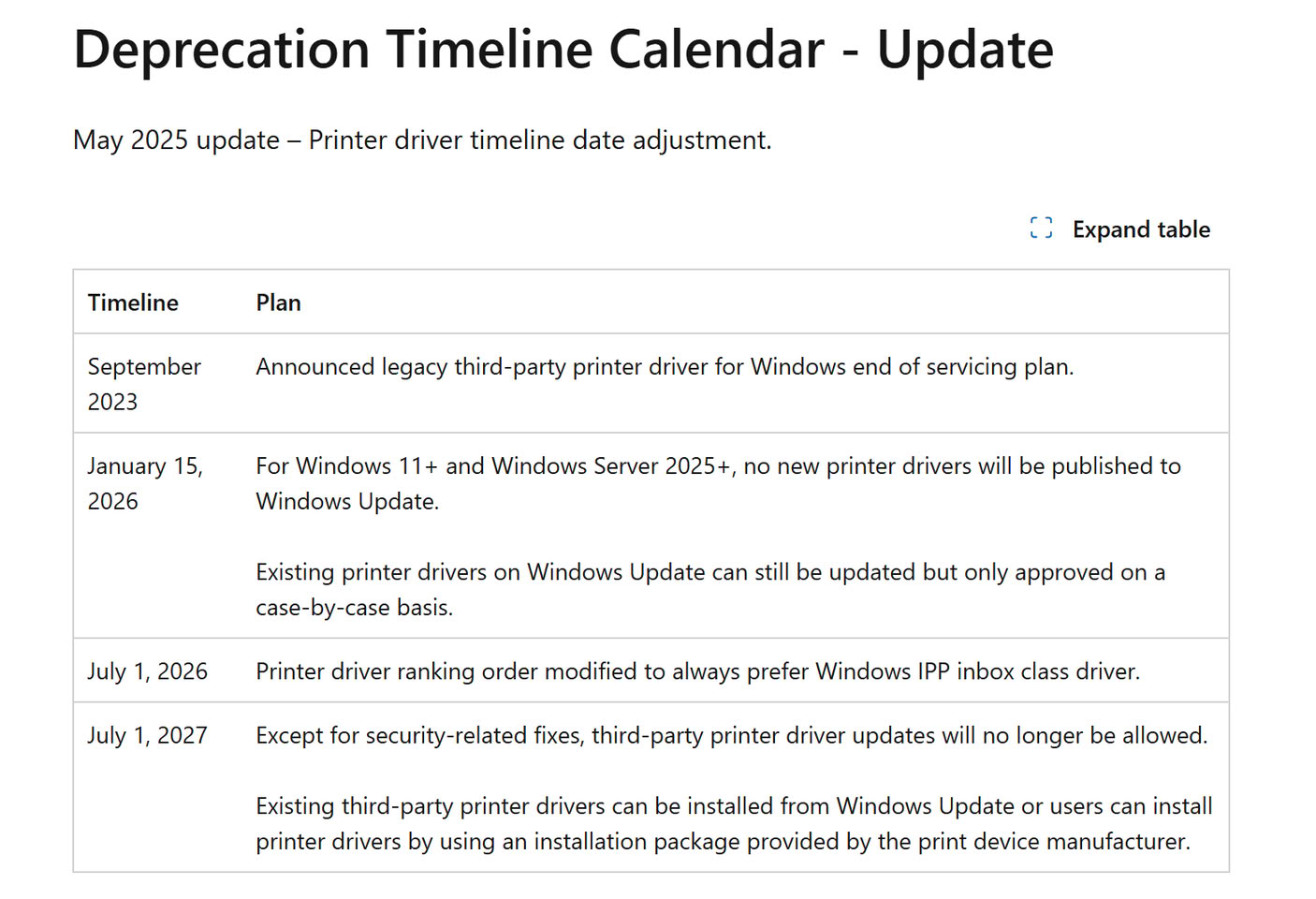
If you have any old printers in your office, updating Windows and the driver stack might become problematic in the future. Microsoft is slowly moving Windows 11 away from the traditional model of installing printer manufacturers' drivers, instead providing a unified base layer within the operating system itself for host-based compatibility. This change targets legacy v3 and v4 printer drivers and aims to make Windows printing more standardized, secure, and easier to maintain. The future vision is for plug-and-play functionality in the operating system, where every certified printer is compatible without the need for traditional driver installation. Existing drivers can still receive updates on a case-by-case basis. Since July 1, Windows has also changed its driver ranking so that compatible devices prefer Microsoft's built-in Internet Printing Protocol (IPP) Class Driver.

A final stage is scheduled for July 1, 2027, when third-party driver updates will be limited to security fixes. Existing drivers can still be installed manually using packages supplied by manufacturers, provided the manufacturers decide to continue supporting the older driver model. The foundation is Windows Ready Print, which uses standards including IPP and is designed around Mopria-certified devices. Instead of requiring a separate driver for every printer, Windows can handle compatible hardware through its own printing stack.

Windows 11 26H2 Update Lowers RAM Consumption

When Microsoft released its Windows 11 26H2 update last week, it didn't include many under-the-hood changes that would affect everyday users. However, according to Windows Latest and several Reddit users, the update reportedly reduces RAM consumption when the system is idle, and even when does better management of RAM when applications are loaded. This improvement wasn't advertised by Microsoft, but it seems to be a welcome change for those who prefer lower RAM usage when not running any tasks. On Reddit, users are reporting a reduction in memory consumption of around 2 GB, with some experiencing up to a 3 GB decrease in idle RAM usage. Testing by Windows Latest on a laptop with 16 GB of RAM shows that, whereas it usually idled at 10 GB of usage, it now consumes 7 GB, with 4 GB of that cached and 8.8 GB available.

The update also introduces features like the Low Latency Profile, which is expanding to nearly all applications and could potentially make software launch faster on weaker hardware. Previously available for Microsoft-branded "in-box" applications, this feature boosts the CPU to its maximum frequency for 1-3 seconds, resulting in noticeably smoother app launches during testing. Launching Microsoft applications like Edge and Outlook is about 40% faster, and other applications, such as the Start Menu and context menus across the operating system, may be up to 70% faster. Now, other applications are receiving this update, which means the overall experience will be much smoother.
Return to Keyword Browsing
Nov 11th, 2026 17:27 CST change timezone

New Forum Posts

Popular Reviews

TPU on YouTube

Controversial News Posts