Monday, March 23rd 2026

Microsoft May Remove Windows 11 Online Login Requirement
One of the biggest pain points for Windows 11 users in recent years is Microsoft's insistence to log into an online account to access Windows 11. Seemingly as part of the Windows team's recent initiative to address community feedback, Microsoft may be moving towards a Windows 11 that no longer requires that online account login at the initial setup. While no official plans have been confirmed, Scott Hanselman, a Microsoft Partner Product Manager and VP of Developer Community, recently hinted at the change in a post on X. This announcement comes after Microsoft revealed plans to improve Windows 11 memory management and the overall user experience.
"Ya I hate that. Working on it," reads Hanselman's response to a comment on a post asking about removing the login requirement on Windows 11. While it's unclear what exactly "working on it" means—it could mean he's actively working on the code to remove the login requirement, or that he's working on convincing higher-ups to commit to the change. Either way, in a recent blog post Microsoft announced that it would be making changes to Windows 11 in the name of delivering a quality user experience, such as returning the ability to move the task bar and removing much of the recent flood of Copilot integrations from certain apps. Microsoft removed the known mechanisms to bypass the online account sign-in requirements in October 2025, citing issues that arose because users would accidentally skip setup screens when using those methods, "causing users to exit OOBE with a device that is not fully configured for use."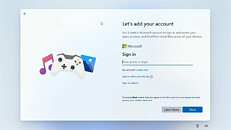
Source:
Scott Hanselman on X
"Ya I hate that. Working on it," reads Hanselman's response to a comment on a post asking about removing the login requirement on Windows 11. While it's unclear what exactly "working on it" means—it could mean he's actively working on the code to remove the login requirement, or that he's working on convincing higher-ups to commit to the change. Either way, in a recent blog post Microsoft announced that it would be making changes to Windows 11 in the name of delivering a quality user experience, such as returning the ability to move the task bar and removing much of the recent flood of Copilot integrations from certain apps. Microsoft removed the known mechanisms to bypass the online account sign-in requirements in October 2025, citing issues that arose because users would accidentally skip setup screens when using those methods, "causing users to exit OOBE with a device that is not fully configured for use."

54 Comments on Microsoft May Remove Windows 11 Online Login Requirement
The process is time consuming until you get the hang of it. In the end it's totally worth it though. I found it to be more time and effort effective than switching my desktops to Linux. I already said it a bunch of times, including Page 2 of this thread, that I find Linux desktop software and modern hardware support to be lacking. But Linux can work for many, it can even be rewarding, and It's cool that you made it this far. But yeah, from my perspective fighting Linux limitations, as a desktop OS (I dig Linux servers), is a much more demanding, tiring and constant battle than spending a couple of days once a year building and testing a custom Windows ISO. Then it's a trouble-free, zero-annoyance, calm waters sailing for a year and all my hardware simply works and I can use my preffered applications, play and mod games with zero tinkering required.
This gets somewhat more difficult with every annual Windows update but the NTLite developer so far manages to stay on top of this. A day may come that Microslop might just make this too hard to be worthwile, or lock us out by making it available to the enterprise only for a steep fee, or outright prevent this - they'd have to be crazy though to do that. I forgot who said this (Ballmer maybe?): "I prefer a user who uses a pirated copy of Windows than a user who uses a legit copy of Linux". Though that idea seems to be lost on Microslop these days.
Good luck on your journey 👍This is true to some degree. But like anything we do, experience makes us better and I don't have such problems with NTLite any more but yeah, I used to in the beginning. I can identify the dependencies and I know by now what breaks what. Also, the NTLite forum is very helpful in identifying such problems and most are well known.
It's not about "saving a few gigabytes of storage space", that's not the goal. The goal is to remove and mod unwanted crap and annoynaces so it never even gets installed in the first place and never comes back. You can block stuff from being reinstalled by cumulative updates. It's possible, it's not rocket science. Some processes can't be easily stopped and need to be removed from the ISO, then blocked. It's simply a more thourough way of doing this and yields better and more permanent results than running "non-destructive means" post-install. In the end it's down to your preference though as the "non-destructive means" can yield decent results too.
Just add new things. Like the recently added Resume process (CrossDeviceResume.exe) that popped up and that i can disable with a reg edit:
I run O&O 10++ just to be sure after an update as it can detect changes.
Trust me i get the tidiness argument for permanently removing these things. It's hard to explain to people what such hardcore debloating is and what clear benefit it provides. But i also get the excitement it provides when done right.Unless you do and the update refuses to install with a cryptic error message. Been there, done that.I haven't found much that i truly cant remove without modifying the ISO. Even looking at strictly MS processes in Task Manager now and looking for something to stop or remove then maybe Search and Defender, but removing Defender breaks MS Store as it needs the SmartScreen running and besides i've already de-WebView2'd the Search and none of the other process i have use WebView2.
Only things that comes to mind are the Microsoft.GetHelp and Microsoft.XboxGamingOverlay UWP apps that cannot be uninstalled with PowerShell. Well from the provisioned image that is. They can still be removed from the current user.
But because they never run it's also not a problem.
I suppose there are options etc that could be removed from settings app, but there are already non-destructive options to hiding those.
Yes, Xbox stuff is one of the things that can't be entirely removed in post-install while it can be ripped out completely to the last bit using NTLite. I never remove Defender though and don't advocate that as it is useful, I like some protection, and removing it does not gain much in terms of RAM and CPU usage. Adding exceptions works for those few games that don't like being probed by Defender. Though Smartscreen can be removed it no longer breaks the MS Store. I also need WebView2 as I use a couple of apps that sadly require it but Edge itself is gone and Edge Update is blocked until I have a reason to update WebView. I also keep Search as I like to be able to use a manual, real time search and disabling the search indexing service is enough to stop it.
Anyway, like I said, if it works for you and you're happy with the results then keep doing whatever you're doing. Using a combination of Chris Titus Utility, WinaeroTweaker, O&O ShutUp10++ and O&O AppBuster (and some Registry tweaks) can get rid of significant amount of bloat and annoyances. Yes, a lot of stuff is just removed for the current user and will sometimes get reinstalled or reactivated by WU as opposed to having them removed from the ISO. But that might be just enough for many users.