Friday, April 24th 2026

Ubuntu 26.04 "Resolute Raccoon" Launches With Gnome 50 and Linux 7.0
Canonical has today released Ubuntu 26.04 LTS as the company's latest update to the mainstream Linux distro. As we reported previously, Canonical has upgraded the minimum system requirements to 6 GB of RAM, but that change comes alongside a number of upgrades to the distro itself, some of which will be immediately noticeable, while others will silently improve the user experience in the background. Ubuntu users can download Ubuntu 26.04 directly from Canonical, or users of previous Ubuntu versions can simply run "do-release-upgrade -p" in their terminal.
The biggest user-facing change is the move to Gnome 50, which now mandates Wayland and has improved, non-experimental support for both VRR and fractional scaling. Gnome 50 also implements a new feature that allows the cursor to render at the monitor's full refresh rate, even if the foreground app is running at a lower frame rate. The Gnome 50 update also sees the Yaru theme get some nifty visual tweaks that bring it closer to the standard Gnome theme and a new icon pack. Resolute Raccoon also moves Ubuntu up to the Linux kernel 7.0, adding better memory management, removing the "experimental" tag from Rust, and updating various drivers and services, like ZFS, and adding security features, like TPM-backed full-disk encryption. Ubuntu 26.04 is also the first Ubuntu version to ship NVIDIA CUDA out of the box, and AMD's ROCm platform is available in the Ubuntu repos for those looking to run local AI.
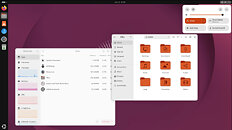 Resolute Raccoon also gets a new Resources app to replace the old System Monitor and Power Statistics apps, providing more comprehensive resource tracking and management. Ubuntu's extensions on Gnome have also been updated with more accessibility requirements, and the Files app (Nautilus) has also been updated with some UI and performance tweaks. A number of bug fixes have also been added, chiefly improved support for suspend and wake when using NVIDIA GPUs. Ubuntu also loses support for Google Drive integration in the Files app, due to security reasons—the libgdata library used to interact with Google's APIs went unmaintained and was consequently dropped from Nautilus.
Source:
Canonical
The biggest user-facing change is the move to Gnome 50, which now mandates Wayland and has improved, non-experimental support for both VRR and fractional scaling. Gnome 50 also implements a new feature that allows the cursor to render at the monitor's full refresh rate, even if the foreground app is running at a lower frame rate. The Gnome 50 update also sees the Yaru theme get some nifty visual tweaks that bring it closer to the standard Gnome theme and a new icon pack. Resolute Raccoon also moves Ubuntu up to the Linux kernel 7.0, adding better memory management, removing the "experimental" tag from Rust, and updating various drivers and services, like ZFS, and adding security features, like TPM-backed full-disk encryption. Ubuntu 26.04 is also the first Ubuntu version to ship NVIDIA CUDA out of the box, and AMD's ROCm platform is available in the Ubuntu repos for those looking to run local AI.


29 Comments on Ubuntu 26.04 "Resolute Raccoon" Launches With Gnome 50 and Linux 7.0
I generally prefer sudo over full root mode, simply because there is less chance you so something as root that you don't want to run as root. Most simple example is creating some ~/.config/foo/config file as root after you installed a package. Yes, can easily get fixed, but I prefer not having to fix anything.